Carbon County Full Release of Memorandum and Notice of Agreement Form
Last validated October 22, 2026 by our Forms Development TeamFormatted for recording in Carbon County, for property anywhere in the county: rural and unincorporated areas as well as Albrightsville, Aquashicola, Ashfield, Beaver Meadows, Bowmanstown, Jim Thorpe, Junedale, Lake Harmony and 8 more.
- 3 documents included
- Immediate PDF download
- Formatting guarantee
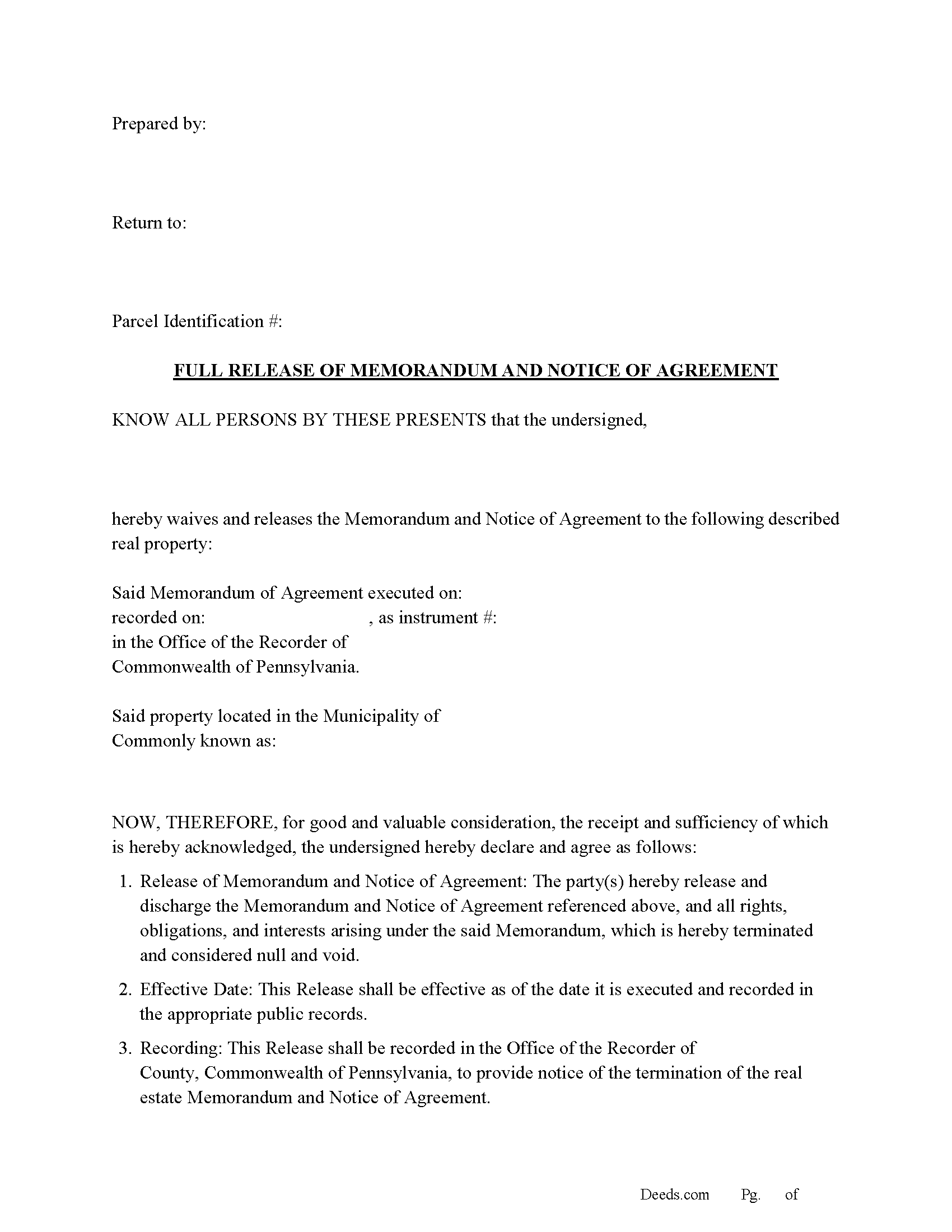
Carbon County Full Release of Memorandum and Notice of Agreement Form
Fill in the blank Full Release of Memorandum and Notice of Agreement form formatted to comply with all Pennsylvania recording and content requirements.
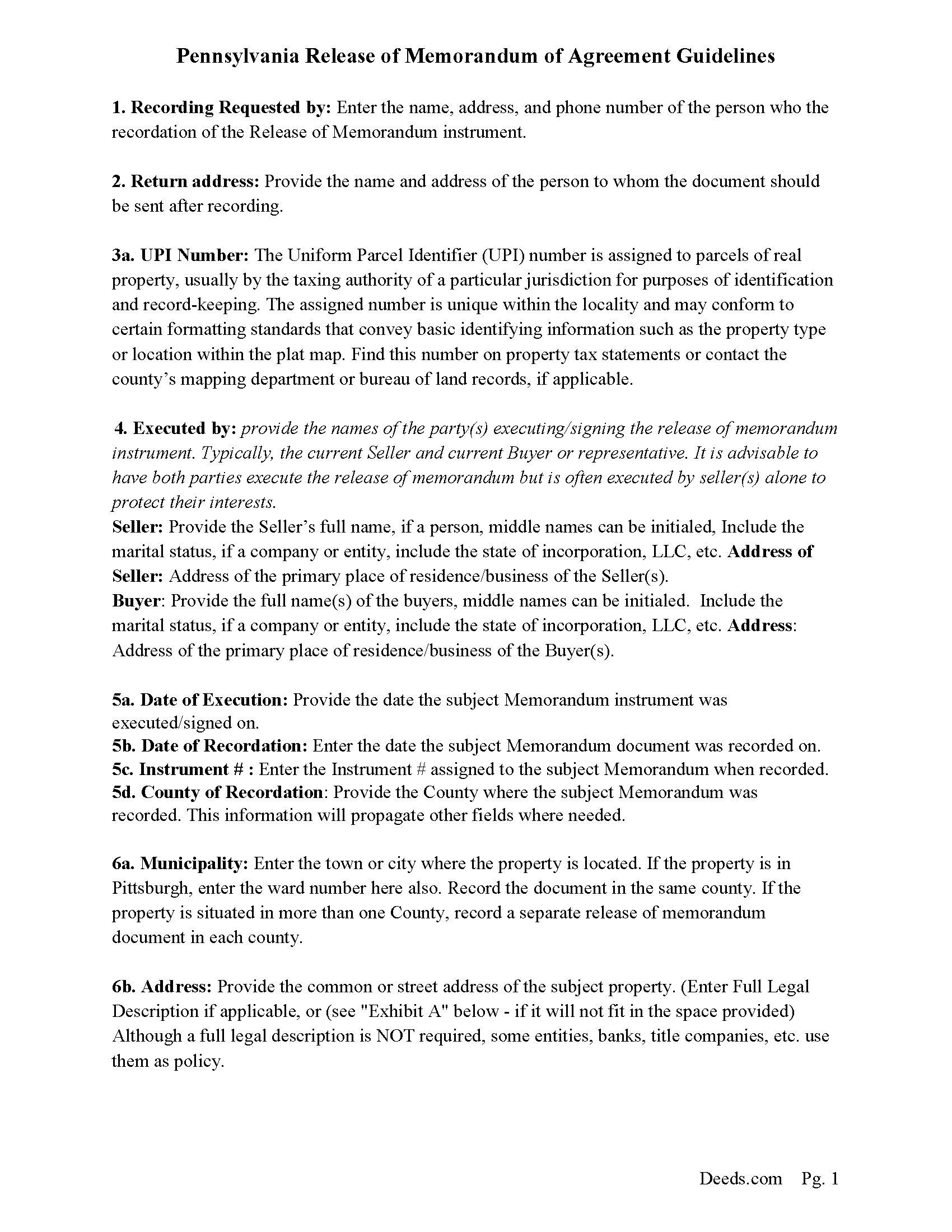
Carbon County Full Release of Memorandum and Notice of Agreement Guide
Line by line guide explaining every blank on the Full Release of Memorandum and Notice of Agreement form.
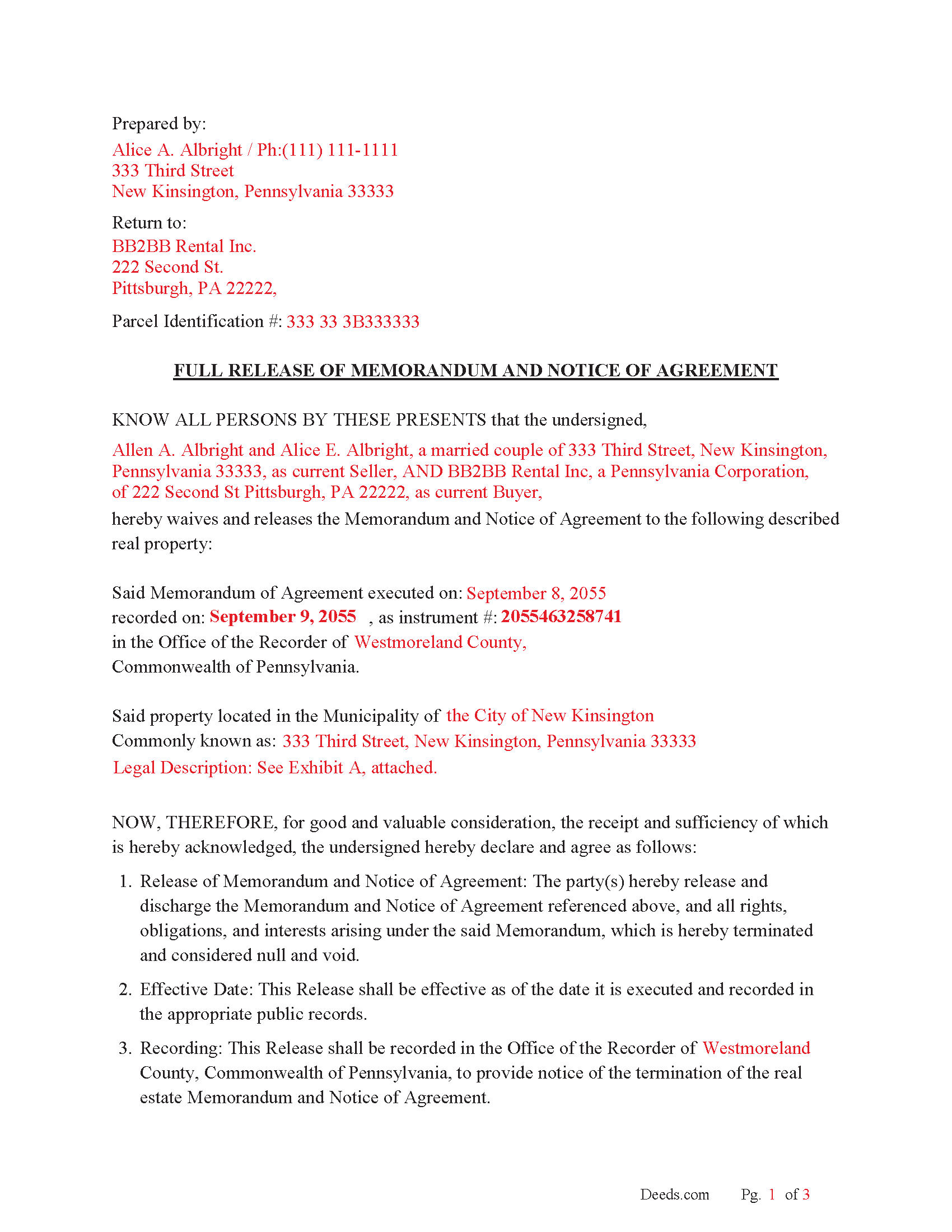
Carbon County Completed Example of the Full Release of Memorandum and Notice of Agreement Document
Example of a properly completed Pennsylvania Full Release of Memorandum and Notice of Agreement document for reference.
All 3 documents above included • One-time purchase • No recurring fees
Immediate Download • Secure Checkout
Additional Pennsylvania and Carbon County documents included at no extra charge:
Where to Record Your Documents
Recorder of Deeds - Courthouse Annex
Jim Thorpe, Pennsylvania 18229
Hours: 8:30am to 4:30pm Monday through Friday
Phone: (570) 325-2651
Recording Tips for Carbon County:
- Bring your driver's license or state-issued photo ID
- Ensure all signatures are in blue or black ink
- Ask about accepted payment methods when you call ahead
- Ask for certified copies if you need them for other transactions
- Ask if they accept credit cards - many offices are cash/check only
Cities and Jurisdictions in Carbon County
Properties in any of these areas use Carbon County forms:
- Albrightsville
- Aquashicola
- Ashfield
- Beaver Meadows
- Bowmanstown
- Jim Thorpe
- Junedale
- Lake Harmony
- Lansford
- Lehighton
- Nesquehoning
- Palmerton
- Parryville
- Summit Hill
- Tresckow
- Weatherly
Hours, fees, requirements, and more for Carbon County
How do I get my forms?
Forms are available for immediate download after payment. The Carbon County forms will be in your account ready to download to your computer. An account is created for you during checkout if you don't have one. Forms are NOT emailed.
Are these forms guaranteed to be recordable in Carbon County?
Yes. Our form blanks are guaranteed to meet or exceed the applicable formatting requirements used for recording in Carbon County, including margin requirements, font requirements, and other layout standards. This guarantee applies to formatting, not to the legal sufficiency of information entered by the user or the suitability of a form for a particular transaction.
Can I reuse these forms?
Yes. You can reuse the forms for your personal use. For example, if you have multiple properties in Carbon County you only need to order once.
What do I need to use these forms?
The forms are PDFs that you fill out on your computer. The free Adobe Acrobat Reader is recommended, and most PDF apps also work. You do NOT enter your property information online - you download the blank forms and complete them privately on your own computer.
Are there any recurring fees?
No. This is a one-time purchase. Nothing to cancel, no memberships, no recurring fees.
How much does it cost to record in Carbon County?
Recording fees in Carbon County vary. Contact the recorder's office at (570) 325-2651 for current fees.
Questions answered? Let's get started!
In Pennsylvania, a Release of Memorandum and Notice of Agreement is typically used to formally terminate or release a previously recorded Memorandum of Contract (also called a Notice of Agreement). This document is filed with the county recorder's office to clear any claim or cloud on the property title that resulted from the initial memorandum. Here's why and when it should be used:
Why is a Release of Memorandum and Notice of Agreement used?
Clear the Property Title: When a Memorandum of Contract or Notice of Agreement is recorded, it puts the public on notice that a contractual agreement exists regarding a specific piece of property. This can "cloud" the property’s title, making it difficult for the owner to sell or refinance the property. A release removes that cloud.
End a Legal Obligation: If the contract between the buyer and seller (or parties involved in the agreement) is terminated, canceled, or fulfilled, the Memorandum of Contract is no longer relevant, and recording a release ensures that no one can claim that the property is still bound by that agreement.
Avoid Potential Disputes: By recording a release, the parties involved are formally acknowledging that the agreement has been discharged, preventing future disputes regarding the validity or enforceability of the initial contract.
When should a Release of Memorandum and Notice of Agreement be used?
After a Contract is Fulfilled or Closed: If the terms of the original contract (e.g., a real estate purchase agreement) have been fully performed (e.g., the sale has closed), the memorandum is no longer needed, and releasing it ensures the title is clear.
If a Deal Falls Through: If the contract is terminated or canceled before the deal is completed (e.g., the buyer or seller backs out, or there’s a mutual agreement to cancel), a release is necessary to officially reflect that the agreement is no longer in effect.
Upon Request of the Parties: Sometimes, a party may request that the memorandum be released to facilitate a new transaction (e.g., a new buyer is interested, or refinancing is needed), and clearing the title is essential for moving forward.
What Happens If a Release Is Not Filed?
Clouded Title: If a Memorandum of Contract is not released, it can cloud the title, making it difficult or impossible for the property owner to sell or finance the property.
Legal Issues: The existence of a recorded Memorandum can lead to legal disputes or claims that the agreement is still valid, even if the underlying contract has been terminated.
Process to File a Release: Draft the Release of Memorandum: This legal document typically needs to reference the original Memorandum of Contract, including the recording details (Instrument #, etc.).
Signatures: The release should be signed by the appropriate parties (usually both the buyer and seller or other parties to the original agreement).
Notarization: The document should often be notarized before it is filed.
File with County Recorder’s Office: The release is then recorded with the local county recorder’s office where the original Memorandum was filed, clearing the title.
In summary, a Release of Memorandum and Notice of Agreement is used in Pennsylvania to formally remove a previously recorded memorandum from the public record once the associated contract is no longer in effect. It ensures that the property's title is clear, facilitating future transactions and avoiding legal complications.
Important: Your property must be located in Carbon County to use these forms. Documents should be recorded at the county recording office listed above.
This Full Release of Memorandum and Notice of Agreement meets all recording requirements specific to Carbon County.
Our Promise
The documents you receive here are guaranteed to meet or exceed the applicable Carbon County recording format requirements. If there is a rejection caused by our formatting, we will correct the issue or refund your payment. This guarantee applies to document formatting only and does not extend to information entered by the user, the selection of the form, or the legal effect of the completed document.
Save Time and Money
Get your Carbon County Full Release of Memorandum and Notice of Agreement form done right the first time with Deeds.com Uniform Conveyancing Blanks. At Deeds.com, we understand that your time and money are valuable resources, and we don't want you to face a penalty fee or rejection imposed by a county recorder for submitting nonstandard documents. We constantly review and update our forms to meet rapidly changing state and county recording requirements for roughly 3,500 counties and local jurisdictions.
4.8 out of 5 - ( 4,845 Reviews )
janitza g. 5 out of 5 stars
It was easy!!! The example for completing a quickclaim deed form was very helpful!!
Thank you!
Thomas A. 3 out of 5 stars
I was unable to complete the action due to the site inability to retrieve my deed.
Thank you for your feedback. We really appreciate it. Have a great day!
George S. 5 out of 5 stars
Deeds.com made the recording of my timeshare Quit Claim Deed painless and extremely fast. I'm talking hours, not days. Thank You!
Your feedback is greatly appreciated. Thank you for taking the time to share your experience!
Carolyn M. 5 out of 5 stars
Very helpful and informative. The online site walked you through step by step and if you had a question, which I did, I called with my question. Thanks again.
Thank you!
Fred B. 5 out of 5 stars
Great service and all seems to be what I was looking for
Thank you Fred, have a great day!
Michael R. 5 out of 5 stars
This was just TOO easy to do and use!! Thank you so much for your service!
Thank you!
Brenda H. 1 out of 5 stars
I purchased this thinking I would be able to complete the QuitClaim Deed myself because an example was provided, but you still need to be a lawyer to figure all the wording out. It was not worth the price I paid for it.
Thank you for your feedback. We really appreciate it. Have a great day!
Max P. 5 out of 5 stars
Excellent. Timely. Efficient. Smooth. Thank you!
We appreciate your business and value your feedback. Thank you. Have a wonderful day!
THOMAS C. 5 out of 5 stars
Very fast service
We appreciate your business and value your feedback. Thank you. Have a wonderful day!
Zerrin M. 5 out of 5 stars
I’m in Clearwater, FL and needed to record a something in Palm Beach County. Deeds.com made the entire process incredibly simple. I submitted the documents, they sent it back once (same day) for a small correction, I fixed it and returned them, and everything was completed within the same day. It was even much faster and more convenient than going to my local recorder’s office. In-person usually means planning when to go, driving across town, paying for parking, and waiting in line — all of which I avoid with Deeds.com. Highly recommended!
Thank you, Zerrin! Glad we could save you the trip across town. We appreciate you taking the time to share your experience.
R Rodney H. 5 out of 5 stars
Excellent service--I got just the information I needed quickly and reasonably priced. I am glad to know of this service for future needs, as an individual, in this sector. Cheers, RRH
We appreciate your business and value your feedback. Thank you. Have a wonderful day!
Archie POA G. 5 out of 5 stars
got what I ordered, as expected, in good time
Thank you!
BARBARA S. 5 out of 5 stars
Easy to use; great back-up documentation; reasonably priced.
We appreciate your business and value your feedback. Thank you. Have a wonderful day!
Phyllis B. 5 out of 5 stars
I saved a ton of money doing it on my own versus through legal counsel. When I took it to the auditor/recorder today, there was absolutely no problems.
Thank you for your feedback. We really appreciate it. Have a great day!
David S. 5 out of 5 stars
The form was just what I needed for the Circuit Court and Land Records office. The additional information provided was very helpful as well.
We appreciate your business and value your feedback. Thank you. Have a wonderful day!