Beaver County Quitclaim Deed (Corporation Grantor) Form
Last validated November 4, 2026 by our Forms Development TeamFormatted for recording in Beaver County, for property anywhere in the county: rural and unincorporated areas as well as Aliquippa, Ambridge, Baden, Beaver, Beaver Falls, Clinton, Conway, Darlington and 13 more.
- 3 documents included
- Immediate PDF download
- Formatting guarantee
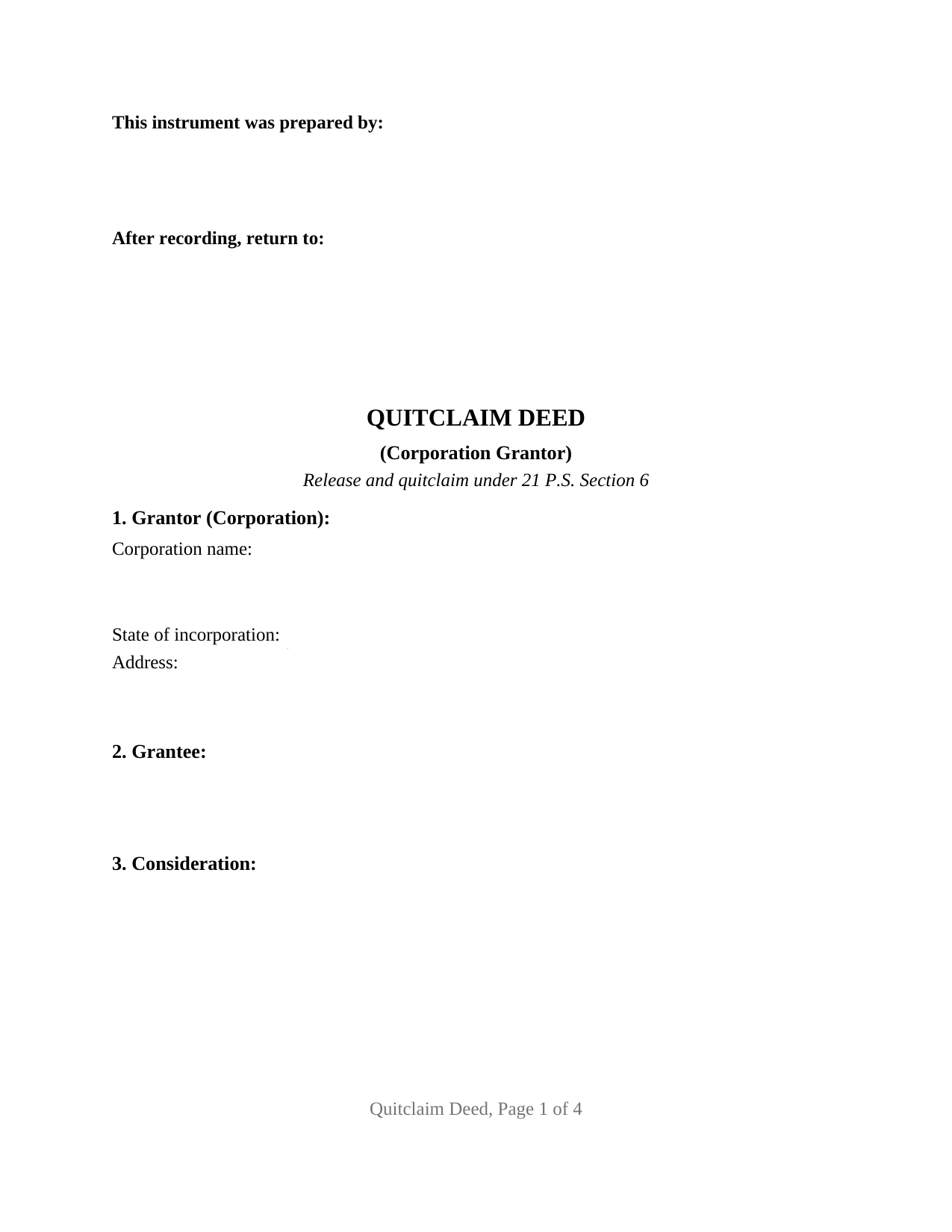
Beaver County Quitclaim Deed (Corporation Grantor) Form
Fill in the blank Quitclaim Deed (Corporation Grantor) form formatted to comply with all Pennsylvania recording and content requirements.
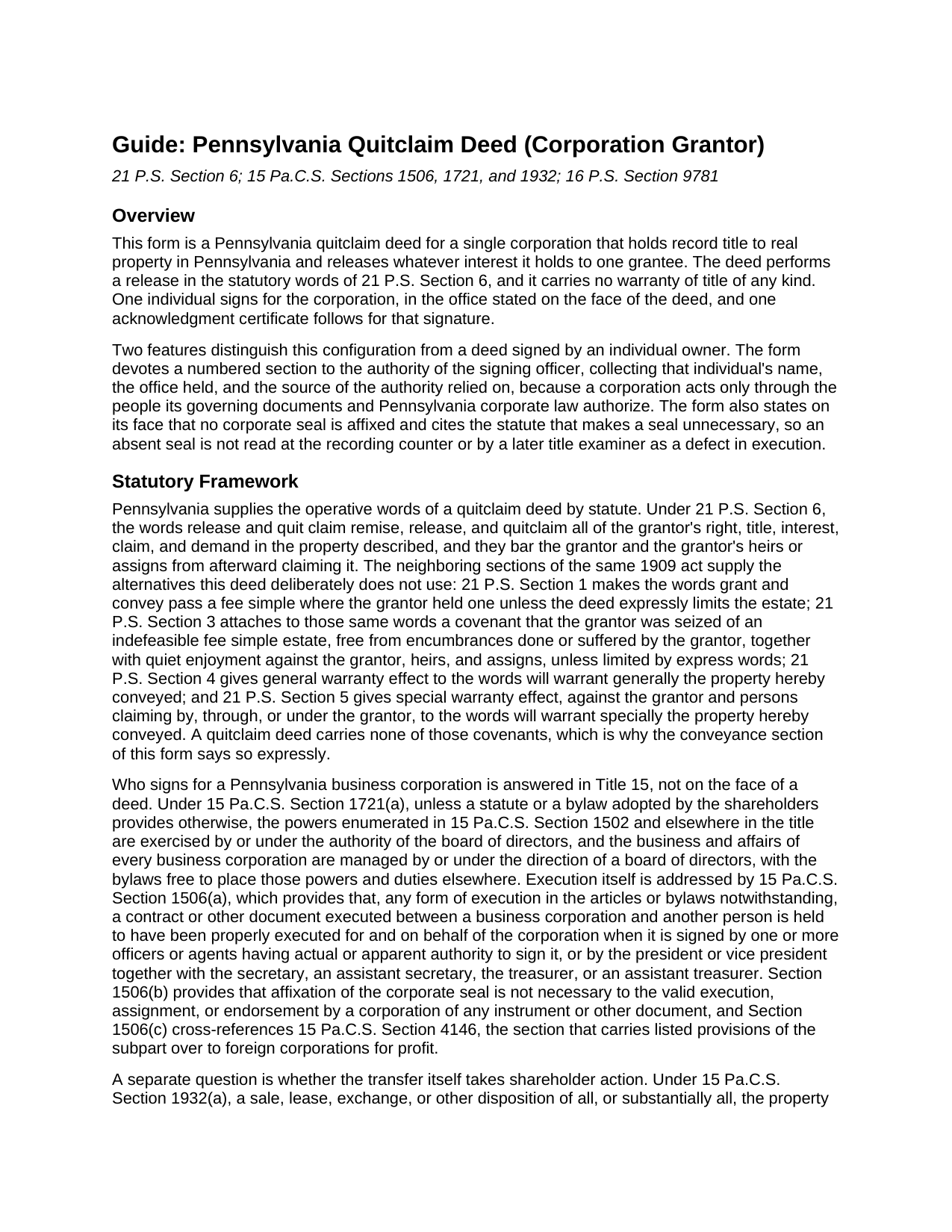
Beaver County Quitclaim Deed (Corporation Grantor) Guide
Line by line guide explaining every blank on the Quitclaim Deed (Corporation Grantor) form.
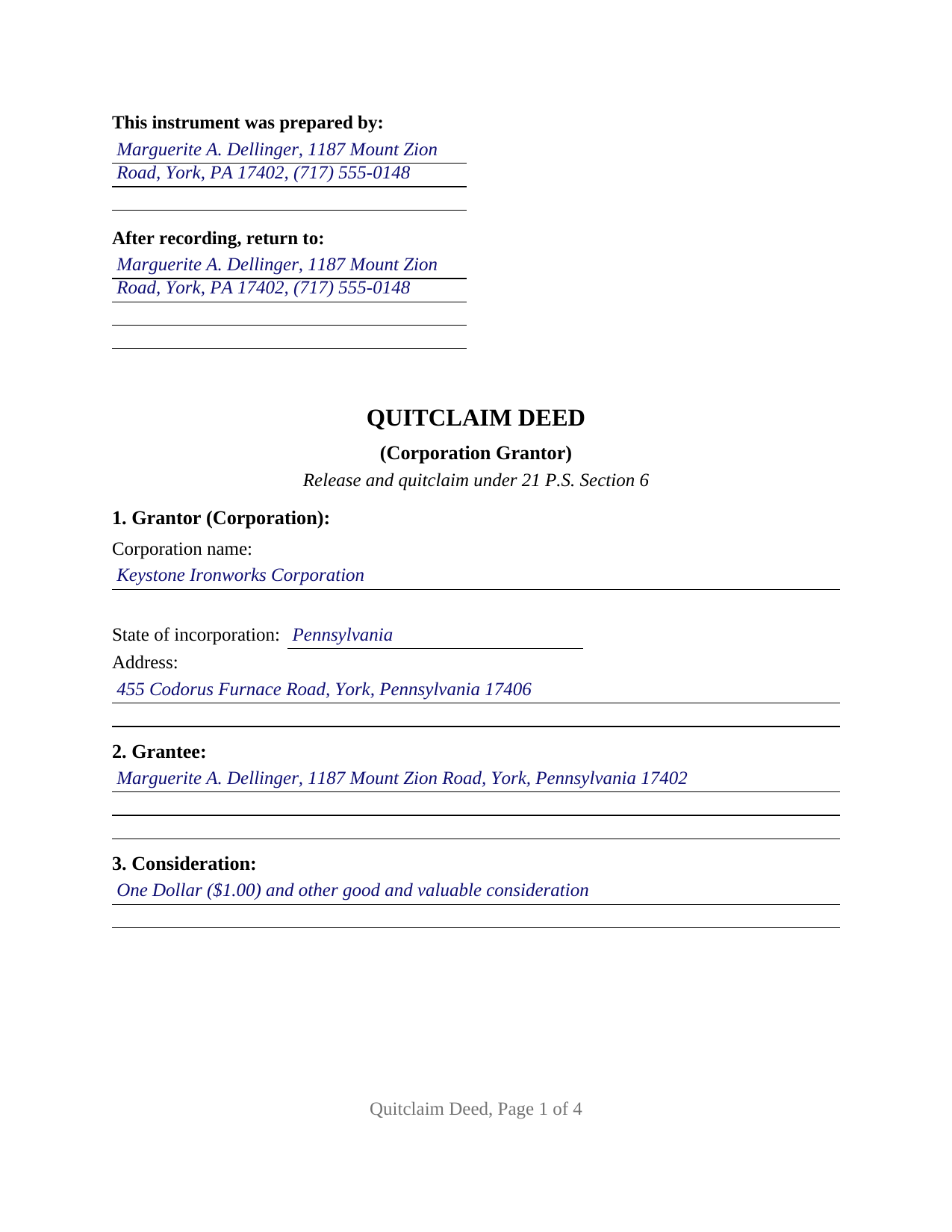
Beaver County Completed Example of the Quitclaim Deed (Corporation Grantor) Document
Example of a properly completed Pennsylvania Quitclaim Deed (Corporation Grantor) document for reference.
All 3 documents above included • One-time purchase • No recurring fees
Immediate Download • Secure Checkout
Additional Pennsylvania and Beaver County documents included at no extra charge:
Where to Record Your Documents
Beaver County Recorder of Deeds - Courthouse
Beaver, Pennsylvania 15009
Hours: 8:30 to 4:30 M-F
Phone: (724) 770-4560
Recording Tips for Beaver County:
- Bring your driver's license or state-issued photo ID
- Ensure all signatures are in blue or black ink
- Ask for certified copies if you need them for other transactions
- Ask if they accept credit cards - many offices are cash/check only
- Check that your notary's commission hasn't expired
Cities and Jurisdictions in Beaver County
Properties in any of these areas use Beaver County forms:
- Aliquippa
- Ambridge
- Baden
- Beaver
- Beaver Falls
- Clinton
- Conway
- Darlington
- Fombell
- Freedom
- Georgetown
- Hookstown
- Industry
- Koppel
- Midland
- Monaca
- New Brighton
- New Galilee
- Rochester
- Shippingport
- South Heights
Hours, fees, requirements, and more for Beaver County
How do I get my forms?
Forms are available for immediate download after payment. The Beaver County forms will be in your account ready to download to your computer. An account is created for you during checkout if you don't have one. Forms are NOT emailed.
Are these forms guaranteed to be recordable in Beaver County?
Yes. Our form blanks are guaranteed to meet or exceed the applicable formatting requirements used for recording in Beaver County, including margin requirements, font requirements, and other layout standards. This guarantee applies to formatting, not to the legal sufficiency of information entered by the user or the suitability of a form for a particular transaction.
Can I reuse these forms?
Yes. You can reuse the forms for your personal use. For example, if you have multiple properties in Beaver County you only need to order once.
What do I need to use these forms?
The forms are PDFs that you fill out on your computer. The free Adobe Acrobat Reader is recommended, and most PDF apps also work. You do NOT enter your property information online - you download the blank forms and complete them privately on your own computer.
Are there any recurring fees?
No. This is a one-time purchase. Nothing to cancel, no memberships, no recurring fees.
How much does it cost to record in Beaver County?
Recording fees in Beaver County vary. Contact the recorder's office at (724) 770-4560 for current fees.
Questions answered? Let's get started!
Older Pennsylvania corporate deeds reach the recorder under an impressed seal, and this one records without any. That is the first thing to notice about a quitclaim deed released by a corporation: Section 10 says it out loud, citing the statute that makes a corporate seal unnecessary. The form recites one Pennsylvania business corporation as grantor, releasing whatever right, title, and interest it holds to a single grantee, with no warranty of title.
The seal a Pennsylvania corporation does not need
A title examiner reading an older chain still looks for the seal, so its absence is worth stating. Pennsylvania settled the question by statute: under 15 Pa.C.S. Section 1506(b), affixation of the corporate seal is not necessary to the valid execution, assignment, or endorsement by a corporation of any instrument or other document. The rule for a human signer arrives from the other direction, 21 P.S. Section 9 treating a deed signed without a seal as executed as though a seal were there.
The office the deed names
A corporation signs through a person, and Pennsylvania says which person will do. Under 15 Pa.C.S. Section 1506(a), whatever form of execution the articles or bylaws prescribe, a document a business corporation executes with another person is held properly executed on the corporation's behalf when signed by one or more officers or agents having actual or apparent authority, or by the president or a vice president together with the secretary, an assistant secretary, the treasurer, or an assistant treasurer. Behind that sits 15 Pa.C.S. Section 1721(a), which exercises corporate powers through the board of directors unless a shareholder-adopted bylaw places them elsewhere. A numbered section of the deed collects the three facts those provisions make relevant: the individual signing, the office held, and the source of authority relied on.
One corporation, one signing officer, one certificate
The architecture is narrow. A grantor block takes the corporate name, the state of incorporation, and the address. One signature line follows, captioned for the grantor corporation signing by its authorized officer, and a single acknowledgment certificate carries the short-form wording of 57 Pa.C.S. Section 316, its blank taking the signer's name with the representative capacity. Releases on this configuration recur in Pennsylvania record rooms: a corporation quitclaiming a remnant strip or former rail siding to the adjoining owner, a closely held corporation distributing a parcel to a stockholder on a partial liquidation, and a corporation clearing an old security interest the record still shows. One corporation and one signer is what this quit claim deed recites; a release that corporate bylaws require two officers to execute sits outside that arrangement.
When the release is a corporate act and not just a signature
Some corporate conveyances take more than a signature. Under 15 Pa.C.S. Section 1932(a), a disposition of all, or substantially all, of a corporation's property and assets made in the usual and regular course of its business rests on board authorization and, except as the bylaws restrict, needs no shareholder consent. Section 1932(b) covers the same disposition made outside that course, which may proceed only under a plan of asset transfer adopted the way Chapter 3 provides for a plan of merger, with dissenters rights where Subchapter D of Chapter 15 applies. That process happens off the deed.
Stock, stockholders, and the two-year test
At the tax window a corporation and its owners are strangers. Under 61 Pa. Code Section 91.154(a) they are separate, and title transfers between them are fully taxable unless something else excludes them, transfers in consideration of the issuance or cancellation of stock included. A distribution to a stockholder reaches for 61 Pa. Code Section 91.193(b)(13), which sets conditions: the realty stands of record in the corporate name, the grantee's stock percentage matches the interest in the real estate conveyed, and the stock has been held more than two years, with the Statement of Value naming the grantee as a stockholder, the date the stock was acquired, and the ownership share. Under 61 Pa. Code Section 91.164 the label settles nothing: a quitclaim deed is taxed on the same basis as another deed where an actual conveyance occurs, at 1 percent state tax plus the local rate.
The download holds the blank corporate quitclaim deed as a fillable PDF, a completed example following a York County corporate release, and a guide to the twelve sections, corporate execution, notarization, transfer tax paperwork, and county recording. The materials describe Pennsylvania law in general terms and are not legal advice.
Important: Your property must be located in Beaver County to use these forms. Documents should be recorded at the county recording office listed above.
This Quitclaim Deed (Corporation Grantor) meets all recording requirements specific to Beaver County.
Our Promise
The documents you receive here are guaranteed to meet or exceed the applicable Beaver County recording format requirements. If there is a rejection caused by our formatting, we will correct the issue or refund your payment. This guarantee applies to document formatting only and does not extend to information entered by the user, the selection of the form, or the legal effect of the completed document.
Save Time and Money
Get your Beaver County Quitclaim Deed (Corporation Grantor) form done right the first time with Deeds.com Uniform Conveyancing Blanks. At Deeds.com, we understand that your time and money are valuable resources, and we don't want you to face a penalty fee or rejection imposed by a county recorder for submitting nonstandard documents. We constantly review and update our forms to meet rapidly changing state and county recording requirements for roughly 3,500 counties and local jurisdictions.
4.8 out of 5 - ( 4,860 Reviews )
Sonya B. 5 out of 5 stars
Easy to order what I needed.
Thank you!
A. S. 3 out of 5 stars
First, I am glad that you gave a blank copy, an example copy, and a 'guide'. It made it much easier to do. Overall I was very happy with your products and organization... however, things got pretty confusing and I have a pretty 'serious' law background in Real Estate and Civil law. With that said, I spent about 10+ hours getting my work done, using the Deed of Trust and Promissory note from you and there were a few problems: First, it would be FANTASTIC if you actually aligned your guide to actually match the Deed or Promissory Note. What I mean is that if the Deed says 'section (E)' then your guide shouldn't be 'randomly' numbered as 1,2,3, for advice/instructions, but should EXACTLY match 'section (E)'. Some places you have to 'hunt' for what you are looking for, and if you did it based on my suggestion, you wouldn't need to 'hunt' and it would avoid confusion. 2nd: This one really 'hurt'... you had something called the 'Deed of Trust Master Form' yet you had basically no information on what it was or how to use it. The only information you had was a small section at the top of the 'Short Form Deed of Trust Guide'. Holy Cow, was that 'section' super confusing. I still don't know if I did it correctly, but your guide says only put a return address on it and leave the rest of the 16 or so page Deed of Trust beneath it blank... and then include your 'Deed of Trust' (I had to assume the short form deed that I had just created) as part of it. I had to assume that I had to print off the entire 17 page or so title page and blank deed. I also had to assume that the promissory note was supposed to be EXHIBIT A or B on the Short Form Deed. It would be great if someone would take a serious look at that short section in your 'Short Form Deed of Trust Guide' and realize that those of us using your products are seriously turning this into a county clerk to file and that most of us, probably already have a property that has an existing Deed... or at least can find one in the county records if necessary... and make sure that you make a distinction between the Deed for the property that already exists, versus the Deed of Trust and Promissory note that we are trying to file. Thanks.
Thank you for your feedback. We'll have staff review the document for clarity. Have a great day!
Steve B. 5 out of 5 stars
Good format. Timely response. Adding a photo of the property would be a good improvement.
Thank you for your feedback. We really appreciate it. Have a great day!
Steven M. 5 out of 5 stars
Happy with your service. Everything as advertised.
Your feedback is greatly appreciated. Thank you for taking the time to share your experience!
ROBERT W. 5 out of 5 stars
Very good service .I recommend it if you need your documentation on a weekend or when offices are closed.Very fast service
We appreciate your business and value your feedback. Thank you. Have a wonderful day!
Shaaron Z. 5 out of 5 stars
So far, this is working well. However, I don't see a form to change name due to marriage.
Thank you!
eric m. 5 out of 5 stars
it was a smooth superb timely experience
Your feedback is valuable to us and helps us improve. Thank you for sharing your thoughts!
Lance T. W. 4 out of 5 stars
All in all an easy, cost-effective approach to simple legal work.
Thank you for your feedback. We really appreciate it. Have a great day!
Monica D. N. 5 out of 5 stars
The Web site is very intuitive, organized well and forms are easily found. The instructions provided are very helpful. Value in terms of price is very good.
We appreciate your business and value your feedback. Thank you. Have a wonderful day!
Thomas H. 5 out of 5 stars
Great service! The example completed form and instructions provided by Deeds.com were extremely helpful for properly filling out the blank form they provided. After completing my form and getting it notarized, I e-filed it to my county clerk's office and it was approved right away with no issues. The entire process was well worth the price and I'm very happy with the results.
Thanks, Thomas. First-try acceptance is the goal every time, and we're glad yours went that way. We appreciate your business.
Ronald W. 5 out of 5 stars
Outstanding website, very refreshing to use. Thank you
We’re glad to hear things went well. Thank you for the review.
Devra R. 5 out of 5 stars
A refreshingly easy service to use. They offer auxiliary forms as a courtesy. Theres no "gotcha" capitalism. You pay the reasonable fee and the needed forms are accessible instantly to download. I've used it twice so far and it worked perfectly!
We appreciate your business and value your feedback. Thank you. Have a wonderful day!
Arthur T. 5 out of 5 stars
Thanks
Thank you!
Deborah D. 5 out of 5 stars
What I thought was gonna be a long drawn out tedious process was literally 10min tops... The help was quick and a load off. Thanks y'all.
We appreciate your business and value your feedback. Thank you. Have a wonderful day!
Lisa m. 5 out of 5 stars
Very fast and easy! Thanks!!
Glad we could help. Thank you!