York County Memorandum of Contract Form
Last validated October 27, 2026 by our Forms Development TeamFormatted for recording in York County, for property anywhere in the county: rural and unincorporated areas as well as Bowling Green, Catawba, Clover, Fort Mill, Hickory Grove, Mc Connells, Rock Hill, Sharon and 2 more.
- 3 documents included
- Immediate PDF download
- Formatting guarantee
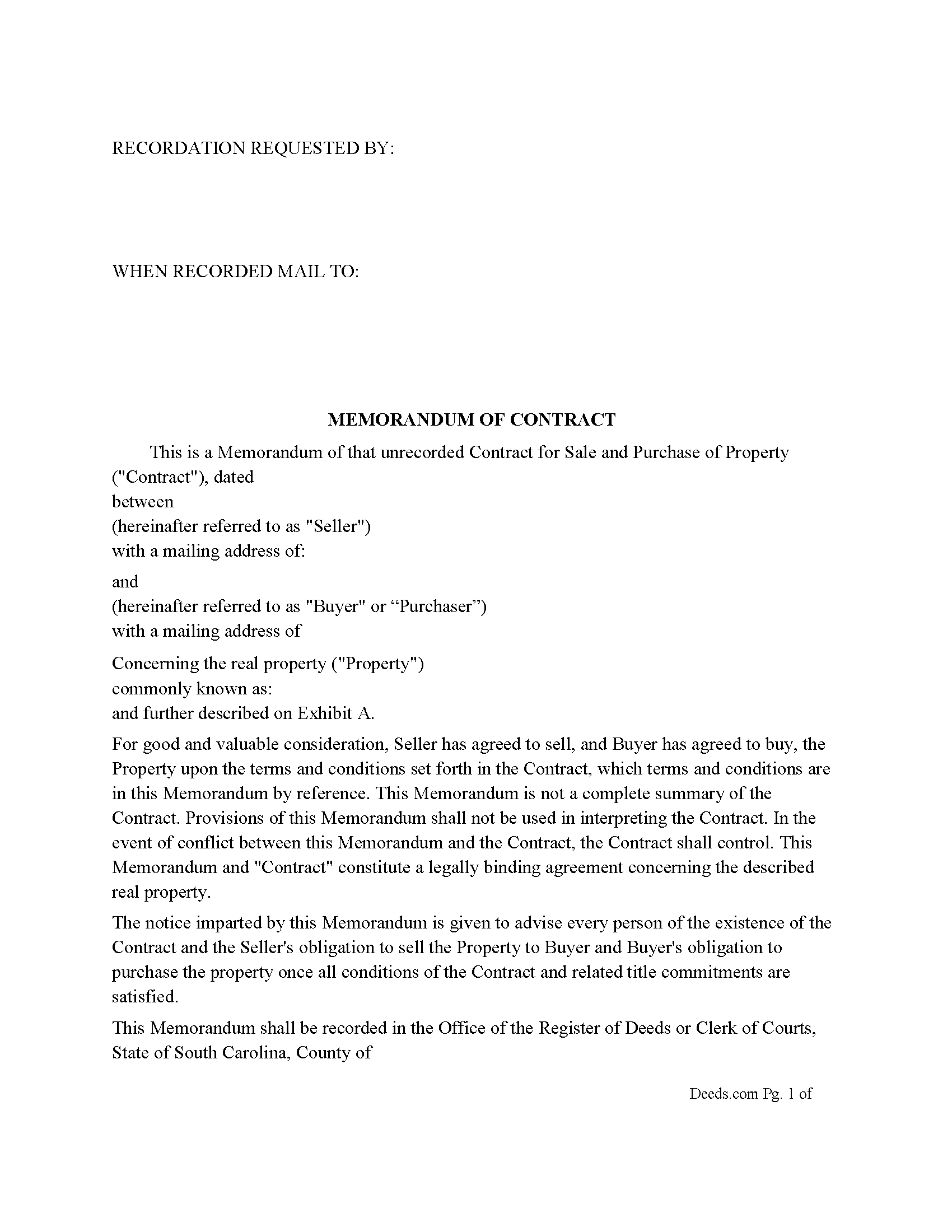
York County Memorandum of Contract Form
Fill in the blank Memorandum of Contract form formatted to comply with all South Carolina recording and content requirements.
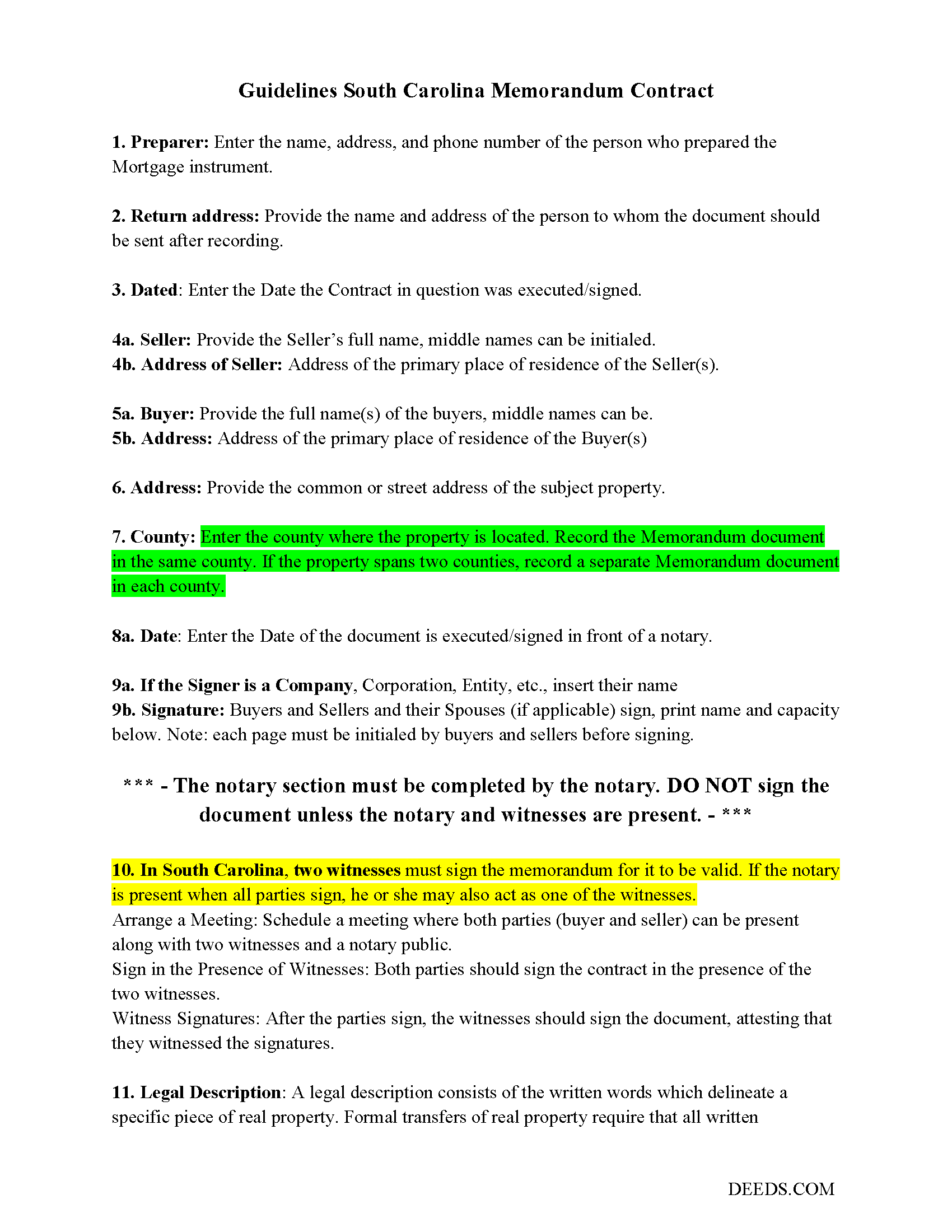
York County Memorandum of Contract Guide
Line by line guide explaining every blank on the Memorandum of Contract form.
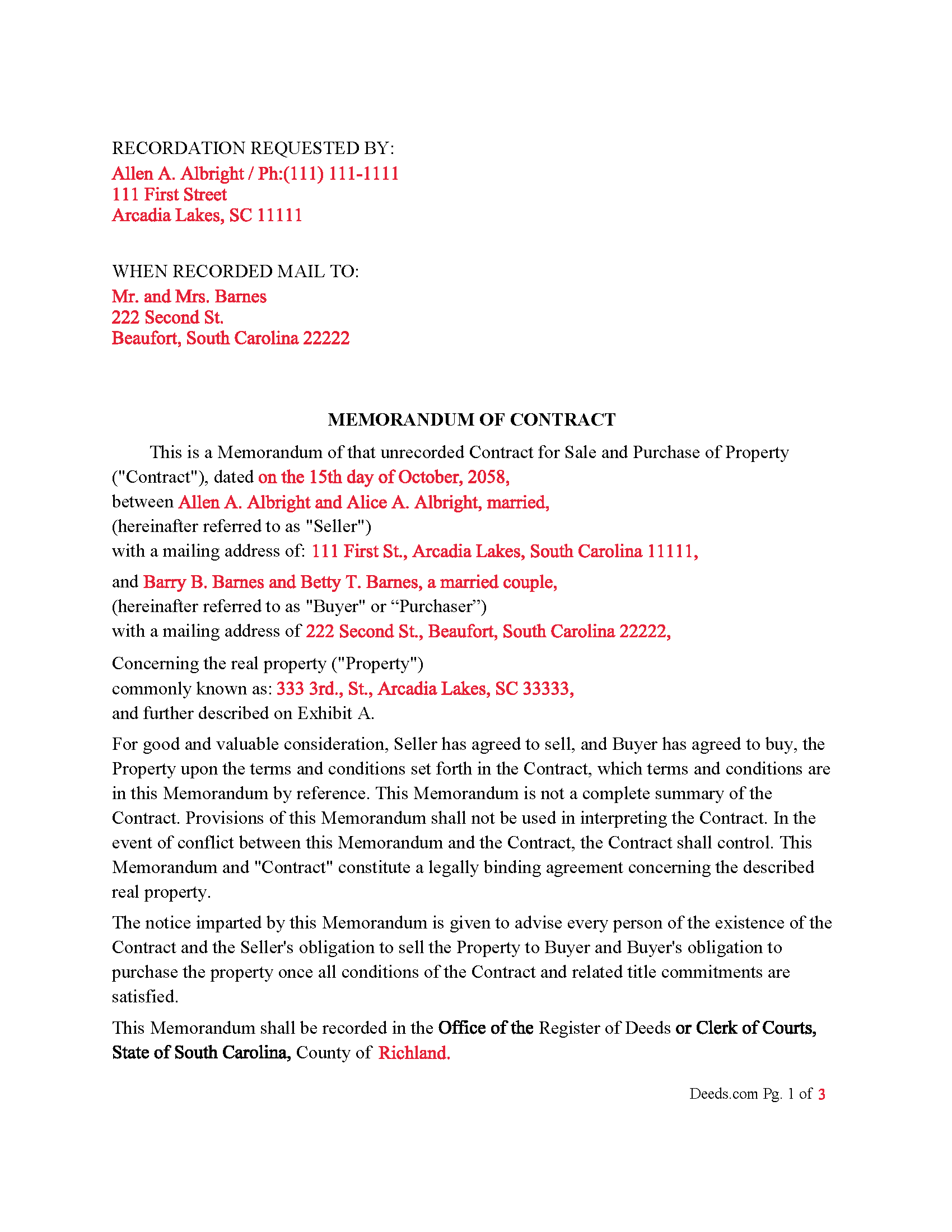
York County Completed Example of the Memorandum of Contract Document
Example of a properly completed South Carolina Memorandum of Contract document for reference.
All 3 documents above included • One-time purchase • No recurring fees
Immediate Download • Secure Checkout
Additional South Carolina and York County documents included at no extra charge:
Where to Record Your Documents
Clerk of Court / Register of Deeds
York, South Carolina 29745
Hours: 8:00am to 5:00pm Monday through Friday
Phone: (803) 684-8510
Recording Tips for York County:
- Bring your driver's license or state-issued photo ID
- Ensure all signatures are in blue or black ink
- Recording fees may differ from what's posted online - verify current rates
- Request a receipt showing your recording numbers
- Ask about accepted payment methods when you call ahead
Cities and Jurisdictions in York County
Properties in any of these areas use York County forms:
- Bowling Green
- Catawba
- Clover
- Fort Mill
- Hickory Grove
- Mc Connells
- Rock Hill
- Sharon
- Smyrna
- York
Hours, fees, requirements, and more for York County
How do I get my forms?
Forms are available for immediate download after payment. The York County forms will be in your account ready to download to your computer. An account is created for you during checkout if you don't have one. Forms are NOT emailed.
Are these forms guaranteed to be recordable in York County?
Yes. Our form blanks are guaranteed to meet or exceed the applicable formatting requirements used for recording in York County, including margin requirements, font requirements, and other layout standards. This guarantee applies to formatting, not to the legal sufficiency of information entered by the user or the suitability of a form for a particular transaction.
Can I reuse these forms?
Yes. You can reuse the forms for your personal use. For example, if you have multiple properties in York County you only need to order once.
What do I need to use these forms?
The forms are PDFs that you fill out on your computer. The free Adobe Acrobat Reader is recommended, and most PDF apps also work. You do NOT enter your property information online - you download the blank forms and complete them privately on your own computer.
Are there any recurring fees?
No. This is a one-time purchase. Nothing to cancel, no memberships, no recurring fees.
How much does it cost to record in York County?
Recording fees in York County vary. Contact the recorder's office at (803) 684-8510 for current fees.
Questions answered? Let's get started!
A Memorandum of Contract acts as a public notice of a land contract, contract for deed, or other buy-sell purchase agreement affecting real estate, without revealing all the contract terms. This document ensures that the essential details of the agreement are on record while maintaining confidentiality of the complete terms. A recorded Memorandum of Contract, can secure the parties interests in the subject property and provide notice to potential buyers or creditors, safeguarding against any future disputes regarding the property's title.
In South Carolina, the recording of such documents is governed by the South Carolina Code of Laws, Title 30 - Public Records, Chapter 5
Recording Generally. Although the statutes do not specifically mention a "Memorandum of Contract," they outline the requirements for recording any documents that impact the title to real property. These guidelines help protect the interests of all parties involved by ensuring transparency and proper documentation in real estate transactions.
Relevant Statutes
Title 30 - Public Records
Chapter 5 - Recording Generally
Section 30-5-30. Requirements for recording of instruments.
This section outlines the general requirements for recording any instrument affecting real estate.
Text: No deed, contract, or other instrument in writing required by law to be recorded shall be recorded unless it has been executed in the presence of, and subscribed by, two or more credible witnesses, or acknowledged by the grantor, or proved in accordance with the provisions of law.
Section 30-5-35. Indexing of real property instruments.
This section discusses the indexing of recorded instruments, which is essential for public notice.
Text: All instruments conveying an interest in real property or any interest therein shall be indexed in the grantor and grantee indexes in the office of the register of deeds or clerk of court in the county where the real property is located.
Section 30-5-40. Recording of documents affecting title to real property.
This section specifies the types of documents that can be recorded.
Text: Any deed, contract, or other instrument in writing which conveys, encumbers, assigns, or affects title to real estate or any interest therein, and which is required by law to be recorded, shall be recorded in the office of the register of deeds or clerk of court in the county where the real estate is situated.
Important: Your property must be located in York County to use these forms. Documents should be recorded at the county recording office listed above.
This Memorandum of Contract meets all recording requirements specific to York County.
Our Promise
The documents you receive here are guaranteed to meet or exceed the applicable York County recording format requirements. If there is a rejection caused by our formatting, we will correct the issue or refund your payment. This guarantee applies to document formatting only and does not extend to information entered by the user, the selection of the form, or the legal effect of the completed document.
Save Time and Money
Get your York County Memorandum of Contract form done right the first time with Deeds.com Uniform Conveyancing Blanks. At Deeds.com, we understand that your time and money are valuable resources, and we don't want you to face a penalty fee or rejection imposed by a county recorder for submitting nonstandard documents. We constantly review and update our forms to meet rapidly changing state and county recording requirements for roughly 3,500 counties and local jurisdictions.
4.8 out of 5 - ( 4,837 Reviews )
Jo Ann P. 3 out of 5 stars
Was hoping I would be sent copies on paper so I can fill them out without a desk computer
We appreciate your feedback. Our forms are delivered instantly as digital files, so customers can download and print as many copies as they need. This way, you have the flexibility to complete them by hand if you prefer.
DONALD L P. 5 out of 5 stars
HAD WRONG PASSWORD; PROGRAM MADE CHANGE EASY.
Thank you!
Joe B. 5 out of 5 stars
Fantastic service -- very clear
We appreciate your business and value your feedback. Thank you. Have a wonderful day!
Van S. 5 out of 5 stars
Easy to use...very informative...ttook care of exactly what I was looking for.
Thank you for your feedback. We really appreciate it. Have a great day!
Duane S. 5 out of 5 stars
Really glad to find your site. Made filing so much easier.
Thank you for your feedback. We really appreciate it. Have a great day!
Dawn L. 5 out of 5 stars
Not totally satisfied as unable to edit as needed on signature page of the deed. I want to be able to date the document and don't want the verbage "signed, sealed and delivered in the presence of" to appear and cannot remove it. The notary will make his or her own statement below as to the date executed.
Thank you for your feedback. We really appreciate it. Have a great day!
Casey W. 5 out of 5 stars
Excellent service, quick and right to the point, without a monthly subscription! Perfect for filers of single documents! Thanks!
Thank you for your feedback. We really appreciate it. Have a great day!
Sun H. 5 out of 5 stars
It was great working with deeds.com. I needed to record quickclaim deed and the staff was very responsive and communicative throughout the process where I needed to modify the documents repeated. Thank you for making the recording much easy by setting up the e-recording service!
Your feedback is greatly appreciated. Thank you for taking the time to share your experience!
Elizabeth M. 5 out of 5 stars
So fare easy and straight forward
Thank you for your feedback. We really appreciate it. Have a great day!
AMY J. 5 out of 5 stars
Very easy user friendly thank you for that
Thank you!
Hans S. 5 out of 5 stars
This is my first time using this service so having not yet filed the documents I purchased, I will say that I am impressed at how comprehensive the instructions are that accompany the document I purchased.
We appreciate your business and value your feedback. Thank you. Have a wonderful day!
CARMEN R J. 5 out of 5 stars
Thank you intensly
Thank you!
Samantha Ann F. 5 out of 5 stars
I needed more knowledge to feel comfortable for using this form. I am sure it will work great for some people...for me I needed to contact an Estate Manager.
We understand that not every situation is a good fit for a do-it-yourself form package, especially when estate matters are involved. We’re glad you recognized when additional guidance would make you more comfortable, and we appreciate you giving our forms a try. Best wishes moving forward with your estate matter.
Michael C. 5 out of 5 stars
I would appreciate being able to increase the size of the blocks such as the Grantor block and the legal description block where information is enter on the form and to adjust the font. Otherwise great product,
Thank you for your feedback Michael. We do wish we could make that an option. Unfortunately, adhering to formatting requirements (specifically margin requirements) leaves a finite amount of space available on the page.
Thuc P. 5 out of 5 stars
Fast and good service. Very details in instructions.
Thank you!