Mccormick County Quitclaim Deed (Corporation Grantor) Form
Last validated September 23, 2026 by our Forms Development TeamFormatted for recording in Mccormick County, for property anywhere in the county: rural and unincorporated areas as well as Clarks Hill, Mc Cormick, Modoc, Mount Carmel, Parksville, Plum Branch.
- 3 documents included
- Immediate PDF download
- Formatting guarantee
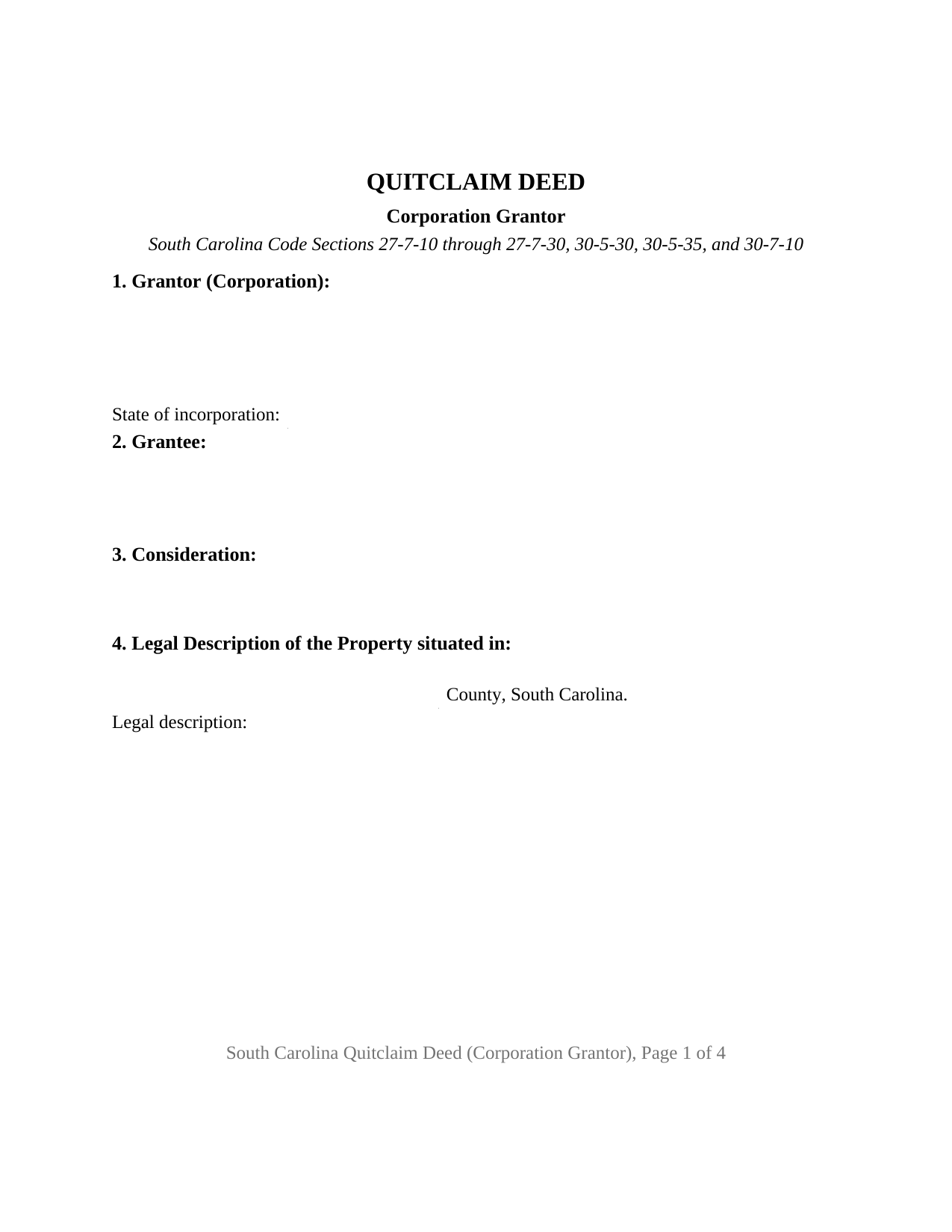
Mccormick County Quitclaim Deed (Corporation Grantor) Form
Fill in the blank Quitclaim Deed (Corporation Grantor) form formatted to comply with all South Carolina recording and content requirements.
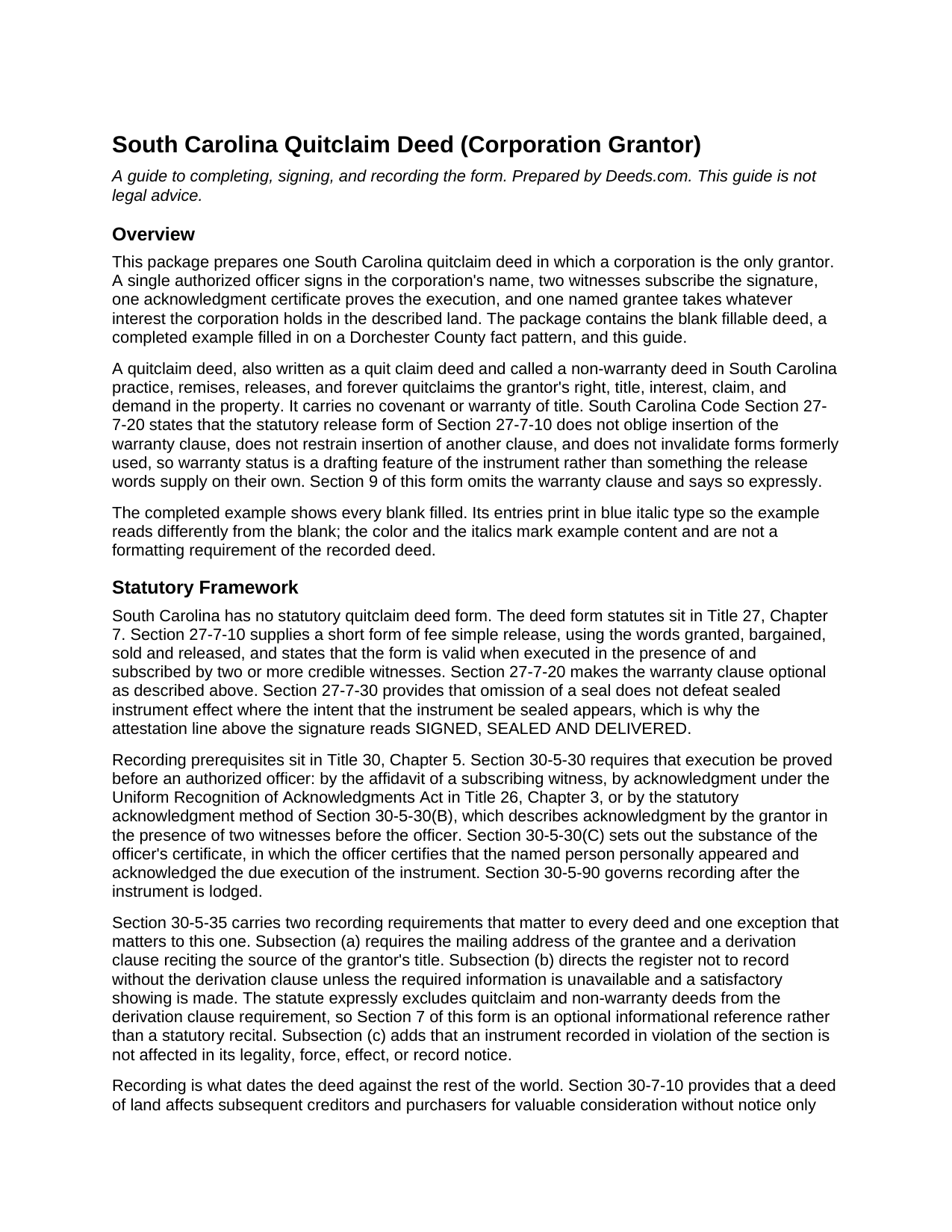
Mccormick County Quitclaim Deed (Corporation Grantor) Guide
Line by line guide explaining every blank on the Quitclaim Deed (Corporation Grantor) form.
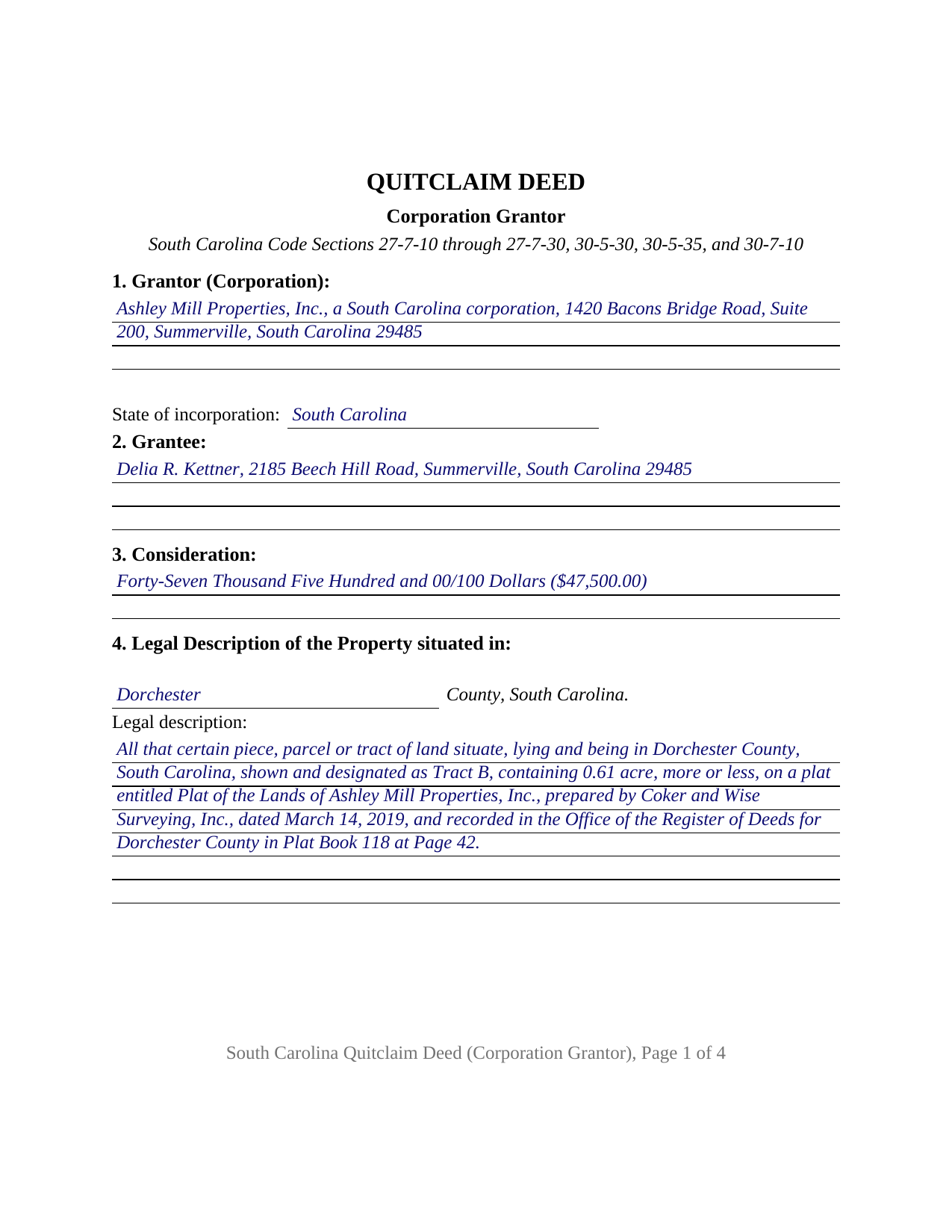
Mccormick County Completed Example of the Quitclaim Deed (Corporation Grantor) Document
Example of a properly completed South Carolina Quitclaim Deed (Corporation Grantor) document for reference.
All 3 documents above included • One-time purchase • No recurring fees
Immediate Download • Secure Checkout
Additional South Carolina and Mccormick County documents included at no extra charge:
Where to Record Your Documents
McCormick County Clerk of Court
McCormick, South Carolina 29835
Hours: 9:00am to 5:00pm Monday through Friday
Phone: (864) 852-2195
Recording Tips for Mccormick County:
- Bring your driver's license or state-issued photo ID
- Ensure all signatures are in blue or black ink
- Check margin requirements - usually 1-2 inches at top
- Leave recording info boxes blank - the office fills these
- Make copies of your documents before recording - keep originals safe
Cities and Jurisdictions in Mccormick County
Properties in any of these areas use Mccormick County forms:
- Clarks Hill
- Mc Cormick
- Modoc
- Mount Carmel
- Parksville
- Plum Branch
Hours, fees, requirements, and more for Mccormick County
How do I get my forms?
Forms are available for immediate download after payment. The Mccormick County forms will be in your account ready to download to your computer. An account is created for you during checkout if you don't have one. Forms are NOT emailed.
Are these forms guaranteed to be recordable in Mccormick County?
Yes. Our form blanks are guaranteed to meet or exceed the applicable formatting requirements used for recording in Mccormick County, including margin requirements, font requirements, and other layout standards. This guarantee applies to formatting, not to the legal sufficiency of information entered by the user or the suitability of a form for a particular transaction.
Can I reuse these forms?
Yes. You can reuse the forms for your personal use. For example, if you have multiple properties in Mccormick County you only need to order once.
What do I need to use these forms?
The forms are PDFs that you fill out on your computer. The free Adobe Acrobat Reader is recommended, and most PDF apps also work. You do NOT enter your property information online - you download the blank forms and complete them privately on your own computer.
Are there any recurring fees?
No. This is a one-time purchase. Nothing to cancel, no memberships, no recurring fees.
How much does it cost to record in Mccormick County?
Recording fees in Mccormick County vary. Contact the recorder's office at (864) 852-2195 for current fees.
Questions answered? Let's get started!
This South Carolina quitclaim deed carries a blank most deeds do not: a line for the corporate action behind the conveyance. One corporation is the grantor, one officer signs in the office named beside that signature, two witnesses subscribe it, and one grantee takes whatever interest the corporation holds, released without covenant or warranty of title.
Where an officer's signature gets its force
South Carolina locates the power of the person holding the pen inside the corporation's own governance papers. Section 33-8-410 of the South Carolina Code gives each officer the authority set forth in the bylaws or, so far as the bylaws allow, the duties the board of directors prescribes. Section 33-3-102 supplies the capacity, giving a corporation the same powers as an individual to hold real property and to sell, convey, mortgage, exchange, and otherwise dispose of any part of it. That list treats the corporate seal as a power rather than a signing formality, so the deed answers to the general rules: acknowledgment or proof before an authorized officer under Section 30-5-30, and two witnesses.
The vote behind the deed
Corporate approval is what an examiner asks about an entity deed, and Chapter 12 of Title 33 splits it in two. Under Section 33-12-101 a corporation disposes of property in the usual and regular course of business, and encumbers even all of it, with no shareholder vote unless the articles of incorporation call for one. Section 33-12-102 reaches the other case, a disposition of all or substantially all of the corporation's property outside that ordinary course: the board proposes the transaction and puts it to the shareholders with its endorsement, and approval runs at two thirds of all votes entitled to be cast unless the articles set another figure, no lower than a majority. A parcel that is the corporation's principal asset therefore raises a question a lot held in inventory does not.
The corporation grantor configuration
Section 1 names the corporation, its mailing address, and the state of incorporation. Section 8 states that the signer acts in the stated office and not individually and that the bylaws or board authorize the conveyance, then takes the authorizing action itself, such as a board resolution adopted on a stated date. Section 10 repeats the corporate name above one signature line, adds printed name, date, and title entries, and carries two witness blocks, with one acknowledgment certificate following. A corporation releasing a parcel to the entity that survived a merger or a name change, so the record reads consistently with what the corporate filings already did, and a corporation closing out a doubtful interest in a tract it once used, present the pattern this deed recites. The form recites one corporation as grantor and one officer signing for it; two entities conveying together, an individual owner signing in that owner's own right, and a fiduciary signing in a trust capacity each follow a different pattern.
A corporation chartered somewhere else
The state of incorporation entry earns its place because an out of state corporation can sit in a South Carolina chain of title without registering here. Section 33-15-101(b) lists activities that are not transacting business in this State, and two reach land: owning real property, without more, and an isolated transaction completed within thirty days.
Deed stamps on a corporate release
South Carolina charges a deed recording fee, called deed stamps at the counter, at $1.85 for every $500 of the realty's value, a fraction of $500 counting as a full increment. The example works it out on a $47,500.00 price: 95 increments, $175.75, beside the flat $15 Section 8-21-310 charges to record a deed. Section 12-24-30 then substitutes fair market value where realty passes between an entity and its stockholder, partner, or owner, and Section 12-24-40 exempts a transfer arising from a statutory merger. The value affidavit Section 12-24-70 calls for is its own recorded document, not part of this package.
Also written as a quit claim deed, and known in South Carolina practice as a non-warranty deed, this instrument promises nothing about title, which is why Section 30-5-35 leaves deeds of the class outside its derivation clause while still requiring the grantee's mailing address. The download is three files: the blank corporation grantor quitclaim deed as a fillable PDF, a completed Dorchester County example, and a plain language guide covering the ten sections, the corporate authority entries, the signing mechanics, and recording. These materials describe South Carolina law in general terms and are not legal advice.
Important: Your property must be located in Mccormick County to use these forms. Documents should be recorded at the county recording office listed above.
This Quitclaim Deed (Corporation Grantor) meets all recording requirements specific to Mccormick County.
Our Promise
The documents you receive here are guaranteed to meet or exceed the applicable Mccormick County recording format requirements. If there is a rejection caused by our formatting, we will correct the issue or refund your payment. This guarantee applies to document formatting only and does not extend to information entered by the user, the selection of the form, or the legal effect of the completed document.
Save Time and Money
Get your Mccormick County Quitclaim Deed (Corporation Grantor) form done right the first time with Deeds.com Uniform Conveyancing Blanks. At Deeds.com, we understand that your time and money are valuable resources, and we don't want you to face a penalty fee or rejection imposed by a county recorder for submitting nonstandard documents. We constantly review and update our forms to meet rapidly changing state and county recording requirements for roughly 3,500 counties and local jurisdictions.
4.8 out of 5 - ( 4,829 Reviews )
Steve R. 5 out of 5 stars
Great! One time cost, ordering was easy, documents where just what I needed.
We appreciate your business and value your feedback. Thank you. Have a wonderful day!
EUGENE S. 5 out of 5 stars
SIMPLE EASY TO UNDERSTAND PROCESS
We appreciate your business and value your feedback. Thank you. Have a wonderful day!
Sinh L. 5 out of 5 stars
Deeds.com did such a wonderful job that I had to leave a positive review. I did a deed retrieval and ran across some hiccups. Deeds.com was able to help me get my deed and even went beyond to help me have a more in depth understanding of it's title history. They responded quickly to all my messages. Great customer service. Definitely recommend! Thank you Deeds.com and thank you KVH.
We appreciate your business and value your feedback. Thank you. Have a wonderful day!
Larry G. 5 out of 5 stars
After purchasing the Quit Claim Deed, I felt I had purchased something I could have gotten free somewhere else. But after reviewing all the other information Deed.com provided, I realized you saved me a lot of time that would have been wasted on research. Money well spent.
Thank you for your feedback. We really appreciate it. Have a great day!
Ernest E. 5 out of 5 stars
No problem whatsoever navigating the forms. I hope the filing is this easy.
Thanks, Ernest! We’re glad the forms were easy to navigate. Recording in Virginia Beach City is typically straightforward, but it’s always a good idea to confirm any local requirements with the clerk before filing.
JOHN R. 5 out of 5 stars
This is an Outstanding Website for easy access in expediting my property investment needs. Thank you for this much needed online service.
Thank you!
Yunyan B. 5 out of 5 stars
Great website, fraction of the price if doing title research elsewhere
Thank you for your feedback. We really appreciate it. Have a great day!
Julie A. 5 out of 5 stars
This process was so easy. I am pleased with efficiency and ease of it all.
Thank you!
Wayne S. 5 out of 5 stars
The website is quick and easy to navigate and the downloading of forms is a simple process.
Thank you, Wayne! We're thrilled to hear that you found our website quick and easy to navigate. Making the process simple for our customers is our goal! If you ever need anything, we're here to help. Appreciate your support!
SHEDDRICK H. 5 out of 5 stars
I got exactly what I paid for. No fraudulent transaction on my card. I like that. This is an excellent service. Straight and to the point help. That e-recording process looks like a winner. When I get my forms filled out I might use that.
We appreciate your business and value your feedback. Thank you. Have a wonderful day!
STANLEY F. 5 out of 5 stars
Forms were spot on and able to save over $100 by not going to an attorney to complete the same documents. There were templates on how forms are supposed to be completed. You just need a notary to sign.
Thank you Stanley, we really appreciate your feedback.
James M. 5 out of 5 stars
Great selection of documents. Easy to use, with guidance material.
Thank you for taking the time to leave your feedback James. We appreciate you.
Matthew D. 5 out of 5 stars
Fantastic forms easy process couldn't be happier! Thanks
Thank you Matthew!
Lisa G. 5 out of 5 stars
Rec'd downloads for quitclaim deed process in Florida. Recorded with the clerk of courts today and the form was done perfectly--she had no changes to make. Well worth the money--thanks
Glad to hear Lisa, we appreciate you taking the time to leave your feedback.
Marilyn J. 5 out of 5 stars
Just what I needed!
Thank you!