Douglas County Termination of Easement Form
Last validated October 23, 2026 by our Forms Development TeamFormatted for recording in Douglas County, for property anywhere in the county: rural and unincorporated areas as well as Armour, Corsica, Delmont, Harrison, New Holland.
- 3 documents included
- Immediate PDF download
- Formatting guarantee
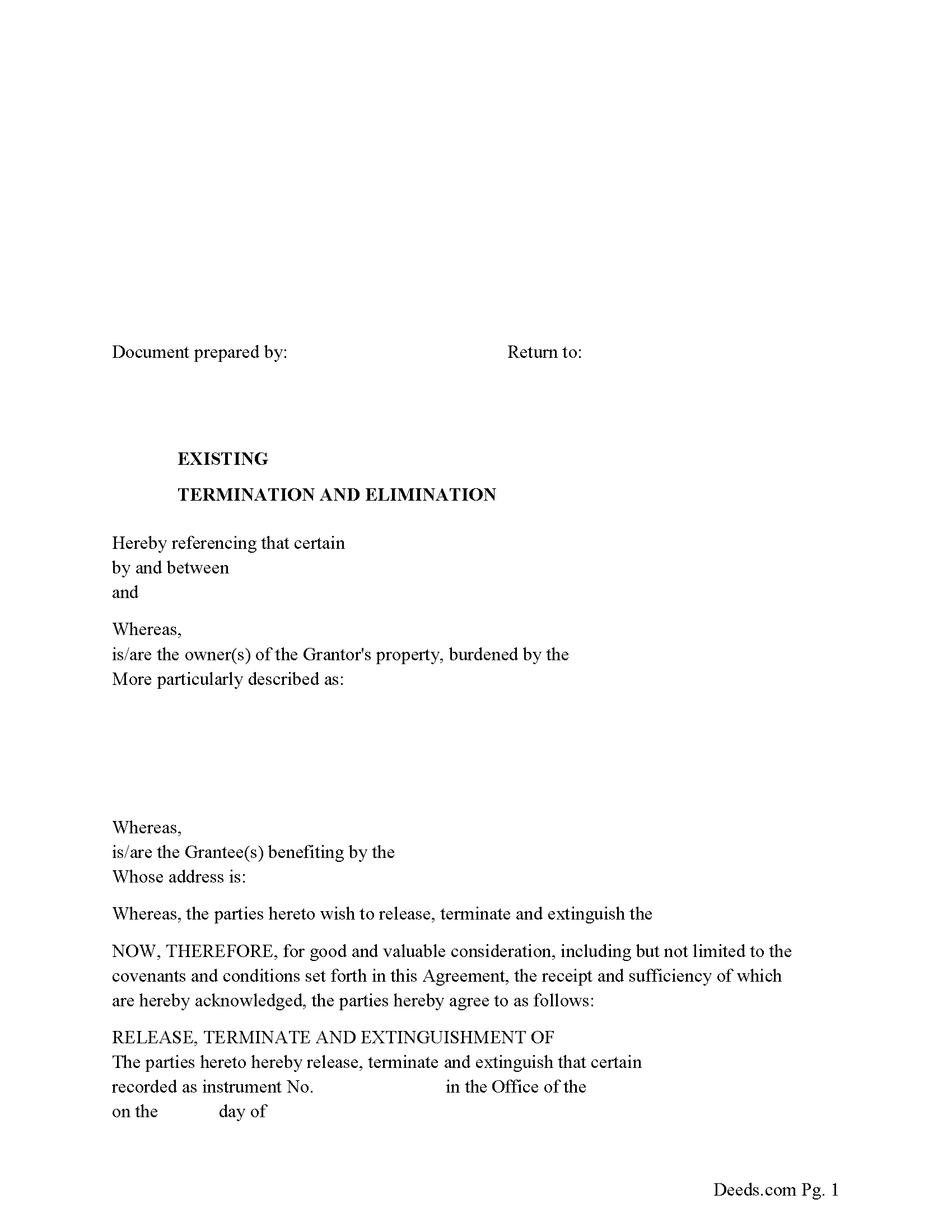
Douglas County Release of Easement, Right of Way Form
Fill in the blank form formatted to comply with all recording and content requirements.
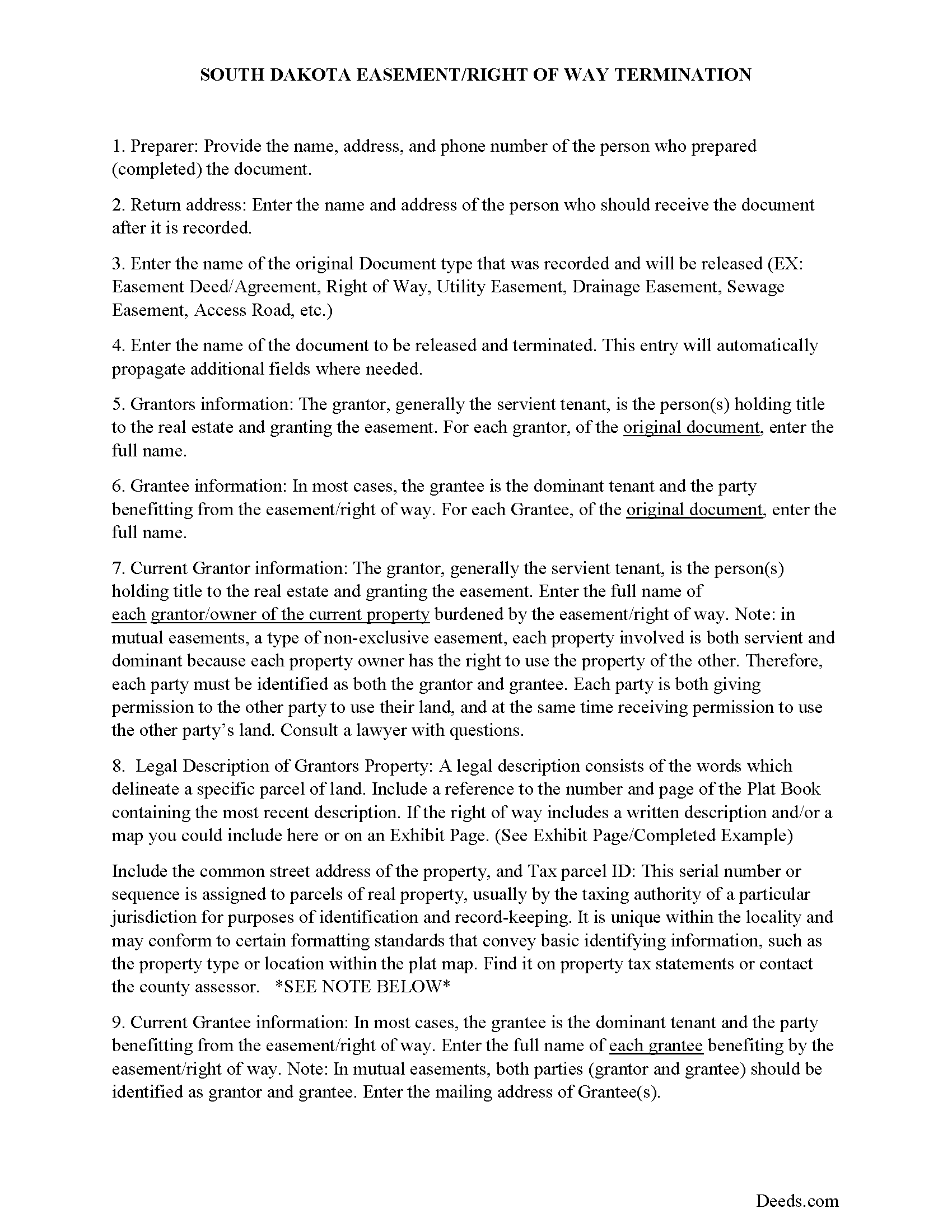
Douglas County Guidelines for Release of Easement
Line by line guide explaining every blank on the form.
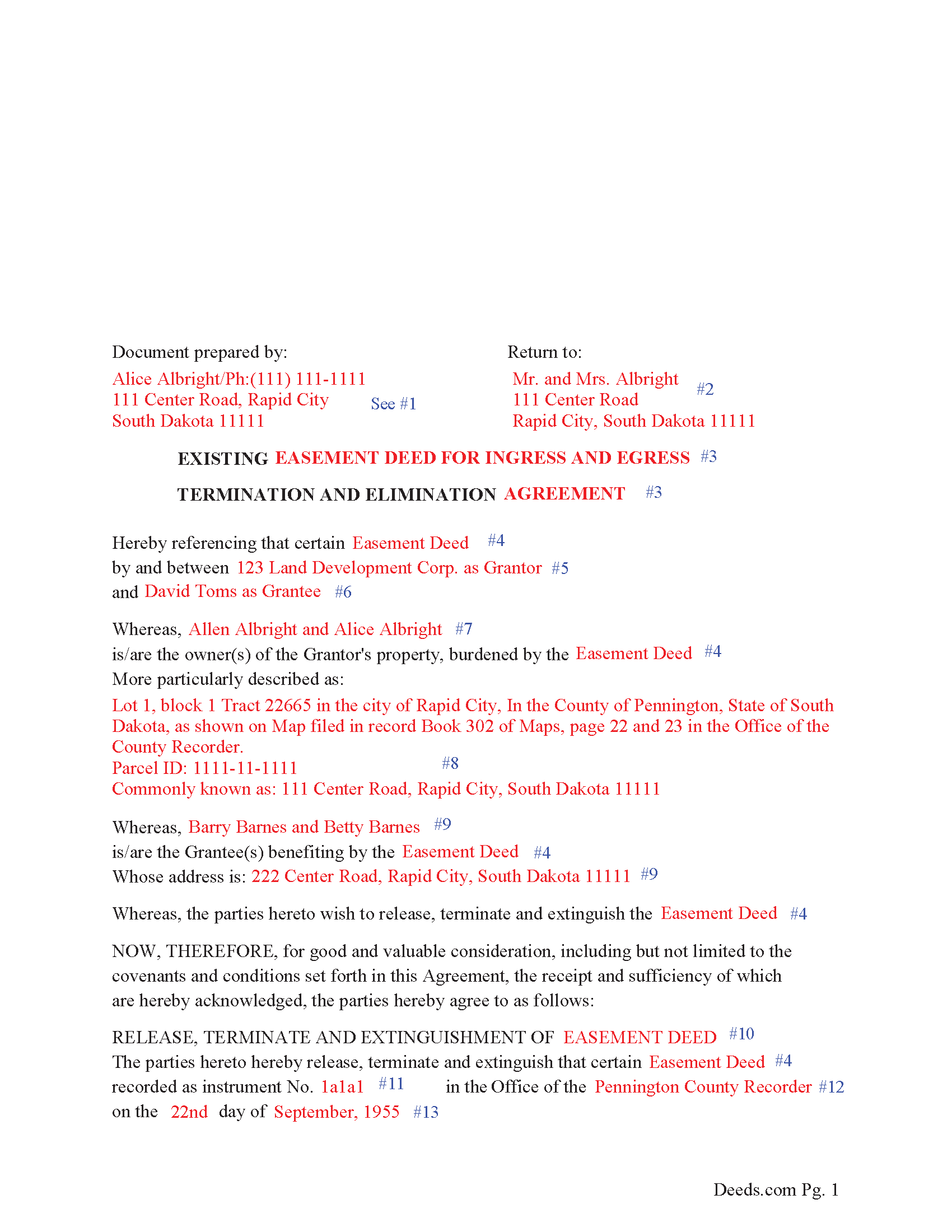
Douglas County Completed Example of the Release of Easement Document
Example of a properly completed form for reference.
All 3 documents above included • One-time purchase • No recurring fees
Immediate Download • Secure Checkout
Additional South Dakota and Douglas County documents included at no extra charge:
Where to Record Your Documents
Douglas County Register of Deeds
Armour, South Dakota 57313-0267
Hours: 8:30 to 4:30 M-F
Phone: (605) 724-2204
Recording Tips for Douglas County:
- Bring your driver's license or state-issued photo ID
- Ensure all signatures are in blue or black ink
- Check margin requirements - usually 1-2 inches at top
- Leave recording info boxes blank - the office fills these
- Make copies of your documents before recording - keep originals safe
Cities and Jurisdictions in Douglas County
Properties in any of these areas use Douglas County forms:
- Armour
- Corsica
- Delmont
- Harrison
- New Holland
Hours, fees, requirements, and more for Douglas County
How do I get my forms?
Forms are available for immediate download after payment. The Douglas County forms will be in your account ready to download to your computer. An account is created for you during checkout if you don't have one. Forms are NOT emailed.
Are these forms guaranteed to be recordable in Douglas County?
Yes. Our form blanks are guaranteed to meet or exceed the applicable formatting requirements used for recording in Douglas County, including margin requirements, font requirements, and other layout standards. This guarantee applies to formatting, not to the legal sufficiency of information entered by the user or the suitability of a form for a particular transaction.
Can I reuse these forms?
Yes. You can reuse the forms for your personal use. For example, if you have multiple properties in Douglas County you only need to order once.
What do I need to use these forms?
The forms are PDFs that you fill out on your computer. The free Adobe Acrobat Reader is recommended, and most PDF apps also work. You do NOT enter your property information online - you download the blank forms and complete them privately on your own computer.
Are there any recurring fees?
No. This is a one-time purchase. Nothing to cancel, no memberships, no recurring fees.
How much does it cost to record in Douglas County?
Recording fees in Douglas County vary. Contact the recorder's office at (605) 724-2204 for current fees.
Questions answered? Let's get started!
Use this form to release, terminate, extinguish a previously recorded document that involves access to and from a property.
Documents such as:
1. Easement Deeds or Agreements (An easement is a non-possessory interest in land, granting the right to use someone else's property for a specific purpose, like a driveway or utility line)
2. Access Roads
3. Right of Ways
4. Utility Easements (Power, Gas, Water, Sewer, Etc.)
5. Drainage Easements
This document allows the owner of the land, burdened by the access and the party that benefits from the access, to sign an agreement releasing the property from such access, under the premises the benefiting party no longer needs access. Once the easement is successfully terminated and the release is recorded, it should be reflected in the title records for the property, effectively removing the easement from the property's title.
(SD Termination of Easement Package includes form, guidelines, and completed example)
Important: Your property must be located in Douglas County to use these forms. Documents should be recorded at the county recording office listed above.
This Termination of Easement meets all recording requirements specific to Douglas County.
Our Promise
The documents you receive here are guaranteed to meet or exceed the applicable Douglas County recording format requirements. If there is a rejection caused by our formatting, we will correct the issue or refund your payment. This guarantee applies to document formatting only and does not extend to information entered by the user, the selection of the form, or the legal effect of the completed document.
Save Time and Money
Get your Douglas County Termination of Easement form done right the first time with Deeds.com Uniform Conveyancing Blanks. At Deeds.com, we understand that your time and money are valuable resources, and we don't want you to face a penalty fee or rejection imposed by a county recorder for submitting nonstandard documents. We constantly review and update our forms to meet rapidly changing state and county recording requirements for roughly 3,500 counties and local jurisdictions.
4.8 out of 5 - ( 4,839 Reviews )
Gertrude M. 5 out of 5 stars
Rating 5 stars
Thank you!
John K. 5 out of 5 stars
The website was very easy to work. The documents were just what I needed and everything that my state and county required.
We appreciate your business and value your feedback. Thank you. Have a wonderful day!
Christopher S. 5 out of 5 stars
very easy to use, and comprehensive...I like the e-recording package
We are grateful for your feedback and looking forward to serving you again. Thank you!
Bruce H. 5 out of 5 stars
The forms were easy to download, no problem great site
Thank you for your feedback. We really appreciate it. Have a great day!
MARTI M. 4 out of 5 stars
The transaction was fairly simple. thank you
Your feedback is greatly appreciated. Thank you for taking the time to share your experience!
Roy P. 5 out of 5 stars
The forms were just what I needed, very helpful.
Thank you for your feedback. We really appreciate it. Have a great day!
Jerry O. 2 out of 5 stars
Everything I needed including detailed instructions to transfer the deed on my house from me alone to me and my wife as joint owners with right of survivorship. Formatting was compliant and blanks for all information required were provided in all the right places. 5 stars
We appreciate your business and value your feedback. Thank you. Have a wonderful day!
Robert J D. 5 out of 5 stars
I accidentally ordered 2 forms for the affidavit of death. I only need one.
Thanks for your feedback. Looking at your account we do not see any duplicate orders. Our system does stop duplicate orders before they are processed in many cases. Have a great day.
Griselle M. 5 out of 5 stars
Great service - it was my first time using the service and really recommend it. Due to COVID-19, my County Recorder's Office is closed and I was able to create the document using their vast templates, notarize it, and upload it into the system. The recording process took about 7 working days which is not bad considering that most people are working remotely. I will share this website and its many resources with my relatives and friends.
Thank you Griselle, glad we could help.
Karen M. 5 out of 5 stars
Nicely Done - Blank Deeds, Guidelines, examples, etc. Thank you as a former paralegal, I am impressed.
We appreciate your business and value your feedback. Thank you. Have a wonderful day!
Kenneth-Wayne L. 5 out of 5 stars
1) I was very pleased when the staff mentioned your service since the three referenced on the Recorder's website all wanted HUGE Account set-up and maintenance fees AND BIG fees per recording, and yours has no set-up fee AND nominal per-recording fee; 2) My (few) recordings will be NON-LAND Related, summary or entire record(s) of Administrative (Procedures Act) records, Other than the Border width and Cover Sheet, do you anticipate any other special requirements for such recording(s)? NOTE: I just sent one by Snail Mail, and they just informed me that due to the GERMIPHOBIA 'Pandemic' the ONLY open and record Snail Mail ONCE A MONTH On the first of each chmonth!
Thank you!
Melissa W. 5 out of 5 stars
So easy to use!
Thank you!
Armando B. 5 out of 5 stars
This was so simple to get around your web site. Guide was easy to follow. Great experience. Would use again.
Thank you for your feedback. We really appreciate it. Have a great day!
Susan S. 5 out of 5 stars
Very quick, easy and readily available forms. No wait, no advertisements, no pressure to purchase MORE. I expected to only get part of the information I needed, and for there to be a hidden cost to get the complete package, but surprisingly, I got immediate access to all the forms I ordered, AND THERE WERE NO ADDITIONAL HIDDEN COSTS! How refreshing!
Thank you Susan, we really appreciate your feedback.
Jennifer A. 5 out of 5 stars
Great site
Thank you!