Putnam County Certificate of Trust Form
Last validated October 5, 2026 by our Forms Development TeamFormatted for recording in Putnam County, for property anywhere in the county: rural and unincorporated areas as well as Baxter, Bloomington Springs, Buffalo Valley, Cookeville, Monterey, Silver Point.
- 3 documents included
- Immediate PDF download
- Formatting guarantee
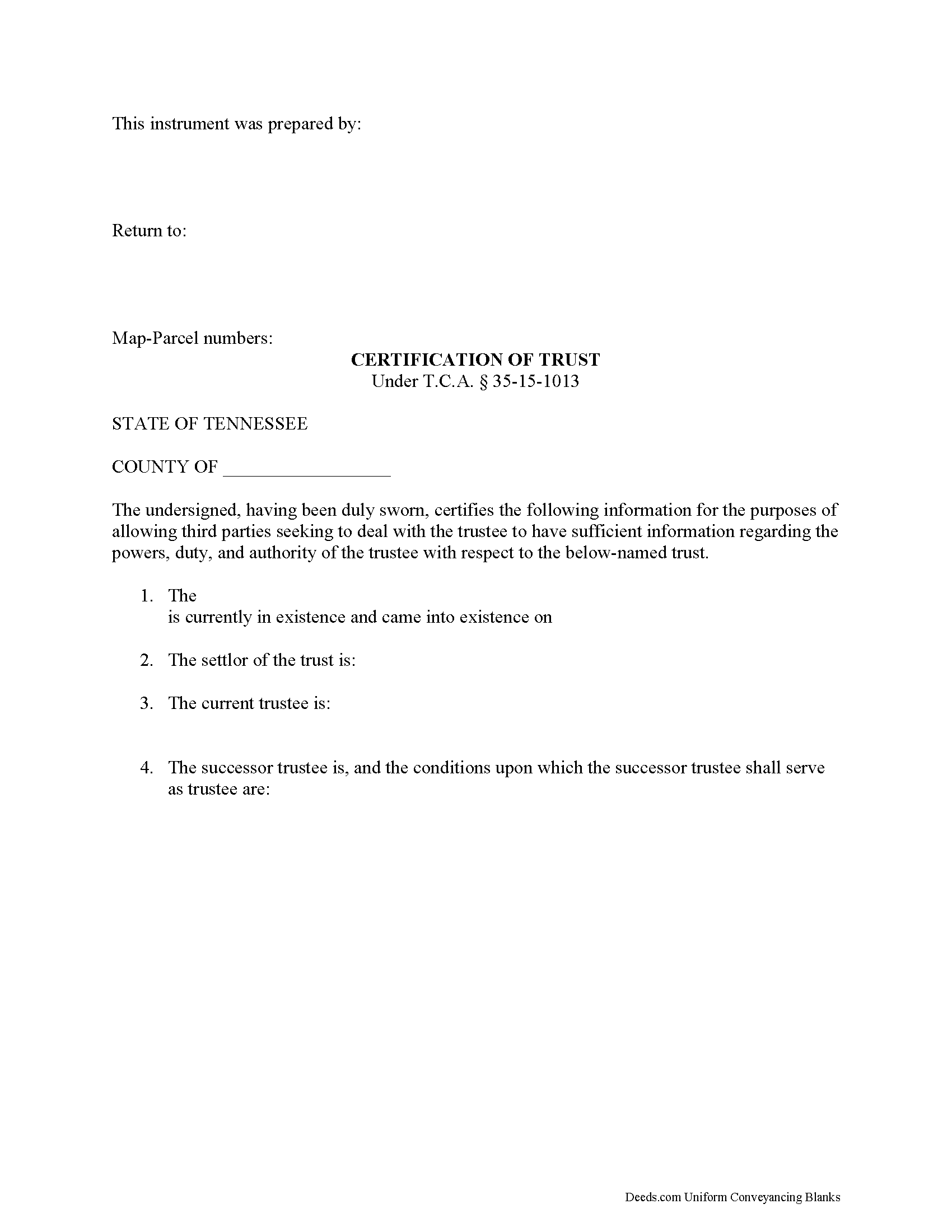
Putnam County Certificate of Trust Form
Fill in the blank form formatted to comply with all recording and content requirements.
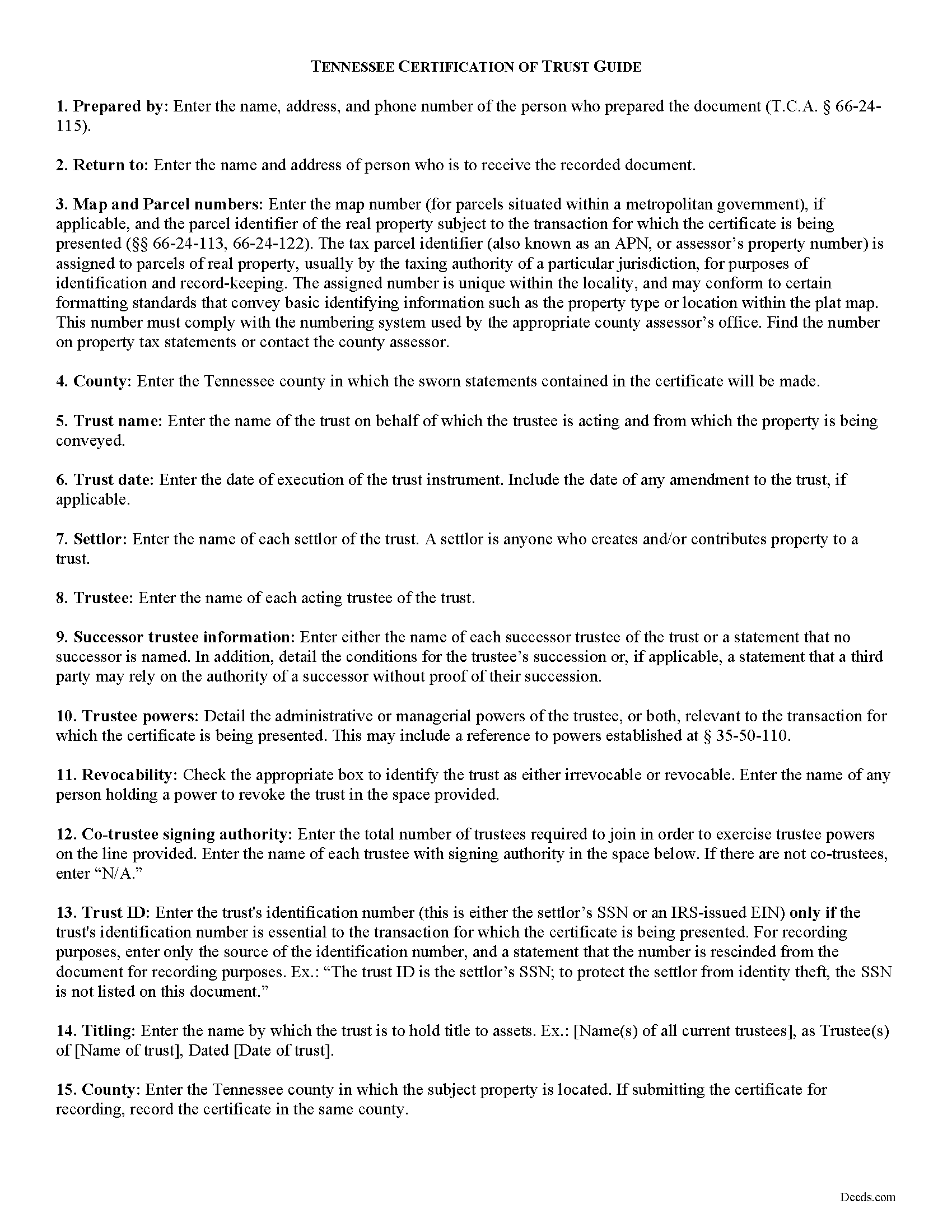
Putnam County Certificate of Trust Guide
Line by line guide explaining every blank on the form.
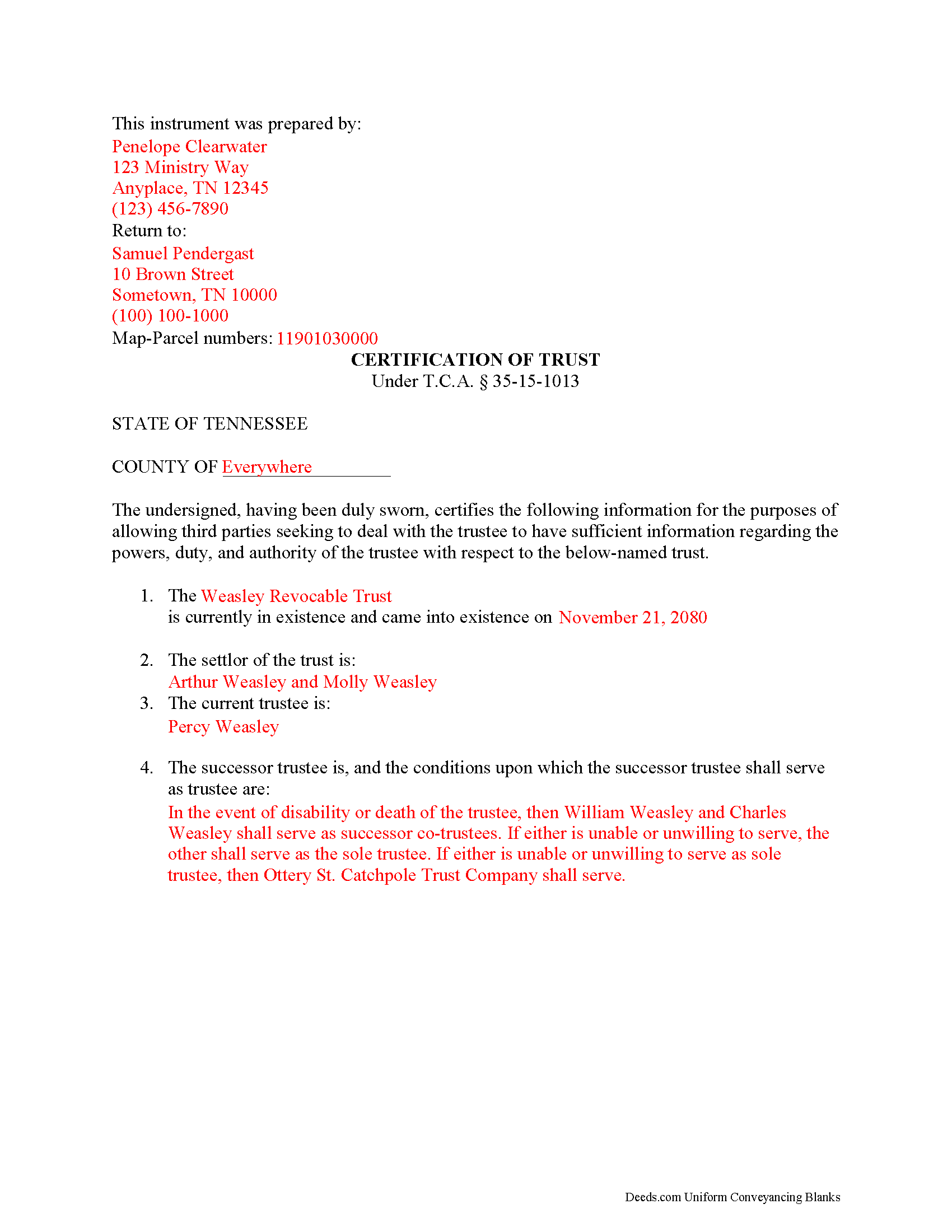
Putnam County Completed Example of the Certificate of Trust Document
Example of a properly completed form for reference.
All 3 documents above included • One-time purchase • No recurring fees
Immediate Download • Secure Checkout
Additional Tennessee and Putnam County documents included at no extra charge:
Where to Record Your Documents
Putnam County Register of Deeds
Cookeville, Tennessee 38503
Hours: 8:00 to 4:00 M-F
Phone: (931) 526-7101
Recording Tips for Putnam County:
- Bring your driver's license or state-issued photo ID
- Ensure all signatures are in blue or black ink
- Ask about accepted payment methods when you call ahead
- Ask for certified copies if you need them for other transactions
- Ask if they accept credit cards - many offices are cash/check only
Cities and Jurisdictions in Putnam County
Properties in any of these areas use Putnam County forms:
- Baxter
- Bloomington Springs
- Buffalo Valley
- Cookeville
- Monterey
- Silver Point
Hours, fees, requirements, and more for Putnam County
How do I get my forms?
Forms are available for immediate download after payment. The Putnam County forms will be in your account ready to download to your computer. An account is created for you during checkout if you don't have one. Forms are NOT emailed.
Are these forms guaranteed to be recordable in Putnam County?
Yes. Our form blanks are guaranteed to meet or exceed the applicable formatting requirements used for recording in Putnam County, including margin requirements, font requirements, and other layout standards. This guarantee applies to formatting, not to the legal sufficiency of information entered by the user or the suitability of a form for a particular transaction.
Can I reuse these forms?
Yes. You can reuse the forms for your personal use. For example, if you have multiple properties in Putnam County you only need to order once.
What do I need to use these forms?
The forms are PDFs that you fill out on your computer. The free Adobe Acrobat Reader is recommended, and most PDF apps also work. You do NOT enter your property information online - you download the blank forms and complete them privately on your own computer.
Are there any recurring fees?
No. This is a one-time purchase. Nothing to cancel, no memberships, no recurring fees.
How much does it cost to record in Putnam County?
Recording fees in Putnam County vary. Contact the recorder's office at (931) 526-7101 for current fees.
Questions answered? Let's get started!
The certificate of trust is codified at T.C.A. 35-15-1013 as part of the Tennessee Uniform Trust Code. The purpose of the certificate is "to evidence the existence and validity of the trust" (35-15-1013(a)). The document contains sworn statements made "by the trustee or trustees having signatory authority as identified" within the document (35-15-1013(a)). The recipient of a certificate of trust may rely on the statements made within as factual without additional inquiry (35-15-1013(d)).
Instead of furnishing the trust document, a trustee may present a certificate of trust to third parties when doing business on behalf of the trust. The certificate is a condensed summary of the trust and its provisions, and allows the settlor's estate plans, including the identities of trust beneficiaries, to remain private.
A certificate of trust contains statements that the trust exists and that it "has not been revoked, modified or amended in any manner that would cause" the information in the certificate to be incorrect. The document recites the name and date of trust, the settlor, trustee, and relevant powers of the trustee to conduct the business for which the certificate is presented.
If there is a successor trustee, the document details the conditions of their succession. Certificates for trusts with multiple trustees define how many trustees are required to jointly act to conduct trustee powers. If the trust is revocable, the form includes the name of anyone with a power to revoke the trust. Finally, it presents the name by which the trust holds title to assets and, if necessary for the transaction for which the certificate is given, the trust's identification number.
If recorded to facilitate acquisitions or transfers of real property, a certificate of trust should include the legal description of the property subject to the transfer. The document must meet requirements for recording in Tennessee before submitted in the register of deeds in the appropriate county.
The protections under 35-15-1013 for persons dealing with trustees are not dependent on receipt of a certificate.
Contact a lawyer for questions about preparing a certificate of trust or any other matters involving trusts in Tennessee.
(Tennessee COT Package includes form, guidelines, and completed example)
Important: Your property must be located in Putnam County to use these forms. Documents should be recorded at the county recording office listed above.
This Certificate of Trust meets all recording requirements specific to Putnam County.
Our Promise
The documents you receive here are guaranteed to meet or exceed the applicable Putnam County recording format requirements. If there is a rejection caused by our formatting, we will correct the issue or refund your payment. This guarantee applies to document formatting only and does not extend to information entered by the user, the selection of the form, or the legal effect of the completed document.
Save Time and Money
Get your Putnam County Certificate of Trust form done right the first time with Deeds.com Uniform Conveyancing Blanks. At Deeds.com, we understand that your time and money are valuable resources, and we don't want you to face a penalty fee or rejection imposed by a county recorder for submitting nonstandard documents. We constantly review and update our forms to meet rapidly changing state and county recording requirements for roughly 3,500 counties and local jurisdictions.
4.8 out of 5 - ( 4,828 Reviews )
J Samuel B. 4 out of 5 stars
Good, but make your PDFs convertible to Word or RTF.
Thank you for your feedback. It helps us continue improving.
Gary M. 5 out of 5 stars
Death of JT form was excellent. You have the best documents out there. I wish I could have read the sample just so I knew my information was entered correctly. Real problem is County wants a bar code on documents to get recorded. Now? Need four deed forms so the expense starts to be prohibitive. I would rather pay more and get multiple access.
Thank you for your feedback. We really appreciate it. Have a great day!
Michelle M. 5 out of 5 stars
This was an excellent source. The fee was much lower than the first site I checked. The sample form was very helpful.
Thank you!
Arthur S. 5 out of 5 stars
It is great and fast you get 5 stars from me
We appreciate your business and value your feedback. Thank you. Have a wonderful day!
Devra R. 5 out of 5 stars
A refreshingly easy service to use. They offer auxiliary forms as a courtesy. Theres no "gotcha" capitalism. You pay the reasonable fee and the needed forms are accessible instantly to download. I've used it twice so far and it worked perfectly!
We appreciate your business and value your feedback. Thank you. Have a wonderful day!
Preston P. 5 out of 5 stars
Filled my need for the documents needed. thank you, I am sure I will return soon.
We appreciate your business and value your feedback. Thank you. Have a wonderful day!
Shirley T. 4 out of 5 stars
Quit Claim deed for North Carolina did not include all of the information I needed (two separate notary sections), but I was able to re-create another notary section in Word, and then insert it in the appropriate place after printing both documents. Otherwise, the document worked as described.
Thank you for your feedback. We really appreciate it. Have a great day!
Glenella J. 4 out of 5 stars
I wish you had the older deeds online to look at. Other than that, I was very satisfied with my experience.
Thank you for your feedback. We really appreciate it. Have a great day!
William T. 5 out of 5 stars
Very skeptical at first...but it worked easily and perfectly.
We’re glad you had a positive experience. Thank you.
Kathleen H. 2 out of 5 stars
Very disappointed that the Recording Information section did not state where to get the information required.
Sorry to hear that we failed you Kathleen.
Dawn W. 5 out of 5 stars
wonderful help!!!
Thank you!
Phyllis R Q. 5 out of 5 stars
So far so good, I did not know the convenience I would have from my seat to file a legal document! Awesome Service!
Thank you!
Willard V. 3 out of 5 stars
While it's nice to get all the forms and info in one package for a reasonable cost, the fixed format of the form does not allow for a lengthy meet and bounds property description for real property. Also, the Cover Sheet has big fillable sections with no instructions about what's supposed to go there. I tried the "Contact Us" link, but all it does is spin saying it's trying verify the security of my connection. Looks like I;m going to have to create my own deed in MS Word instead of just filling in the blacks of the PDF file that I downloaded. Bummer!
Your feedback is a crucial part of our dedication to ongoing improvement. Thank you for your insightful comments.
Tong B. 5 out of 5 stars
hi, It is very easy to do it. tanks.
Thank you!
Cindy H. 5 out of 5 stars
Loved it! Quick and easy, done in 24 hours.
Thank you for your feedback. We really appreciate it. Have a great day!