Putnam County Release of Mechanic Lien Form
Last validated October 30, 2026 by our Forms Development TeamFormatted for recording in Putnam County, for property anywhere in the county: rural and unincorporated areas as well as Baxter, Bloomington Springs, Buffalo Valley, Cookeville, Monterey, Silver Point.
- 3 documents included
- Immediate PDF download
- Formatting guarantee
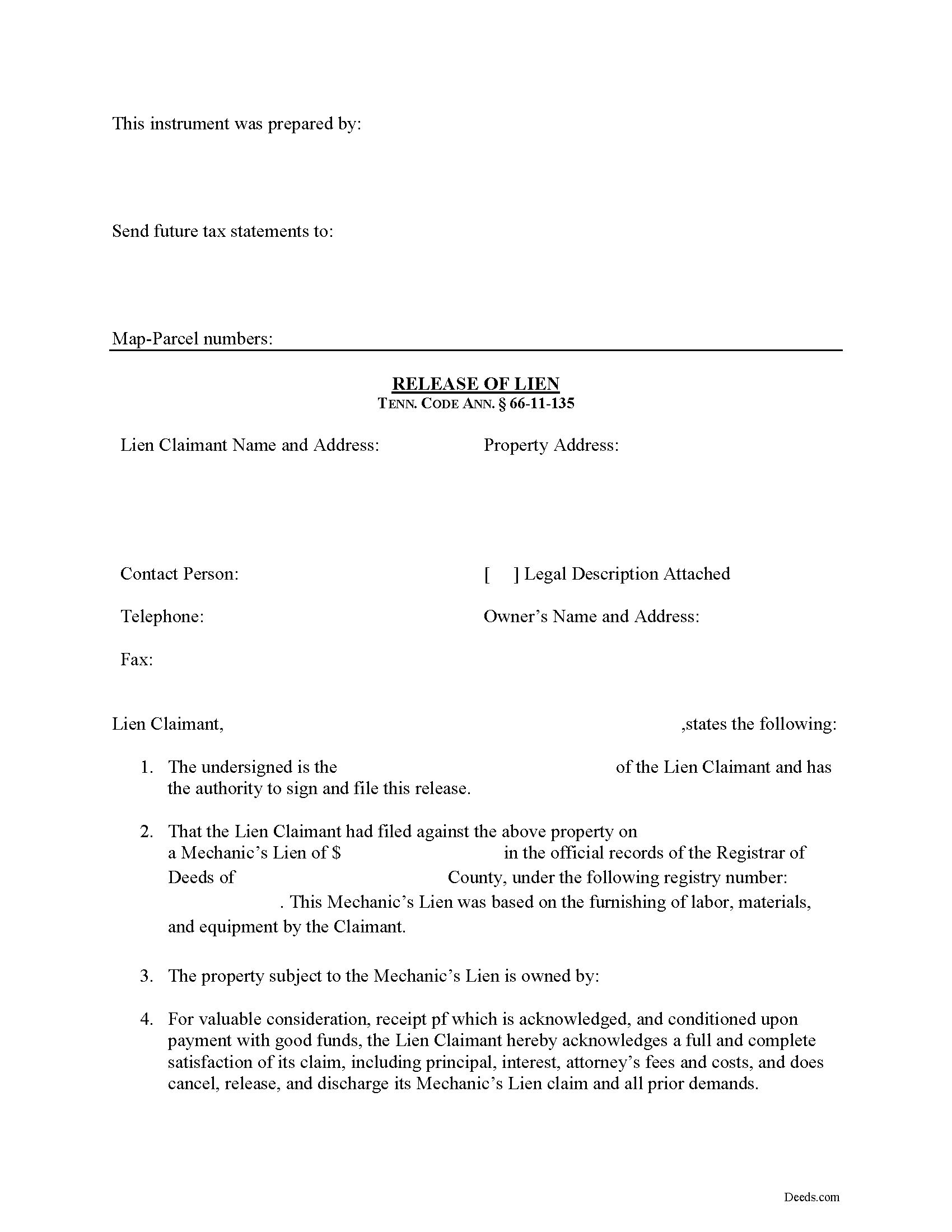
Putnam County Release of Mechanic Lien Form
Fill in the blank Release of Mechanic Lien form formatted to comply with all Tennessee recording and content requirements.
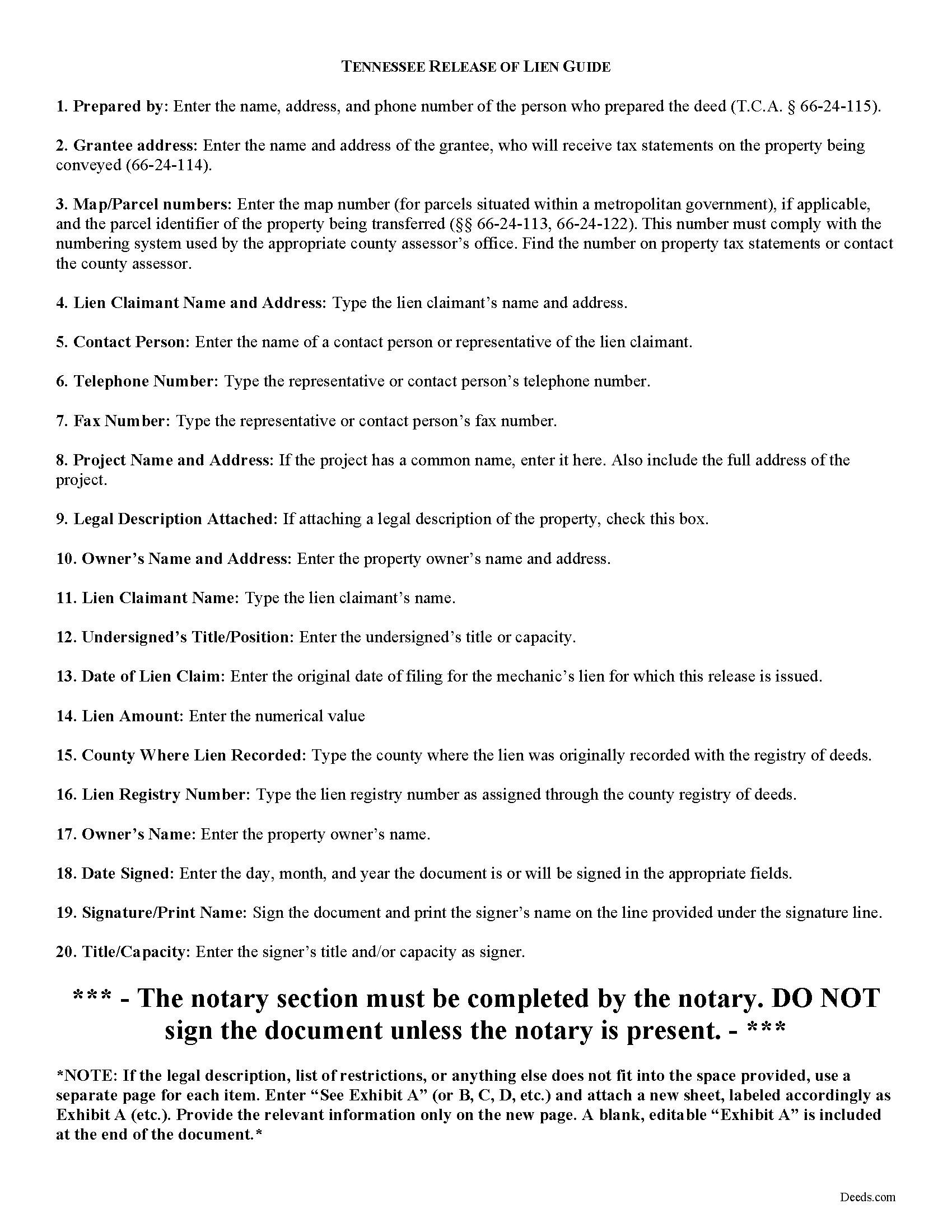
Putnam County Release of Mechanic Lien Guide
Line by line guide explaining every blank on the form.
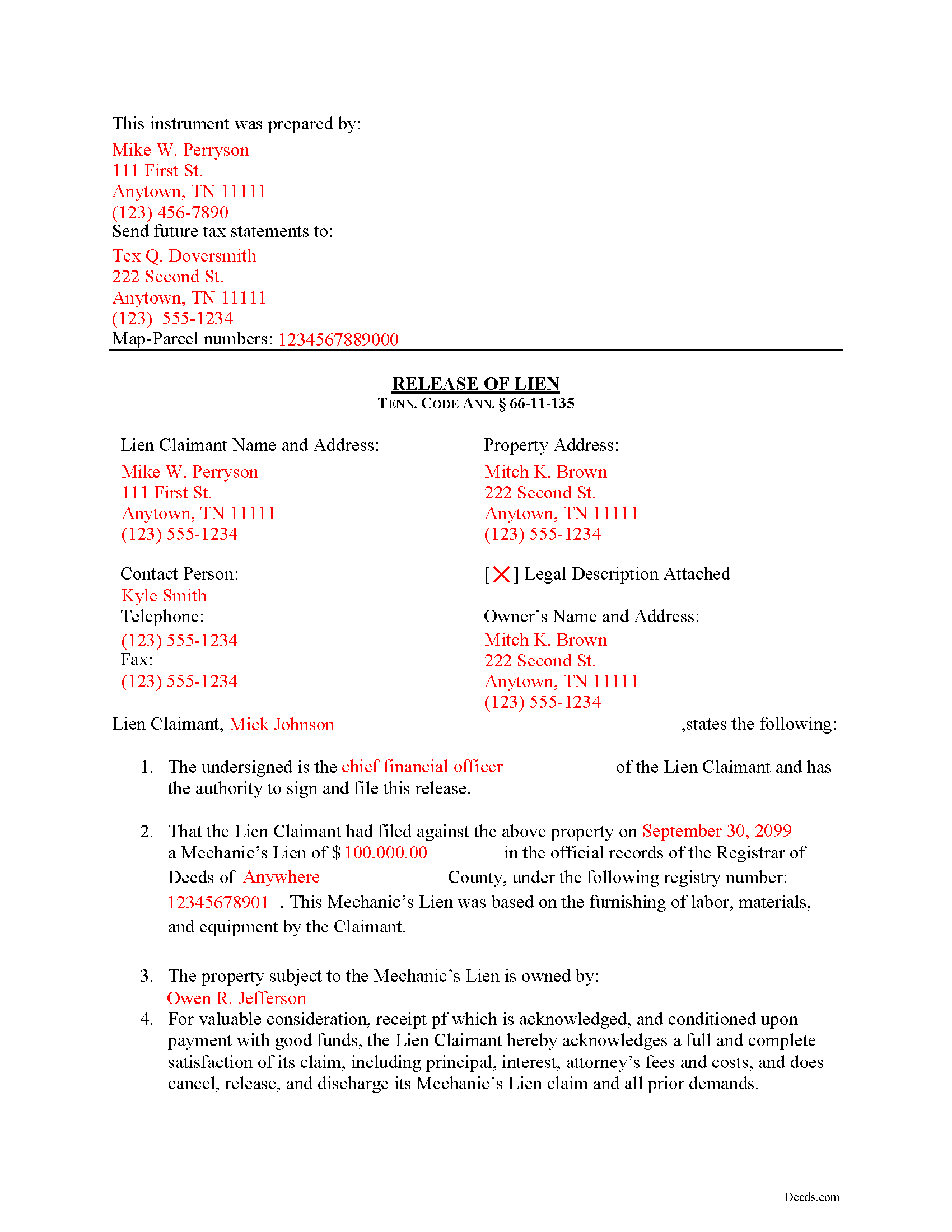
Putnam County Completed Example of the Release of Mechanic Lien Document
Example of a properly completed form for reference.
All 3 documents above included • One-time purchase • No recurring fees
Immediate Download • Secure Checkout
Additional Tennessee and Putnam County documents included at no extra charge:
Where to Record Your Documents
Putnam County Register of Deeds
Cookeville, Tennessee 38503
Hours: 8:00 to 4:00 M-F
Phone: (931) 526-7101
Recording Tips for Putnam County:
- Bring your driver's license or state-issued photo ID
- Ensure all signatures are in blue or black ink
- Make copies of your documents before recording - keep originals safe
- Recorded documents become public record - avoid including SSNs
- Recording fees may differ from what's posted online - verify current rates
Cities and Jurisdictions in Putnam County
Properties in any of these areas use Putnam County forms:
- Baxter
- Bloomington Springs
- Buffalo Valley
- Cookeville
- Monterey
- Silver Point
Hours, fees, requirements, and more for Putnam County
How do I get my forms?
Forms are available for immediate download after payment. The Putnam County forms will be in your account ready to download to your computer. An account is created for you during checkout if you don't have one. Forms are NOT emailed.
Are these forms guaranteed to be recordable in Putnam County?
Yes. Our form blanks are guaranteed to meet or exceed the applicable formatting requirements used for recording in Putnam County, including margin requirements, font requirements, and other layout standards. This guarantee applies to formatting, not to the legal sufficiency of information entered by the user or the suitability of a form for a particular transaction.
Can I reuse these forms?
Yes. You can reuse the forms for your personal use. For example, if you have multiple properties in Putnam County you only need to order once.
What do I need to use these forms?
The forms are PDFs that you fill out on your computer. The free Adobe Acrobat Reader is recommended, and most PDF apps also work. You do NOT enter your property information online - you download the blank forms and complete them privately on your own computer.
Are there any recurring fees?
No. This is a one-time purchase. Nothing to cancel, no memberships, no recurring fees.
How much does it cost to record in Putnam County?
Recording fees in Putnam County vary. Contact the recorder's office at (931) 526-7101 for current fees.
Questions answered? Let's get started!
Releasing a Mechanic's Lien in Tennessee
Lien claimants must grant releases when the lien is no longer effective because it has been paid off or for any other reason.
If a lienor whose lien has been forfeited, expired, satisfied or adjudged against the lienor in an action on the lien, fails to cause the lien provided by this chapter to be released within thirty (30) days after service of written notice demanding release, the lienor shall be liable to the owner for all damages arising therefrom, and costs, including reasonable attorneys' fees, incurred by the owner. Tenn. Prop. Code 66-11-135(a).
A valid release form under this section identifies the parties, the location of the work or improvement, a reference to the recorded notice of lien, relevant dates and payments, and any other information necessary for the specific situation.
The lienor must file the release in the office where the notice of lien was recorded. Tenn. Prop. Code 66-11-135(b). The fee for recording shall be the fee required for the recording of a release or satisfaction of a mortgage as provided by law. Id. The lien shall be deemed released on the day on which the release of the lien is recorded in the proper office. Tenn. Prop. Code 66-11-135(c).
This article is provided for informational purposes only and should not be considered legal advice or relied upon as any substitute for speaking with an attorney. Please consult a Tennessee attorney familiar with construction law for any issues regarding mechanic's liens.
Important: Your property must be located in Putnam County to use these forms. Documents should be recorded at the county recording office listed above.
This Release of Mechanic Lien meets all recording requirements specific to Putnam County.
Our Promise
The documents you receive here are guaranteed to meet or exceed the applicable Putnam County recording format requirements. If there is a rejection caused by our formatting, we will correct the issue or refund your payment. This guarantee applies to document formatting only and does not extend to information entered by the user, the selection of the form, or the legal effect of the completed document.
Save Time and Money
Get your Putnam County Release of Mechanic Lien form done right the first time with Deeds.com Uniform Conveyancing Blanks. At Deeds.com, we understand that your time and money are valuable resources, and we don't want you to face a penalty fee or rejection imposed by a county recorder for submitting nonstandard documents. We constantly review and update our forms to meet rapidly changing state and county recording requirements for roughly 3,500 counties and local jurisdictions.
4.8 out of 5 - ( 4,858 Reviews )
Dean L. 3 out of 5 stars
The template isn't that easy to work with, with you have to type out large amounts of text. Also copy and paste doesn't seem to work. Furthermore, the code listed on the guide is out of date. However, the DQC is decent in that it has all the required fields you need.
Thank you for your feedback. We really appreciate it. Have a great day!
Melissa S. 3 out of 5 stars
Not what I can use.
Thank you!
Sally S. 5 out of 5 stars
it would be nice to have explanation of all the forms required. For a first time estate DPOA, I feel a bit insecure with the forms and would like a paragraph explaining specifics for each link and what to complete for the ladybird deed. Otherwise, I love the ease of purchase with immediate links available.
Thank you for your feedback. We really appreciate it. Have a great day!
Stephen D. 5 out of 5 stars
I recommend you add a box "Add another document or package." The way it is now confused me, so I uploaded the same document two more times, thinking the upload failed the first two times.
Thank you for your feedback Stephen.
Shane T. 4 out of 5 stars
The Transfer on Death Deed form package was very good. But like anything, could use some improvements. There is not enough space to fill more than one beneficiary with any level of additional detail like "as his sole and separate property" The area for the legal description could be a bit bigger and potentially fit many legal descriptions. Or it could be made to simply say "See Exhibit A" as is likely necessary for most anyway. The guide should indicate what "homestead property" means so the user doesn't have to research the legal definition. (which turns out to be obvious, at least in my state, if you live there, it's your homestead.) It would be helpful if an "Affidavit of Death" form were included in the package for instances where the current deed hasn't been updated to reflect a widowed owner as the sole owner before recording with only the one signature.
Thank you for your feedback. We really appreciate it. Have a great day!
Charles D. 5 out of 5 stars
Good product!! I highly recommend.
Thank you!
Janette P. 4 out of 5 stars
It was easy to find what I needed but I thought the price was too high.
Thank you for your feedback. We really appreciate it. Have a great day!
Melody L. 3 out of 5 stars
Beware, you cannot save the information you typed and change it later. It will be a PDF upon saving. So if you need corrections...you have to start all over!
Thank you for your feedback. We really appreciate it. Have a great day!
MARY LACEY M. 5 out of 5 stars
Deeds.com has become a great assistant to our firm! The service is of highest quality and consistently helpful to our law firm in its recording needs. It's summer in Arizona and no one I know wants to drive to downtown Phoenix to record a property deed so think I will add "grateful" to my praise.
Thank you, Mary! We appreciate your kind words and are glad to help make recording easier — especially when it means avoiding a summer trip to downtown Phoenix. We’re grateful for your continued trust.
Tamara H. 5 out of 5 stars
Absolutely awesome, all the information and forms I needed Thanks Tamie Hamilton
We appreciate your business and value your feedback. Thank you. Have a wonderful day!
Sandra K. 5 out of 5 stars
Seems fairly simple with forms and instructions
Thank you for your feedback. We really appreciate it. Have a great day!
Maurice M. 5 out of 5 stars
It was very convenient to be able to purchase the forms that I needed and save an extra trip downtown. I really appreciated the instructions that came with the forms.
Thank you Maurice. Have a great day!
Joseph L. 5 out of 5 stars
Very easy to fill out and and saved a lot of extra cost by doing it ourselves and getting it notarized.
Thank you Joseph, we really appreciate your feedback.
Christopher B. 5 out of 5 stars
great
Thanks for your feedback. We’re glad we could help.
Linda F. 5 out of 5 stars
I can't recommend working with Deeds.com enough. I had been given incorrect information from another document service. The helpful staff member at Deeds.com that assisted in the submission of the recording was exceptionally helpful in making sure what I was submitting included the necessary elements required by the county. I am very thankful I chose Deeds.com for my eRecording service. Thank you!!
Thank you, Linda! We’re so glad our team could assist in making sure your submission met the county’s requirements. It means a lot that you chose Deeds.com after a frustrating experience elsewhere. We appreciate your trust and kind words!