Montgomery County Specific Power of Attorney for the Purchase of Property Form
Last validated October 29, 2026 by our Forms Development TeamFormatted for recording in Montgomery County, for property anywhere in the county: rural and unincorporated areas as well as Clarksville, Cunningham, Palmyra, Southside, Woodlawn.
- 3 documents included
- Immediate PDF download
- Formatting guarantee
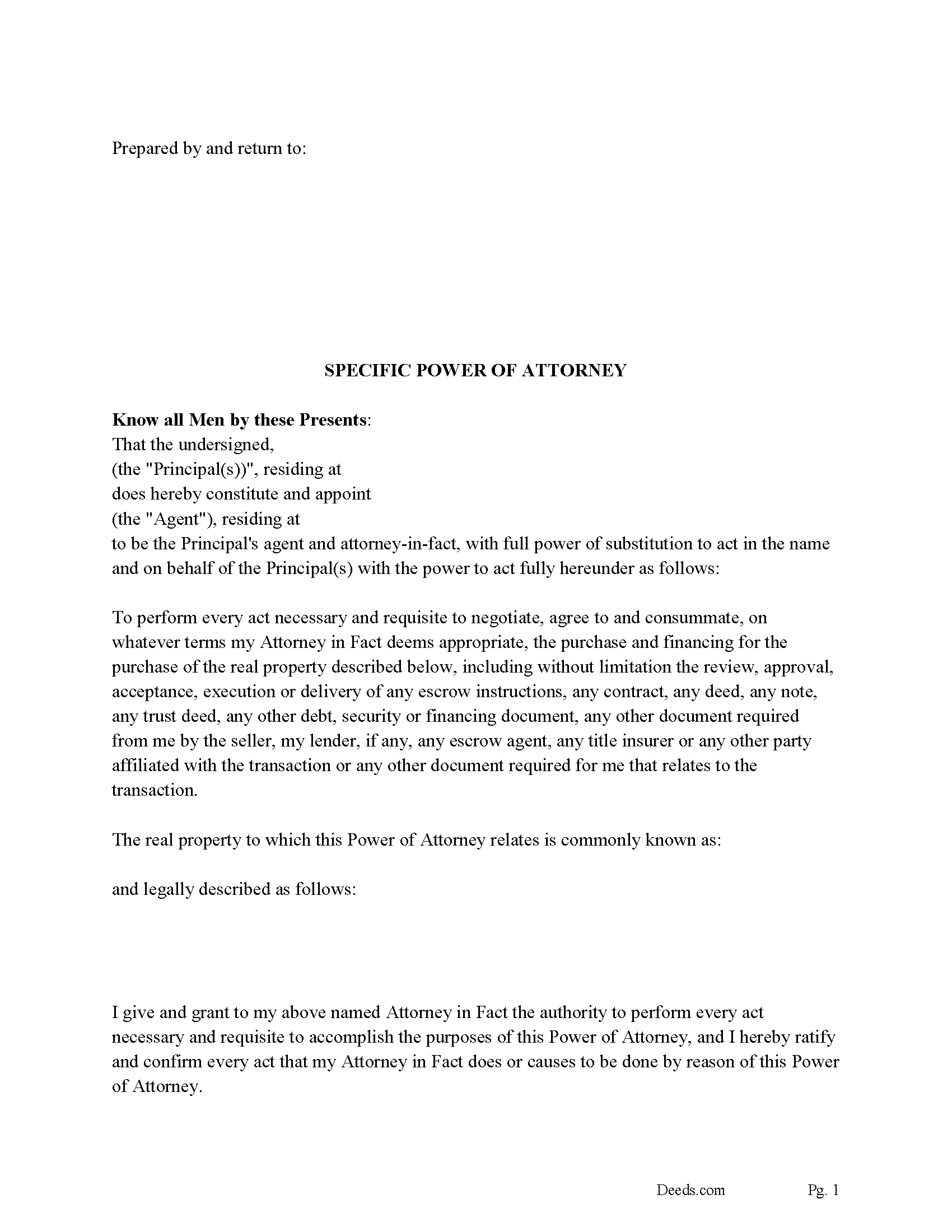
Montgomery County Specific Power of Attorney Form / Purchase of Property
Fill in the blank form formatted to comply with all recording and content requirements.
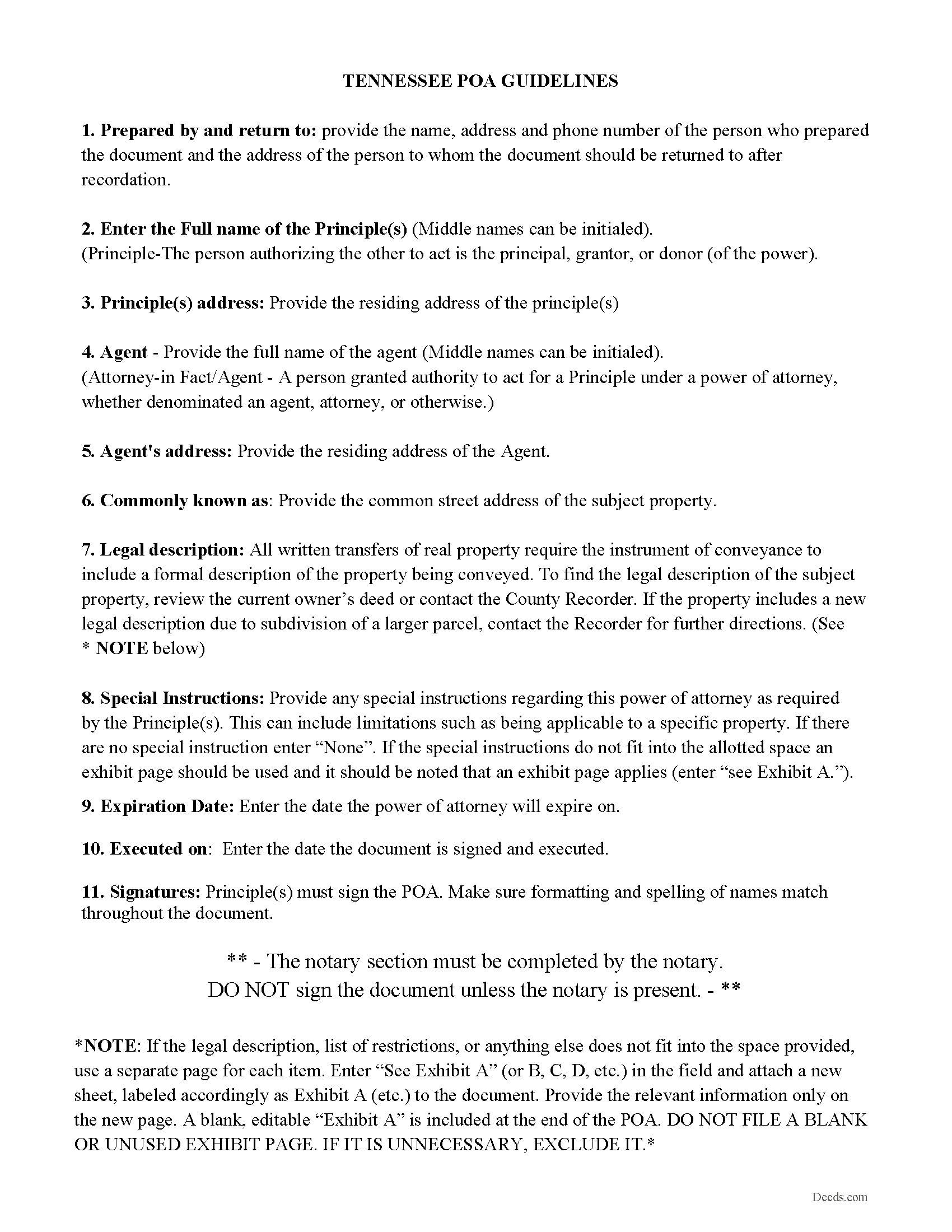
Montgomery County Specific Power of Attorney Guidelines
Line by line guide explaining every blank on the form.
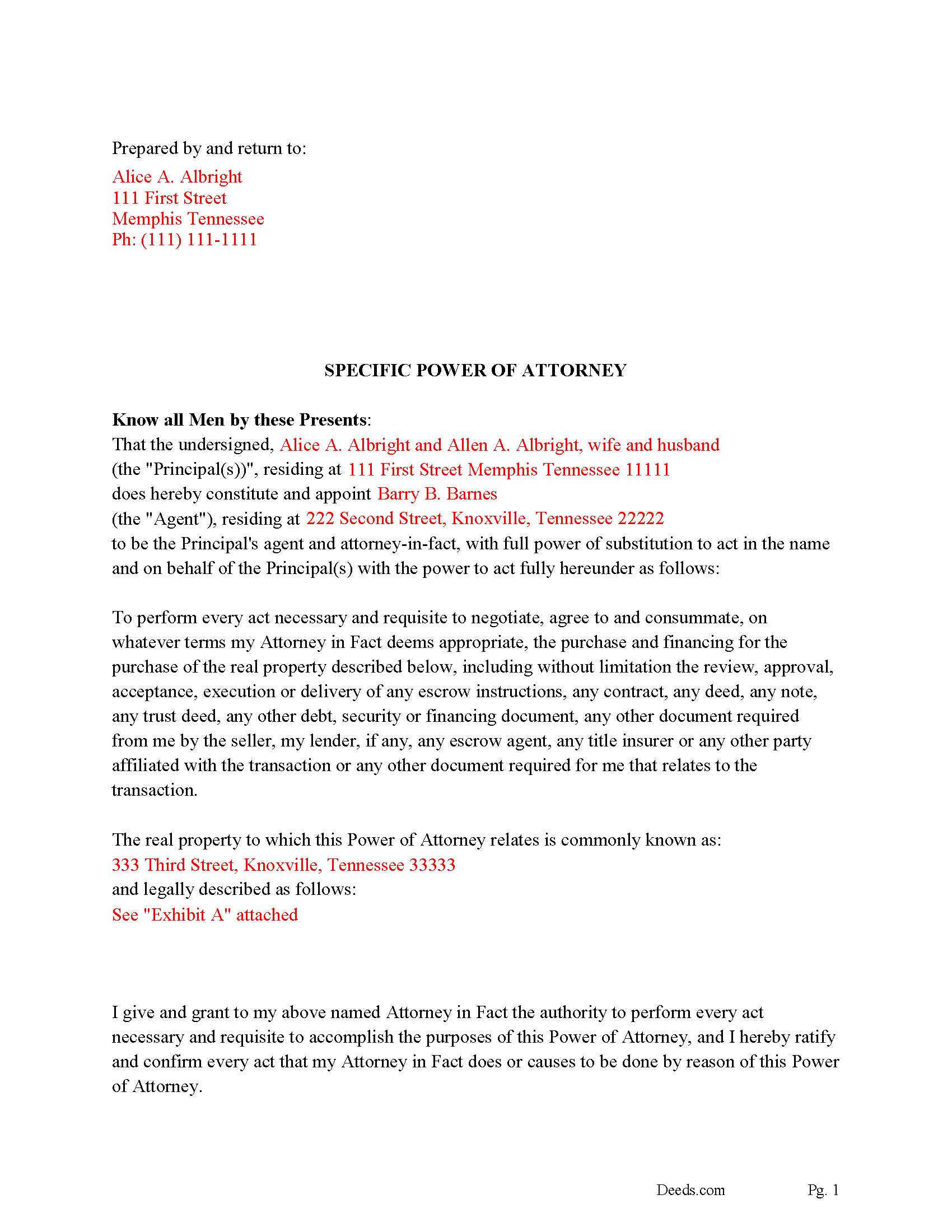
Montgomery County Completed Example of the Specific Power of Attorney
Example of a properly completed form for reference.
All 3 documents above included • One-time purchase • No recurring fees
Immediate Download • Secure Checkout
Additional Tennessee and Montgomery County documents included at no extra charge:
Where to Record Your Documents
Register of Deeds
Clarksville, Tennessee 37041-1124
Hours: 7:30am to 4:30pm M-F
Phone: (931) 648-5713
Recording Tips for Montgomery County:
- Bring your driver's license or state-issued photo ID
- Ensure all signatures are in blue or black ink
- Ask about their eRecording option for future transactions
- Avoid the last business day of the month when possible
- Both spouses typically need to sign if property is jointly owned
Cities and Jurisdictions in Montgomery County
Properties in any of these areas use Montgomery County forms:
- Clarksville
- Cunningham
- Palmyra
- Southside
- Woodlawn
Hours, fees, requirements, and more for Montgomery County
How do I get my forms?
Forms are available for immediate download after payment. The Montgomery County forms will be in your account ready to download to your computer. An account is created for you during checkout if you don't have one. Forms are NOT emailed.
Are these forms guaranteed to be recordable in Montgomery County?
Yes. Our form blanks are guaranteed to meet or exceed the applicable formatting requirements used for recording in Montgomery County, including margin requirements, font requirements, and other layout standards. This guarantee applies to formatting, not to the legal sufficiency of information entered by the user or the suitability of a form for a particular transaction.
Can I reuse these forms?
Yes. You can reuse the forms for your personal use. For example, if you have multiple properties in Montgomery County you only need to order once.
What do I need to use these forms?
The forms are PDFs that you fill out on your computer. The free Adobe Acrobat Reader is recommended, and most PDF apps also work. You do NOT enter your property information online - you download the blank forms and complete them privately on your own computer.
Are there any recurring fees?
No. This is a one-time purchase. Nothing to cancel, no memberships, no recurring fees.
How much does it cost to record in Montgomery County?
Recording fees in Montgomery County vary. Contact the recorder's office at (931) 648-5713 for current fees.
Questions answered? Let's get started!
In this form the Principal(s), appoint a second party, attorney-in-fact to perform every act necessary and requisite to negotiate, agree to and consummate, on whatever terms the Attorney in Fact deems appropriate for the purchase and financing of the real property specifically described. Included is a "Special Instructions" section where the attorney-in-fact's powers can be further limited and/or defined.
This power of attorney shall become effective immediately upon the execution of same and pursuant to Tennessee Code Annotated Section 34-6-101 et seq. and shall be considered a "Durable Power of Attorney."
Shall be governed, as to its validity, terms and enforcement, by those laws of the State of Tennessee that apply to instruments negotiated, executed, delivered and performed solely within the State of Tennessee.
This power of attorney terminates upon a predetermined date.
(Tennessee SPOA-Purchase Package includes form, guidelines, and completed example)
Important: Your property must be located in Montgomery County to use these forms. Documents should be recorded at the county recording office listed above.
This Specific Power of Attorney for the Purchase of Property meets all recording requirements specific to Montgomery County.
Our Promise
The documents you receive here are guaranteed to meet or exceed the applicable Montgomery County recording format requirements. If there is a rejection caused by our formatting, we will correct the issue or refund your payment. This guarantee applies to document formatting only and does not extend to information entered by the user, the selection of the form, or the legal effect of the completed document.
Save Time and Money
Get your Montgomery County Specific Power of Attorney for the Purchase of Property form done right the first time with Deeds.com Uniform Conveyancing Blanks. At Deeds.com, we understand that your time and money are valuable resources, and we don't want you to face a penalty fee or rejection imposed by a county recorder for submitting nonstandard documents. We constantly review and update our forms to meet rapidly changing state and county recording requirements for roughly 3,500 counties and local jurisdictions.
4.8 out of 5 - ( 4,843 Reviews )
John D. 5 out of 5 stars
I was quite impressed by the quality of your documents and the ease of the download.
Thank you for your feedback. We really appreciate it. Have a great day!
Michael A. 5 out of 5 stars
Pleasant experiences. Look forward to future contacts
Thank you!
Debby P. 5 out of 5 stars
First time user and the service was great.. I typically go to recording kiosk at the libraries. This was fast and easy.. I appreciate the great service
Thank you for your feedback. We really appreciate it. Have a great day!
Jacqueline T. 5 out of 5 stars
Worth it for the time saved as the supplemental forms required were included the purchase. First time user, easy peasy. 5 stars from me.
We appreciate your business and value your feedback. Thank you. Have a wonderful day!
leila m. 5 out of 5 stars
Very good service, friendly customer service I absolutely will use the service again
Thank you!
Patricia R. 5 out of 5 stars
Very helpful. Worth the cost. Hopefully we will be able to proceed without expense of an attorney.
We are thankful for your continued support and feedback, which inspire us to continuously improve. Thank you..
Edward S. 5 out of 5 stars
Easy to use and comprehensive in content. Would recommend to anyone that is looking for a cheaper alternative to a lawyer. (They hate services that cut into their business)
Thank you!
David B. 5 out of 5 stars
Prompt review and submission of documents could be an appropriate tagline for this business. The attention to detail and rapid response makes the company a great go to for servicing needs related to deeds.
Your feedback is greatly appreciated. Thank you for taking the time to share your experience!
Roderick S. 2 out of 5 stars
It all started out well, then I was abruptly told that I would have to submit the documents directly to the recording office. No explanation was offered and I wasted a lot of time on your website for nothing. Very disappointing, as the concept of e-recording is what is needed in 2026.
We reviewed your order and our support messages. The document uploaded for recording was a very low-quality scan that did not meet the county’s eRecording image requirements. Our staff asked that a clearer scan be uploaded, but the same image was submitted again.
Because the document could not be processed electronically, we advised recording it directly with the county recorder’s office.
E-recording systems require clear, legible document images that meet county standards. When those requirements cannot be met, recording directly with the recorder is often the fastest option.
David M. 5 out of 5 stars
Outstanding products and interface. DCM, IL Attorney
We appreciate your business and value your feedback. Thank you. Have a wonderful day!
Michele J. 5 out of 5 stars
I found a typo. It would be good to list the documents an individual needs to fill out the form.
Thank you!
Walter T. 5 out of 5 stars
Awesome thanks
Thank you for your feedback. We really appreciate it. Have a great day!
Russell B. 5 out of 5 stars
complete package as promised at a very reasonable cost. Easy forms to complete. Thank you. Definitely 5 stars!!!
Thank you for your feedback. We really appreciate it. Have a great day!
Joe S. 5 out of 5 stars
My first experience with deeds.com was excellent. My task was handled promptly and efficiently. Count on me as a repeat customer.
We appreciate your business and value your feedback. Thank you. Have a wonderful day!
Eva S. 5 out of 5 stars
I was able to download the forms and I needed and fill out quickly. There were examples to review if I needed any assistance. I would recommend this site to anyone.
We are delighted to have been of service. Thank you for the positive review!