Jim Hogg County Affidavit of Death (Transfer on Death Deed Beneficiary) Form
Last validated September 21, 2026 by our Forms Development TeamFormatted for recording in Jim Hogg County, for property anywhere in the county: rural and unincorporated areas as well as Guerra, Hebbronville.
- 3 documents included
- Immediate PDF download
- Formatting guarantee
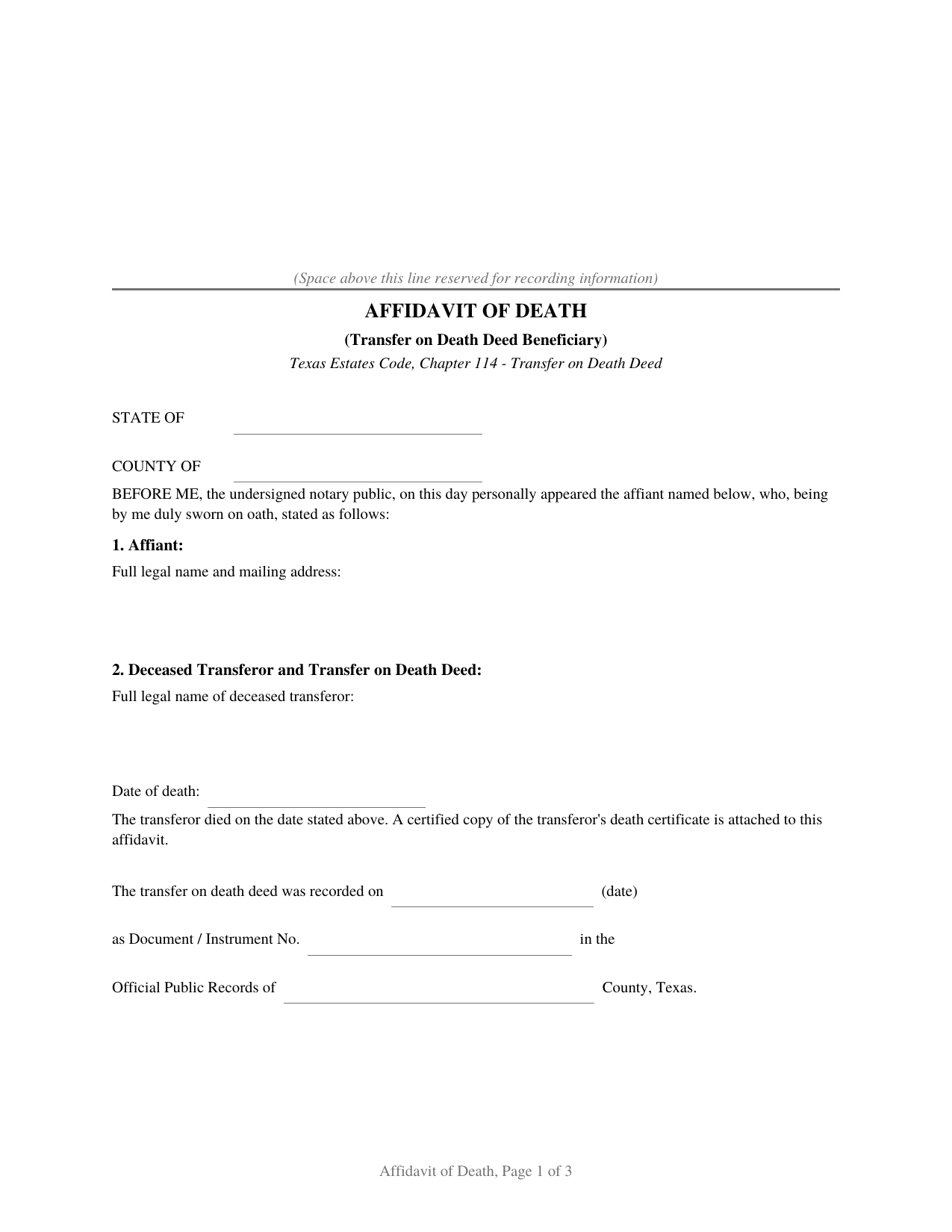
Jim Hogg County Affidavit of Death (Transfer on Death Deed Beneficiary) Form
Fill in the blank Affidavit of Death (Transfer on Death Deed Beneficiary) form formatted to comply with all Texas recording and content requirements.
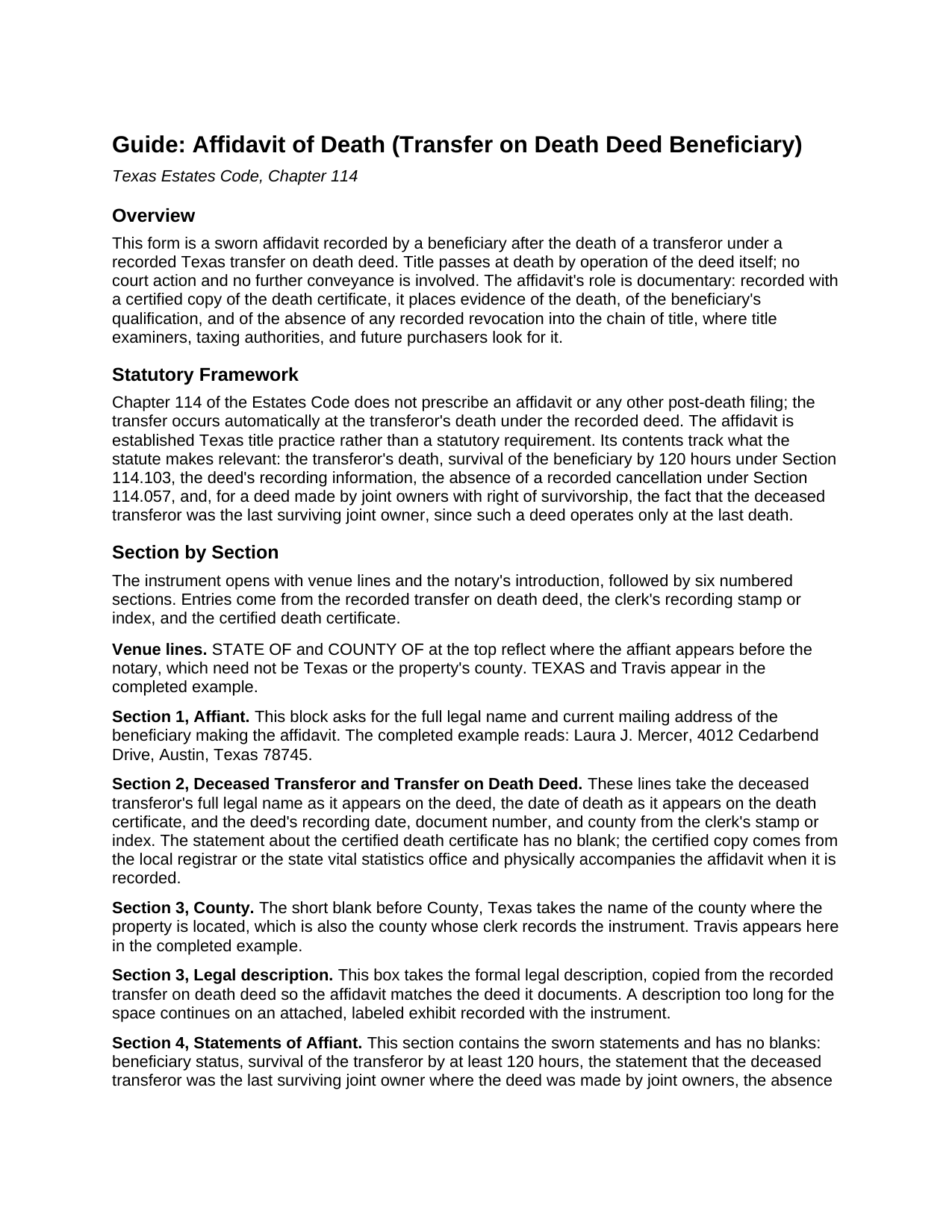
Jim Hogg County Affidavit of Death (Transfer on Death Deed Beneficiary) Guide
Line by line guide explaining every blank on the Affidavit of Death (Transfer on Death Deed Beneficiary) form.
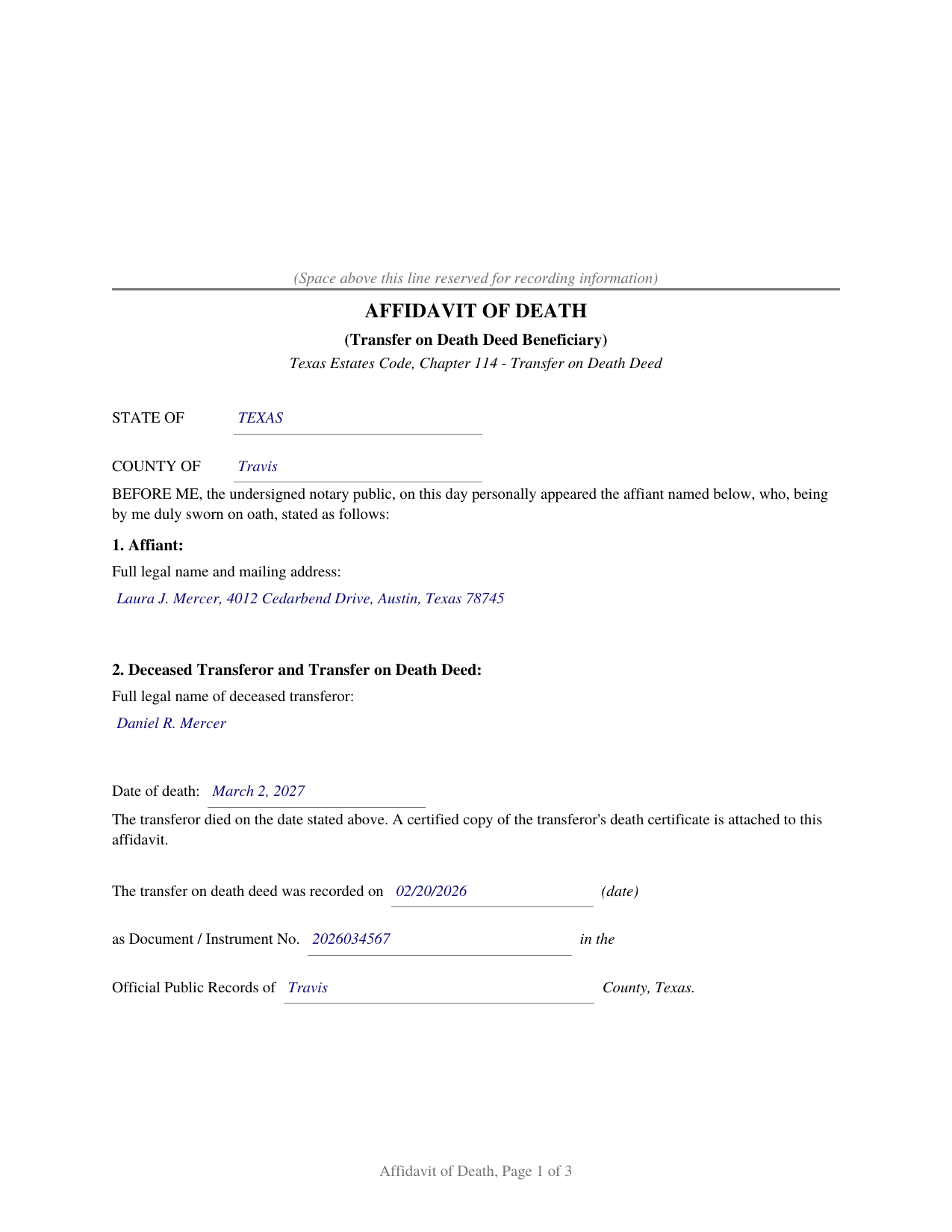
Jim Hogg County Completed Example of the Affidavit of Death (Transfer on Death Deed Beneficiary) Document
Example of a properly completed Texas Affidavit of Death (Transfer on Death Deed Beneficiary) document for reference.
All 3 documents above included • One-time purchase • No recurring fees
Immediate Download • Secure Checkout
Additional Texas and Jim Hogg County documents included at no extra charge:
Where to Record Your Documents
County and District Clerk
Hebbronville, Texas 78361-3509
Hours: Monday-Friday 9:00am - 5:00pm
Phone: (361) 527-5825
Recording Tips for Jim Hogg County:
- Bring your driver's license or state-issued photo ID
- Ensure all signatures are in blue or black ink
- White-out or correction fluid may cause rejection
- Ask about their eRecording option for future transactions
- Avoid the last business day of the month when possible
Cities and Jurisdictions in Jim Hogg County
Properties in any of these areas use Jim Hogg County forms:
- Guerra
- Hebbronville
Hours, fees, requirements, and more for Jim Hogg County
How do I get my forms?
Forms are available for immediate download after payment. The Jim Hogg County forms will be in your account ready to download to your computer. An account is created for you during checkout if you don't have one. Forms are NOT emailed.
Are these forms guaranteed to be recordable in Jim Hogg County?
Yes. Our form blanks are guaranteed to meet or exceed the applicable formatting requirements used for recording in Jim Hogg County, including margin requirements, font requirements, and other layout standards. This guarantee applies to formatting, not to the legal sufficiency of information entered by the user or the suitability of a form for a particular transaction.
Can I reuse these forms?
Yes. You can reuse the forms for your personal use. For example, if you have multiple properties in Jim Hogg County you only need to order once.
What do I need to use these forms?
The forms are PDFs that you fill out on your computer. The free Adobe Acrobat Reader is recommended, and most PDF apps also work. You do NOT enter your property information online - you download the blank forms and complete them privately on your own computer.
Are there any recurring fees?
No. This is a one-time purchase. Nothing to cancel, no memberships, no recurring fees.
How much does it cost to record in Jim Hogg County?
Recording fees in Jim Hogg County vary. Contact the recorder's office at (361) 527-5825 for current fees.
Questions answered? Let's get started!
When the owner who signed a Texas transfer on death deed dies, title passes to the named beneficiary automatically, by operation of the recorded deed. No court is involved and no new deed is signed. What remains is a documentation step: getting evidence of the death, and of the beneficiary's right to take, into the county records where everyone who later examines the title will look. This form prepares the sworn affidavit Texas title practice uses for that step.
Why the Affidavit Matters
Until the death is documented of record, the title records show only a deed waiting to operate. A title examiner handling the beneficiary's later sale or refinance, the appraisal district adjusting its rolls, and anyone else searching the records all need the connection made: this owner died on this date, the deed was never revoked, and this beneficiary qualified. The affidavit, recorded with a certified copy of the death certificate, supplies exactly that, in the place title professionals expect to find it.
What the Affidavit States
The affiant identifies the deceased transferor, the date of death, and the recorded deed by its recording date, document number, and county. The sworn statements then track what Chapter 114 of the Estates Code makes relevant: the affiant is a beneficiary designated in the deed, survived the transferor by at least 120 hours as Section 114.103 requires, has found no cancellation of record and knows of no revocation, and, where the deed was made by joint owners with right of survivorship, that the deceased transferor was the last surviving owner, the death at which such a deed operates.
Sworn, Not Just Signed
This instrument is an affidavit, so the beneficiary signs and swears to the statements before a notary, who completes a jurat rather than the acknowledgment found on deed forms. The guide explains the difference and walks through every entry, including where the recording references come from and how to obtain the certified death certificate that accompanies the affidavit. The completed example shows a finished affidavit for a realistic fact pattern.
What Is Included
- The blank form as a fillable PDF, completed on screen or printed and completed by hand
- A plain language guide that walks through every numbered section: what each blank asks, where the information comes from, and what a correct entry looks like
- A completed example showing the entire document filled in for a realistic Texas fact pattern
The document is formatted for Texas recording standards: letter size pages within the dimensions of Local Government Code Section 191.007, body text well above the 8 point minimum, and reserved space on page one for the county clerk's recording stamp. As an affidavit rather than a conveyance, it does not carry the Property Code Section 11.008 confidentiality notice that introduces a deed. A separate instructions page, marked DO NOT RECORD and removed before signing, describes how an entry that outgrows its space continues on an attached exhibit, so the recorded affidavit stays free of worksheet style captions.
Related Texas Forms
The affidavit works with all three companion deeds: the Texas Transfer on Death Deed (Individual), the joint owner version, and the community property with right of survivorship version. For the two joint forms, it is recorded after the death of the last surviving owner.
Important: Your property must be located in Jim Hogg County to use these forms. Documents should be recorded at the county recording office listed above.
This Affidavit of Death (Transfer on Death Deed Beneficiary) meets all recording requirements specific to Jim Hogg County.
Our Promise
The documents you receive here are guaranteed to meet or exceed the applicable Jim Hogg County recording format requirements. If there is a rejection caused by our formatting, we will correct the issue or refund your payment. This guarantee applies to document formatting only and does not extend to information entered by the user, the selection of the form, or the legal effect of the completed document.
Save Time and Money
Get your Jim Hogg County Affidavit of Death (Transfer on Death Deed Beneficiary) form done right the first time with Deeds.com Uniform Conveyancing Blanks. At Deeds.com, we understand that your time and money are valuable resources, and we don't want you to face a penalty fee or rejection imposed by a county recorder for submitting nonstandard documents. We constantly review and update our forms to meet rapidly changing state and county recording requirements for roughly 3,500 counties and local jurisdictions.
4.8 out of 5 - ( 4,802 Reviews )
Charles Z. 5 out of 5 stars
I am very happy with the service and would use again. Super fast, efficient, and very helpful friendly staff. I would recommend and would use again.
Thank you for your feedback. We really appreciate it. Have a great day!
Jill R. 5 out of 5 stars
So helpful and extremely responsive. Such a convenient way to record deeds.
We appreciate your business and value your feedback. Thank you. Have a wonderful day!
Leo H. 5 out of 5 stars
The deed was very easy to use and the material provided were helpful in completing the form. We haven't filed it yet, but I assume that all will go well.
We appreciate your business and value your feedback. Thank you. Have a wonderful day!
Renee H. 5 out of 5 stars
First time to use this service, was easy and quick return.
We appreciate your business and value your feedback. Thank you. Have a wonderful day!
Kathy-Louise A. 5 out of 5 stars
I found the process of downloading and completing the documents very user friendly. Thank you for the Declare Value instructions. It was easy to follow, though a sample of the declaration form would be very useful. I didn't know how to list my "capacity" so I left it blank so the recorder could advise me. Otherwise, thank you so much for being available for people who are capable of completing simple legal tasks without the expense of a lawyer. Thank you, thank you, thank you!!!
Your appreciative words mean the world to us. Thank you.
Margaret M. 4 out of 5 stars
Quick and easy, but the 2MB file limit ended up causing some big headaches. Had I known the limit could be easily increased, it would have saved me a lot of time and trouble.
We appreciate your business and value your feedback. Thank you. Have a wonderful day!
stephanie h. 5 out of 5 stars
Very satisfied. In the middle of COVID19 I was able to complete important paperwork even though I wasn't completely sure what I was doing on my own. Quick and easy. Thank you. It means a lot to me.
Thank you for your feedback. We really appreciate it. Have a great day!
Peggy L. 5 out of 5 stars
Download worked exactly as portrayed - will definitely use service again when needed.
Thank you, Peggy. Glad everything worked as expected. We will be here whenever you need us again.
Leslie C. 5 out of 5 stars
I recently purchased online DIY legal forms, and I must say I was thoroughly impressed. The documents provided were accurate, comprehensive, and precisely what I needed. The accompanying guide was clear, instructive, and really bridged the gap for someone like me who isn't well-versed in legal jargon. What stood out the most, however, was the inclusion of the example. It served as a practical reference and made the entire process so much more approachable. Being able to see a filled-out sample made all the difference. Overall, this product has been invaluable in helping me navigate legal processes on my own.
Thank you for your feedback. We really appreciate it. Have a great day!
Rafael R. 5 out of 5 stars
This was my first time using Deed.com. It was easier than I expected. The service is more convenient than filing documents in person or by mail. The response from Deeds.com upon the submission of my order was almost instantaneous.
We appreciate your business and value your feedback. Thank you. Have a wonderful day!
Sam A. 5 out of 5 stars
The form is just what I needed! Super easy access and user friendly. Exactly what I needed. Worth every dollar!!
Thank you for your feedback. We really appreciate it. Have a great day!
Joseph M. 5 out of 5 stars
Very easy to use the service and responses came very quickly.
Thank you!
Melissa S. 5 out of 5 stars
As a person working in the title industry, I recommend this site to everyone needing a blank deed. Thank you for staying user friendly.
Thank you, Melissa! An endorsement from someone who works with these transactions every day carries real weight with us. We work hard to keep the whole process painless, so it's wonderful to hear it's landing that way. All the best to you!
Anita H. 5 out of 5 stars
Easy way to get forms that I needed. Would buy again from you if needed.
Thank you for your positive words! We’re thrilled to hear about your experience.
Ida L. 5 out of 5 stars
The form was easy to complete and print. Best price found online.
Thank you!