Clay County Deed of Trust and Promissory Note Form
Last validated November 6, 2026 by our Forms Development TeamFormatted for recording in Clay County, for property anywhere in the county: rural and unincorporated areas as well as Bellevue, Bluegrove, Byers, Henrietta, Petrolia.
- 7 documents included
- Immediate PDF download
- Formatting guarantee
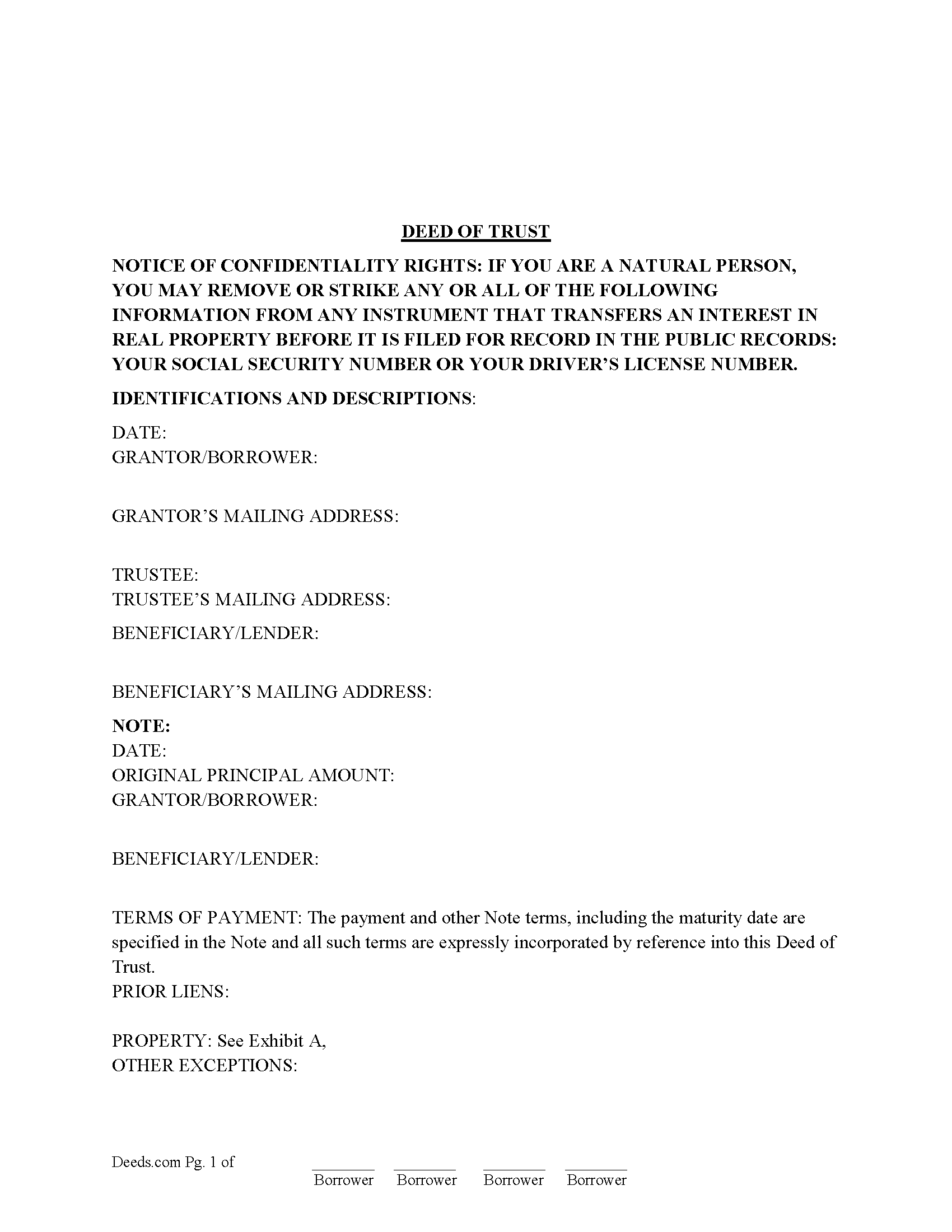
Clay County Deed of Trust Form
Fill in the blank form formatted to comply with all recording and content requirements.
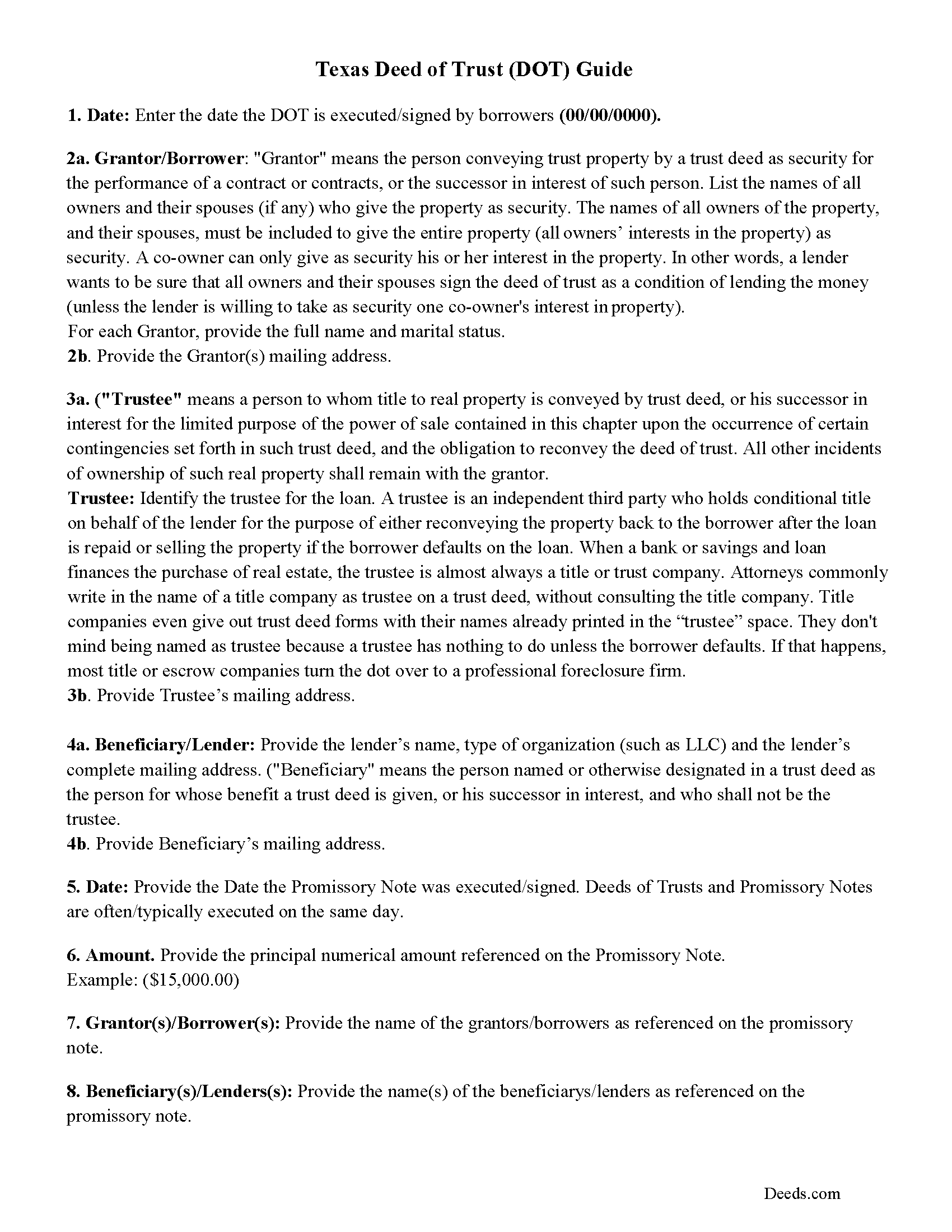
Clay County Texas Deed of Trust Guidelines
Line by line guide explaining every blank on the form.
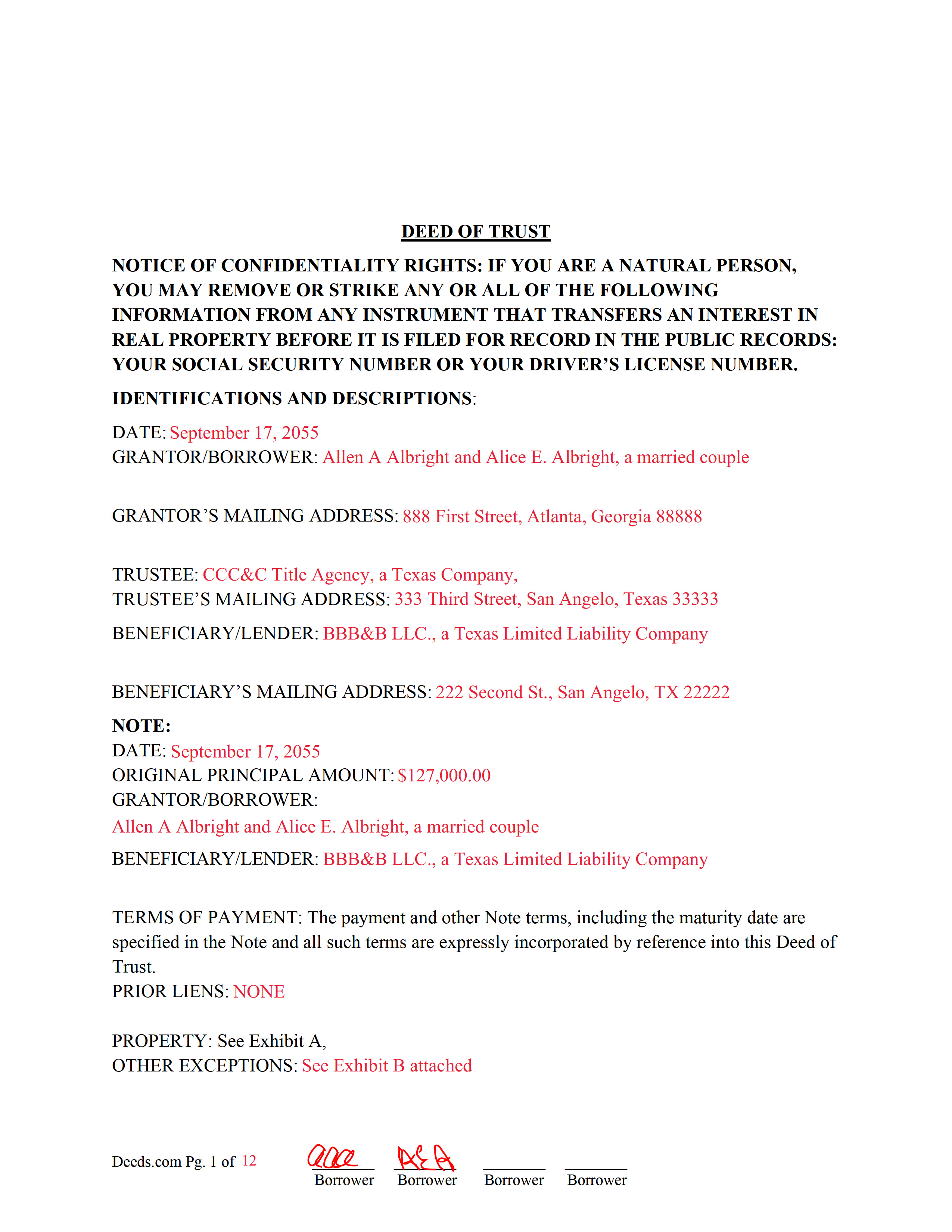
Clay County Completed Example of the Deed of Trust Document
Example of a properly completed form for reference.
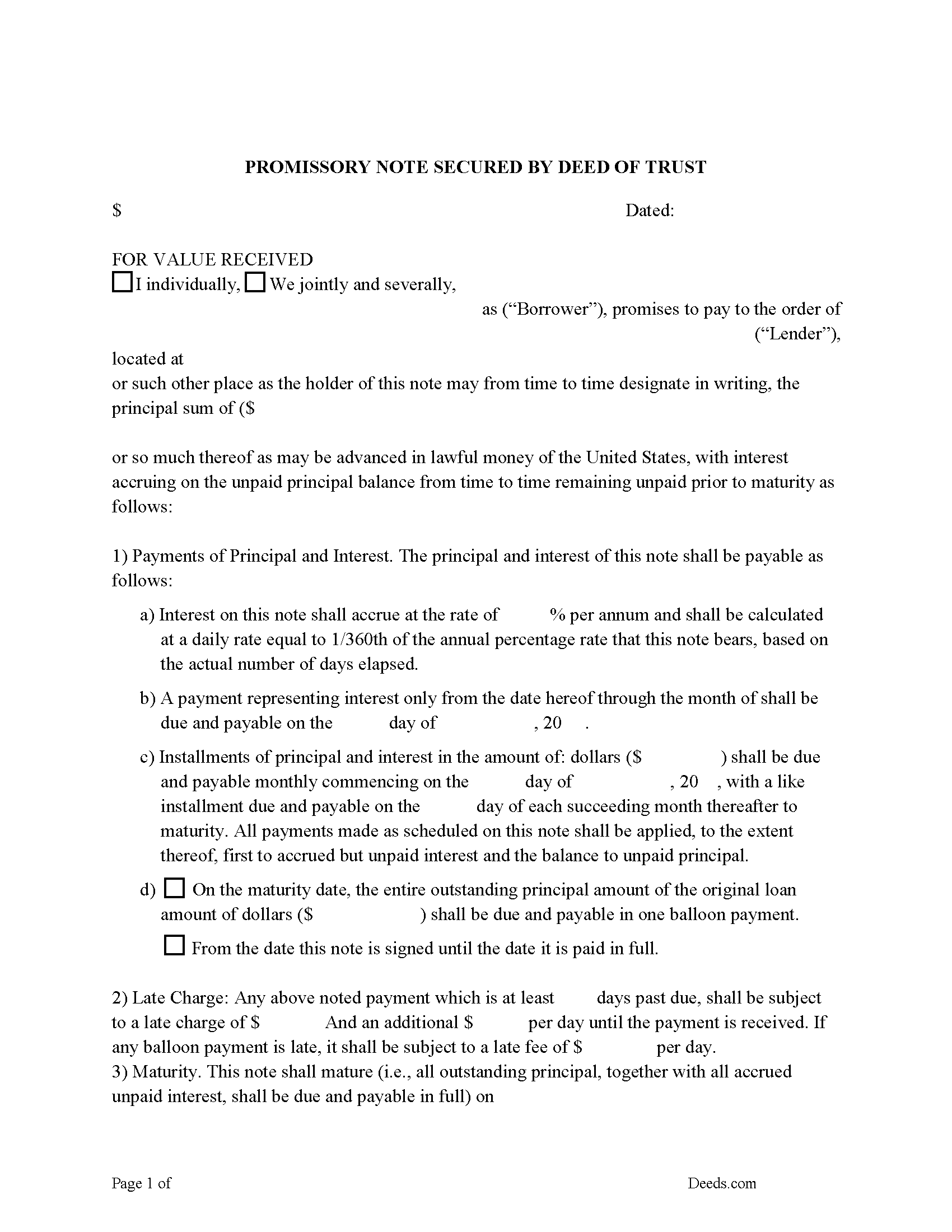
Clay County Promissory Note Form
Note secured by Deed of Trust, fill in the blank.
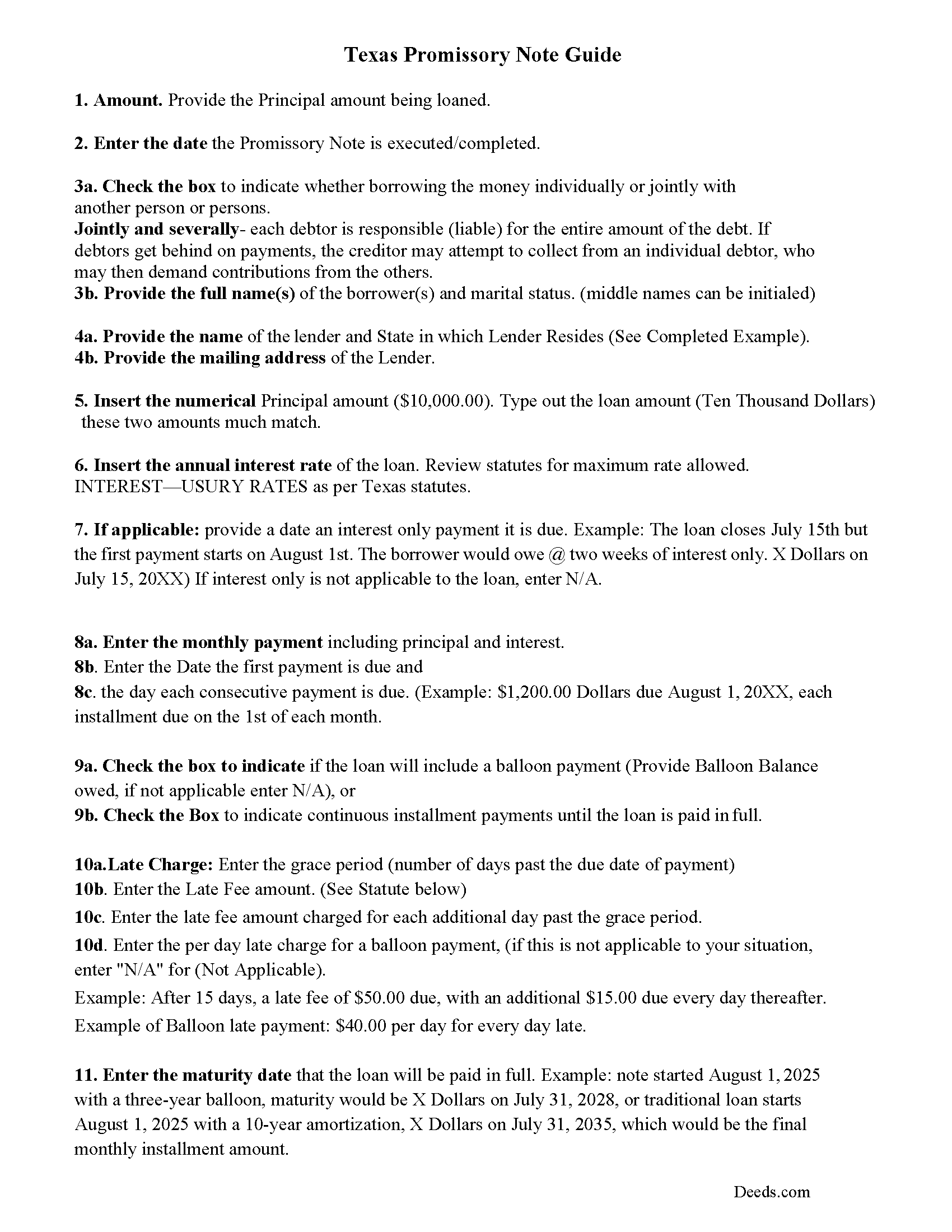
Clay County Promissory Note Guidelines
Line by line guide explaining every blank on the form.
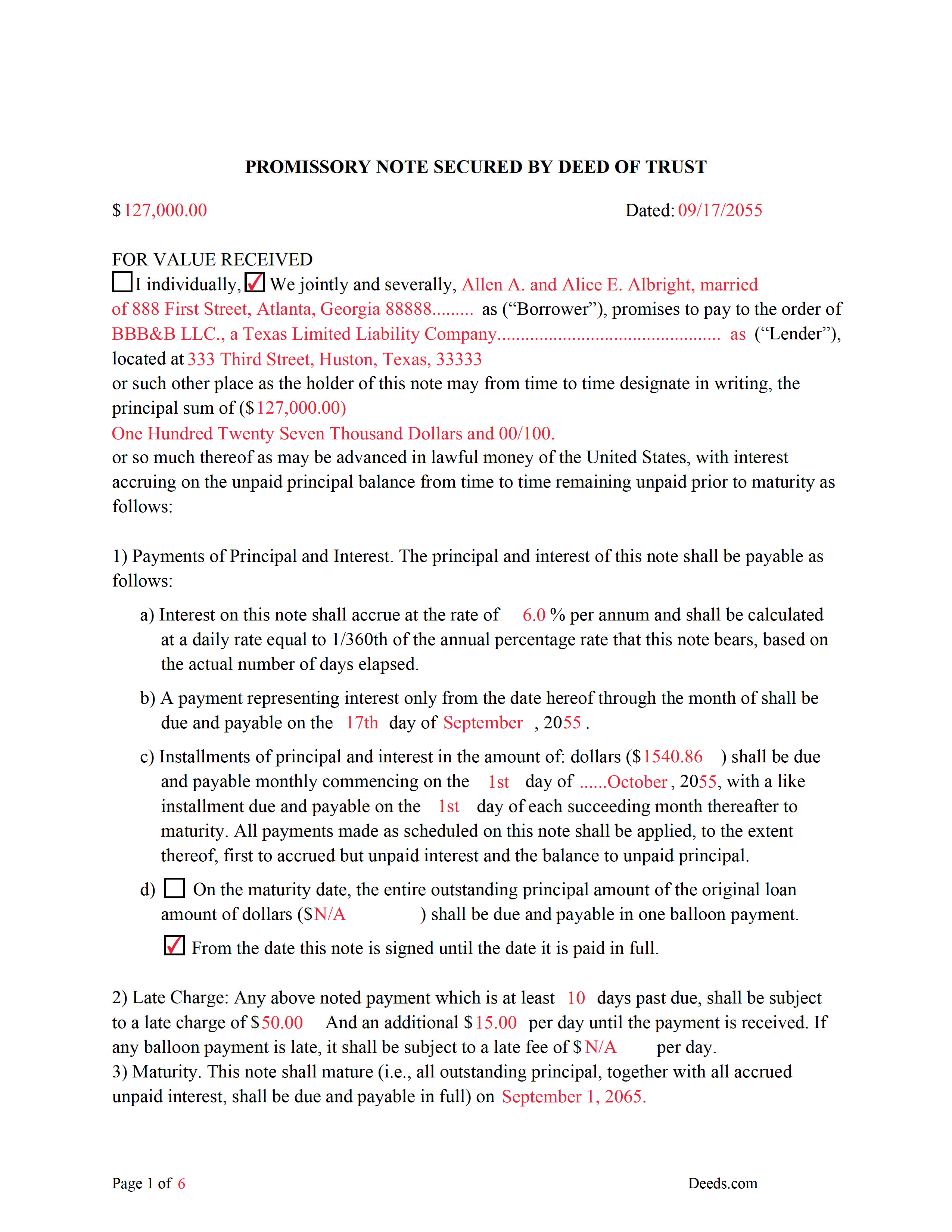
Clay County Completed Example of the Promissory Note Document
This Promissory Note is filled in and highlighted, showing how the guideline information, can be interpreted into the document.
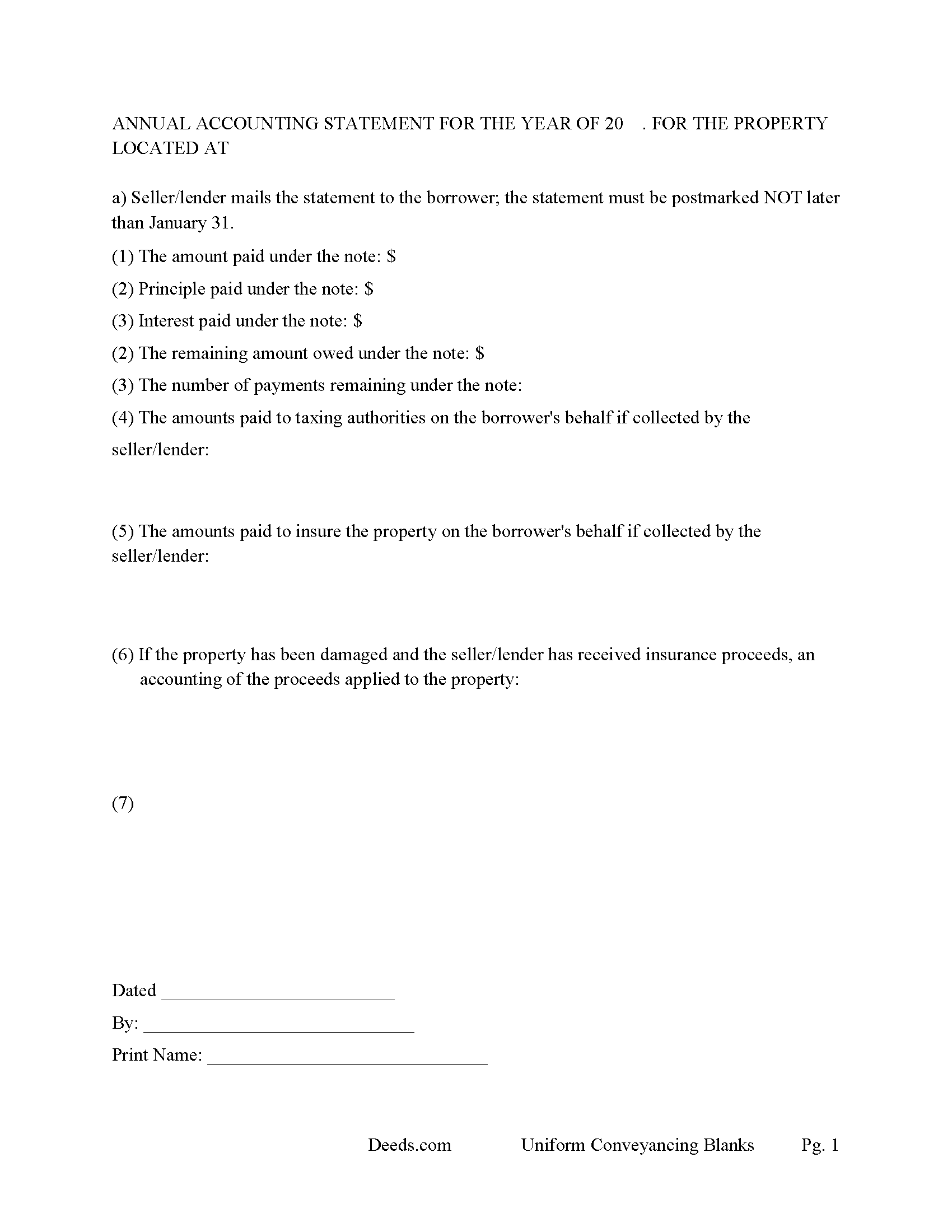
Clay County Annual Accounting Statement Form
Mail to borrower for fiscal year reporting.
All 7 documents above included • One-time purchase • No recurring fees
Immediate Download • Secure Checkout
Additional Texas and Clay County documents included at no extra charge:
Where to Record Your Documents
Clay County Clerk
Henrietta, Texas 76365
Hours: Monday - Friday 8:00am - 12:00 & 1:00 - 5:00 pm
Phone: 940-538-4631
Recording Tips for Clay County:
- Bring your driver's license or state-issued photo ID
- Ensure all signatures are in blue or black ink
- Leave recording info boxes blank - the office fills these
- Make copies of your documents before recording - keep originals safe
- Recorded documents become public record - avoid including SSNs
Cities and Jurisdictions in Clay County
Properties in any of these areas use Clay County forms:
- Bellevue
- Bluegrove
- Byers
- Henrietta
- Petrolia
Hours, fees, requirements, and more for Clay County
How do I get my forms?
Forms are available for immediate download after payment. The Clay County forms will be in your account ready to download to your computer. An account is created for you during checkout if you don't have one. Forms are NOT emailed.
Are these forms guaranteed to be recordable in Clay County?
Yes. Our form blanks are guaranteed to meet or exceed the applicable formatting requirements used for recording in Clay County, including margin requirements, font requirements, and other layout standards. This guarantee applies to formatting, not to the legal sufficiency of information entered by the user or the suitability of a form for a particular transaction.
Can I reuse these forms?
Yes. You can reuse the forms for your personal use. For example, if you have multiple properties in Clay County you only need to order once.
What do I need to use these forms?
The forms are PDFs that you fill out on your computer. The free Adobe Acrobat Reader is recommended, and most PDF apps also work. You do NOT enter your property information online - you download the blank forms and complete them privately on your own computer.
Are there any recurring fees?
No. This is a one-time purchase. Nothing to cancel, no memberships, no recurring fees.
How much does it cost to record in Clay County?
Recording fees in Clay County vary. Contact the recorder's office at 940-538-4631 for current fees.
Questions answered? Let's get started!
A deed of trust (DOT) is a document that conveys title to real property to a trustee as security for a loan until the grantor (borrower) repays the lender according to terms defined in a promissory note. It's similar to a mortgage but differs - mortgages only include two parties (borrower and lender). In Texas a Deed of Trust is the preferred lending instrument.
There are three parties to a deed of trust: the borrower (grantor), the lender (beneficiary), and the trustee. The trustee, typically a title agency or other disinterested party, serves two purposes: to initiate the foreclosure process for the lender if the borrower defaults on the loan, and to transfer (reconvey) the property back to the borrower after the debt is paid in full.
This DOT includes a power of sale clause, this can be beneficial to the lender, saving time and expense in the case of a foreclosure. Sec.51.0074. DUTIES OF TRUSTEE.
(a) One or more persons may be authorized to exercise the power of sale under a security instrument.
(b) A trustee may not be:
(1) assigned a duty under a security instrument other than to exercise the power of sale in accordance with the terms of the security instrument; or
(2) held to the obligations of a fiduciary of the mortgagor or mortgagee.
Use these forms to finance real property; residential, rental, condominiums, vacant land, and planned unit developments. A promissory note secured by a deed of trust, that include stringent default terms can be beneficial to the lender, typical of owner financing, investor financing, etc.
(Texas Deed of Trust Package includes forms, guidelines, and completed example)
For use in Texas only.
Important: Your property must be located in Clay County to use these forms. Documents should be recorded at the county recording office listed above.
This Deed of Trust and Promissory Note meets all recording requirements specific to Clay County.
Our Promise
The documents you receive here are guaranteed to meet or exceed the applicable Clay County recording format requirements. If there is a rejection caused by our formatting, we will correct the issue or refund your payment. This guarantee applies to document formatting only and does not extend to information entered by the user, the selection of the form, or the legal effect of the completed document.
Save Time and Money
Get your Clay County Deed of Trust and Promissory Note form done right the first time with Deeds.com Uniform Conveyancing Blanks. At Deeds.com, we understand that your time and money are valuable resources, and we don't want you to face a penalty fee or rejection imposed by a county recorder for submitting nonstandard documents. We constantly review and update our forms to meet rapidly changing state and county recording requirements for roughly 3,500 counties and local jurisdictions.
4.8 out of 5 - ( 4,845 Reviews )
Larry P. 5 out of 5 stars
Easy to follow step by step in completing form. Filing successful on first try. Economical cost. Would highly recommend.
We appreciate your business and value your feedback. Thank you. Have a wonderful day!
Carol S. 5 out of 5 stars
Excellent ...easy, timely!
Thank you for your feedback. We really appreciate it. Have a great day!
irene w. 5 out of 5 stars
Just found this site, what a great resource ! Thank you so much for providing affordable help to those of us navigating estate planning mazes. The forms were all very easy to download, even on our rather ancient computer, and the accompanying explanations were in clear, understandable English designed to explain, with appropriate cautions to avoid problems.
Thank you for your feedback. We really appreciate it. Have a great day!
Maria F. 5 out of 5 stars
Easy forms to follow. Thank you for this service. You can even file them through e-filing. Great service. Thanks. Maria F.
Thank you!
PETER C. 5 out of 5 stars
The process was quick and simple to follow. Very efficient way to document Deeds.
Thank you!
Larry P. 5 out of 5 stars
Love your site. I found just what I needed and it was so easy. Saved me countless time and effort. Worth every penny.
We appreciate your business and value your feedback. Thank you. Have a wonderful day!
Karen D. 5 out of 5 stars
Very easy to use and understand. Thank you.
Thank you!
Jan C. 5 out of 5 stars
Wow - finding your service was a lifesaver! I know my forms, but I don't have the time right now to draft them from "scratch". So once I found this site it was a couple of quick clicks and VOILA!! almost a done deal. Thanks for the assistance.
Thank you for your feedback. We really appreciate it. Have a great day!
LeAnne B. 5 out of 5 stars
Using Deeds.com was the best decision I made when completing new deeds for a minor subdivision on my property. It was affordable and questions were answered in a timely fashion. No fuss, no muss, just got the job done.
Thanks for your feedback. We’re glad we could help.
Desiree R. 5 out of 5 stars
very easy to use
We are delighted to have been of service. Thank you for the positive review!
Anita M W. 5 out of 5 stars
This process is outstanding, and it saved the hassle of going downtown and dealing with traffic.
Thank you for the kinds words Anita. Glad we could be of assistance. Have an amazing day!
Toni M. 5 out of 5 stars
I liked having the forms. Some may need to know they can look at the legal Description from online county records, then type up in Word document line by line, the degree sign in Word program is achieved by using alt and 248 on number pad. Then on the form page one write SEE Exibit A and title your Word program description as Exibit A. Goes without saying the legal description should be looked over many times and it is easier to do so if you format your Word the same lineage as the legal description online which is usually not text which is why you have to retype it.
Thank you for your feedback. We really appreciate it. Have a great day!
NATALIE A. 5 out of 5 stars
The form was very easy to use and the sample tool you had was very helpful. the only problem i had was saving the document and then trying to find it later. I finally was able to figure out how to save it. but i still cannot find the saved document on my computer. Luckily i printed it before i closed it and did not need to make any changes.
Thank you for your feedback. We really appreciate it. Have a great day!
Tawnya B. 5 out of 5 stars
The document I needed and easy instructions!
Thank you!
RAUL G. 5 out of 5 stars
Very pleased with the service, easy to download and print
Thank you for your feedback. We really appreciate it. Have a great day!