Kerr County Demand for Payment Form
Last validated October 29, 2026 by our Forms Development TeamFormatted for recording in Kerr County, for property anywhere in the county: rural and unincorporated areas as well as Center Point, Hunt, Ingram, Kerrville, Mountain Home.
- 3 documents included
- Immediate PDF download
- Formatting guarantee
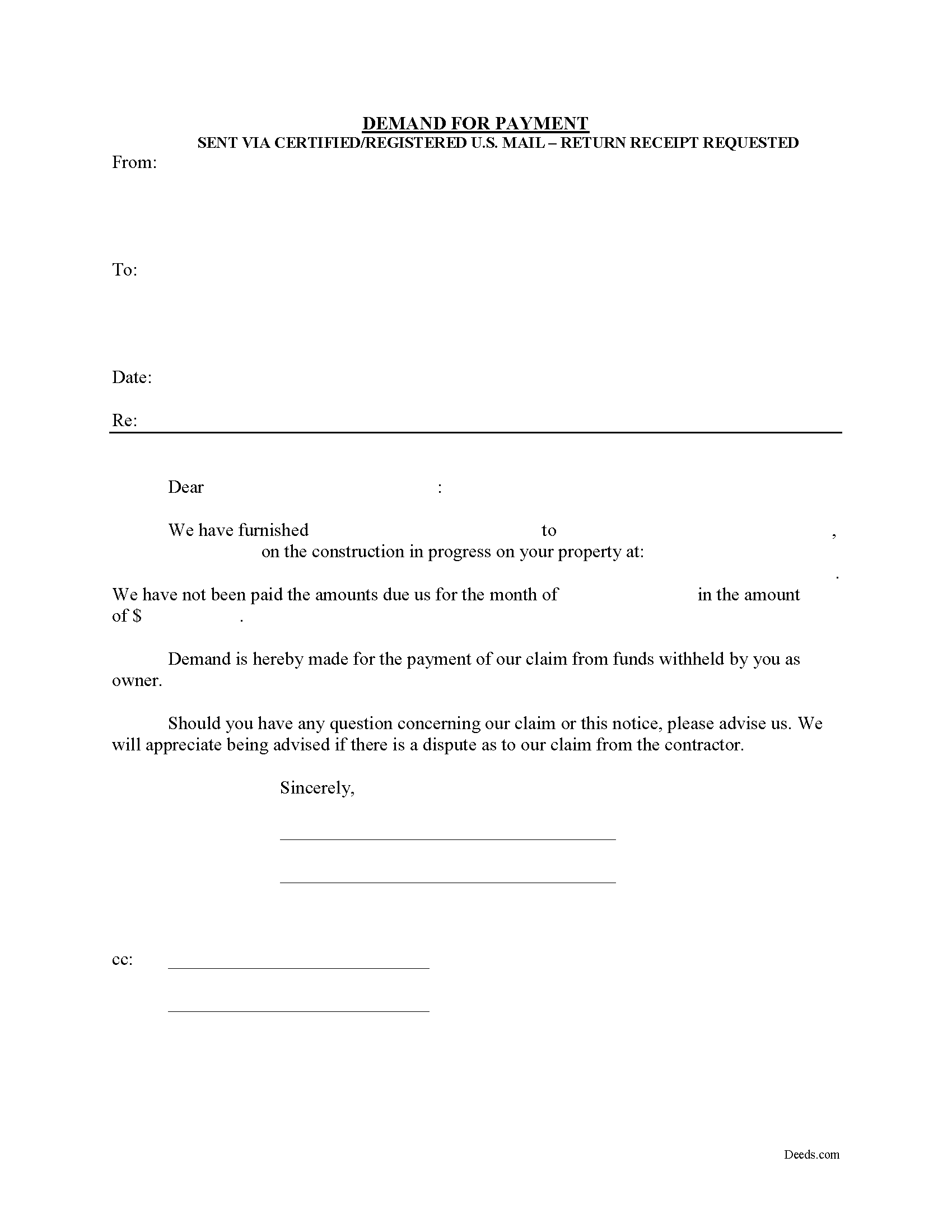
Kerr County Demand for Payment Form
Fill in the blank Demand for Payment form formatted to comply with all Texas recording and content requirements.
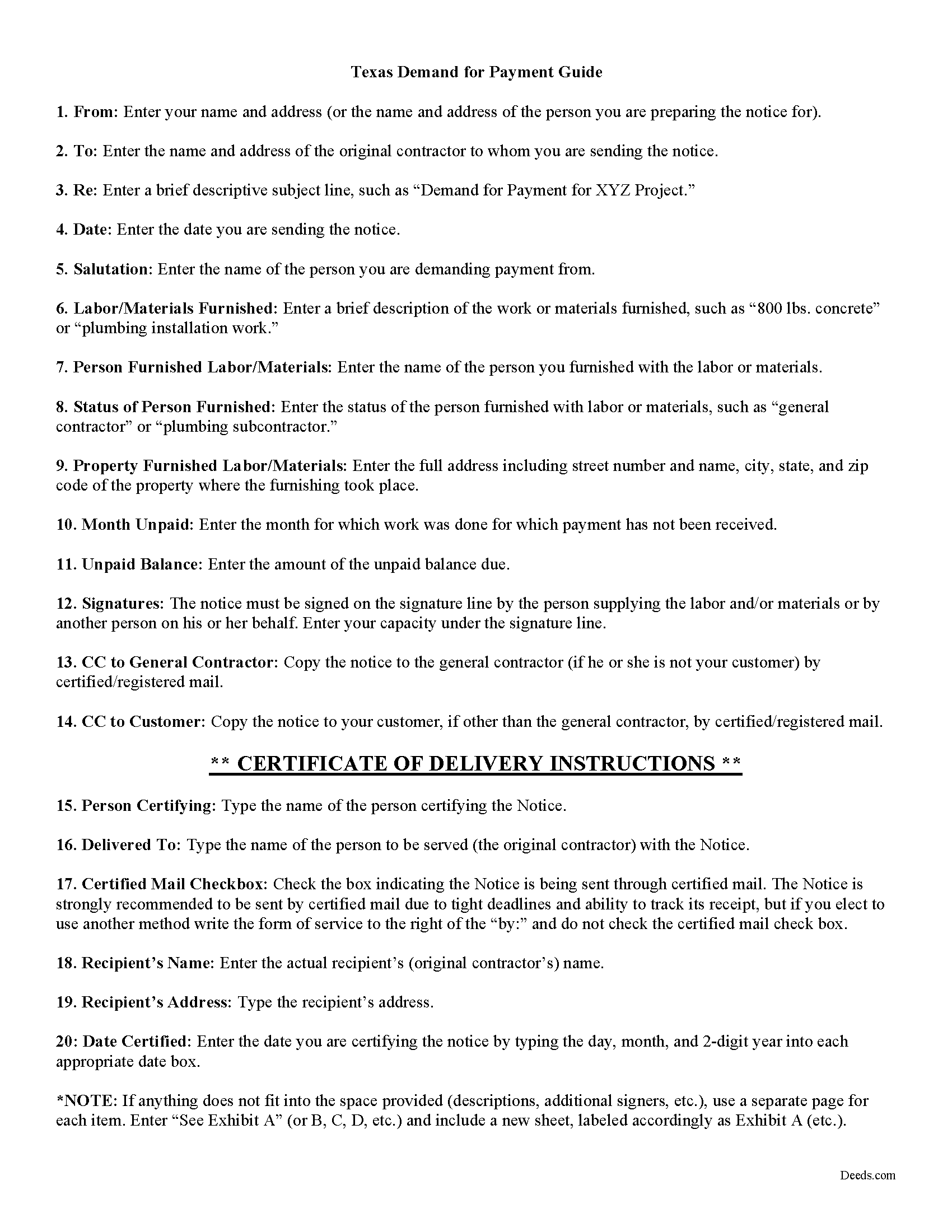
Kerr County Demand for Payment Guide
Line by line guide explaining every blank on the form.
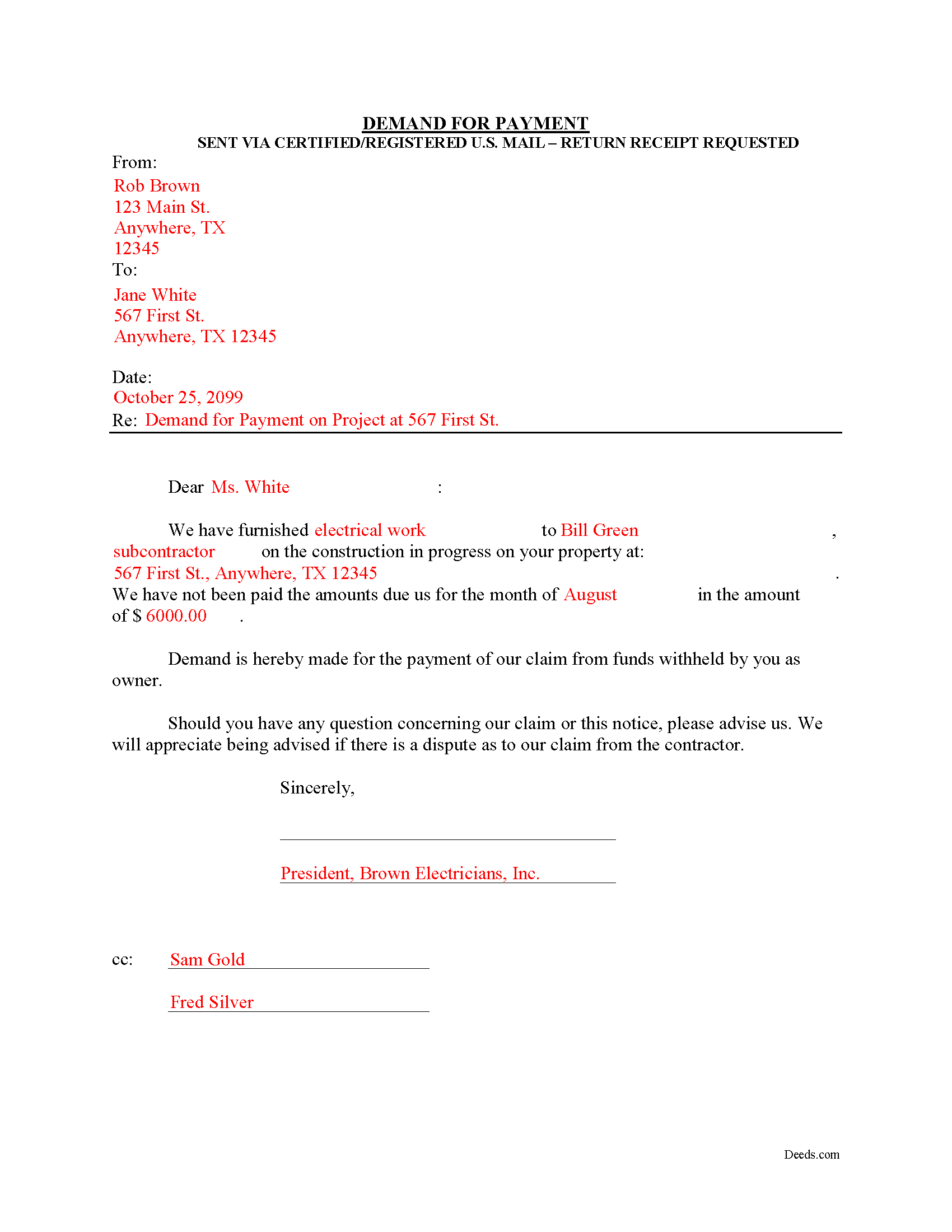
Kerr County Completed Example of the Demand for Payment Document
Example of a properly completed form for reference.
All 3 documents above included • One-time purchase • No recurring fees
Immediate Download • Secure Checkout
Additional Texas and Kerr County documents included at no extra charge:
Where to Record Your Documents
Kerr County Clerk
Kerrville, Texas 78028
Hours: Monday-Friday 8am-5pm
Phone: (830) 792-2255
Recording Tips for Kerr County:
- Bring your driver's license or state-issued photo ID
- Ensure all signatures are in blue or black ink
- Bring extra funds - fees can vary by document type and page count
- Check margin requirements - usually 1-2 inches at top
- Leave recording info boxes blank - the office fills these
Cities and Jurisdictions in Kerr County
Properties in any of these areas use Kerr County forms:
- Center Point
- Hunt
- Ingram
- Kerrville
- Mountain Home
Hours, fees, requirements, and more for Kerr County
How do I get my forms?
Forms are available for immediate download after payment. The Kerr County forms will be in your account ready to download to your computer. An account is created for you during checkout if you don't have one. Forms are NOT emailed.
Are these forms guaranteed to be recordable in Kerr County?
Yes. Our form blanks are guaranteed to meet or exceed the applicable formatting requirements used for recording in Kerr County, including margin requirements, font requirements, and other layout standards. This guarantee applies to formatting, not to the legal sufficiency of information entered by the user or the suitability of a form for a particular transaction.
Can I reuse these forms?
Yes. You can reuse the forms for your personal use. For example, if you have multiple properties in Kerr County you only need to order once.
What do I need to use these forms?
The forms are PDFs that you fill out on your computer. The free Adobe Acrobat Reader is recommended, and most PDF apps also work. You do NOT enter your property information online - you download the blank forms and complete them privately on your own computer.
Are there any recurring fees?
No. This is a one-time purchase. Nothing to cancel, no memberships, no recurring fees.
How much does it cost to record in Kerr County?
Recording fees in Kerr County vary. Contact the recorder's office at (830) 792-2255 for current fees.
Questions answered? Let's get started!
The Demand for Payment form is used by unpaid individual claimants to demand payment of their claim on an owner who is authorized to withhold funds under 53.083(a) of the Texas Property Code. The demand form also provides notice to the owner that all or part of the claim has accrued under Texas Code 53.053 or is past due under the agreement between the parties.
The claimant must also send a copy of the demand to the original contractor. If the original contractor intends to dispute the claim, he must give the owner written notice no later than the 30th day after the day he receives the copy of the demand. Failure to respond in a timely fashion implies approval of the demand and the owner must then pay the claim.
The Demand for Payment identifies the parties, the project, and relevant dates, services/materials, and fees. It is a required step in securing an eventual mechanic's lien on the owner's property if the claim remains unpaid after demand is sent.
The form does not require a notary seal or other verification, nor is it filed in the local land records. Instead, deliver the demand for payment via certified or registered mail, with a return receipt requested.
Each case is unique, and the mechanic's lien law in Texas can be complicated. Contact an attorney for complex situations, with specific questions about sending a demand for payment, or any other issue related to mechanic's liens.
Important: Your property must be located in Kerr County to use these forms. Documents should be recorded at the county recording office listed above.
This Demand for Payment meets all recording requirements specific to Kerr County.
Our Promise
The documents you receive here are guaranteed to meet or exceed the applicable Kerr County recording format requirements. If there is a rejection caused by our formatting, we will correct the issue or refund your payment. This guarantee applies to document formatting only and does not extend to information entered by the user, the selection of the form, or the legal effect of the completed document.
Save Time and Money
Get your Kerr County Demand for Payment form done right the first time with Deeds.com Uniform Conveyancing Blanks. At Deeds.com, we understand that your time and money are valuable resources, and we don't want you to face a penalty fee or rejection imposed by a county recorder for submitting nonstandard documents. We constantly review and update our forms to meet rapidly changing state and county recording requirements for roughly 3,500 counties and local jurisdictions.
4.8 out of 5 - ( 4,842 Reviews )
Sharon B. 5 out of 5 stars
Awesome and so easy Thanks
Thank you!
Kahn B. 4 out of 5 stars
The Quitclaim deed seems pretty simple However I wonder if I can fll out the paper as easily as it looks I appreciate very much the sample and the direction for filling out the deed. Now I am in the process of gathering document to fill out the deed and I think only when after everything done, I may have a clear idea how good the Quitclaim Deed is. I hope I can follow instruction and will successfully done the paperwork. Thank you very much.
Thank you for your feedback. We really appreciate it. Have a great day!
April K. 5 out of 5 stars
Great service & quick response. Thank U.
We appreciate your business and value your feedback. Thank you. Have a wonderful day!
Elaine L. 5 out of 5 stars
5 STAR, THIS WAS A GREAT EXPERIENCE, FAST VERY RESOURCEFUL TOOL TO PROVIDE FOR MY CLIENTS. Thank you
Thank you!
Jenni R. 5 out of 5 stars
Dry convenient and had just the form I needed and included directions, filled out sample form and other resources. Will recommend and use again if needed.
Thank you for your feedback. We really appreciate it. Have a great day!
Roberta L. 2 out of 5 stars
Costs WAAAAY too much for a stupid FORM!!! F' U!!!
We’ve processed a full cancellation and refund for the order you placed. We wish you the best in finding an option that better fits your needs.
Kimberly H. 5 out of 5 stars
Exceptional Service all Year~ I wish Deeds.com A Happy Holidays & A Happy New Year.
We appreciate your business and value your feedback. Thank you. Have a wonderful day!
Glenda R. 5 out of 5 stars
My experience with deeds.com during this pandemic that has us inconvenienced has made it easy for personal business to continue as usual. I will recommend deeds.com to anyone I learn of needing the assistance.
Thank you for your feedback. We really appreciate it. Have a great day!
Michael M. 5 out of 5 stars
I downloaded the gift deed and I can not type my info onto it what am I doing wrong. Please advise
Sounds like you may be trying to complete the form in your browser. The document needs to be downloaded and saved to you computer, then opened in Adobe.
oscar r. 5 out of 5 stars
VERY MUCH HELPFUL SAVED ME 600 on not having to hire attorney
Thank you!
Brian S. 3 out of 5 stars
PDF fields change font sizes leading to an unprofessional-appearing printed page. The examples for "Convey to" section don't include how to specify just one person instead of a married couple. Maybe that is simple but it would help to spell it out in an example. Haven't submitted to County Recorder yet, so will find out if it is acceptable.
Thank you for the feedback Brian.
The font issue is caused by using a PDF viewer other than Adobe Acrobat Reader. Our form fields are set to a uniform 12-point font, but non-Adobe viewers often render form fields inconsistently. Opening and printing the form with the free Adobe Acrobat Reader will resolve that.
Regarding the examples, that's a fair point, we'll look at expanding them.
Larry M. 5 out of 5 stars
Everything went well except that any information that I typed in on the computer download moves upward so that the letters or numbers are somewhat elevated above the line that should be even with the words on the form. I think it will be acceptable to the county recorder, but I don't especially like to submit things that appear uneven. I asked for help but just received a robotic reply that said to take steps that I already had done. So unless you know a way to correct this I likely won't use your forms again.
Thank you!
Patricia W. 2 out of 5 stars
The "Trustee's Deed" should have been labeled a Deed of Trust because that's what it really is. So now I just wasted $19.97 getting something I can't use.
Thank you for your feedback. Sorry to hear of your confusion. We have canceled your order and payment for the trustee's deed document.
Ottomar H. 5 out of 5 stars
Deeds site was easy to use and allowed me to print the forms I needed. No need to change anything.
Thank you!
Theresa M. 5 out of 5 stars
Simple and quick service!!
Thank you!