Kerr County Release of Collateral Assignment of Leases and Rents Form
Last validated September 28, 2026 by our Forms Development TeamFormatted for recording in Kerr County, for property anywhere in the county: rural and unincorporated areas as well as Center Point, Hunt, Ingram, Kerrville, Mountain Home.
- 3 documents included
- Immediate PDF download
- Formatting guarantee
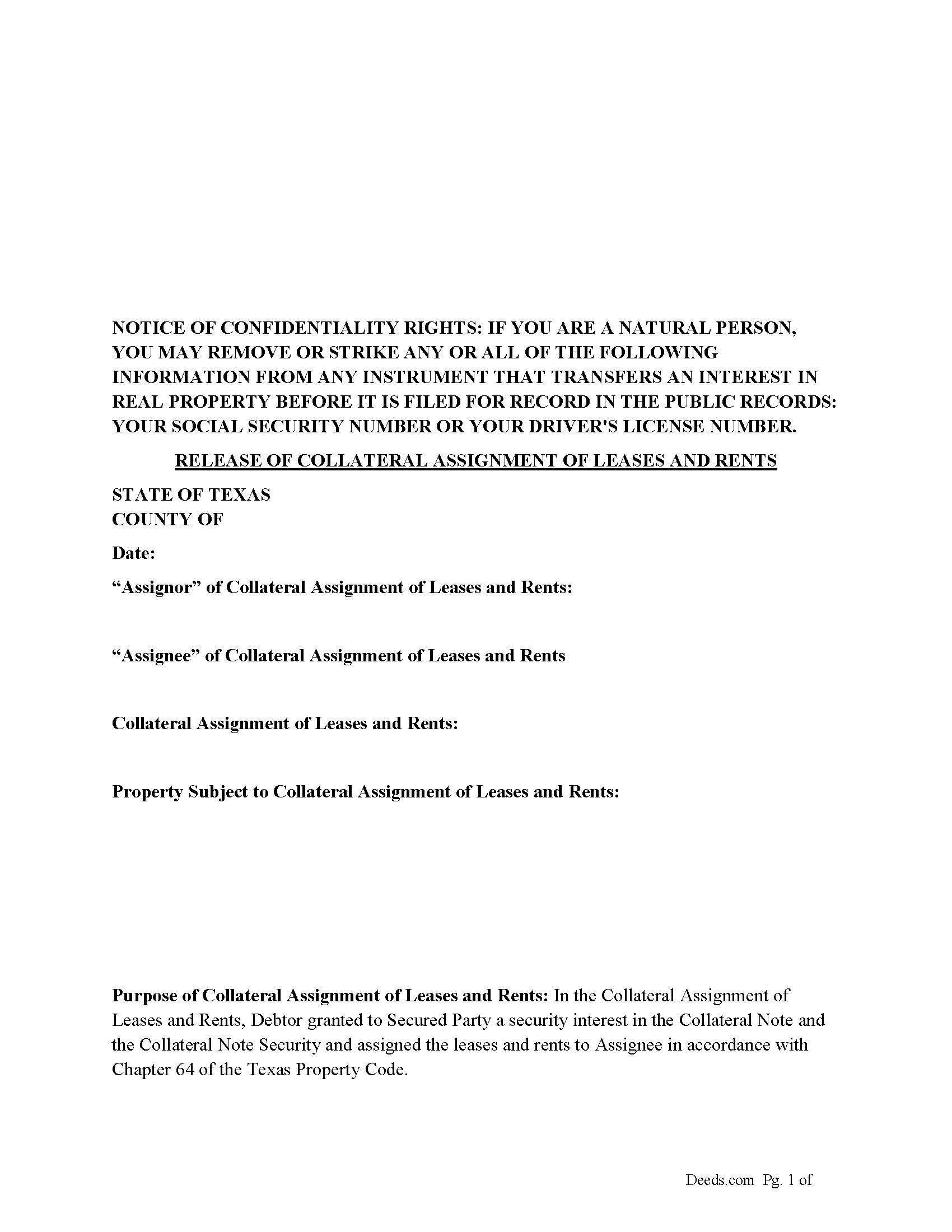
Kerr County Release of Collateral Assignment of Leases and Rents Form
Fill in the blank form formatted to comply with all recording and content requirements.
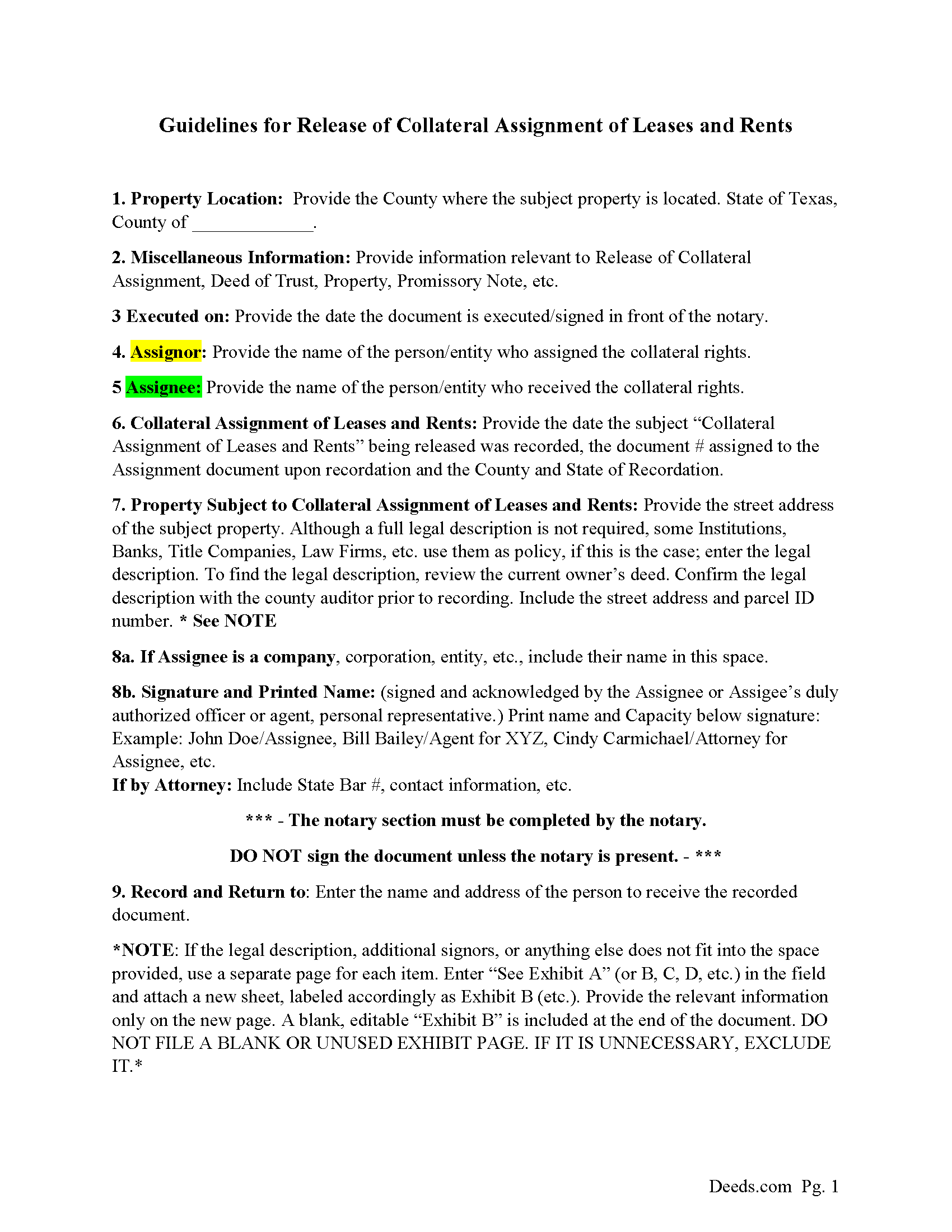
Kerr County Release Guidelines
Line by line guide explaining every blank on the form.

Kerr County Completed Example of a Release of Collateral Assignment of Leases and Rents Document
Example of a properly completed form for reference.
All 3 documents above included • One-time purchase • No recurring fees
Immediate Download • Secure Checkout
Additional Texas and Kerr County documents included at no extra charge:
Where to Record Your Documents
Kerr County Clerk
Kerrville, Texas 78028
Hours: Monday-Friday 8am-5pm
Phone: (830) 792-2255
Recording Tips for Kerr County:
- Bring your driver's license or state-issued photo ID
- Ensure all signatures are in blue or black ink
- Ask for certified copies if you need them for other transactions
- Ask if they accept credit cards - many offices are cash/check only
- Check that your notary's commission hasn't expired
Cities and Jurisdictions in Kerr County
Properties in any of these areas use Kerr County forms:
- Center Point
- Hunt
- Ingram
- Kerrville
- Mountain Home
Hours, fees, requirements, and more for Kerr County
How do I get my forms?
Forms are available for immediate download after payment. The Kerr County forms will be in your account ready to download to your computer. An account is created for you during checkout if you don't have one. Forms are NOT emailed.
Are these forms guaranteed to be recordable in Kerr County?
Yes. Our form blanks are guaranteed to meet or exceed the applicable formatting requirements used for recording in Kerr County, including margin requirements, font requirements, and other layout standards. This guarantee applies to formatting, not to the legal sufficiency of information entered by the user or the suitability of a form for a particular transaction.
Can I reuse these forms?
Yes. You can reuse the forms for your personal use. For example, if you have multiple properties in Kerr County you only need to order once.
What do I need to use these forms?
The forms are PDFs that you fill out on your computer. The free Adobe Acrobat Reader is recommended, and most PDF apps also work. You do NOT enter your property information online - you download the blank forms and complete them privately on your own computer.
Are there any recurring fees?
No. This is a one-time purchase. Nothing to cancel, no memberships, no recurring fees.
How much does it cost to record in Kerr County?
Recording fees in Kerr County vary. Contact the recorder's office at (830) 792-2255 for current fees.
Questions answered? Let's get started!
Use this form to release a previously recorded "Collateral Assignment of Leases and Rents", when the debt secured by the "Collateral Assignment of Lease and Rents" is satisfied.
For use in Texas only.
Important: Your property must be located in Kerr County to use these forms. Documents should be recorded at the county recording office listed above.
This Release of Collateral Assignment of Leases and Rents meets all recording requirements specific to Kerr County.
Our Promise
The documents you receive here are guaranteed to meet or exceed the applicable Kerr County recording format requirements. If there is a rejection caused by our formatting, we will correct the issue or refund your payment. This guarantee applies to document formatting only and does not extend to information entered by the user, the selection of the form, or the legal effect of the completed document.
Save Time and Money
Get your Kerr County Release of Collateral Assignment of Leases and Rents form done right the first time with Deeds.com Uniform Conveyancing Blanks. At Deeds.com, we understand that your time and money are valuable resources, and we don't want you to face a penalty fee or rejection imposed by a county recorder for submitting nonstandard documents. We constantly review and update our forms to meet rapidly changing state and county recording requirements for roughly 3,500 counties and local jurisdictions.
4.8 out of 5 - ( 4,863 Reviews )
Julie R. 5 out of 5 stars
Seamless and prompt service.
We appreciate your business and value your feedback. Thank you. Have a wonderful day!
Theresa M. 5 out of 5 stars
This company was very thorough in having all the forms that I needed.
Thank you!
Carl S. 5 out of 5 stars
Five Stars!
Thank you!
Ron E. 5 out of 5 stars
Seems like this is a very easy process to get what you need.
We appreciate your business and value your feedback. Thank you. Have a wonderful day!
Mary B. 5 out of 5 stars
I was very pleased with my experience on Deeds.com. I hand purchased the wrong papers and they credited my account so I could purchase the correct papers. I will use them again
We appreciate your business and value your feedback. Thank you. Have a wonderful day!
Gordon J. 5 out of 5 stars
The experience was generally very satisfactory. I was able to fill out the Trust Deed and send it via email no problem. However, I was not able to send the filled out form of the Note. It always erased my fill-ins when it was sent. I found that very frustrating.
Thank you, Gordon. Glad the Trust Deed worked well. Issues like the one you reported with the Note can sometimes be related to how the file is opened or sent. Using Adobe Reader to fill, save, and send the form is recommended. We also pass along all feedback like this to our team to confirm there are no issues.
Joseph R. 5 out of 5 stars
So easy to use. I like the way they kept me informed to the progress being made on my filing. If the occasion occurs I'll definitely use them again.
We appreciate your business and value your feedback. Thank you. Have a wonderful day!
Ronald S. 5 out of 5 stars
fantastic forms, great service!
Thank you for your feedback. We really appreciate it. Have a great day!
Suzanne M. 5 out of 5 stars
Easy to download this form. I will use it when the time comes to transfer title of my house.
Thank you for your feedback. We really appreciate it. Have a great day!
BROOKE W. 5 out of 5 stars
Great fillable form! And the separate instruction sheet was detailed and very clear. I particularly appreciate you including a sample of a completed form. I've filled in real estate forms before but never this one, and there were some things I didn't know.
We appreciate your business and value your feedback. Thank you. Have a wonderful day!
Karen F. 3 out of 5 stars
Form needs to be gender neutral. Also, while the format prompts for the correct information to be included, more of the form needs to be open for editing and to eliminate unnecessary spacing.
Karen, thank you for your helpful feedback. We appreciate you pointing this out and are reviewing the form to make the language gender neutral, improve editability, and reduce unnecessary spacing so it is easier to complete.
Sawnie A. 3 out of 5 stars
the deeds and related materials themselves are excellent but the PDF application is awful plus there is no way to customize the documents for specific purposes, so I had to type them from scratch in each instance.
Thank you for your feedback. We really appreciate it. Have a great day!
Jeanne A. 5 out of 5 stars
great forms, nice that they are fillable pdfs, easy to use, no issues. thanks.
Thank you for your feedback. We really appreciate it. Have a great day!
Gary M. 5 out of 5 stars
Death of JT form was excellent. You have the best documents out there. I wish I could have read the sample just so I knew my information was entered correctly. Real problem is County wants a bar code on documents to get recorded. Now? Need four deed forms so the expense starts to be prohibitive. I would rather pay more and get multiple access.
Thank you for your feedback. We really appreciate it. Have a great day!
Tim R. 5 out of 5 stars
Quick and efficient
Thank you Tim, we appreciate your feedback.