Cameron County Preliminary Notice to Original Contractor Form
Last validated October 5, 2026 by our Forms Development TeamFormatted for recording in Cameron County, for property anywhere in the county: rural and unincorporated areas as well as Brownsville, Combes, Harlingen, La Feria, Los Fresnos, Los Indios, Lozano, Olmito and 6 more.
- 3 documents included
- Immediate PDF download
- Formatting guarantee
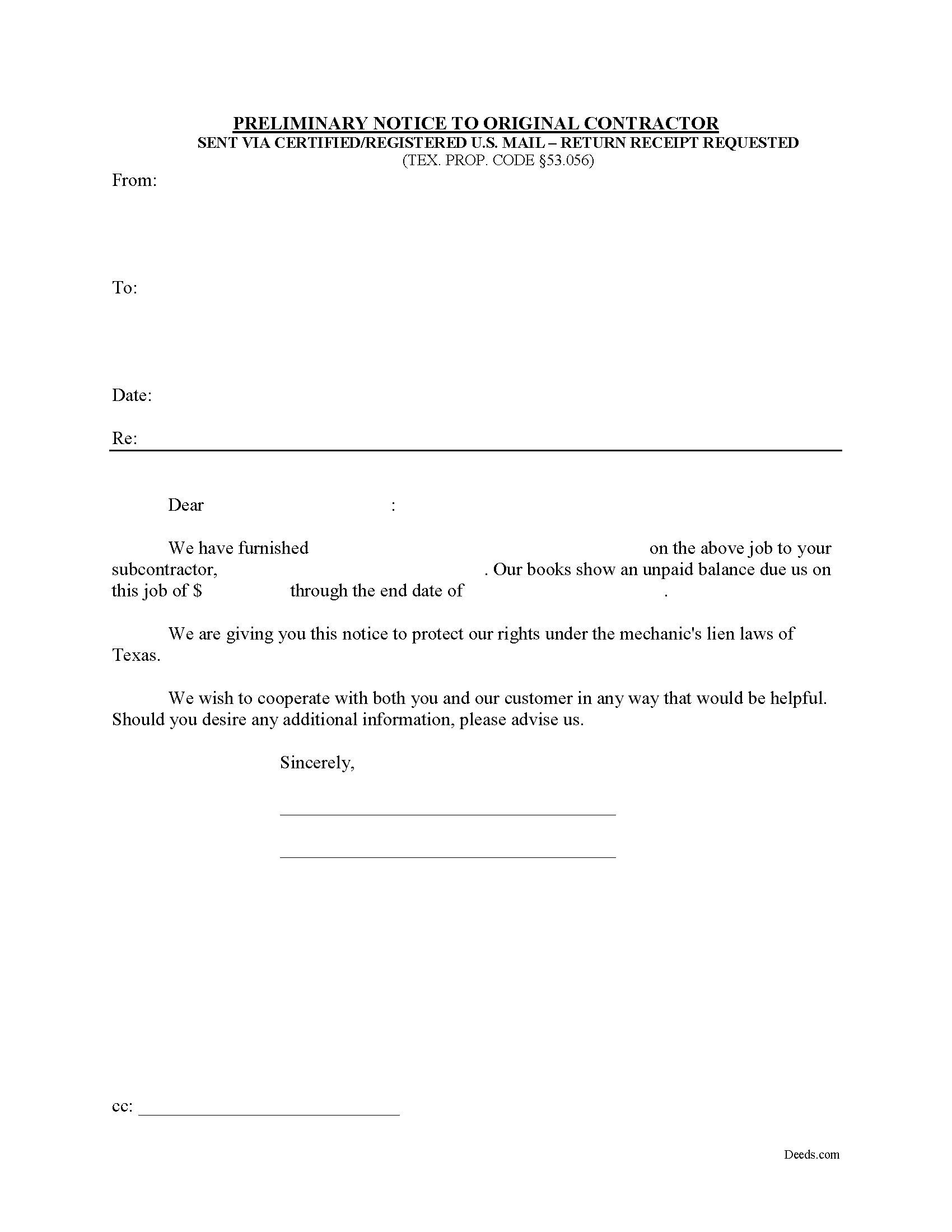
Cameron County Preliminary Notice to Original Contractor Form
Fill in the blank Preliminary Notice to Original Contractor form formatted to comply with all Texas recording and content requirements.
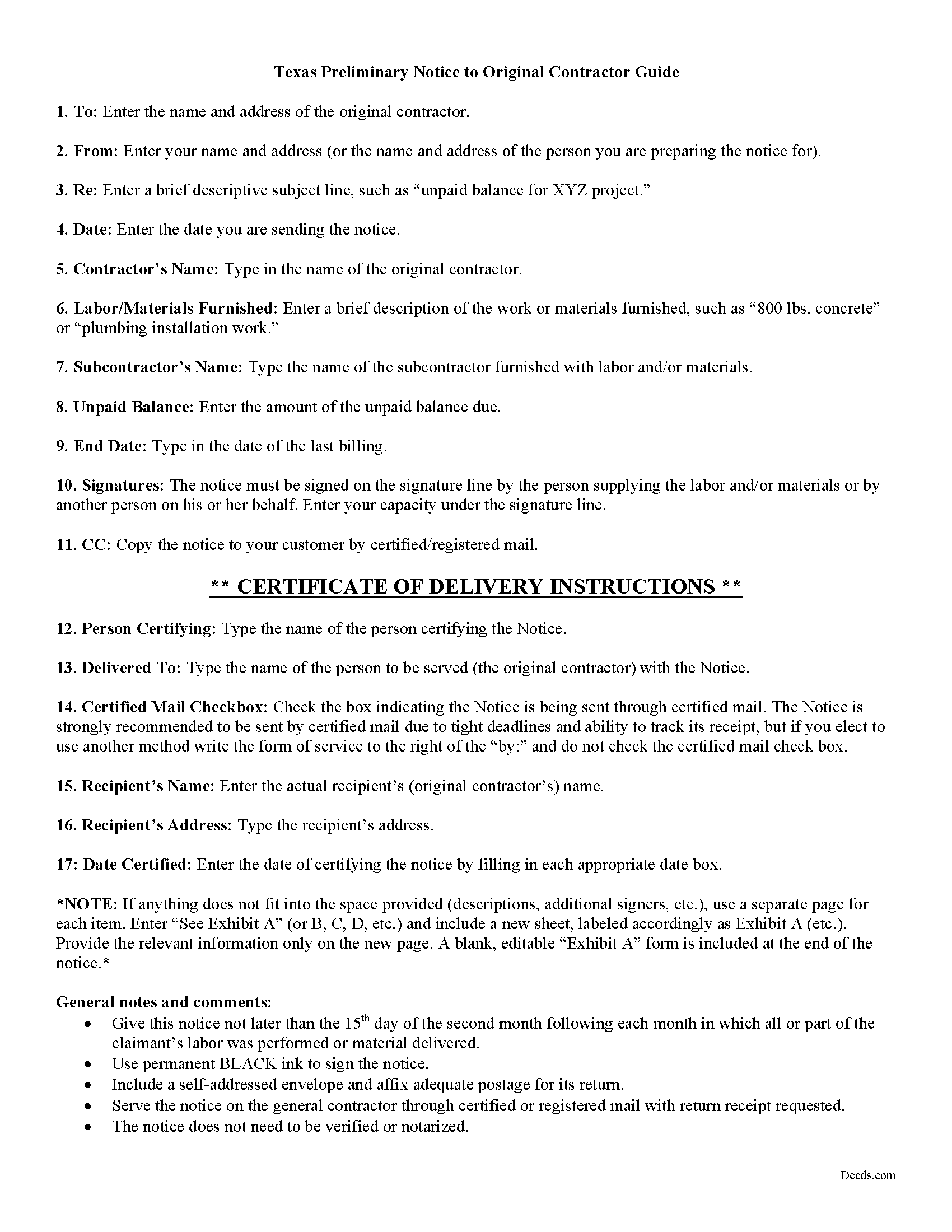
Cameron County Preliminary Notice to Original Contractor Guide
Line by line guide explaining every blank on the form.
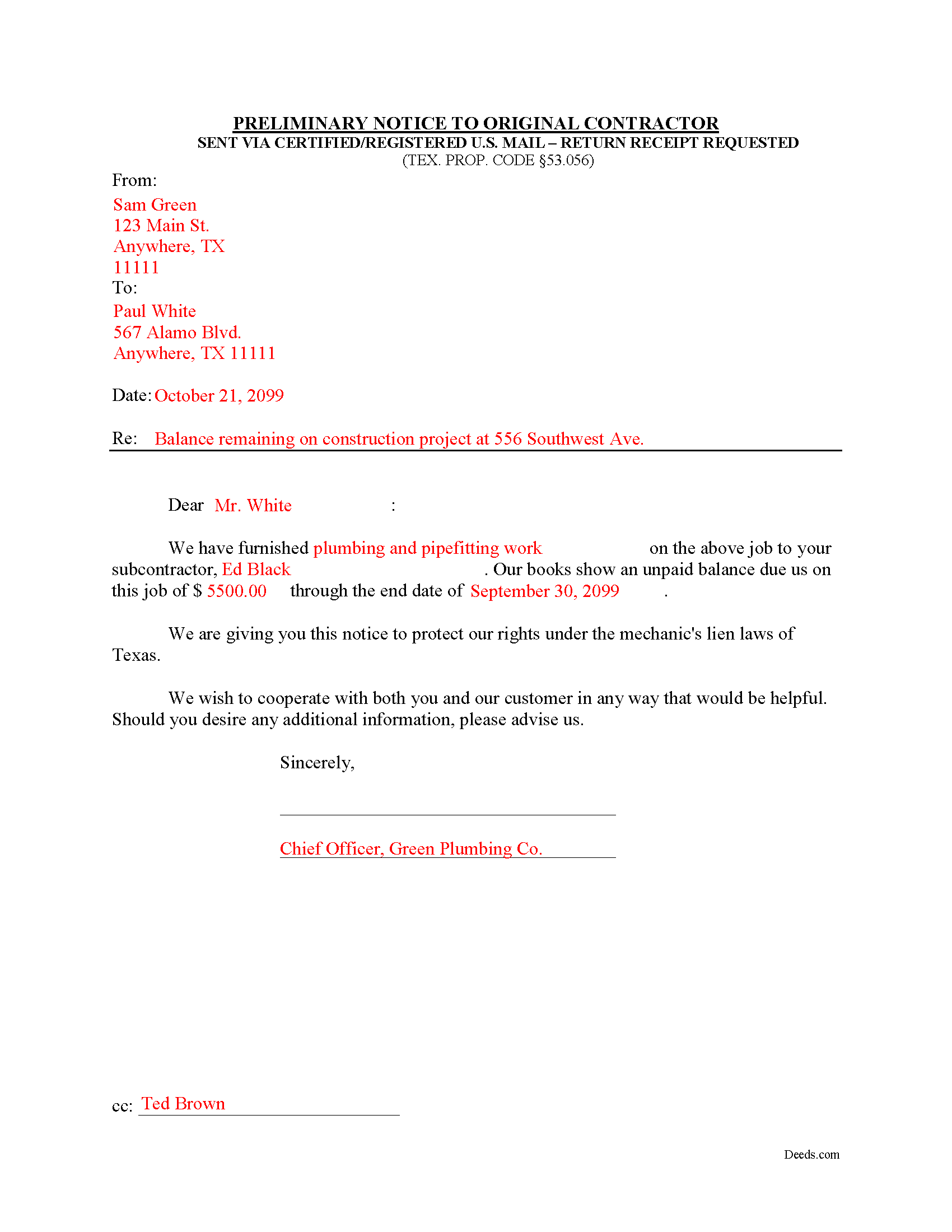
Cameron County Completed Example of the Notice to Original Contractor Document
Example of a properly completed form for reference.
All 3 documents above included • One-time purchase • No recurring fees
Immediate Download • Secure Checkout
Additional Texas and Cameron County documents included at no extra charge:
Where to Record Your Documents
Cameron County Clerk
Brownsville, Texas 78520
Hours: 8:00 to 5:00 M-F
Phone: (956) 544-0815
Mail: Cameron County Clerk, Filing & Recording Dept
Brownsville, Texas 78522
Hours: N/A
Phone: use for mailing purposes
Branch Office
San Benito, Texas 78586
Hours: 8:00 - 5:00 M-F
Phone: 956-247-3509
Recording Tips for Cameron County:
- Bring your driver's license or state-issued photo ID
- Ensure all signatures are in blue or black ink
- Request a receipt showing your recording numbers
- Ask about accepted payment methods when you call ahead
- Ask for certified copies if you need them for other transactions
Cities and Jurisdictions in Cameron County
Properties in any of these areas use Cameron County forms:
- Brownsville
- Combes
- Harlingen
- La Feria
- Los Fresnos
- Los Indios
- Lozano
- Olmito
- Port Isabel
- Rio Hondo
- San Benito
- Santa Maria
- Santa Rosa
- South Padre Island
Hours, fees, requirements, and more for Cameron County
How do I get my forms?
Forms are available for immediate download after payment. The Cameron County forms will be in your account ready to download to your computer. An account is created for you during checkout if you don't have one. Forms are NOT emailed.
Are these forms guaranteed to be recordable in Cameron County?
Yes. Our form blanks are guaranteed to meet or exceed the applicable formatting requirements used for recording in Cameron County, including margin requirements, font requirements, and other layout standards. This guarantee applies to formatting, not to the legal sufficiency of information entered by the user or the suitability of a form for a particular transaction.
Can I reuse these forms?
Yes. You can reuse the forms for your personal use. For example, if you have multiple properties in Cameron County you only need to order once.
What do I need to use these forms?
The forms are PDFs that you fill out on your computer. The free Adobe Acrobat Reader is recommended, and most PDF apps also work. You do NOT enter your property information online - you download the blank forms and complete them privately on your own computer.
Are there any recurring fees?
No. This is a one-time purchase. Nothing to cancel, no memberships, no recurring fees.
How much does it cost to record in Cameron County?
Recording fees in Cameron County vary. Contact the recorder's office at (956) 544-0815 for current fees.
Questions answered? Let's get started!
Texas Second Month Notice
According to Texas lien law, all claimants other than the original contractor must provide preliminary notice to establish a claim for a valid mechanic's lien. TEX. PROP. CODE 53.056. Use the preliminary notice form under 53.056(b) when lien claim arises from a debt incurred by a subcontractor.
A mechanic's lien is an encumbrance on an owner's title, used to guarantee payment to builders, contractors, and construction businesses which build or repair structures, by using the property where the work was completed as a form of collateral. Suppliers of materials and subcontractors may also claim a mechanic's lien. The lien ensures that the workmen are paid before anyone else if the property subject to the lien is eventually foreclosed upon.
The law states that before filing and recording a mechanic's lien, the claimant must give written notice of the unpaid balance to the original contractor. Texas requires prelien notice to be served on the owner and other interested parties. Prelien notices serve two purposes: to protect the interests of subcontractors and suppliers, and to give property owners a defense against having to pay twice for parts of the same project.
Deliver the notice to the original contractor no later than the 15th day of the second month following each month in which all or part of the claimant's labor was performed or material delivered. Id. This is also known as a "Second Month Notice." It identifies the parties, dates, materials/services, and amount due. For reference, include an invoice or statement to clarify billing details.
Send it by registered or certified mail, addressed to the original contractor at his or her last known business or residence address. TEX. PROP. CODE 53.056(e).
Remember that each case is unique and the mechanic's lien law in Texas can be complicated and unforgiving of mistakes. Therefore, contact an attorney for complex situations or with specific questions about the preliminary notice to the original contractor or about any other issues related to liens.
Important: Your property must be located in Cameron County to use these forms. Documents should be recorded at the county recording office listed above.
This Preliminary Notice to Original Contractor meets all recording requirements specific to Cameron County.
Our Promise
The documents you receive here are guaranteed to meet or exceed the applicable Cameron County recording format requirements. If there is a rejection caused by our formatting, we will correct the issue or refund your payment. This guarantee applies to document formatting only and does not extend to information entered by the user, the selection of the form, or the legal effect of the completed document.
Save Time and Money
Get your Cameron County Preliminary Notice to Original Contractor form done right the first time with Deeds.com Uniform Conveyancing Blanks. At Deeds.com, we understand that your time and money are valuable resources, and we don't want you to face a penalty fee or rejection imposed by a county recorder for submitting nonstandard documents. We constantly review and update our forms to meet rapidly changing state and county recording requirements for roughly 3,500 counties and local jurisdictions.
4.8 out of 5 - ( 4,828 Reviews )
Evelyn L. 5 out of 5 stars
very easy to print
Thank you!
Gloria C. 5 out of 5 stars
AMazing service. Fast and affordable.
We appreciate your business and value your feedback. Thank you. Have a wonderful day!
Tommie G. 5 out of 5 stars
I saved 225.00 with this purchase.Make sure you have an updated property description from your county tax collectors' office.In Bay county,Florida the tax office will email you an updated property description.I attached the email to the the deed.I had to change the date and they accepted a white out and ink correction on your form.
Thank you for your feedback. We really appreciate it. Have a great day!
Johnnie G. 3 out of 5 stars
We had hoped, as this was direct through our State recorder's office, State-specific data would be pre-filled in. Also there is no help when transferring the home title from a Revocable Trust to the living Trustee and new spouse (no example given, no help for which code to use). And the example doesn't match the prior deed revision format submitted by our attorney. So, not the best experience. We may have to get an attorney involved...what we were hoping to avoid
Thank you for your feedback. We really appreciate it. Have a great day!
EVE A. 5 out of 5 stars
Site was easy to navigate. I found the lien discharge form I was looking for immediately and the download and completion was simple. Thank you for having a great site.
Thank you for your feedback. We really appreciate it. Have a great day!
Joyce F. 5 out of 5 stars
The forms are simple to follow. I was hoping I would be able to add my personal info. That would make the forms even more simple.
We appreciate your business and value your feedback. Thank you. Have a wonderful day!
timothy h. 2 out of 5 stars
Too complicated and too expensive
Sorry to hear that Timothy, we do hope that you found something more suitable to your needs elsewhere. Have a wonderful day.
Vicki M. 5 out of 5 stars
Deeds.com served my needs perfectly providing a form for a very reasonable price. Every other site was double or more. The form was easy to complete and I like that I can access it if I need to make changes. I had contacted a paralegal to prepare this form for me and she quoted $150. I saved time and money with Deeds.com.
Thank you for your feedback. We really appreciate it. Have a great day!
Jamie F. 5 out of 5 stars
Your service was very helpful as we were able to obtain a form for another state for our client.
We appreciate your business and value your feedback. Thank you. Have a wonderful day!
Kathryn S. 5 out of 5 stars
So quick. So easy. Worth every penny!
Thank you for your feedback. We really appreciate it. Have a great day!
Larry F. 4 out of 5 stars
Your site is useful but limited in scope. I could not find exactly what I was looking for and felt that paying when I wasn't sure was going to be extremely frustrating.
Thank you for your feedback. We really appreciate it. Have a great day!
Matilda B. 5 out of 5 stars
This was a good experience. I easily found the document I needed and easily downloaded it and its companion pages. I especially liked the explanations page and the sample document. Thanks!
Thank you for the kind review Matilda! We're glad you found the right document quickly and that the guide and sample document were helpful. They're there to make the process as clear as possible. We appreciate you choosing Deeds.com.
Roger G. 5 out of 5 stars
Straight to the point and easy to use site.
Thank you!
DARLA L. 5 out of 5 stars
I was happy with the quick response to obtain the requested forms. Effective and easy website to use.
We appreciate your business and value your feedback. Thank you. Have a wonderful day!
virginia a. 4 out of 5 stars
Thank you for the prompt instructions on the download and installation. The only problem I had was trying to input data into the form once I renamed the form.and saved it. I was unable to change the size of the font and was very frustrated. In the end I finally had to redo the entire form through Word using your format.
Thank you!