Jefferson County Request for Information from Subcontractor Form
Last validated October 20, 2026 by our Forms Development TeamFormatted for recording in Jefferson County, for property anywhere in the county: rural and unincorporated areas as well as Beaumont, China, Groves, Hamshire, Nederland, Nome, Port Arthur, Port Neches and 1 more.
- 3 documents included
- Immediate PDF download
- Formatting guarantee
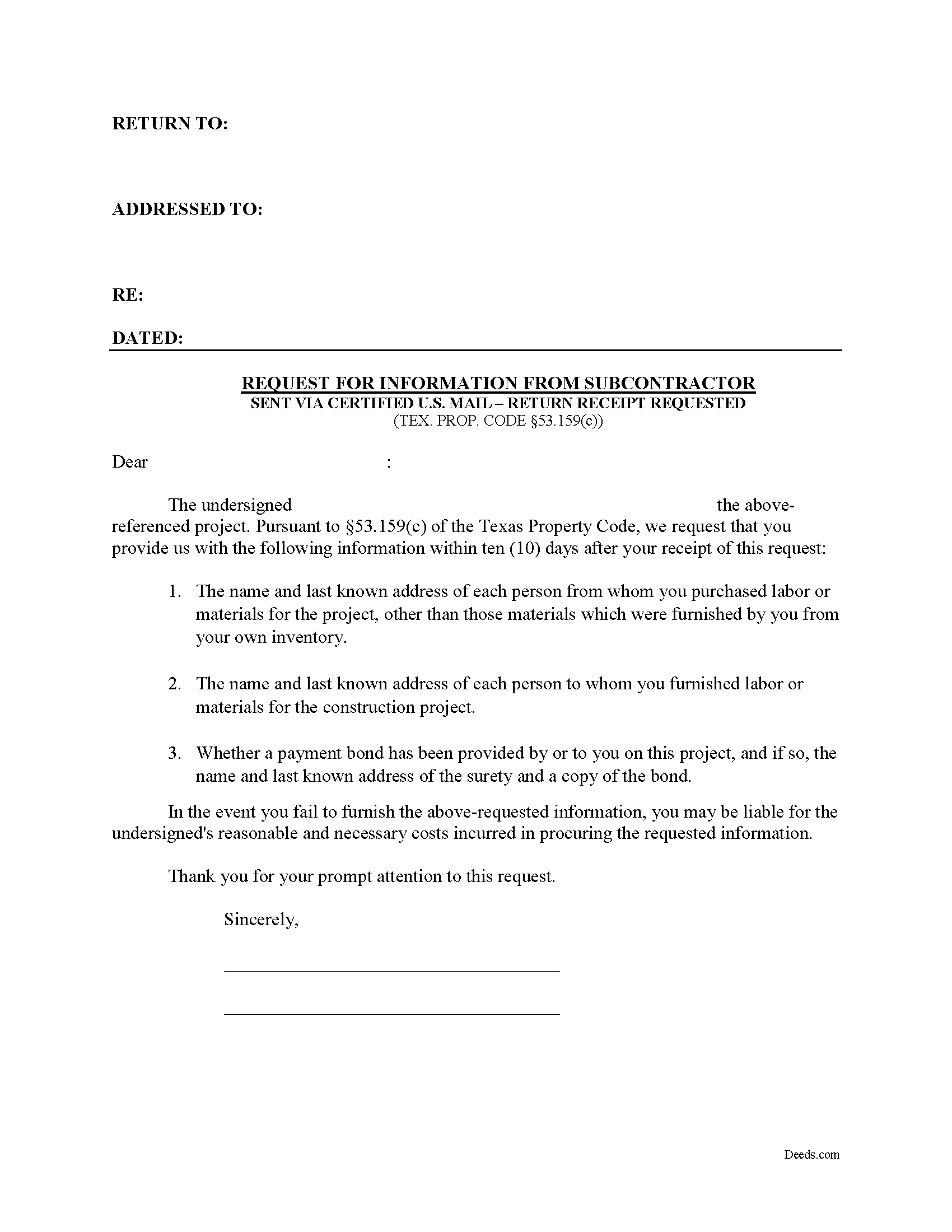
Jefferson County Request for Information from Subcontractor Form
Fill in the blank Request for Information from Subcontractor form formatted to comply with all Texas recording and content requirements.
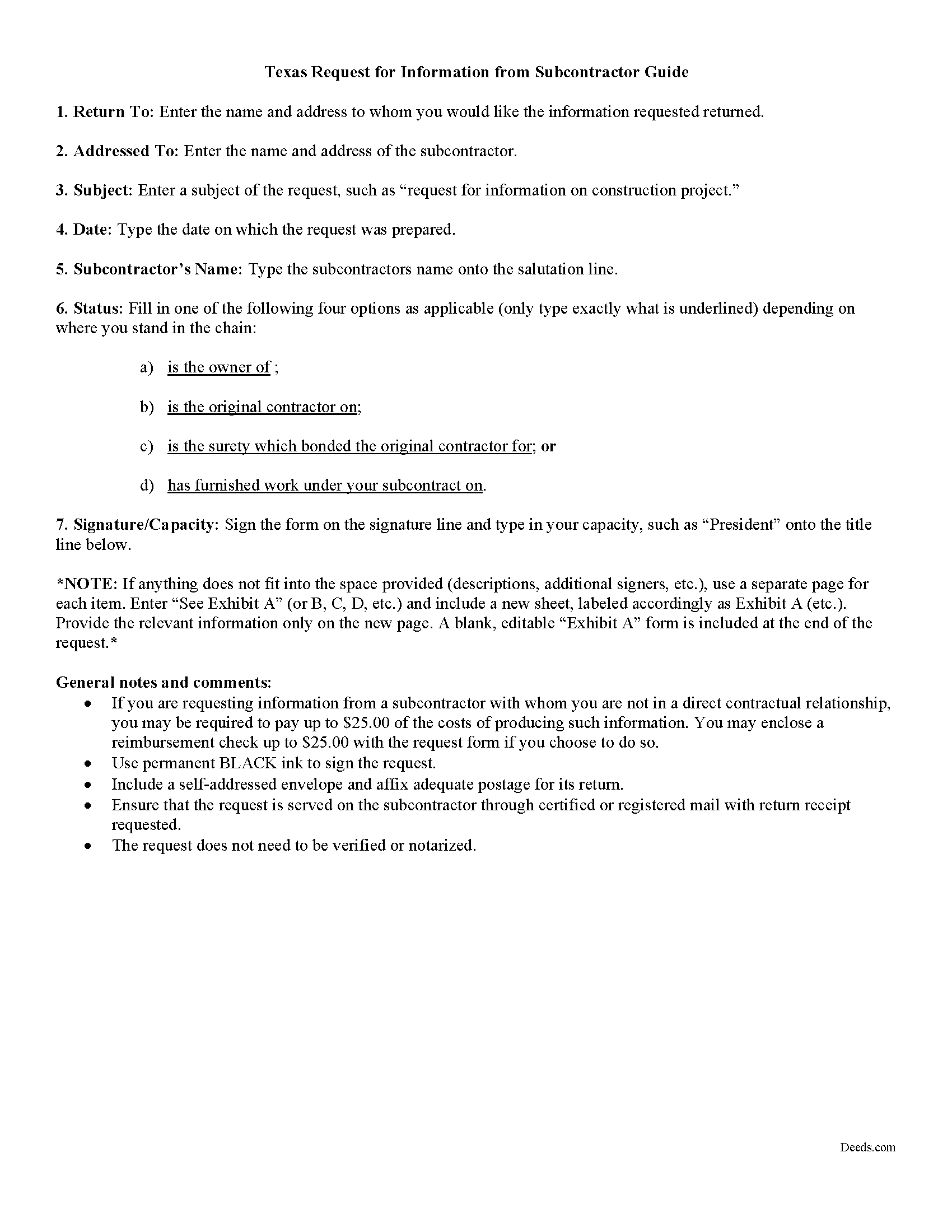
Jefferson County Request for Information from Subcontractor Guide
Line by line guide explaining every blank on the form.
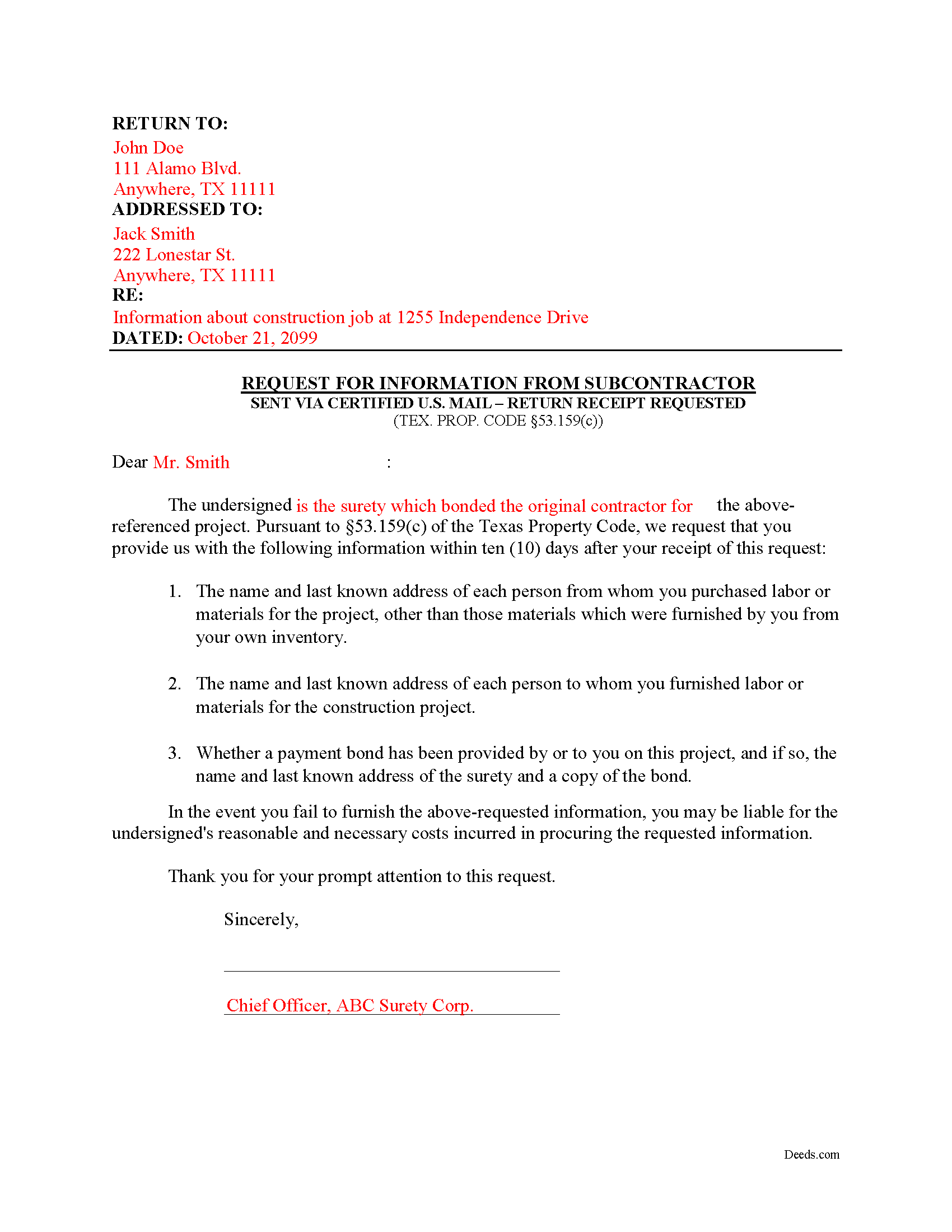
Jefferson County Completed Example of the Request for Information from Subcontractor Document
Example of a properly completed form for reference.
All 3 documents above included • One-time purchase • No recurring fees
Immediate Download • Secure Checkout
Additional Texas and Jefferson County documents included at no extra charge:
Where to Record Your Documents
Jefferson County Clerk
Beaumont, Texas 77704
Hours: Monday - Friday 8:00am to 4:30pm / Phone until 5:00pm
Phone: (409) 835-8475
Port Arthur Office
Port Arthur, Texas 77640
Hours: Monday - Friday 8:00am to 4:30pm / Phone until 5:00pm
Phone: (409) 983-8340
Recording Tips for Jefferson County:
- Bring your driver's license or state-issued photo ID
- Ensure all signatures are in blue or black ink
- Ask for certified copies if you need them for other transactions
- Ask if they accept credit cards - many offices are cash/check only
- Check that your notary's commission hasn't expired
Cities and Jurisdictions in Jefferson County
Properties in any of these areas use Jefferson County forms:
- Beaumont
- China
- Groves
- Hamshire
- Nederland
- Nome
- Port Arthur
- Port Neches
- Sabine Pass
Hours, fees, requirements, and more for Jefferson County
How do I get my forms?
Forms are available for immediate download after payment. The Jefferson County forms will be in your account ready to download to your computer. An account is created for you during checkout if you don't have one. Forms are NOT emailed.
Are these forms guaranteed to be recordable in Jefferson County?
Yes. Our form blanks are guaranteed to meet or exceed the applicable formatting requirements used for recording in Jefferson County, including margin requirements, font requirements, and other layout standards. This guarantee applies to formatting, not to the legal sufficiency of information entered by the user or the suitability of a form for a particular transaction.
Can I reuse these forms?
Yes. You can reuse the forms for your personal use. For example, if you have multiple properties in Jefferson County you only need to order once.
What do I need to use these forms?
The forms are PDFs that you fill out on your computer. The free Adobe Acrobat Reader is recommended, and most PDF apps also work. You do NOT enter your property information online - you download the blank forms and complete them privately on your own computer.
Are there any recurring fees?
No. This is a one-time purchase. Nothing to cancel, no memberships, no recurring fees.
How much does it cost to record in Jefferson County?
Recording fees in Jefferson County vary. Contact the recorder's office at (409) 835-8475 for current fees.
Questions answered? Let's get started!
How to obtain information from a subcontractor on a private project:
The Request for Information from a Subcontractor is a form letter used to obtain information from a subcontractor regarding the identity of persons the subcontractor furnished with labor or materials, persons furnishing labor or materials to the subcontractor, and details on whether any payment bond has been posted.
Under TEX. PROP. CODE 53.159(c), a subcontractor, on written request by an owner of the property being improved, the original contractor, a surety on a bond covering the original contract, or any person furnishing work under the subcontract, shall furnish to the person the following information within a reasonable time, but not later than the 10th day after the date they receive the request:
1) The names and addresses of each person the subcontractor purchased labor or materials for the project (other than those materials which the subcontractor furnished his or her own inventory)
2) The names and addresses of each person that the subcontractor furnished labor or materials for the construction project.
3) Whether a payment bond has been provided on the project, and the name and address of the surety and a copy of the bond.
Send the request like a standard business letter. It does not need to be verified or notarized. Deliver the form to the subcontractor through certified U.S. Mail with return receipt requested.
If the requester is not in direct contractual relationship with the subcontractor on the project, that person may require payment of the actual costs they incur in producing the information, to a maximum of $25.00. TEX. PROP. CODE 53.159(e). Therefore, some choose to enclose a check with the request form, up to $25.00, to cover costs.
If the subcontractor fails to furnish the required information, he or she may be liable for reasonable and necessary costs incurred in procuring the requested information. TEX. PROP. CODE 53.159(f).
Each case is unique, and the Texas lien law is complex. Contact an attorney for complex situations, with specific questions about requesting information a subcontractor, or any other issues related to mechanic's liens.
Important: Your property must be located in Jefferson County to use these forms. Documents should be recorded at the county recording office listed above.
This Request for Information from Subcontractor meets all recording requirements specific to Jefferson County.
Our Promise
The documents you receive here are guaranteed to meet or exceed the applicable Jefferson County recording format requirements. If there is a rejection caused by our formatting, we will correct the issue or refund your payment. This guarantee applies to document formatting only and does not extend to information entered by the user, the selection of the form, or the legal effect of the completed document.
Save Time and Money
Get your Jefferson County Request for Information from Subcontractor form done right the first time with Deeds.com Uniform Conveyancing Blanks. At Deeds.com, we understand that your time and money are valuable resources, and we don't want you to face a penalty fee or rejection imposed by a county recorder for submitting nonstandard documents. We constantly review and update our forms to meet rapidly changing state and county recording requirements for roughly 3,500 counties and local jurisdictions.
4.8 out of 5 - ( 4,836 Reviews )
Rahul P. 5 out of 5 stars
Excellent Site for recording documents to respective county Recorder Office. Excellent customer service, very well informed and experienced staff who responds promptly and guide customers throughout recording process. My recording was suspended But KVH (Staff) gave me proper timely advise and guided me for the procedure till recording was done by county office. I would like to give 6 stars or more to the site as per my experience with this site. Highly recommended site
Thank you for your feedback. We really appreciate it. Have a great day!
Richard S. 5 out of 5 stars
Nicely done. Smooooth
Thank you for your feedback. We really appreciate it. Have a great day!
Sandra C. 5 out of 5 stars
Not sure whether the two forms I printed will be helpful or not. Will find out when I go to a place for completion and to be notorized.
Thank you!
Helen M. 5 out of 5 stars
I was quite pleased with Deeds.com. I got the information I requested instantly.
We appreciate your business and value your feedback. Thank you. Have a wonderful day!
charles b. 5 out of 5 stars
The product I needed was available, easy to download, access and complete. The instructions were very helpful. I had previously purchased another product which was terrible. I highly recommend Deeds.com
We appreciate your business and value your feedback. Thank you. Have a wonderful day!
Tracey M. 5 out of 5 stars
Using Deeds.com was unbelievably quick and easy to file a deed restriction with our local county office. From uploading the initial file to deeds.com, to having a fully recorded document was right on one hour - and all from the comfort of my home. I found your service was easy to use and your staff were very quick in responding to my filing. I will definitely use and recommend deeds.com in the future.
Thank you for your feedback. We really appreciate it. Have a great day!
James A. 5 out of 5 stars
Thanks for you help to get me out of a quick problem. Downloads were great. I recommend this service for the arcane situations of legal angst.
We appreciate your business and value your feedback. Thank you. Have a wonderful day!
Elizabeth F. 5 out of 5 stars
This was great other than exemption codes did not populate and I couldn't refer to it.
Thank you for your feedback. We really appreciate it. Have a great day!
Shanna B. 5 out of 5 stars
So quick and easy
We’re glad you had a positive experience. Thank you.
ELIZABETH M. 5 out of 5 stars
Great service! Training was fast and we went over very detail.
Thank you!
ARNOLD E. 5 out of 5 stars
SO FAR SO GOOD! I AM STILL COMPLETING THE QUIT CLAIM DEED. THANKS....ARNIE
Thank you Arnold, we really appreciate your feedback.
Carolyn G. 5 out of 5 stars
I was extremely pleased with this experience, which literally took a minimum amount of time. One recommendation: make certain that when documents are uploaded that they have been received in the appropriate file. The lack of clarity caused me to upload twice or three times. Thank you.
Thank you for your feedback. We really appreciate it. Have a great day!
Donald P. 5 out of 5 stars
I wish the quick claim dead would have had letterhead that said, State South Carolina.
Thank you for your feedback. We really appreciate it. Have a great day!
Fredrick Z. 5 out of 5 stars
So happy to be able to track down where I purchased TODD forms and be able to sign in and find the forms and use the fillable ones ! I thought they were gone forever and I would have to repurchase or bother people to attain them!
We’re glad to hear things went well. Thank you for the review.
Darrell C. 5 out of 5 stars
Excellent Service
Thank you!