Cameron County Royalty Deed Form
Last validated October 14, 2026 by our Forms Development TeamFormatted for recording in Cameron County, for property anywhere in the county: rural and unincorporated areas as well as Brownsville, Combes, Harlingen, La Feria, Los Fresnos, Los Indios, Lozano, Olmito and 6 more.
- 3 documents included
- Immediate PDF download
- Formatting guarantee
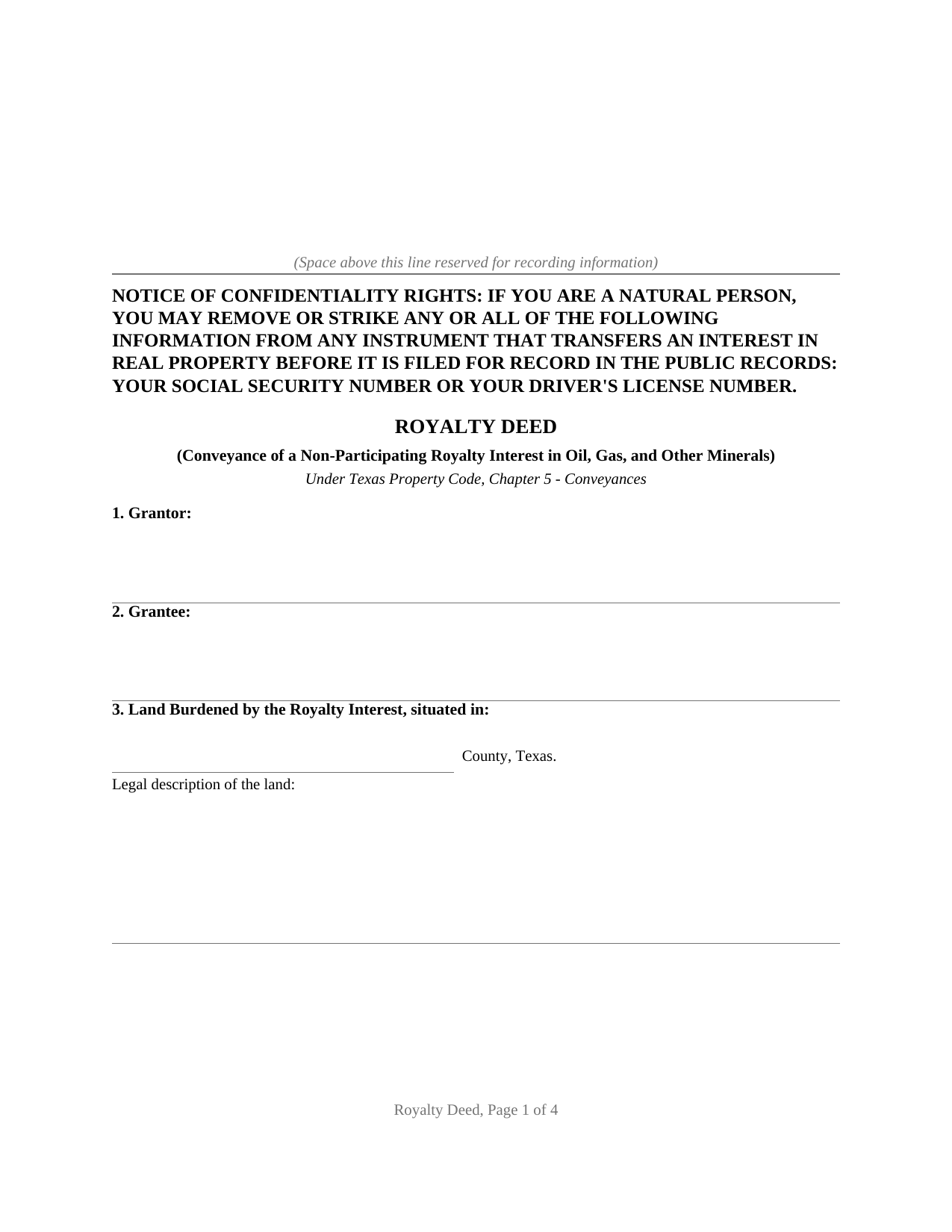
Cameron County Royalty Deed Form
Fill in the blank Royalty Deed form formatted to comply with all Texas recording and content requirements.
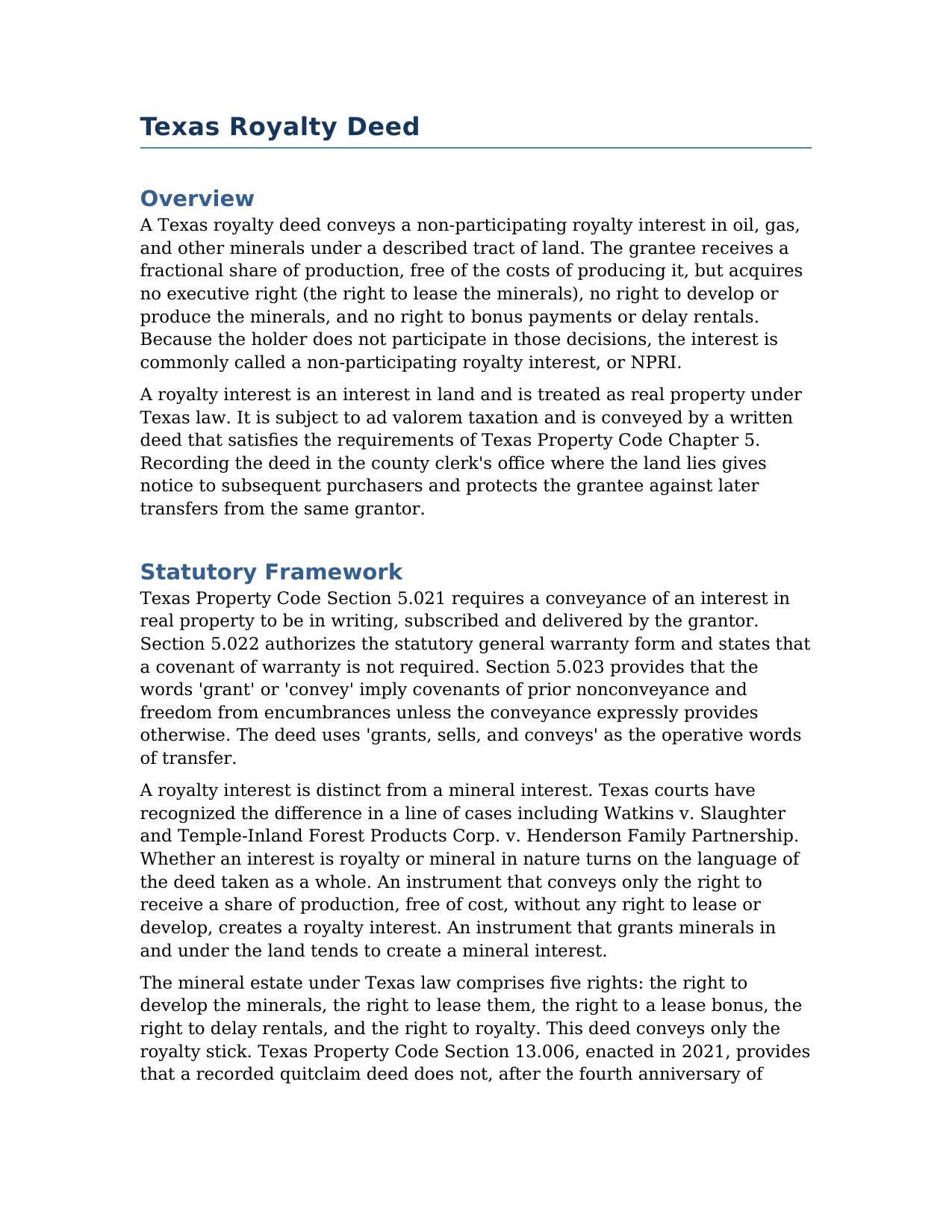
Cameron County Royalty Deed Guide
Line by line guide explaining every blank on the Royalty Deed form.
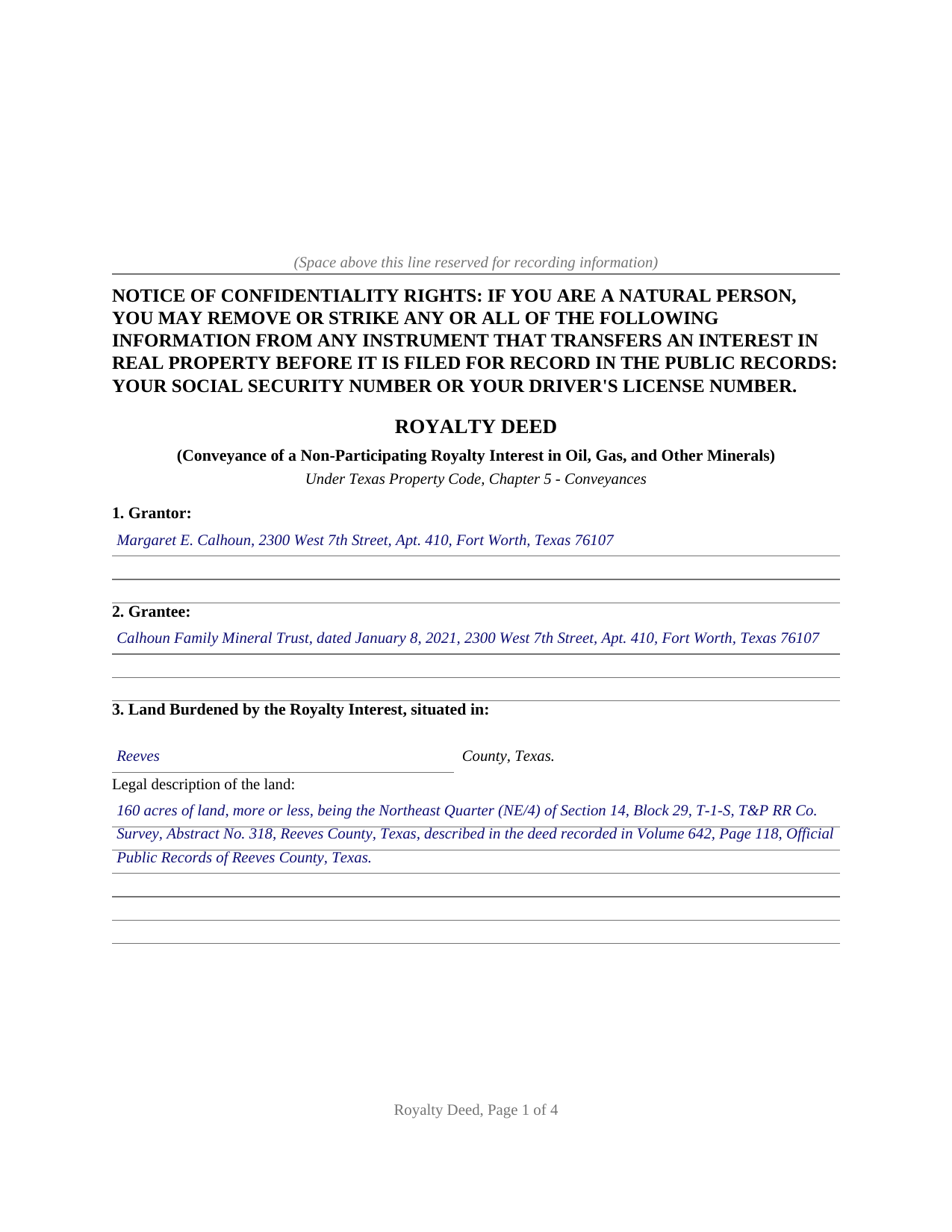
Cameron County Completed Example of the Royalty Deed Document
Example of a properly completed Texas Royalty Deed document for reference.
All 3 documents above included • One-time purchase • No recurring fees
Immediate Download • Secure Checkout
Additional Texas and Cameron County documents included at no extra charge:
Where to Record Your Documents
Cameron County Clerk
Brownsville, Texas 78520
Hours: 8:00 to 5:00 M-F
Phone: (956) 544-0815
Mail: Cameron County Clerk, Filing & Recording Dept
Brownsville, Texas 78522
Hours: N/A
Phone: use for mailing purposes
Branch Office
San Benito, Texas 78586
Hours: 8:00 - 5:00 M-F
Phone: 956-247-3509
Recording Tips for Cameron County:
- Bring your driver's license or state-issued photo ID
- Ensure all signatures are in blue or black ink
- Both spouses typically need to sign if property is jointly owned
- Bring extra funds - fees can vary by document type and page count
- Check margin requirements - usually 1-2 inches at top
Cities and Jurisdictions in Cameron County
Properties in any of these areas use Cameron County forms:
- Brownsville
- Combes
- Harlingen
- La Feria
- Los Fresnos
- Los Indios
- Lozano
- Olmito
- Port Isabel
- Rio Hondo
- San Benito
- Santa Maria
- Santa Rosa
- South Padre Island
Hours, fees, requirements, and more for Cameron County
How do I get my forms?
Forms are available for immediate download after payment. The Cameron County forms will be in your account ready to download to your computer. An account is created for you during checkout if you don't have one. Forms are NOT emailed.
Are these forms guaranteed to be recordable in Cameron County?
Yes. Our form blanks are guaranteed to meet or exceed the applicable formatting requirements used for recording in Cameron County, including margin requirements, font requirements, and other layout standards. This guarantee applies to formatting, not to the legal sufficiency of information entered by the user or the suitability of a form for a particular transaction.
Can I reuse these forms?
Yes. You can reuse the forms for your personal use. For example, if you have multiple properties in Cameron County you only need to order once.
What do I need to use these forms?
The forms are PDFs that you fill out on your computer. The free Adobe Acrobat Reader is recommended, and most PDF apps also work. You do NOT enter your property information online - you download the blank forms and complete them privately on your own computer.
Are there any recurring fees?
No. This is a one-time purchase. Nothing to cancel, no memberships, no recurring fees.
How much does it cost to record in Cameron County?
Recording fees in Cameron County vary. Contact the recorder's office at (956) 544-0815 for current fees.
Questions answered? Let's get started!
A Texas royalty deed conveys a share of what an oil or gas well produces, free of the cost of producing it, without handing over the power to lease the minerals or drill them. This form prepares a royalty deed that conveys a non-participating royalty interest in the oil, gas, and other minerals under a described tract, with a general warranty of title and subject to any existing lease.
One Stick From the Bundle
Texas treats the mineral estate as a bundle of five rights: the right to develop the minerals, the right to lease them, the right to a lease bonus, the right to delay rentals, and the right to royalty. A royalty deed conveys only the last one. The grantee receives a fractional share of production but takes no part in signing leases, no say in whether a well is drilled, and no bonus or delay rental. Because the holder does not participate in those decisions, the interest is a non-participating royalty interest, often shortened to NPRI.
That single-stick character is what the form makes unmistakable. Texas courts read a deed by its whole text, and the words decide whether an interest is royalty or mineral in nature. Following the line of cases from Watkins v. Slaughter through Temple-Inland Forest Products Corp. v. Henderson Family Partnership, the form names the interest a royalty interest, states that it bears none of the costs of production, and strips the executive, development, bonus, and delay rental rights. A deed that merely grants minerals in and under the land, by contrast, tends to create a mineral interest, a different instrument.
Fixed or Floating
A royalty fraction can be written two ways, and the choice changes what the grantee collects when an old lease ends and a new one begins at a different rate. A fixed royalty is a set fraction of gross production, such as a fixed one-sixteenth of everything the well yields, and it does not move when the lease changes. A floating royalty is a fraction of whatever royalty the lease in force reserves, so it rises and falls with the lease rate. Decades of Texas litigation over double-fraction language, the kind that reads one-half of one-eighth, trace back to deeds that left this ambiguous, with Luckel v. White and Hysaw v. Dawkins among the leading cases. The form gives separate space to state the size of the interest and whether it is fixed or floating.
Subject to the Lease and Recorded for Protection
A royalty is paid under the terms of the lease that governs the well, so the form identifies any existing oil and gas lease the conveyance is made subject to, along with other matters of record. A subject-to clause also limits the conveyance to what the grantor actually owns. A royalty interest is an interest in land, so the deed is recorded with the county clerk where the land lies, which protects the grantee against a later purchaser from the same grantor. The county appraisal district then lists the interest as real property for ad valorem tax, since Texas treats an interest in minerals as real property.
What the Package Includes
The package includes the royalty deed as a fillable PDF, a completed example filled in for a realistic Reeves County fact pattern, and a plain-language guide that walks through every section and explains the fixed and floating choice. The materials are informational and are not legal advice. A grantor conveying the minerals themselves, with leasing and bonus rights, looks to the Texas Mineral Deed instead.
Important: Your property must be located in Cameron County to use these forms. Documents should be recorded at the county recording office listed above.
This Royalty Deed meets all recording requirements specific to Cameron County.
Our Promise
The documents you receive here are guaranteed to meet or exceed the applicable Cameron County recording format requirements. If there is a rejection caused by our formatting, we will correct the issue or refund your payment. This guarantee applies to document formatting only and does not extend to information entered by the user, the selection of the form, or the legal effect of the completed document.
Save Time and Money
Get your Cameron County Royalty Deed form done right the first time with Deeds.com Uniform Conveyancing Blanks. At Deeds.com, we understand that your time and money are valuable resources, and we don't want you to face a penalty fee or rejection imposed by a county recorder for submitting nonstandard documents. We constantly review and update our forms to meet rapidly changing state and county recording requirements for roughly 3,500 counties and local jurisdictions.
4.8 out of 5 - ( 4,837 Reviews )
Steve R. 5 out of 5 stars
Quick, clean, easy. A hat trick.
Thank you!
Victoria L. 5 out of 5 stars
This is a fantastic website and financial savings to many. Being able to download and complete the document I needed vs having my attorney complete saved me $800. I would highly recommend this website.
Thank you for the kind words Victoria. Have a great day!
Joseph H. 5 out of 5 stars
Form needed was accessed easily and printed for use
We appreciate your business and value your feedback. Thank you. Have a wonderful day!
Edward M. 5 out of 5 stars
Thank you very much Very satisfied
Thank you for your feedback. We really appreciate it. Have a great day!
Anna C. 4 out of 5 stars
While I don't know if my filing will be accepted which is the penultimate test, I was happy with the product.
Thank you!
Willaim B. 5 out of 5 stars
Love Deeds.com They have saved me so much time. Prompt responds to all my questions. Highly recommend
Thank you for choosing our service. We appreciate your review.
THOMAS C. 5 out of 5 stars
Very fast service
We appreciate your business and value your feedback. Thank you. Have a wonderful day!
DEBBY G. 5 out of 5 stars
I was so confused on how to complete the form. But I followed the instructions and used the example and got it done.
Thank you for your feedback. We really appreciate it. Have a great day!
Robert R. 5 out of 5 stars
Just joined. Recommended by a strong source. Looking forward to doing business.
Thank you!
Munir S. 5 out of 5 stars
Good service. Easy to use, responsive, fast, and fairly priced. First time user, will continue to use it for future needs. Recommend.
Thank you for your positive words! We’re thrilled to hear about your experience.
Audrey A. 5 out of 5 stars
Great!
Thank you!
Terrence L. 5 out of 5 stars
Awesome service! 4 services wouldn't handle a 1-time filing, but Deeds.com got the job done in less than 21 hours, for only $15 (plus filing fees). This saved me days of difficulty and aggravation, esp. during COVID-19 lockdown!
Thank you for your feedback. We really appreciate it. Have a great day!
Eileen D. 5 out of 5 stars
Very easy to use. The example form was a big help in making sure I had the forms filled out correctly.
Thank you!
Gene K. 5 out of 5 stars
I am still in the trial stage. I am an older lawyer. Any help I can get is worth it. Once you get used to the format and data fill in the deed thing is excellent. Very professional if not a little slow. I have only done three deeds in one state so I will have to see how it goes. I like the product and their attitude towards pleasing the customer. We'll see when I try the recording part.
We appreciate your business and value your feedback. Thank you. Have a wonderful day!
Betty A. 5 out of 5 stars
You've made it very easy to download the form I needed. Thank you.
Thank you!