Lamoille County Certificate of Trust Form
Last validated September 21, 2026 by our Forms Development TeamFormatted for recording in Lamoille County, for property anywhere in the county: rural and unincorporated areas as well as Belvidere Center, Eden, Eden Mills, Hyde Park, Jeffersonville, Johnson, Lake Elmore, Morrisville and 5 more.
- 3 documents included
- Immediate PDF download
- Formatting guarantee
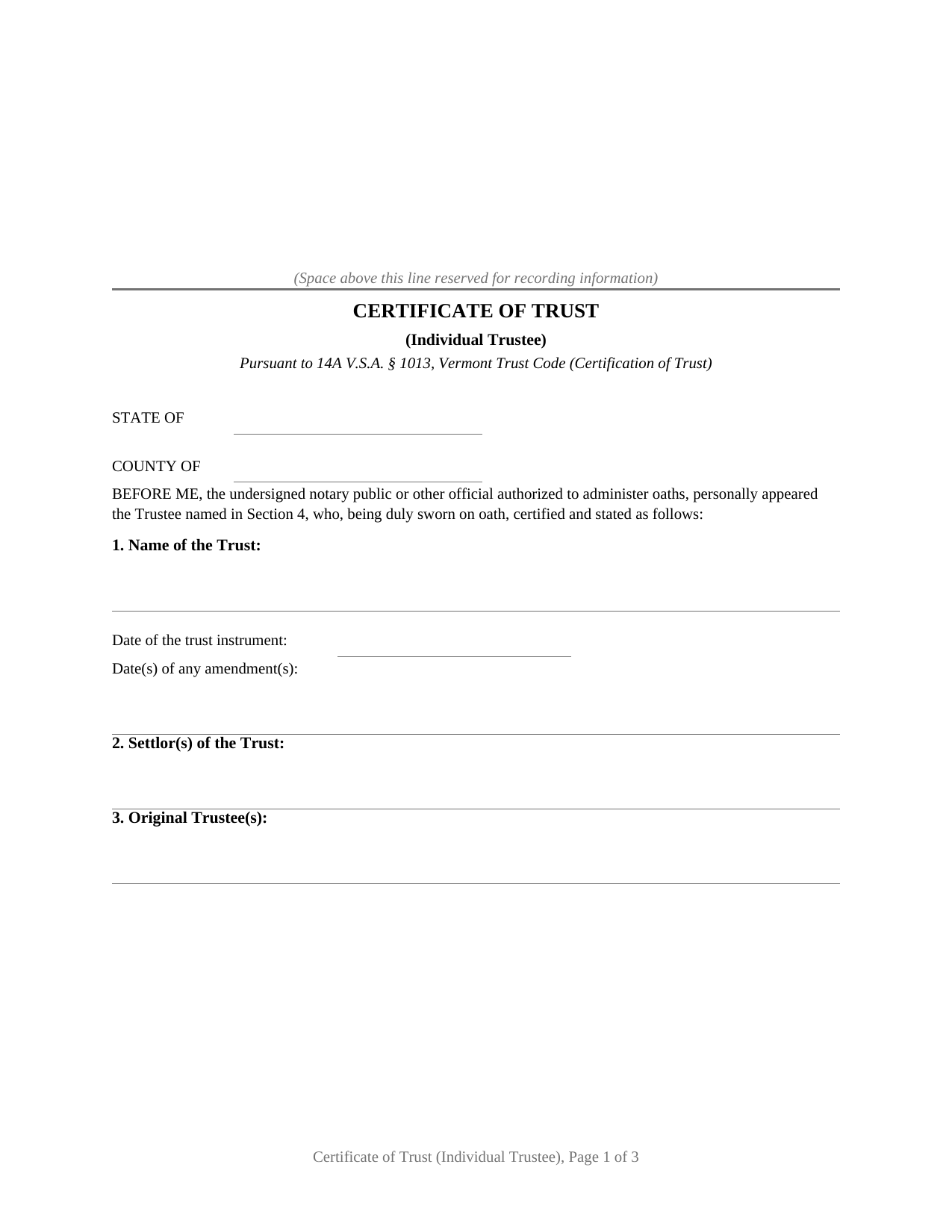
Lamoille County Certificate of Trust Form
Fill in the blank Certificate of Trust form formatted to comply with all Vermont recording and content requirements.
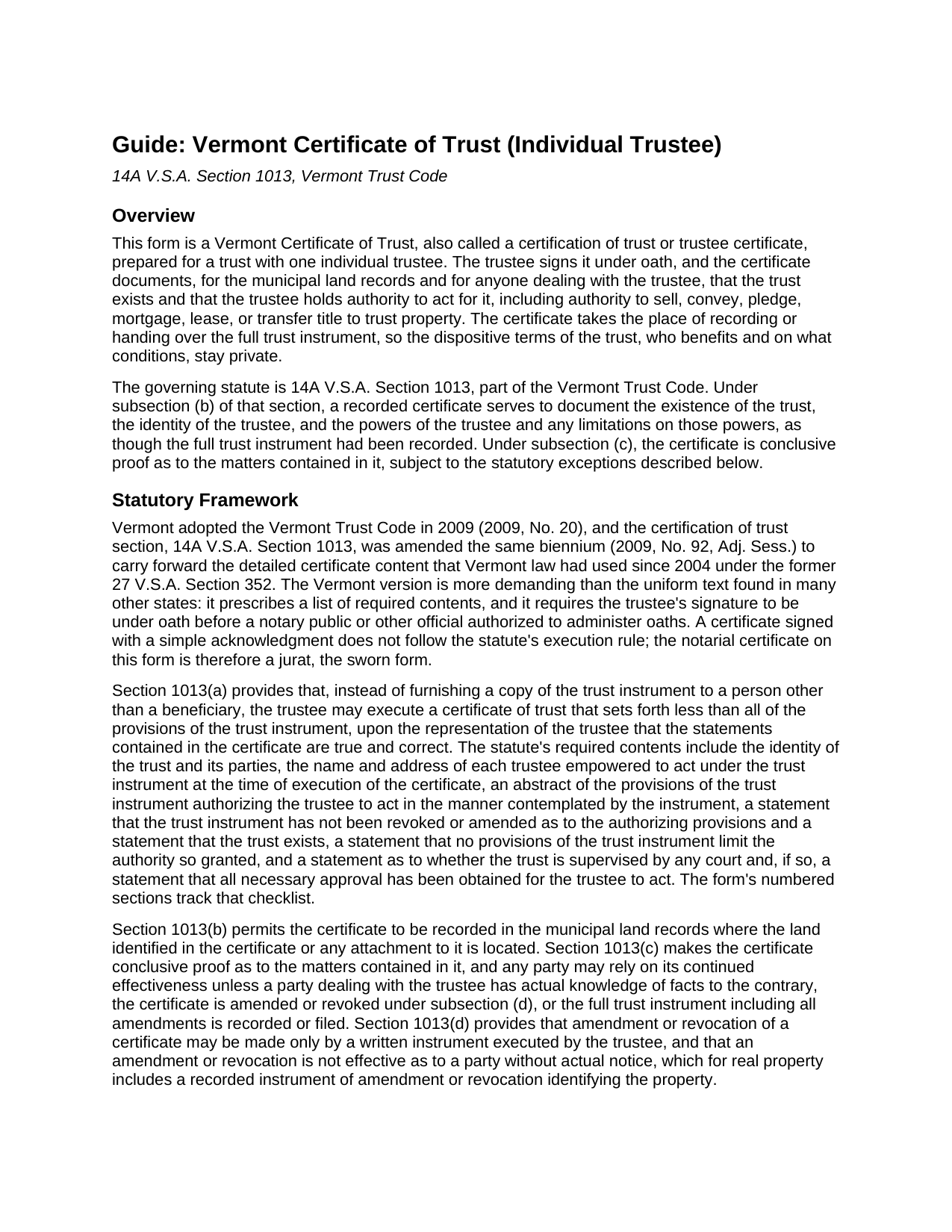
Lamoille County Certificate of Trust Guide
Line by line guide explaining every blank on the Certificate of Trust form.
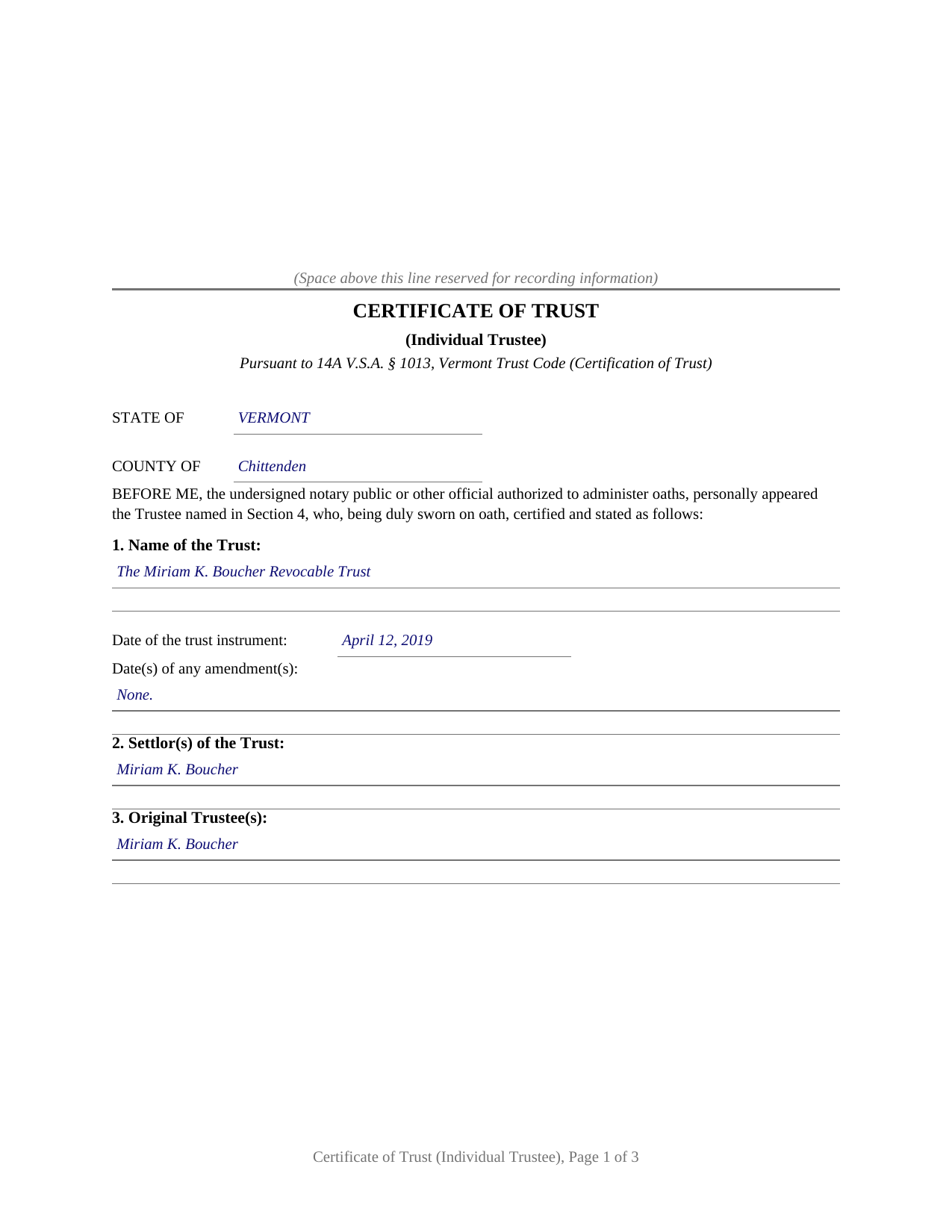
Lamoille County Completed Example of the Certificate of Trust Document
Example of a properly completed Vermont Certificate of Trust document for reference.
All 3 documents above included • One-time purchase • No recurring fees
Immediate Download • Secure Checkout
Additional Vermont and Lamoille County documents included at no extra charge:
Where to Record Your Documents
Town Clerk of Belvidere
Belvidere, Vermont 05442
Hours: Tu, W, Th 8:30 - 3:30
Phone: (802) 644-6621
Town Clerk of Cambridge
Jeffersonville, Vermont 05464
Hours: M-F 8:00 - 4:00
Phone: (802) 644-2251
Town Clerk of Eden
Eden Mills, Vermont 05653
Hours: M-Th 8:00 to 4:00
Phone: (802) 635-2528
Town Clerk of Elmore
Lake Elmore, Vermont 05657
Hours: Tu through Th 9:00 to 3:00
Phone: (802) 888-2637
Town Clerk of Hyde Park
Hyde Park, Vermont 05655
Hours: M-F 8:00 - 4:00
Phone: (802) 888-2300 x1
Town Clerk of Johnson
Johnson, Vermont 05656
Hours: M-F 7:30 to 4:00
Phone: (802) 635-2611
Town Clerk of Morristown
Morrisville, Vermont 05661
Hours: M-F 8:30 to 4:30; W until 12:00 only
Phone: (802) 888-6370
Town Clerk of Stowe
Stowe, Vermont 05672
Hours: M-F 8:00 to 4:30
Phone: (802) 253-6133
Town Clerk of Waterville
Waterville, Vermont 05492
Hours: M, Tu, Th 9:00 - 1:30
Phone: (802) 644-8865
Town Clerk of Wolcott
Wolcott, Vermont 05680
Hours: Tue 8:00 to 6:00, Wed-Fri 8:00 to 4:00
Phone: (802) 888-2746
Lamoille County Clerk
Hyde Park, Vermont 05655
Hours: M-Th 7:00 to 12:00
Phone: (802) 888-0631
Recording Tips for Lamoille County:
- Bring your driver's license or state-issued photo ID
- Ensure all signatures are in blue or black ink
- White-out or correction fluid may cause rejection
- Ask about their eRecording option for future transactions
- Avoid the last business day of the month when possible
Cities and Jurisdictions in Lamoille County
Properties in any of these areas use Lamoille County forms:
- Belvidere Center
- Eden
- Eden Mills
- Hyde Park
- Jeffersonville
- Johnson
- Lake Elmore
- Morrisville
- Moscow
- North Hyde Park
- Stowe
- Waterville
- Wolcott
Hours, fees, requirements, and more for Lamoille County
How do I get my forms?
Forms are available for immediate download after payment. The Lamoille County forms will be in your account ready to download to your computer. An account is created for you during checkout if you don't have one. Forms are NOT emailed.
Are these forms guaranteed to be recordable in Lamoille County?
Yes. Our form blanks are guaranteed to meet or exceed the applicable formatting requirements used for recording in Lamoille County, including margin requirements, font requirements, and other layout standards. This guarantee applies to formatting, not to the legal sufficiency of information entered by the user or the suitability of a form for a particular transaction.
Can I reuse these forms?
Yes. You can reuse the forms for your personal use. For example, if you have multiple properties in Lamoille County you only need to order once.
What do I need to use these forms?
The forms are PDFs that you fill out on your computer. The free Adobe Acrobat Reader is recommended, and most PDF apps also work. You do NOT enter your property information online - you download the blank forms and complete them privately on your own computer.
Are there any recurring fees?
No. This is a one-time purchase. Nothing to cancel, no memberships, no recurring fees.
How much does it cost to record in Lamoille County?
Recording fees in Lamoille County vary. Contact the recorder's office at (802) 644-6621 for current fees.
Questions answered? Let's get started!
A Vermont certificate of trust for a trust with one individual trustee carries a single sworn signature: the trustee signs under oath before a notary public, and the certificate states that the individual named in it is the sole trustee empowered to act under the trust instrument. This fillable form prepares that certificate, the document Vermont practice also calls a certification of trust or trustee certificate, under 14A V.S.A. § 1013 of the Vermont Trust Code.
Proof of the trust without recording the trust
When a living trust holds Vermont real estate, the trust instrument itself usually stays out of the public records, and the land records show only a deed running to the trustee. Anyone dealing with that trustee, a buyer, a lender, a title examiner, or the town clerk indexing the records, still wants documentation that the trust exists and that the trustee holds authority to act. Section 1013 answers with a certificate that sets forth less than all of the provisions of the trust instrument and deliberately omits the dispositive terms, so the private side of the estate plan, who benefits and on what conditions, never enters the record. Once recorded, the certificate serves to document the trust's existence, the trustee's identity, and the trustee's powers as though the full trust instrument had been recorded, and the statute makes it conclusive proof as to the matters it contains, subject to stated exceptions. A person who in good faith enters into a transaction in reliance on the certification may enforce the transaction against the trust property as if its representations were correct.
One trustee, one sworn signature
The form is configured for a sole individual trustee. Section 4 carries the trustee's name and mailing address together with a statement that the individual named is the only trustee empowered to act at the time of execution, which is how the certificate answers the statute's requirement to name each empowered trustee. One signature line and one notarial certificate follow. A settlor serving as trustee of a revocable living trust that holds a Vermont home, and a successor trustee who has taken office alone under the trust's succession provisions, present the sole-trustee pattern this certificate states. A trust with two or more cotrustees empowered to act, or with a bank or trust company as trustee, presents facts outside this form's sole-trustee statement.
A stricter checklist than the uniform version
Vermont kept its own detailed certificate requirements when it adopted the Trust Code, and § 1013 asks for more than the uniform text used in many states. The certificate identifies the trust by name and date, names the settlor and the original trustee, states the date of any amendments, and carries an abstract of the provisions of the trust instrument that authorize the trustee to act. It then makes the sworn statements the statute lists: the trust exists, the trust instrument has not been revoked or amended as to the authorizing provisions, no provisions of the trust instrument limit the authority granted, and the trust either is not supervised by any court or, if supervised, all necessary approval has been obtained. The signature of the trustee must be under oath, so the notarial certificate on this form is a jurat, the sworn form, rather than the acknowledgment found on deeds. The form's numbered sections walk through the statutory checklist in order.
Recording with the town clerk
Vermont records land documents by municipality rather than by county. The certificate is recorded in the land records of the town or city where the land identified in it is located, at the statewide fee of 15 dollars per page under 32 V.S.A. § 1671. No property transfer tax return accompanies it, because a certificate of trust transfers nothing; the return travels with a deed. For trust assets other than real estate, the statute also contemplates presenting the certificate directly to a bank or other third party, and a recipient may request excerpts of the trust provisions that designate the trustee and confer the power to act, though never the entire instrument.
The download contains three pieces: the blank certificate as a fillable PDF, a completed example showing the document filled in for a realistic Vermont fact pattern, and a plain-language guide that walks through each numbered section, the sworn signing, and recording at the town clerk's office. The materials are informational and are not legal advice; a Vermont attorney can address how the statute operates on a specific trust or title.
Important: Your property must be located in Lamoille County to use these forms. Documents should be recorded at the county recording office listed above.
This Certificate of Trust meets all recording requirements specific to Lamoille County.
Our Promise
The documents you receive here are guaranteed to meet or exceed the applicable Lamoille County recording format requirements. If there is a rejection caused by our formatting, we will correct the issue or refund your payment. This guarantee applies to document formatting only and does not extend to information entered by the user, the selection of the form, or the legal effect of the completed document.
Save Time and Money
Get your Lamoille County Certificate of Trust form done right the first time with Deeds.com Uniform Conveyancing Blanks. At Deeds.com, we understand that your time and money are valuable resources, and we don't want you to face a penalty fee or rejection imposed by a county recorder for submitting nonstandard documents. We constantly review and update our forms to meet rapidly changing state and county recording requirements for roughly 3,500 counties and local jurisdictions.
4.8 out of 5 - ( 4,837 Reviews )
lola d. 5 out of 5 stars
wonderful
Thank you!
lamar J. 5 out of 5 stars
Easy to understand and work with Very pleased with the information I Received
We appreciate your business and value your feedback. Thank you. Have a wonderful day!
Rebecca M. 5 out of 5 stars
I found the process of uploading documentation / deeds simple and easy. Will use this service again!
Thank you for your positive words! We’re thrilled to hear about your experience.
Jose D. 5 out of 5 stars
A little difficult in the beginning but with the messaging back and forth it was very simple and fast. Thank you for your help.
We appreciate your business and value your feedback. Thank you. Have a wonderful day!
Brian R. 5 out of 5 stars
Your website is very informative, and easy to use.The purchase and download process was clear and went well. I would add that your Virginia Quitclaim Deed Guide is very comprehensive and informative. This combined with the example form you provide is most helpful. Thank You. Brian R
Thank you for your feedback. We really appreciate it. Have a great day!
Richard R. 4 out of 5 stars
Deeds.com got the job done. My deed was successfully recorded.
Thank you for your feedback. We really appreciate it. Have a great day!
Carolyn K. 5 out of 5 stars
Very easy to use and very knowledgeable. All information needed to complete the documents was provided. Affordable too!
Thank you for your kind words and for choosing us.
Home For Life S. 5 out of 5 stars
Covers everything; very pleased.
Thank you!
Larry L. 5 out of 5 stars
Great product, worked as it advertised.
Thank you!
Elliot B. 5 out of 5 stars
Outstanding forms and the recording service made a short day of what I needed to do. Will be back for the next one, thanks!
Thank you for your feedback. We really appreciate it. Have a great day!
Richard K. 3 out of 5 stars
South Carolina Warranty Deed document is good. The example and instruction documents are marginal help for Trusts.
Thank you for your feedback, Richard. We’re glad to hear the South Carolina Warranty Deed met your needs. We appreciate your note about the trust-related guidance as well. That’s helpful input, and we’ll review the example and instruction materials to see where we can improve clarity for trust transfers.
Lawrence W. 5 out of 5 stars
Great so Far!
We appreciate your business and value your feedback. Thank you. Have a wonderful day!
John S. 5 out of 5 stars
The website is very user-friendly. Easily to download forms.
Thank you!
Wilma D. 5 out of 5 stars
The certification of trust looks fine to me. I printed it and filled it out and had it notarized today. I have not sent it to the company that wants it yet so that will be the test. They are very picky. If they have any comment I will let you know.
Thank you for your feedback. We really appreciate it. Have a great day!
Alison B. 5 out of 5 stars
The Deed of trust form was fine but the promissory note was less user friendly since I needed to change a few things that were fixed in the template. I ended up using white-out after I got no response when I emailed the help site that was provided in one of your emails, so it looks a little odd but should be usable
Thank you for your feedback. We really appreciate it. Have a great day!