Alleghany County Easement Deed Form
Last validated November 5, 2026 by our Forms Development TeamFormatted for recording in Alleghany County, for property anywhere in the county or independent city: rural and unincorporated areas as well as Clifton Forge, Iron Gate, Low Moor, Selma.
- 4 documents included
- Immediate PDF download
- Formatting guarantee
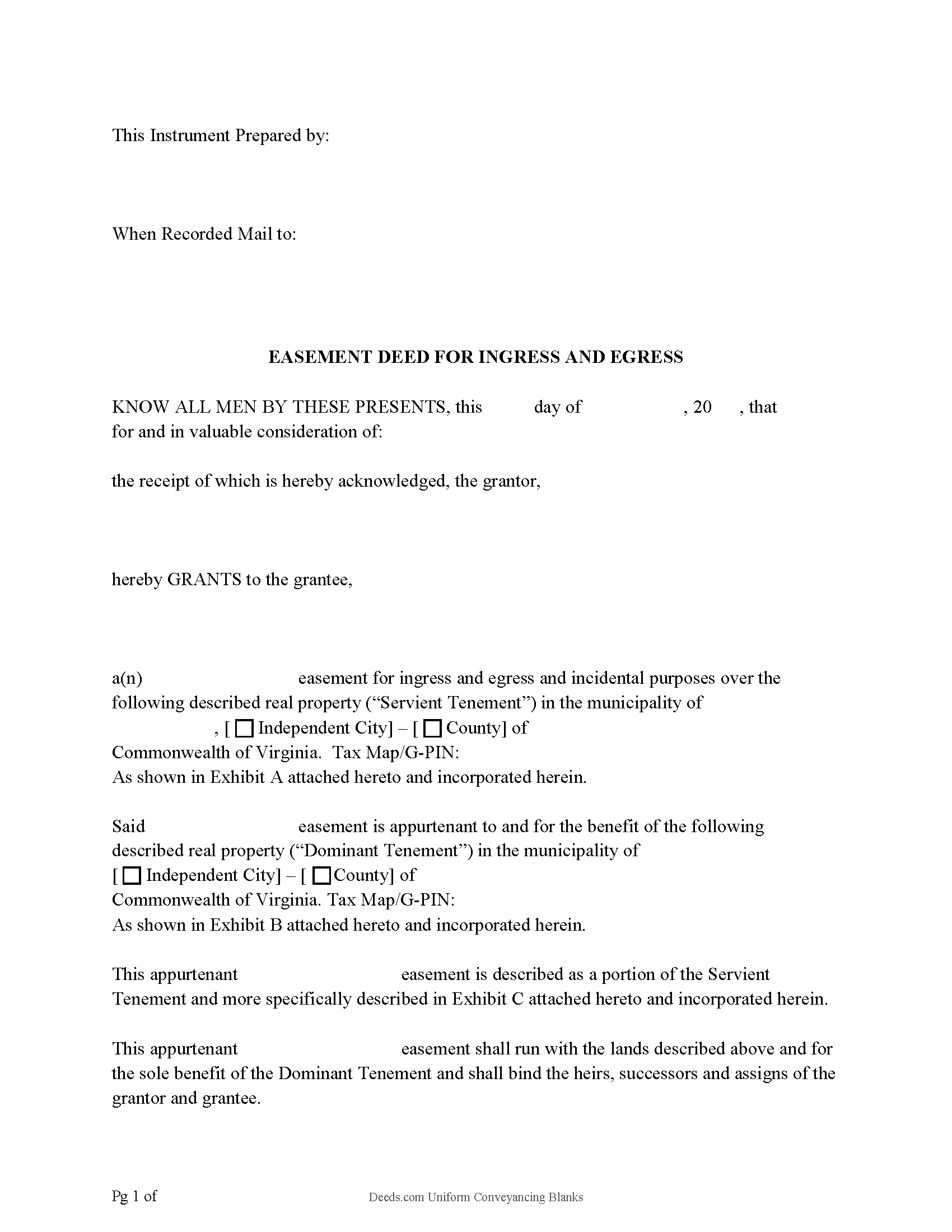
Alleghany County Easement Deed Form
Fill in the blank form formatted to comply with all recording and content requirements.
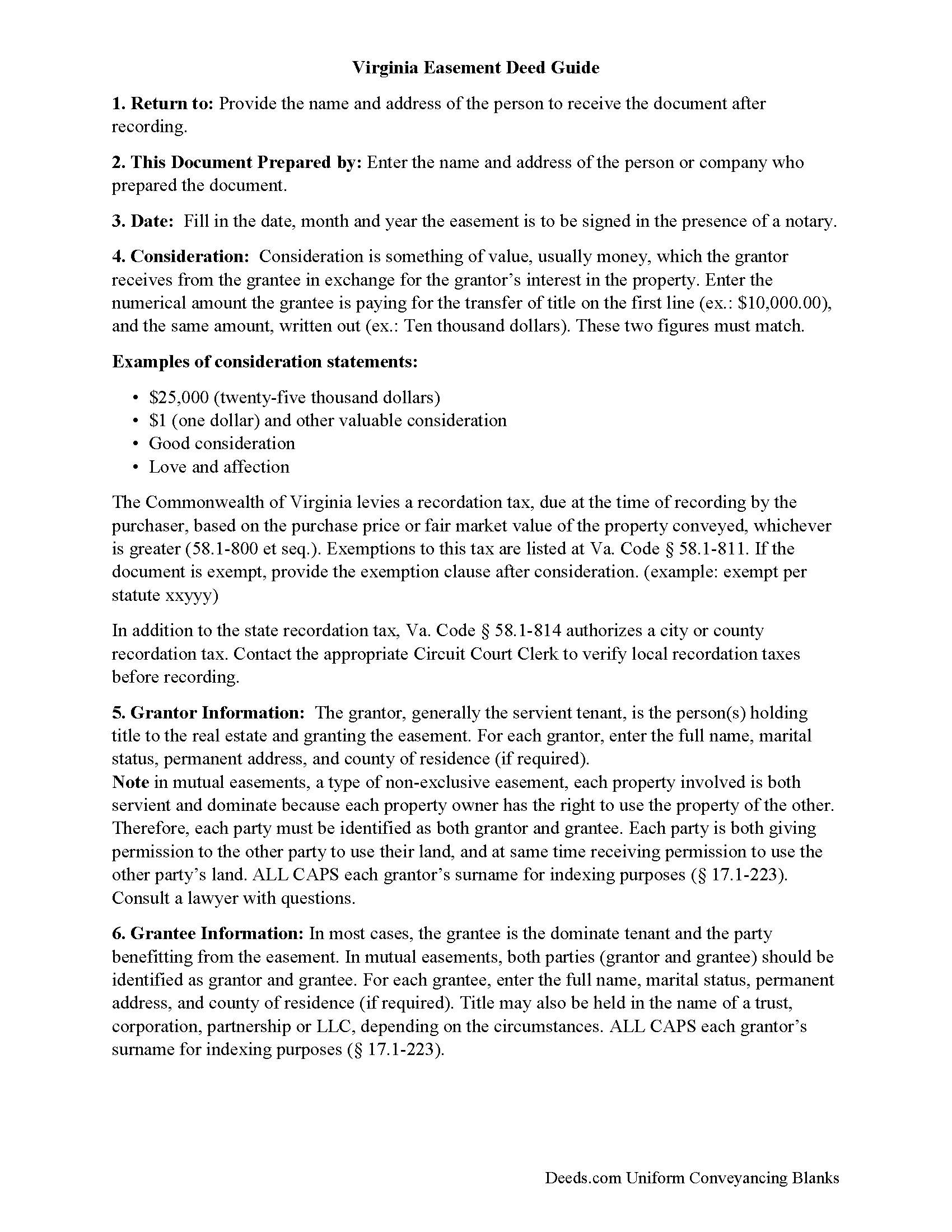
Alleghany County Easement Deed Guide
Line by line guide explaining every blank on the form.
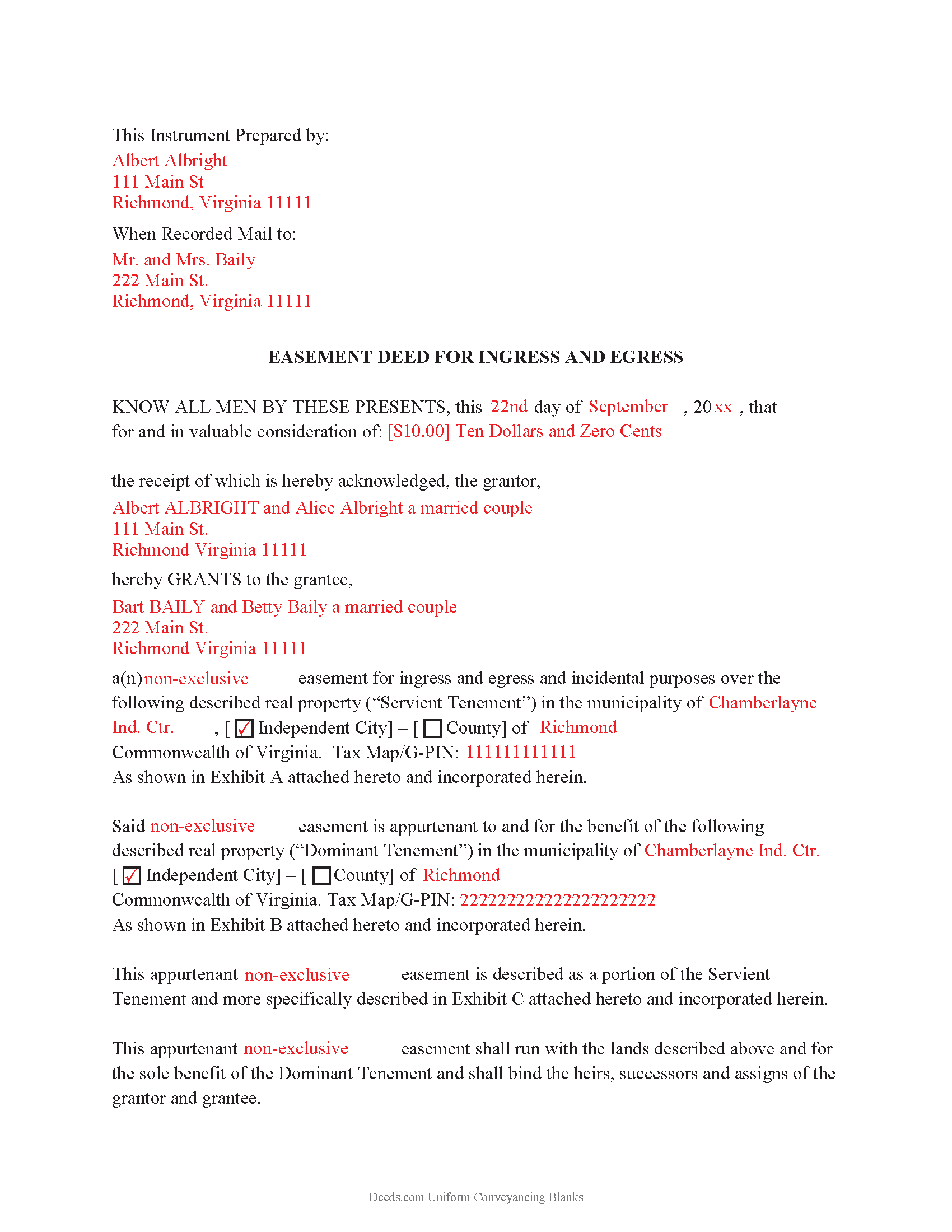
Alleghany County Completed Example of the Easement Deed Document
Example of a properly completed form for reference.
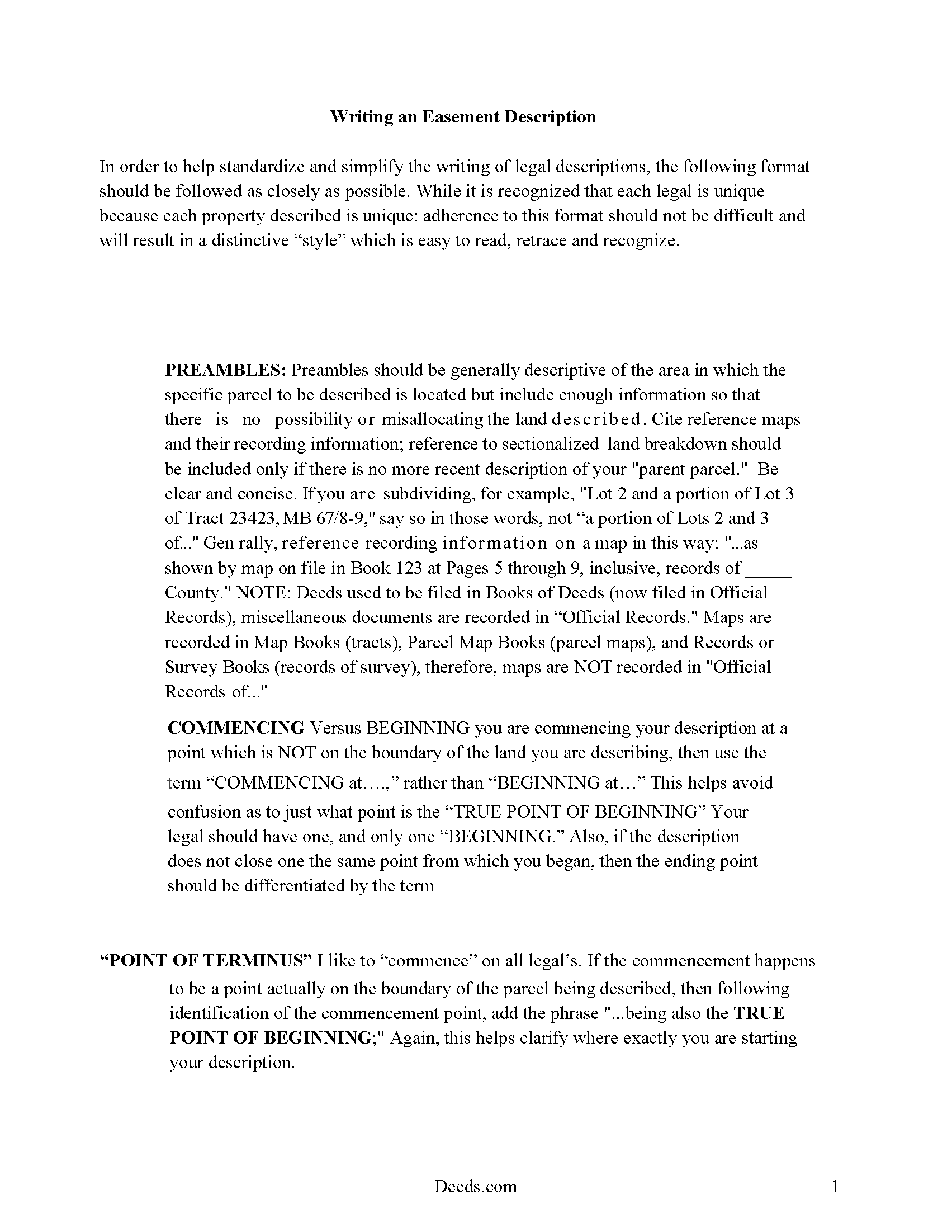
Alleghany County Guide to writing an Easement Description
A Description of the Easement will be required. This will show how to write an acceptable description for a Right of Way Easement, which gives access, to and from - point A to point B.
All 4 documents above included • One-time purchase • No recurring fees
Immediate Download • Secure Checkout
Additional Virginia and Alleghany County documents included at no extra charge:
Where to Record Your Documents
Alleghany County Clerk
Covington, Virginia 24426-0670
Hours: Monday - Friday 8:30 am - 5:00 pm
Phone: (540) 965-1730
Recording Tips for Alleghany County:
- Bring your driver's license or state-issued photo ID
- Ensure all signatures are in blue or black ink
- Recorded documents become public record - avoid including SSNs
- Recording fees may differ from what's posted online - verify current rates
- Request a receipt showing your recording numbers
Cities and Jurisdictions in Alleghany County
Properties in any of these areas use Alleghany County forms:
- Clifton Forge
- Iron Gate
- Low Moor
- Selma
Hours, fees, requirements, and more for Alleghany County
How do I get my forms?
Forms are available for immediate download after payment. The Alleghany County forms will be in your account ready to download to your computer. An account is created for you during checkout if you don't have one. Forms are NOT emailed.
Are these forms guaranteed to be recordable in Alleghany County?
Yes. Our form blanks are guaranteed to meet or exceed the applicable formatting requirements used for recording in Alleghany County, including margin requirements, font requirements, and other layout standards. This guarantee applies to formatting, not to the legal sufficiency of information entered by the user or the suitability of a form for a particular transaction.
Can I reuse these forms?
Yes. You can reuse the forms for your personal use. For example, if you have multiple properties in Alleghany County you only need to order once.
What do I need to use these forms?
The forms are PDFs that you fill out on your computer. The free Adobe Acrobat Reader is recommended, and most PDF apps also work. You do NOT enter your property information online - you download the blank forms and complete them privately on your own computer.
Are there any recurring fees?
No. This is a one-time purchase. Nothing to cancel, no memberships, no recurring fees.
How much does it cost to record in Alleghany County?
Recording fees in Alleghany County vary. Contact the recorder's office at (540) 965-1730 for current fees.
Questions answered? Let's get started!
An easement gives a person the right to use another's real property for a specific purpose. This is a non-possessory interest and can relate to solar rights, utility easements, and other types of appurtenant or easements in gross. In Virginia, unless the terms of an easement deed provide otherwise, the owner of a dominant estate cannot use an easement in a way that is inconsistent with the uses allowed by the grant of the easement. Further, the owner of the servient estate cannot engage in an activity or cause any objects to be present upon or adjacent to the burdened land which would unreasonably interfere with the enjoyment of the easement by the owner of the dominant estate ( 55-50.1). The owner of land that is subject to an easement for the purpose of ingress and egress may relocate the easement, on the servient estate, by recording a written agreement evidencing the consent of all affected persons and setting forth the location of the easement. This agreement is to be recorded in the office of the clerk of the circuit court in the county or city where the easement is located ( 55-50). An easement deed should be in writing and should contain the terms of the agreement, the duration and scope of the easement, and a description.
Before it can be admitted to record, an easement deed must contain the grantor's original signature, which must be acknowledged by him or proved by two witnesses. A certificate of acknowledgment evidencing such acknowledgment should be attached to the deed ( 55-113). Notarial acts can be performed within this state or out of state. Out-of-state acknowledgments will have the same effect as acknowledgments performed by a notary public in Virginia and such acts may be performed by any officer who is authorized to perform notarial acts in the place where the act is performed ( 55-118.1). Acknowledgments taken in another state must conform to the rules contained in 55-118.2 of the Virginia Code. The official seal of the person performing the notarial act, whether or not it is in this state, should be affixed to the document ( 55-118.2).
An easement deed in Virginia must be recorded in the city or county where the property subject to the easement is located in order to provide constructive notice of the instrument. Until the deed is recorded, it will be void to all purchasers for a valuable consideration without notice who are not parties to the deed and will also be void as to lien creditors ( 55-96). This is a race-notice recording act, which means that a later buyer who pays fair value and records a deed first without having notice of any earlier conflicting interests will have priority over later recordings.
(Virginia ED Package includes form, guidelines, and completed example)
Important: Your property must be located in Alleghany County to use these forms. Documents should be recorded at the county or independent city recording office listed above.
This Easement Deed meets all recording requirements specific to Alleghany County.
Our Promise
The documents you receive here are guaranteed to meet or exceed the applicable Alleghany County recording format requirements. If there is a rejection caused by our formatting, we will correct the issue or refund your payment. This guarantee applies to document formatting only and does not extend to information entered by the user, the selection of the form, or the legal effect of the completed document.
Save Time and Money
Get your Alleghany County Easement Deed form done right the first time with Deeds.com Uniform Conveyancing Blanks. At Deeds.com, we understand that your time and money are valuable resources, and we don't want you to face a penalty fee or rejection imposed by a county recorder for submitting nonstandard documents. We constantly review and update our forms to meet rapidly changing state and county recording requirements for roughly 3,500 counties and local jurisdictions.
4.8 out of 5 - ( 4,845 Reviews )
Jonathan F. 5 out of 5 stars
An excellent service. Makes filing deeds so much easier than having to go to the courthouse or use FedEx. I will be a customer for the rest of my legal career.
Thank you!
Thomas W. 5 out of 5 stars
easy to use, no problems except in beneficiary box. Need to make the box bigger because I have 4 beneficiaries to list. how do I enlarge the box.
Thanks for reaching out. All available space on the document is being used. As is noted in the guide, if you have information that does not fit in the available space the included exhibit page should be used.
Nawal F. 5 out of 5 stars
Friendly user
Thank you!
Novella M T. 5 out of 5 stars
Amazing forms, nice to have something specific and not generic like some other sites. Getting the other required forms included is a nice bonus.
Great to hear Novella. We appreciate you taking the time to leave your feedback.
Rhonda P. 5 out of 5 stars
Very quick and easy! Didn't even have to leave the house and I didn't have to send via USPS which is nice since we are in a pandemic. The convenience of this site is worth the extra money. Would definitely use this site again.
We appreciate your business and value your feedback. Thank you. Have a wonderful day!
Maxine P. 5 out of 5 stars
This is so amazing and I truly thank you for what I needed for my documents. This is a great company and will take care of what you needs.
Thank you for your feedback. We really appreciate it. Have a great day!
Patrick A. 5 out of 5 stars
Real value. Excellent forms, guidance & samples. Included Homestead Exemption form & info are also valuable & greatly appreciated.
Thank you for your feedback. We really appreciate it. Have a great day!
Coralis M. 5 out of 5 stars
Fast, efficient and professional service! Thanks
Thank you!
Donna J. 5 out of 5 stars
what do you do with it once filled out. doesn't tell you
Generally, once the documents are completed and executed they are recorded with the recorder where the property is located.
Donna J. 3 out of 5 stars
Doesn't have samples pertaining to me. Still searching for correct wording forGRANTORS (plural) so its legally written.
Thank you for your feedback. We really appreciate it. Have a great day!
STEVEN T. 5 out of 5 stars
New customer....submitted 2 packages for erecording....very easy to do and good price....still waiting on documents to be recorded but I expect that to go smooth too. Nice to work with for sure
Thank you, Steven. We appreciate your business and the kind words. We will keep things moving and look forward to a smooth recording process for both packages.
Karen S. 5 out of 5 stars
Excellent support! They were patient and knowledgeable.
Thank you!
Patricia W. 5 out of 5 stars
I am working with the document to complete it. It's taking me some time but I'll get it.
Thank you for your feedback. We really appreciate it. Have a great day!
carrie m. 5 out of 5 stars
I was excited because I really wanted to see and get a copy of the Deed to my property. The personal/Staff responsible for setting up that plan did an excellent/outstanding job. Thanks so much and keep up the great work. Carrie
Thank you for your feedback. We really appreciate it. Have a great day!
David C. 5 out of 5 stars
Very fast service
Thank you!