Falls Church City Quitclaim Deed (Corporation Grantor) Form
Last validated September 16, 2026 by our Forms Development TeamFormatted for recording in Falls Church City, for property anywhere in the county or independent city: rural and unincorporated areas as well as Falls Church.
- 3 documents included
- Immediate PDF download
- Formatting guarantee
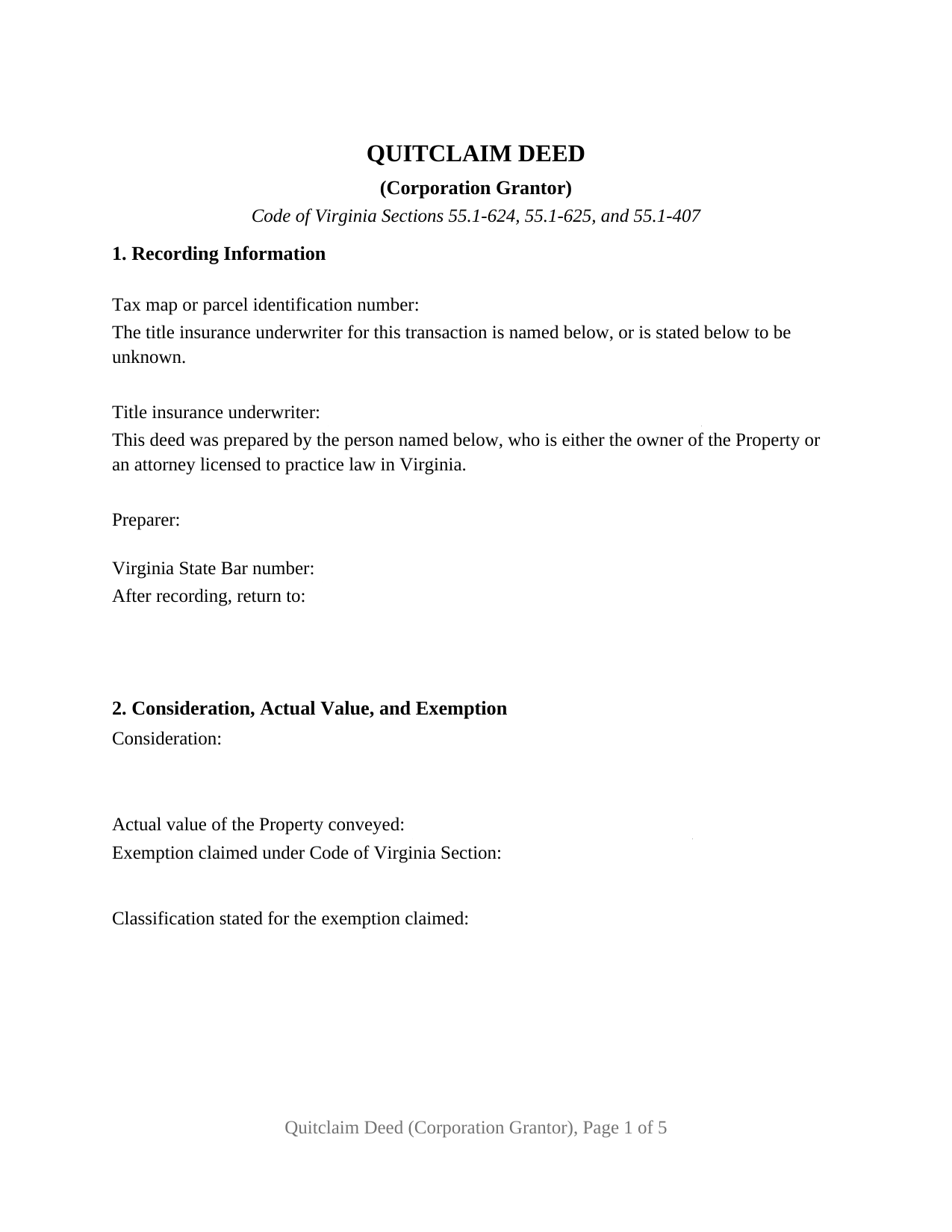
Falls Church City Quitclaim Deed (Corporation Grantor) Form
Fill in the blank Quitclaim Deed (Corporation Grantor) form formatted to comply with all Virginia recording and content requirements.
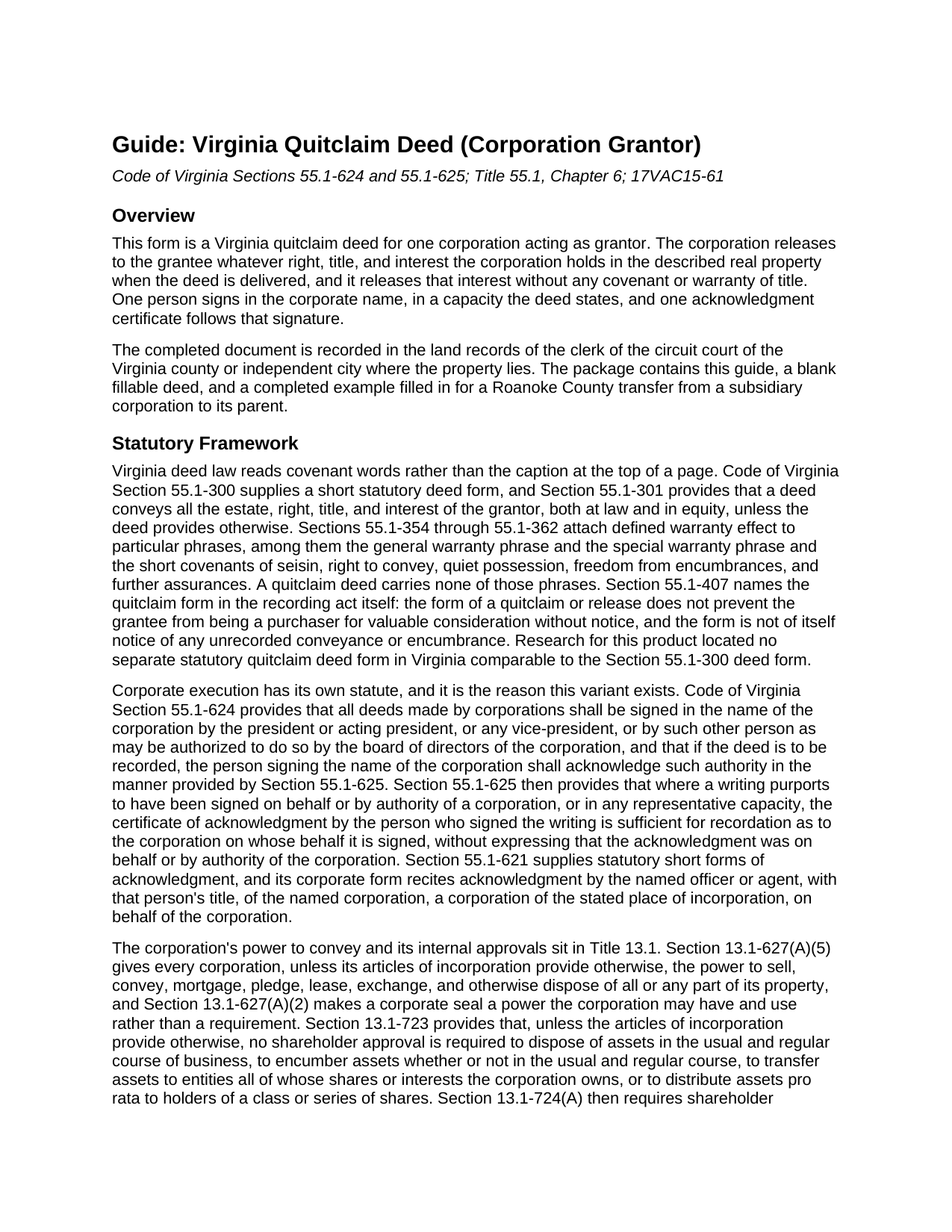
Falls Church City Quitclaim Deed (Corporation Grantor) Guide
Line by line guide explaining every blank on the Quitclaim Deed (Corporation Grantor) form.
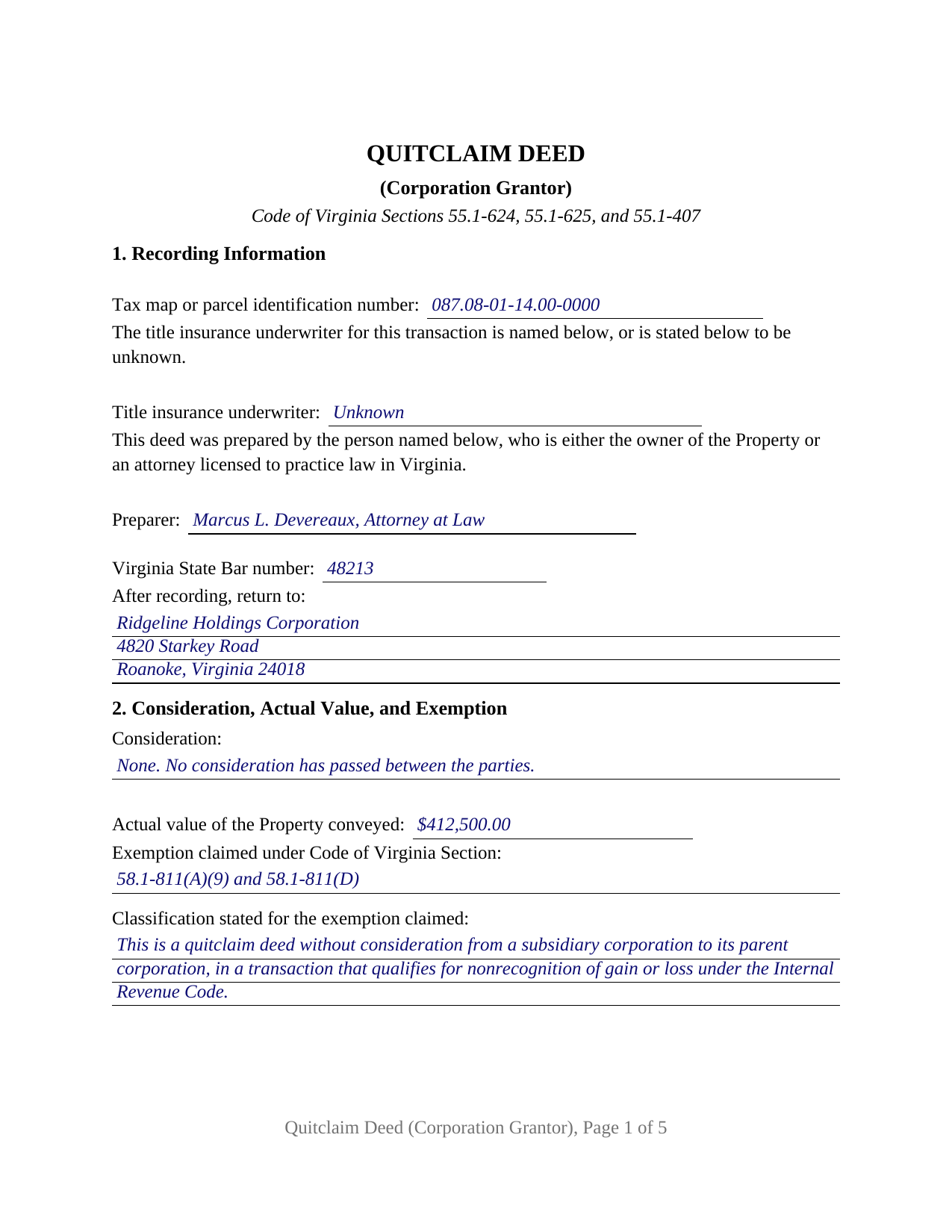
Falls Church City Completed Example of the Quitclaim Deed (Corporation Grantor) Document
Example of a properly completed Virginia Quitclaim Deed (Corporation Grantor) document for reference.
All 3 documents above included • One-time purchase • No recurring fees
Immediate Download • Secure Checkout
Additional Virginia and Falls Church City documents included at no extra charge:
Where to Record Your Documents
Arlington Clerk of Circuit Court
Arlington, Virginia 22201
Hours: Monday - Friday 8:00 am - 4:00 pm
Phone: (703) 228-7010
Recording Tips for Falls Church City:
- Bring your driver's license or state-issued photo ID
- Ensure all signatures are in blue or black ink
- Bring extra funds - fees can vary by document type and page count
- Check margin requirements - usually 1-2 inches at top
- Leave recording info boxes blank - the office fills these
Cities and Jurisdictions in Falls Church City
Properties in any of these areas use Falls Church City forms:
- Falls Church
Hours, fees, requirements, and more for Falls Church City
How do I get my forms?
Forms are available for immediate download after payment. The Falls Church City forms will be in your account ready to download to your computer. An account is created for you during checkout if you don't have one. Forms are NOT emailed.
Are these forms guaranteed to be recordable in Falls Church City?
Yes. Our form blanks are guaranteed to meet or exceed the applicable formatting requirements used for recording in Falls Church City, including margin requirements, font requirements, and other layout standards. This guarantee applies to formatting, not to the legal sufficiency of information entered by the user or the suitability of a form for a particular transaction.
Can I reuse these forms?
Yes. You can reuse the forms for your personal use. For example, if you have multiple properties in Falls Church City you only need to order once.
What do I need to use these forms?
The forms are PDFs that you fill out on your computer. The free Adobe Acrobat Reader is recommended, and most PDF apps also work. You do NOT enter your property information online - you download the blank forms and complete them privately on your own computer.
Are there any recurring fees?
No. This is a one-time purchase. Nothing to cancel, no memberships, no recurring fees.
How much does it cost to record in Falls Church City?
Recording fees in Falls Church City vary. Contact the recorder's office at (703) 228-7010 for current fees.
Questions answered? Let's get started!
Code of Virginia Section 55.1-624 names who may sign a deed in a corporation's name: the president or acting president, any vice-president, or another person the board of directors authorized. This Virginia quitclaim deed is built around that sentence: one corporation on the grantor side, one of those people signing in the corporate name, and an entry for the capacity relied on.
Authority that rides in the certificate
The statute adds a recording condition an individual grantor never meets: where the deed is to be recorded, the person signing the corporate name acknowledges that authority in the manner Section 55.1-625 provides. It is generous: where a writing purports to be signed by authority of a corporation, the certificate of acknowledgment by the person who signed suffices for recordation as to the corporation, without expressing that it was on the corporation's behalf. Section 4 carries the capacity and the authority relied on, and the certificate follows the corporate short form of Section 55.1-621: the officer or agent, that person's title, the corporation, and its state or place of incorporation.
One corporation, one signer, one certificate
The grantor side is fixed at a single corporation acting through one authorized person: a corporate name line above the signature rule, a printed name, a date, a title line, and one acknowledgment certificate whose venue reads city or county under Section 47.1-16(A). A subsidiary releasing a parcel to its parent in a reorganization, a corporation distributing land to its stockholders in a liquidation, and a corporation whose name sits in an old chain of title releasing what it still holds present the single-corporation release these recitals carry. The form is not set up for individuals signing in their own names, for a member or manager signing for a company, for a fiduciary, or for two corporate grantors.
No seal, and no attesting officer
Virginia settled the corporate formalities long ago. Section 13.1-627(A)(2) makes a corporate seal a power a corporation may use, not a duty, and Section 55.1-645 declares a corporate deed valid even though the seal was never affixed, or was affixed without attestation by the secretary. Under Section 55.1-626 a notary who is a stockholder or officer may take the acknowledgment if not otherwise interested in the property, though not where the company executes through that person.
Exemptions written for corporate transfers
Section 58.1-811 carries exemptions only entity transfers reach: subsection A 7 for a deed from a corporation to its stockholders on liquidation under Internal Revenue Code Sections 331, 332, 333, or 337, subsection A 8 for a merger, consolidation, or reorganization within Sections 368(a)(1)(C) and (F), and subsection A 9 for a deed between a parent and its subsidiary qualifying for nonrecognition of gain or loss. A release passing no money also carries the classification sentence subsection D has required since July 1, 2026. Section 2 collects the consideration, the actual value Section 58.1-801 ties to the current assessment roll, the Code section, and that sentence.
Warranty withheld, recording still at work
Virginia gives legal effect to covenant phrases, not to a caption, and none of those at Sections 55.1-354 through 55.1-362 appear here. Section 9 states in capital letters that no warranty of title is made, names the withheld covenants of seisin, right to convey, quiet possession, freedom from encumbrances, and further assurances, and adds that the signer takes on nothing individually. Section 55.1-407 still names the quitclaim form in the recording act, leaving a grantee who takes by quitclaim eligible to be a purchaser for value without notice.
What page one carries
An entity grantor changes what a clerk reads first. The corporate name is entered as the State Corporation Commission carries it, with the element Section 13.1-630(A) requires, while an individual grantee's surname is capitalized for the indexing clause of Section 17.1-223(A). Section 1 holds the parcel number Section 17.1-252 requires in localities with unique parcel systems, the title insurance underwriter, the preparer statement, and the return address.
Searchers reach this instrument as a corporate quitclaim deed, a quit claim deed signed by an officer, or a corporation release of interest; this package prepares the Virginia version for one corporation as grantor. Three files arrive: the fillable deed, a completed example worked through a Roanoke County transfer to a parent corporation, and a plain-language guide that walks each blank, the ways a Virginia grantee may hold title, the notarial rules, and the taxes collected. These materials describe Virginia law in general terms and are not legal advice.
Important: Your property must be located in Falls Church City to use these forms. Documents should be recorded at the county or independent city recording office listed above.
This Quitclaim Deed (Corporation Grantor) meets all recording requirements specific to Falls Church City.
Our Promise
The documents you receive here are guaranteed to meet or exceed the applicable Falls Church City recording format requirements. If there is a rejection caused by our formatting, we will correct the issue or refund your payment. This guarantee applies to document formatting only and does not extend to information entered by the user, the selection of the form, or the legal effect of the completed document.
Save Time and Money
Get your Falls Church City Quitclaim Deed (Corporation Grantor) form done right the first time with Deeds.com Uniform Conveyancing Blanks. At Deeds.com, we understand that your time and money are valuable resources, and we don't want you to face a penalty fee or rejection imposed by a county recorder for submitting nonstandard documents. We constantly review and update our forms to meet rapidly changing state and county recording requirements for roughly 3,500 counties and local jurisdictions.
4.8 out of 5 - ( 4,829 Reviews )
John S. 5 out of 5 stars
Easy system to use. good information.
Thank you for taking a moment to share your thoughts.
Kelly L. 5 out of 5 stars
So far so good. Please make the payment method easier after the information has been uploaded and submitted.
We appreciate your business and value your feedback. Thank you. Have a wonderful day!
Dan J. 5 out of 5 stars
The paperwork was fine but it was just paperwork. Georgia does not accept a paper form. The form must be transmitted electronically through a registered account. Using an attorney may have been the simple way to file the cancellation.
Thank you for your feedback, Dan. We’re glad the paperwork itself met your expectations. Recording requirements can vary by state and county, including how documents are submitted. We appreciate you sharing your experience and will review our product information to see where we can better clarify the recording process for Georgia customers.
ALFRED B. 5 out of 5 stars
The product was just what I needed. Not being the sharpest computer user I stumbled a little but after reading more carefully I navigated the process and I am very satisfied with my experience. deeds certainly saved me a lot of time.
Thank you!
Sandra H. 5 out of 5 stars
I am a retired attorney. I chanced upon this website while looking for a Florida Lady Bird Deed Form. It conforms to Florida Law and was exactly what I needed. The forms are easy to obtain and even easier to use and print out.
Thank you so much Sandra, we really appreciate your feedback.
timothy h. 2 out of 5 stars
Too complicated and too expensive
Sorry to hear that Timothy, we do hope that you found something more suitable to your needs elsewhere. Have a wonderful day.
Kimberly G. 3 out of 5 stars
It would be helpful if there were a specific example of putting a deed into a trust. Also, the limitation of characters on the description of the property was not enough.
Thank you for your feedback. We really appreciate it. Have a great day!
William B. 4 out of 5 stars
The forms, and other information, are all excellent. I would be giving a 5-star review if it were not for the fact that downloading a "bundle" about quitclaim deeds required I download every single file independently (15 files). I would far prefer a zip file, or one click to download the whole pile of independent files.
Your feedback is valuable to us and helps us improve. Thank you for sharing your thoughts!
Suzanne R. 5 out of 5 stars
I was very impressed with how user friendly, convenient, and efficient the whole process was. I will definitely use the service again sometime soon.
Thank you for your feedback. We really appreciate it. Have a great day!
Lane C. 5 out of 5 stars
The documents worked perfectly! Thanks
Thank you for your feedback. We really appreciate it. Have a great day!
Marilyn C. 5 out of 5 stars
Fillable documents, after a download, would be helpful. Very good to have all these forms online and accessible for an overall fee.
Thank you!
Elizabeth S. 5 out of 5 stars
Easy to download. I like the fact that it gives me an example of how to fill it out and also the instructions. Thank you so much.
Thank you for your feedback. We really appreciate it. Have a great day!
Sheryl C. 5 out of 5 stars
Very Very helpful easy to navigate the guides and examples were great and informative. Great to have will be using for future transactions.
Thank you for your feedback. We really appreciate it. Have a great day!
Johnnie R. 5 out of 5 stars
quick and easy to use
We appreciate your business and value your feedback. Thank you. Have a wonderful day!
Kenneth-Wayne L. 5 out of 5 stars
1) I was very pleased when the staff mentioned your service since the three referenced on the Recorder's website all wanted HUGE Account set-up and maintenance fees AND BIG fees per recording, and yours has no set-up fee AND nominal per-recording fee; 2) My (few) recordings will be NON-LAND Related, summary or entire record(s) of Administrative (Procedures Act) records, Other than the Border width and Cover Sheet, do you anticipate any other special requirements for such recording(s)? NOTE: I just sent one by Snail Mail, and they just informed me that due to the GERMIPHOBIA 'Pandemic' the ONLY open and record Snail Mail ONCE A MONTH On the first of each chmonth!
Thank you!