Hopewell City Quitclaim Deed (Trustee Grantee) Form
Last validated September 25, 2026 by our Forms Development TeamFormatted for recording in Hopewell City, for property anywhere in the county or independent city: rural and unincorporated areas as well as Hopewell.
- 3 documents included
- Immediate PDF download
- Formatting guarantee
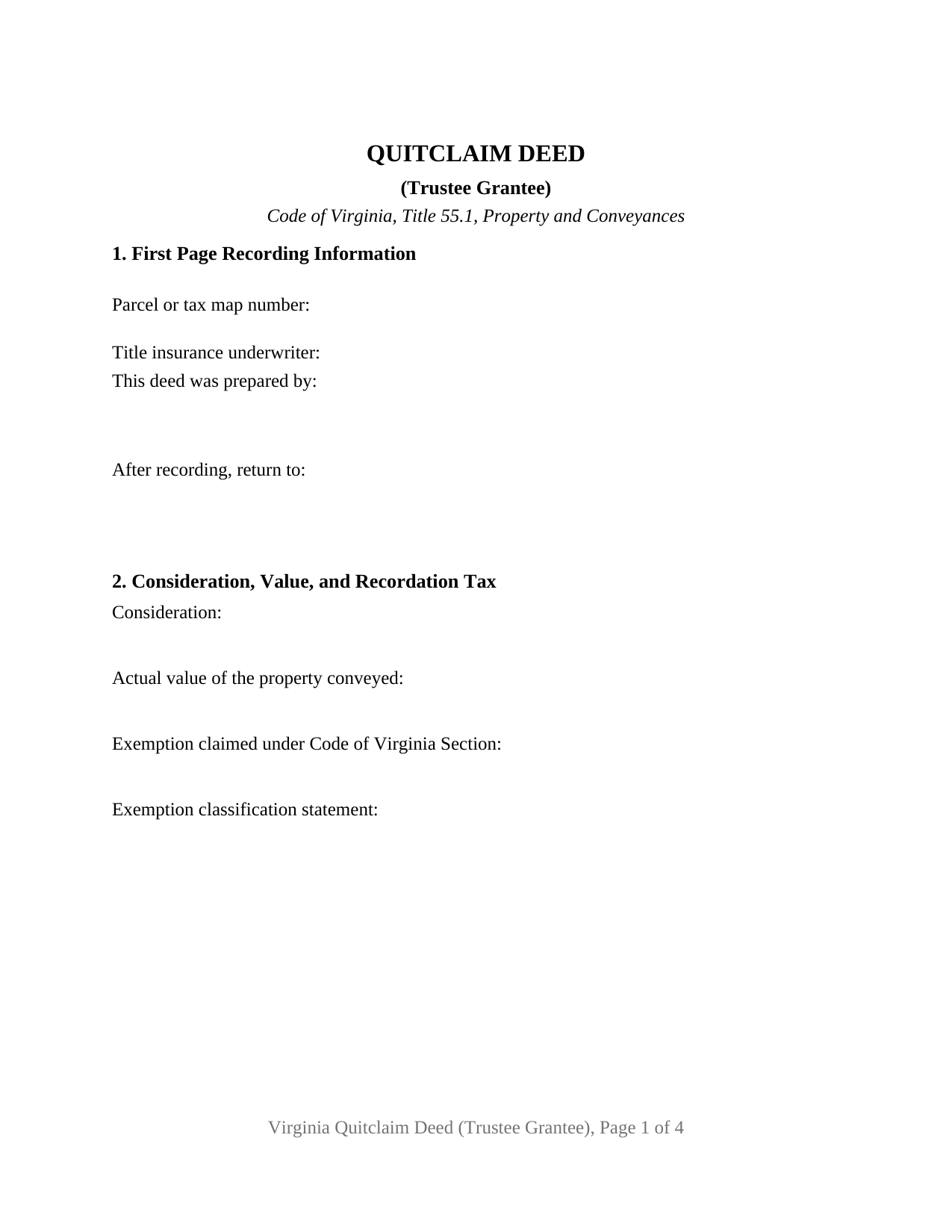
Hopewell City Quitclaim Deed (Trustee Grantee) Form
Fill in the blank Quitclaim Deed (Trustee Grantee) form formatted to comply with all Virginia recording and content requirements.
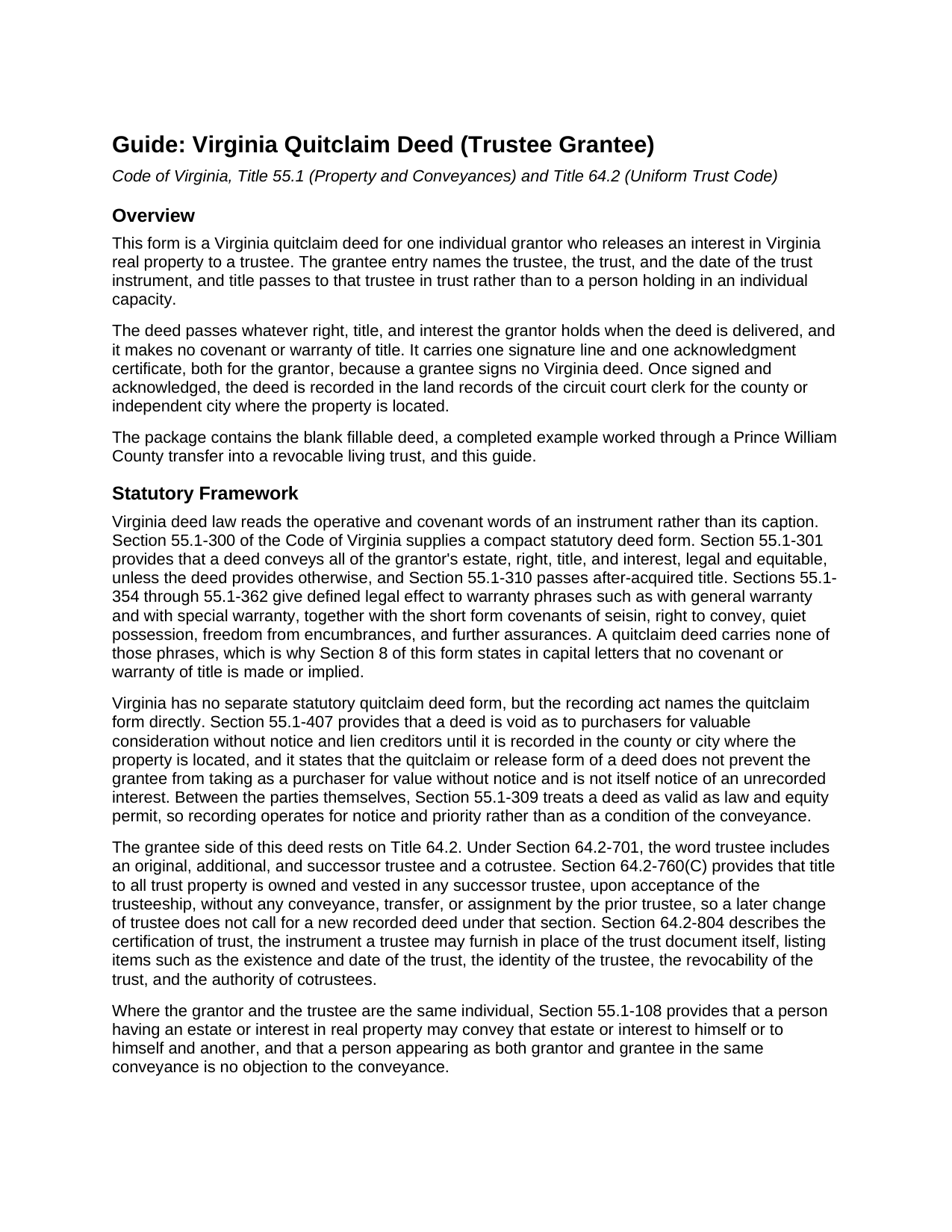
Hopewell City Quitclaim Deed (Trustee Grantee) Guide
Line by line guide explaining every blank on the Quitclaim Deed (Trustee Grantee) form.
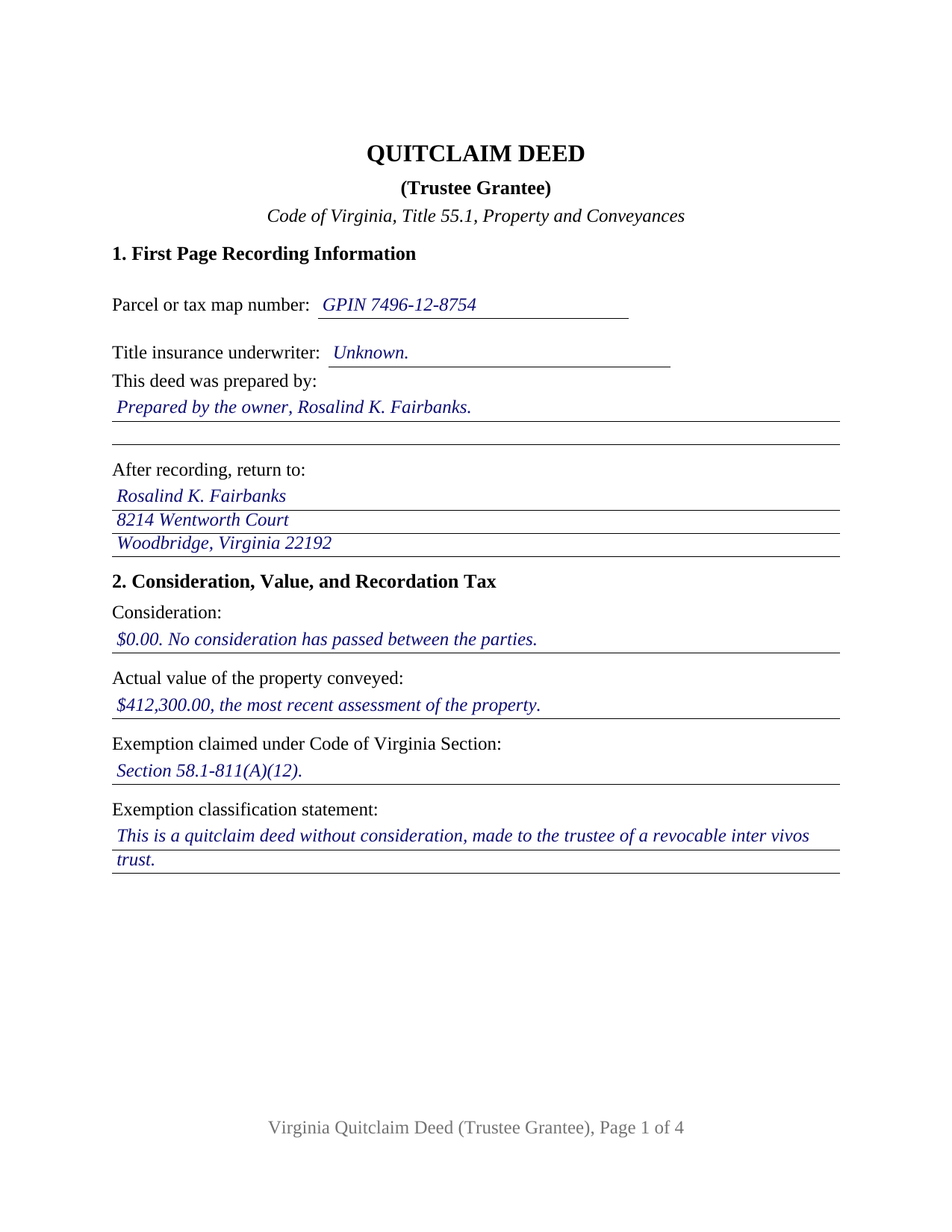
Hopewell City Completed Example of the Quitclaim Deed (Trustee Grantee) Document
Example of a properly completed Virginia Quitclaim Deed (Trustee Grantee) document for reference.
All 3 documents above included • One-time purchase • No recurring fees
Immediate Download • Secure Checkout
Additional Virginia and Hopewell City documents included at no extra charge:
Where to Record Your Documents
Clerk of the Circuit Court
Hopewell, Virginia 23860-2715
Hours: 8:30 to 4:00 M-F
Phone: (804) 541-2239
Recording Tips for Hopewell City:
- Bring your driver's license or state-issued photo ID
- Ensure all signatures are in blue or black ink
- Request a receipt showing your recording numbers
- Ask about accepted payment methods when you call ahead
- Ask for certified copies if you need them for other transactions
Cities and Jurisdictions in Hopewell City
Properties in any of these areas use Hopewell City forms:
- Hopewell
Hours, fees, requirements, and more for Hopewell City
How do I get my forms?
Forms are available for immediate download after payment. The Hopewell City forms will be in your account ready to download to your computer. An account is created for you during checkout if you don't have one. Forms are NOT emailed.
Are these forms guaranteed to be recordable in Hopewell City?
Yes. Our form blanks are guaranteed to meet or exceed the applicable formatting requirements used for recording in Hopewell City, including margin requirements, font requirements, and other layout standards. This guarantee applies to formatting, not to the legal sufficiency of information entered by the user or the suitability of a form for a particular transaction.
Can I reuse these forms?
Yes. You can reuse the forms for your personal use. For example, if you have multiple properties in Hopewell City you only need to order once.
What do I need to use these forms?
The forms are PDFs that you fill out on your computer. The free Adobe Acrobat Reader is recommended, and most PDF apps also work. You do NOT enter your property information online - you download the blank forms and complete them privately on your own computer.
Are there any recurring fees?
No. This is a one-time purchase. Nothing to cancel, no memberships, no recurring fees.
How much does it cost to record in Hopewell City?
Recording fees in Hopewell City vary. Contact the recorder's office at (804) 541-2239 for current fees.
Questions answered? Let's get started!
A trustee on the grantee line changes what a Virginia deed carries. This quitclaim deed prints a grantee entry that takes the trustee, the name of the trust, and the date of the trust instrument, then releases whatever interest one individual grantor holds into that trustee's hands, in trust and not individually. It is laid out for the land records of the Virginia circuit court clerk where the parcel sits.
One grantor signs, and a trustee receives
The grantor side is fixed at one individual signing personally, with a single signature line and one acknowledgment certificate, since no grantee signs a Virginia deed. Section 4 is where the configuration lives: the trustee with a mailing address, the trust by name, and the date of the trust instrument, so the land records show who holds legal title and under which document. An owner funding a revocable living trust once the trust instrument has been signed, and an owner replacing an earlier deed that named the trust itself instead of its trustee, present the trustee-grantee pattern this deed recites. No second signature line prints, and the grantor side recites no trustee, executor, or attorney-in-fact capacity, so a conveyance back out of a trust runs on different recitals than these.
Title that follows the office
Virginia carries a deed to a trustee past the name written on it. Under Code of Virginia Section 64.2-701, the word trustee includes an original, additional, and successor trustee and a cotrustee. Section 64.2-760(C) then provides that title to all trust property is owned and vested in any successor trustee, upon acceptance of the trusteeship, without any conveyance, transfer, or assignment by the prior trustee. So the deed names the trustee taking title now and speaks of the successor trustees in trust, and a later change in who serves does not, under that section, call for another recorded conveyance.
The covenant words this deed omits
Warranty in Virginia comes from covenant language, not from the caption at the top of the page. Sections 55.1-354 through 55.1-362 give defined effect to phrases such as with general warranty, along with the short covenants of seisin, quiet possession, and further assurances; none of them appear here, and Section 8 states in capital letters that no warranty of title is made or implied. Recording still does its own work, because Section 55.1-407 names the quitclaim form in the recording act and leaves a grantee taking by quitclaim eligible to be a purchaser for value without notice.
An exemption measured by who benefits
A transfer into a living trust ordinarily passes no money, and Virginia answers with a provision aimed at it. Section 58.1-811(A)(12) exempts a deed to trustees of a revocable inter vivos trust where the grantors in the deed and the beneficiaries of the trust are the same persons, other named beneficiaries notwithstanding, and where nothing has passed between the grantor and the beneficiaries. Section 2 of the form collects the consideration, the actual value that Section 58.1-801 measures against the most recent assessment, the Code section relied on, and the classification sentence Section 58.1-811(D) has called for since July 1, 2026 on a quitclaim deed without consideration. Page one also holds the parcel or tax map number, the preparer statement, and the title insurance underwriter entry; the completed example fills all of it for a Prince William County transfer, down to the county's grid parcel identification number.
Authority the deed does not carry
This instrument delivers title. It does not create the trust or hand the trustee any powers, which live instead in the trust instrument and in Title 64.2. That is why a certification of trust under Section 64.2-804, signed separately by the trustee and not included in this package, is what a title company or a clerk reads for proof that the trust exists and that the trustee may act on its behalf.
Searchers reach this instrument as a quit claim deed to a trustee, a deed into a living trust, or a trust transfer deed; this package prepares the Virginia quitclaim deed for one grantor conveying to a trustee. The download holds three items: the fillable deed, the completed Prince William County example, and a plain-language guide that walks the sections one at a time, sets out the vesting choices open to a Virginia grantee, and takes up notarization under Title 47.1 with the fees and taxes due at the counter. These materials describe Virginia law in general terms and are not legal advice.
Important: Your property must be located in Hopewell City to use these forms. Documents should be recorded at the county or independent city recording office listed above.
This Quitclaim Deed (Trustee Grantee) meets all recording requirements specific to Hopewell City.
Our Promise
The documents you receive here are guaranteed to meet or exceed the applicable Hopewell City recording format requirements. If there is a rejection caused by our formatting, we will correct the issue or refund your payment. This guarantee applies to document formatting only and does not extend to information entered by the user, the selection of the form, or the legal effect of the completed document.
Save Time and Money
Get your Hopewell City Quitclaim Deed (Trustee Grantee) form done right the first time with Deeds.com Uniform Conveyancing Blanks. At Deeds.com, we understand that your time and money are valuable resources, and we don't want you to face a penalty fee or rejection imposed by a county recorder for submitting nonstandard documents. We constantly review and update our forms to meet rapidly changing state and county recording requirements for roughly 3,500 counties and local jurisdictions.
4.8 out of 5 - ( 4,853 Reviews )
Thomas R. 5 out of 5 stars
First time user. Was pleased with the easy of use and the step-by-step directions provided by the website.
We are motivated by your feedback to continue delivering excellence. Thank you!
Brian C. 5 out of 5 stars
***** so easy thanks.
Thanks Brian, we appreciate your feedback.
stephanie h. 5 out of 5 stars
Very satisfied. In the middle of COVID19 I was able to complete important paperwork even though I wasn't completely sure what I was doing on my own. Quick and easy. Thank you. It means a lot to me.
Thank you for your feedback. We really appreciate it. Have a great day!
Robby T. 4 out of 5 stars
Most people coming to this sight will not have the knowledge for deeds. Therefore, I wish there were more instructions on when the Grantor signs and when the Grantee signs and the process steps to making the transaction final. I would give it 4 out of 5 starts
Thank you for your feedback. We really appreciate it. Have a great day!
Norbert C. 5 out of 5 stars
Great resource and everything went smoothly except email was performed through autofill prompted by the system but the autofill added a letter that gave wrong email. I can still sign in with wrong email since the system recognizes it as mine even though it is wrong. May be my fault and not the system since I did not catch the discrepancy in time. I would suggest a field that allows a correction to any misinformation prior to signing out from the initial sign on. Still think it is a great resource if all documents are processed and accepted by the pwers to be. Thanks.
Thank you!
Susan V. 5 out of 5 stars
With a little assist from the customer service department-- who was extremely nice and professional- I was able to get my documents printed. I was pleased with the process and hope that the forms will work out for me. Thank you deeds.com for saving me $250 in lawyers fees.
Thank you for your feedback. We really appreciate it. Have a great day!
Ken B. 5 out of 5 stars
Instructions were easy to follow
Thank you!
Alfred J. H. 5 out of 5 stars
Excellent resource for legal forms. Very satisfied. Instructions and caveats explained clearly. Thank You!
Thank you!
Jamie B. 5 out of 5 stars
Deeds.com made the recording of our Deed in a county where we do not reside, VERY easy! Customer service was great with all my questions answered immediately via my account portal. Very user friendly service! I wish the available documents were a little less pricey, but all in all, to get the job done right, I'll probably utilize the document downloads in the future.
Thank you for your feedback. We really appreciate it. Have a great day!
Casey S. 5 out of 5 stars
I had a really good experience. I bought two forms from a different website and they didn’t help me at all. Granted, I only paid the minimum here I bought the upgrade and they showed me how to fill it out and what it should look like I went and had it notarized and took it to the county recorder and everything went smoothly. Highly suggest.
Glad it all came together smoothly for you, Casey. Appreciate you giving us a shot and taking the time to share your experience.
Garrison T. 5 out of 5 stars
Excellent service & very easy to use.
Thank you!
Randi M. 1 out of 5 stars
We could never figure out how to get to the website to order.
Sorry to hear that Randi. We do hope that you found something more suitable to your needs elsewhere.
Jeremiah W. 5 out of 5 stars
Very helpful information and great forms.
Thank you for your feedback. We really appreciate it. Have a great day!
Rebecca M. 4 out of 5 stars
EASY DOWNLOAD AND PRINT AND / OR SAVE TO YOU PC WHICH SHOULD BE DONE BEFORE FILLING OUT. AFTER I actually use them I'll let you know if its all good, Thanks
Your feedback is greatly appreciated. Thank you for taking the time to share your experience!
Robin M. 5 out of 5 stars
Thank you for your services...Attny office quoted a very large fee for the "TOD DEED" process, so this is very helpful that I am able to take care of this myself. If I would have researched your link sooner, I could have saved my Dad a lot of money for the "SURVIVORSHIP DEED". Thanks again & have a wonderful day:)
Thank you for your feedback. We really appreciate it. Have a great day!