Whitman County Correction Deed Form
Last validated October 22, 2026 by our Forms Development TeamFormatted for recording in Whitman County, for property anywhere in the county: rural and unincorporated areas as well as Albion, Belmont, Colfax, Colton, Endicott, Farmington, Garfield, Hay and 13 more.
- 3 documents included
- Immediate PDF download
- Formatting guarantee
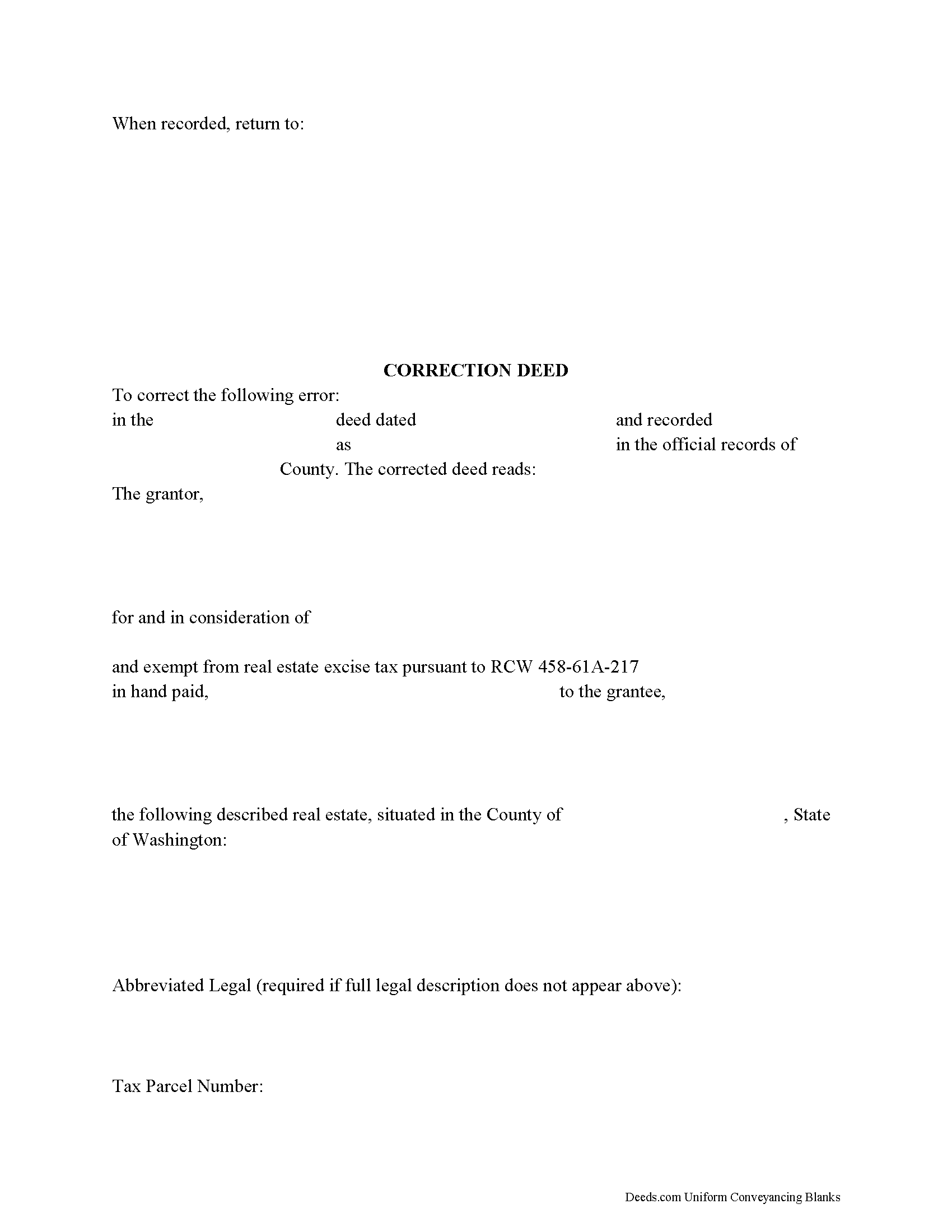
Whitman County Correction Deed Form
Fill in the blank form formatted to comply with all recording and content requirements.
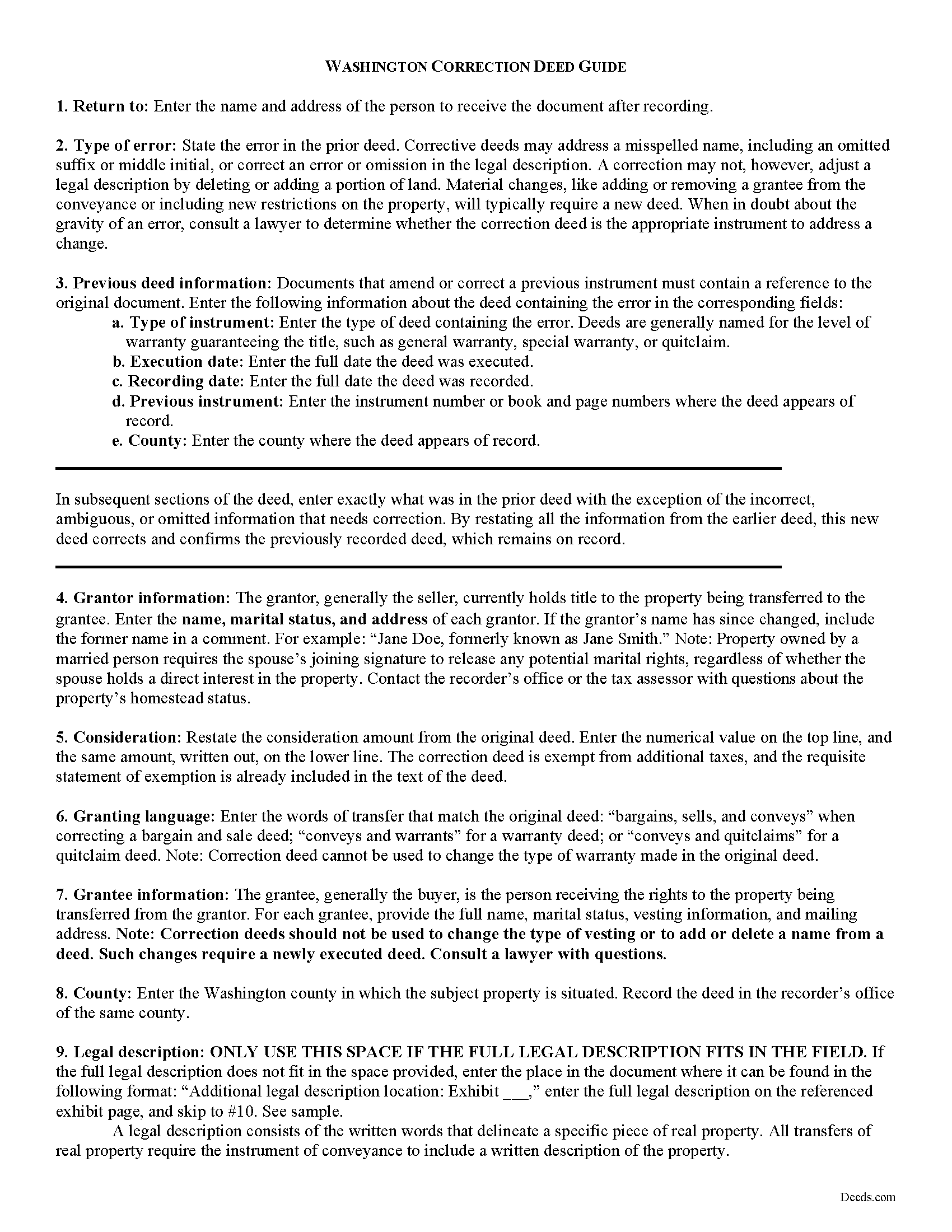
Whitman County Correction Deed Guide
Line by line guide explaining every blank on the form.
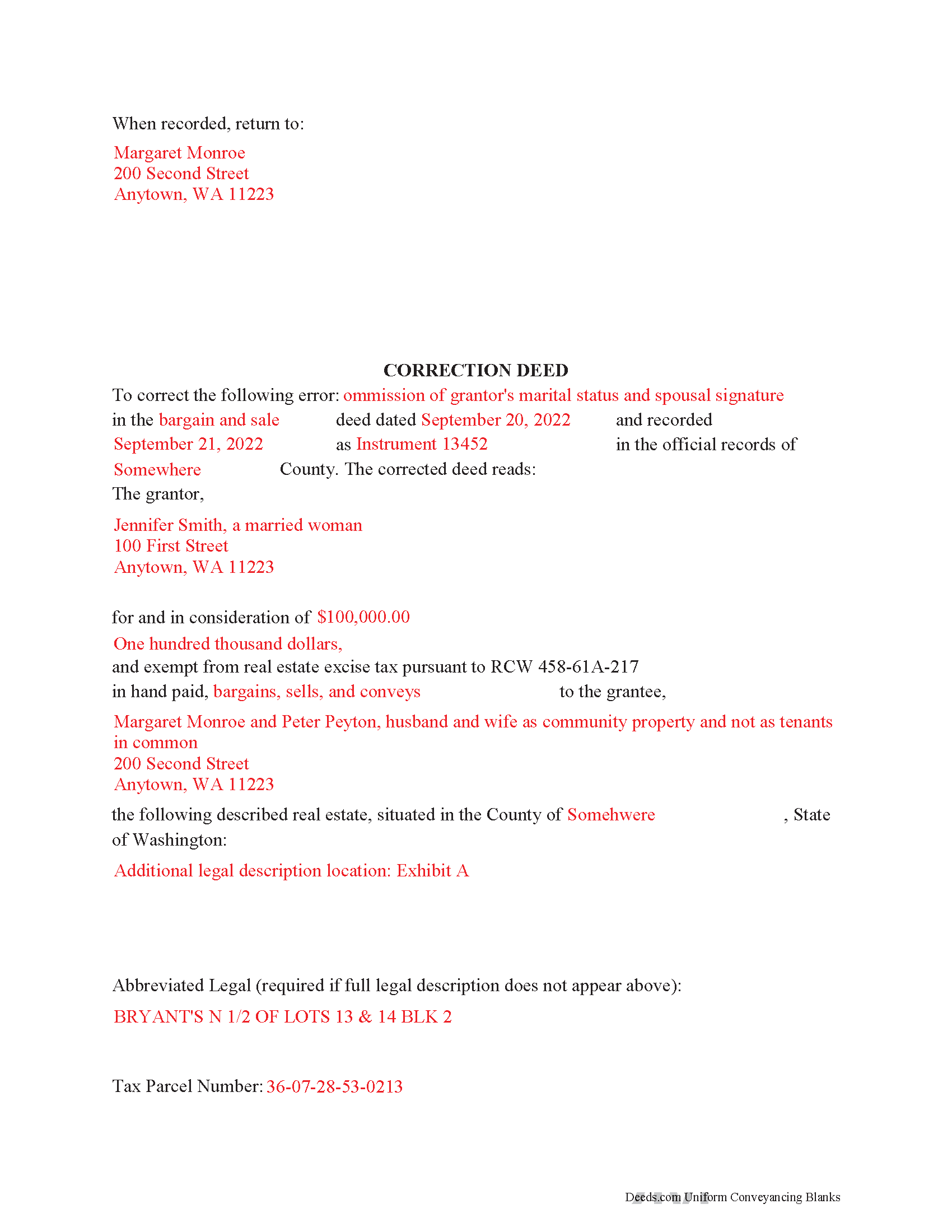
Whitman County Completed Example of the Correction Deed Document
Example of a properly completed form for reference.
All 3 documents above included • One-time purchase • No recurring fees
Immediate Download • Secure Checkout
Additional Washington and Whitman County documents included at no extra charge:
Where to Record Your Documents
Whitman County Auditor: Recording
Colfax, Washington 99111
Hours: 9:00 to 4:30 M-F / Recording: 9:00 to 2:30 in person, 8:00 to 3:30 electronic
Phone: (509) 397-6270
Recording Tips for Whitman County:
- Bring your driver's license or state-issued photo ID
- Ensure all signatures are in blue or black ink
- Double-check legal descriptions match your existing deed
- Verify all names are spelled correctly before recording
- White-out or correction fluid may cause rejection
Cities and Jurisdictions in Whitman County
Properties in any of these areas use Whitman County forms:
- Albion
- Belmont
- Colfax
- Colton
- Endicott
- Farmington
- Garfield
- Hay
- Hooper
- Lacrosse
- Lamont
- Malden
- Oakesdale
- Palouse
- Pullman
- Rosalia
- Saint John
- Steptoe
- Tekoa
- Thornton
- Uniontown
Hours, fees, requirements, and more for Whitman County
How do I get my forms?
Forms are available for immediate download after payment. The Whitman County forms will be in your account ready to download to your computer. An account is created for you during checkout if you don't have one. Forms are NOT emailed.
Are these forms guaranteed to be recordable in Whitman County?
Yes. Our form blanks are guaranteed to meet or exceed the applicable formatting requirements used for recording in Whitman County, including margin requirements, font requirements, and other layout standards. This guarantee applies to formatting, not to the legal sufficiency of information entered by the user or the suitability of a form for a particular transaction.
Can I reuse these forms?
Yes. You can reuse the forms for your personal use. For example, if you have multiple properties in Whitman County you only need to order once.
What do I need to use these forms?
The forms are PDFs that you fill out on your computer. The free Adobe Acrobat Reader is recommended, and most PDF apps also work. You do NOT enter your property information online - you download the blank forms and complete them privately on your own computer.
Are there any recurring fees?
No. This is a one-time purchase. Nothing to cancel, no memberships, no recurring fees.
How much does it cost to record in Whitman County?
Recording fees in Whitman County vary. Contact the recorder's office at (509) 397-6270 for current fees.
Questions answered? Let's get started!
Use the corrective deed to correct an error in a previously recorded bargain and sale, warranty, or quitclaim deed in Washington State.
Once a deed has been recorded, it cannot be changed and remains part of the public record. It is possible, however, to amend that record by adding a newly executed deed. The method used depends upon the reasons for changing. For corrections of minor errors or omissions, a new correction deed or re-recording of the original deed will suffice. For larger errors or to include/omit a name from the existing deed, a standard conveyance, such as a warranty or quitclaim deed, may be more appropriate.
When re-recording the existing deed, use a cover sheet to reference the prior recording number, the reason for re-recording and the corrected information. The cover sheet, which is often provided by the county, must contain the following information: return address, document title or titles, reference numbers to other documents (here: the prior deed), names of grantors and grantees, entire or abbreviated legal description, assessor's property tax parcel number or account number.
A cleaner option for amending an error is the correction deed, especially in light of Washington State's strict legibility requirements and zero tolerance for any information spilling onto the margins of the document. By restating all the information from the earlier deed, this new deed of correction will reference and confirm the previously recorded deed, which remains on record. After identifying the type of error and identifying the earlier deed, enter exactly what was in that deed with the exception of the false, ambiguous or omitted information that needs to be corrected.
In both correction scenarios, submit a new excise tax affidavit, which must state the prior excise tax recording number. When filling out the affidavit, use exemption code WAC 458-61A-217, which also calls for "the recorded document number for the prior transaction" and an explanation for the re-recording.
(Washington CD Package includes form, guidelines, and completed example)
Important: Your property must be located in Whitman County to use these forms. Documents should be recorded at the county recording office listed above.
This Correction Deed meets all recording requirements specific to Whitman County.
Our Promise
The documents you receive here are guaranteed to meet or exceed the applicable Whitman County recording format requirements. If there is a rejection caused by our formatting, we will correct the issue or refund your payment. This guarantee applies to document formatting only and does not extend to information entered by the user, the selection of the form, or the legal effect of the completed document.
Save Time and Money
Get your Whitman County Correction Deed form done right the first time with Deeds.com Uniform Conveyancing Blanks. At Deeds.com, we understand that your time and money are valuable resources, and we don't want you to face a penalty fee or rejection imposed by a county recorder for submitting nonstandard documents. We constantly review and update our forms to meet rapidly changing state and county recording requirements for roughly 3,500 counties and local jurisdictions.
4.8 out of 5 - ( 4,836 Reviews )
Kimberly R. 5 out of 5 stars
Very easy to use. Very informative. I think this is a very good service and is worth the $19 especially if you value time.
Thank you for your feedback. We really appreciate it. Have a great day!
David B. 5 out of 5 stars
fast and easy.
Thank you!
Dean P. 5 out of 5 stars
Very fast, efficient, and convenient - thanks Deeds.com! I would recommend this service to everyone needing to record documents, especially out-of-state customers such as myself.
Thank you for your feedback. We really appreciate it. Have a great day!
Richard H. 1 out of 5 stars
It was a waste of time. I asked a question via your chat service. I received an acknowledgement that you received the question, that you might or might not answer it, and don't bother to reply to you email, as no one would read it. Confirming my belief that customer service is an oxymoron for most companies. (I doubt this review will ever appear on the site, or anyuhere else.)
Thank you!
Joseph P. 5 out of 5 stars
I purchased the Affidavit of Surviving Joint Tenant document and found the whole package of documents to be useful and practical. Successfully recorded!!! While the fillable PDF files are good enough, I personally prefer a Word document as it is easier to modify font or spacing.
We appreciate your business and value your feedback. Thank you. Have a wonderful day!
Michelle D. 5 out of 5 stars
Very professional service, they were timely and proficient with answers and sending in the documents that I requested. Will work with them again in the future
We appreciate your business and value your feedback. Thank you. Have a wonderful day!
Diane P. 5 out of 5 stars
Form was very easy to use and was processed/ recorded with no issue. Thank you it saved me from having to contact an attorney.
We appreciate your business and value your feedback. Thank you. Have a wonderful day!
David C. 5 out of 5 stars
Very fast service
Thank you!
rita t. 5 out of 5 stars
Thanks for asking, everything was fine. Forms worked as expected, no problems.
We appreciate your business and value your feedback. Thank you. Have a wonderful day!
clenio o. 5 out of 5 stars
Very helpful. The Register office is closed in Detroit due to covid, but after using it, I would do it regardless. Thank you.
Thank you for your feedback. We really appreciate it. Have a great day!
Rebecca C. 5 out of 5 stars
Was sort of complicated for this phone illiterate 70 year old 😂. Asked my daughter for help. She breezed right through it with no problem whatsoever!! Thank you!!
Thank you, Rebecca! Glad your daughter could lend a hand. We appreciate the review.
Carole M. 5 out of 5 stars
So far it seems easy and hopefully be acceptable to Hillsborough Co
We appreciate your business and value your feedback. Thank you. Have a wonderful day!
William S. 5 out of 5 stars
The forms worked well for entering information. I have finished without much trouble. Since the forms are Adobe PDF files you need the free app to use them but you can't edit unless you have the paid Adobe program. And, it was a reasonable price.
Thank you for your feedback. We really appreciate it. Have a great day!
Janice T. 5 out of 5 stars
The downloads were a great help in understanding of both what a Warranty Deed was and how to follow the steps as well as filling out the forms.
Thank you for your feedback. We really appreciate it. Have a great day!
Barbara S. 5 out of 5 stars
I found your site easy to use, though I would prefer an option to download to MWords but Adobe works well. The cost is very, very reasonable and provides documents I didn't know were needed. I would recommend this to anyone trying to deal with legal documents.
Thank you!