Kittitas County Full Reconveyance for Deed of Trust Form
Last validated October 30, 2026 by our Forms Development TeamFormatted for recording in Kittitas County, for property anywhere in the county: rural and unincorporated areas as well as Cle Elum, Easton, Ellensburg, Kittitas, Ronald, Roslyn, Snoqualmie Pass, South Cle Elum and 2 more.
- 3 documents included
- Immediate PDF download
- Formatting guarantee
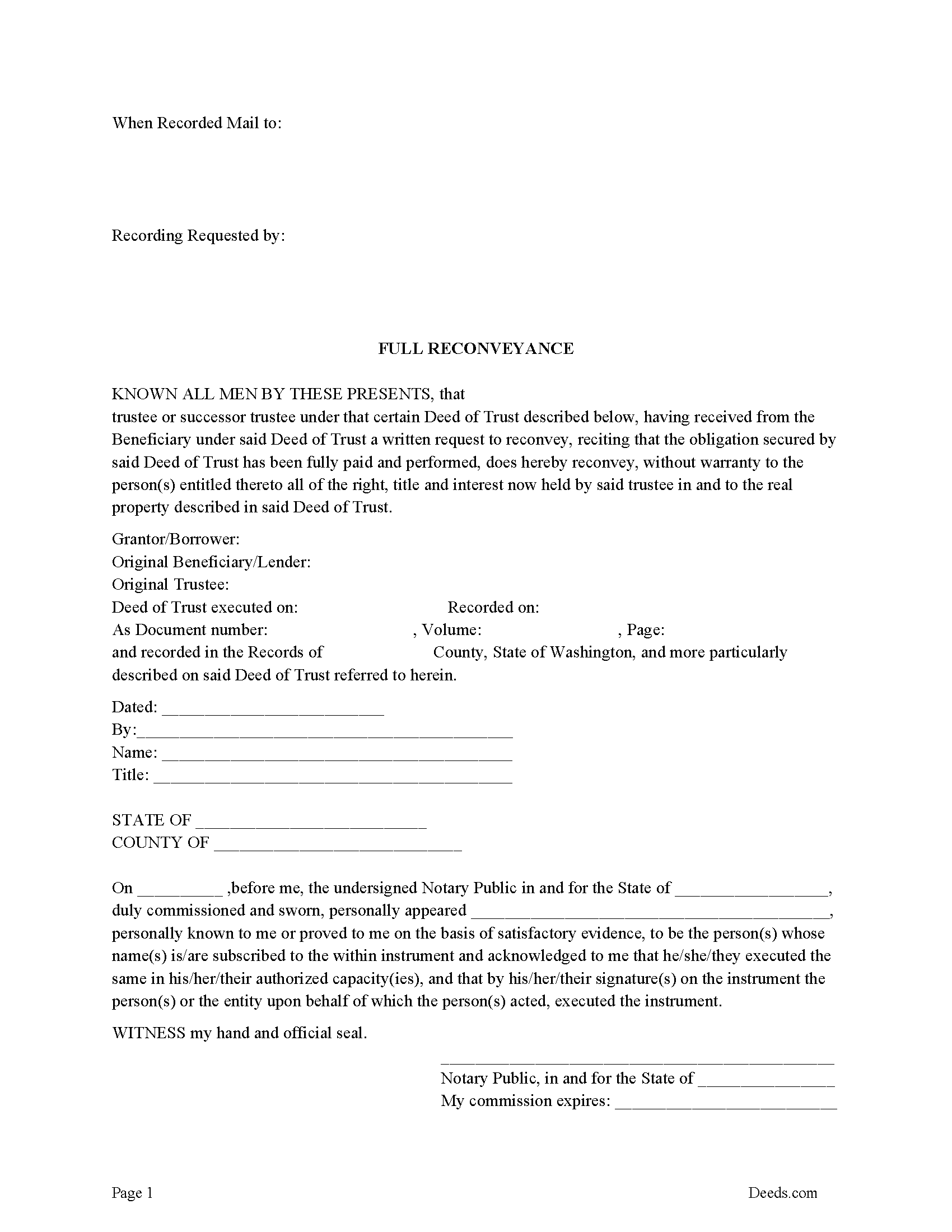
Kittitas County Full Reconveyance Form
Fill in the blank form formatted to comply with all recording and content requirements.
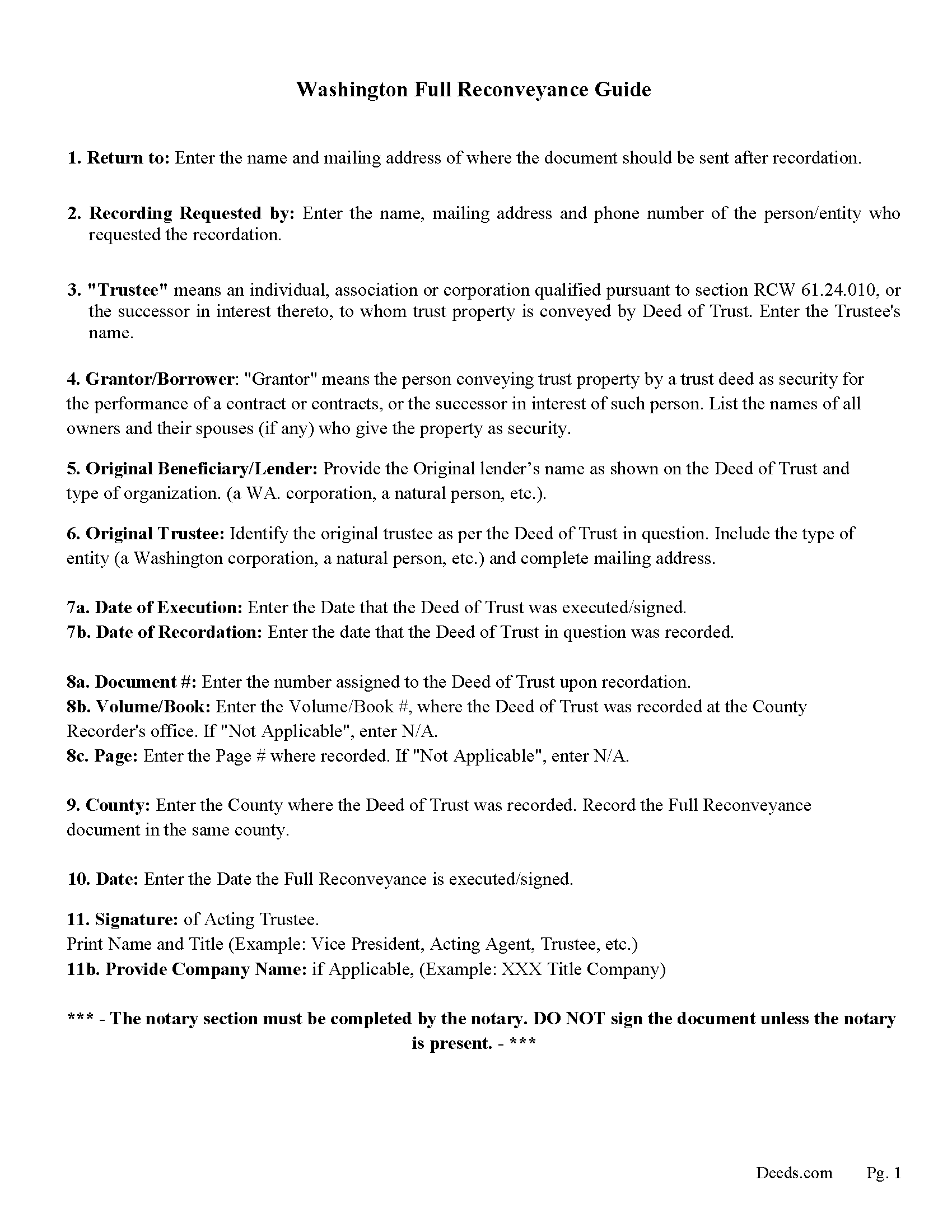
Kittitas County Full Reconveyance Guidelines
Line by line guide explaining every blank on the form.
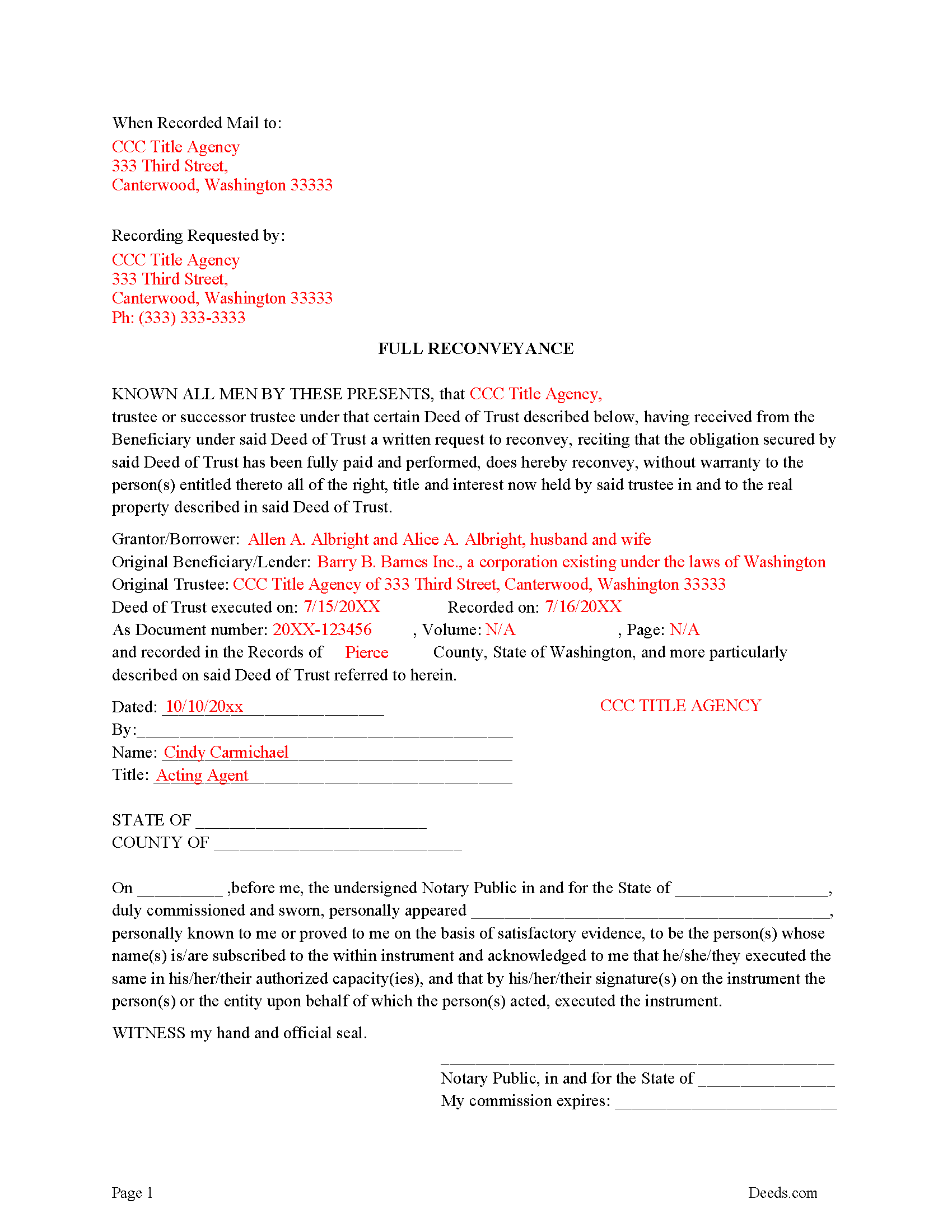
Kittitas County Completed Example of the Full Reconveyance Form
Example of a properly completed form for reference.
All 3 documents above included • One-time purchase • No recurring fees
Immediate Download • Secure Checkout
Additional Washington and Kittitas County documents included at no extra charge:
Where to Record Your Documents
Kittitas County Auditor: Recording
Ellensburg, Washington 98926
Hours: Monday through Friday 9:00am – 5:00pm
Phone: (509) 962-7504
Recording Tips for Kittitas County:
- Bring your driver's license or state-issued photo ID
- Ensure all signatures are in blue or black ink
- Leave recording info boxes blank - the office fills these
- Make copies of your documents before recording - keep originals safe
- Recorded documents become public record - avoid including SSNs
Cities and Jurisdictions in Kittitas County
Properties in any of these areas use Kittitas County forms:
- Cle Elum
- Easton
- Ellensburg
- Kittitas
- Ronald
- Roslyn
- Snoqualmie Pass
- South Cle Elum
- Thorp
- Vantage
Hours, fees, requirements, and more for Kittitas County
How do I get my forms?
Forms are available for immediate download after payment. The Kittitas County forms will be in your account ready to download to your computer. An account is created for you during checkout if you don't have one. Forms are NOT emailed.
Are these forms guaranteed to be recordable in Kittitas County?
Yes. Our form blanks are guaranteed to meet or exceed the applicable formatting requirements used for recording in Kittitas County, including margin requirements, font requirements, and other layout standards. This guarantee applies to formatting, not to the legal sufficiency of information entered by the user or the suitability of a form for a particular transaction.
Can I reuse these forms?
Yes. You can reuse the forms for your personal use. For example, if you have multiple properties in Kittitas County you only need to order once.
What do I need to use these forms?
The forms are PDFs that you fill out on your computer. The free Adobe Acrobat Reader is recommended, and most PDF apps also work. You do NOT enter your property information online - you download the blank forms and complete them privately on your own computer.
Are there any recurring fees?
No. This is a one-time purchase. Nothing to cancel, no memberships, no recurring fees.
How much does it cost to record in Kittitas County?
Recording fees in Kittitas County vary. Contact the recorder's office at (509) 962-7504 for current fees.
Questions answered? Let's get started!
Use this form when a Deed of Trust is paid in full, The Beneficiary/Lender sends written notice to the Trustee to reconvey title without warranty to the Grantor/Borrower entitled thereto all of the right, title and interest now held by said trustee.
RCW 61.24.110
Reconveyance by trustee.
(1) The trustee of record shall reconvey all or any part of the property encumbered by the deed of trust to the person entitled thereto on written request of the beneficiary, or upon satisfaction of the obligation secured and written request for reconveyance made by the beneficiary or the person entitled thereto.
(Washington Full Reconveyance of DOT Package includes form, guidelines, and completed example) For use in Washington only.
Important: Your property must be located in Kittitas County to use these forms. Documents should be recorded at the county recording office listed above.
This Full Reconveyance for Deed of Trust meets all recording requirements specific to Kittitas County.
Our Promise
The documents you receive here are guaranteed to meet or exceed the applicable Kittitas County recording format requirements. If there is a rejection caused by our formatting, we will correct the issue or refund your payment. This guarantee applies to document formatting only and does not extend to information entered by the user, the selection of the form, or the legal effect of the completed document.
Save Time and Money
Get your Kittitas County Full Reconveyance for Deed of Trust form done right the first time with Deeds.com Uniform Conveyancing Blanks. At Deeds.com, we understand that your time and money are valuable resources, and we don't want you to face a penalty fee or rejection imposed by a county recorder for submitting nonstandard documents. We constantly review and update our forms to meet rapidly changing state and county recording requirements for roughly 3,500 counties and local jurisdictions.
4.8 out of 5 - ( 4,839 Reviews )
Joan L. W. 5 out of 5 stars
Excellent Service
Thank you!
Florence F. 5 out of 5 stars
excellent experience and very prompt and detail . great service
We appreciate your review and your business. Thank you.
Linda B. 5 out of 5 stars
the forms are easy to understand. How do I go about getting the deed recorded and is there a charge.
Thank you for your feedback. We really appreciate it. Have a great day!
Paul A. 5 out of 5 stars
Your service is awesome!
Thank you!
David R. 5 out of 5 stars
Great source of all required legal documents and supplements.
We appreciate your business and value your feedback. Thank you. Have a wonderful day!
Pamela W. 5 out of 5 stars
This was so easy! Doing it this way saved me a bundle. I used the example form to make sure mine was correct. I would highly recommend this to anyone.
Thanks Pamela. We're glad the completed example was helpful.
Gary M. 5 out of 5 stars
Death of JT form was excellent. You have the best documents out there. I wish I could have read the sample just so I knew my information was entered correctly. Real problem is County wants a bar code on documents to get recorded. Now? Need four deed forms so the expense starts to be prohibitive. I would rather pay more and get multiple access.
Thank you for your feedback. We really appreciate it. Have a great day!
David K. 5 out of 5 stars
Excellent instructions to guide one through the warranty deed.
Thank you for your feedback. We really appreciate it. Have a great day!
James B. 5 out of 5 stars
Was a lot easier than driving to the County Building and faster than expected. Thank you!
We appreciate your business and value your feedback. Thank you. Have a wonderful day!
Rita M. 5 out of 5 stars
Forget what I just wrote! I found it. Thank You! This is a very convenient service.
That's great to hear Rita, thanks for following up.
deborah k. 5 out of 5 stars
was very easy to fill out the directions were very helpful
Thank you!
mary c. 5 out of 5 stars
Really good product, included guide to filling out forms. Totally pleased with that part. Customer service however was terrible. Did not hear back after I sent two emails. The site signed me up but after I was accepted they would not allow me to download a form, with the notation my account was closed. Had to use another email. Had problems with that. Finally got off of site and went to a login site that allowed me to download the forms. If you can get past setting up your account, it is fantastic site. Nice price compared to alternatives. Also I recieved two validation codes. Have no idea why they were sent.
Thank you!
Mark M. 5 out of 5 stars
This Service Provider is amazing!! Needed Notice of Commencement recorded in Broward County, FL.. They got it done..super fast. High;y recommend.
Thank you for your feedback. We really appreciate it. Have a great day!
Debra W. 5 out of 5 stars
Thorough information, quickly received !! I'm going to order more! Helpful due to an ILLEGAL FORECLOSURE! Thank you!!!
Thank you for your feedback. We really appreciate it. Have a great day!
Michael S. 4 out of 5 stars
So far, I'm happy with my experience. I'm still reviewing the guide for the docs I downloaded. Including the guide for the docs is indeed a plus.
Thank you Michael, we really appreciate your feedback.