Gilmer County Certification of Trust Form
Last validated October 5, 2026 by our Forms Development TeamFormatted for recording in Gilmer County, for property anywhere in the county: rural and unincorporated areas as well as Cedarville, Coxs Mills, Glenville, Linn, Normantown, Rosedale, Sand Fork, Shock and 1 more.
- 3 documents included
- Immediate PDF download
- Formatting guarantee
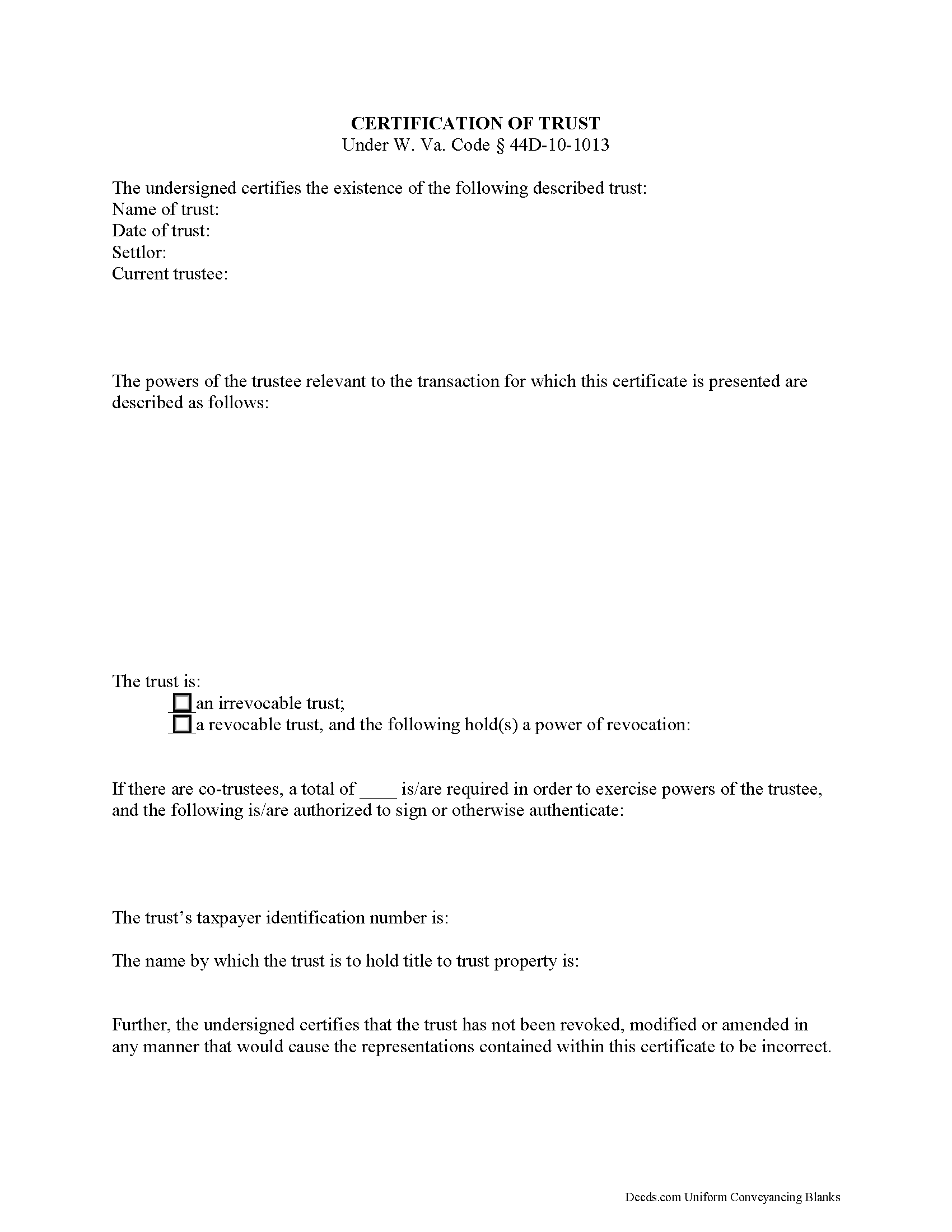
Gilmer County Certificate of Trust Form
Fill in the blank form formatted to comply with all recording and content requirements.
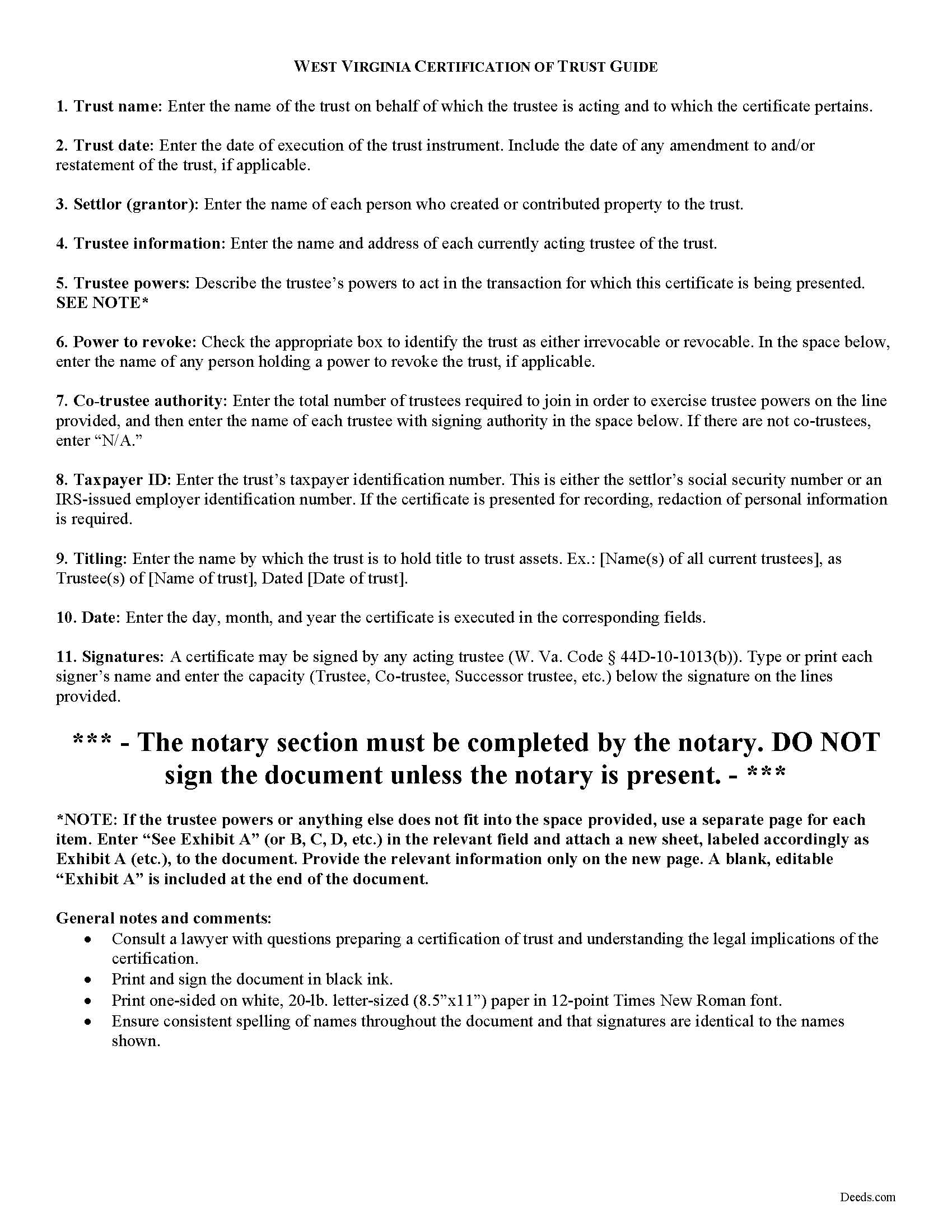
Gilmer County Certificate of Trust Guide
Line by line guide explaining every blank on the form.
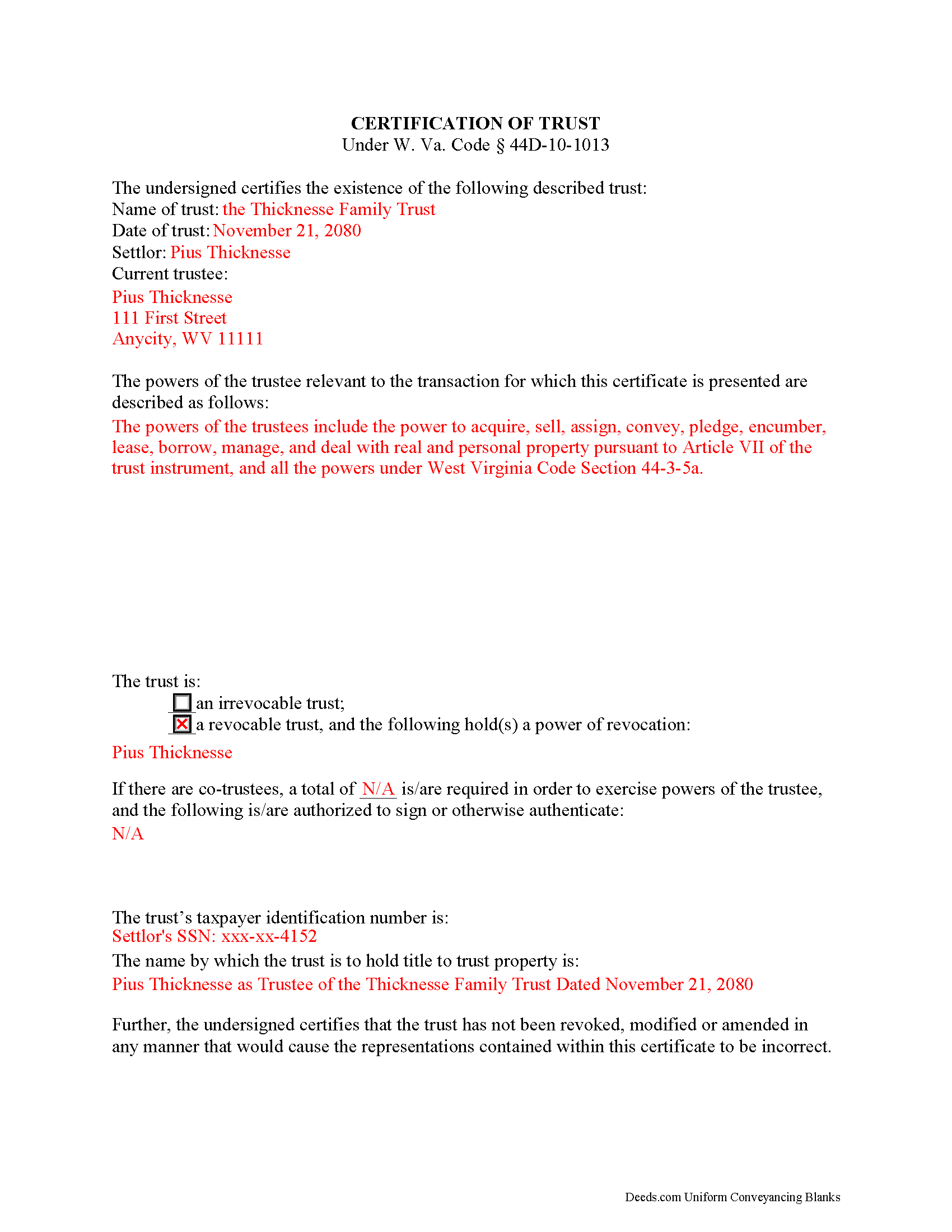
Gilmer County Completed Example of the Certificate of Trust Document
Example of a properly completed form for reference.
All 3 documents above included • One-time purchase • No recurring fees
Immediate Download • Secure Checkout
Additional West Virginia and Gilmer County documents included at no extra charge:
Where to Record Your Documents
Gilmer County Clerk Office
Glenville, West Virginia 26351-1296
Hours: Monday-Friday 8am-5pm
Phone: (304) 461-7641
Recording Tips for Gilmer County:
- Bring your driver's license or state-issued photo ID
- Ensure all signatures are in blue or black ink
- Ask if they accept credit cards - many offices are cash/check only
- Check that your notary's commission hasn't expired
- Documents must be on 8.5 x 11 inch white paper
Cities and Jurisdictions in Gilmer County
Properties in any of these areas use Gilmer County forms:
- Cedarville
- Coxs Mills
- Glenville
- Linn
- Normantown
- Rosedale
- Sand Fork
- Shock
- Troy
Hours, fees, requirements, and more for Gilmer County
How do I get my forms?
Forms are available for immediate download after payment. The Gilmer County forms will be in your account ready to download to your computer. An account is created for you during checkout if you don't have one. Forms are NOT emailed.
Are these forms guaranteed to be recordable in Gilmer County?
Yes. Our form blanks are guaranteed to meet or exceed the applicable formatting requirements used for recording in Gilmer County, including margin requirements, font requirements, and other layout standards. This guarantee applies to formatting, not to the legal sufficiency of information entered by the user or the suitability of a form for a particular transaction.
Can I reuse these forms?
Yes. You can reuse the forms for your personal use. For example, if you have multiple properties in Gilmer County you only need to order once.
What do I need to use these forms?
The forms are PDFs that you fill out on your computer. The free Adobe Acrobat Reader is recommended, and most PDF apps also work. You do NOT enter your property information online - you download the blank forms and complete them privately on your own computer.
Are there any recurring fees?
No. This is a one-time purchase. Nothing to cancel, no memberships, no recurring fees.
How much does it cost to record in Gilmer County?
Recording fees in Gilmer County vary. Contact the recorder's office at (304) 461-7641 for current fees.
Questions answered? Let's get started!
The certification of trust is part of the Uniform Trust Code, codified in West Virginia at 44D-10-1013, and provides protection for parties doing business with trustees. The document "need not contain the dispositive terms of a trust" ( 44D-10-1013(d)) and, in West Virginia, is generally not recorded with land records. Rather, the certification is presented to third parties such as banks or other financial institutions doing business with a trustee.
Executed by any trustee, the certificate contains only the pertinent information required for the business at hand and is a basic summary of the trust instrument. It states that the trust exists and that it has not been revoked or modified in a way that would invalidate the information presented within. In addition, it requires the name of each settlor and acting trustee; the trustee's relevant powers; the name of anyone having a power to revoke the trust; the trust's taxpayer identification number; and the name by which the trust vests title to property. The form also details the signing authority of co-trustees, if applicable.
Each situation is unique, so contact an attorney with questions about the certification of trust or any other issue relating to trusts in West Virginia.
(West Virginia COT Package includes form, guidelines, and completed example)
Important: Your property must be located in Gilmer County to use these forms. Documents should be recorded at the county recording office listed above.
This Certification of Trust meets all recording requirements specific to Gilmer County.
Our Promise
The documents you receive here are guaranteed to meet or exceed the applicable Gilmer County recording format requirements. If there is a rejection caused by our formatting, we will correct the issue or refund your payment. This guarantee applies to document formatting only and does not extend to information entered by the user, the selection of the form, or the legal effect of the completed document.
Save Time and Money
Get your Gilmer County Certification of Trust form done right the first time with Deeds.com Uniform Conveyancing Blanks. At Deeds.com, we understand that your time and money are valuable resources, and we don't want you to face a penalty fee or rejection imposed by a county recorder for submitting nonstandard documents. We constantly review and update our forms to meet rapidly changing state and county recording requirements for roughly 3,500 counties and local jurisdictions.
4.8 out of 5 - ( 4,828 Reviews )
Jonnie G. 5 out of 5 stars
I very much dreaded this whole endeavor but very pleasantly surprised. So far, so good. I feel much more confidant that the crucial form, when presented, will play well with the county.......
We appreciate your business and value your feedback. Thank you. Have a wonderful day!
Tom L. 5 out of 5 stars
Excellent same day service. Will use for future ones in several states!
Happy we could assist. Thank you for sharing your experience.
Bradley B. 5 out of 5 stars
This was a good way to find the owners of land located in the middle of some that I owned. The experience was fairly easy and the cost reasonable.
Thank you!
Heidi S. 5 out of 5 stars
I do not enjoy the process of not knowing how something works. When I get to a new website I cringe inside. When I find one that works I am pleased to have function. Thank you for making it easy for a lay person
Thank you for your feedback. We really appreciate it. Have a great day!
James V. 5 out of 5 stars
Easy, quick and very proficient. I am glad I used Deeds.
Thank you!
annie m. 5 out of 5 stars
recently joined Deeds.com. still exploring the site. has been very helpful in providing local information for recording, such as fees and requirements. i am working to correct mistakes made within a deed. it is amazing how these municipalities operate outside the scope of Article 1, Section 8, Clause 17; to claim land is "in" the "State of ____. when the land is actually not ceded to the United States of America as for use for needful buildings. beware of the fraud perpetrated by Attorneys in the recording of your Deeds. Registration as "RESIDENTIAL" puts your private-use land on the TAX rolls with the use of that one word. i recommend this site as it appears there is information for each state and each county office. will update my review once i place an order.
Thank you!
John S. 1 out of 5 stars
You dont really know what your buying until after you spend the money. Cant use any of them
Thank you for your feedback. Best practice is to know what you need before purchasing. Buying legal documents should not be a exploratory endeavor. Your order has been canceled. We do hope that you find something more suitable to your needs elsewhere.
Sherry P. 5 out of 5 stars
It would be helpful to have a frequently asked questions section. That would make it easier to know I have the correct form. Sherry
Thank you for your feedback. We really appreciate it. Have a great day!
Josephine R. 5 out of 5 stars
Completed, notarized, and recorded with no issues.
Thank you for your feedback. We really appreciate it. Have a great day!
Deb F. 5 out of 5 stars
The county clerk accepted your mineral deed. It was a blessing finding your deed and instructions for filling it out online. Thank you
Thank you for your feedback. We really appreciate it. Have a great day!
Lew B. 3 out of 5 stars
The forms look great, but I received an Error message when downloading.
We are sincerely grateful for your feedback and are committed to providing the highest quality service. Thank you for your trust in us.
Anthony L. 5 out of 5 stars
I recently needed an affidavit of death. The form and help tools made it easy to fill out and file. the Recorder accepted this form . Which made the experience painless and easy . All things considered..
We appreciate your business and value your feedback. Thank you. Have a wonderful day!
Laurie R. 5 out of 5 stars
FIVE STARS !!! Clear instructions Easy to navigate Thanks for making this easy for those of us who are not tech savvy
We appreciate your business and value your feedback. Thank you. Have a wonderful day!
RICHARD MANUEL F. 5 out of 5 stars
I never could even think to solve an important issue involving even overseas individuals without even a lawyer within 24 h. This service works for real and I'll keep using it from now for any future needs, referring to and proposing it as a legitimate, trusted real Optimus service. I'm extremely satisfied and being a Public Official myself I got to say that these guys have really impressed me!
Thank you!
randy j. 1 out of 5 stars
the deed format and fill-in language are very specific to one type of easement and are not generally applicable to any other type; in other words it is not useful in a majority of situations and i would recommend against purchase unless you are creating an easement for an appurtenant landowner ONLY
Thank you for your feedback. We really appreciate it. Have a great day!