Marshall County Certification of Trust Form
Last validated October 19, 2026 by our Forms Development TeamFormatted for recording in Marshall County, for property anywhere in the county: rural and unincorporated areas as well as Benwood, Cameron, Dallas, Glen Dale, Glen Easton, Mcmechen, Moundsville, Proctor.
- 3 documents included
- Immediate PDF download
- Formatting guarantee
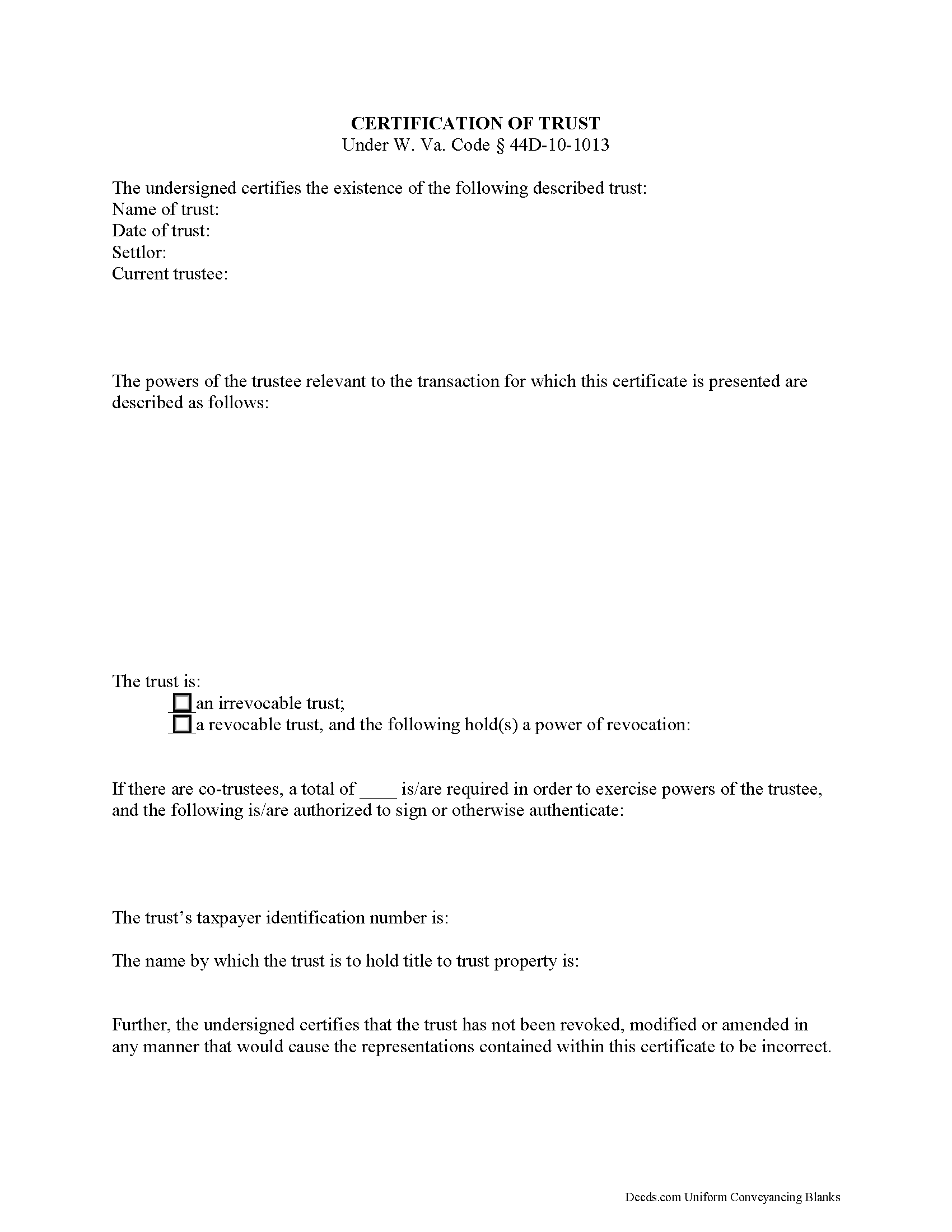
Marshall County Certificate of Trust Form
Fill in the blank form formatted to comply with all recording and content requirements.
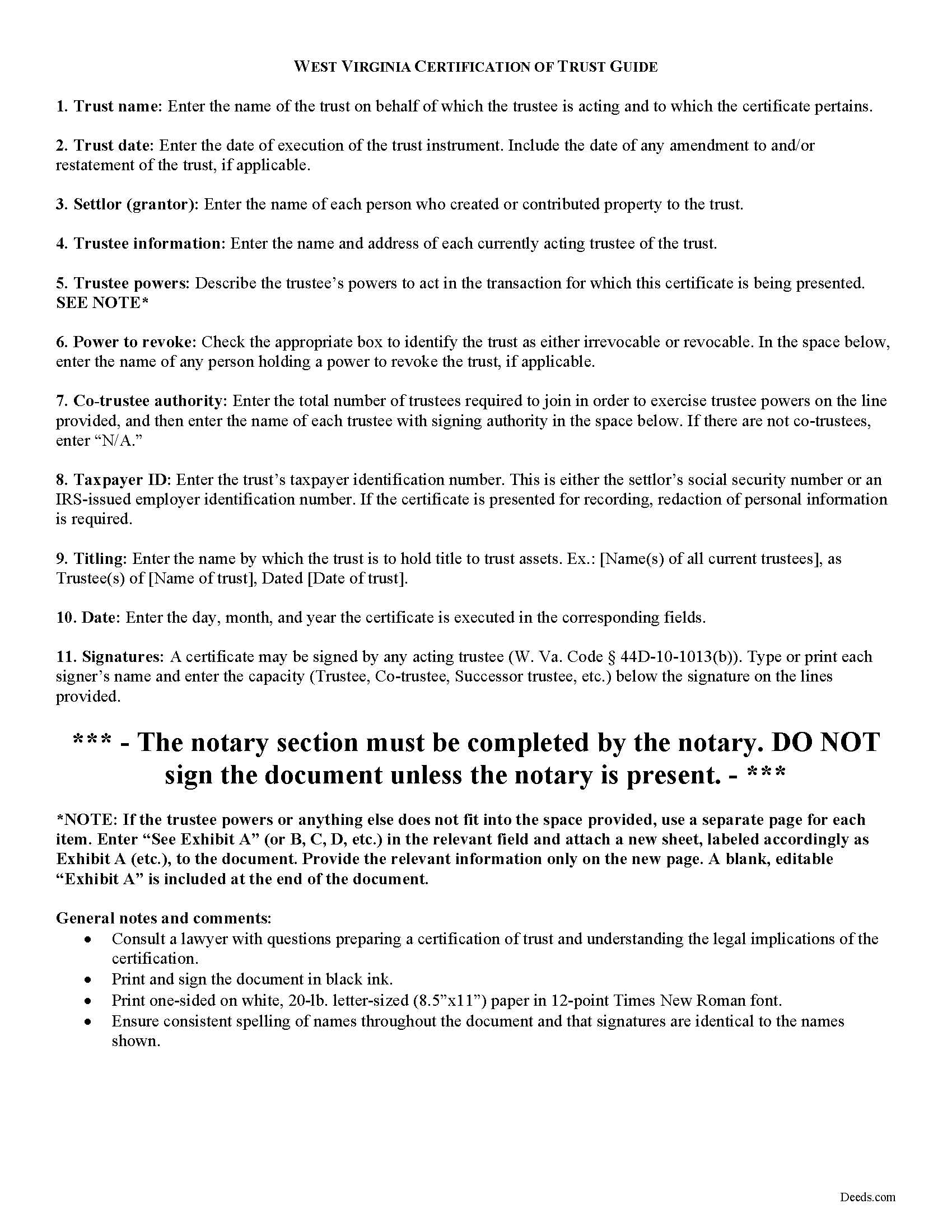
Marshall County Certificate of Trust Guide
Line by line guide explaining every blank on the form.
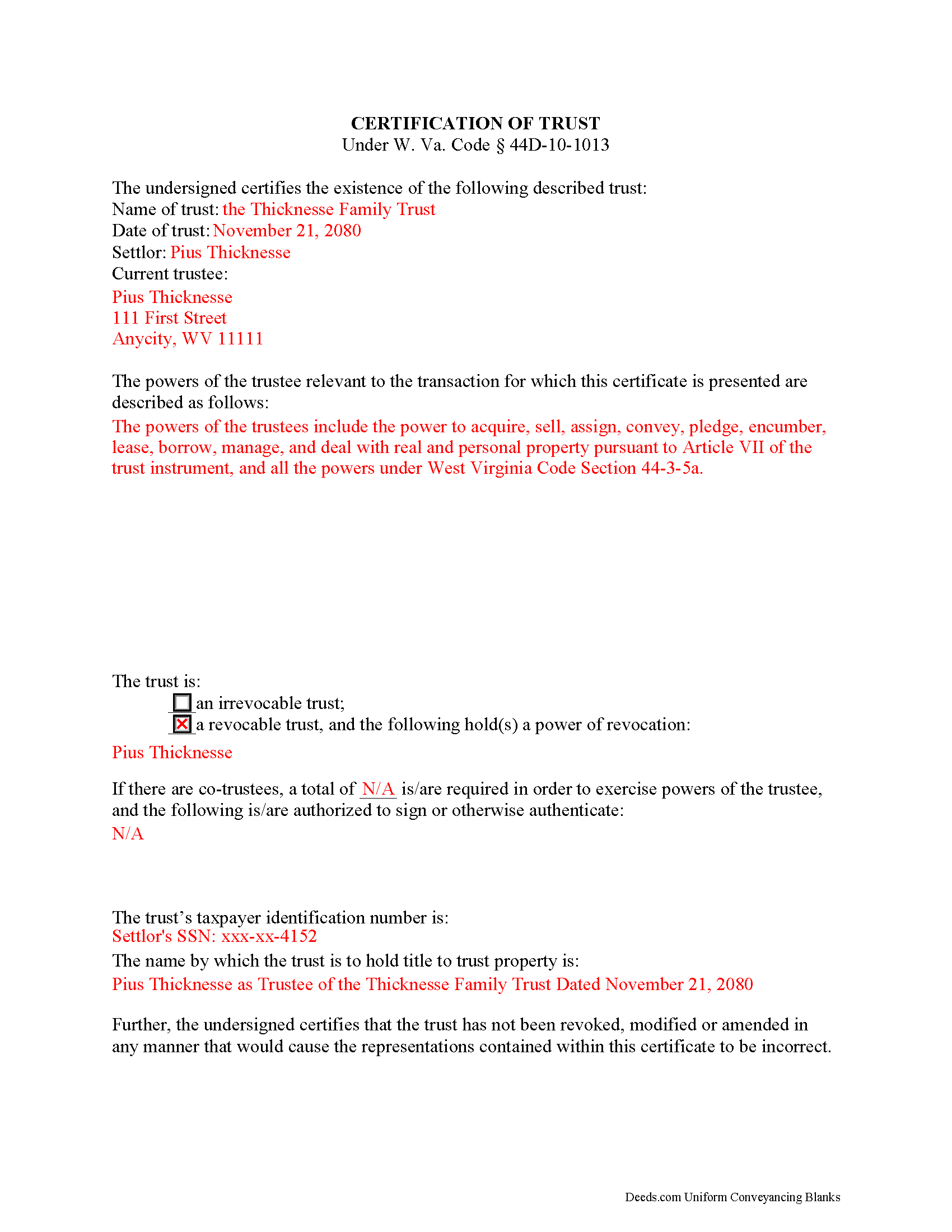
Marshall County Completed Example of the Certificate of Trust Document
Example of a properly completed form for reference.
All 3 documents above included • One-time purchase • No recurring fees
Immediate Download • Secure Checkout
Additional West Virginia and Marshall County documents included at no extra charge:
Where to Record Your Documents
Marshall County Clerk
Moundsville, West Virginia 26041
Hours: 8:30 to 4:30 Mo-Th & 8:30 to 5:30 Fr
Phone: (304) 845-1220
Recording Tips for Marshall County:
- Bring your driver's license or state-issued photo ID
- Ensure all signatures are in blue or black ink
- Bring extra funds - fees can vary by document type and page count
- Check margin requirements - usually 1-2 inches at top
- Leave recording info boxes blank - the office fills these
Cities and Jurisdictions in Marshall County
Properties in any of these areas use Marshall County forms:
- Benwood
- Cameron
- Dallas
- Glen Dale
- Glen Easton
- Mcmechen
- Moundsville
- Proctor
Hours, fees, requirements, and more for Marshall County
How do I get my forms?
Forms are available for immediate download after payment. The Marshall County forms will be in your account ready to download to your computer. An account is created for you during checkout if you don't have one. Forms are NOT emailed.
Are these forms guaranteed to be recordable in Marshall County?
Yes. Our form blanks are guaranteed to meet or exceed the applicable formatting requirements used for recording in Marshall County, including margin requirements, font requirements, and other layout standards. This guarantee applies to formatting, not to the legal sufficiency of information entered by the user or the suitability of a form for a particular transaction.
Can I reuse these forms?
Yes. You can reuse the forms for your personal use. For example, if you have multiple properties in Marshall County you only need to order once.
What do I need to use these forms?
The forms are PDFs that you fill out on your computer. The free Adobe Acrobat Reader is recommended, and most PDF apps also work. You do NOT enter your property information online - you download the blank forms and complete them privately on your own computer.
Are there any recurring fees?
No. This is a one-time purchase. Nothing to cancel, no memberships, no recurring fees.
How much does it cost to record in Marshall County?
Recording fees in Marshall County vary. Contact the recorder's office at (304) 845-1220 for current fees.
Questions answered? Let's get started!
The certification of trust is part of the Uniform Trust Code, codified in West Virginia at 44D-10-1013, and provides protection for parties doing business with trustees. The document "need not contain the dispositive terms of a trust" ( 44D-10-1013(d)) and, in West Virginia, is generally not recorded with land records. Rather, the certification is presented to third parties such as banks or other financial institutions doing business with a trustee.
Executed by any trustee, the certificate contains only the pertinent information required for the business at hand and is a basic summary of the trust instrument. It states that the trust exists and that it has not been revoked or modified in a way that would invalidate the information presented within. In addition, it requires the name of each settlor and acting trustee; the trustee's relevant powers; the name of anyone having a power to revoke the trust; the trust's taxpayer identification number; and the name by which the trust vests title to property. The form also details the signing authority of co-trustees, if applicable.
Each situation is unique, so contact an attorney with questions about the certification of trust or any other issue relating to trusts in West Virginia.
(West Virginia COT Package includes form, guidelines, and completed example)
Important: Your property must be located in Marshall County to use these forms. Documents should be recorded at the county recording office listed above.
This Certification of Trust meets all recording requirements specific to Marshall County.
Our Promise
The documents you receive here are guaranteed to meet or exceed the applicable Marshall County recording format requirements. If there is a rejection caused by our formatting, we will correct the issue or refund your payment. This guarantee applies to document formatting only and does not extend to information entered by the user, the selection of the form, or the legal effect of the completed document.
Save Time and Money
Get your Marshall County Certification of Trust form done right the first time with Deeds.com Uniform Conveyancing Blanks. At Deeds.com, we understand that your time and money are valuable resources, and we don't want you to face a penalty fee or rejection imposed by a county recorder for submitting nonstandard documents. We constantly review and update our forms to meet rapidly changing state and county recording requirements for roughly 3,500 counties and local jurisdictions.
4.8 out of 5 - ( 4,828 Reviews )
Pamela B. 5 out of 5 stars
Fantastic system, so easy to use even for a simpleton like me.
Thank you!
Santo W. 5 out of 5 stars
Quality platform! Five Stars for sure and easy to navigate!
We appreciate your comments and your trust in us. Thank you.
Raj J. 5 out of 5 stars
Perfect, thanks
Thank you!
Daren R. 5 out of 5 stars
I believe that you should wait until a pending file is completed before asking for feedback. Thank you. Daren
Thank you!
John Z. 5 out of 5 stars
Very easy to use. Straight forward. Am glad I found the tools to process an important document of property ownership. Thanks much. Will recommend to friends and family.
Thank you!
ALFRED B. 5 out of 5 stars
The product was just what I needed. Not being the sharpest computer user I stumbled a little but after reading more carefully I navigated the process and I am very satisfied with my experience. deeds certainly saved me a lot of time.
Thank you!
JACQUELINE R. 5 out of 5 stars
We have been waiting for a Title Company to put a release of Lien together for the past 3 months. I figured it was taking way to long and decided to use template here instead. In less than hour I was able to add all the information on the template and provide forms to our Seller to use. We were buying and he didnt think they were necessary. But I refused to pay him in full until he agreed to sign papers at the bank, and of course in front of a notary. We turned around and filed the Release of lien paperwork at County Clerks office, we officially own our house. Thank you!
Thank you for your feedback. We really appreciate it. Have a great day!
Robert C. 2 out of 5 stars
Not easy to navigate as a first time user. I printed the first page but lost the link to the second page.
Thank you for taking the time to provide us with your valuable feedback. I'm sorry to hear that you've encountered difficulties with our website's navigation, particularly as a first-time user.
Furthermore, your comments about the website's navigation have been taken into account. We continually strive to improve our website and make it as intuitive and user-friendly as possible. Your feedback is crucial for us in achieving this goal.
Thank you again for your feedback. If you have any other suggestions or need further assistance, please don't hesitate to contact us.
Frank K. 5 out of 5 stars
One thing I suggest is use the nomenclature Borrower / Lender / instead of Mortgatator / Mortgatee… Had to google which is which ? !
Thank you for your feedback. We really appreciate it. Have a great day!
Rodney K. 5 out of 5 stars
I need more time to review the vast number of documents received for such a good price. Hoping your info allows me to meet with and talk intelligently with a lawyer.
Thank you!
Carol S. 5 out of 5 stars
Excellent ...easy, timely!
Thank you for your feedback. We really appreciate it. Have a great day!
Ajinder M. 5 out of 5 stars
wonderful. saved my time and energy. Absolutely love this service. All the best AJ
Thank you!
Craig M. 5 out of 5 stars
Fantastic! So much easier than going and recording it at the recorders office!
Glad we could help Craig, thanks for the kind words.
Patricia R. 5 out of 5 stars
Very helpful. Worth the cost. Hopefully we will be able to proceed without expense of an attorney.
We are thankful for your continued support and feedback, which inspire us to continuously improve. Thank you..
Quinlyn H. 5 out of 5 stars
They didn't have what I was looking for so they refunded my money immediately. Very easy to work with!
Thank you!