Randolph County Quitclaim Deed (Partnership or Limited Partnership Grantor) Form
Last validated October 22, 2026 by our Forms Development TeamFormatted for recording in Randolph County, for property anywhere in the county: rural and unincorporated areas as well as Beverly, Coalton, Dailey, Dryfork, Elkins, Ellamore, Glady, Harman and 12 more.
- 3 documents included
- Immediate PDF download
- Formatting guarantee
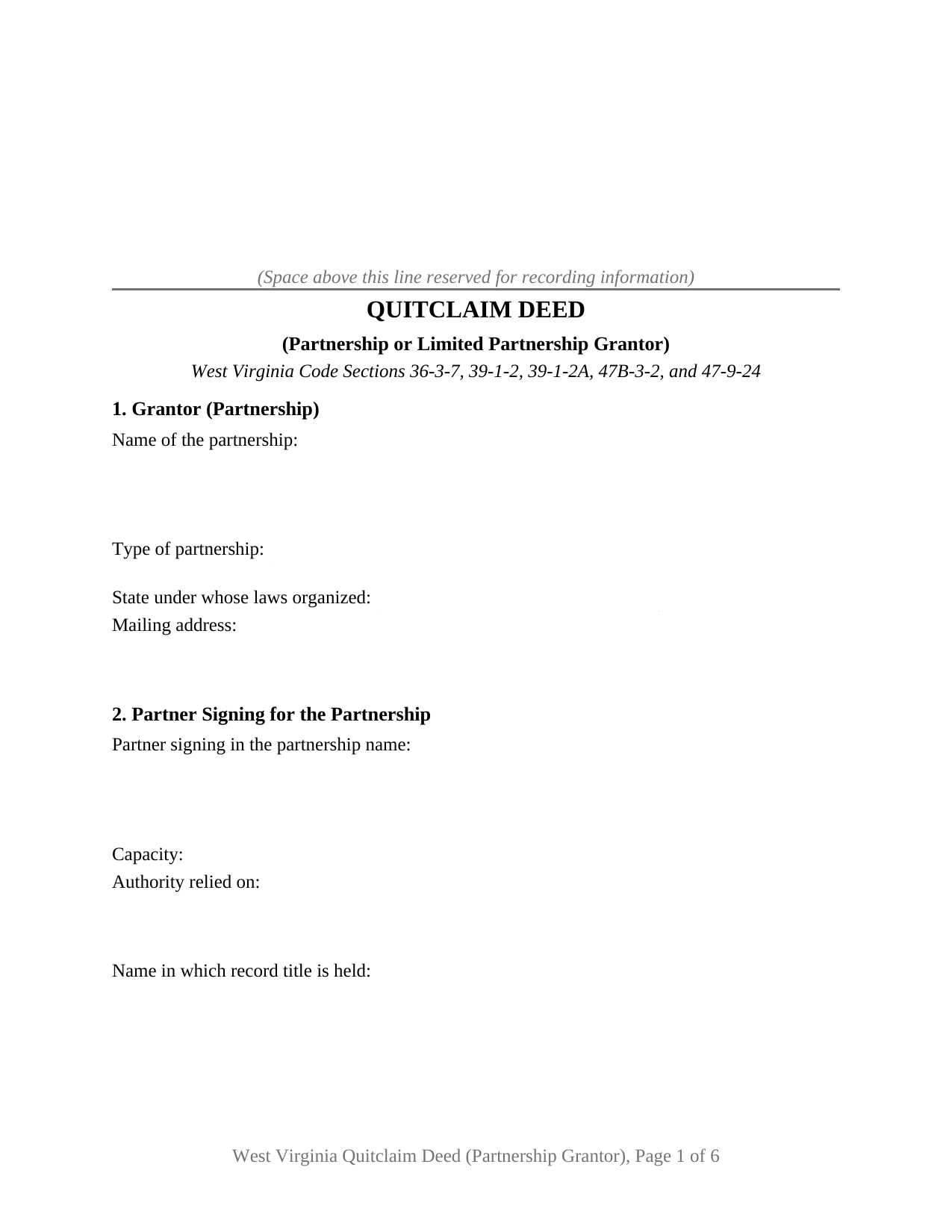
Randolph County Quitclaim Deed (Partnership or Limited Partnership Grantor) Form
Fill in the blank Quitclaim Deed (Partnership or Limited Partnership Grantor) form formatted to comply with all West Virginia recording and content requirements.
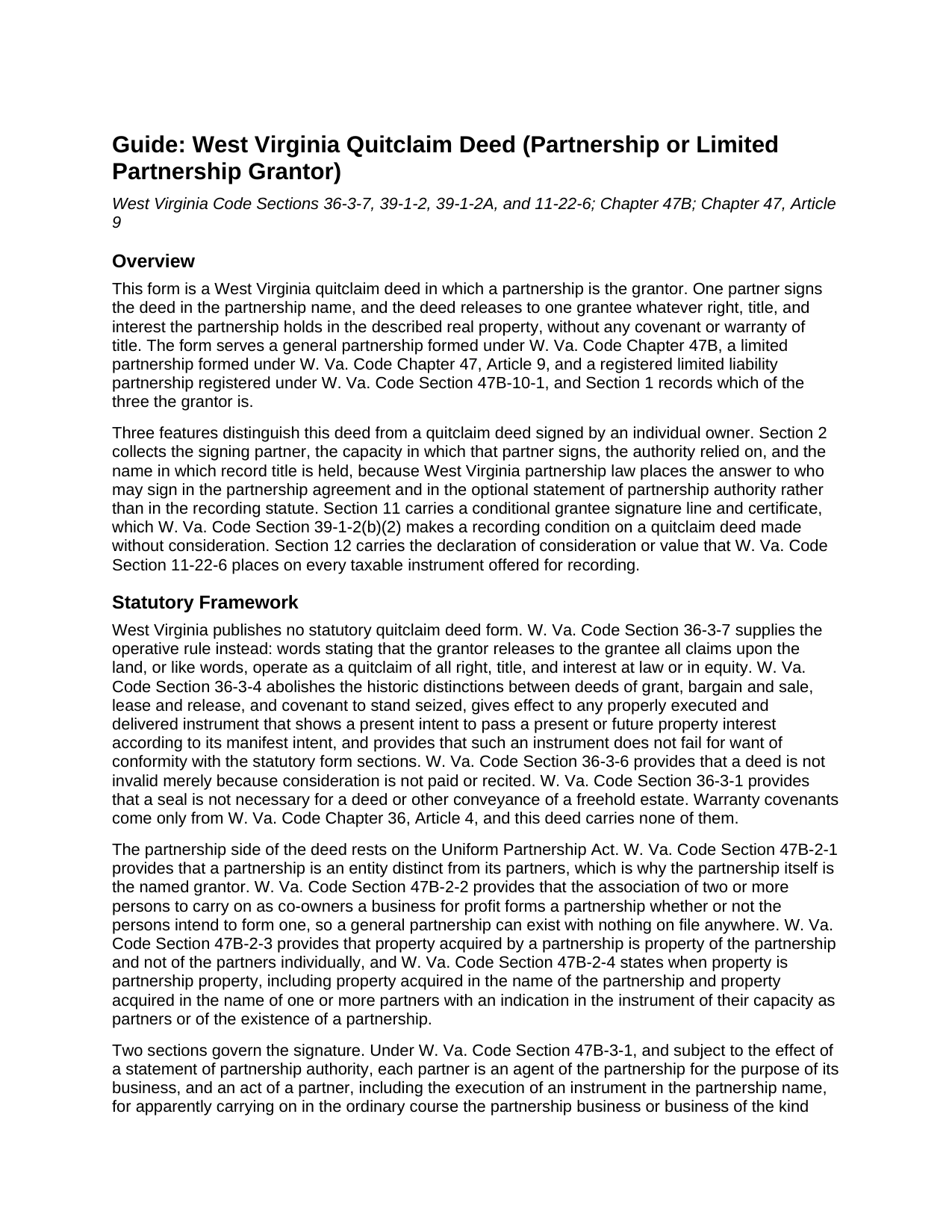
Randolph County Quitclaim Deed (Partnership or Limited Partnership Grantor) Guide
Line by line guide explaining every blank on the Quitclaim Deed (Partnership or Limited Partnership Grantor) form.
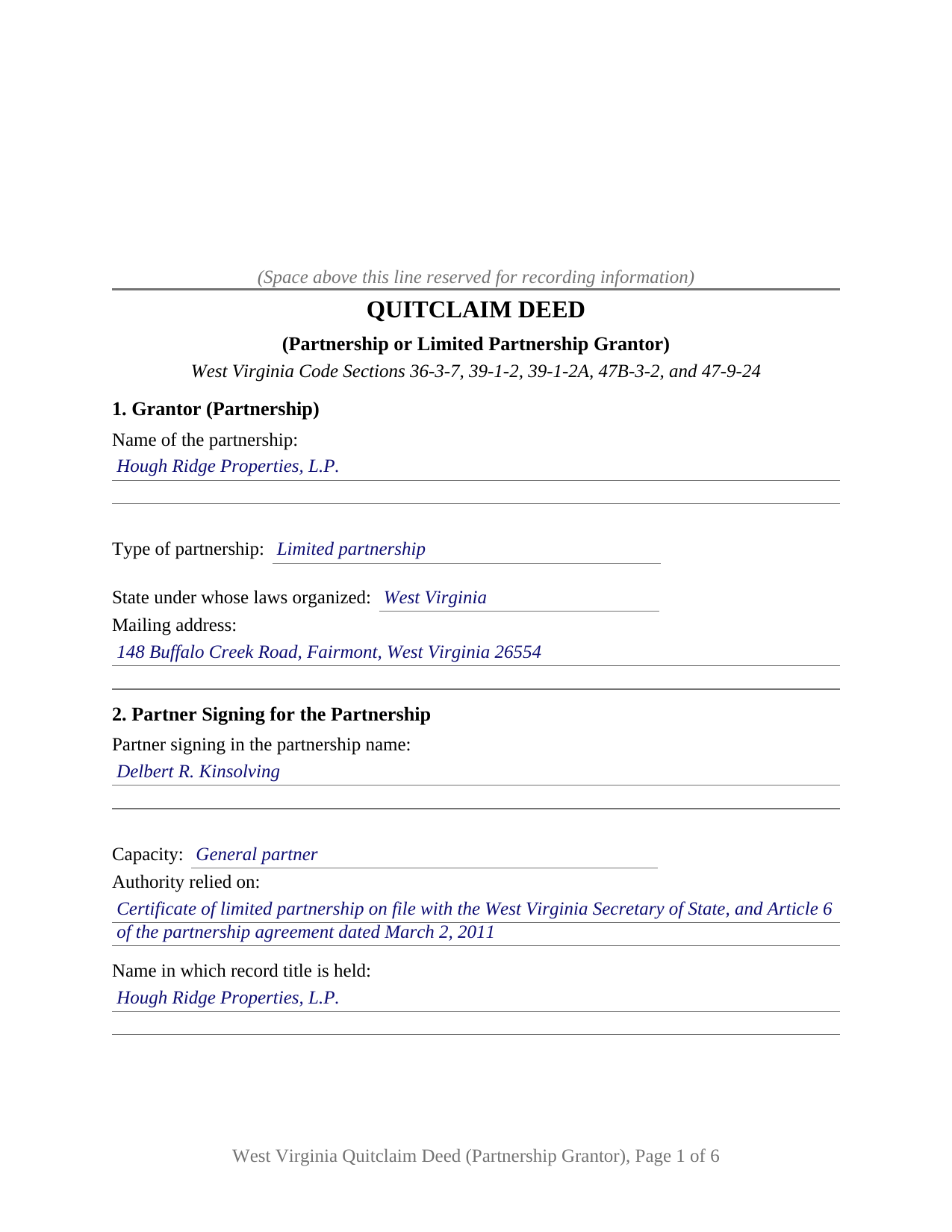
Randolph County Completed Example of the Quitclaim Deed (Partnership or Limited Partnership Grantor) Document
Example of a properly completed West Virginia Quitclaim Deed (Partnership or Limited Partnership Grantor) document for reference.
All 3 documents above included • One-time purchase • No recurring fees
Immediate Download • Secure Checkout
Additional West Virginia and Randolph County documents included at no extra charge:
Where to Record Your Documents
Randolph County Clerk
Elkins, West Virginia 26241
Hours: Monday - Friday 8:00am - 4:30pm
Phone: (304) 636-0543
Recording Tips for Randolph County:
- Bring your driver's license or state-issued photo ID
- Ensure all signatures are in blue or black ink
- White-out or correction fluid may cause rejection
- Ask about their eRecording option for future transactions
- Avoid the last business day of the month when possible
Cities and Jurisdictions in Randolph County
Properties in any of these areas use Randolph County forms:
- Beverly
- Coalton
- Dailey
- Dryfork
- Elkins
- Ellamore
- Glady
- Harman
- Helvetia
- Huttonsville
- Kerens
- Mabie
- Mill Creek
- Monterville
- Montrose
- Norton
- Pickens
- Valley Bend
- Valley Head
- Whitmer
Hours, fees, requirements, and more for Randolph County
How do I get my forms?
Forms are available for immediate download after payment. The Randolph County forms will be in your account ready to download to your computer. An account is created for you during checkout if you don't have one. Forms are NOT emailed.
Are these forms guaranteed to be recordable in Randolph County?
Yes. Our form blanks are guaranteed to meet or exceed the applicable formatting requirements used for recording in Randolph County, including margin requirements, font requirements, and other layout standards. This guarantee applies to formatting, not to the legal sufficiency of information entered by the user or the suitability of a form for a particular transaction.
Can I reuse these forms?
Yes. You can reuse the forms for your personal use. For example, if you have multiple properties in Randolph County you only need to order once.
What do I need to use these forms?
The forms are PDFs that you fill out on your computer. The free Adobe Acrobat Reader is recommended, and most PDF apps also work. You do NOT enter your property information online - you download the blank forms and complete them privately on your own computer.
Are there any recurring fees?
No. This is a one-time purchase. Nothing to cancel, no memberships, no recurring fees.
How much does it cost to record in Randolph County?
Recording fees in Randolph County vary. Contact the recorder's office at (304) 636-0543 for current fees.
Questions answered? Let's get started!
A partnership can own West Virginia land with no public record of who may sign it away. This West Virginia quitclaim deed is arranged around that fact: the partnership itself is the named grantor, one partner signs in the partnership name, and Section 2 collects the signing partner, the capacity, the authority relied on, and the name in which record title stands, ahead of the release words.
Which partner may sign, and where that answer lives
W. Va. Code Section 47B-2-1 makes a partnership an entity distinct from its partners, and Section 47B-2-2 lets one exist the moment two or more persons carry on a business for profit as co-owners. Under Section 47B-3-1 each partner is an agent of the partnership for its business, and a partner's execution of an instrument in the partnership name binds the partnership where the act apparently carries on the ordinary course of that business. Section 47B-4-1(j) allocates the decision inside the firm: a majority decides an ordinary course matter, and an act outside that course takes the consent of all of the partners. A limited partnership arrives at the same rules through Section 47-9-24, which hands a general partner the powers of a partner in a partnership without limited partners.
Putting the answer in the land records
Section 47B-3-3 lets a partnership file a statement of partnership authority naming the partners authorized to execute an instrument transferring real property held in the partnership name. A certified copy recorded where transfers of that property are recorded is conclusive for a person giving value without knowledge to the contrary, and a recorded limitation is deemed known. The statement is canceled by operation of law five years after filing, so its date matters. Section 47B-3-2 moves property held in the partnership name by an instrument a partner executes in that name, the path this form draws; property standing in partners' own names travels through the persons who hold it.
A release, never a promise
Section 36-3-7 gives release words their effect: a deed stating that the grantor releases to the grantee all claims upon the land quitclaims every right, title, and interest the grantor holds at law or in equity. Section 9 sets those words beside a printed line disclaiming any covenant or warranty of title. No covenant word from chapter 36, article 4 appears, so recorded liens, easements, and mineral reservations pass through it intact.
Why a partnership gift reaches the clerk on two signatures
Since July 11, 2025, Section 39-1-2(b)(2) has kept a quitclaim deed made without consideration out of the record unless the grantee has also signed and acknowledged it, or two witnesses have proved it as to the grantee before the county clerk, and a deed recorded against that rule is void. The exceptions listed there are a transfer on death deed and close family transfers between individuals, so a partnership release passing no consideration falls outside all of them. Section 11 draws that second signature line with a certificate of its own, and it stays blank where consideration passes.
What the form recites, and what it leaves out
Section 1 takes the partnership by name, type, and organizing state, reaching general, limited, and registered limited liability partnerships alike. A general partnership releasing a parcel to a buyer taking title without covenants, a limited partnership acting through the general partner named in its certificate, and a partnership releasing a residual interest standing in its own name all present the partnership grantor pattern this deed recites. Two partnerships signing one instrument, an individual owner, a company, a trustee, or a personal representative each execute through architecture this form does not draw. Nothing on the page waits for a partner's spouse, dower and curtesy having been abolished by Section 43-1-1.
The figure the clerk reads
Section 11-22-6 puts a declaration of consideration or value on a taxable instrument, and Section 12 prints it: an amount paid, a true and actual value where none was, and any Section 11-22-1 exemption. The excise runs $1.10 for each $500 at the state level, a county component above it, and $20 into the Affordable Housing Fund where consideration changes hands. Partnership mergers and conversions sit among the transactions Section 11-22-1 leaves outside the tax.
The purchase delivers this partnership quit claim deed as a fillable PDF, a completed example worked through a Marion County release, and a guide to the twelve sections and the signing choices. The materials are informational and are not legal advice.
Important: Your property must be located in Randolph County to use these forms. Documents should be recorded at the county recording office listed above.
This Quitclaim Deed (Partnership or Limited Partnership Grantor) meets all recording requirements specific to Randolph County.
Our Promise
The documents you receive here are guaranteed to meet or exceed the applicable Randolph County recording format requirements. If there is a rejection caused by our formatting, we will correct the issue or refund your payment. This guarantee applies to document formatting only and does not extend to information entered by the user, the selection of the form, or the legal effect of the completed document.
Save Time and Money
Get your Randolph County Quitclaim Deed (Partnership or Limited Partnership Grantor) form done right the first time with Deeds.com Uniform Conveyancing Blanks. At Deeds.com, we understand that your time and money are valuable resources, and we don't want you to face a penalty fee or rejection imposed by a county recorder for submitting nonstandard documents. We constantly review and update our forms to meet rapidly changing state and county recording requirements for roughly 3,500 counties and local jurisdictions.
4.8 out of 5 - ( 4,837 Reviews )
Jesse H. 5 out of 5 stars
Good & friendly software, complete & clear instructions & guidance, generates proper forms that were readily accepted @ Clerk & Recorder Office, all of this @ reasonable cost. Five Stars!
Thank you for your feedback. We really appreciate it. Have a great day!
Marlin M. 5 out of 5 stars
5 stars!
Thank you!
Anne M H. 5 out of 5 stars
Appears to be just what I need. Quick and easy to download. Thank you
We appreciate your business and value your feedback. Thank you. Have a wonderful day!
Robert K. 5 out of 5 stars
Very user friendly - I found the affidavit I needed right away together with the guide to filling it out.
Thank you!
Paul R. 5 out of 5 stars
Worked very quickly and smoothly. Helps if you know what documents you need. Thanks.
Thank you for your feedback. We really appreciate it. Have a great day!
Michelle I. 5 out of 5 stars
I'm happy to have found your service. Very pleased.
We appreciate your business and value your feedback. Thank you. Have a wonderful day!
laura w. 5 out of 5 stars
I found Deeds to be okay except I was hoping it would give me a title or deed to my house if I would have known I would have just got a warranty deed I probably would not have pay the money but it's still worth it
Thank you for your feedback. We really appreciate it. Have a great day!
Wilma D. 5 out of 5 stars
The certification of trust looks fine to me. I printed it and filled it out and had it notarized today. I have not sent it to the company that wants it yet so that will be the test. They are very picky. If they have any comment I will let you know.
Thank you for your feedback. We really appreciate it. Have a great day!
GERALD P. 5 out of 5 stars
Product is as advertised. Most beneficial is including detailed instructions and examples. Most other options did not include instructions.
Thank you for your feedback. We really appreciate it. Have a great day!
Patricia J. 5 out of 5 stars
No word "Download" so had a little trouble figuring out how to download, but finally figured it out.
Thank you for your feedback. We really appreciate it. Have a great day!
Melody P. 5 out of 5 stars
Great service continues! Thanks again!
Thank you!
Gary O. 5 out of 5 stars
Easy to use,makes things easier,Thanks! Great Idea!
We appreciate your business and value your feedback. Thank you. Have a wonderful day!
A R M. 5 out of 5 stars
Great so far. Just downloaded all the documents, and they seem to be easy to save and are fillable. A R M
Thank you for your feedback. We really appreciate it. Have a great day!
Matthew F. 4 out of 5 stars
Experience was very positive. It's very easy to use and I like the chat/feedback feature. It almost doubles the recording fees that is a little expensive but otherwise it works great.
We truly value your business and appreciate your review.
Kerrin S. 5 out of 5 stars
Wow, this was so easy & helpful. I didn't get it finished in time for recording, so I'm still waiting on that part, but the rest was simple and straight-forward. Thanks!
Thank you!