Randolph County Quitclaim Deed Form
Last validated October 8, 2026 by our Forms Development TeamFormatted for recording in Randolph County, for property anywhere in the county: rural and unincorporated areas as well as Beverly, Coalton, Dailey, Dryfork, Elkins, Ellamore, Glady, Harman and 12 more.
- 3 documents included
- Immediate PDF download
- Formatting guarantee
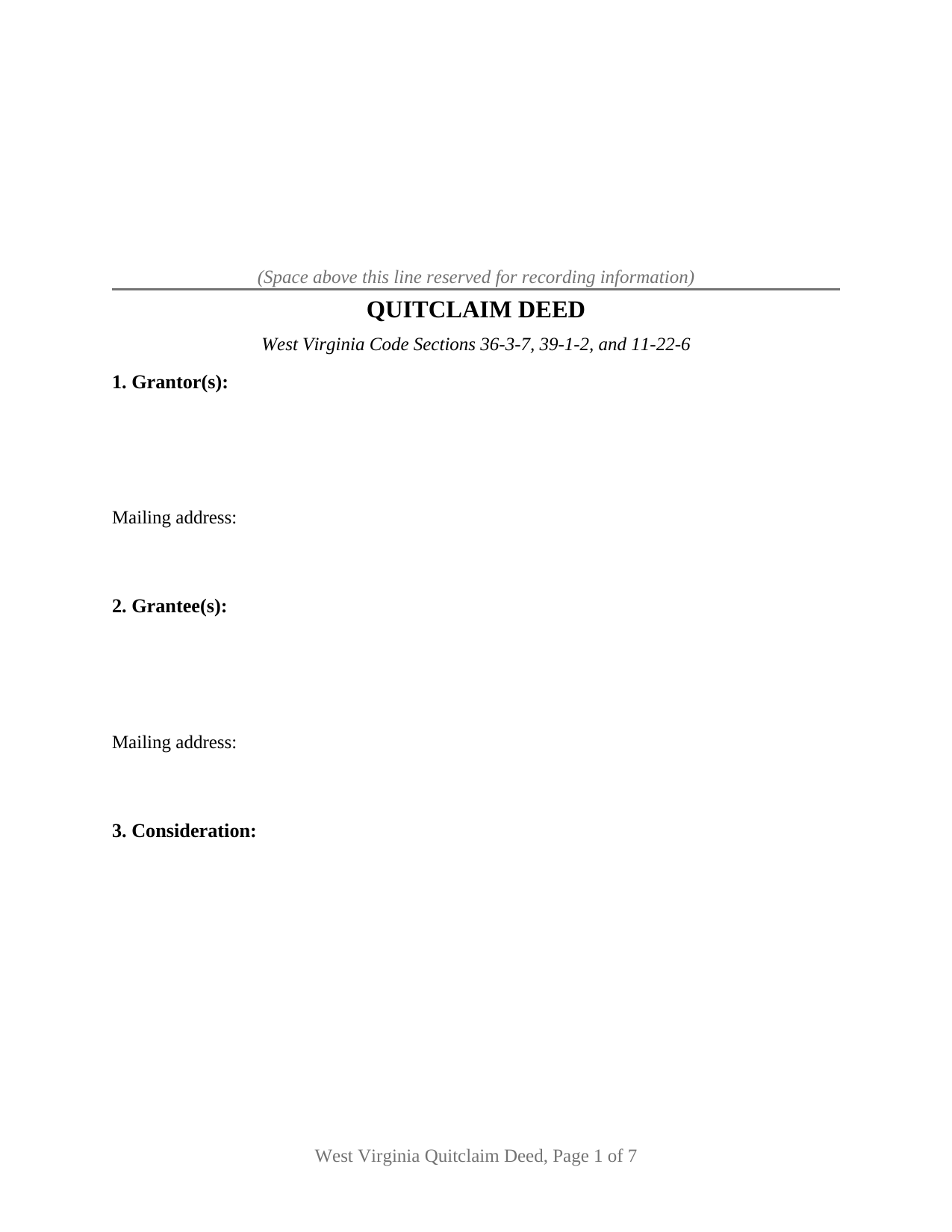
Randolph County Quitclaim Deed Form
Fill in the blank Quitclaim Deed form formatted to comply with all West Virginia recording and content requirements.
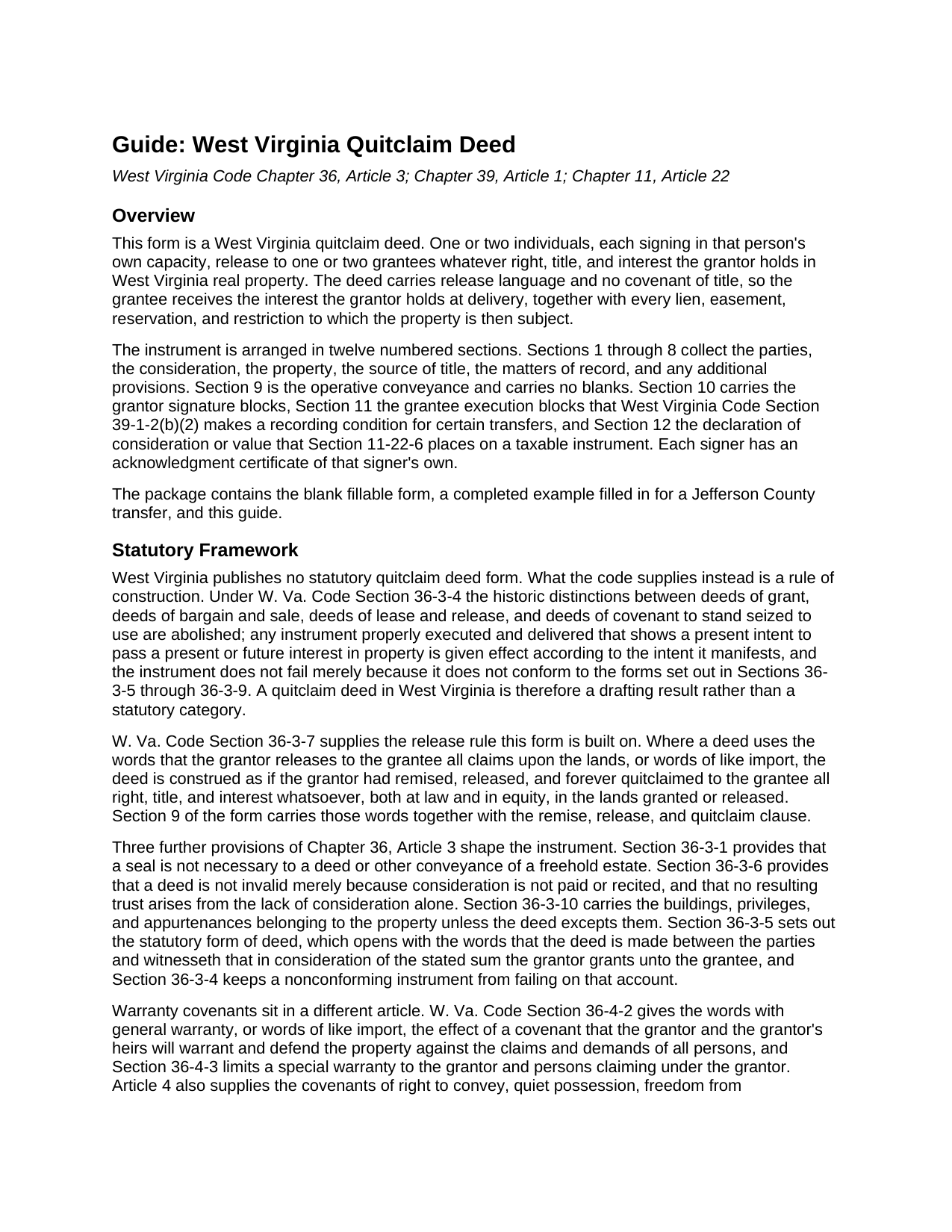
Randolph County Quitclaim Deed Guide
Line by line guide explaining every blank on the Quitclaim Deed form.
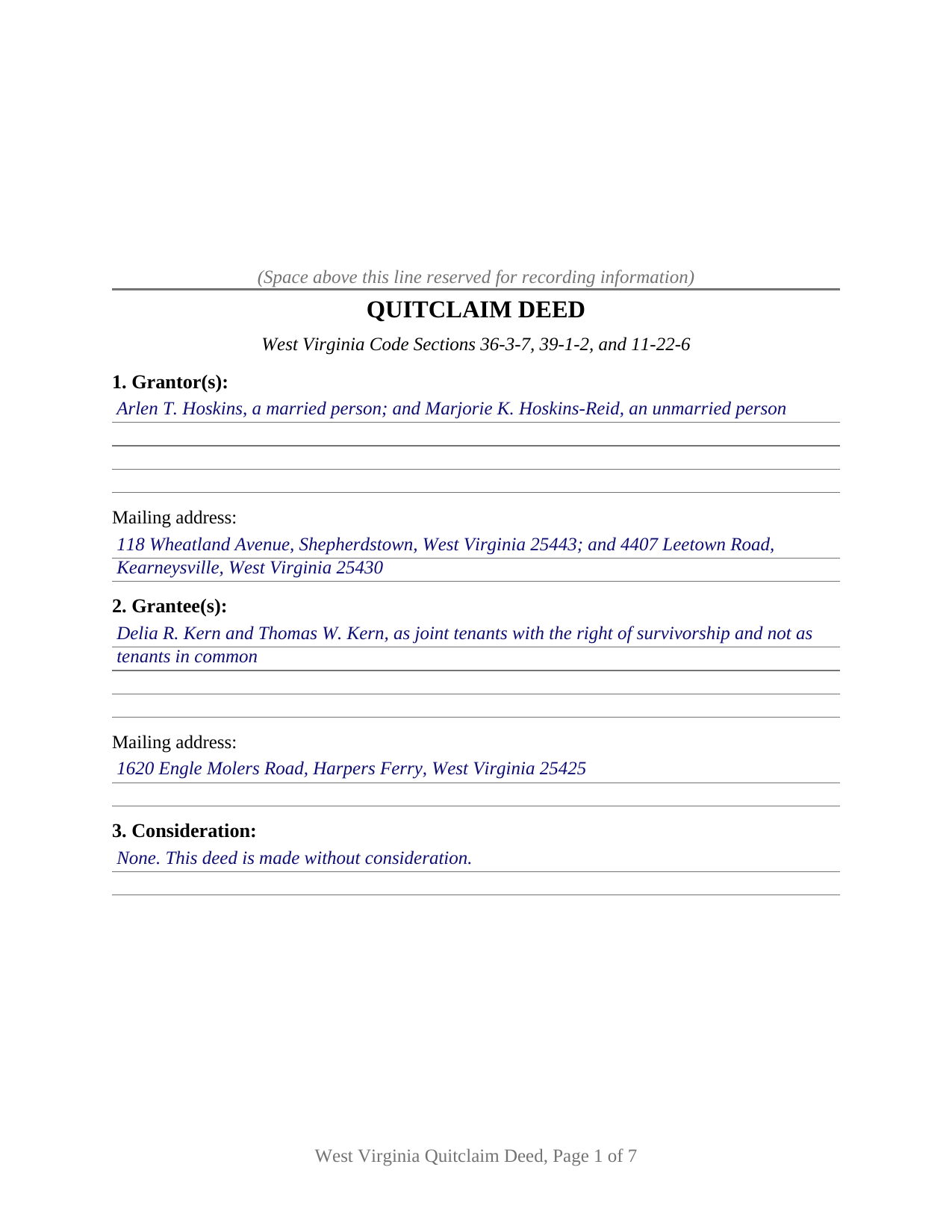
Randolph County Completed Example of the Quitclaim Deed Document
Example of a properly completed West Virginia Quitclaim Deed document for reference.
All 3 documents above included • One-time purchase • No recurring fees
Immediate Download • Secure Checkout
Additional West Virginia and Randolph County documents included at no extra charge:
Where to Record Your Documents
Randolph County Clerk
Elkins, West Virginia 26241
Hours: Monday - Friday 8:00am - 4:30pm
Phone: (304) 636-0543
Recording Tips for Randolph County:
- Bring your driver's license or state-issued photo ID
- Ensure all signatures are in blue or black ink
- White-out or correction fluid may cause rejection
- Ask about their eRecording option for future transactions
- Avoid the last business day of the month when possible
Cities and Jurisdictions in Randolph County
Properties in any of these areas use Randolph County forms:
- Beverly
- Coalton
- Dailey
- Dryfork
- Elkins
- Ellamore
- Glady
- Harman
- Helvetia
- Huttonsville
- Kerens
- Mabie
- Mill Creek
- Monterville
- Montrose
- Norton
- Pickens
- Valley Bend
- Valley Head
- Whitmer
Hours, fees, requirements, and more for Randolph County
How do I get my forms?
Forms are available for immediate download after payment. The Randolph County forms will be in your account ready to download to your computer. An account is created for you during checkout if you don't have one. Forms are NOT emailed.
Are these forms guaranteed to be recordable in Randolph County?
Yes. Our form blanks are guaranteed to meet or exceed the applicable formatting requirements used for recording in Randolph County, including margin requirements, font requirements, and other layout standards. This guarantee applies to formatting, not to the legal sufficiency of information entered by the user or the suitability of a form for a particular transaction.
Can I reuse these forms?
Yes. You can reuse the forms for your personal use. For example, if you have multiple properties in Randolph County you only need to order once.
What do I need to use these forms?
The forms are PDFs that you fill out on your computer. The free Adobe Acrobat Reader is recommended, and most PDF apps also work. You do NOT enter your property information online - you download the blank forms and complete them privately on your own computer.
Are there any recurring fees?
No. This is a one-time purchase. Nothing to cancel, no memberships, no recurring fees.
How much does it cost to record in Randolph County?
Recording fees in Randolph County vary. Contact the recorder's office at (304) 636-0543 for current fees.
Questions answered? Let's get started!
West Virginia keeps no catalog of deed types. W. Va. Code Section 36-3-4 abolished the old distinctions among deeds of grant, of bargain and sale, and of lease and release, and directs that a properly executed and delivered instrument take effect according to the intent it manifests, statutory form or not. A quit claim deed here is a drafting result rather than a category the code hands out: release words in, covenant words out. This West Virginia quitclaim deed is that drafting, set up for one or two individual owners.
The words that do the work
Section 36-3-7 is the engine. Where a deed says that the grantor releases to the grantee all claims upon the lands, or uses words of like import, the code reads it as though the grantor had remised, released, and forever quitclaimed every right, title, and interest, at law and in equity, in the land described. Section 9 of the form prints that sentence and adds nothing. Two neighbors settle the usual worries: Section 36-3-1 makes a seal unnecessary, and Section 36-3-6 keeps a deed good though consideration is neither paid nor recited.
What a release leaves standing
Absent language is the point. Not one covenant word from Chapter 36, Article 4 appears on the page, so the grantor promises nothing about ownership, nothing about encumbrances, and nothing about defending the title later. A recorded deed of trust, a judgment lien, a mineral reservation, and an easement pass through untouched. Recording changes priority rather than substance: under Section 40-1-9 a deed is void as to creditors and later purchasers for value without notice until duly recorded where the land lies.
The signature the record can demand from the other side
West Virginia added an unusual recording condition in July 2025. Section 39-1-2(b)(2) closes the record to a quitclaim deed made without consideration, and to any deed passing property worth $100 or less that carries no excise tax, unless the grantee signs the instrument and acknowledges it, or two witnesses prove it as to the grantee before the clerk. Named exceptions cover a transfer on death deed and close family transfers under $2,000 or without consideration. The consequence is a void deed passing no interest, so the form treats the rule as architecture: Section 11 carries grantee signature lines with certificates of their own, completed where the subsection reaches the transfer and blank where it does not.
One or two names on either side
The form recites natural persons signing in their own capacity, in any of four counts: one grantor to one grantee, one to two, two to one, or two to two. The party blocks are free-form and print no status, capacity, or vesting words, so the grantors' own description of themselves and the grantees' chosen designation go in as written, and the guide rather than the instrument teaches what those blanks may carry. Section 10 draws two grantor blocks, headed GRANTOR and SECOND GRANTOR (if applicable), each with a certificate of its own, the second left blank when a single owner conveys. What the blocks are not set up to recite is an entity signing through an officer or manager, a fiduciary signing in a representative capacity, an agent signing under a recorded power of attorney, or three or more owners on either side. Co-ownership matters here: Section 36-1-19 makes a deceased joint tenant's share pass as a tenant in common's would, leaving survivorship to arise only where the grantee designation manifests it under Section 36-1-20.
Two tax papers, one on the deed and one beside it
Section 12 prints the declaration of consideration or value that Section 11-22-6 places at the end of a taxable instrument, with lines for consideration paid, true and actual value, and the ground of any exemption. The clerk reads it before computing stamps at the state rate of $1.10 for each $500 of value, plus the county excise and the $20 Affordable Housing Fund fee on transfers for consideration. The State Tax Department rule at 110 CSR 22, Section 2.6.1.13, puts a quit claim deed without consideration outside the definition of a taxable document; the sales listing form the same statute requires comes from the clerk and is completed separately.
The download delivers this West Virginia quit claim deed as a fillable PDF, a completed example worked through a Jefferson County release, and a guide covering the twelve sections, the four certificates, and the recording package. The materials are informational and are not legal advice.
Important: Your property must be located in Randolph County to use these forms. Documents should be recorded at the county recording office listed above.
This Quitclaim Deed meets all recording requirements specific to Randolph County.
Our Promise
The documents you receive here are guaranteed to meet or exceed the applicable Randolph County recording format requirements. If there is a rejection caused by our formatting, we will correct the issue or refund your payment. This guarantee applies to document formatting only and does not extend to information entered by the user, the selection of the form, or the legal effect of the completed document.
Save Time and Money
Get your Randolph County Quitclaim Deed form done right the first time with Deeds.com Uniform Conveyancing Blanks. At Deeds.com, we understand that your time and money are valuable resources, and we don't want you to face a penalty fee or rejection imposed by a county recorder for submitting nonstandard documents. We constantly review and update our forms to meet rapidly changing state and county recording requirements for roughly 3,500 counties and local jurisdictions.
4.8 out of 5 - ( 4,832 Reviews )
Joseph D. 5 out of 5 stars
Exellent and easy! Thqanks!
Thank you for your feedback. We really appreciate it. Have a great day!
Ralph H. 5 out of 5 stars
They must have busy when I applied. The screen said it should be done in under10 mins unless heavier traffic. I was a little nervous because of a time deadline. It was completed in 45 mins and for under $30 it was worth every penny to have my deed details at my fingertips. So I give it a 5 on ease of use and quick handling. You can get it done less expensively, but great in a time crunch.
We appreciate your business and value your feedback. Thank you. Have a wonderful day!
Kristen R. 5 out of 5 stars
wonderful experience. highly recommend. will use again.
We deeply appreciate the trust you have placed in our services. Thank you for your valuable feedback and for choosing us.
Christine K. 5 out of 5 stars
While I was initially disappointed I could not go to the local County to file my paperwork due to Covid-19, I was thrilled to work with Deeds.com. Their staff was INCREDIBLY FAST, super knowledgeable and the whole process happened from my computer in minutes. Very positive experience.
We appreciate your business and value your feedback. Thank you. Have a wonderful day!
Fernando B. 5 out of 5 stars
It works
Thank you!
Sheneda A. 5 out of 5 stars
Great!
Thank you!
Gerald B. 5 out of 5 stars
Thank you so much for the helpful service and quick action! If needed, I will definitely choose Deeds.com again.
We appreciate your business and value your feedback. Thank you. Have a wonderful day!
Eric D. 5 out of 5 stars
Very helpful and informative. It has saved me time going to get the forms at county recorder / clerk (as my county and state websites dont offer forms on their sites) and also provided help understanding the uses of the specific deed I needed to use.
Thank you Eric. Have a great day!
Brian Z. 5 out of 5 stars
Great site with the forms I needed
Thanks Brian, we appreciate your feedback.
Dana L. 5 out of 5 stars
So far, so good! Love you guys!
We appreciate your business and value your feedback. Thank you. Have a wonderful day!
Lorrisa L. 4 out of 5 stars
No review provided.
Thank you for your rating. Have a great day!
Kurt P. 5 out of 5 stars
I like the basics. The one thing I would recommend changing would be, something that tells me I have actually have submitted my package, or that I can leave at any time without needing to click on a "Submit" button.
Thank you for your feedback. We really appreciate it. Have a great day!
Aaron L. 2 out of 5 stars
Might be adequate if I was desperate. Formatting screams amateur hour -- not a legal issue but likely to invite closer scrutiny when filed. Instructions were supposed to be county-specific but directed me to call the recorder to ask them how to fill out part of the form. Not planning to use the form and would not purchase it again. I could probably do better by uploading some examples and the original mortgage from the Recorder's website into Claude along with the transaction-specific information and asking Claude to prepare a more professional release.
Aaron, we’re sorry the form and instructions did not meet your expectations. Your order has been canceled and your payment refunded. We appreciate your feedback and wish you the best with preparing the release in the way that works best for your situation.
Maria M. 5 out of 5 stars
The requested documents I needed were provided and also complete instructions on how to fill them out. I definitely will you this service again.
We appreciate your business and value your feedback. Thank you. Have a wonderful day!
Carole M. 5 out of 5 stars
So far it seems easy and hopefully be acceptable to Hillsborough Co
We appreciate your business and value your feedback. Thank you. Have a wonderful day!