Webster County Quitclaim Deed (Reserving Life Estate) Form
Last validated September 22, 2026 by our Forms Development TeamFormatted for recording in Webster County, for property anywhere in the county: rural and unincorporated areas as well as Bergoo, Camden On Gauley, Cowen, Diana, Erbacon, Hacker Valley, Upperglade, Webster Springs.
- 3 documents included
- Immediate PDF download
- Formatting guarantee
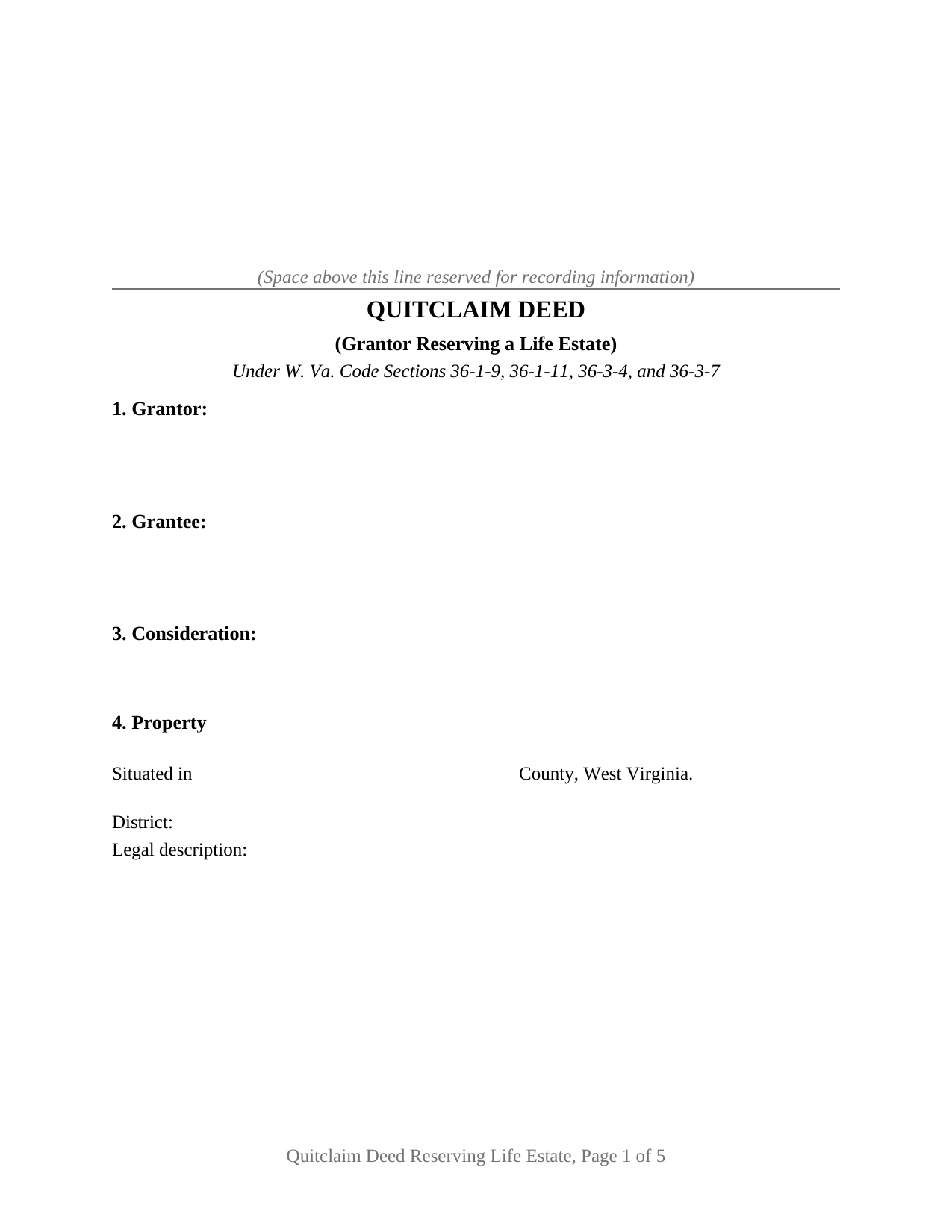
Webster County Quitclaim Deed (Reserving Life Estate) Form
Fill in the blank Quitclaim Deed (Reserving Life Estate) form formatted to comply with all West Virginia recording and content requirements.
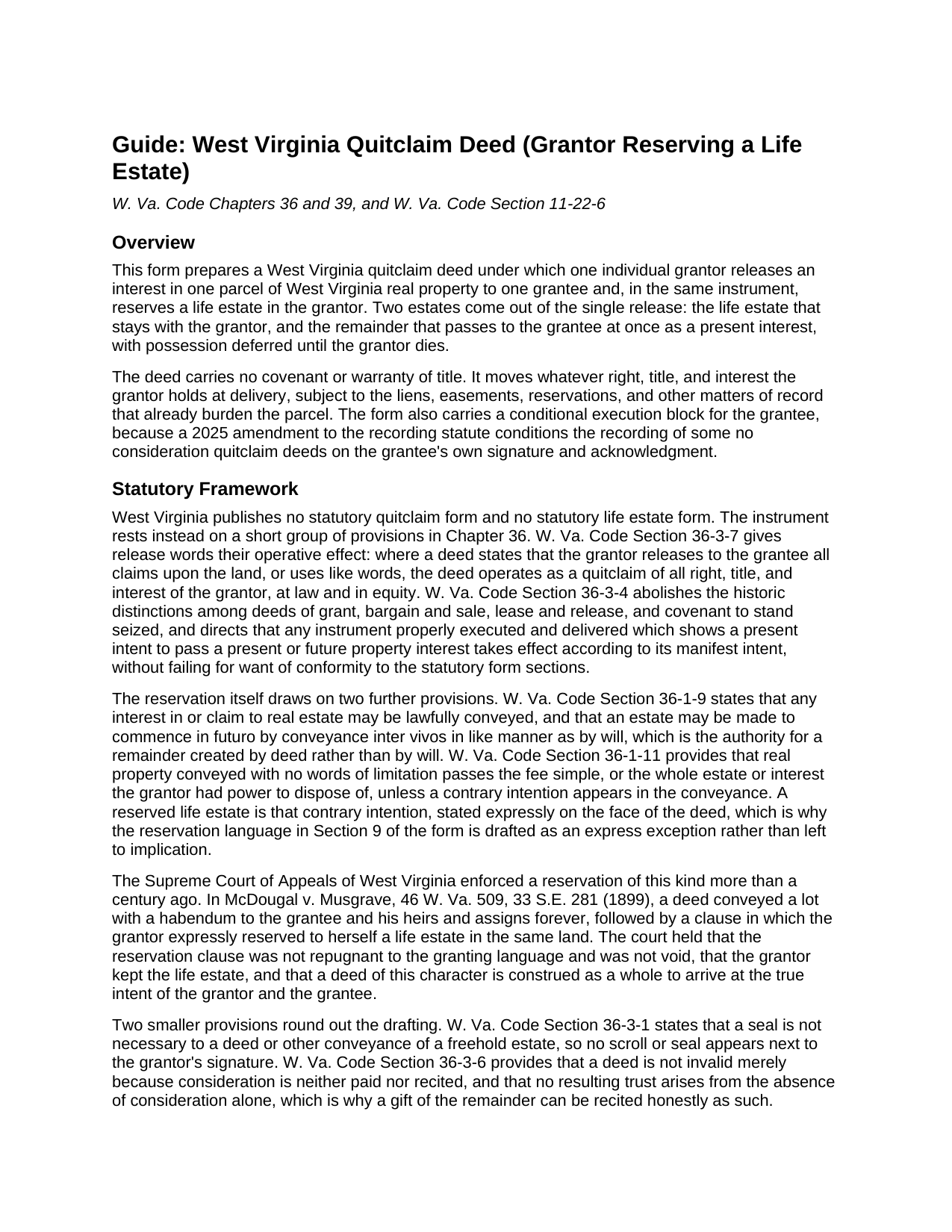
Webster County Quitclaim Deed (Reserving Life Estate) Guide
Line by line guide explaining every blank on the Quitclaim Deed (Reserving Life Estate) form.
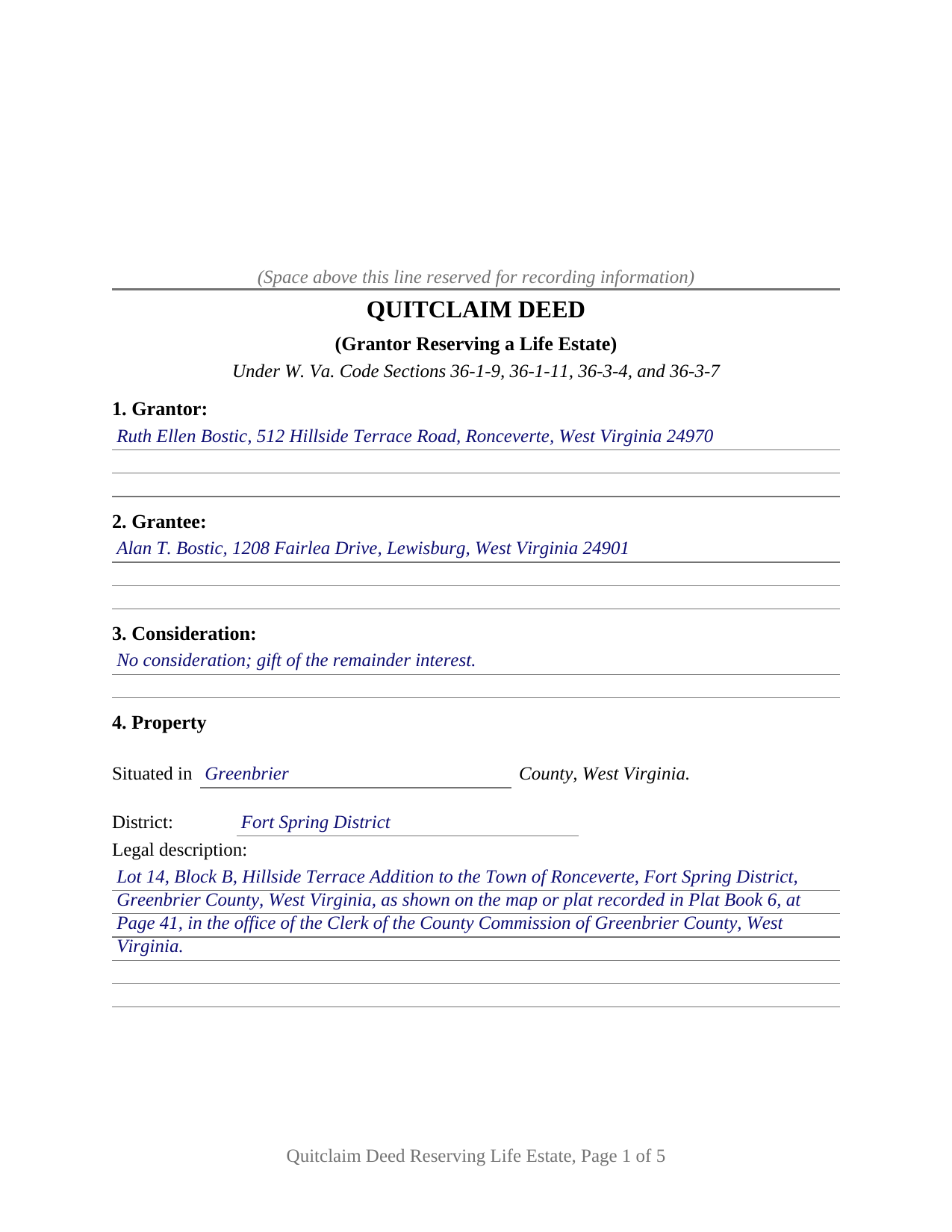
Webster County Completed Example of the Quitclaim Deed (Reserving Life Estate) Document
Example of a properly completed West Virginia Quitclaim Deed (Reserving Life Estate) document for reference.
All 3 documents above included • One-time purchase • No recurring fees
Immediate Download • Secure Checkout
Additional West Virginia and Webster County documents included at no extra charge:
Where to Record Your Documents
Webster County Clerk
Webster Springs, West Virginia 26288
Hours: 8:30 to 4:00 M-F
Phone: (304) 847-2508
Recording Tips for Webster County:
- Bring your driver's license or state-issued photo ID
- Ensure all signatures are in blue or black ink
- White-out or correction fluid may cause rejection
- Ask about their eRecording option for future transactions
- Avoid the last business day of the month when possible
Cities and Jurisdictions in Webster County
Properties in any of these areas use Webster County forms:
- Bergoo
- Camden On Gauley
- Cowen
- Diana
- Erbacon
- Hacker Valley
- Upperglade
- Webster Springs
Hours, fees, requirements, and more for Webster County
How do I get my forms?
Forms are available for immediate download after payment. The Webster County forms will be in your account ready to download to your computer. An account is created for you during checkout if you don't have one. Forms are NOT emailed.
Are these forms guaranteed to be recordable in Webster County?
Yes. Our form blanks are guaranteed to meet or exceed the applicable formatting requirements used for recording in Webster County, including margin requirements, font requirements, and other layout standards. This guarantee applies to formatting, not to the legal sufficiency of information entered by the user or the suitability of a form for a particular transaction.
Can I reuse these forms?
Yes. You can reuse the forms for your personal use. For example, if you have multiple properties in Webster County you only need to order once.
What do I need to use these forms?
The forms are PDFs that you fill out on your computer. The free Adobe Acrobat Reader is recommended, and most PDF apps also work. You do NOT enter your property information online - you download the blank forms and complete them privately on your own computer.
Are there any recurring fees?
No. This is a one-time purchase. Nothing to cancel, no memberships, no recurring fees.
How much does it cost to record in Webster County?
Recording fees in Webster County vary. Contact the recorder's office at (304) 847-2508 for current fees.
Questions answered? Let's get started!
A West Virginia owner who wants a parcel to reach one person at death, and who intends to keep living in it until then, can arrange both in a single release. This quitclaim deed reserves a life estate to the grantor and carries the remainder to the grantee, so the record shows two estates in the same land from the day it is filed: the grantor's, measured by the grantor's own life, and the grantee's, vested at once and possessory later.
The clause that holds something back
West Virginia publishes no statutory life estate deed and no statutory quitclaim form, so this quit claim deed is built from Chapter 36. Section 36-3-7 turns a deed releasing all claims upon the land into a quitclaim of everything the grantor holds at law and in equity. Section 36-1-11 explains why the reservation has to be written out: property conveyed with no words of limitation carries the whole estate the grantor could dispose of, unless a contrary intention appears in the conveyance. Section 9 states that intention plainly, and Section 36-1-9 supplies the other half, allowing an estate to commence in futuro by a conveyance between living persons rather than by will. The pairing is long settled: in McDougal v. Musgrave, decided in 1899, the Supreme Court of Appeals held that a clause expressly reserving a life estate to the grantor was neither repugnant to the granting language nor void, and that such a deed is read as a whole.
What the grantee owns before anyone dies
A remainder is a present interest with deferred possession, unlike a death beneficiary designation. The grantor keeps possession, use, rents, and profits for life. The grantee meanwhile holds something with legal weight: an interest that passes to the grantee's heirs, that the grantee's creditors can reach, and that a divorce can put in issue. Neither holder owns the entire fee alone, so a sale or mortgage reaching past the life estate takes both signatures, and where the two cannot act together Chapter 36, Article 2 sends the question to the circuit court, which may decree a sale of land burdened by future interests. Nor is any of it revocable: reversing the arrangement takes a conveyance back.
One grantor, one grantee, and a conditional third signature
The form recites one individual grantor, one grantee, and one parcel, the reserved estate measured by the life of the grantor who signs. Section 10 carries a single grantor signature above a certificate in the short form of Section 39-4-16, reciting that the record was acknowledged before the officer on a stated date. Section 11 holds a signature line and a certificate of its own for the grantee, because since July 11, 2025 a quitclaim passing no consideration has needed the grantee's execution and acknowledgment to reach the record, unless the parties stand in one of the close family relationships the subsection excepts: spouses, parents and children, grandparents and grandchildren. A gift of a remainder to a child sits inside those exceptions; a gift to a nephew, a sibling, or an unrelated friend sits outside them, and a deed that reaches the record in violation is void and passes nothing. The completed example works that harder pattern through a Greenbrier County gift from an aunt to her nephew, the certificates completed four days apart before different notaries. Deeds by two owners, by an entity or a fiduciary, by an agent under a power of attorney, and reservations measured by another person's life follow patterns this form does not draw.
Valuing an estate that never moves
The split estate surfaces again in the recording paperwork. Section 11-22-6 puts a declaration of consideration or value at the end of the instrument, and the clerk reads that figure to compute excise stamps; a quitclaim made without consideration sits among the transfers Section 11-22-1 leaves outside the tax, and the declaration names that ground. Where money does change hands, only the remainder is bought, and Chapter 43, Article 2 supplies the arithmetic: interest at five and six tenths percent on the property's value, multiplied by the annuity figure set opposite the life tenant's age in the statutory table, gives the gross value of the life estate, leaving the remainder as the balance.
This package includes the deed as a fillable PDF, a completed example worked through a Greenbrier County gift of a remainder, and a guide covering the twelve sections, both certificates, and the recording package. The materials are informational and are not legal advice.
Important: Your property must be located in Webster County to use these forms. Documents should be recorded at the county recording office listed above.
This Quitclaim Deed (Reserving Life Estate) meets all recording requirements specific to Webster County.
Our Promise
The documents you receive here are guaranteed to meet or exceed the applicable Webster County recording format requirements. If there is a rejection caused by our formatting, we will correct the issue or refund your payment. This guarantee applies to document formatting only and does not extend to information entered by the user, the selection of the form, or the legal effect of the completed document.
Save Time and Money
Get your Webster County Quitclaim Deed (Reserving Life Estate) form done right the first time with Deeds.com Uniform Conveyancing Blanks. At Deeds.com, we understand that your time and money are valuable resources, and we don't want you to face a penalty fee or rejection imposed by a county recorder for submitting nonstandard documents. We constantly review and update our forms to meet rapidly changing state and county recording requirements for roughly 3,500 counties and local jurisdictions.
4.8 out of 5 - ( 4,836 Reviews )
Rick L. 5 out of 5 stars
I love it! Very convenience.
Thank you!
David H. 5 out of 5 stars
So So
Thank you!
Dennis E. 5 out of 5 stars
Easy to complete form. Examples were very helpful in using correct verbiage for form. Also way less expensive than the $500 an attorney wanted to charge me for doing the very same thing!!!
Thanks Dennis, we appreciate you taking the time to leave your feedback.
Sheila P. 5 out of 5 stars
My first time using Deeds.com. Loved the process. It was quick, easy and Deeds.com provided timely responses. Definitely appreciate not having to make a trip to the recorder of deeds.
Thank you for your feedback. We really appreciate it. Have a great day!
Kevin C. 5 out of 5 stars
Easy to use but the quit claim deep looked old and dated. The example of how to fill out should have asterisks stating what is need and what can be skipped
Thank you for your feedback. We really appreciate it. Have a great day!
Elvira N. 5 out of 5 stars
Very useful, it even includes a guide on filling out the deed form!
Thank you!
Sheila P. 5 out of 5 stars
What a great service to provide with excellent directions! At first I thought I would need an attorney, but I walked through the steps and now I have it finished! Saved a ton of money. Thanks Deed.com.
Thank you for your feedback. We really appreciate it. Have a great day!
Richard A. 5 out of 5 stars
Great product. It would be better if the document files were not embedded within other files. It made downloading a little confusing. The titles of the forms did not match exactly word for word, which required a lot of back and forth to make sure I had downloaded the proper document. What would be great is if once you download a document, the hyperlink changed color, or somehow denoted the document had been downloaded. Just a suggestion. You have my email address if you have questions. STILL! Five stars for you guys. I would not let that hiccup dissuade me from buying any form package from you guys. Thanks!
Thank you for your feedback. We really appreciate it. Have a great day!
Chris O. 5 out of 5 stars
Very user friendly website. Had a variety of forms. Reasonable price
We appreciate your business and value your feedback. Thank you. Have a wonderful day!
Kermit W. 5 out of 5 stars
Straightforward instructions and very quick turnaround.
Thank you for your feedback. We really appreciate it. Have a great day!
Ken J. 5 out of 5 stars
I liked the software, it's very easy to use. Once it's saved as a .pdf document on your computer, the source document is lost when you log out. I wish it could be saved and then edited on their site later instead of having to create a new document from scratch each time.
Thank you for your feedback. We really appreciate it. Have a great day!
Melissa S. 3 out of 5 stars
Not what I can use.
Thank you!
Kathie C. 5 out of 5 stars
This was the first time I have used Deeds.com and I must say that I am extremely impressed. The person that handled my packages was amazing and extremely helpful. I am recommending that our firm starts using Deeds.com and we do a lot of e-recordings. Thank you so much for making this a great experience and for all of your efforts in making it so great!!!
Your feedback is greatly appreciated. Thank you for taking the time to share your experience!
MARILEE S. 5 out of 5 stars
A very easy website....consumer friendly, which is what is so important to me. I will be using your service again. Thank you
Thank you!
Elizabeth K. 5 out of 5 stars
Really great experience. Thanks!
Thank you for your feedback. We really appreciate it. Have a great day!