Randolph County Release of Lis Pendens Form
Last validated November 6, 2026 by our Forms Development TeamFormatted for recording in Randolph County, for property anywhere in the county: rural and unincorporated areas as well as Beverly, Coalton, Dailey, Dryfork, Elkins, Ellamore, Glady, Harman and 12 more.
- 3 documents included
- Immediate PDF download
- Formatting guarantee
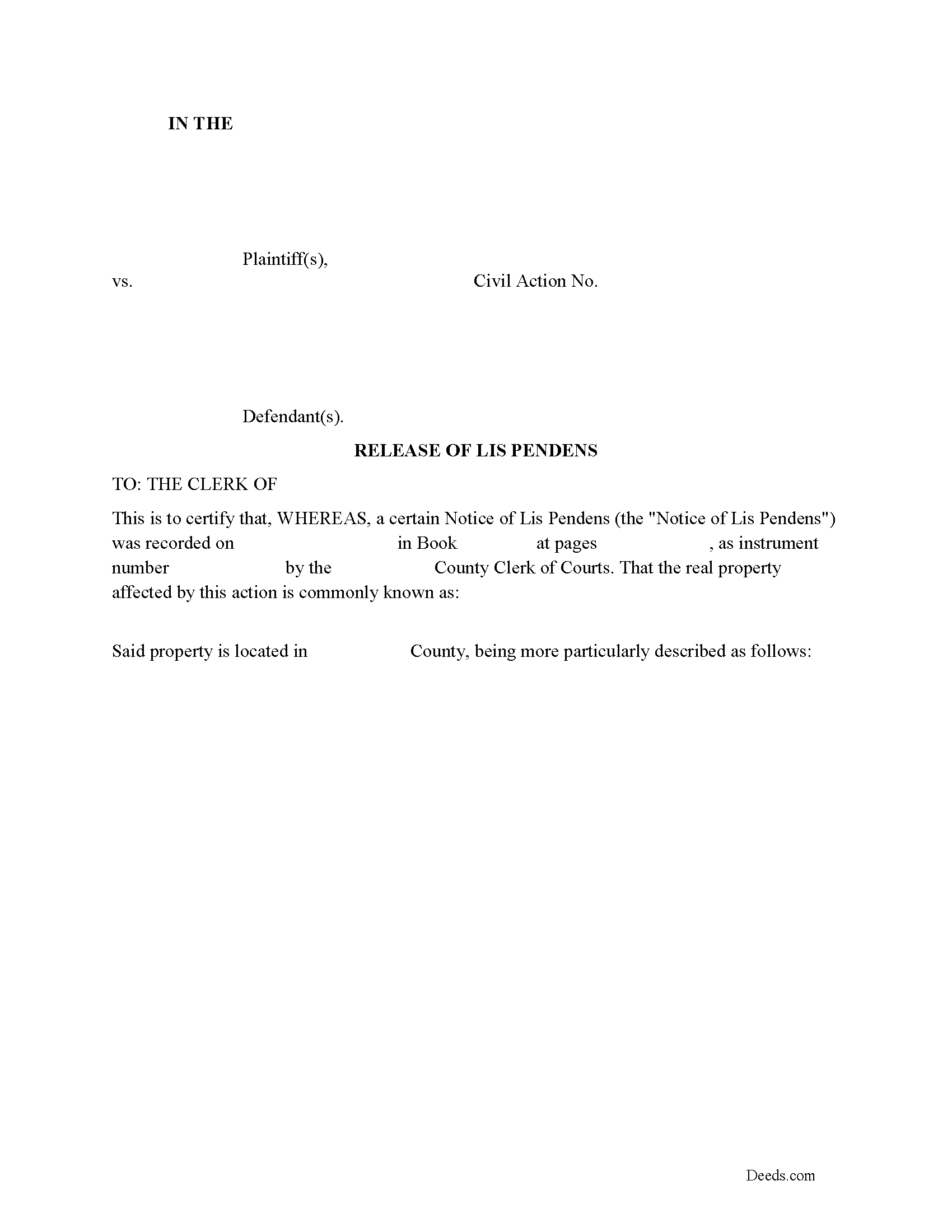
Randolph County Release of Lis Pendens Form
Fill in the blank form formatted to comply with all recording and content requirements.
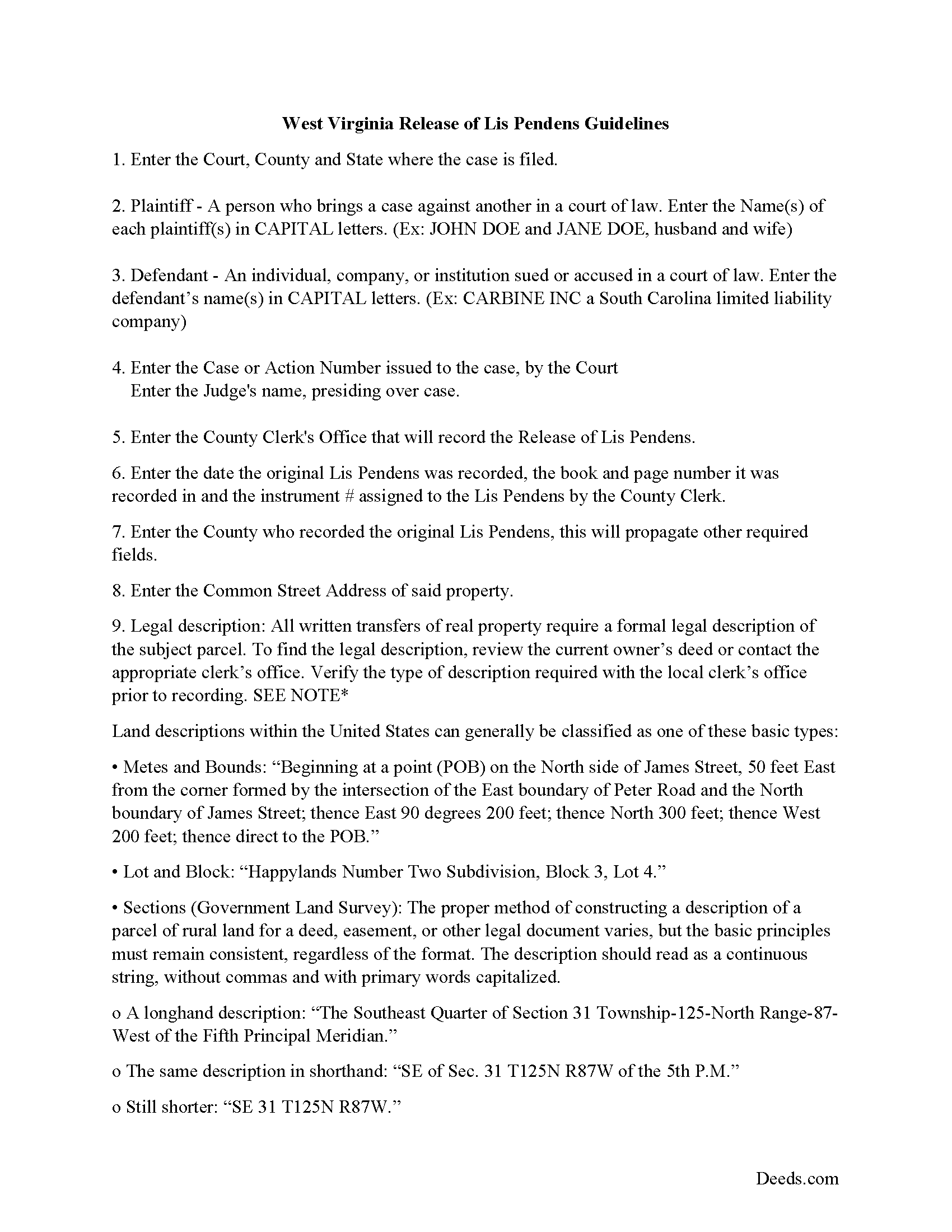
Randolph County Release of Lis Pendens Guide
Line by line guide explaining every blank on the form.
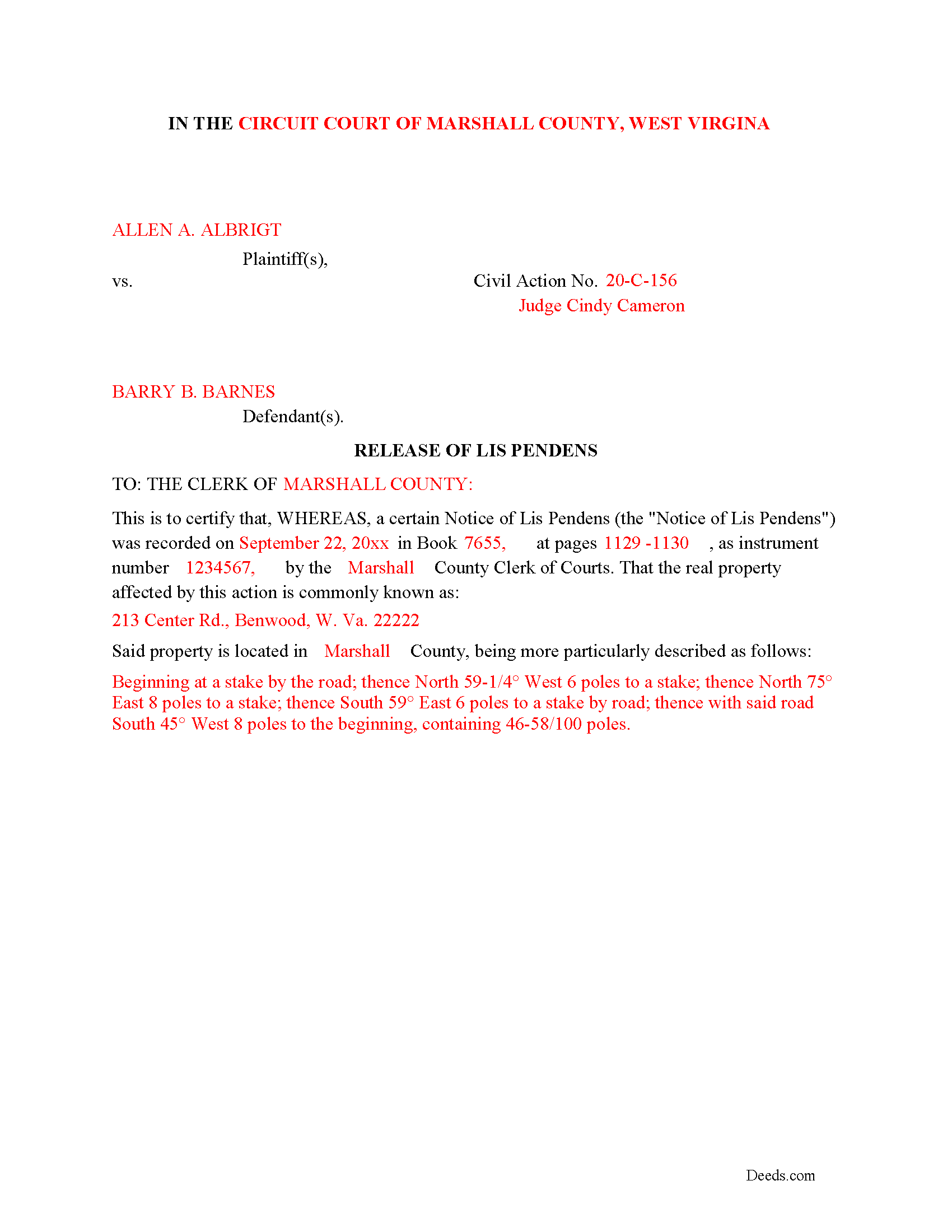
Randolph County Completed Example of the Release of Lis Pendens Document
Example of a properly completed form for reference.
All 3 documents above included • One-time purchase • No recurring fees
Immediate Download • Secure Checkout
Additional West Virginia and Randolph County documents included at no extra charge:
Where to Record Your Documents
Randolph County Clerk
Elkins, West Virginia 26241
Hours: Monday - Friday 8:00am - 4:30pm
Phone: (304) 636-0543
Recording Tips for Randolph County:
- Bring your driver's license or state-issued photo ID
- Ensure all signatures are in blue or black ink
- Documents must be on 8.5 x 11 inch white paper
- Double-check legal descriptions match your existing deed
- Verify all names are spelled correctly before recording
Cities and Jurisdictions in Randolph County
Properties in any of these areas use Randolph County forms:
- Beverly
- Coalton
- Dailey
- Dryfork
- Elkins
- Ellamore
- Glady
- Harman
- Helvetia
- Huttonsville
- Kerens
- Mabie
- Mill Creek
- Monterville
- Montrose
- Norton
- Pickens
- Valley Bend
- Valley Head
- Whitmer
Hours, fees, requirements, and more for Randolph County
How do I get my forms?
Forms are available for immediate download after payment. The Randolph County forms will be in your account ready to download to your computer. An account is created for you during checkout if you don't have one. Forms are NOT emailed.
Are these forms guaranteed to be recordable in Randolph County?
Yes. Our form blanks are guaranteed to meet or exceed the applicable formatting requirements used for recording in Randolph County, including margin requirements, font requirements, and other layout standards. This guarantee applies to formatting, not to the legal sufficiency of information entered by the user or the suitability of a form for a particular transaction.
Can I reuse these forms?
Yes. You can reuse the forms for your personal use. For example, if you have multiple properties in Randolph County you only need to order once.
What do I need to use these forms?
The forms are PDFs that you fill out on your computer. The free Adobe Acrobat Reader is recommended, and most PDF apps also work. You do NOT enter your property information online - you download the blank forms and complete them privately on your own computer.
Are there any recurring fees?
No. This is a one-time purchase. Nothing to cancel, no memberships, no recurring fees.
How much does it cost to record in Randolph County?
Recording fees in Randolph County vary. Contact the recorder's office at (304) 636-0543 for current fees.
Questions answered? Let's get started!
Use this form to release a previously recorded Lis Pendens.
(West Virginia Release of LP Package includes form, guidelines, and completed example)
Important: Your property must be located in Randolph County to use these forms. Documents should be recorded at the county recording office listed above.
This Release of Lis Pendens meets all recording requirements specific to Randolph County.
Our Promise
The documents you receive here are guaranteed to meet or exceed the applicable Randolph County recording format requirements. If there is a rejection caused by our formatting, we will correct the issue or refund your payment. This guarantee applies to document formatting only and does not extend to information entered by the user, the selection of the form, or the legal effect of the completed document.
Save Time and Money
Get your Randolph County Release of Lis Pendens form done right the first time with Deeds.com Uniform Conveyancing Blanks. At Deeds.com, we understand that your time and money are valuable resources, and we don't want you to face a penalty fee or rejection imposed by a county recorder for submitting nonstandard documents. We constantly review and update our forms to meet rapidly changing state and county recording requirements for roughly 3,500 counties and local jurisdictions.
4.8 out of 5 - ( 4,859 Reviews )
Jennifer L L. 5 out of 5 stars
So far this has been a great experience. Very easy to use the deeds.com website and download the forms. Very nice that they give example forms and guides to help you fill out the forms. I just have to wait to make sure that the forms are accepted and recorded with no issues.
Your insights are invaluable to us and help us strive for better service. Thank you for taking the time to share your thoughts.
jeann p. 5 out of 5 stars
The site was extremely helpful.
We are delighted to have been of service. Thank you for the positive review!
Celeste F. 5 out of 5 stars
Great experience. No hassle. It kept me out of a government office.
Thank you for your feedback. We really appreciate it. Have a great day!
RONALD F. 5 out of 5 stars
Great service. Very reasonable cost. All necessary detailed information provided.
Thank you for your feedback. We really appreciate it. Have a great day!
Dorothy O. 5 out of 5 stars
This would be a great form but I couldn’t tell what size the font was. Also, I didn’t know how to save it so I will have to type it all over again. I’m sure I did it incorrectly.
Your feedback is a crucial part of our dedication to ongoing improvement. Thank you for your insightful comments.
Denise L. 5 out of 5 stars
Using the Gift Deed form from Deeds.com, along with the example and instructions thy provided, saved me at least $200 in legal fees and saved me time as well!
We appreciate your business and value your feedback. Thank you. Have a wonderful day!
William C. 5 out of 5 stars
Great service and fast also
Thank you!
Rebecca C. 5 out of 5 stars
Was sort of complicated for this phone illiterate 70 year old 😂. Asked my daughter for help. She breezed right through it with no problem whatsoever!! Thank you!!
Thank you, Rebecca! Glad your daughter could lend a hand. We appreciate the review.
Barry N. 5 out of 5 stars
The form was straight forward and very easy to complete. It took me less than 15 minutes to complete. Make sure you have the "current deed' available' when completing the form.
Thank you for your feedback Barry. Have a fantastic day!
Betty B. 5 out of 5 stars
So easy and convenient.
Thank you for your feedback. We really appreciate it. Have a great day!
Justin Z. 5 out of 5 stars
Easy to work with.
Your satisfaction is important to us. Thank you for the feedback.
JOSEPH P. 3 out of 5 stars
It would have been a lot better if I could have downloaded ALL at once, as a package.
Thank you for your feedback. We really appreciate it. Have a great day!
David Y. 5 out of 5 stars
Really great forms. Did the quitclaim, everything was perfect, recorded with no problems at all. Thanks!
Thank you!
Daniel C. 5 out of 5 stars
This is a wonderful service and your staff is very responsive through the chat. My one suggestion is that there be an added sentence to your instructions that sates that once you upload there is nothing more to do as in a "submit" or "Finished uploading" button. After uploading instinct says there is something to click to let you all know that we have finished with our uploads.
Your feedback is valuable to us and helps us improve. Thank you for sharing your thoughts!
Linda D. 5 out of 5 stars
very efficient and easy to use online platform. I reviewed several different sites before I settle on this one. Took my deed to the courthouse today and recorded it with no problems.
We appreciate your business and value your feedback. Thank you. Have a wonderful day!