Pocahontas County Termination of Easement Form
Last validated October 6, 2026 by our Forms Development TeamFormatted for recording in Pocahontas County, for property anywhere in the county: rural and unincorporated areas as well as Arbovale, Bartow, Buckeye, Cass, Dunmore, Durbin, Green Bank, Hillsboro and 3 more.
- 3 documents included
- Immediate PDF download
- Formatting guarantee
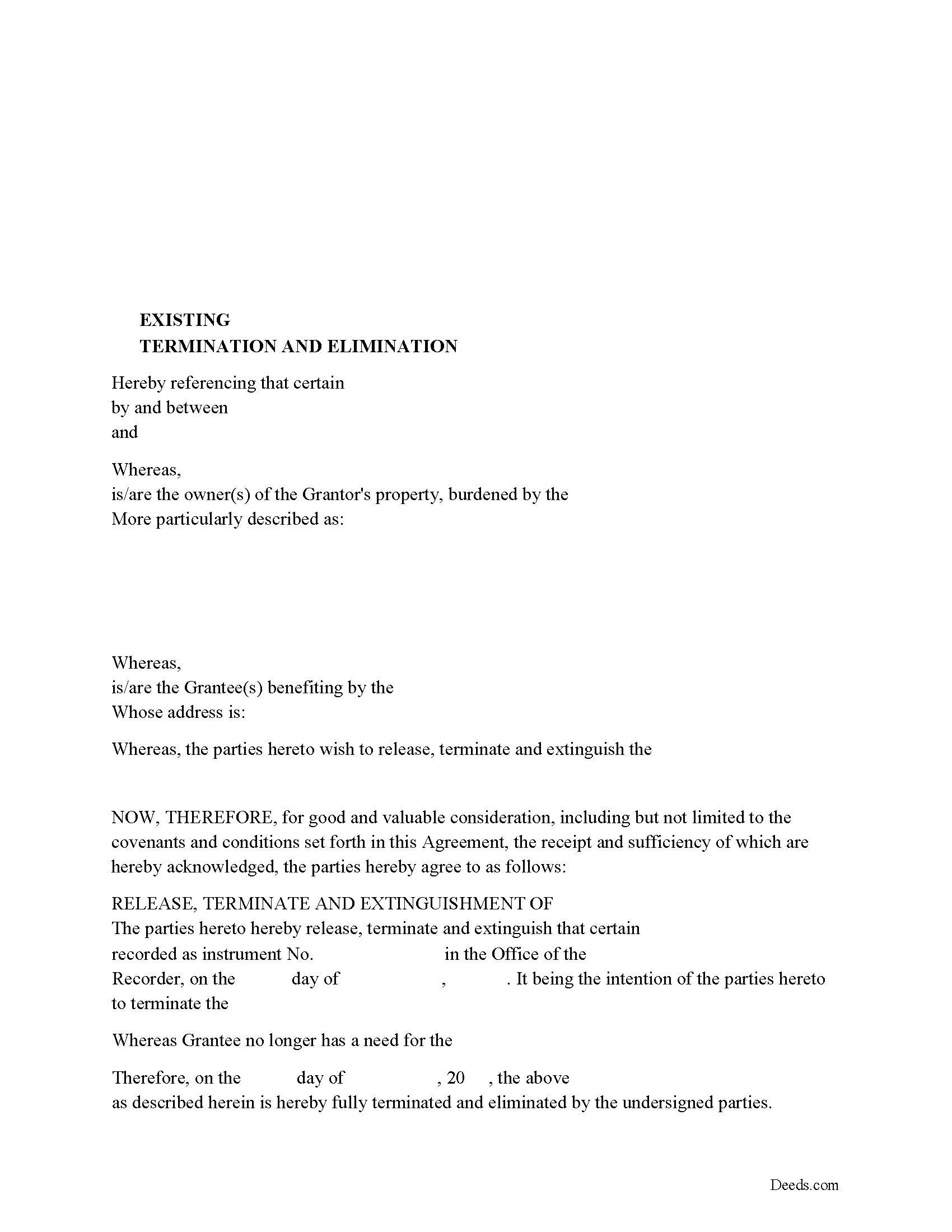
Pocahontas County Release of Easement, Right of Way Form
Fill in the blank form formatted to comply with all recording and content requirements.
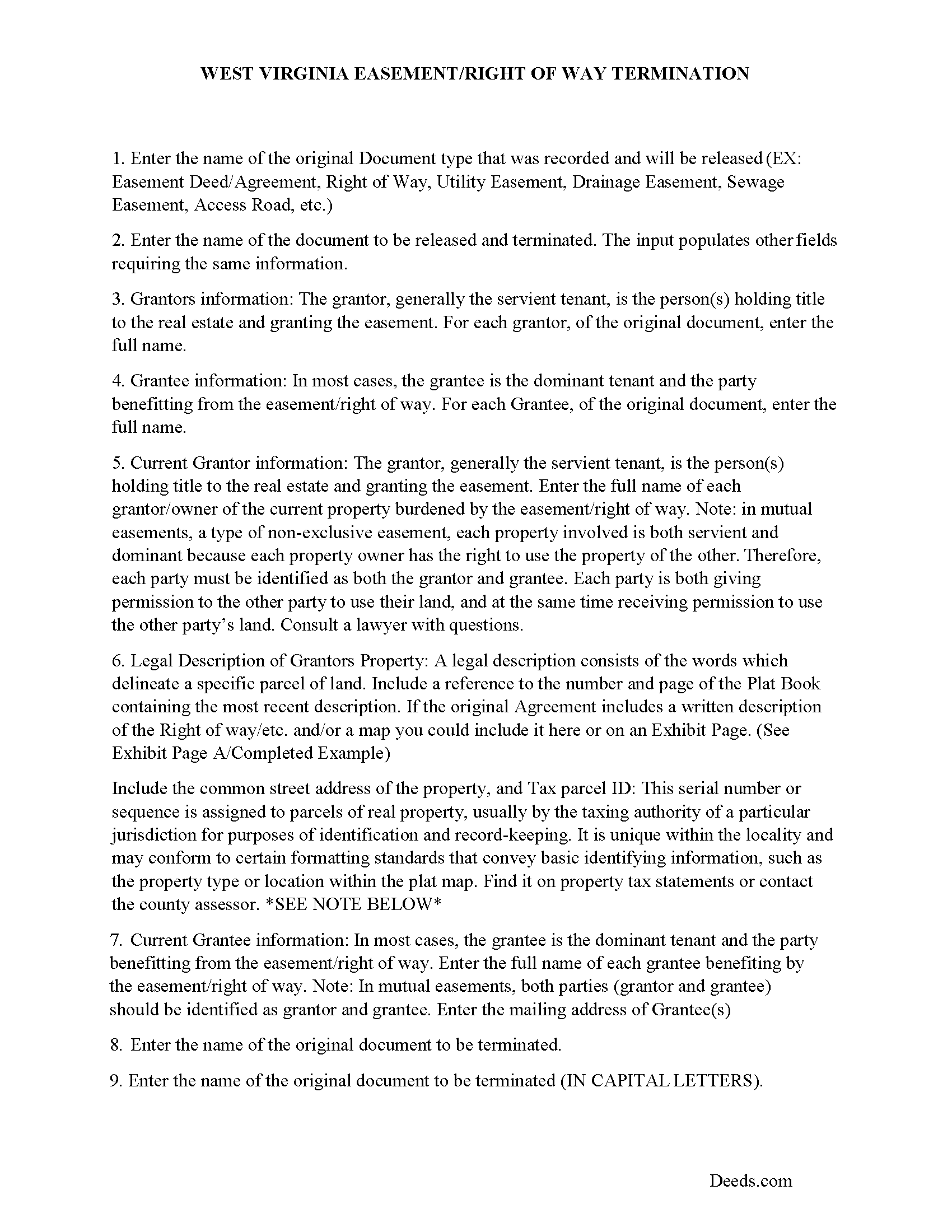
Pocahontas County Guidelines for Release of Easement
Line by line guide explaining every blank on the form.
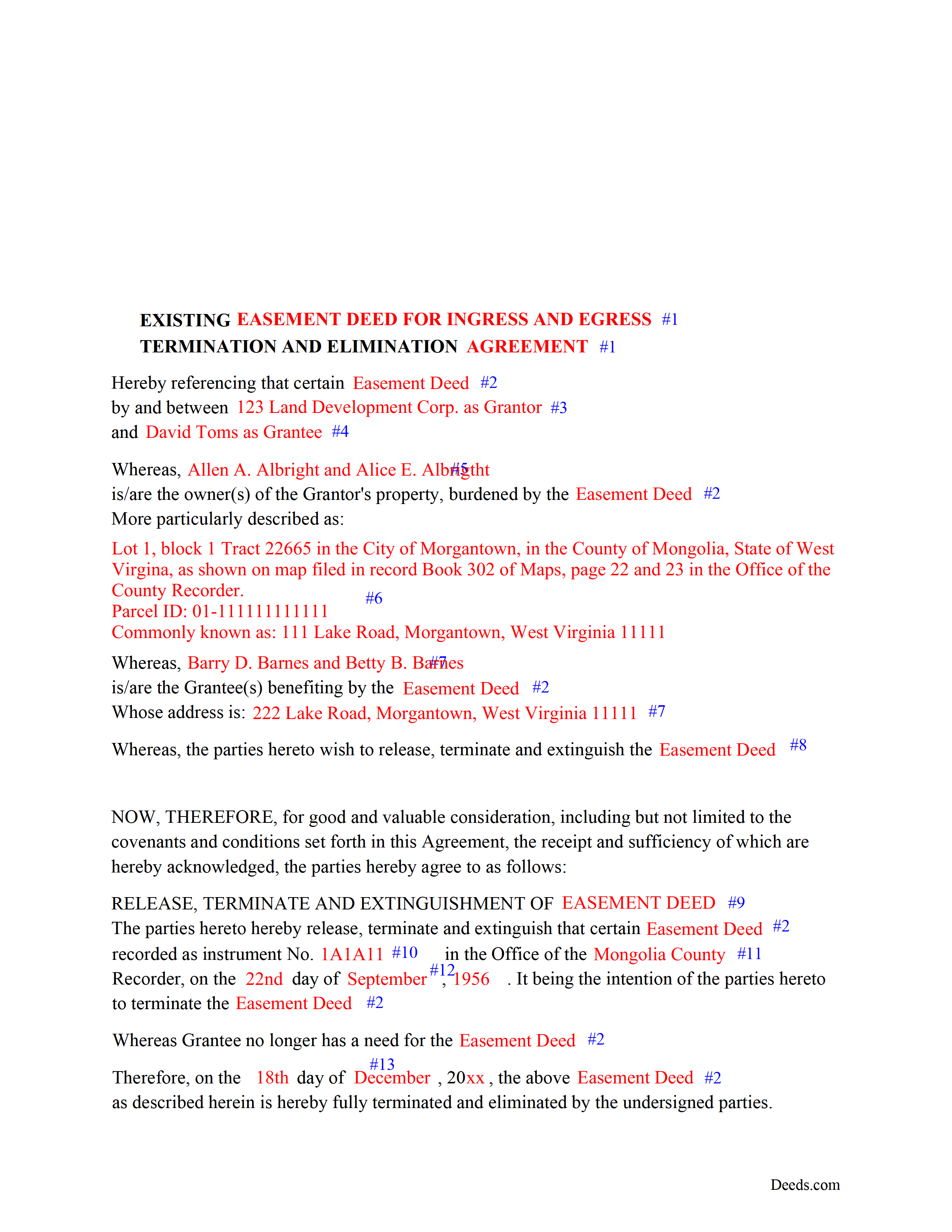
Pocahontas County Completed Example of the Release of Easement Deed Document
Example of a properly completed form for reference.
All 3 documents above included • One-time purchase • No recurring fees
Immediate Download • Secure Checkout
Additional West Virginia and Pocahontas County documents included at no extra charge:
Where to Record Your Documents
County of Pocahontas
Marlinton, West Virginia 24954-1333
Hours: 8:30 to 4:30 M-F
Phone: (304) 799-4549
Recording Tips for Pocahontas County:
- Bring your driver's license or state-issued photo ID
- Ensure all signatures are in blue or black ink
- Both spouses typically need to sign if property is jointly owned
- Bring extra funds - fees can vary by document type and page count
- Check margin requirements - usually 1-2 inches at top
Cities and Jurisdictions in Pocahontas County
Properties in any of these areas use Pocahontas County forms:
- Arbovale
- Bartow
- Buckeye
- Cass
- Dunmore
- Durbin
- Green Bank
- Hillsboro
- Marlinton
- Slatyfork
- Snowshoe
Hours, fees, requirements, and more for Pocahontas County
How do I get my forms?
Forms are available for immediate download after payment. The Pocahontas County forms will be in your account ready to download to your computer. An account is created for you during checkout if you don't have one. Forms are NOT emailed.
Are these forms guaranteed to be recordable in Pocahontas County?
Yes. Our form blanks are guaranteed to meet or exceed the applicable formatting requirements used for recording in Pocahontas County, including margin requirements, font requirements, and other layout standards. This guarantee applies to formatting, not to the legal sufficiency of information entered by the user or the suitability of a form for a particular transaction.
Can I reuse these forms?
Yes. You can reuse the forms for your personal use. For example, if you have multiple properties in Pocahontas County you only need to order once.
What do I need to use these forms?
The forms are PDFs that you fill out on your computer. The free Adobe Acrobat Reader is recommended, and most PDF apps also work. You do NOT enter your property information online - you download the blank forms and complete them privately on your own computer.
Are there any recurring fees?
No. This is a one-time purchase. Nothing to cancel, no memberships, no recurring fees.
How much does it cost to record in Pocahontas County?
Recording fees in Pocahontas County vary. Contact the recorder's office at (304) 799-4549 for current fees.
Questions answered? Let's get started!
Use this form to release, terminate, extinguish a previously recorded document that involves access to and from a property.
Documents such as:
1. Easement Deeds or Agreements (An easement is a non-possessory interest in land, granting the right to use someone else's property for a specific purpose, like a driveway or utility line)
2. Access Roads
3. Right of Ways
4. Utility Easements (Power, Gas, Water, Sewer, Etc.)
5. Drainage Easements
This document allows the owner of the land, burdened by the access and the party that benefits from the access, to sign an agreement releasing the property from such access, under the premises the benefiting party no longer needs access. Once the easement is successfully terminated and the release is recorded, it should be reflected in the title records for the property, effectively removing the easement from the property's title.
(WV Termination of Easement Package includes form, guidelines, and completed example)
Important: Your property must be located in Pocahontas County to use these forms. Documents should be recorded at the county recording office listed above.
This Termination of Easement meets all recording requirements specific to Pocahontas County.
Our Promise
The documents you receive here are guaranteed to meet or exceed the applicable Pocahontas County recording format requirements. If there is a rejection caused by our formatting, we will correct the issue or refund your payment. This guarantee applies to document formatting only and does not extend to information entered by the user, the selection of the form, or the legal effect of the completed document.
Save Time and Money
Get your Pocahontas County Termination of Easement form done right the first time with Deeds.com Uniform Conveyancing Blanks. At Deeds.com, we understand that your time and money are valuable resources, and we don't want you to face a penalty fee or rejection imposed by a county recorder for submitting nonstandard documents. We constantly review and update our forms to meet rapidly changing state and county recording requirements for roughly 3,500 counties and local jurisdictions.
4.8 out of 5 - ( 4,847 Reviews )
Louise D. 5 out of 5 stars
It was easy to complete the form and I appreciated the sample form.
We appreciate your business and value your feedback. Thank you. Have a wonderful day!
Michael B. 5 out of 5 stars
It was a breeze to utilize.
Thank you!
ROBERT L. 5 out of 5 stars
I got a blank, a sample and detailed instructions, I'm happy. If the recorder's office had a form as they like to see, with your name as they like to see, and the property name as they like to see, no one would ever pay a lawyer for this but a little time to look up the exact names and this package you're all set. I recommend this because, while it isn't difficult, making a mistake could be very bad so getting the details right for a particular county is well worth the cost.
We appreciate your business and value your feedback. Thank you. Have a wonderful day!
Maree W. 5 out of 5 stars
I am so impress with the forms that is needed for your state. It makes your task so easy and no worries. This was a big help in taking care of business. Thank you so much.
We appreciate your business and value your feedback. Thank you. Have a wonderful day!
Rebecca M. 5 out of 5 stars
Great service! fast turnaround! I’ve used Deeds.com multiple times, and the software interface is easy to use. I was able to get Deeds for Nevada re-recorded (errors on my lawyers part), quickly with Deeds.com support. Thanks Deeds.com!!
It was a pleasure serving you. Thank you for the positive feedback!
Crystal P. 5 out of 5 stars
This service is amazing! We have tried several other online recording services which all disappointed. Deeds.com got all three of our documents recorded same day as invoice payment. Thank you for the quick turn around! We will be using this service often.
We are sincerely grateful for your feedback and are committed to providing the highest quality service. Thank you for your trust in us.
Thelma S. 5 out of 5 stars
So easy to navigate.
Thank you!
Scott S. 5 out of 5 stars
This is the best resource I have found for documents related to beneficiary deeds!
Thank you!
Shannon R. 5 out of 5 stars
Good forms, served the purpose. would not hesitate to use again if needed.
We appreciate your business and value your feedback. Thank you. Have a wonderful day!
catheirne o. 5 out of 5 stars
Easy to use!
Thank you!
Connie J L. 5 out of 5 stars
Fast and easy to use. Easy to print.
Thank you!
Charles F. 5 out of 5 stars
Quick and Easy
Thank you for your feedback. We really appreciate it. Have a great day!
Nathan M. 5 out of 5 stars
It had the info, but when I would type into the document the items I needed in adobe all that would print out was the info I typed and none of the document information.
Thank you!
Daniel S. 5 out of 5 stars
Great way of getting the right documents for each state and county.
We appreciate your business and value your feedback. Thank you. Have a wonderful day!
Mica M. 5 out of 5 stars
I love deeds.com - hands down, the quickest way to record a warranty deed. The process and communication is so quick - the recording transaction too. Worth the extra $20 to me for my time! I didn't spend over an hour driving around, talking to someone via a kiosk to record the deed, didn't have to spend the energy of loading kids into the car to come with me, etc. The efficiency and timely process is worth the cost! Love having this available! The whole process via deeds.com took less than 5 minutes to upload a document and less than 3 minutes to pay the invoice shortly thereafter. The final recording was in my inbox in less than an hour. Thank you!
Thank you for your feedback. We really appreciate it. Have a great day!