Bayfield County Certificate of Trust Form
Last validated October 5, 2026 by our Forms Development TeamFormatted for recording in Bayfield County, for property anywhere in the county: rural and unincorporated areas as well as Bayfield, Benoit, Cable, Cornucopia, Drummond, Grand View, Herbster, Iron River and 3 more.
- 3 documents included
- Immediate PDF download
- Formatting guarantee
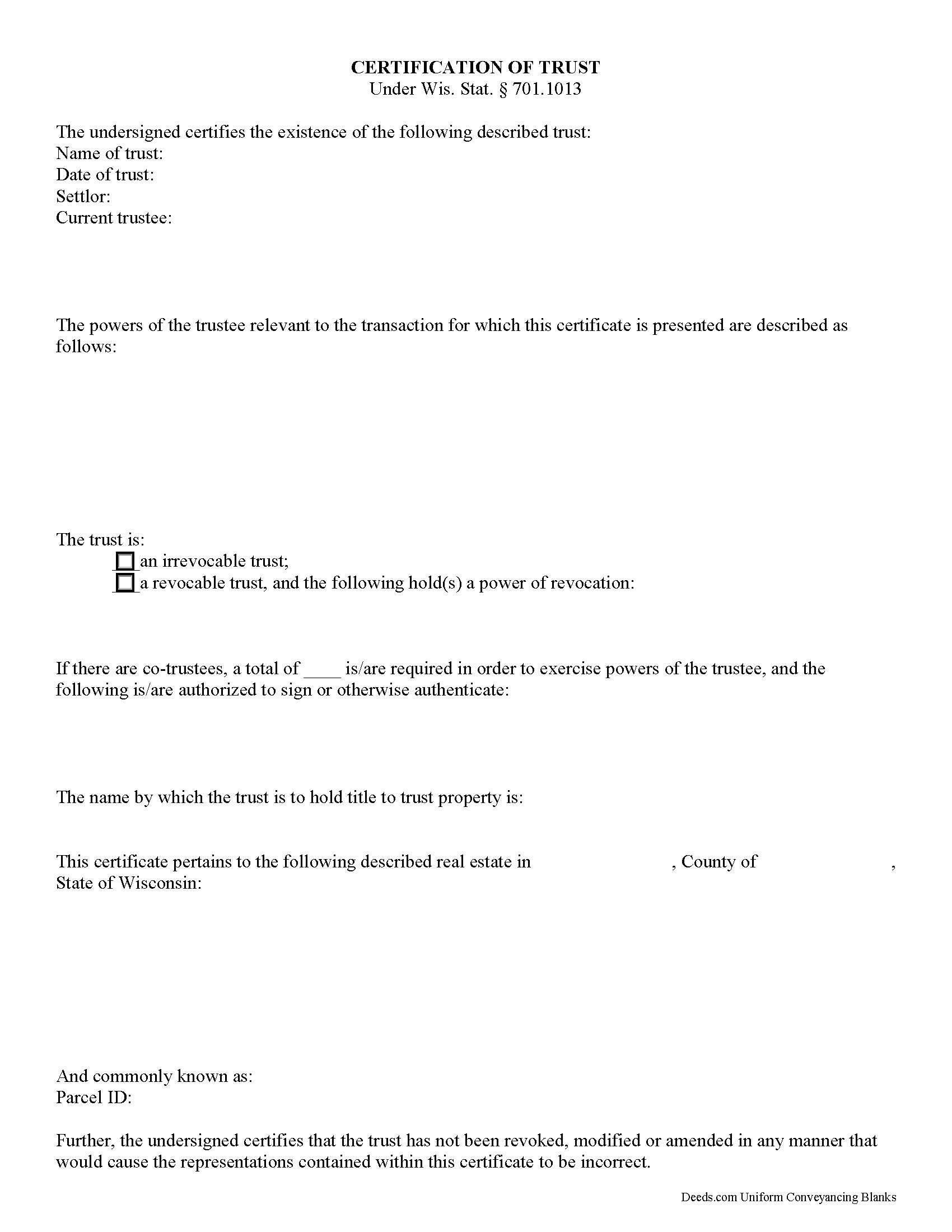
Bayfield County Certificate of Trust Form
Fill in the blank form formatted to comply with all recording and content requirements.
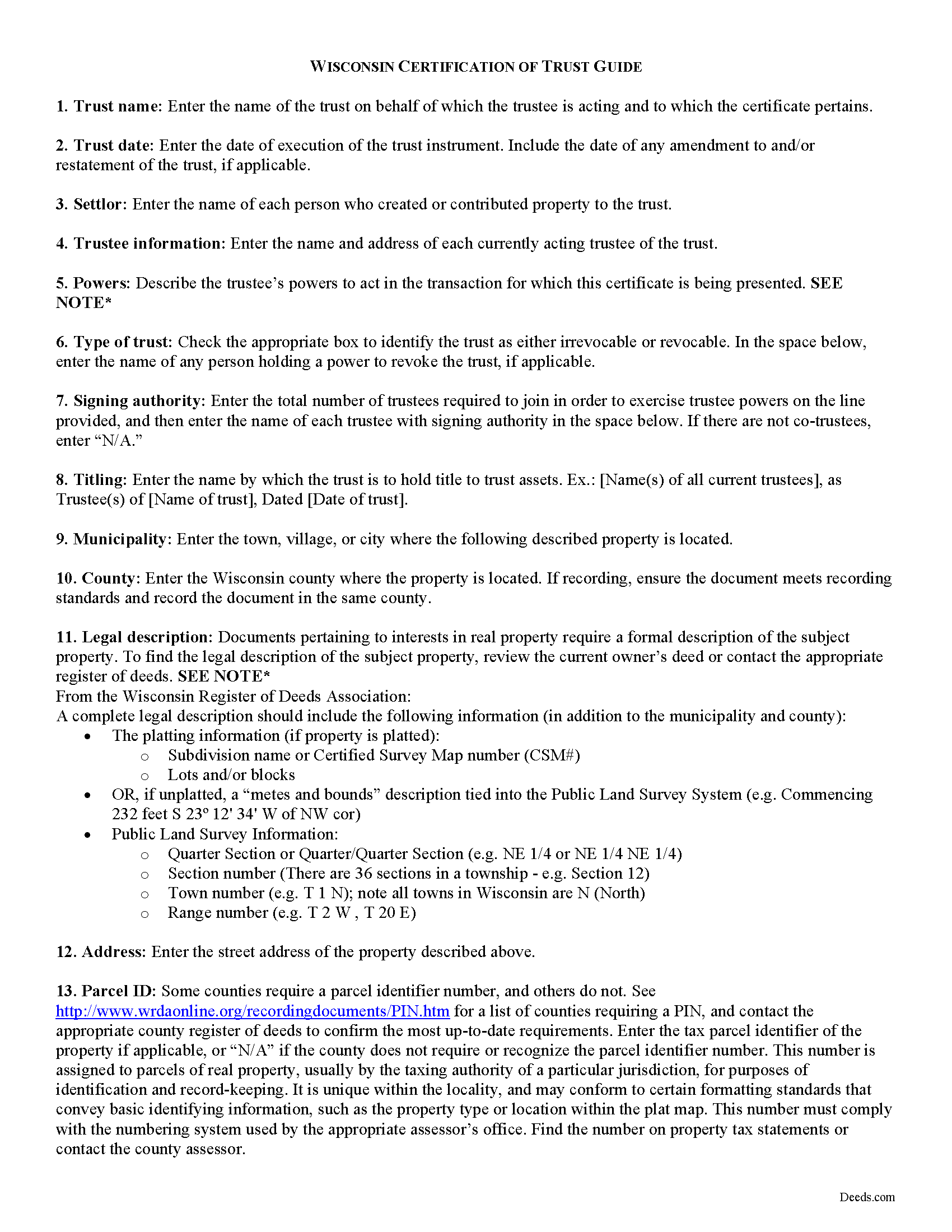
Bayfield County Certificate of Trust Guide
Line by line guide explaining every blank on the form.
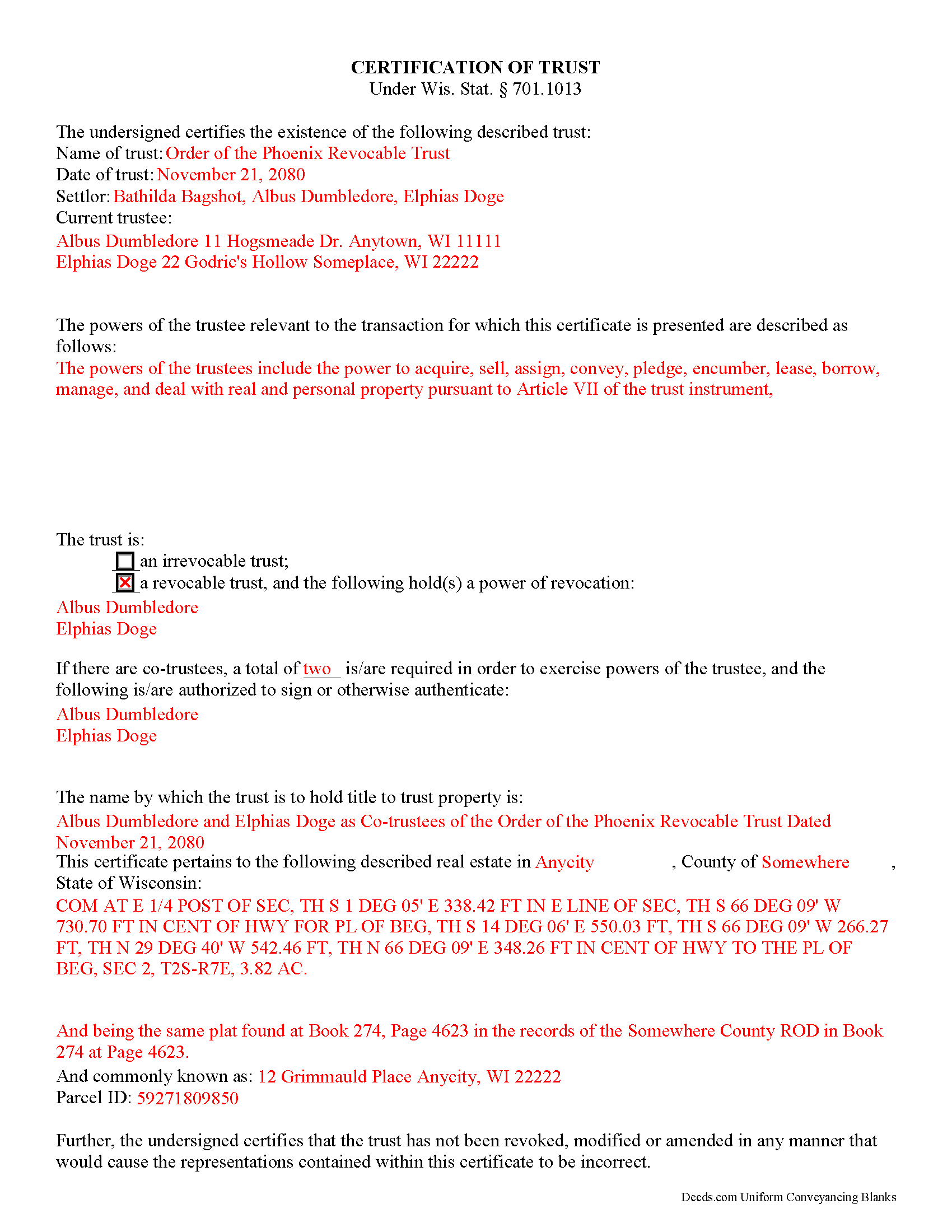
Bayfield County Completed Example of the Certificate of Trust Document
Example of a properly completed form for reference.
All 3 documents above included • One-time purchase • No recurring fees
Immediate Download • Secure Checkout
Additional Wisconsin and Bayfield County documents included at no extra charge:
Where to Record Your Documents
Bayfield County Register of Deeds
Washburn, Wisconsin 54891
Hours: Monday - Friday 8:00am - 4:00pm
Phone: (715) 373-6119
Recording Tips for Bayfield County:
- Bring your driver's license or state-issued photo ID
- Ensure all signatures are in blue or black ink
- Request a receipt showing your recording numbers
- Ask about accepted payment methods when you call ahead
- Ask for certified copies if you need them for other transactions
Cities and Jurisdictions in Bayfield County
Properties in any of these areas use Bayfield County forms:
- Bayfield
- Benoit
- Cable
- Cornucopia
- Drummond
- Grand View
- Herbster
- Iron River
- Mason
- Port Wing
- Washburn
Hours, fees, requirements, and more for Bayfield County
How do I get my forms?
Forms are available for immediate download after payment. The Bayfield County forms will be in your account ready to download to your computer. An account is created for you during checkout if you don't have one. Forms are NOT emailed.
Are these forms guaranteed to be recordable in Bayfield County?
Yes. Our form blanks are guaranteed to meet or exceed the applicable formatting requirements used for recording in Bayfield County, including margin requirements, font requirements, and other layout standards. This guarantee applies to formatting, not to the legal sufficiency of information entered by the user or the suitability of a form for a particular transaction.
Can I reuse these forms?
Yes. You can reuse the forms for your personal use. For example, if you have multiple properties in Bayfield County you only need to order once.
What do I need to use these forms?
The forms are PDFs that you fill out on your computer. The free Adobe Acrobat Reader is recommended, and most PDF apps also work. You do NOT enter your property information online - you download the blank forms and complete them privately on your own computer.
Are there any recurring fees?
No. This is a one-time purchase. Nothing to cancel, no memberships, no recurring fees.
How much does it cost to record in Bayfield County?
Recording fees in Bayfield County vary. Contact the recorder's office at (715) 373-6119 for current fees.
Questions answered? Let's get started!
The certificate of trust is an unrecorded document executed by a trustee and presented to a party doing business with the trustee (such as a financial institution). The document is codified as part of the Wisconsin Trust Code at Wis. Stat. 701.1013.
In a trust arrangement, a settlor transfers assets another person who, as trustee, manages them for the benefit of the trust beneficiary. In lieu of presenting the entire trust instrument, which generally goes unrecorded in order to protect the settlor's estate plans, the certificate is an abstract containing only the information required of the trustee in order to conduct the business at hand. The document certifies that the trust exists and that the trustee has the authority to act in the pending transaction on behalf of the trust.
The certificate includes a statement that the trust exists and contains the name and date of the trust; the names of the settlor and all currently acting trustees; an inventory of the relevant powers of the trustee; and the name by which the trust vests title to property. The form also identifies anyone who holds a power to revoke the trust, and, when there are co-trustees, stipulates the authority of the trustees to authenticate trust documents. Additionally, the certificate requires a statement that the trust has not been modified, amended, or revoked so as to invalidate the facts presented.
In most cases, the certificate is not recorded. It may sometimes accompany a conveyance of real property out of the trust (a trustee's deed), verifying that the trustee has the authority to convey real property and confirming that the property is subject to the trust by providing the legal description of the property, as found in the trust agreement or conveyancing instrument into trust.
Statements made in the certificate may be relied on as fact; Wis. Stat. 701.1013 provides protection for persons relying in good faith on the information presented in the certificate. In addition to the certificate, the trustee may furnish excerpts from the trust instrument designating the trustee and establishing the trustee's power to act in the business at hand. Recipients of a certificate requesting that the trustee furnish the entire trust instrument, however, are open to liability.
The certificate may be signed by any trustee in the presence of a notary public. If the document is submitted for recording, it must conform to standards for recording established at Wis. Stat. 59.43(2m).
Consult a lawyer with questions regarding trusts and certifications of trust in Wisconsin, as each situation is unique.
(Wisconsin COT Package includes form, guidelines, and completed example)
Important: Your property must be located in Bayfield County to use these forms. Documents should be recorded at the county recording office listed above.
This Certificate of Trust meets all recording requirements specific to Bayfield County.
Our Promise
The documents you receive here are guaranteed to meet or exceed the applicable Bayfield County recording format requirements. If there is a rejection caused by our formatting, we will correct the issue or refund your payment. This guarantee applies to document formatting only and does not extend to information entered by the user, the selection of the form, or the legal effect of the completed document.
Save Time and Money
Get your Bayfield County Certificate of Trust form done right the first time with Deeds.com Uniform Conveyancing Blanks. At Deeds.com, we understand that your time and money are valuable resources, and we don't want you to face a penalty fee or rejection imposed by a county recorder for submitting nonstandard documents. We constantly review and update our forms to meet rapidly changing state and county recording requirements for roughly 3,500 counties and local jurisdictions.
4.8 out of 5 - ( 4,825 Reviews )
Harry C. 3 out of 5 stars
Sign up was rocky. Tried to access documents and msg. said did not recognize my email (even though it had sent me an email). Contacted support and it was resolved. House transfer affidavit straight forward and easy to fill out.
Thank you for your feedback. We really appreciate it. Have a great day!
Kimberly R. 5 out of 5 stars
Very easy to use. Very informative. I think this is a very good service and is worth the $19 especially if you value time.
Thank you for your feedback. We really appreciate it. Have a great day!
Martin T. 5 out of 5 stars
The deed I needed was available to me easily. I was able to fill it out with the help of the example deed provided. I am very satisfied with the value received for the price paid.
Thank you!
Deborah Anne C. 5 out of 5 stars
Easy, Comprehensive and most importantly Easy!
We appreciate your business and value your feedback. Thank you. Have a wonderful day!
Juanita B. 5 out of 5 stars
Very easy and fast transaction. Thank you for complete set of forms needed for property transfer.
Thank you for your feedback. We really appreciate it. Have a great day!
DONALD L P. 5 out of 5 stars
HAD WRONG PASSWORD; PROGRAM MADE CHANGE EASY.
Thank you!
Matthew C. 1 out of 5 stars
Your Transfer on Death Deed is fine and you have plenty of information about that part. But where is the Confirmatory Deed that is required in many jurisdictions in order to actually pass ownership of a property when the Transfer on Death Deed becomes effective? IT IS MISSING!!
Thank you for your feedback. We really appreciate it. Have a great day!
Gary R. 5 out of 5 stars
Very prompt response to my questions.
Thank you!
Sara D. 3 out of 5 stars
Would have been beneficial to have more information about the previous sale history of the property. The report was received in a very timely manner.
Thank you for your feedback. We really appreciate it. Have a great day!
Joan S. 5 out of 5 stars
Thanks for providing this service. We had searched for weeks for the correct documents. It might help clients to find you soon if the banks and mortgage companies can refer clients to you. They require the forms but offer no direct source to obtain them. You are 5 star in every way.
Thank you!
Shane S. 5 out of 5 stars
Great forms, exactly what I needed. Easy to understand. No problems recording. Thanks!
Thank you!
James W. 5 out of 5 stars
Easy access to forms saving lots of time researching reqmts from a State/Municipal Govt website. I saved 400-500 in lawyer fees but getting these forms, and coordinating with the Property recorders office in another state. Will use you again.
Thank you James. We really appreciate your feedback.
SHALINI W. 5 out of 5 stars
Exceptionally easy to use. Very user friendly. Would highly recommend.
We appreciate your business and value your feedback. Thank you. Have a wonderful day!
Teresa T. 5 out of 5 stars
amazingly fast! Thank you!
We appreciate your business and value your feedback. Thank you. Have a wonderful day!
Michael W. 5 out of 5 stars
This was really easy and very helpful. Thanks,
Thank you!