Columbia County Correction Deed Form
Last validated October 6, 2026 by our Forms Development TeamFormatted for recording in Columbia County, for property anywhere in the county: rural and unincorporated areas as well as Arlington, Cambria, Columbus, Doylestown, Fall River, Friesland, Lodi, Pardeeville and 6 more.
- 3 documents included
- Immediate PDF download
- Formatting guarantee
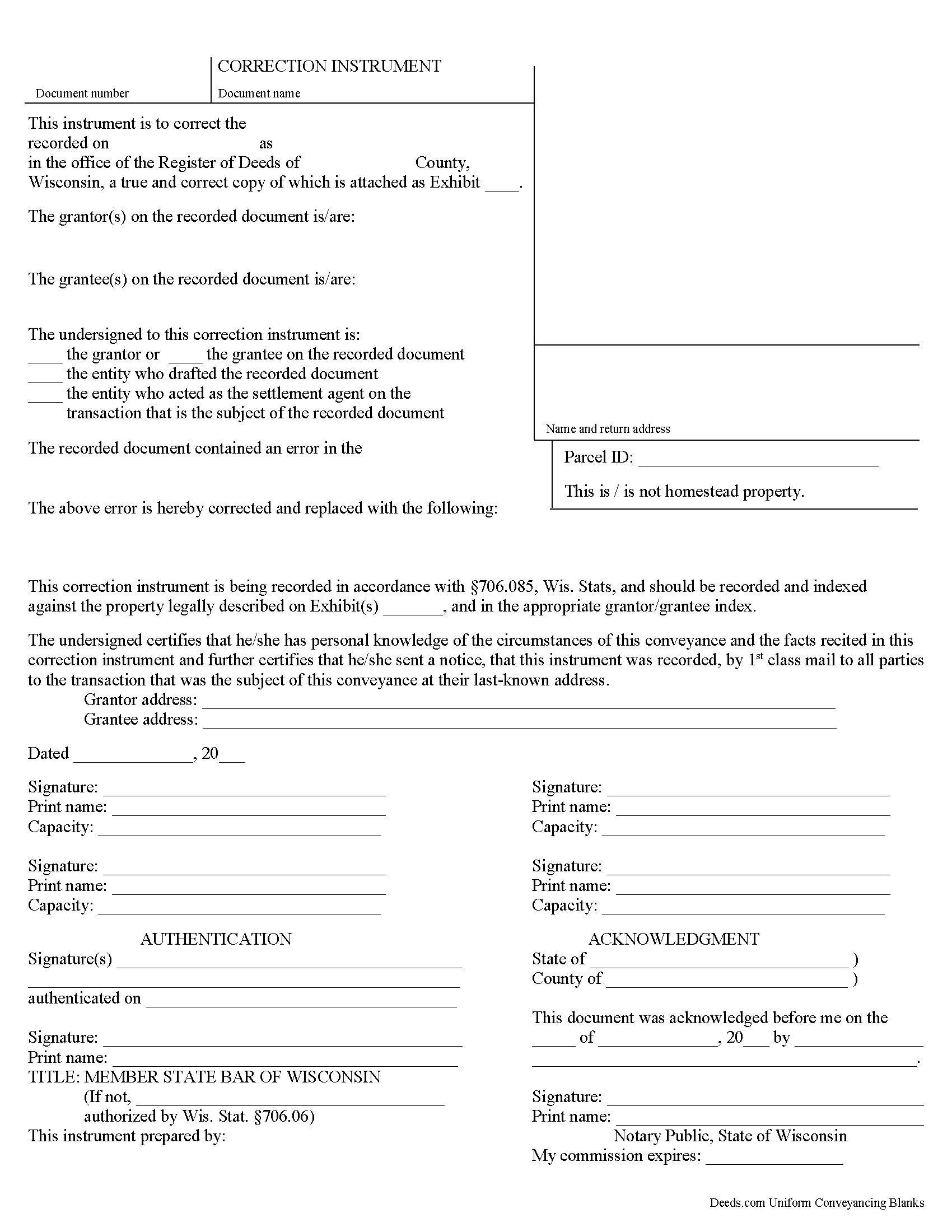
Columbia County Correction Deed Form
Fill in the blank form formatted to comply with all recording and content requirements.
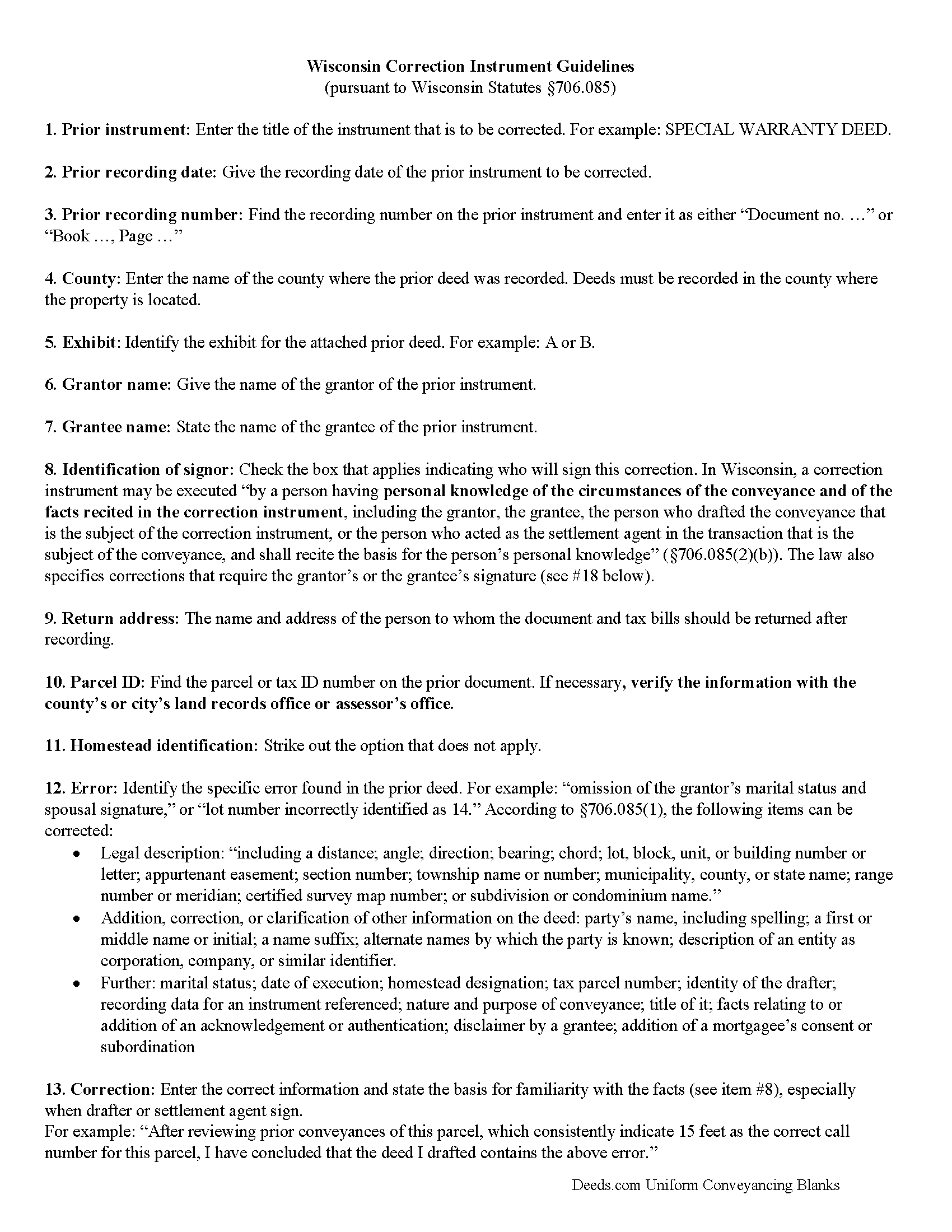
Columbia County Correction Deed Guide
Line by line guide explaining every blank on the form.
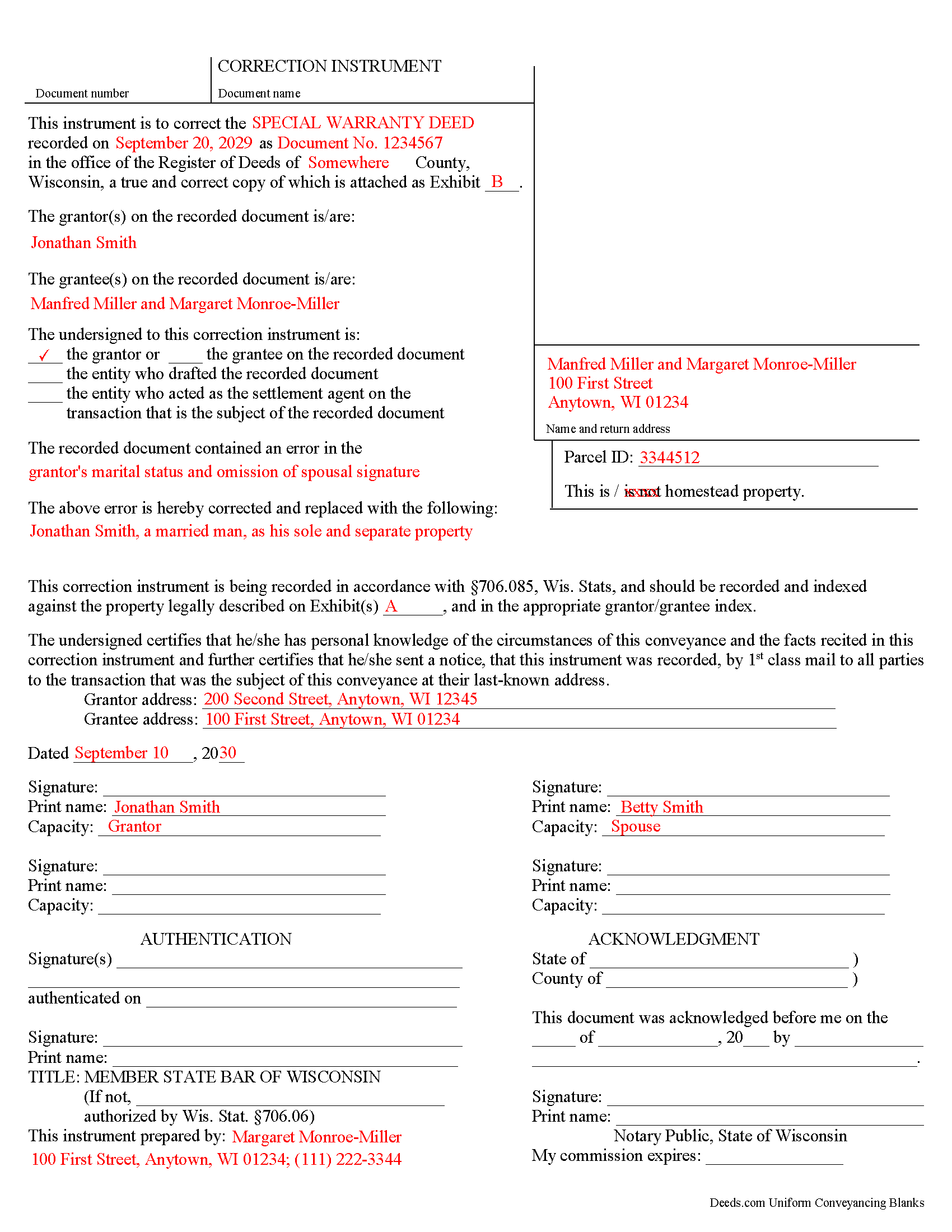
Columbia County Completed Example of the Correction Deed Document
Example of a properly completed form for reference.
All 3 documents above included • One-time purchase • No recurring fees
Immediate Download • Secure Checkout
Additional Wisconsin and Columbia County documents included at no extra charge:
Where to Record Your Documents
Columbia County Clerk
Portage, Wisconsin 53901
Hours: Monday - Friday 8:00am - 4:30pm. Please note, the cut-off reception time for recording real estate documents will be 3:30 pm. Documents presented for recording after 3:30 pm will be recorded the next business day.
Phone: (608) 742-9677
Recording Tips for Columbia County:
- Bring your driver's license or state-issued photo ID
- Ensure all signatures are in blue or black ink
- Recorded documents become public record - avoid including SSNs
- Recording fees may differ from what's posted online - verify current rates
- Request a receipt showing your recording numbers
Cities and Jurisdictions in Columbia County
Properties in any of these areas use Columbia County forms:
- Arlington
- Cambria
- Columbus
- Doylestown
- Fall River
- Friesland
- Lodi
- Pardeeville
- Portage
- Poynette
- Randolph
- Rio
- Wisconsin Dells
- Wyocena
Hours, fees, requirements, and more for Columbia County
How do I get my forms?
Forms are available for immediate download after payment. The Columbia County forms will be in your account ready to download to your computer. An account is created for you during checkout if you don't have one. Forms are NOT emailed.
Are these forms guaranteed to be recordable in Columbia County?
Yes. Our form blanks are guaranteed to meet or exceed the applicable formatting requirements used for recording in Columbia County, including margin requirements, font requirements, and other layout standards. This guarantee applies to formatting, not to the legal sufficiency of information entered by the user or the suitability of a form for a particular transaction.
Can I reuse these forms?
Yes. You can reuse the forms for your personal use. For example, if you have multiple properties in Columbia County you only need to order once.
What do I need to use these forms?
The forms are PDFs that you fill out on your computer. The free Adobe Acrobat Reader is recommended, and most PDF apps also work. You do NOT enter your property information online - you download the blank forms and complete them privately on your own computer.
Are there any recurring fees?
No. This is a one-time purchase. Nothing to cancel, no memberships, no recurring fees.
How much does it cost to record in Columbia County?
Recording fees in Columbia County vary. Contact the recorder's office at (608) 742-9677 for current fees.
Questions answered? Let's get started!
Use the correction instrument to correct an error in a deed in Wisconsin.
Since 2010 Wisconsin statutes have allowed for a correction instrument that can be used to correct any of the following (706.085, Wis. Stats.):
* An error in the legal description, "including a distance; angle; direction; bearing; chord; lot, block, unit, or building number or letter; appurtenant easement; section number; township name or number; municipality, county, or state name; range number or meridian; certified survey map number; or subdivision or condominium name."
* The addition, correction, or clarification of other information on the deed: party's name, including spelling; a first or middle name or initial; a name suffix; alternate names by which the party is known; and description of an entity as corporation, company, or similar identifier.
* An error in one of the following items on the deed: marital status; date of execution; homestead designation; tax parcel number; identity of the drafter; recording data for an instrument referenced; nature and purpose of conveyance; title of it; facts relating to or addition of an acknowledgement or authentication; disclaimer by a grantee; and addition of a mortgagee's consent or subordination
If any corrections are made to the legal description, the complete corrected legal description must be attached as exhibit page, in addition to the incorrect version on the attached prior deed.
The correction instrument may be executed "by a person having personal knowledge of the circumstances of the conveyance and of the facts recited in the correction instrument" (706.085, Wis. Stats.). This includes the grantor, the grantee, the person who drafted the prior deed, and the person who acted as the settlement agent in the prior conveyance. In the case of the latter two especially, "the basis for the person's personal knowledge" must be stated. Furthermore, the law specifies corrections that must be signed by the grantor or the grantee.
The grantor only can sign if land is added through the correction. If, on the other hand, a parcel is being removed, the grantee must sign. If a lot or unit number is being corrected and the lot or unit incorrectly recited on the conveyance is also owned by the grantor," the grantee's signature is required as well. If the incorrectly recited parcel is not also owned by the grantor, any party identified above can sign. The same holds true if the correction instrument "supplies a lot, block, unit, or building number or letter that was omitted from the conveyance" (706.085, Wis. Stats.). The correction instrument must be acknowledged or authenticated by a notary or official authorized to do so.
(Wisconsin CD Package includes form, guidelines, and completed example)
Important: Your property must be located in Columbia County to use these forms. Documents should be recorded at the county recording office listed above.
This Correction Deed meets all recording requirements specific to Columbia County.
Our Promise
The documents you receive here are guaranteed to meet or exceed the applicable Columbia County recording format requirements. If there is a rejection caused by our formatting, we will correct the issue or refund your payment. This guarantee applies to document formatting only and does not extend to information entered by the user, the selection of the form, or the legal effect of the completed document.
Save Time and Money
Get your Columbia County Correction Deed form done right the first time with Deeds.com Uniform Conveyancing Blanks. At Deeds.com, we understand that your time and money are valuable resources, and we don't want you to face a penalty fee or rejection imposed by a county recorder for submitting nonstandard documents. We constantly review and update our forms to meet rapidly changing state and county recording requirements for roughly 3,500 counties and local jurisdictions.
4.8 out of 5 - ( 4,825 Reviews )
Robert A. 5 out of 5 stars
First timer with Deeds.com - excellent experience. I am a lawyer and do not record often. Did not have to pay membership- fast and easy upload of documents- fast response - fast recording time from county recorder- very legible documents- very reasonable price. I give 6 stars out of 5!
We appreciate your business and value your feedback. Thank you. Have a wonderful day!
Martin E. 5 out of 5 stars
documents and guidance need to properly comply with court
Thank you!
William U. 5 out of 5 stars
Prompt service, reasonable price.
Thank you!
HELENA M. 5 out of 5 stars
Quick, super easy and very reasonable charge!!
Thank you for your feedback. We really appreciate it. Have a great day!
Mary C. 5 out of 5 stars
The fillable form was usable but awkward as most of these forms are. The example and guide were both helpful. I'm satisfied with what I received.
Great to hear — thank you for taking the time to write a review.
Lorraine J. 5 out of 5 stars
Thank-you.
Thank you!
Mark S. 5 out of 5 stars
The forms were easy and convenient to use
Thank you Mark. We appreciate your feedback.
RICK M. 5 out of 5 stars
great
Thank you!
Joseph R. 5 out of 5 stars
So easy to use. I like the way they kept me informed to the progress being made on my filing. If the occasion occurs I'll definitely use them again.
We appreciate your business and value your feedback. Thank you. Have a wonderful day!
Shawn H. 5 out of 5 stars
The site provided exactly what I needed when I needed it.
Thank you for your feedback. We really appreciate it. Have a great day!
Jim H. 5 out of 5 stars
Well written form, and the guidance document and example supplied were very helpful.
Thank you!
ziad k. 5 out of 5 stars
FIRST TIME USER EXCELENT SERVICE.
Thank you for your feedback. We really appreciate it. Have a great day!
kabir r. 5 out of 5 stars
Wonderful quitclaim forms, very happy
Thank you!
Debbie M. 5 out of 5 stars
Everything that I needed was included. I appreciate that there was a sample as well as the step-by-step directions included in the download. I would definitely recommend this site to anyone that needs it.
We appreciate your business and value your feedback. Thank you. Have a wonderful day!
Jerry K G. 5 out of 5 stars
I got what I asked for, almost instantly.
Thank you!