Oneida County Disclaimer of Interest (Surviving Spouse) Form
Last validated November 20, 2026 by our Forms Development TeamFormatted for recording in Oneida County, for property anywhere in the county: rural and unincorporated areas as well as Harshaw, Hazelhurst, Lake Tomahawk, Mc Naughton, Minocqua, Pelican Lake, Rhinelander, Three Lakes and 2 more.
- 3 documents included
- Immediate PDF download
- Formatting guarantee
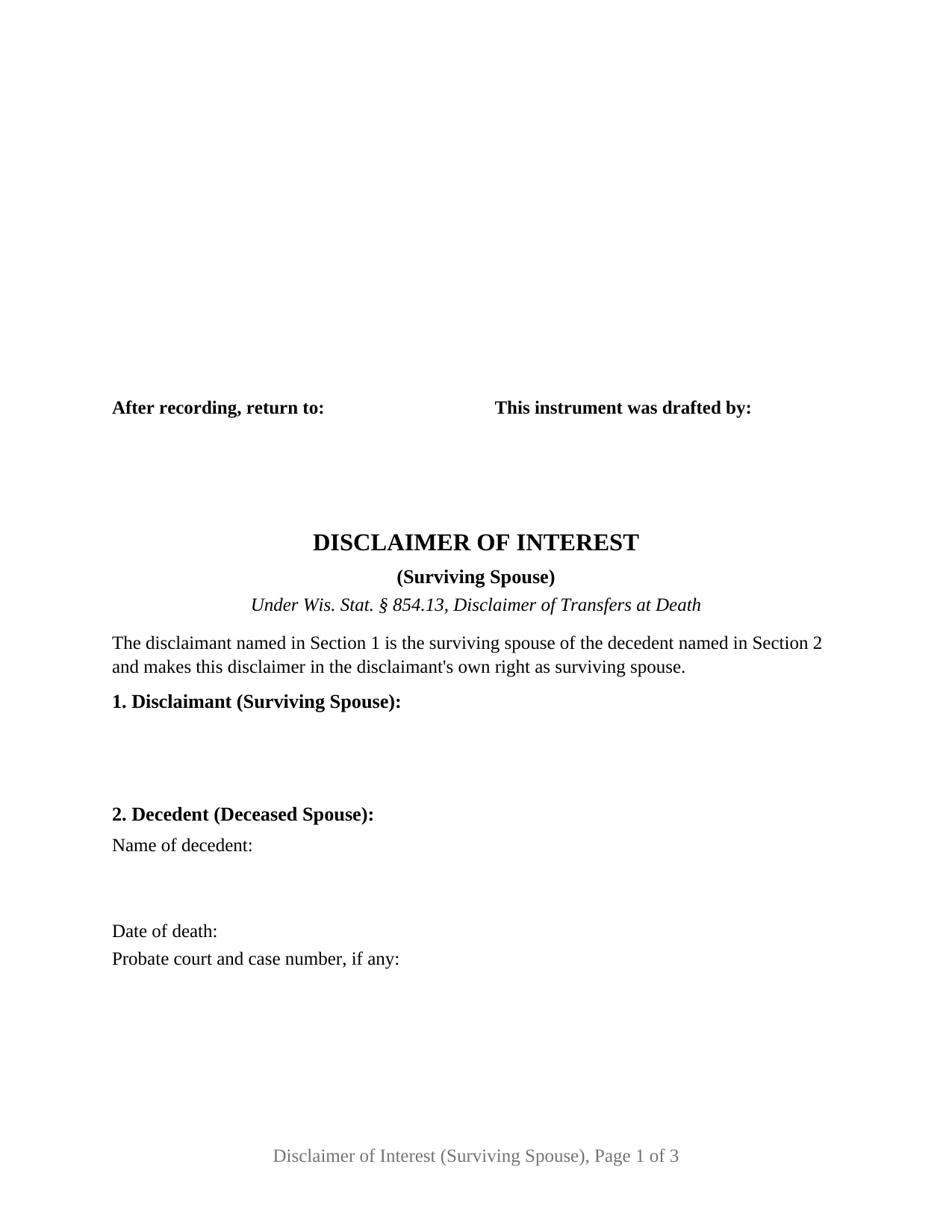
Oneida County Disclaimer of Interest (Surviving Spouse) Form
Fill in the blank Disclaimer of Interest (Surviving Spouse) form formatted to comply with all Wisconsin recording and content requirements.
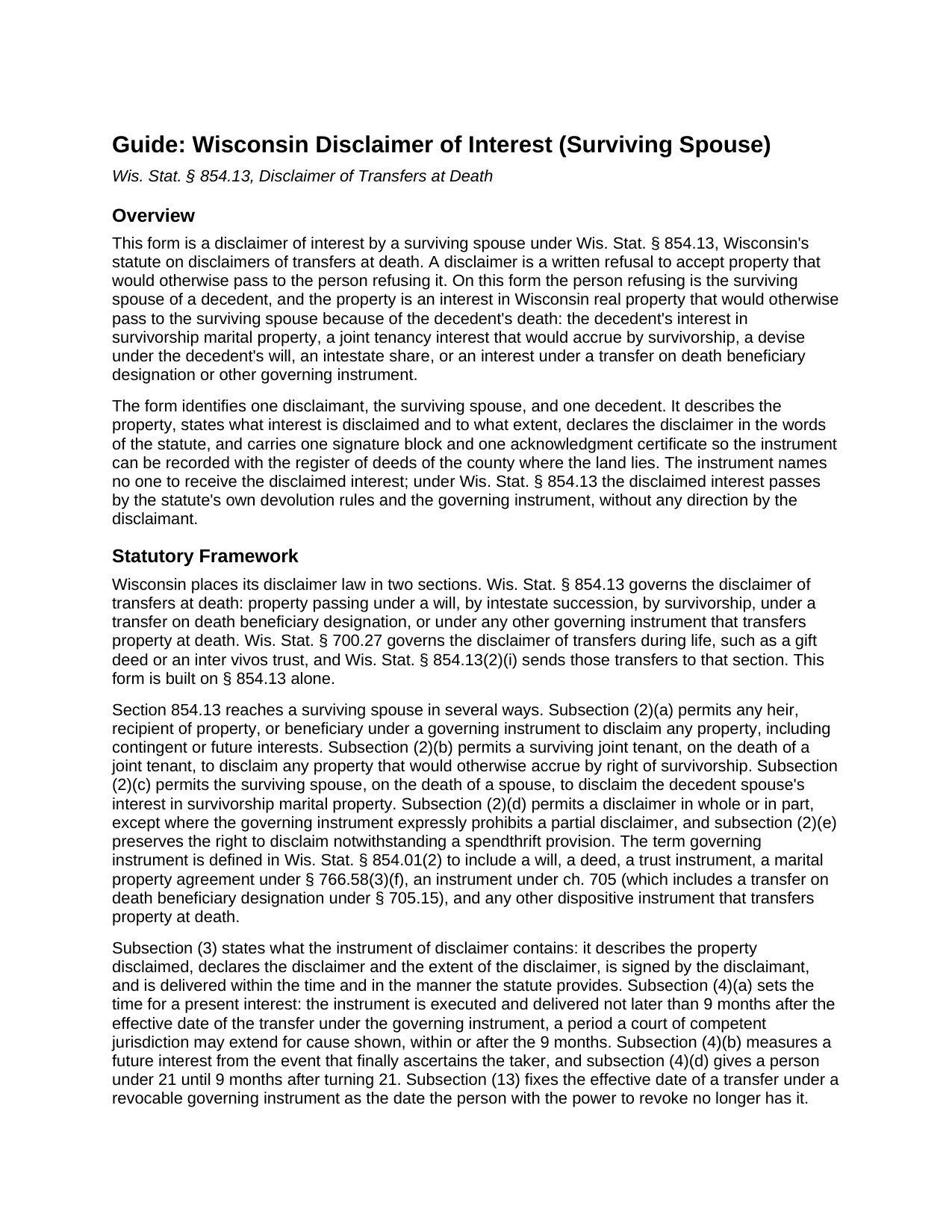
Oneida County Disclaimer of Interest (Surviving Spouse) Guide
Line by line guide explaining every blank on the Disclaimer of Interest (Surviving Spouse) form.
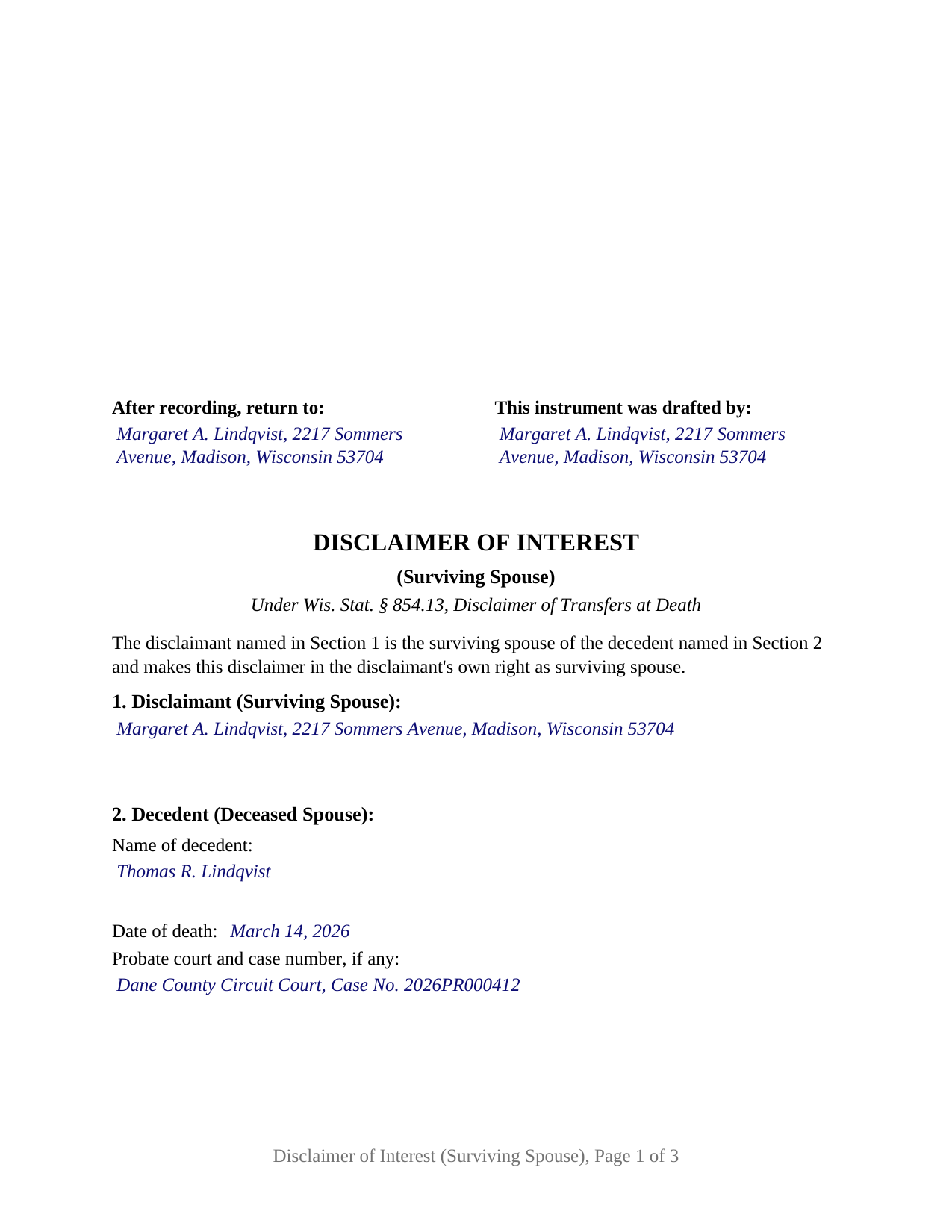
Oneida County Completed Example of the Disclaimer of Interest (Surviving Spouse) Document
Example of a properly completed Wisconsin Disclaimer of Interest (Surviving Spouse) document for reference.
All 3 documents above included • One-time purchase • No recurring fees
Immediate Download • Secure Checkout
Additional Wisconsin and Oneida County documents included at no extra charge:
Where to Record Your Documents
Oneida County Register of Deeds
Rhinelander, Wisconsin 54501
Hours: Monday - Friday 8:00am - 4:30pm
Phone: (715) 369-6150
Recording Tips for Oneida County:
- Bring your driver's license or state-issued photo ID
- Ensure all signatures are in blue or black ink
- Ask if they accept credit cards - many offices are cash/check only
- Check that your notary's commission hasn't expired
- Documents must be on 8.5 x 11 inch white paper
Cities and Jurisdictions in Oneida County
Properties in any of these areas use Oneida County forms:
- Harshaw
- Hazelhurst
- Lake Tomahawk
- Mc Naughton
- Minocqua
- Pelican Lake
- Rhinelander
- Three Lakes
- Tripoli
- Woodruff
Hours, fees, requirements, and more for Oneida County
How do I get my forms?
Forms are available for immediate download after payment. The Oneida County forms will be in your account ready to download to your computer. An account is created for you during checkout if you don't have one. Forms are NOT emailed.
Are these forms guaranteed to be recordable in Oneida County?
Yes. Our form blanks are guaranteed to meet or exceed the applicable formatting requirements used for recording in Oneida County, including margin requirements, font requirements, and other layout standards. This guarantee applies to formatting, not to the legal sufficiency of information entered by the user or the suitability of a form for a particular transaction.
Can I reuse these forms?
Yes. You can reuse the forms for your personal use. For example, if you have multiple properties in Oneida County you only need to order once.
What do I need to use these forms?
The forms are PDFs that you fill out on your computer. The free Adobe Acrobat Reader is recommended, and most PDF apps also work. You do NOT enter your property information online - you download the blank forms and complete them privately on your own computer.
Are there any recurring fees?
No. This is a one-time purchase. Nothing to cancel, no memberships, no recurring fees.
How much does it cost to record in Oneida County?
Recording fees in Oneida County vary. Contact the recorder's office at (715) 369-6150 for current fees.
Questions answered? Let's get started!
A Wisconsin surviving spouse who does not want to take the deceased spouse's interest in real estate can refuse it. This Wisconsin Disclaimer of Interest (Surviving Spouse) is the written refusal Wis. Stat. 854.13 describes, set up for exactly that person: one surviving spouse, one decedent, and one interest in Wisconsin land that would otherwise pass to the survivor at the death. The form recites the surviving spouse status as fixed text, carries one signature and one acknowledgment certificate, and is built to Wisconsin's standard document format so a copy can be recorded with the register of deeds.
Refusing the decedent spouse's half
Wisconsin's marital property system gives married couples title forms that pass automatically at death. Under Wis. Stat. 766.60(5)(a), survivorship marital property vests in the surviving spouse by nontestamentary disposition the moment the first spouse dies; a joint tenancy under Wis. Stat. 700.19 passes by survivorship the same way. Section 854.13 answers the question of what a survivor who does not want that interest can do. Subsection (2)(c) lets the surviving spouse, on the death of a spouse, disclaim the decedent spouse's interest in survivorship marital property. Subsection (2)(b) lets a surviving joint tenant disclaim the property that would otherwise accrue by right of survivorship. Subsection (2)(a) covers the rest: a surviving spouse named in the will, taking an intestate share, or named as a transfer on death beneficiary under Wis. Stat. 705.15 may disclaim that interest as a beneficiary under a governing instrument.
The disclaimer reaches only the decedent's side of the title. On survivorship marital property the surviving spouse's own one-half interest is not the subject of the statute's permission, and the completed example in this package describes the survivor's own half as not disclaimed. What the instrument refuses is the decedent's interest, and under Wis. Stat. 854.13(6) that interest is treated as never having vested in the disclaimant at all.
Where the refused interest goes
A disclaimer is not a gift and names no recipient. The instrument on this form directs nothing; the statute supplies the destination. For a joint tenancy, Wis. Stat. 854.13(8) sends the disclaimed interest to the decedent's probate estate unless the decedent provided otherwise in a governing instrument. For survivorship marital property, Wis. Stat. 854.13(9) does the same. For a devise, an intestate share, or a beneficiary designation, Wis. Stat. 854.13(7) treats the disclaimed property as passing as if the surviving spouse had died before the decedent, with the decedent's will, the intestacy statutes, or the designation deciding who takes next. Those rules are why the form carries no grantee block and no sentence about who receives the property: a refusal that directs the property to a chosen person is a transfer by the survivor, which the disclaimer statute does not describe.
Nine months, and delivery before recording
The statute puts two acts inside one window. Under Wis. Stat. 854.13(4)(a), the instrument disclaiming a present interest is executed and delivered not later than 9 months after the effective date of the transfer, which for an interest passing at death runs from the date of death; a court may extend the period for cause shown. Under Wis. Stat. 854.13(5)(a), the disclaimer is effective only if, within that time, it is delivered to and received by the transferor if living, the personal representative or special administrator of the deceased transferor, or the holder of legal title to the property. Where the personal representative receives it, a copy goes to the probate court under subsection (5)(c). Recording is a separate step the statute permits rather than requires: Wis. Stat. 854.13(5)(e) provides that when real property is disclaimed, a copy may be recorded in the office of the register of deeds of the county where the land lies. The guide walks through the delivery rule, the probate filing, and the recording step in that order, because a recorded disclaimer that was never delivered within the 9 months is not the instrument the statute makes effective.
The form also carries the three statements Wis. Stat. 854.13(3) requires of the instrument: a description of the property disclaimed, a declaration of the disclaimer and its extent, and the disclaimant's signature. The property is described by county, legal description, parcel number, and street address; the extent is written into its own section, in whole or in part as subsection (2)(d) permits; and the operative paragraph disclaims in the words irrevocably and unqualifiedly, the terms 26 U.S.C. 2518(b) uses for a qualified disclaimer, which Wis. Stat. 854.13(12)(b) recognizes as effective under Wisconsin law. A second operative paragraph states that the survivor has not accepted the interest or a benefit of it, has not transferred or encumbered it, and has not waived the right to disclaim, the three bars Wis. Stat. 854.13(11g) lists.
One signer, one certificate, recorded as a Wisconsin document
This configuration recites one disclaimant acting in the surviving spouse's own right. The form carries one signature block headed Disclaimant and one acknowledgment certificate in the Wisconsin short form of Wis. Stat. 140.16(1), the authentication Wis. Stat. 706.05(2)(b) asks of a document offered for record. No second signer appears, because the decedent is deceased and the instrument alienates nothing of the survivor's own interest; the homestead joinder rule for conveyances has no one left to join. The form is not set up as a disclaimer by an agent under a power of attorney, by a guardian, by a trustee, or by a personal representative after the survivor's own death, each of which Wis. Stat. 854.13(2) treats as its own configuration with its own authority, nor as a disclaimer of a lifetime gift, which Wis. Stat. 700.27 governs, nor for a disclaimant who is not the decedent's spouse.
The first page places the return information and the drafter's name where Wis. Stat. 59.43(2m)(a) looks for them, reserves the upper right recording area, and keeps the document name within the top six inches, so the register's standard document format is met on the page rather than by a cover sheet. A line for the parcel identification number sits in the property section for counties that require one, and a line for the real estate transfer fee statement carries the Wis. Stat. 77.25 reference where one is claimed; the guide describes the transfer return and the exemption subsections that address spouses and transfers at death. The recording fee is the statewide $30 per document.
A disclaimer, not a deed
Because the surviving spouse's interest is treated as never having vested, the instrument conveys nothing, warrants nothing, and reserves nothing. It does not terminate the decedent's interest of record, distribute the estate, or decide the surviving spouse's separate statutory rights under Wis. Stat. ch. 861. It does not disclaim the survivor's own half. And once made it is binding on the disclaimant and everyone claiming through the disclaimant under Wis. Stat. 854.13(11p). The guide states each of those limits with its statute, describes the federal qualified disclaimer requirements of 26 U.S.C. 2518 without applying them, and walks every section of the form against a completed Dane County example in which a surviving spouse disclaims the decedent's one-half interest in survivorship marital property.
The package contains the fillable Wisconsin Disclaimer of Interest (Surviving Spouse) form, a completed example filled in for a realistic Dane County fact pattern, and the guide that explains every section, the delivery and timing rules, and the recording process. This description and the guide describe the form and the governing statutes in general terms; they are not legal advice.
Important: Your property must be located in Oneida County to use these forms. Documents should be recorded at the county recording office listed above.
This Disclaimer of Interest (Surviving Spouse) meets all recording requirements specific to Oneida County.
Our Promise
The documents you receive here are guaranteed to meet or exceed the applicable Oneida County recording format requirements. If there is a rejection caused by our formatting, we will correct the issue or refund your payment. This guarantee applies to document formatting only and does not extend to information entered by the user, the selection of the form, or the legal effect of the completed document.
Save Time and Money
Get your Oneida County Disclaimer of Interest (Surviving Spouse) form done right the first time with Deeds.com Uniform Conveyancing Blanks. At Deeds.com, we understand that your time and money are valuable resources, and we don't want you to face a penalty fee or rejection imposed by a county recorder for submitting nonstandard documents. We constantly review and update our forms to meet rapidly changing state and county recording requirements for roughly 3,500 counties and local jurisdictions.
4.8 out of 5 - ( 4,862 Reviews )
Arthur M. 5 out of 5 stars
Efficient and easy to use. Thanks.
Thank you!
Kenneth R. 5 out of 5 stars
Easy to use and saves money.
Thank you!
raymond w. 5 out of 5 stars
answeed many questions I had.
Thank you!
JAMES D. 5 out of 5 stars
Slick as can be and so convenient. Worked like a charm
Thank you for your feedback. We really appreciate it. Have a great day!
Ruth R. 5 out of 5 stars
Very pleased with the service, solved an immediate problem for me and at good price.
We appreciate your business and value your feedback. Thank you. Have a wonderful day!
Cameron M. 5 out of 5 stars
This service is amazing. Always same day recording. Quick and easy. Thank you!
We appreciate your business and value your feedback. Thank you. Have a wonderful day!
Carol T. 2 out of 5 stars
It was very difficult to maneuver through your website the wording on certain things are very difficult to figure out. I can't seem to get through to one place that I want versus what I don't want. I think it needs to be a little more explanatory and I am a college graduate so it's not like I'm stupid or anything. Thank you
Thank you for your feedback. Very sorry to hear that we failed you with our navigation. We will certainly address it to see how we can approve. Have a wonderful day.
Pamela W. 5 out of 5 stars
This was so easy! Doing it this way saved me a bundle. I used the example form to make sure mine was correct. I would highly recommend this to anyone.
Thanks Pamela. We're glad the completed example was helpful.
William G M. 5 out of 5 stars
This site is very easy to use.
Thank you!
Thomas D. 2 out of 5 stars
The documents themselves are fine and the information provided with them is helpful. I find the actual processing of the documents, however, to be difficult particularly once the document has been saved. First, I note that the box for the date only allows entry of the last 2 digits of the year. Unfortunately, my download only allows me to enter one of the 2 digits required. When I delete it repeatedly, it eventually allows both digits to be entered but puts them in extremely small text and in superscrypt. I have not found a solution to this problem and am not sure the deed can even be recorded with this problem. Another problem is that if you try to revise the document after you have saved it the curser goes to the end of the line after each key entry. This means that there basically is no way to efficiently save the document for reworking later since you will have to delete everything you have entered in the text box unless you only need to make a single keystroke change or are willing to replace the curser after each entry. Try that with a long property description! Please note that I am using a Mac to prepare my documents and perhaps this is part of an "incompatibility problem". However, I didn't see a disclaimer regarding Mac use and so would expect the documents to perform correctly. Overall, I give the program a "2 star" rating because I am experiencing significant difficulties in entering dates in the documents even before saving them and because saving your work for later revision appears to be basically unworkable.
Thank you for your feedback Thomas, we appreciate you being specific about the issues you encountered. Adobe and Mac have a fairly long history of issues working together.
Narcedalia G. 5 out of 5 stars
Easy to use quick responses with accurate information and great customer service. No need to say more!
Your feedback is greatly appreciated. Thank you for taking the time to share your experience!
Lara T. 5 out of 5 stars
Made recording my document so much easier and faster. First attempt failed due to illegible blue ink, got that fixed and deeds.com resubmitted and doc was recorded within a couple of hours, all from the comfort of my home.
Thank you for your feedback. We really appreciate it. Have a great day!
Robert P. 5 out of 5 stars
excellent reference
Thank you for your feedback. We really appreciate it. Have a great day!
Bruce L. 5 out of 5 stars
Fantastic. The forms were easy to read and complete. Came with a guide and examples of how it looked completed Thanks!
We appreciate your business and value your feedback. Thank you. Have a wonderful day!
Virginia S. 5 out of 5 stars
Very easy to use. Had my Transfer of Death Designation Affidavit done in no time and filed with the Recorder's Office the next day.
Thank you for your feedback. We really appreciate it. Have a great day!