Calumet County Quitclaim Deed (Corporation Grantor) Form
Last validated October 6, 2026 by our Forms Development TeamFormatted for recording in Calumet County, for property anywhere in the county: rural and unincorporated areas as well as Brillion, Chilton, Forest Junction, Hilbert, New Holstein, Potter, Sherwood, Stockbridge.
- 3 documents included
- Immediate PDF download
- Formatting guarantee
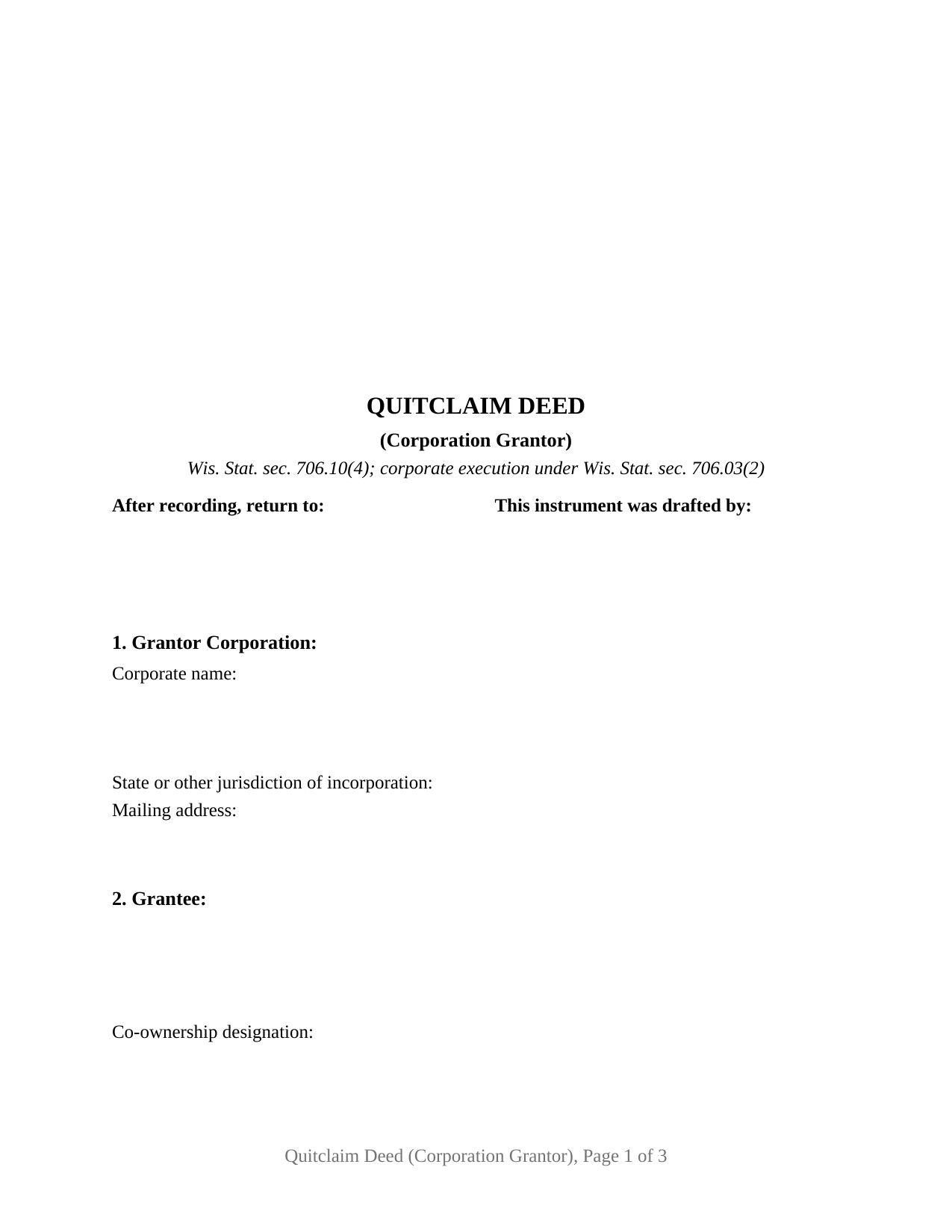
Calumet County Quitclaim Deed (Corporation Grantor) Form
Fill in the blank Quitclaim Deed (Corporation Grantor) form formatted to comply with all Wisconsin recording and content requirements.
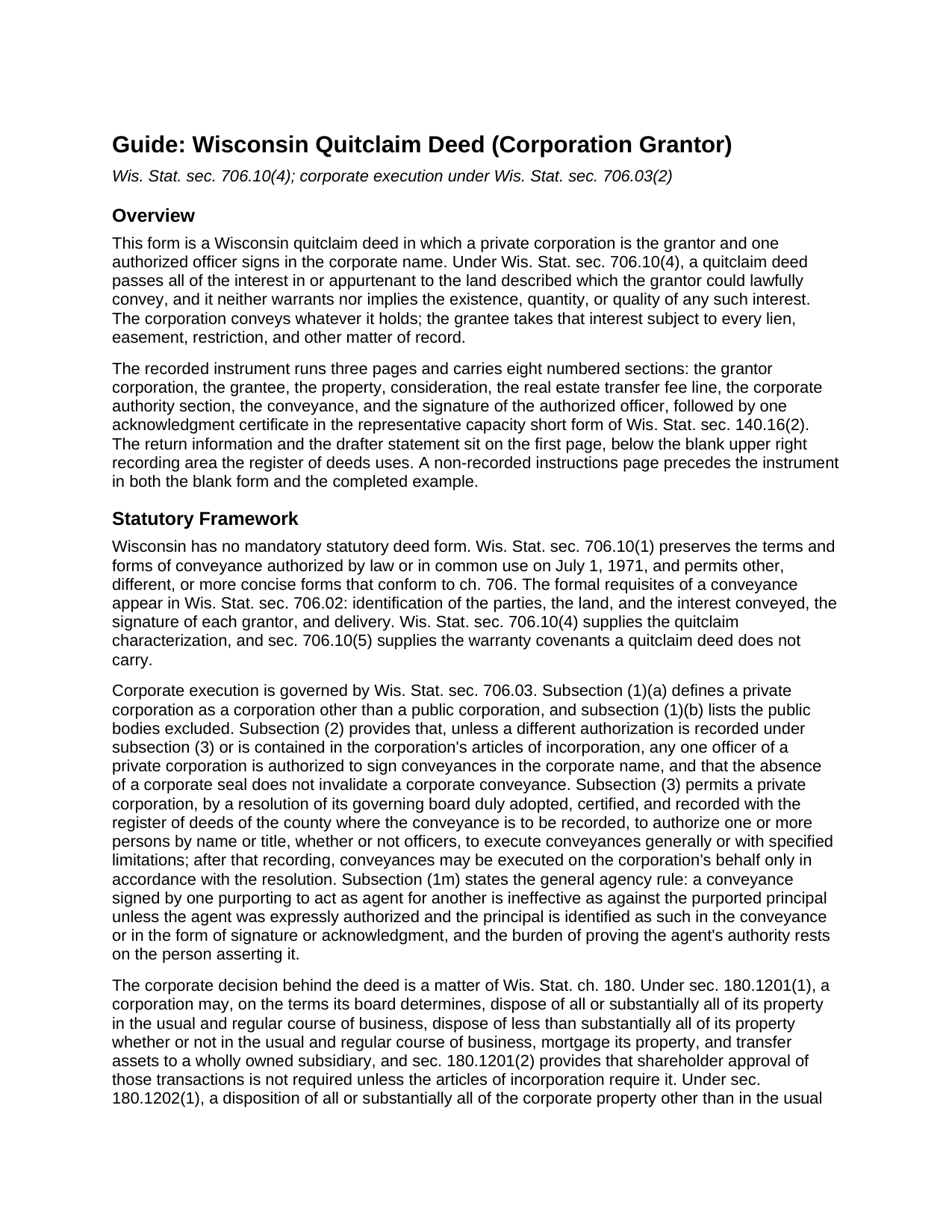
Calumet County Quitclaim Deed (Corporation Grantor) Guide
Line by line guide explaining every blank on the Quitclaim Deed (Corporation Grantor) form.
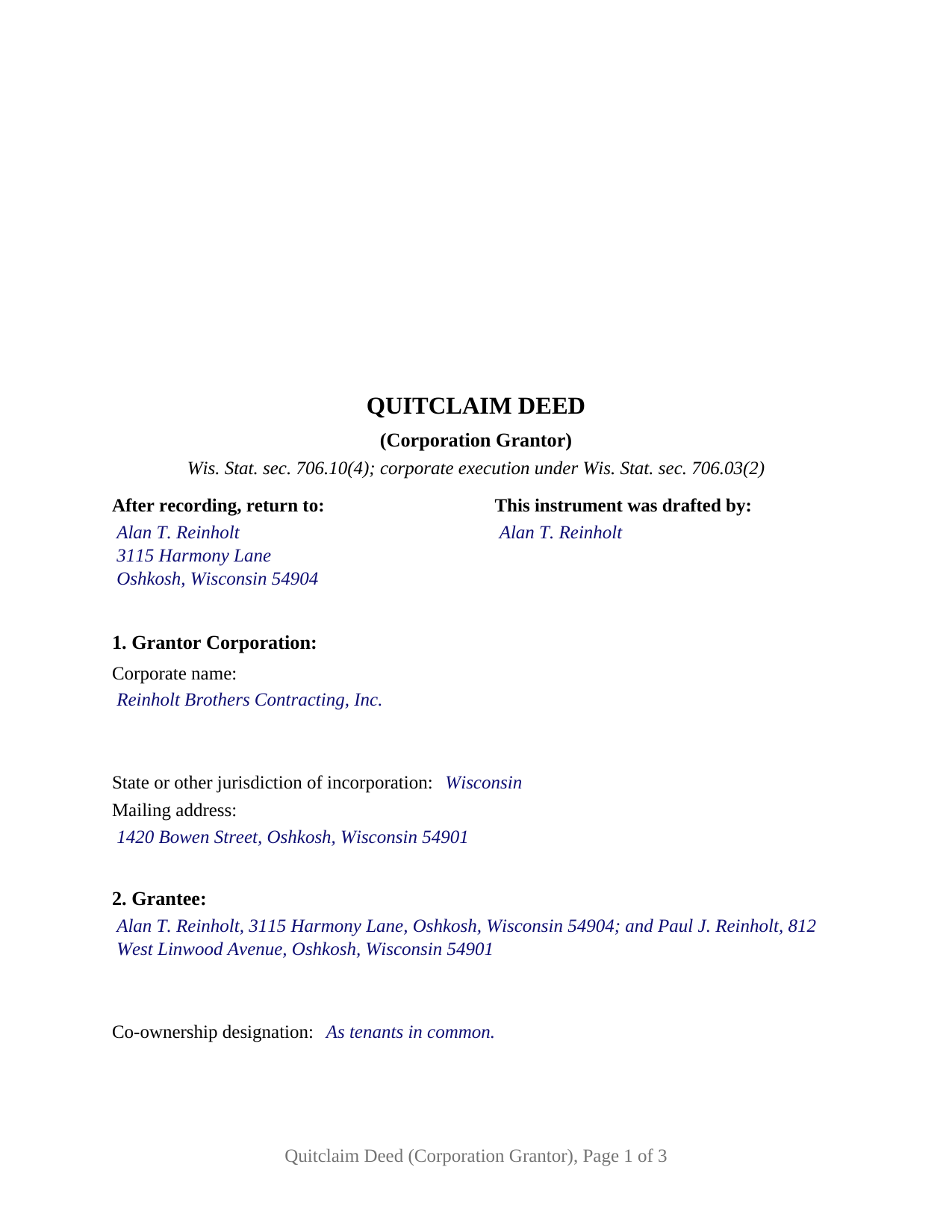
Calumet County Completed Example of the Quitclaim Deed (Corporation Grantor) Document
Example of a properly completed Wisconsin Quitclaim Deed (Corporation Grantor) document for reference.
All 3 documents above included • One-time purchase • No recurring fees
Immediate Download • Secure Checkout
Additional Wisconsin and Calumet County documents included at no extra charge:
Where to Record Your Documents
Calumet County Register
Chilton, Wisconsin 53014
Hours: Monday - Friday 8:00am - 4:30pm / Recording until 4:00pm
Phone: (920) 849-1441
Recording Tips for Calumet County:
- Bring your driver's license or state-issued photo ID
- Ensure all signatures are in blue or black ink
- Bring extra funds - fees can vary by document type and page count
- Check margin requirements - usually 1-2 inches at top
- Leave recording info boxes blank - the office fills these
Cities and Jurisdictions in Calumet County
Properties in any of these areas use Calumet County forms:
- Brillion
- Chilton
- Forest Junction
- Hilbert
- New Holstein
- Potter
- Sherwood
- Stockbridge
Hours, fees, requirements, and more for Calumet County
How do I get my forms?
Forms are available for immediate download after payment. The Calumet County forms will be in your account ready to download to your computer. An account is created for you during checkout if you don't have one. Forms are NOT emailed.
Are these forms guaranteed to be recordable in Calumet County?
Yes. Our form blanks are guaranteed to meet or exceed the applicable formatting requirements used for recording in Calumet County, including margin requirements, font requirements, and other layout standards. This guarantee applies to formatting, not to the legal sufficiency of information entered by the user or the suitability of a form for a particular transaction.
Can I reuse these forms?
Yes. You can reuse the forms for your personal use. For example, if you have multiple properties in Calumet County you only need to order once.
What do I need to use these forms?
The forms are PDFs that you fill out on your computer. The free Adobe Acrobat Reader is recommended, and most PDF apps also work. You do NOT enter your property information online - you download the blank forms and complete them privately on your own computer.
Are there any recurring fees?
No. This is a one-time purchase. Nothing to cancel, no memberships, no recurring fees.
How much does it cost to record in Calumet County?
Recording fees in Calumet County vary. Contact the recorder's office at (920) 849-1441 for current fees.
Questions answered? Let's get started!
Wisconsin answers the who-signs question for a corporation in a single sentence. Under Wis. Stat. § 706.03(2), unless a recorded authorization or the articles say otherwise, any one officer of a private corporation may sign conveyances in the corporate name, and the absence of a corporate seal invalidates nothing. This form prepares that instrument: one corporation as grantor, one officer signing in a stated office, no covenant of title.
One officer, one signature line
That default has three edges. It reaches a private corporation, not the public bodies defined in Wis. Stat. § 706.03(1)(b). It gives the signing power to an officer singly, so no attesting secretary and no second signature belong on the page. And it yields to two documents: the articles of incorporation, and a board resolution adopted, certified, and recorded with the register of deeds of the county where the deed will be recorded, which Wis. Stat. § 706.03(3) uses to authorize signers by name or title, generally or with stated limits.
Where the deed stops and the corporate record starts
An instrument cannot prove its own authority. Wis. Stat. § 706.03(1m) leaves the burden of proving an agent's authority on whoever asserts it, and Wyss v. Albee, 193 Wis. 2d 101 (1995), draws the line between an entity statute's own agency provisions and that general rule. What a deed can do is identify its principal, which the statute accepts in the deed's text or in the signature and acknowledgment; this deed does both.
The vote behind the deed
Chapter 180 governs what the corporation settled first. A disposition inside Wis. Stat. § 180.1201, which covers regular-course sales, mortgages, and transfers to a subsidiary, needs no shareholder approval unless the articles call for it. All or substantially all of the corporate property is the other case: Wis. Stat. § 180.1202 puts a disposition outside the usual and regular course of business to a board resolution plus a shareholder vote, on 20 days notice and a majority of all votes entitled to be cast, and Wis. Stat. § 180.1813(2)(a) raises that to two thirds of each class for a statutory close corporation. None of that paperwork is recorded with the deed or included here.
What this configuration carries
The form recites one grantor corporation by name, jurisdiction, and address; a grantee section closing with a co-ownership designation line; consideration and transfer fee lines; the corporate authority section, which takes the signer's office and any recorded resolution; one signature block; and one certificate in the representative capacity short form of Wis. Stat. § 140.16(2), naming the individual, the authority held, and the entity behind it. No spousal joinder block and no marital property line appear, because the homestead signature rule of Wis. Stat. § 706.02(1)(f) reaches a married person's interest, not title standing in a corporate name. A corporation deeding a parcel to its shareholders, one releasing a fractional interest to clear a chain of title, and one moving real estate to an affiliate all present the pattern this deed recites. Searched as a corporate quitclaim deed or a quit claim deed from a corporation, it is not drawn for two grantor corporations, an individual grantor, a limited liability company, a trustee, or a public body.
Exemption 15 and its three year clock
Wisconsin writes its transfer fee exemptions entity by entity, and the corporate one carries a waiting period. Wis. Stat. § 77.25(15) reaches a conveyance between a corporation and its shareholders where all the stock is held by persons related as spouses, lineal ascendants or descendants, siblings, or spouses of siblings, where the only consideration is assumed debt or stock, and where the corporation has owned the property for at least 3 years. Under Wis. Stat. § 77.25(9), Gottfried, Inc. v. DOR, 145 Wis. 2d 715 (Ct. App. 1988), treats corporate stock as actual consideration. Whichever subsection is claimed goes on the face of the deed, as Wis. Stat. § 77.22(1) directs, and Section 5 is that line. A taxable conveyance pays 30 cents for each $100 of value, the electronic transfer return travels with the deed either way, and the register of deeds charges $30.
The download contains the fillable corporate quitclaim deed, a completed example filled in for a Winnebago County conveyance from a family contracting corporation to its two shareholders, and a plain language guide covering each blank, the signing and notarial rules, and what reaches the register of deeds. It describes Wisconsin law in general terms for information and is not legal advice.
Important: Your property must be located in Calumet County to use these forms. Documents should be recorded at the county recording office listed above.
This Quitclaim Deed (Corporation Grantor) meets all recording requirements specific to Calumet County.
Our Promise
The documents you receive here are guaranteed to meet or exceed the applicable Calumet County recording format requirements. If there is a rejection caused by our formatting, we will correct the issue or refund your payment. This guarantee applies to document formatting only and does not extend to information entered by the user, the selection of the form, or the legal effect of the completed document.
Save Time and Money
Get your Calumet County Quitclaim Deed (Corporation Grantor) form done right the first time with Deeds.com Uniform Conveyancing Blanks. At Deeds.com, we understand that your time and money are valuable resources, and we don't want you to face a penalty fee or rejection imposed by a county recorder for submitting nonstandard documents. We constantly review and update our forms to meet rapidly changing state and county recording requirements for roughly 3,500 counties and local jurisdictions.
4.8 out of 5 - ( 4,848 Reviews )
JoAnn L. 5 out of 5 stars
The process was easy, and efficient. There was a person available to help if needed. Very pleased, would use this again.
Thank you!
michael b. 5 out of 5 stars
Your web site is very user friendly and easy to navigate I was very pleased with the experience
Thank you!
Hope A. 5 out of 5 stars
Great Website and layout!! so easy!
Thank you!
Lutz P. 5 out of 5 stars
Your forms are great but I couldn’t use them with my computer and acrobats reader didn’t work. And then my thermal printer would only print 1/3 size pages with no way to fix it. I ordered a new color printer and we’ll see what happens.
Thank you, Lutz. We're glad you like the forms, and we're sorry getting them working turned into such a hassle. That shrunken page is typical of thermal printers: most use narrow receipt or label paper, so a full page gets scaled down to fit, and no setting can change that. Thermal paper also fades over time, which you don't want on a document you're recording, so the new printer is the right call. When it arrives, print on plain white paper with “Actual size” selected in the print settings so the page comes out full size with its margins intact. If Acrobat Reader gives you trouble again, save the form to your computer first and open the saved file in Acrobat Reader rather than in your web browser. Still stuck? Contact our support team and we'll walk you through it.
Nicole w. 5 out of 5 stars
Awesome and very fast service!!!
Thank you!
james e. 5 out of 5 stars
Would be nice if these things downloaded with the type of document rather than a number
Thank you for your feedback. We really appreciate it. Have a great day!
JACQUELINE R. 5 out of 5 stars
We have been waiting for a Title Company to put a release of Lien together for the past 3 months. I figured it was taking way to long and decided to use template here instead. In less than hour I was able to add all the information on the template and provide forms to our Seller to use. We were buying and he didnt think they were necessary. But I refused to pay him in full until he agreed to sign papers at the bank, and of course in front of a notary. We turned around and filed the Release of lien paperwork at County Clerks office, we officially own our house. Thank you!
Thank you for your feedback. We really appreciate it. Have a great day!
Barbara S. 5 out of 5 stars
I found your site easy to use, though I would prefer an option to download to MWords but Adobe works well. The cost is very, very reasonable and provides documents I didn't know were needed. I would recommend this to anyone trying to deal with legal documents.
Thank you!
Matthew G. 5 out of 5 stars
Second time using Deeds.com. Easy and professional
Thank you Matthew. Have a great day!
PEGGY D. 5 out of 5 stars
Very easy to find what I needed. Really liked the instructions included with the forms and also the suggestion of other forms that I might need.
We appreciate your business and value your feedback. Thank you. Have a wonderful day!
Samy K. 5 out of 5 stars
I searched on line for the blank forms I needed, everyone that said it's free was a part m they wanted to sign me up for a monthly membership, deeds.com had the forms that I can download and fill in, I paid $24 and got more than I needed, very easy company to deal with, I highly recommend them.
Thank you for your feedback. We really appreciate it. Have a great day!
Shirley R J. 5 out of 5 stars
Great website.....fast and easy access!
We appreciate your business and value your feedback. Thank you. Have a wonderful day!
Brian S. 3 out of 5 stars
PDF fields change font sizes leading to an unprofessional-appearing printed page. The examples for "Convey to" section don't include how to specify just one person instead of a married couple. Maybe that is simple but it would help to spell it out in an example. Haven't submitted to County Recorder yet, so will find out if it is acceptable.
Thank you for the feedback Brian.
The font issue is caused by using a PDF viewer other than Adobe Acrobat Reader. Our form fields are set to a uniform 12-point font, but non-Adobe viewers often render form fields inconsistently. Opening and printing the form with the free Adobe Acrobat Reader will resolve that.
Regarding the examples, that's a fair point, we'll look at expanding them.
Remi W. 4 out of 5 stars
Submitting documents electronically through Deeds.com saved me time and provided the best possible service for me in the comfort of my own home. There's no faster, better way to record documents than e-recording with Deeds.com.
Thank you for your feedback. We really appreciate it. Have a great day!
Michael W. 5 out of 5 stars
I thought it was fine, but I would like to have the option to download Word versions of each form, for easier preparation on my end.
We appreciate your business and value your feedback. Thank you. Have a wonderful day!