Calumet County Transfer on Death Deed Form
Last validated October 16, 2026 by our Forms Development TeamFormatted for recording in Calumet County, for property anywhere in the county: rural and unincorporated areas as well as Brillion, Chilton, Forest Junction, Hilbert, New Holstein, Potter, Sherwood, Stockbridge.
- 3 documents included
- Immediate PDF download
- Formatting guarantee
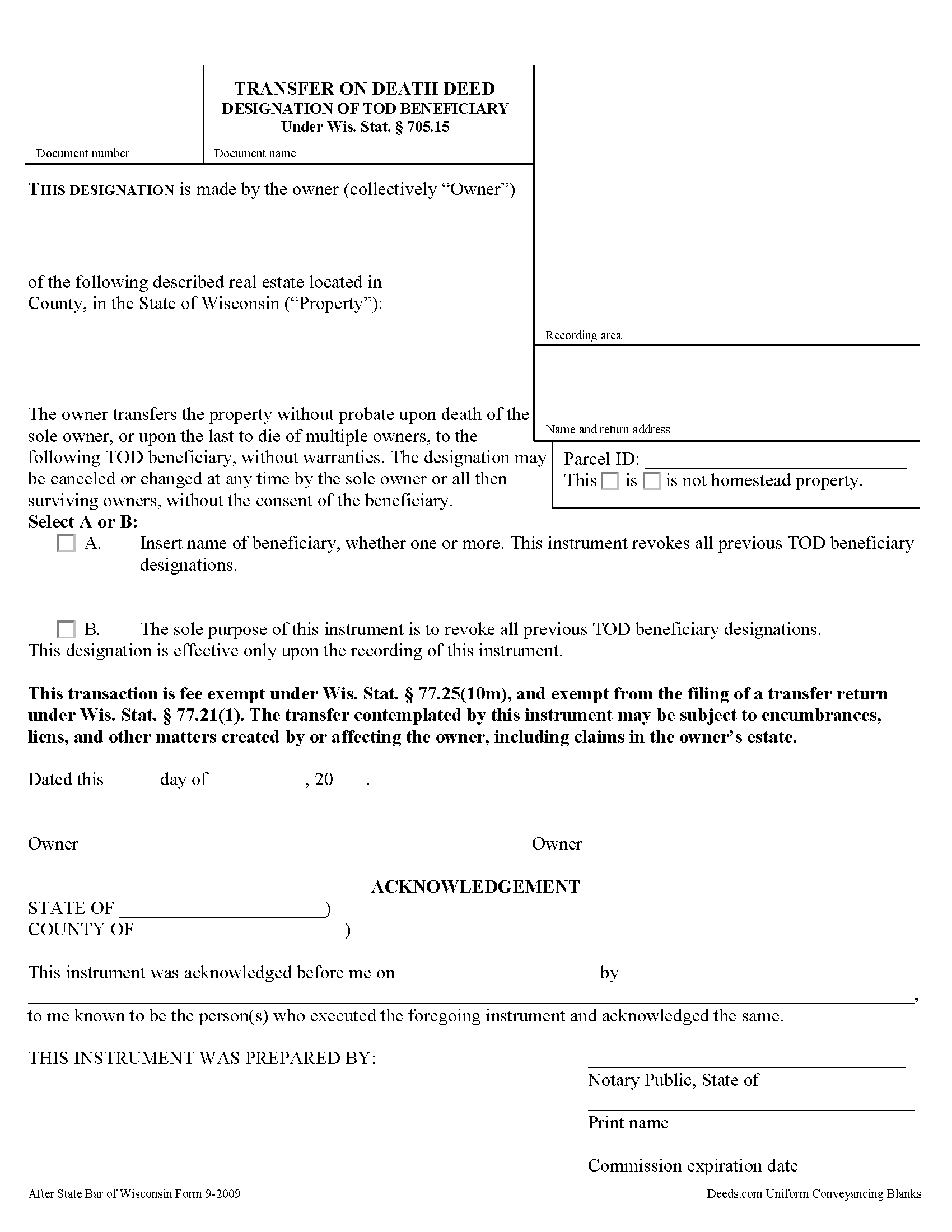
Calumet County Transfer on Death Deed Form
Fill in the blank form formatted to comply with all recording and content requirements.
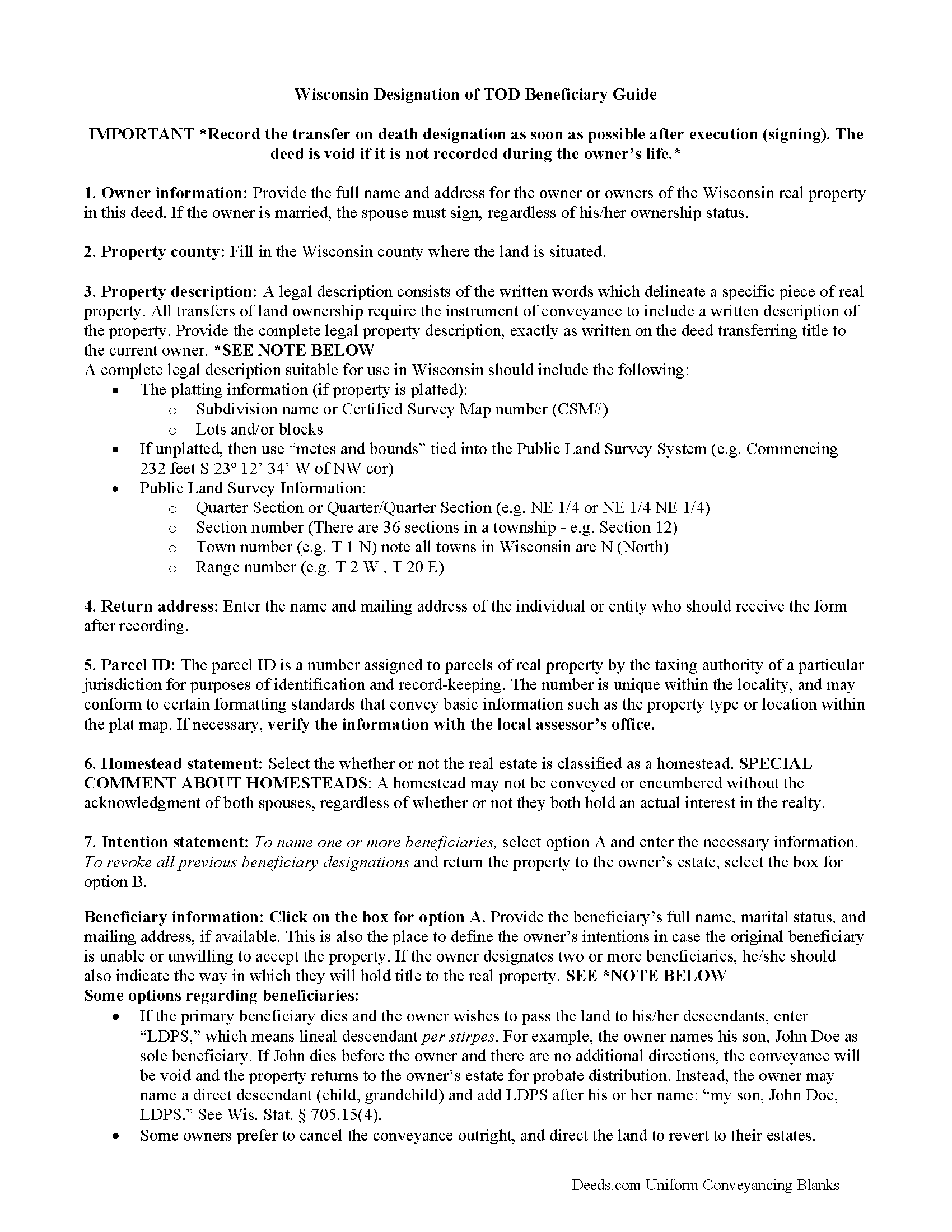
Calumet County Transfer on Death Deed Guide
Line by line guide explaining every blank on the form.
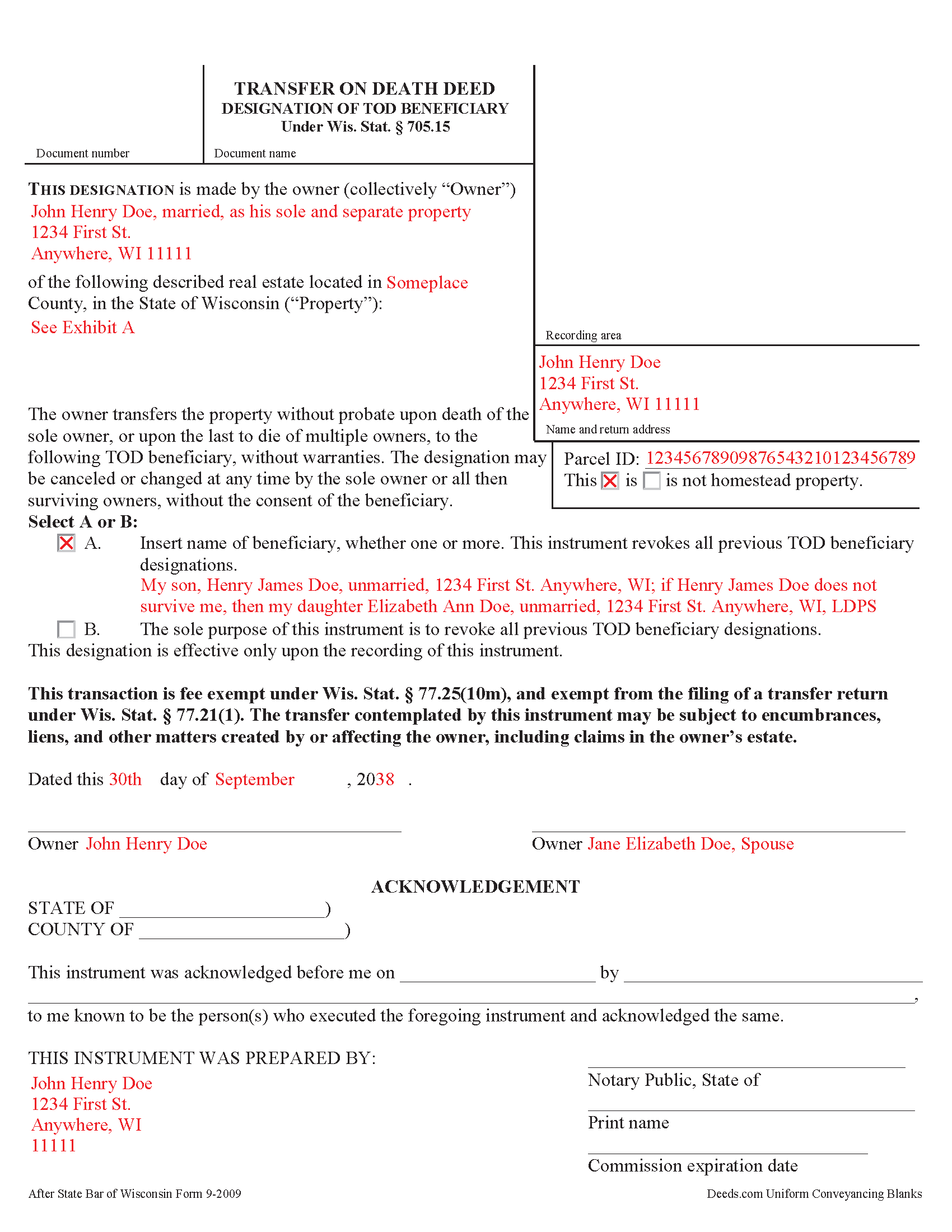
Calumet County Completed Example of the Transfer on Death Deed Document
Example of a properly completed form for reference.
All 3 documents above included • One-time purchase • No recurring fees
Immediate Download • Secure Checkout
Additional Wisconsin and Calumet County documents included at no extra charge:
Where to Record Your Documents
Calumet County Register
Chilton, Wisconsin 53014
Hours: Monday - Friday 8:00am - 4:30pm / Recording until 4:00pm
Phone: (920) 849-1441
Recording Tips for Calumet County:
- Bring your driver's license or state-issued photo ID
- Ensure all signatures are in blue or black ink
- Bring extra funds - fees can vary by document type and page count
- Check margin requirements - usually 1-2 inches at top
- Leave recording info boxes blank - the office fills these
Cities and Jurisdictions in Calumet County
Properties in any of these areas use Calumet County forms:
- Brillion
- Chilton
- Forest Junction
- Hilbert
- New Holstein
- Potter
- Sherwood
- Stockbridge
Hours, fees, requirements, and more for Calumet County
How do I get my forms?
Forms are available for immediate download after payment. The Calumet County forms will be in your account ready to download to your computer. An account is created for you during checkout if you don't have one. Forms are NOT emailed.
Are these forms guaranteed to be recordable in Calumet County?
Yes. Our form blanks are guaranteed to meet or exceed the applicable formatting requirements used for recording in Calumet County, including margin requirements, font requirements, and other layout standards. This guarantee applies to formatting, not to the legal sufficiency of information entered by the user or the suitability of a form for a particular transaction.
Can I reuse these forms?
Yes. You can reuse the forms for your personal use. For example, if you have multiple properties in Calumet County you only need to order once.
What do I need to use these forms?
The forms are PDFs that you fill out on your computer. The free Adobe Acrobat Reader is recommended, and most PDF apps also work. You do NOT enter your property information online - you download the blank forms and complete them privately on your own computer.
Are there any recurring fees?
No. This is a one-time purchase. Nothing to cancel, no memberships, no recurring fees.
How much does it cost to record in Calumet County?
Recording fees in Calumet County vary. Contact the recorder's office at (920) 849-1441 for current fees.
Questions answered? Let's get started!
Under Wisconsin Statutes section 705.15, owners of real property in Wisconsin may designate one or more people to gain ownership of their property outside of the probate process. The transfer on death deed form contains the designation and must be recorded, DURING THE OWNER'S NATURAL LIFE, for validity.
By executing and recording a transfer on death beneficiary designation, the owner retains absolute control over the real estate, and may sell, mortgage, or use the property in any legal manner, and change or revoke the beneficiary designation without penalty or obligation to inform the beneficiary.
Because the transfer does not occur until after the owner's death, there is no transfer tax due when recording the deed under 77.21(1) and 77.25(10m). While the change in ownership happens as a function of law when the owner dies, when the beneficiary claims the land, he or she must record form TOD-110 to make the transfer official and enter the updated information into the public records.
Wisconsin's transfer on death deeds are useful estate planning tools. Even so, carefully consider the potential impact of a non-probate transfer of property on taxes, as well as eligibility for local, state, and federal benefits. Each case is unique, so contact an attorney with questions or for complex situations.
(Wisconsin TODD Package includes form, guidelines, and completed example)
Important: Your property must be located in Calumet County to use these forms. Documents should be recorded at the county recording office listed above.
This Transfer on Death Deed meets all recording requirements specific to Calumet County.
Our Promise
The documents you receive here are guaranteed to meet or exceed the applicable Calumet County recording format requirements. If there is a rejection caused by our formatting, we will correct the issue or refund your payment. This guarantee applies to document formatting only and does not extend to information entered by the user, the selection of the form, or the legal effect of the completed document.
Save Time and Money
Get your Calumet County Transfer on Death Deed form done right the first time with Deeds.com Uniform Conveyancing Blanks. At Deeds.com, we understand that your time and money are valuable resources, and we don't want you to face a penalty fee or rejection imposed by a county recorder for submitting nonstandard documents. We constantly review and update our forms to meet rapidly changing state and county recording requirements for roughly 3,500 counties and local jurisdictions.
4.8 out of 5 - ( 4,833 Reviews )
Michael K. 5 out of 5 stars
I haven't used them yet. So far so good.
Thank you!
Daniel S. 5 out of 5 stars
So far, so good. Waiting for the County Recorder to accept and record my document, but use of the Deeds.com system has been easy.
Thank you for your feedback. We really appreciate it. Have a great day!
Michael W. 5 out of 5 stars
Wonderful service.
Thank you!
Carolyn R. 5 out of 5 stars
Definitely 5 stars. Everything was taken care of well within 24 hours. If our law firm needs to record a single document in a different county again, we will use your service. Thanks!
Thank you for your feedback. We really appreciate it. Have a great day!
Jaime S. 1 out of 5 stars
To call an affidavit of minor correction a Correction Deed in your descriptions is incorrect. They are two different products. I did not intend to purchase an affidavit. I intended to purchase a Correction Deed.
Thank you!
John K. 5 out of 5 stars
The sample completed form was a big help. While not exactly on point with my situation, it was enough to help me complete it on my own
We appreciate your business and value your feedback. Thank you. Have a wonderful day!
Debra H. 5 out of 5 stars
I find this site easy to use and every form I may need. Now to figure out how to fill in on line. :)
Thank you for your feedback Debra. Be sure to download the forms and fill them out on your computer, they should not be filled out "online". Have a great day.
Vita L. 5 out of 5 stars
A coworker recommended this service to me and I was hesitant to try it. Turned out to be a life saver, they filed my document in 24 hours. No standing in line and no confusing government websites to navigate.
Thank you!
LISA R. 5 out of 5 stars
I was very pleased to find your website and the range of services you offer. I was recommended to hire an estate attorney, but the forms you provided will eliminate the need for that. Thank you for the help!
Thank you for your feedback. We really appreciate it. Have a great day!
Rachel F. 5 out of 5 stars
Easy and can add our own additional language in spaces provided. Thank you!
Thank you Rachel!
Glenella J. 4 out of 5 stars
I wish you had the older deeds online to look at. Other than that, I was very satisfied with my experience.
Thank you for your feedback. We really appreciate it. Have a great day!
Joseph R. 5 out of 5 stars
Deeds.com has saved me quite a bit in attorney fees by making legal forms available on line. Easy to use, just fill in the blanks.
Thank you for your feedback. We really appreciate it. Have a great day!
Paul A. 4 out of 5 stars
The website worked fast but the information was limited and the actual deed of trust was what i was looking for from the county --- the info was limited the website is fast and seemed accurate just limited the information I needed
Thank you!
Gerry C. 4 out of 5 stars
Forms appear to be most current and instructions clear. Inserting grantor/grantee information onto form a bit "clunky" however no major issues. I will be using services again.
Thank you!
Audra M. 5 out of 5 stars
It was easy to e-record and will/would recommend it to everyone.
Thank you for your feedback. We really appreciate it. Have a great day!