Oneida County Quitclaim Deed (Corporation Grantor) Form
Last validated October 6, 2026 by our Forms Development TeamFormatted for recording in Oneida County, for property anywhere in the county: rural and unincorporated areas as well as Harshaw, Hazelhurst, Lake Tomahawk, Mc Naughton, Minocqua, Pelican Lake, Rhinelander, Three Lakes and 2 more.
- 3 documents included
- Immediate PDF download
- Formatting guarantee
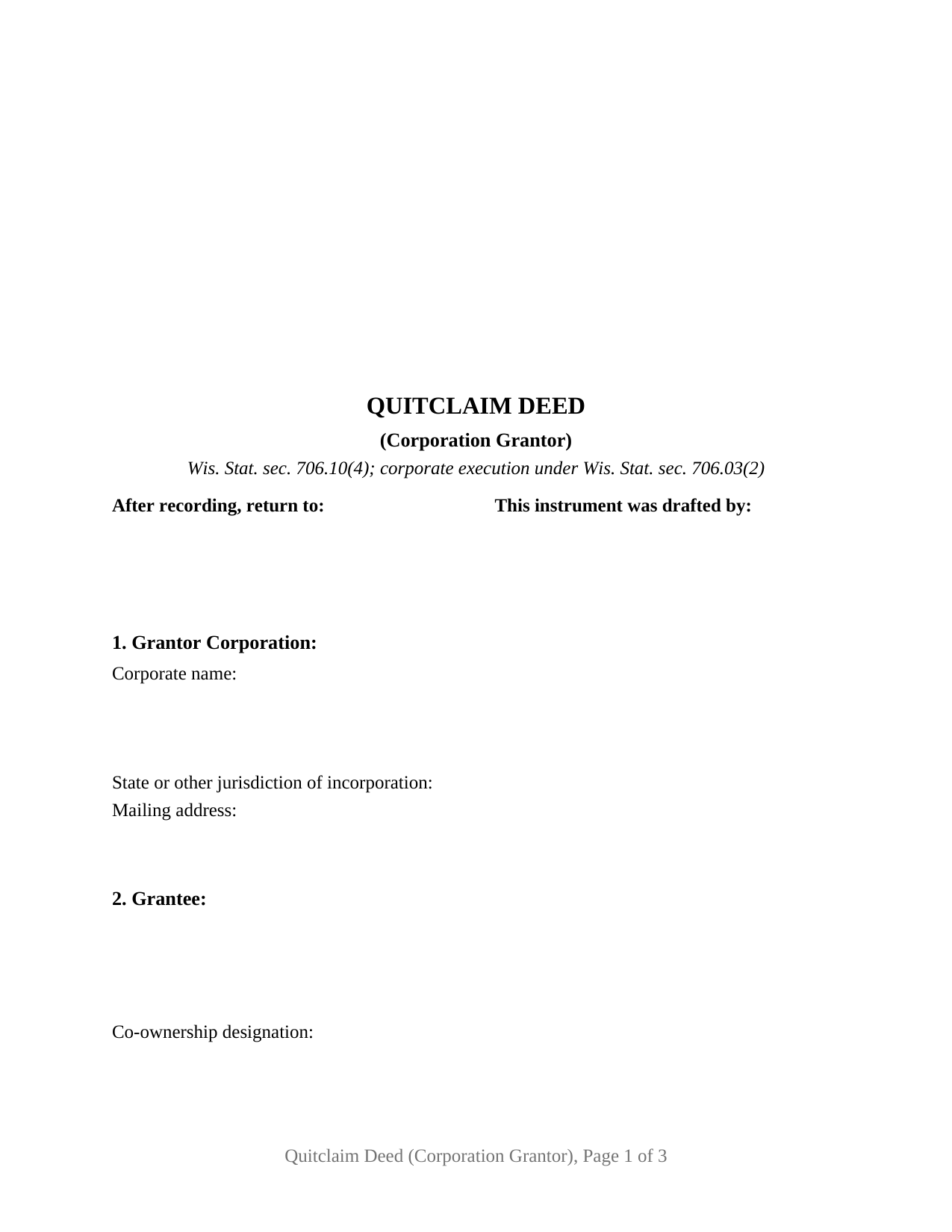
Oneida County Quitclaim Deed (Corporation Grantor) Form
Fill in the blank Quitclaim Deed (Corporation Grantor) form formatted to comply with all Wisconsin recording and content requirements.
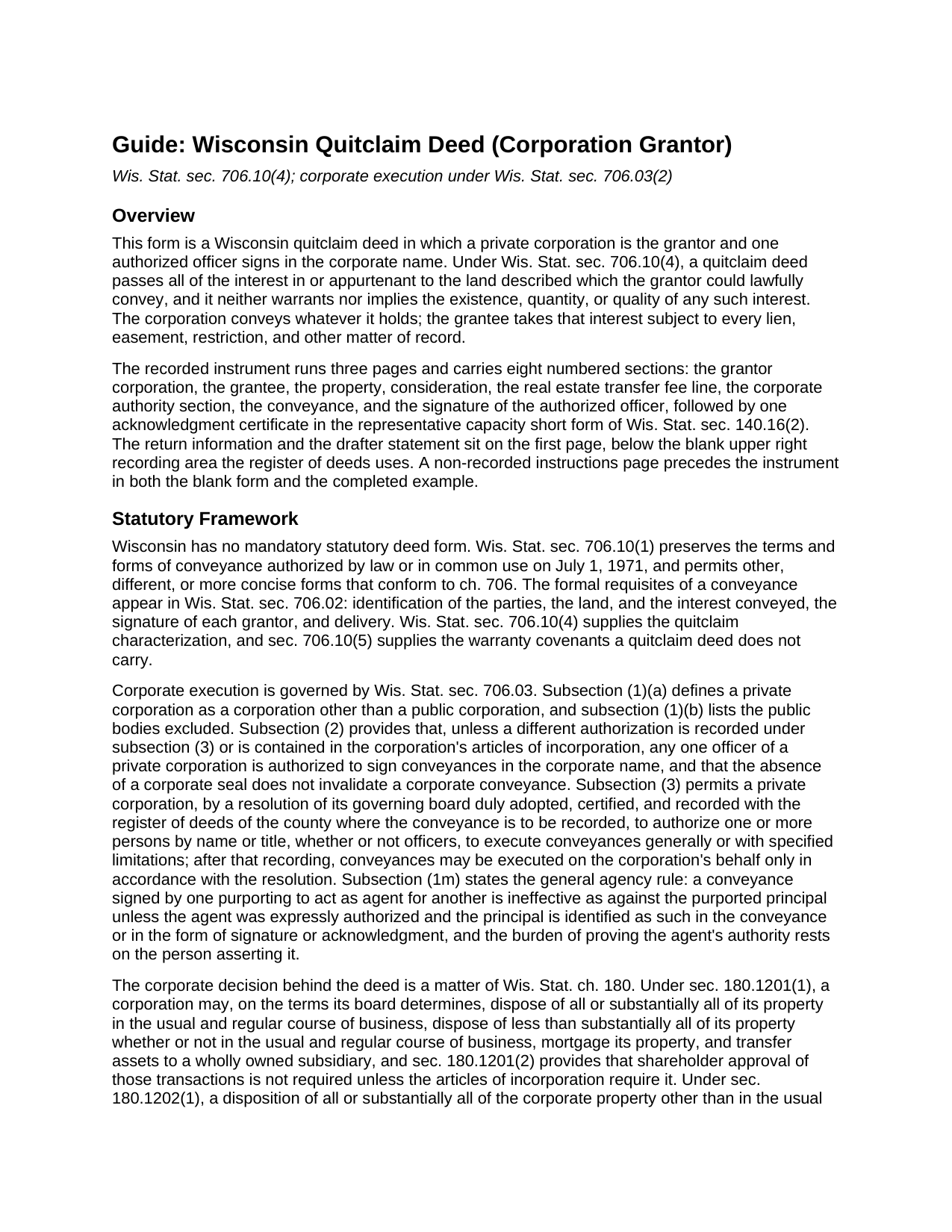
Oneida County Quitclaim Deed (Corporation Grantor) Guide
Line by line guide explaining every blank on the Quitclaim Deed (Corporation Grantor) form.
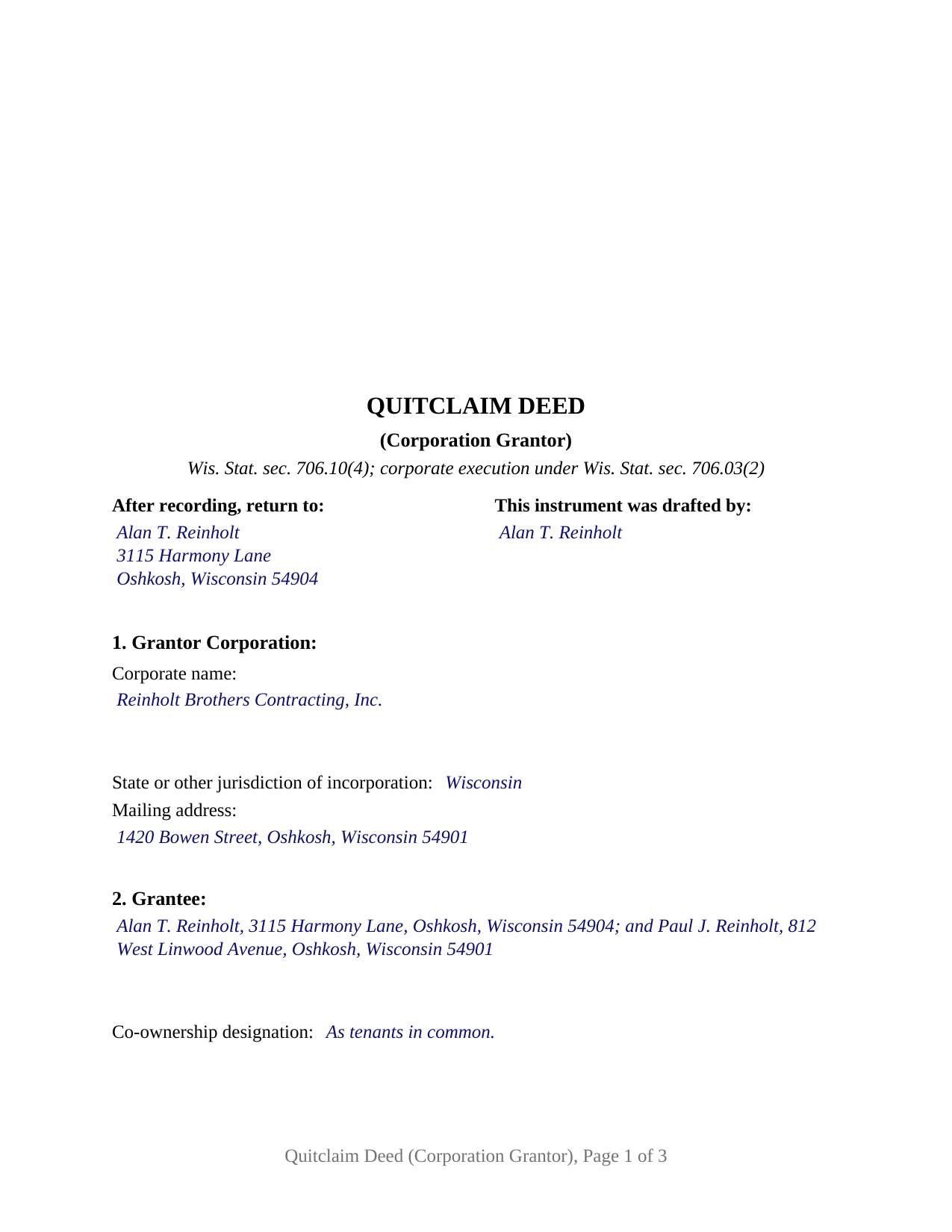
Oneida County Completed Example of the Quitclaim Deed (Corporation Grantor) Document
Example of a properly completed Wisconsin Quitclaim Deed (Corporation Grantor) document for reference.
All 3 documents above included • One-time purchase • No recurring fees
Immediate Download • Secure Checkout
Additional Wisconsin and Oneida County documents included at no extra charge:
Where to Record Your Documents
Oneida County Register of Deeds
Rhinelander, Wisconsin 54501
Hours: Monday - Friday 8:00am - 4:30pm
Phone: (715) 369-6150
Recording Tips for Oneida County:
- Bring your driver's license or state-issued photo ID
- Ensure all signatures are in blue or black ink
- White-out or correction fluid may cause rejection
- Ask about their eRecording option for future transactions
- Avoid the last business day of the month when possible
Cities and Jurisdictions in Oneida County
Properties in any of these areas use Oneida County forms:
- Harshaw
- Hazelhurst
- Lake Tomahawk
- Mc Naughton
- Minocqua
- Pelican Lake
- Rhinelander
- Three Lakes
- Tripoli
- Woodruff
Hours, fees, requirements, and more for Oneida County
How do I get my forms?
Forms are available for immediate download after payment. The Oneida County forms will be in your account ready to download to your computer. An account is created for you during checkout if you don't have one. Forms are NOT emailed.
Are these forms guaranteed to be recordable in Oneida County?
Yes. Our form blanks are guaranteed to meet or exceed the applicable formatting requirements used for recording in Oneida County, including margin requirements, font requirements, and other layout standards. This guarantee applies to formatting, not to the legal sufficiency of information entered by the user or the suitability of a form for a particular transaction.
Can I reuse these forms?
Yes. You can reuse the forms for your personal use. For example, if you have multiple properties in Oneida County you only need to order once.
What do I need to use these forms?
The forms are PDFs that you fill out on your computer. The free Adobe Acrobat Reader is recommended, and most PDF apps also work. You do NOT enter your property information online - you download the blank forms and complete them privately on your own computer.
Are there any recurring fees?
No. This is a one-time purchase. Nothing to cancel, no memberships, no recurring fees.
How much does it cost to record in Oneida County?
Recording fees in Oneida County vary. Contact the recorder's office at (715) 369-6150 for current fees.
Questions answered? Let's get started!
Wisconsin answers the who-signs question for a corporation in a single sentence. Under Wis. Stat. § 706.03(2), unless a recorded authorization or the articles say otherwise, any one officer of a private corporation may sign conveyances in the corporate name, and the absence of a corporate seal invalidates nothing. This form prepares that instrument: one corporation as grantor, one officer signing in a stated office, no covenant of title.
One officer, one signature line
That default has three edges. It reaches a private corporation, not the public bodies defined in Wis. Stat. § 706.03(1)(b). It gives the signing power to an officer singly, so no attesting secretary and no second signature belong on the page. And it yields to two documents: the articles of incorporation, and a board resolution adopted, certified, and recorded with the register of deeds of the county where the deed will be recorded, which Wis. Stat. § 706.03(3) uses to authorize signers by name or title, generally or with stated limits.
Where the deed stops and the corporate record starts
An instrument cannot prove its own authority. Wis. Stat. § 706.03(1m) leaves the burden of proving an agent's authority on whoever asserts it, and Wyss v. Albee, 193 Wis. 2d 101 (1995), draws the line between an entity statute's own agency provisions and that general rule. What a deed can do is identify its principal, which the statute accepts in the deed's text or in the signature and acknowledgment; this deed does both.
The vote behind the deed
Chapter 180 governs what the corporation settled first. A disposition inside Wis. Stat. § 180.1201, which covers regular-course sales, mortgages, and transfers to a subsidiary, needs no shareholder approval unless the articles call for it. All or substantially all of the corporate property is the other case: Wis. Stat. § 180.1202 puts a disposition outside the usual and regular course of business to a board resolution plus a shareholder vote, on 20 days notice and a majority of all votes entitled to be cast, and Wis. Stat. § 180.1813(2)(a) raises that to two thirds of each class for a statutory close corporation. None of that paperwork is recorded with the deed or included here.
What this configuration carries
The form recites one grantor corporation by name, jurisdiction, and address; a grantee section closing with a co-ownership designation line; consideration and transfer fee lines; the corporate authority section, which takes the signer's office and any recorded resolution; one signature block; and one certificate in the representative capacity short form of Wis. Stat. § 140.16(2), naming the individual, the authority held, and the entity behind it. No spousal joinder block and no marital property line appear, because the homestead signature rule of Wis. Stat. § 706.02(1)(f) reaches a married person's interest, not title standing in a corporate name. A corporation deeding a parcel to its shareholders, one releasing a fractional interest to clear a chain of title, and one moving real estate to an affiliate all present the pattern this deed recites. Searched as a corporate quitclaim deed or a quit claim deed from a corporation, it is not drawn for two grantor corporations, an individual grantor, a limited liability company, a trustee, or a public body.
Exemption 15 and its three year clock
Wisconsin writes its transfer fee exemptions entity by entity, and the corporate one carries a waiting period. Wis. Stat. § 77.25(15) reaches a conveyance between a corporation and its shareholders where all the stock is held by persons related as spouses, lineal ascendants or descendants, siblings, or spouses of siblings, where the only consideration is assumed debt or stock, and where the corporation has owned the property for at least 3 years. Under Wis. Stat. § 77.25(9), Gottfried, Inc. v. DOR, 145 Wis. 2d 715 (Ct. App. 1988), treats corporate stock as actual consideration. Whichever subsection is claimed goes on the face of the deed, as Wis. Stat. § 77.22(1) directs, and Section 5 is that line. A taxable conveyance pays 30 cents for each $100 of value, the electronic transfer return travels with the deed either way, and the register of deeds charges $30.
The download contains the fillable corporate quitclaim deed, a completed example filled in for a Winnebago County conveyance from a family contracting corporation to its two shareholders, and a plain language guide covering each blank, the signing and notarial rules, and what reaches the register of deeds. It describes Wisconsin law in general terms for information and is not legal advice.
Important: Your property must be located in Oneida County to use these forms. Documents should be recorded at the county recording office listed above.
This Quitclaim Deed (Corporation Grantor) meets all recording requirements specific to Oneida County.
Our Promise
The documents you receive here are guaranteed to meet or exceed the applicable Oneida County recording format requirements. If there is a rejection caused by our formatting, we will correct the issue or refund your payment. This guarantee applies to document formatting only and does not extend to information entered by the user, the selection of the form, or the legal effect of the completed document.
Save Time and Money
Get your Oneida County Quitclaim Deed (Corporation Grantor) form done right the first time with Deeds.com Uniform Conveyancing Blanks. At Deeds.com, we understand that your time and money are valuable resources, and we don't want you to face a penalty fee or rejection imposed by a county recorder for submitting nonstandard documents. We constantly review and update our forms to meet rapidly changing state and county recording requirements for roughly 3,500 counties and local jurisdictions.
4.8 out of 5 - ( 4,843 Reviews )
Michael C. 5 out of 5 stars
Thank you very much. I received the exact information I was seeking.
Great to hear Michael, thanks for taking the time to leave your feedback.
Linda P. 5 out of 5 stars
Once I found this site the rest was easy. I read through the guide but the example really helped the most. Very easy!!!
We appreciate your business and value your feedback. Thank you. Have a wonderful day!
Jon W. 1 out of 5 stars
Useless for me. My deed could not be pulled. After investigation, I got a copy online directly from WV for $3. No one but editors of this will ever see this. Shame.
Thank you for your feedback. We really appreciate it. Have a great day!
John N. 5 out of 5 stars
Very easy to navigate.
Thank you!
sara g. 5 out of 5 stars
THIS WAS A USER FRIENDLY FORM, WAS ABLE TO COMPLETE WITHIN A SHORT TIME. THANK YOU
We appreciate your business and value your feedback. Thank you. Have a wonderful day!
Shari N. 5 out of 5 stars
Deeds.com provides a valuable resource to efficiently file documents for recordation.
We are grateful for your feedback and looking forward to serving you again. Thank you!
Gary H. 5 out of 5 stars
The package was very helpful and very easy to use. I saved me a lot of time and eliminated attorneys being involved. I would highly recommend your forms.
It was a pleasure serving you. Thank you for the positive feedback!
Jayne J. 5 out of 5 stars
We have used this service two times and now going for third. Would recommend. So glad this service is available.
Thank you for your positive words! We’re thrilled to hear about your experience.
Robert M. 5 out of 5 stars
Got the documents needed.. simple to use!!!
Thank you Robert, we appreciate your feedback. Have a great day.
Tamica D. 5 out of 5 stars
Exceptional service. Thank you for your assistance.
Thank you!
Deborah G. 5 out of 5 stars
Absolutely wonderful customer service. I am very pleased with the service I received and highly recommend this to everyone.
We appreciate your business and value your feedback. Thank you. Have a wonderful day!
Dale S. 5 out of 5 stars
I used the Affidavit of Death form provided by Deeds.com. The form and directions were easy to follow. I took the form to the county clerk's office for filing after getting it notarized. They accepted the form with no issues. A task that many people go to a lawyer complete was completed easily by me in less than an hour.
Thanks, Dale! Glad it worked exactly as it should — clear form, smooth filing, no issues at the clerk's office. That's the goal every time.
Terry S. 4 out of 5 stars
I was very happy with the document package that I purchased. It contained all of the necessary documents and a few extras I had not thought about. Perhaps if you provided a link to download all of the documents with one click, it would make it a little easier.
Thank you for your feedback. We really appreciate it. Have a great day!
Patricia And James J. 5 out of 5 stars
No review provided.
Thank you for your feedback. We really appreciate it. Have a great day!
Jeffry C. 5 out of 5 stars
Deeds.com has been a lifesaver for my house buying business. Excellent support!
Thank you Jeffry, glad we could help.