Oneida County Quitclaim Deed (Trustee Grantor) Form
Last validated October 6, 2026 by our Forms Development TeamFormatted for recording in Oneida County, for property anywhere in the county: rural and unincorporated areas as well as Harshaw, Hazelhurst, Lake Tomahawk, Mc Naughton, Minocqua, Pelican Lake, Rhinelander, Three Lakes and 2 more.
- 3 documents included
- Immediate PDF download
- Formatting guarantee
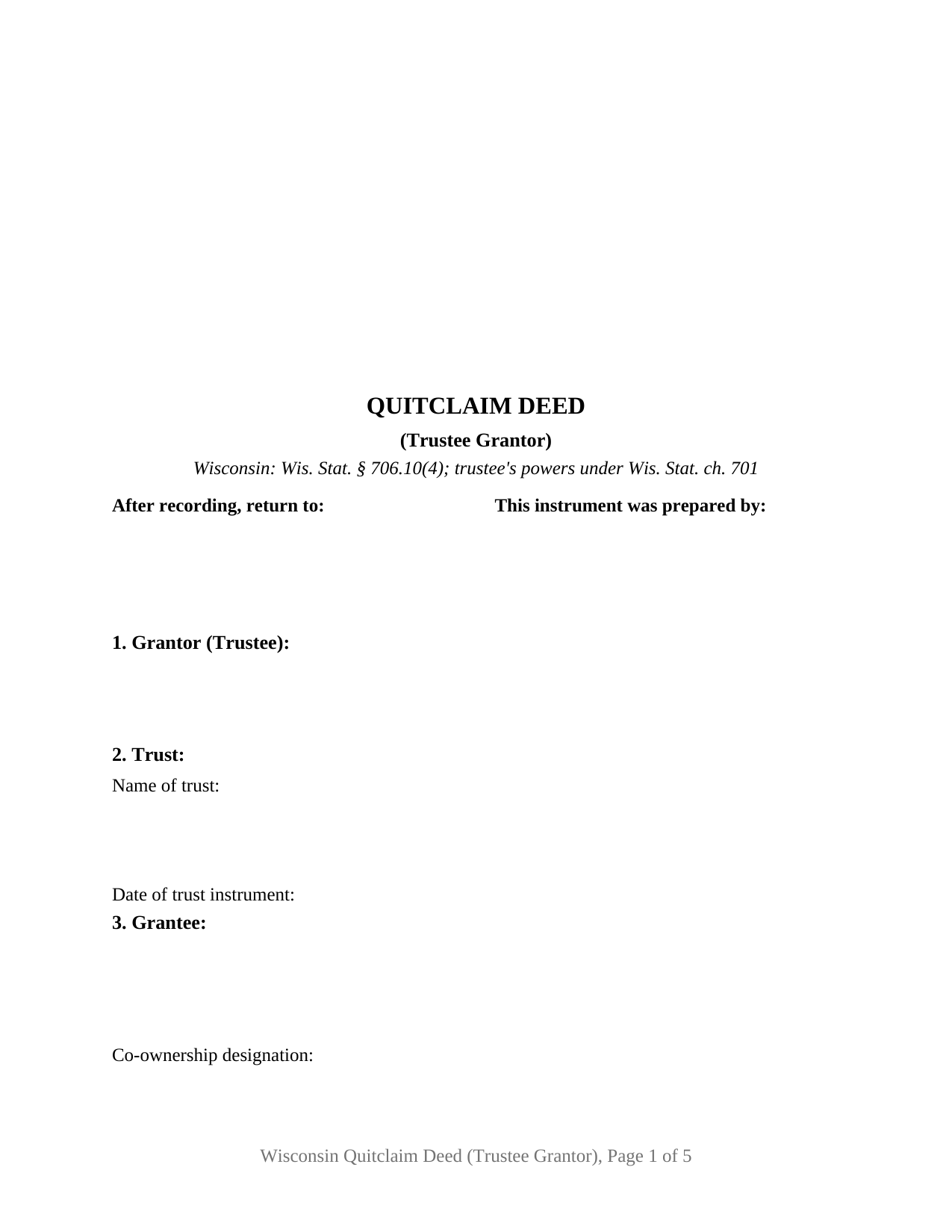
Oneida County Quitclaim Deed (Trustee Grantor) Form
Fill in the blank Quitclaim Deed (Trustee Grantor) form formatted to comply with all Wisconsin recording and content requirements.
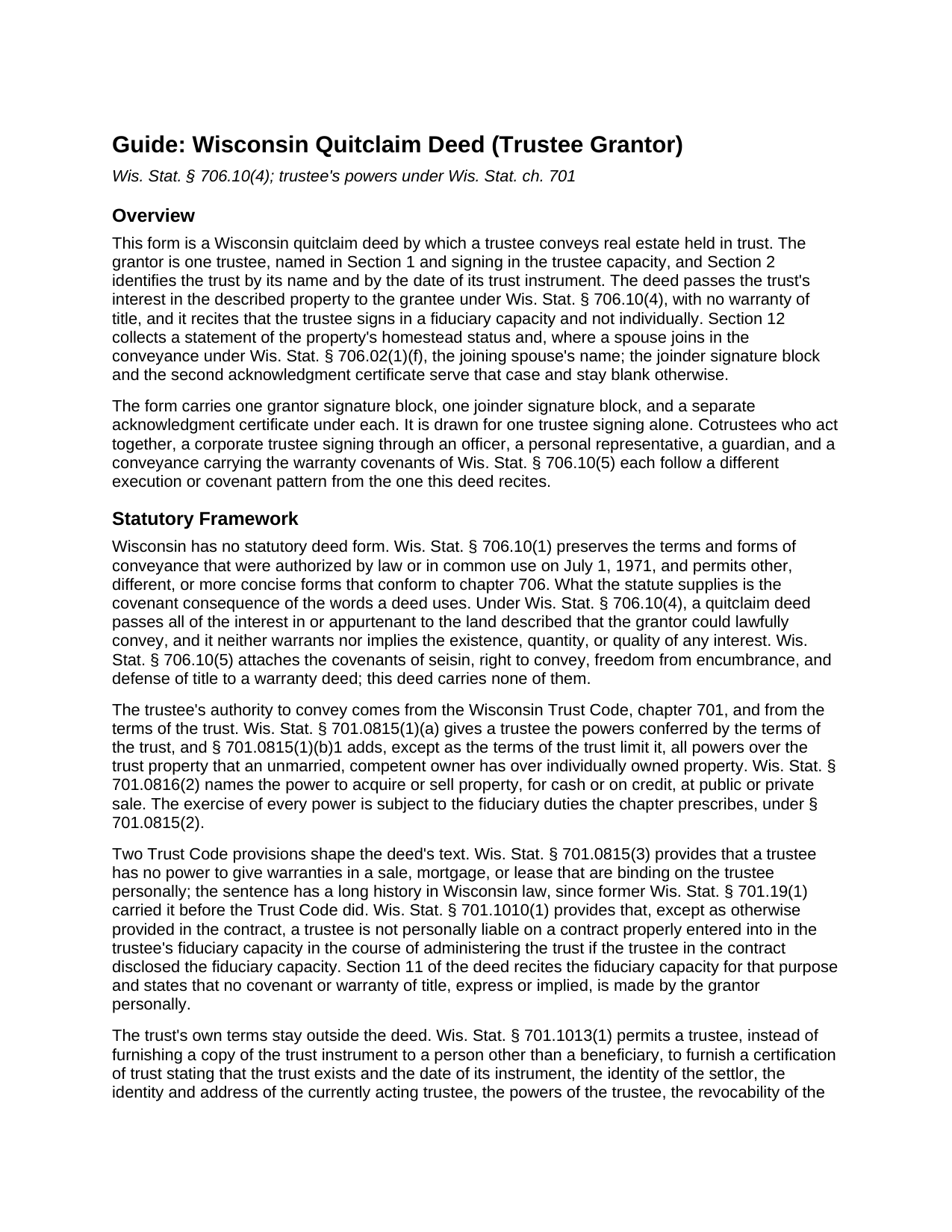
Oneida County Quitclaim Deed (Trustee Grantor) Guide
Line by line guide explaining every blank on the Quitclaim Deed (Trustee Grantor) form.
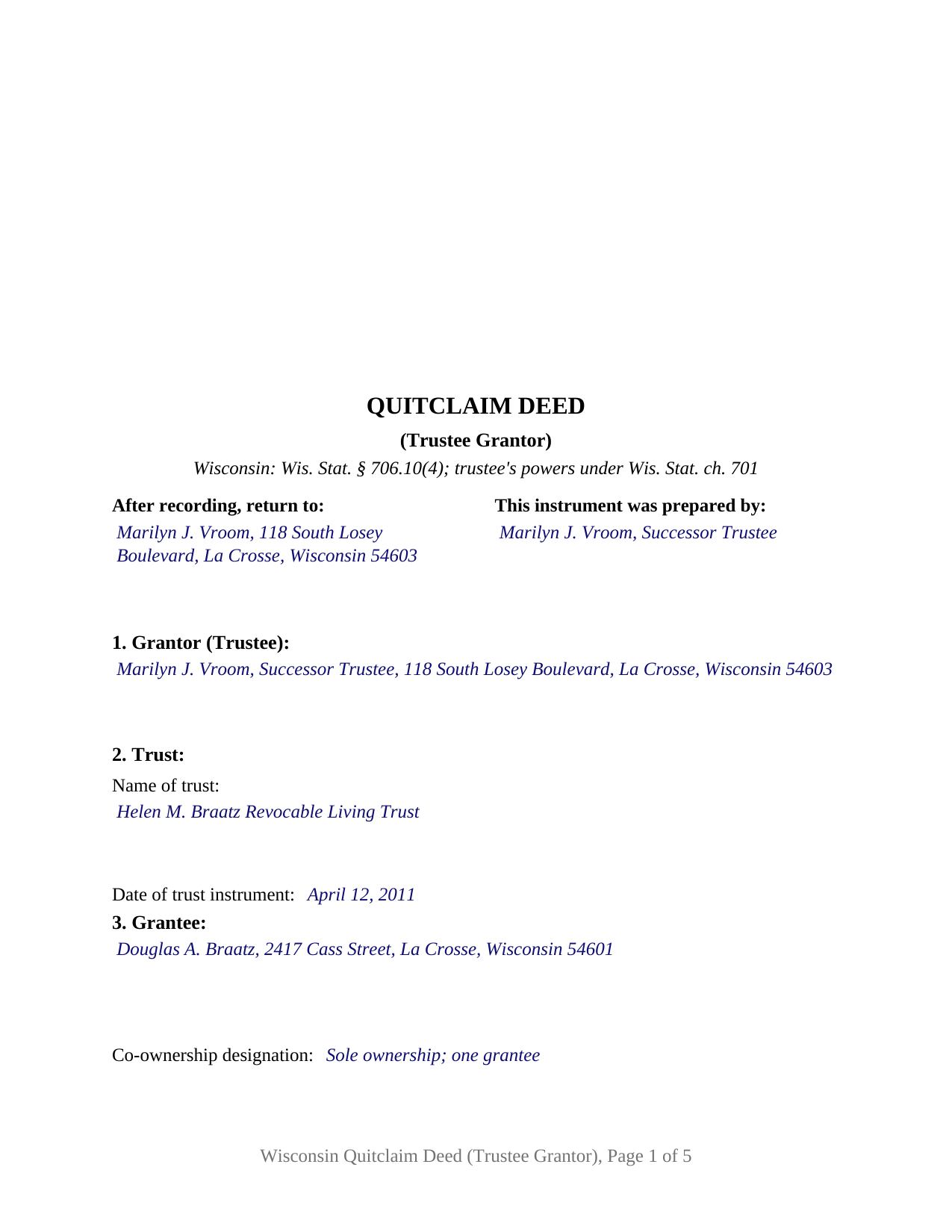
Oneida County Completed Example of the Quitclaim Deed (Trustee Grantor) Document
Example of a properly completed Wisconsin Quitclaim Deed (Trustee Grantor) document for reference.
All 3 documents above included • One-time purchase • No recurring fees
Immediate Download • Secure Checkout
Additional Wisconsin and Oneida County documents included at no extra charge:
Where to Record Your Documents
Oneida County Register of Deeds
Rhinelander, Wisconsin 54501
Hours: Monday - Friday 8:00am - 4:30pm
Phone: (715) 369-6150
Recording Tips for Oneida County:
- Bring your driver's license or state-issued photo ID
- Ensure all signatures are in blue or black ink
- Ask about their eRecording option for future transactions
- Avoid the last business day of the month when possible
- Both spouses typically need to sign if property is jointly owned
Cities and Jurisdictions in Oneida County
Properties in any of these areas use Oneida County forms:
- Harshaw
- Hazelhurst
- Lake Tomahawk
- Mc Naughton
- Minocqua
- Pelican Lake
- Rhinelander
- Three Lakes
- Tripoli
- Woodruff
Hours, fees, requirements, and more for Oneida County
How do I get my forms?
Forms are available for immediate download after payment. The Oneida County forms will be in your account ready to download to your computer. An account is created for you during checkout if you don't have one. Forms are NOT emailed.
Are these forms guaranteed to be recordable in Oneida County?
Yes. Our form blanks are guaranteed to meet or exceed the applicable formatting requirements used for recording in Oneida County, including margin requirements, font requirements, and other layout standards. This guarantee applies to formatting, not to the legal sufficiency of information entered by the user or the suitability of a form for a particular transaction.
Can I reuse these forms?
Yes. You can reuse the forms for your personal use. For example, if you have multiple properties in Oneida County you only need to order once.
What do I need to use these forms?
The forms are PDFs that you fill out on your computer. The free Adobe Acrobat Reader is recommended, and most PDF apps also work. You do NOT enter your property information online - you download the blank forms and complete them privately on your own computer.
Are there any recurring fees?
No. This is a one-time purchase. Nothing to cancel, no memberships, no recurring fees.
How much does it cost to record in Oneida County?
Recording fees in Oneida County vary. Contact the recorder's office at (715) 369-6150 for current fees.
Questions answered? Let's get started!
A Wisconsin trustee cannot hand out title covenants, and one line of the Trust Code says so: under Wis. Stat. § 701.0815(3) a trustee has no power to give warranties in a sale, mortgage, or lease that are binding on the trustee personally. This form prepares the deed that fits inside that rule: a Wisconsin quitclaim deed signed by a trustee conveying trust real estate, with the fiduciary capacity stated in the instrument and no warranty of title.
A deed on its way out of a trust
Legal title to trust real estate sits with the trustee, so the deed carrying it out is signed by the trustee, names the trust behind that signature, and recites that the grantor acts as trustee and not individually. Wis. Stat. § 701.0815(1)(b)1 gives a trustee an owner's powers over trust property, and § 701.0816(2) names the power to sell it at public or private sale. The conveyance runs on Wis. Stat. § 706.10(4), under which a quitclaim deed passes the interest the grantor could lawfully convey and neither warrants nor implies the existence, quantity, or quality of that interest. The instrument is searched for as a trustee quitclaim deed, a quit claim deed from a trust, or a deed out of a living trust.
Capacity that is disclosed rather than assumed
Section 11's capacity language does statutory work. Wis. Stat. § 701.1010(1) provides that a trustee is not personally liable on a contract properly entered into in the trustee's fiduciary capacity if the trustee in the contract disclosed that capacity, so the printed disclosure does more than describe the signer. The acknowledgment follows the same logic into chapter 140, where Wis. Stat. § 140.16(2) supplies the representative capacity short form: the officer certifies that a named individual acknowledged the record as the stated type of authority, such as trustee, of the party on whose behalf it was executed. The trust's own terms stay out of the deed and reach a title company through a certification of trust under Wis. Stat. § 701.1013, which a trustee signs separately and is not included here.
What this configuration carries
The form recites one trustee as grantor, the trust identified by name and by the date of its instrument, a grantee section closing with a co-ownership designation line, a transfer fee line, and a conditional homestead block for a spouse joining under Wis. Stat. § 706.02(1)(f). The trustee signs one block under a certificate whose name line takes the representative capacity; a conditional second block and certificate serve a joining spouse. A successor trustee distributing a residence to the beneficiary entitled to it, a trustee releasing a parcel back out of a revocable trust during the settlor's life, and a trustee moving a rental parcel into another trust all present the pattern this deed recites. The configuration is not drawn for cotrustees who act together, for a corporate trustee signing through an officer, for a personal representative or a guardian, or for a conveyance carrying the warranty covenants of Wis. Stat. § 706.10(5).
Exemption 9, and the money at the counter
A conveyance from a trustee to a beneficiary without actual consideration escapes the Wisconsin real estate transfer fee under Wis. Stat. § 77.25(9), and Section 5 is the labeled line naming that subsection, which Wis. Stat. § 77.22(1) makes a condition of recording. A sale out of a trust pays 30 cents for each $100 of value instead. The electronic transfer return travels with the deed either way, because § 77.255 releases only conveyances exempt under § 77.25(1) or (10m) from filing one. The register of deeds collects $30 under Wis. Stat. § 59.43(2)(ag)1.
Format, and what the record protects
The instrument is drawn to the standard format of Wis. Stat. § 59.43(2m): the upper right three inch square of page one blank for the register, the document name and return information high on that page, the drafter statement of § 59.43(5)(a), and a parcel number line for counties that require one. Format failure brings refusal rather than a surcharge, and priority then follows the record under the race notice rule of § 706.08(1)(a).
The download holds three files: this quitclaim deed as a fillable PDF, a completed example filled in for a La Crosse County distribution from a successor trustee to a trust beneficiary, and a plain language guide covering every blank, the execution rules, and the recording package. The material describes Wisconsin law in general terms for information and is not legal advice.
Important: Your property must be located in Oneida County to use these forms. Documents should be recorded at the county recording office listed above.
This Quitclaim Deed (Trustee Grantor) meets all recording requirements specific to Oneida County.
Our Promise
The documents you receive here are guaranteed to meet or exceed the applicable Oneida County recording format requirements. If there is a rejection caused by our formatting, we will correct the issue or refund your payment. This guarantee applies to document formatting only and does not extend to information entered by the user, the selection of the form, or the legal effect of the completed document.
Save Time and Money
Get your Oneida County Quitclaim Deed (Trustee Grantor) form done right the first time with Deeds.com Uniform Conveyancing Blanks. At Deeds.com, we understand that your time and money are valuable resources, and we don't want you to face a penalty fee or rejection imposed by a county recorder for submitting nonstandard documents. We constantly review and update our forms to meet rapidly changing state and county recording requirements for roughly 3,500 counties and local jurisdictions.
4.8 out of 5 - ( 4,843 Reviews )
James M. 5 out of 5 stars
Just what I needed to help clear ownership of what has been deeded to be by inheritance
We appreciate your business and value your feedback. Thank you. Have a wonderful day!
Dennis S. 5 out of 5 stars
Simple quitclaim form, worked perfectly for my area.
Thank you!
Larry F. 4 out of 5 stars
Your site is useful but limited in scope. I could not find exactly what I was looking for and felt that paying when I wasn't sure was going to be extremely frustrating.
Thank you for your feedback. We really appreciate it. Have a great day!
Brenda E. 5 out of 5 stars
This is a great tool to use. It makes recording documents so easy and convenient. The website is very user-friendly. The only suggestion I would have is if the website could email me directly when I have a message so I don't have to keep checking back to see if my document is ready.
Thank you for your feedback. We really appreciate it. Have a great day!
Donald S. 2 out of 5 stars
Guidelines somewhat helpful. Forms fillable but not editable unless you buy an Adobe conversion service subscription. End product looks crude and amateurish. Fields can't be reduced or enlarged to accommodate unique data. Very disappointing.
Thank you for your feedback. We really appreciate it. Have a great day!
Michael L. 5 out of 5 stars
Quick and Easy. Much appreciated!
Thank you for your feedback. We really appreciate it. Have a great day!
Carol R. 5 out of 5 stars
I found the site to be useful,informative and very accessable. Thank You
Thank you!
Hayley C. 5 out of 5 stars
Love this site, so easy to work with and customer service is amazing.
We appreciate your business and value your feedback. Thank you. Have a wonderful day!
Jackie C. 5 out of 5 stars
Easy process!
Thank you!
Jeffrey G. 5 out of 5 stars
Transaction went smoothly. The forms in the package were just what was needed.
Thank you for your feedback. We really appreciate it. Have a great day!
Cathleen H. 5 out of 5 stars
The pdf form is good; however, the input boxes merge into the line above so the text is hard to read when complete. I added a return before entering my data and this solved the problem.
Thank you for your feedback Cathleen. We will have staff take a look at the document for issues with the text fields. Have a great day!
Lisa W. 5 out of 5 stars
The easiest thing to use ever. Amazing and extremely prompt support. They get the job done with all the information you might need
We appreciate your business and value your feedback. Thank you. Have a wonderful day!
David D. 5 out of 5 stars
Forms were quick to receive and appear to be what I need to complete our task.
Thank you for your feedback. We really appreciate it. Have a great day!
Sammy K. 5 out of 5 stars
A very streamlined, easy-yo-follow process of recording documents during the COVID-19 era. There was no delay in reviewing and submitting the uploaded documents to the deed office in the jurisdiction. Thanks!
We appreciate your business and value your feedback. Thank you. Have a wonderful day!
Bethany F. 5 out of 5 stars
quick and easy to use
Thank you!