Outagamie County Transfer on Death to Beneficiary Form
Last validated October 23, 2026 by our Forms Development TeamFormatted for recording in Outagamie County, for property anywhere in the county: rural and unincorporated areas as well as Appleton, Bear Creek, Black Creek, Combined Locks, Dale, Freedom, Greenville, Hortonville and 6 more.
- 3 documents included
- Immediate PDF download
- Formatting guarantee
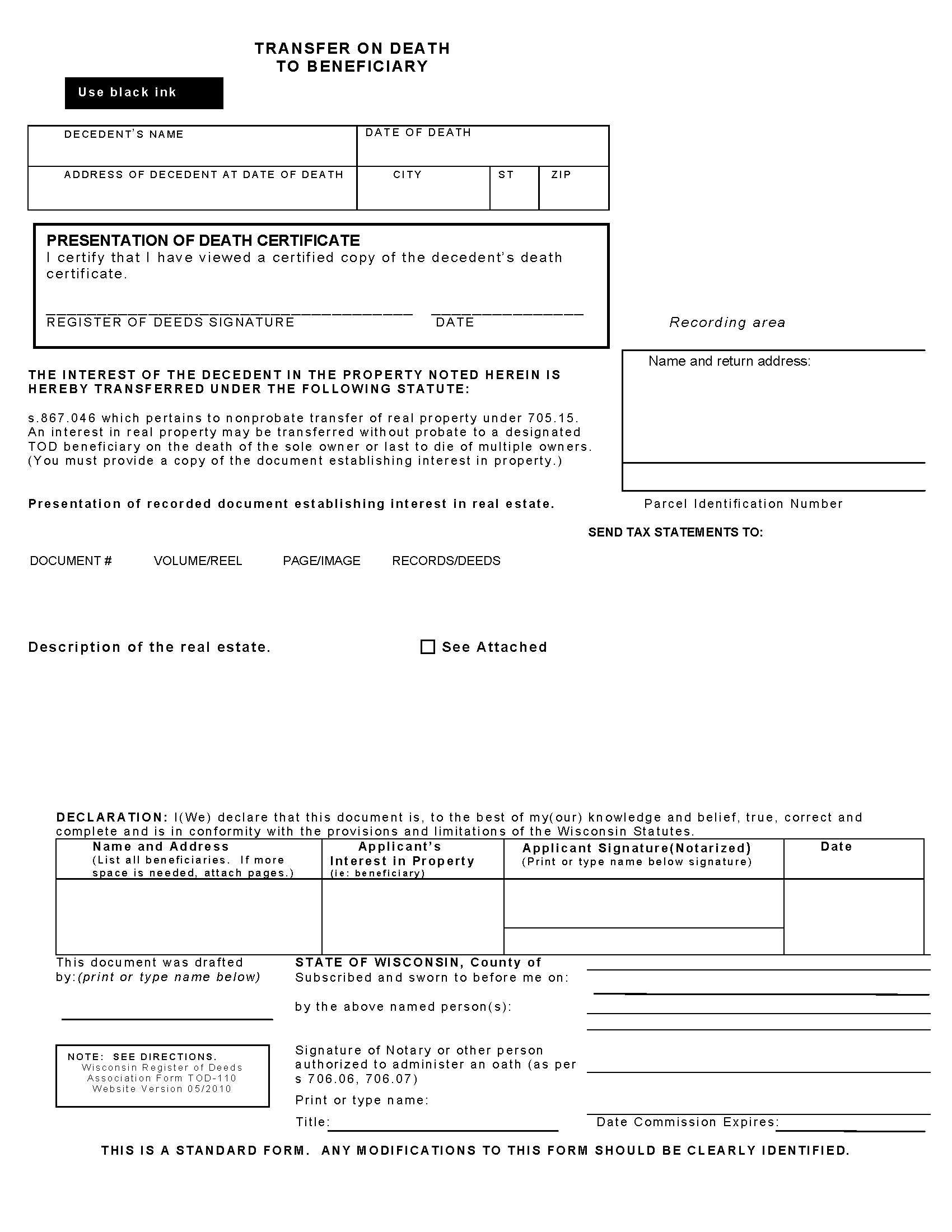
Outagamie County Transfer on Death to Beneficiary Form
Fill in the blank form formatted to comply with all recording and content requirements.
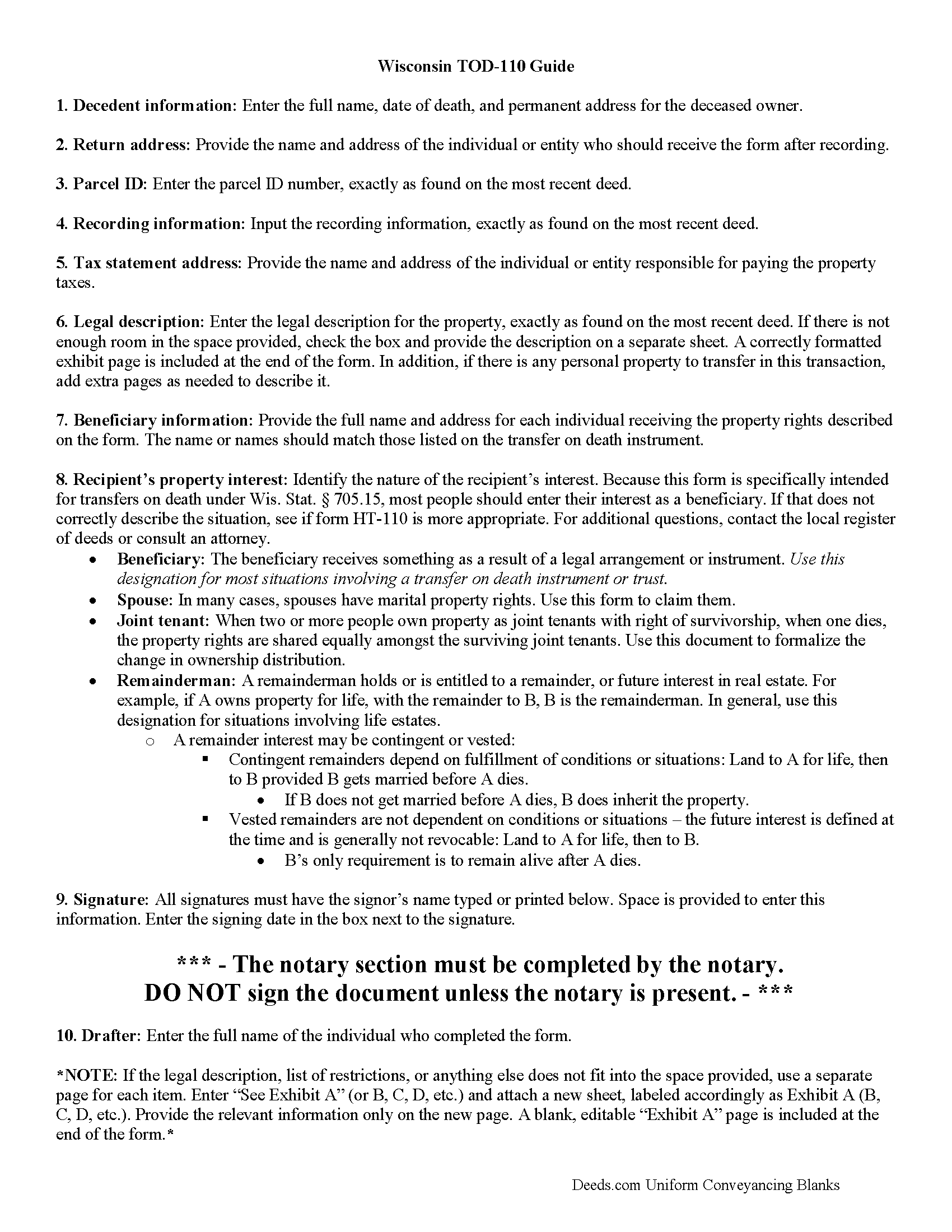
Outagamie County Transfer on Death to Beneficiary Guide
Line by line guide explaining every blank on the form.
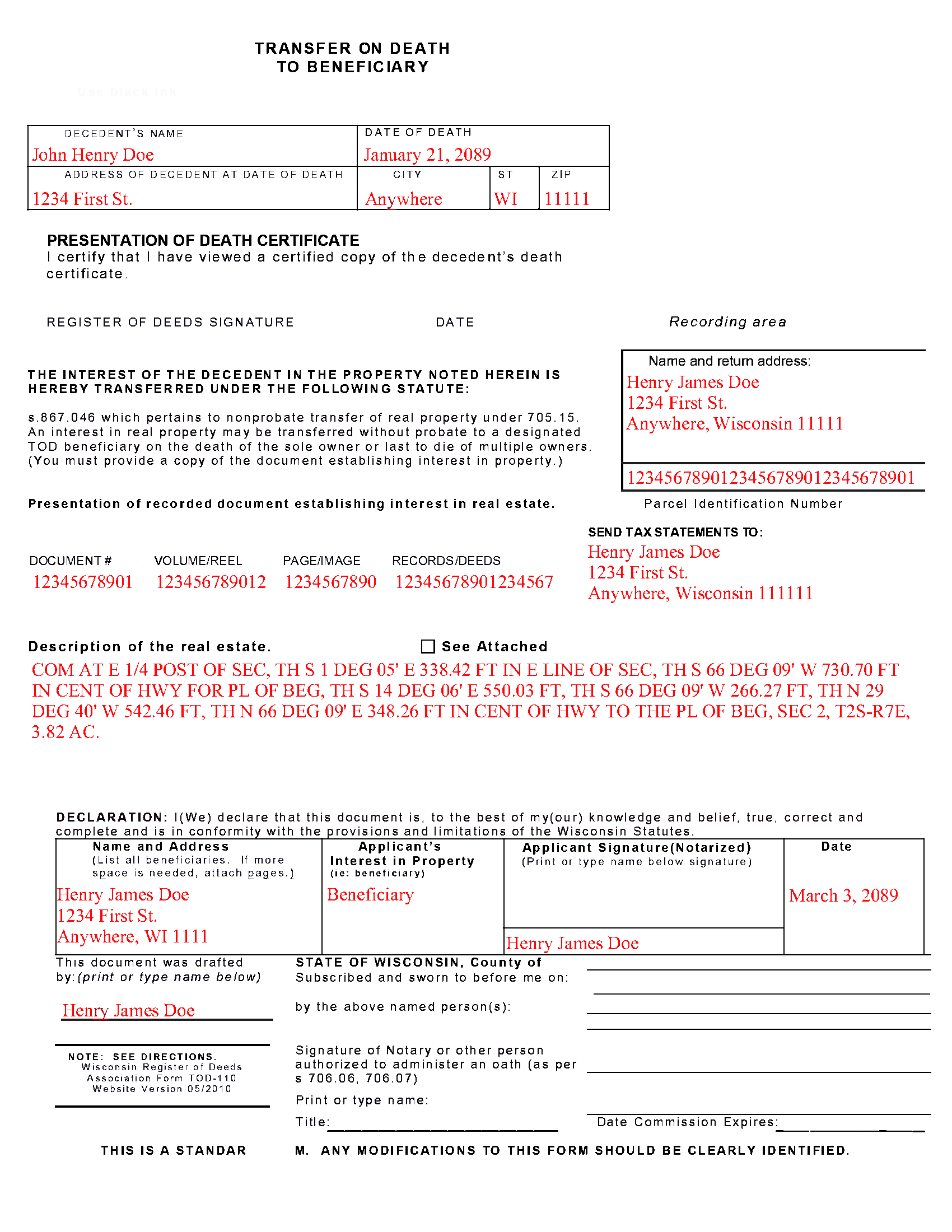
Outagamie County Completed Example of the Transfer on Death to Beneficiary Document
Example of a properly completed form for reference.
All 3 documents above included • One-time purchase • No recurring fees
Immediate Download • Secure Checkout
Additional Wisconsin and Outagamie County documents included at no extra charge:
Where to Record Your Documents
Outagamie County Register of Deeds
Appleton, Wisconsin 54911
Hours: Monday - Friday 8:00am to 4:30pm
Phone: (920) 832-5095
Recording Tips for Outagamie County:
- Bring your driver's license or state-issued photo ID
- Ensure all signatures are in blue or black ink
- Check that your notary's commission hasn't expired
- Documents must be on 8.5 x 11 inch white paper
- Double-check legal descriptions match your existing deed
Cities and Jurisdictions in Outagamie County
Properties in any of these areas use Outagamie County forms:
- Appleton
- Bear Creek
- Black Creek
- Combined Locks
- Dale
- Freedom
- Greenville
- Hortonville
- Kaukauna
- Kimberly
- Little Chute
- Nichols
- Seymour
- Shiocton
Hours, fees, requirements, and more for Outagamie County
How do I get my forms?
Forms are available for immediate download after payment. The Outagamie County forms will be in your account ready to download to your computer. An account is created for you during checkout if you don't have one. Forms are NOT emailed.
Are these forms guaranteed to be recordable in Outagamie County?
Yes. Our form blanks are guaranteed to meet or exceed the applicable formatting requirements used for recording in Outagamie County, including margin requirements, font requirements, and other layout standards. This guarantee applies to formatting, not to the legal sufficiency of information entered by the user or the suitability of a form for a particular transaction.
Can I reuse these forms?
Yes. You can reuse the forms for your personal use. For example, if you have multiple properties in Outagamie County you only need to order once.
What do I need to use these forms?
The forms are PDFs that you fill out on your computer. The free Adobe Acrobat Reader is recommended, and most PDF apps also work. You do NOT enter your property information online - you download the blank forms and complete them privately on your own computer.
Are there any recurring fees?
No. This is a one-time purchase. Nothing to cancel, no memberships, no recurring fees.
How much does it cost to record in Outagamie County?
Recording fees in Outagamie County vary. Contact the recorder's office at (920) 832-5095 for current fees.
Questions answered? Let's get started!
Transfer to Beneficiary -- TOD-110
Completing the Change of Property Rights from a Wisconsin Transfer on Death Deed
When a grantor/owner of real estate under a Wisconsin transfer on death deed dies, the named beneficiary or beneficiaries gain the rights to the property by function of law. Even though this transfer is, in theory, automatic, the best way to ensure accurate and up-to-date ownership records is to file a completed and notarized transfer on death to beneficiary form TOD-110 with the register of deeds for the county where the land is located. By recording this document, the new owner formalizes the transfer and provides public notice of the new status.
(Wisconsin TOD to Beneficiary Package includes form, guidelines, and completed example)
Important: Your property must be located in Outagamie County to use these forms. Documents should be recorded at the county recording office listed above.
This Transfer on Death to Beneficiary meets all recording requirements specific to Outagamie County.
Our Promise
The documents you receive here are guaranteed to meet or exceed the applicable Outagamie County recording format requirements. If there is a rejection caused by our formatting, we will correct the issue or refund your payment. This guarantee applies to document formatting only and does not extend to information entered by the user, the selection of the form, or the legal effect of the completed document.
Save Time and Money
Get your Outagamie County Transfer on Death to Beneficiary form done right the first time with Deeds.com Uniform Conveyancing Blanks. At Deeds.com, we understand that your time and money are valuable resources, and we don't want you to face a penalty fee or rejection imposed by a county recorder for submitting nonstandard documents. We constantly review and update our forms to meet rapidly changing state and county recording requirements for roughly 3,500 counties and local jurisdictions.
4.8 out of 5 - ( 4,830 Reviews )
Rebecca F. 5 out of 5 stars
Forms were great. I wasn't able to find them anywhere. Even the county recorder didn't have them
Thank you for your feedback. We really appreciate it. Have a great day!
James S. 2 out of 5 stars
Order Process: 5 Stars - very easy Material Received: 2 Stars Issues: 1. Printing- Document would not print in format displayed. Format would continually shrink to approx 2/3 size thus not useable for formal doc submission to County Records office. 2. Document Format- Data insertion fields (addresses) were not of correct size for data input. I needed a 4 line input space but was limited to only 3 lines. Also, Date field (year) was mis-oriented in-so-much that the 3rd digit (inputted) overlapped on 2nd digit (pre-printed) and also was of noticeably different font. 3. Useability- Hand-written input space provided (for Notary) was deficient in space and spacing. It was a challenge to utilize the space available to complete fully and maintain legibility. Overall - the document worked marginally as advertised, I did need to re-write the entire document myself. It is a good concept but I'd recommend that Deeds company improve the downloaded forms for actual useability, readability, functionability. regards, Jim S
Thank you for your feedback. We really appreciate it. Have a great day!
Pamela P. 5 out of 5 stars
Easy download of correct fillable forms for specific State and County. The accompanying guides and examples are helpful.
Pamela, thank you for your review. We’re glad everything was easy to access and that the supporting materials helped make the process clearer. We appreciate your business.
Laurie R. 5 out of 5 stars
FIVE STARS !!! Clear instructions Easy to navigate Thanks for making this easy for those of us who are not tech savvy
We appreciate your business and value your feedback. Thank you. Have a wonderful day!
Matt G. 4 out of 5 stars
The process went smoothly and gave me what I needed. As an improvement, I would recommend that deeds.com sends an email when there is a new message in the portal. I didn't get any updates and had to log in to track progress each time.
Thank you for your feedback. We really appreciate it. Have a great day!
Shelly S. 5 out of 5 stars
Was able to sell a property with the information obtained from your website without using an attorney! Extremely happy.
Thank you!
Kay G. 5 out of 5 stars
Found just the form I was looking for. It was an easy download process. Now just have to complete the forms!
Thank you for your feedback Kay, we really appreciate it.
Thomas W. 5 out of 5 stars
Found what I needed, thanks.
Thank you!
Colleen P. 3 out of 5 stars
It was frustrating to get the scans done but that might have been due to a learning curve. After 4 tries they were accepted. I couldn't figure out how to delete or close the failed attempts. Waiting to see if Recorder office has changed the title.
Thank you for your feedback. We really appreciate it. Have a great day!
Heleena C. 5 out of 5 stars
The free additional forms that came with the form I ordered were invaluable as well. Worth every penny!
We appreciate your business and value your feedback. Thank you. Have a wonderful day!
Luwana C. 5 out of 5 stars
I think the Website takes out a lot of leg work, Makes it easier to take care of paperwork 10 times faster.
We appreciate your business and value your feedback. Thank you. Have a wonderful day!
Annie R. 5 out of 5 stars
Excellent service. Documents easy to understand and use.
We appreciate your business and value your feedback. Thank you. Have a wonderful day!
Lacina B. 5 out of 5 stars
Forms were appropriately priced, easy to download
Thank you for your feedback. We really appreciate it. Have a great day!
Jianxing L. 5 out of 5 stars
This is my first time using this website and was impressed for the simple and clear web design and exploring. Now I am anxiously waiting for the e-recording up running to start my deed process.
Thank you for taking a moment to share your thoughts.
Timothy K. 5 out of 5 stars
Excellent service. Fast turnaround within one day. Reasonable pricing for services.
Thank you!