Uinta County Affidavit of Survivorship Form
Last validated October 14, 2026 by our Forms Development TeamFormatted for recording in Uinta County, for property anywhere in the county: rural and unincorporated areas as well as Evanston, Fort Bridger, Lonetree, Lyman, Mountain View, Robertson.
- 3 documents included
- Immediate PDF download
- Formatting guarantee
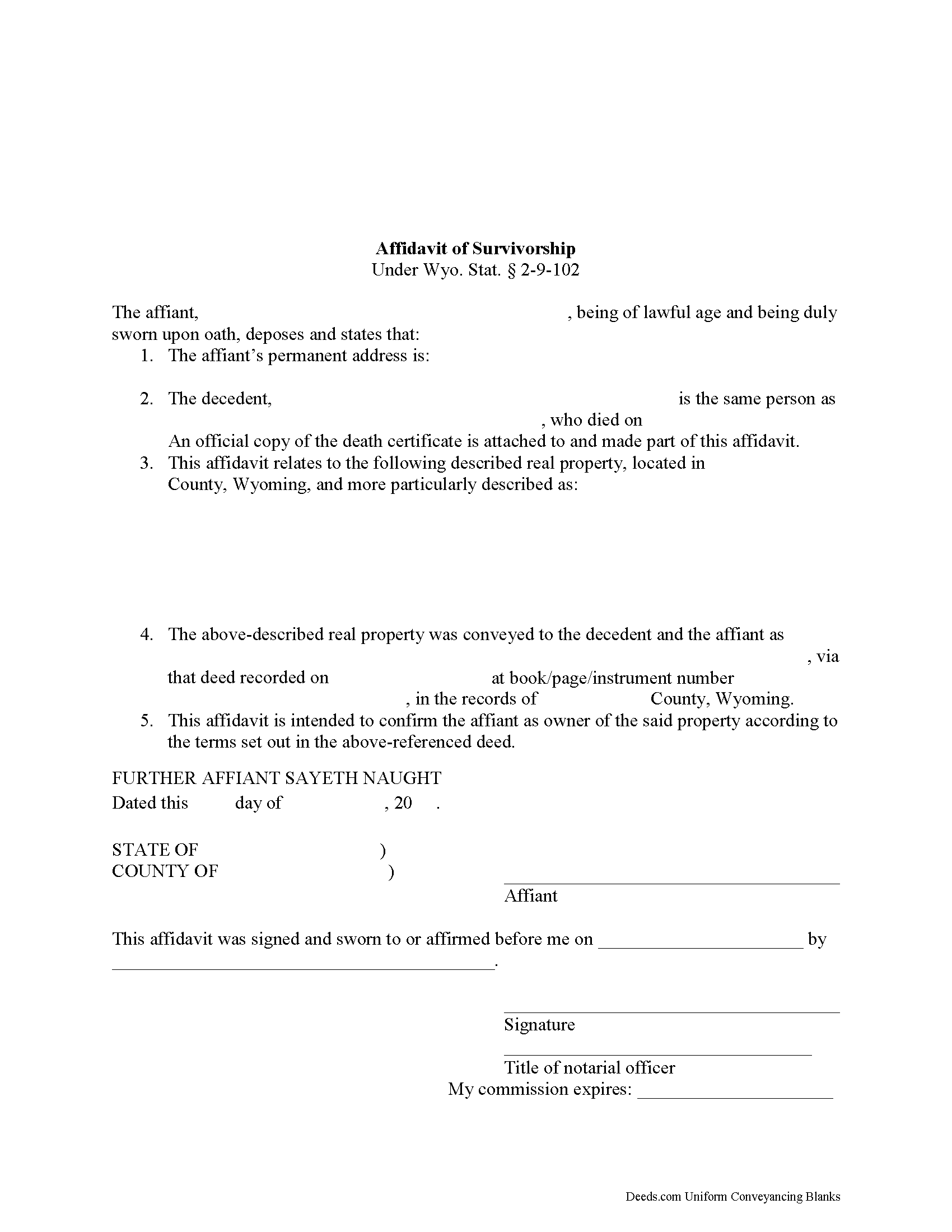
Uinta County Affidavit of Survivorship Form
Fill in the blank Affidavit of Survivorship form formatted to comply with all Wyoming recording and content requirements.
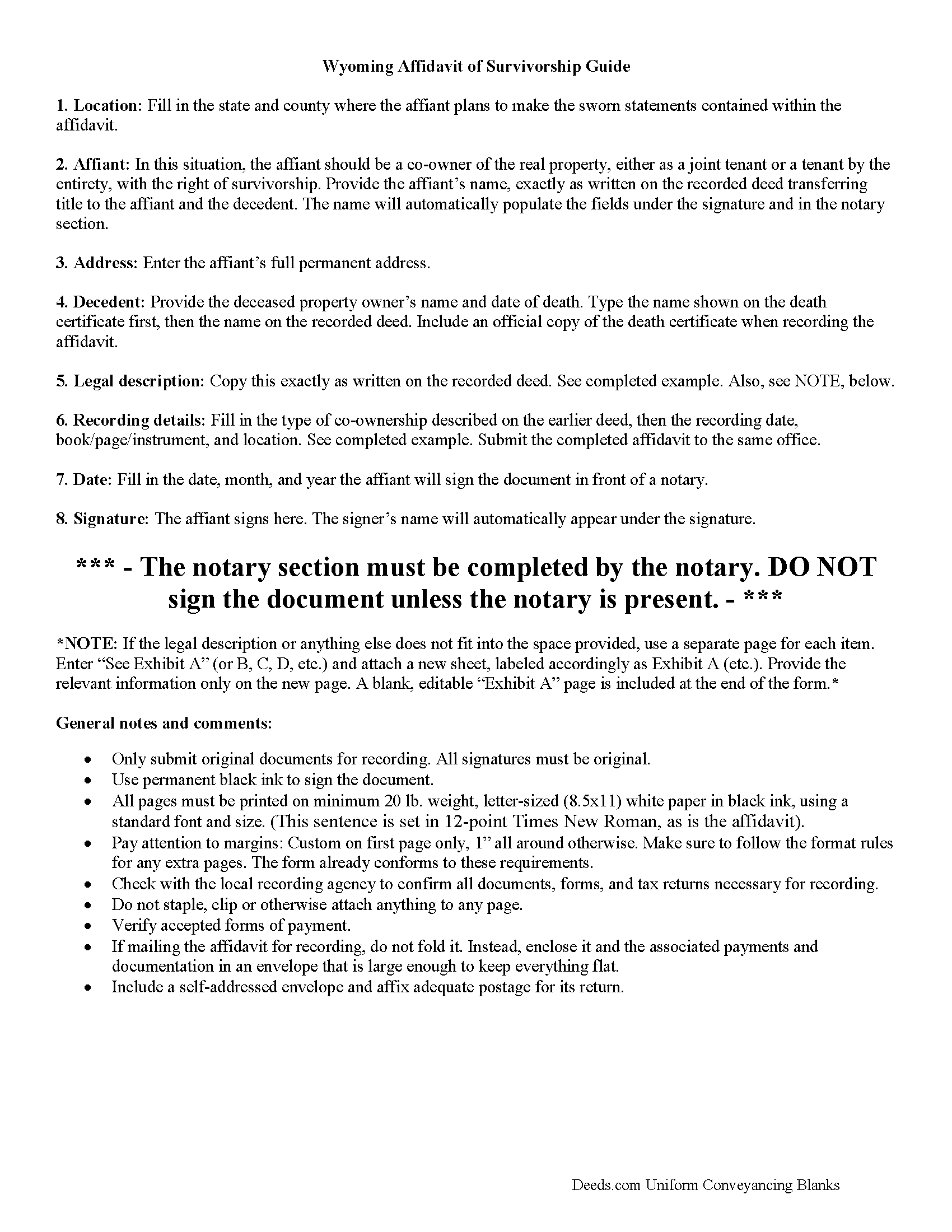
Uinta County Affidavit of Survivorship Guide
Line by line guide explaining every blank on the Affidavit of Survivorship form.

Uinta County Completed Example of the Affidavit of Survivorship Document
Example of a properly completed Wyoming Affidavit of Survivorship document for reference.
All 3 documents above included • One-time purchase • No recurring fees
Immediate Download • Secure Checkout
Additional Wyoming and Uinta County documents included at no extra charge:
Where to Record Your Documents
Uinta County Clerk & Recorder
Evanston, Wyoming 82930-3473 / 82931-0810
Hours: Monday - Friday 8:00am - 5:00pm
Phone: (307) 783-0306
Recording Tips for Uinta County:
- Bring your driver's license or state-issued photo ID
- Ensure all signatures are in blue or black ink
- Both spouses typically need to sign if property is jointly owned
- Bring extra funds - fees can vary by document type and page count
- Check margin requirements - usually 1-2 inches at top
Cities and Jurisdictions in Uinta County
Properties in any of these areas use Uinta County forms:
- Evanston
- Fort Bridger
- Lonetree
- Lyman
- Mountain View
- Robertson
Hours, fees, requirements, and more for Uinta County
How do I get my forms?
Forms are available for immediate download after payment. The Uinta County forms will be in your account ready to download to your computer. An account is created for you during checkout if you don't have one. Forms are NOT emailed.
Are these forms guaranteed to be recordable in Uinta County?
Yes. Our form blanks are guaranteed to meet or exceed the applicable formatting requirements used for recording in Uinta County, including margin requirements, font requirements, and other layout standards. This guarantee applies to formatting, not to the legal sufficiency of information entered by the user or the suitability of a form for a particular transaction.
Can I reuse these forms?
Yes. You can reuse the forms for your personal use. For example, if you have multiple properties in Uinta County you only need to order once.
What do I need to use these forms?
The forms are PDFs that you fill out on your computer. The free Adobe Acrobat Reader is recommended, and most PDF apps also work. You do NOT enter your property information online - you download the blank forms and complete them privately on your own computer.
Are there any recurring fees?
No. This is a one-time purchase. Nothing to cancel, no memberships, no recurring fees.
How much does it cost to record in Uinta County?
Recording fees in Uinta County vary. Contact the recorder's office at (307) 783-0306 for current fees.
Questions answered? Let's get started!
The Wyoming Statutes set out the rules for affidavits of survivorship at 2-9-102.
A general affidavit of survivorship is used in three primary situations:
- life estates, where the transfer of ownership is delayed until the life tenant dies;
- tenancy by entirety, where a married couple owned the property together and the surviving spouse gains full title when the other spouse dies; and
- joint tenancy with right of survivorship, in which two or more people share ownership of the property, and agree that when one owner dies, any remaining owners will share the deceased owner's rights to the property.
Individuals with one of these interests in real estate may transfer (or consolidate) title by completing an affidavit of survivorship, signing it in front of a notary, and recording it, along with an official copy of the deceased owner's death certificate, in the office of the county clerk for the county where the property is situated. This document is important because it helps to maintain a clear chain of title (ownership history) for the property, which, in turn, simplifies future transactions (sales, mortgages, etc.) involving the land.
This information may not apply in all cases. Contact an attorney with specific questions or for complex situations.
(Wyoming AOS Package includes form, guidelines, and completed example)
Important: Your property must be located in Uinta County to use these forms. Documents should be recorded at the county recording office listed above.
This Affidavit of Survivorship meets all recording requirements specific to Uinta County.
Our Promise
The documents you receive here are guaranteed to meet or exceed the applicable Uinta County recording format requirements. If there is a rejection caused by our formatting, we will correct the issue or refund your payment. This guarantee applies to document formatting only and does not extend to information entered by the user, the selection of the form, or the legal effect of the completed document.
Save Time and Money
Get your Uinta County Affidavit of Survivorship form done right the first time with Deeds.com Uniform Conveyancing Blanks. At Deeds.com, we understand that your time and money are valuable resources, and we don't want you to face a penalty fee or rejection imposed by a county recorder for submitting nonstandard documents. We constantly review and update our forms to meet rapidly changing state and county recording requirements for roughly 3,500 counties and local jurisdictions.
4.8 out of 5 - ( 4,837 Reviews )
Kathy Ann M. 5 out of 5 stars
Got the report. However, Retrieving process was not clear.
Thank you for your feedback. We really appreciate it. Have a great day!
Pamela H. 4 out of 5 stars
With Deeds.com I was able to acquire the form I needed for a reasonable fee. Easy navigation, plus guidelines & example of how the finished form should be filled out. I was most pleased to download blank form so I could type into it and then save the blank form. Well organized informative tool. Highly recommend
We appreciate your business and value your feedback. Thank you. Have a wonderful day!
wendy w. 5 out of 5 stars
Excellent
Thank you!
Dean B. 5 out of 5 stars
I needed to cut and paste my phone number with the dashes in order to use this website with my iPhone
Thank you!
DAVID K. 5 out of 5 stars
Good so far could use more examples for each section of info. needed. ex. (parcel and alt.ID info where to find and etc. #2 more examples. If it was not for the red print examples helping to fill the form out I could have downloaded free forms, the examples are what made me choose your form !
We appreciate your business and value your feedback. Thank you. Have a wonderful day!
Robbin J. 5 out of 5 stars
Really great website!! Easy to use!! Very helpful!!
Thank you!
Tod F. 5 out of 5 stars
In 15 minutes I had my out of state documents. I am very pleased with the ease of acquiring them. I will definitely be using Deeds.com again if the need arises.
We appreciate your business and value your feedback. Thank you. Have a wonderful day!
Sofia H. 5 out of 5 stars
Where has this site been my entire career? Very helpful. This site made what would normally take three days with a runner, a snap. Five Stars.
Thank you for your feedback. We really appreciate it. Have a great day!
Yvette G. 5 out of 5 stars
We were extremely satisfied with DEEDS.COM. We spent countless hours trying to contact the Queens County Clerk's Office without succeeding to get through. We needed to obtain an Executor's Deed to transfer the name on my beloved deceased father's property to my name as the executrix of his will. DEEDS.COM is the most efficient and painless way to get the forms you need. To top it all off, they send you, free of charge, additional forms that you may need for your filing purposes. We are truly thankful for their kind assistance!!
We appreciate your business and value your feedback. Thank you. Have a wonderful day!
james B. 5 out of 5 stars
Downloaded quickly and saved to hard drive easily. I then opened in Adobe Acrobat Reader DC then was able to enter and save data in appropriate blanks. Yes, worth $22.
We appreciate your business and value your feedback. Thank you. Have a wonderful day!
catherine f. 5 out of 5 stars
Easy! 5 stars
We appreciate your business and value your feedback. Thank you. Have a wonderful day!
Jack B. 5 out of 5 stars
All worked out well.
Thank you!
Terri L. 5 out of 5 stars
Great Tool! Very easy to complete.
We appreciate your business and value your feedback. Thank you. Have a wonderful day!
Karen C. 4 out of 5 stars
Legal documents that served the purpose nothing too exciting.
Thank you Karen. Have a great day!
Peggy L. 5 out of 5 stars
Exactly what I needed and so nice to not have to pay a lawyer
We appreciate your business and value your feedback. Thank you. Have a wonderful day!