Baldwin County Conditional Lien Waiver on Final Payment Form
Last validated November 17, 2026 by our Forms Development TeamFormatted for recording in Baldwin County, for property anywhere in the county: rural and unincorporated areas as well as Bay Minette, Bon Secour, Daphne, Elberta, Fairhope, Foley, Gulf Shores, Lillian and 14 more.
- 3 documents included
- Immediate PDF download
- Formatting guarantee
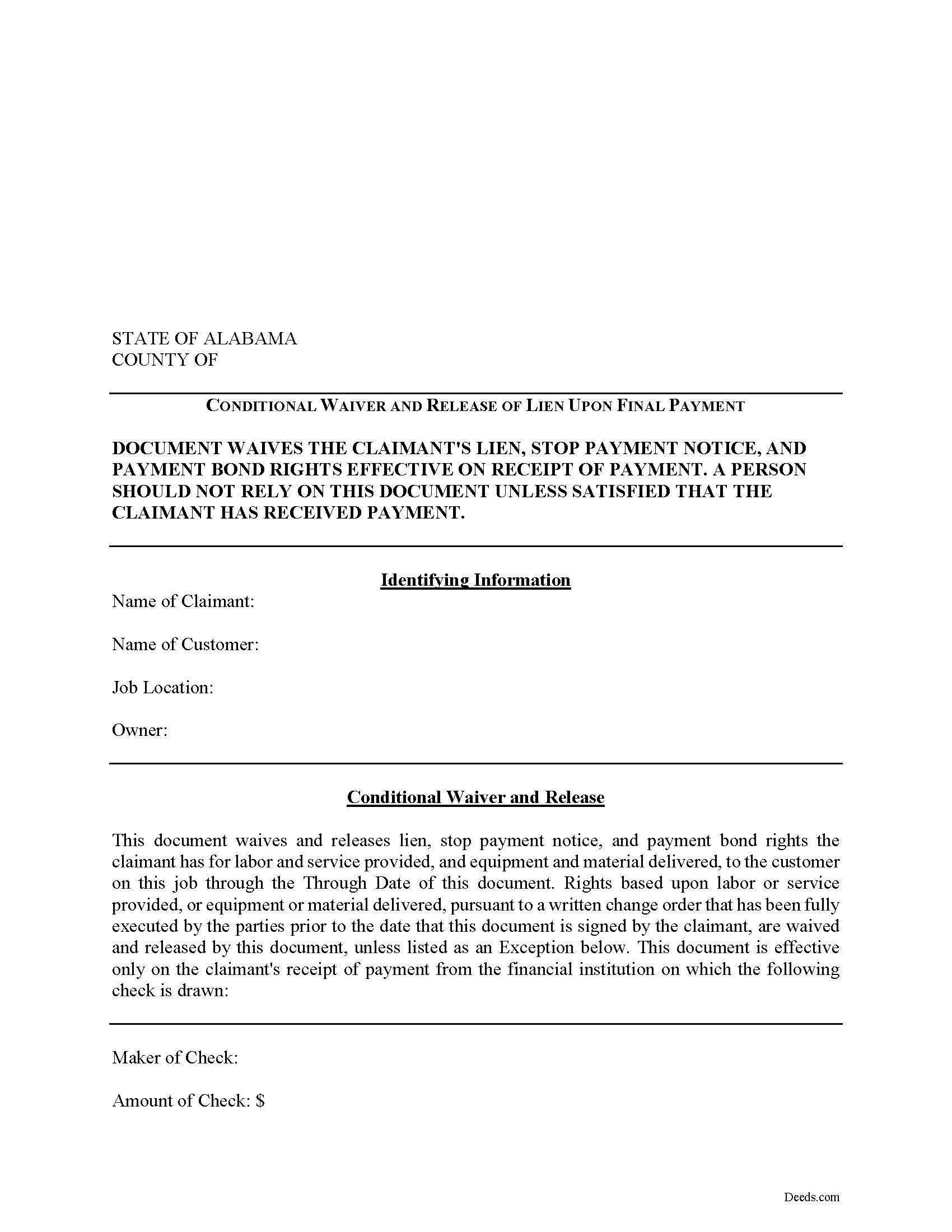
Baldwin County Conditional Lien Waiver on Final Payment Form
Fill in the blank Conditional Lien Waiver on Final Payment form formatted to comply with all Alabama recording and content requirements.
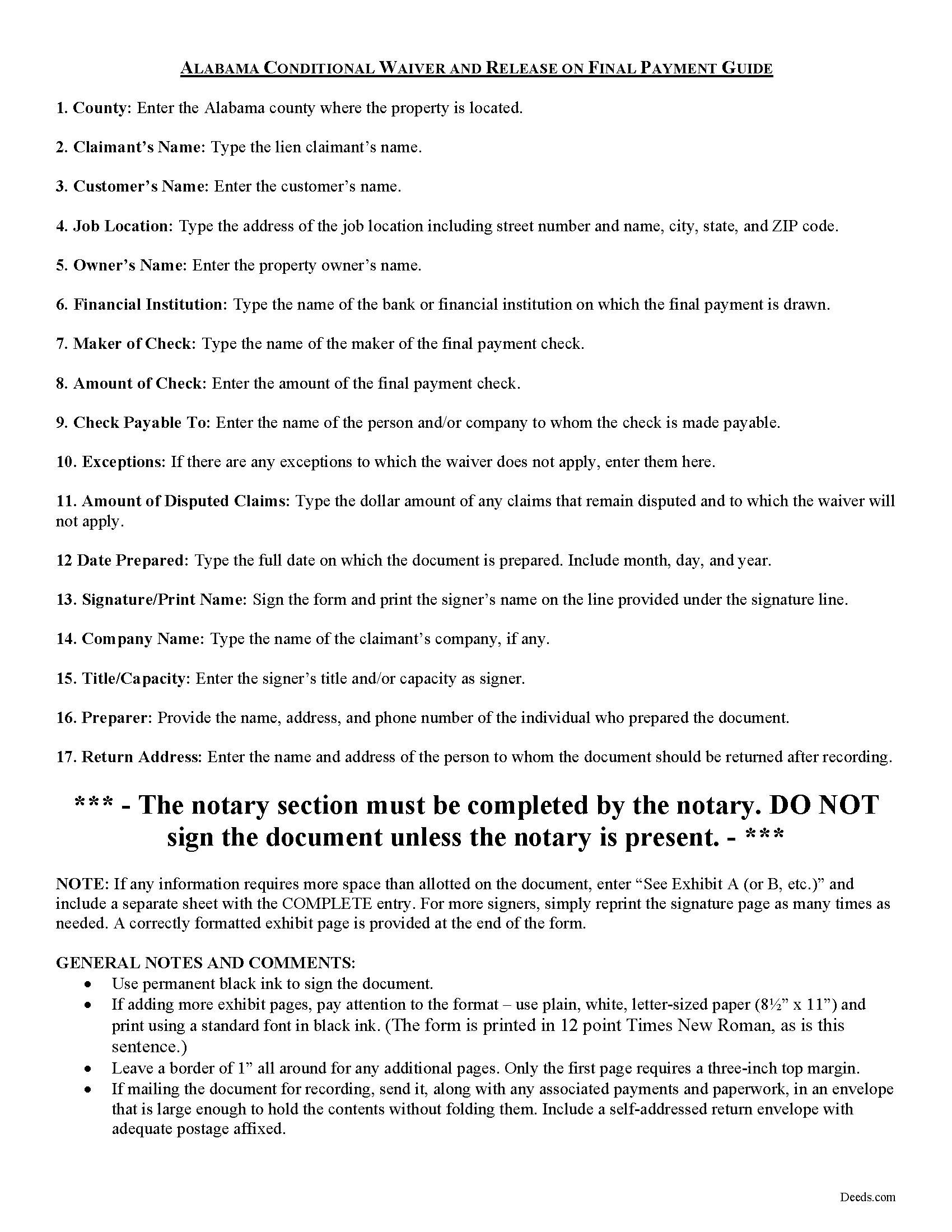
Baldwin County Conditional Lien Waiver on Final Payment Guide
Line by line guide explaining every blank on the form.
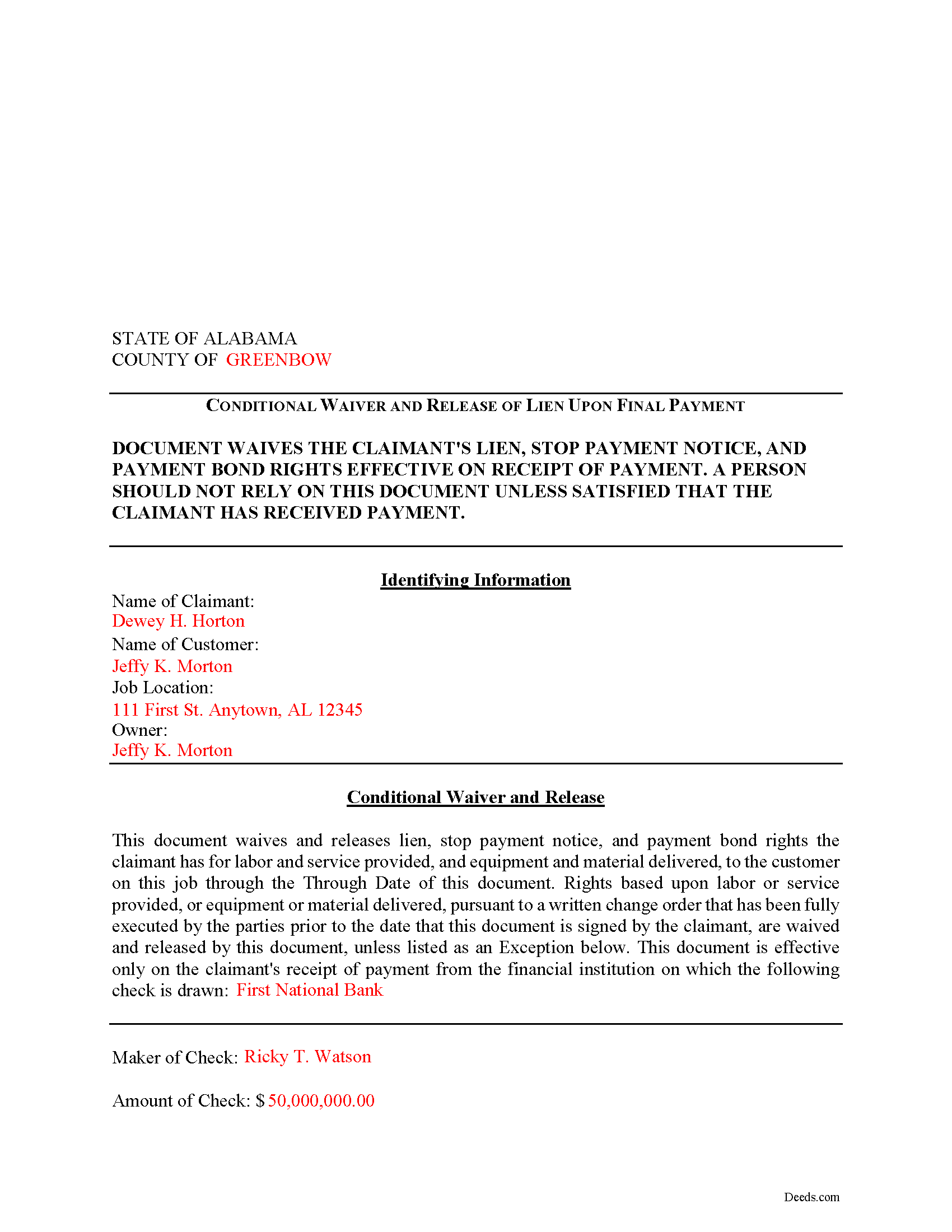
Baldwin County Completed Example of the Conditional Lien Waiver on Final Payment Document
Example of a properly completed form for reference.
All 3 documents above included • One-time purchase • No recurring fees
Immediate Download • Secure Checkout
Additional Alabama and Baldwin County documents included at no extra charge:
Where to Record Your Documents
Probate - Recording: Main Office
Bay Minette, Alabama 36507
Hours: Monday thru Friday 8:00 am until 4:30 pm
Phone: 251.937.0230
Fairhope Recording Office
Fairhope, Alabama 36532
Hours: Monday thru Friday 8:00 am until 4:30 pm
Phone: 251.928.3002 Ext. 2627
Foley Recording Office
Foley, Alabama 36535
Hours: Monday thru Friday 8:00 am until 4:30 pm
Phone: 251.943.5061 Ext. 2881
Robertsdale Recording Office
Robertsdale, Alabama 36567
Hours: Monday thru Friday 8:00 am until 4:30 pm
Phone: 251.943.5061 Ext. 4818
Recording Tips for Baldwin County:
- Bring your driver's license or state-issued photo ID
- Ensure all signatures are in blue or black ink
- Request a receipt showing your recording numbers
- Ask about accepted payment methods when you call ahead
- Ask for certified copies if you need them for other transactions
Cities and Jurisdictions in Baldwin County
Properties in any of these areas use Baldwin County forms:
- Bay Minette
- Bon Secour
- Daphne
- Elberta
- Fairhope
- Foley
- Gulf Shores
- Lillian
- Little River
- Loxley
- Magnolia Springs
- Montrose
- Orange Beach
- Perdido
- Point Clear
- Robertsdale
- Seminole
- Silverhill
- Spanish Fort
- Stapleton
- Stockton
- Summerdale
Hours, fees, requirements, and more for Baldwin County
How do I get my forms?
Forms are available for immediate download after payment. The Baldwin County forms will be in your account ready to download to your computer. An account is created for you during checkout if you don't have one. Forms are NOT emailed.
Are these forms guaranteed to be recordable in Baldwin County?
Yes. Our form blanks are guaranteed to meet or exceed the applicable formatting requirements used for recording in Baldwin County, including margin requirements, font requirements, and other layout standards. This guarantee applies to formatting, not to the legal sufficiency of information entered by the user or the suitability of a form for a particular transaction.
Can I reuse these forms?
Yes. You can reuse the forms for your personal use. For example, if you have multiple properties in Baldwin County you only need to order once.
What do I need to use these forms?
The forms are PDFs that you fill out on your computer. The free Adobe Acrobat Reader is recommended, and most PDF apps also work. You do NOT enter your property information online - you download the blank forms and complete them privately on your own computer.
Are there any recurring fees?
No. This is a one-time purchase. Nothing to cancel, no memberships, no recurring fees.
How much does it cost to record in Baldwin County?
Recording fees in Baldwin County vary. Contact the recorder's office at 251.937.0230 for current fees.
Questions answered? Let's get started!
Alabama Conditional Waiver and Release of Lien on Final Payment
Alabama mechanic's liens are governed under Chapter 11 of the Alabama Property Code (Section 11). Throughout the construction process, potential claimants may elect to serve the property owner with a lien waiver in exchange for partial or full payment.
The term "waiver" refers to giving up a legal right. In this case, the person granting the waiver is giving up the right to seek a mechanic's lien for all or part of the amount due. This assurance is usually enough to get the other party to pay. In Alabama, there are no statutory forms for waivers although according to the principles of contract law, the parties may agree to such modifications in writing.
Waivers generally come in four varieties: conditional or unconditional, and partial or final. A conditional waiver means the waiver is conditioned upon the claimant receiving the amount due, while unconditional waivers are effective regardless if payment is actually made. Partial waivers are used to waive a lien for up to the partial or progress payment amount, and final waivers release all lien rights based on a customer's full payment.
Use a final conditional waiver when the full and final payment is made, but there are doubts about the payment method. For instance, if there are any concerns a final check won't clear, opt for a conditional waiver. This option protects the claimant's rights to lien until the payment is confirmed, at which point the waiver goes into effect.
This article is provided for informational purposes only and should not be relied upon as a substitute for the advice from an attorney. Please contact an attorney with questions about waivers or anything else related mechanic's liens in Alabama.
Important: Your property must be located in Baldwin County to use these forms. Documents should be recorded at the county recording office listed above.
This Conditional Lien Waiver on Final Payment meets all recording requirements specific to Baldwin County.
Our Promise
The documents you receive here are guaranteed to meet or exceed the applicable Baldwin County recording format requirements. If there is a rejection caused by our formatting, we will correct the issue or refund your payment. This guarantee applies to document formatting only and does not extend to information entered by the user, the selection of the form, or the legal effect of the completed document.
Save Time and Money
Get your Baldwin County Conditional Lien Waiver on Final Payment form done right the first time with Deeds.com Uniform Conveyancing Blanks. At Deeds.com, we understand that your time and money are valuable resources, and we don't want you to face a penalty fee or rejection imposed by a county recorder for submitting nonstandard documents. We constantly review and update our forms to meet rapidly changing state and county recording requirements for roughly 3,500 counties and local jurisdictions.
4.8 out of 5 - ( 4,859 Reviews )
Brenda K R. 5 out of 5 stars
Hello, I like how easy the form is to follow. I'm unsure however of how to proceed as what I am trying to do is have my name added to the deed so in event of death I have ownership.
Thank you for your feedback. We really appreciate it. Have a great day!
Donna B. 5 out of 5 stars
Really liked the quick access to documents. Great service, thanks.
Thank you Donna, we appreciate you taken the time to leave your feedback. Have a great day!
April C. 5 out of 5 stars
Great service fast and patience great team their staff kvh was very great part of team .I need it filed the same day . I will recommend them to others
Thank you for your feedback. We really appreciate it. Have a great day!
Sandra N. 5 out of 5 stars
Very quick and painless process!
We appreciate your business and value your feedback. Thank you. Have a wonderful day!
James H. 5 out of 5 stars
Very satisfied. Download was easy, completing the form was easy, got our signatures notarized and submitted it to the register of deeds. The only item was that the register of deeds did not immediately recognize the TOD deed form as the usual form they receive. After carefully reviewing all the information and wording on the deed she accepted it.
We appreciate your business and value your feedback. Thank you. Have a wonderful day!
Kwaku A. 5 out of 5 stars
Excellent service ! Came through in the clutch! Easy to use and understand ! Exceptional service ! 10/10
Thank you!
Brandi P. 3 out of 5 stars
The service itself is great, but the deed sample I ordered wasn't as accurate as I'd hoped. I needed to correct and resubmit. Not a huge deal, but a bit of an inconvenience.
Thank you for your feedback. We really appreciate it. Have a great day!
Shonda S. 5 out of 5 stars
This is my first time using the site for business and I must say this site made it so easy for me. I was so lost, thank you so much.
Thank you!
CARRIE T. 5 out of 5 stars
Thought it was pretty simple to use.
Thank you!
JUDITH-DIAN W. 5 out of 5 stars
I didn't have any problem downloading and filling out the form on my computer and printing it yesterday. I didn't know what to put for "Source of Title". I called the county recording office; they didn't know either and said to leave it blank. I got the form notarized at my bank and took it in to the recording office. They checked it, accepted it, I paid a fee, and it's done. So easy. My children will appreciate that I've done this. Added note: You do have one typo on your form--you left out 'at'. It should read: "You should carefully read all information at the end of this form."
Thank you for your feedback. We really appreciate it. Have a great day!
Jesse H. 5 out of 5 stars
Good & friendly software, complete & clear instructions & guidance, generates proper forms that were readily accepted @ Clerk & Recorder Office, all of this @ reasonable cost. Five Stars!
Thank you for your feedback. We really appreciate it. Have a great day!
Maree W. 5 out of 5 stars
I am so impress with the forms that is needed for your state. It makes your task so easy and no worries. This was a big help in taking care of business. Thank you so much.
We appreciate your business and value your feedback. Thank you. Have a wonderful day!
Jason U. 5 out of 5 stars
Extremely useful! The guide was excellent with the sample. Used and went exceptionally smoothly.
Thank you for your positive words! We’re thrilled to hear about your experience.
Melody P. 5 out of 5 stars
Great service as always, thanks!
Thank you for your feedback. We really appreciate it. Have a great day!
Joe W. 5 out of 5 stars
Effortless transaction and very thorough paperwork and explanations.
Thank you!