Coffee County Full Release of Real Estate Contract Form
Last validated November 18, 2026 by our Forms Development TeamFormatted for recording in Coffee County, for property anywhere in the county: rural and unincorporated areas as well as Elba, Enterprise, Jack, Kinston, New Brockton.
- 3 documents included
- Immediate PDF download
- Formatting guarantee
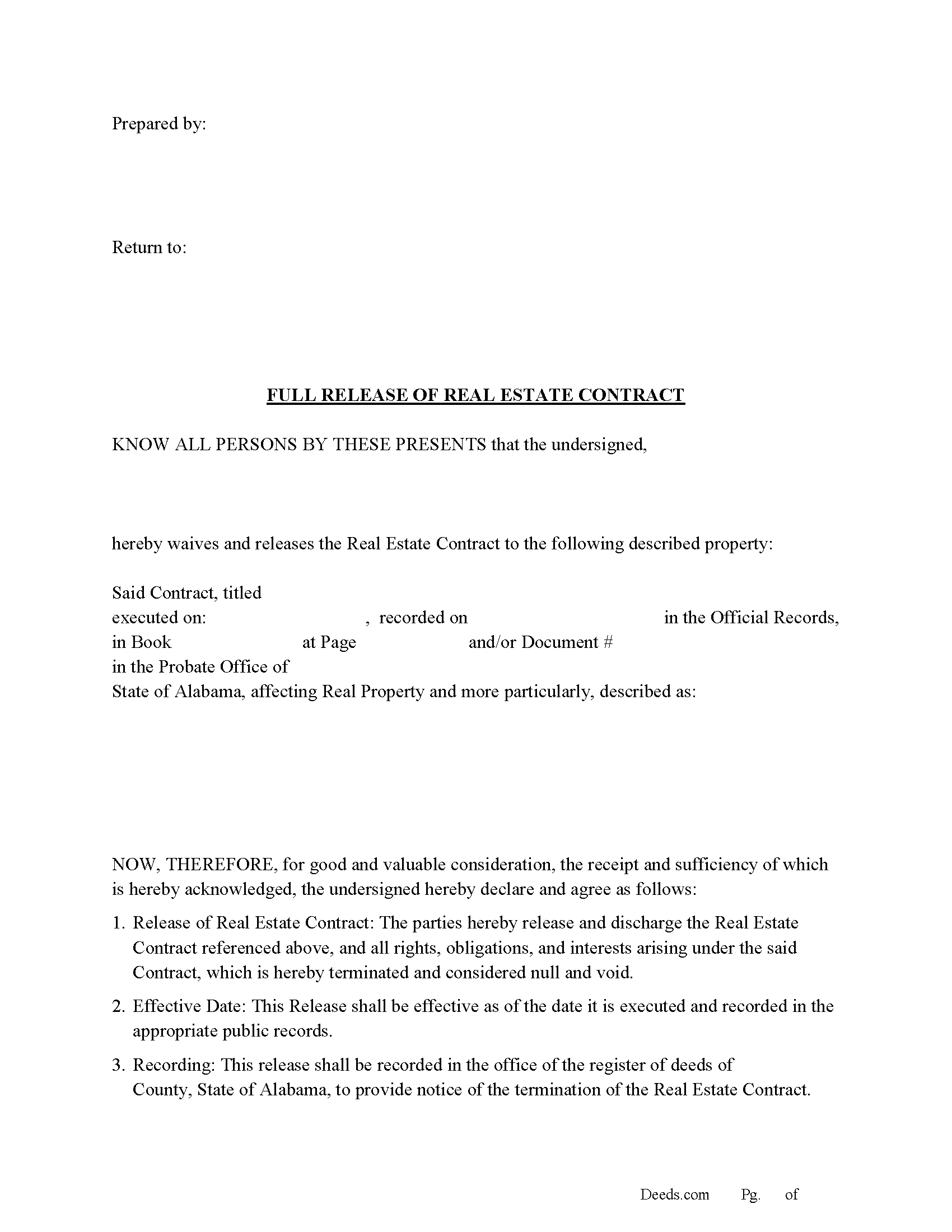
Coffee County Full Release of Real Estate Contract Form
Fill in the blank Full Release of Real Estate Contract form formatted to comply with all Alabama recording and content requirements.
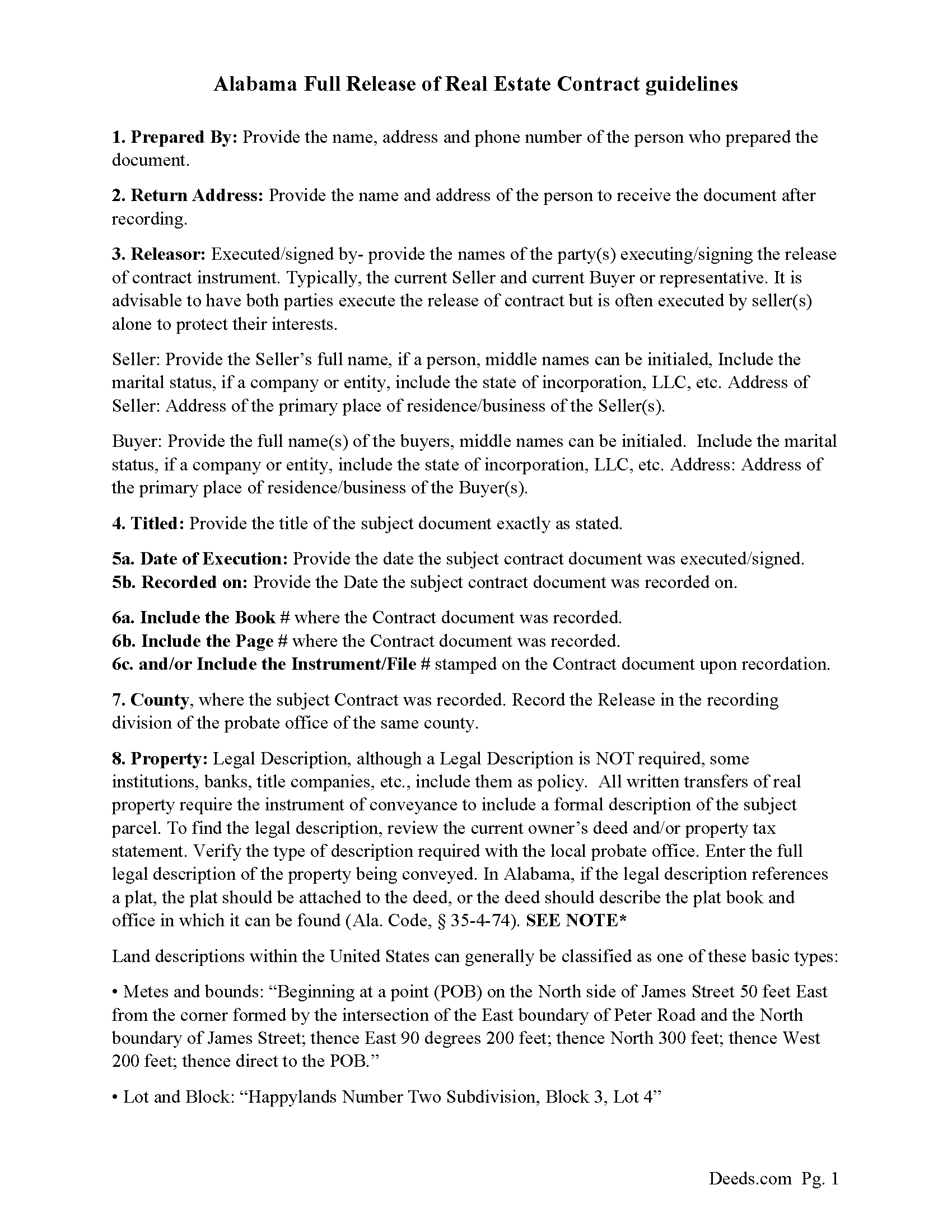
Coffee County Full Release of Real Estate Contract Guide
Line by line guide explaining every blank on the Full Release of Real Estate Contract form.
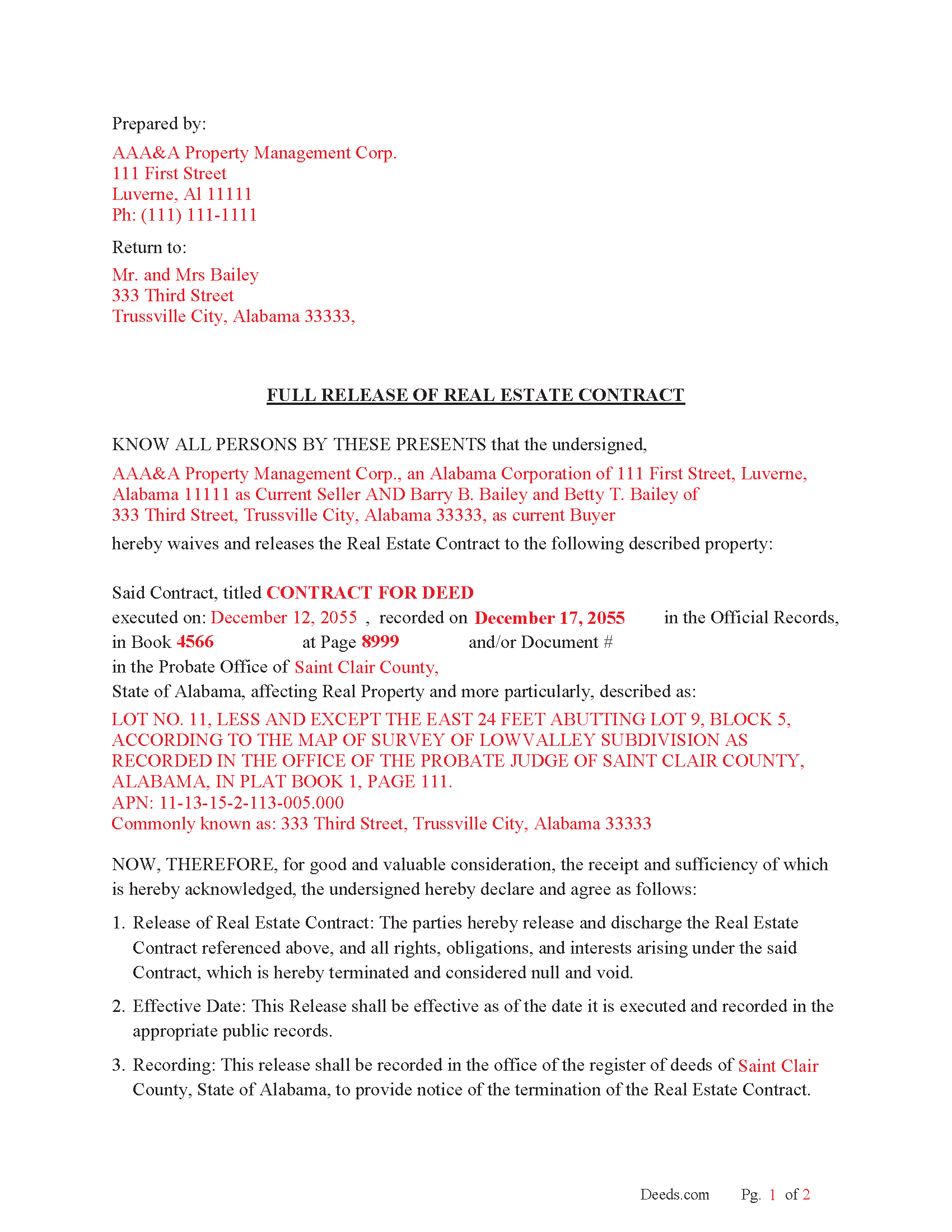
Coffee County Completed Example of the Full Release of Real Estate Contract Document
Example of a properly completed Alabama Full Release of Real Estate Contract document for reference.
All 3 documents above included • One-time purchase • No recurring fees
Immediate Download • Secure Checkout
Additional Alabama and Coffee County documents included at no extra charge:
Where to Record Your Documents
Elba Office
Elba, Alabama 36330
Hours: 8:30 to 4:30 M-F
Phone: (334) 897-2211
Coffee County Probate Office
Enterprise, Alabama 36330
Hours: 8:30 to 4:30 M-F
Phone: (334) 347-2688
Recording Tips for Coffee County:
- Bring your driver's license or state-issued photo ID
- Ensure all signatures are in blue or black ink
- Avoid the last business day of the month when possible
- Both spouses typically need to sign if property is jointly owned
- Bring extra funds - fees can vary by document type and page count
Cities and Jurisdictions in Coffee County
Properties in any of these areas use Coffee County forms:
- Elba
- Enterprise
- Jack
- Kinston
- New Brockton
Hours, fees, requirements, and more for Coffee County
How do I get my forms?
Forms are available for immediate download after payment. The Coffee County forms will be in your account ready to download to your computer. An account is created for you during checkout if you don't have one. Forms are NOT emailed.
Are these forms guaranteed to be recordable in Coffee County?
Yes. Our form blanks are guaranteed to meet or exceed the applicable formatting requirements used for recording in Coffee County, including margin requirements, font requirements, and other layout standards. This guarantee applies to formatting, not to the legal sufficiency of information entered by the user or the suitability of a form for a particular transaction.
Can I reuse these forms?
Yes. You can reuse the forms for your personal use. For example, if you have multiple properties in Coffee County you only need to order once.
What do I need to use these forms?
The forms are PDFs that you fill out on your computer. The free Adobe Acrobat Reader is recommended, and most PDF apps also work. You do NOT enter your property information online - you download the blank forms and complete them privately on your own computer.
Are there any recurring fees?
No. This is a one-time purchase. Nothing to cancel, no memberships, no recurring fees.
How much does it cost to record in Coffee County?
Recording fees in Coffee County vary. Contact the recorder's office at (334) 897-2211 for current fees.
Questions answered? Let's get started!
An Alabama Full Release of Real Estate Contract is used to formally terminate and remove a previously recorded contract for deed or similar installment land agreement from the county probate records. In Alabama, this step is critical because recorded contracts create a visible claim against the property in the public record. Until a proper release is executed and recorded in the probate office, that prior contract can continue to cloud title, interfere with future sales or financing, and raise questions during title searches.
What the Alabama Full Release of Real Estate Contract does
This document confirms that a real estate contract—often a land contract, agreement for deed, or installment sale—has been satisfied, canceled, or otherwise terminated. In Alabama, these contracts commonly involve seller financing where the deed is transferred only after payment is complete. Once the contract ends, the release removes the buyer’s recorded interest so the property can be conveyed or refinanced without the prior agreement appearing as an active encumbrance in the public record.
Alabama statutory framework and recording status
Alabama requires instruments affecting real property to be recorded in the office of the Judge of Probate in the county where the property is located (Ala. Code § 35-4-62). Recording provides constructive notice to third parties (Ala. Code § 35-4-63), and Alabama follows a race-notice system that protects later purchasers and lenders without notice (Ala. Code § 35-4-90). A release that is not recorded may not protect against subsequent claims, leaving the prior contract visible in the title chain.
Alabama law also requires certain real estate-related agreements and releases to be in writing to be enforceable under the Statute of Frauds (Ala. Code § 8-9-2). Recording the release ensures that the termination of the contract is reflected in the same public system where the original interest was recorded.
Execution requirements for an Alabama release
The Alabama Full Release of Real Estate Contract must be signed by the party or parties holding the interest being released—often the buyer under the contract, and in some cases both buyer and seller depending on how the original agreement was structured. Alabama requires execution to be attested by at least one witness if the signer writes his or her name, unless the document is acknowledged before a notary public (Ala. Code § 35-4-20). A proper acknowledgment satisfies the witness requirement for recording (Ala. Code § 35-4-23).
The names of the parties should match the original recorded contract exactly. If the contract involved multiple buyers or entities, the release should address all interests to ensure the title record is fully cleared.
Alabama-specific traps that cause recording or title problems
- Marital-status recital: Alabama requires that the marital status of the grantor or releasing party be stated before the probate judge records the instrument (Ala. Code § 35-4-73). Missing this recital can delay or prevent recording.
- Preparer identification: The document must include the name and address of the person who prepared it (Ala. Code § 35-4-110). This is a mandatory Alabama requirement often omitted on generic forms.
- Reference to the original contract: The release should clearly identify the recorded contract by book/page or instrument number. Without this, the probate office may not be able to properly index the release against the original record.
- Homestead considerations: If the property is homestead property and the owner is married, Alabama’s homestead laws may require spousal involvement in instruments affecting the property (Ala. Code § 6-10-3). Ignoring this can create enforceability issues.
- Exact name matching: Any mismatch between the names in the original contract and the release can create indexing problems or leave questions about whether the interest has been fully released.
- County-specific filing: The release must be recorded in the same county where the property is located and where the original contract was recorded. Recording elsewhere does not clear the title in the correct jurisdiction.
- Legal description consistency: The property description should match the original contract and include any necessary plat references for proper indexing (Ala. Code § 35-4-74).
Recording process in Alabama
The completed Alabama Full Release of Real Estate Contract is recorded with the Judge of Probate in the county where the property is located. Recording should be done promptly after the contract is fulfilled or terminated to prevent title complications. Once recorded, the release provides public notice that the prior contract no longer affects the property.
Recording fees apply, and Alabama probate offices may assess applicable recordation taxes depending on the nature of the instrument under Title 40, Chapter 22. The probate office determines the appropriate fees and any required tax stamps at the time of filing.
Vesting considerations in Alabama
Although a release does not transfer ownership, it must align with the parties who held the interest under the contract. Alabama requires clear identification of parties in recorded instruments, and survivorship is not presumed in co-ownership unless expressly stated (Ala. Code § 35-4-7). Ensuring that all parties with a recorded interest are properly addressed in the release helps eliminate any remaining clouds on title.
What is included in the download package
The Alabama Full Release of Real Estate Contract package includes the form, step-by-step instructions, and a completed example. It is designed to meet Alabama probate recording requirements, including acknowledgment or witness compliance, preparer identification, marital-status recitals, and proper reference to the original recorded contract.
Important: Your property must be located in Coffee County to use these forms. Documents should be recorded at the county recording office listed above.
This Full Release of Real Estate Contract meets all recording requirements specific to Coffee County.
Our Promise
The documents you receive here are guaranteed to meet or exceed the applicable Coffee County recording format requirements. If there is a rejection caused by our formatting, we will correct the issue or refund your payment. This guarantee applies to document formatting only and does not extend to information entered by the user, the selection of the form, or the legal effect of the completed document.
Save Time and Money
Get your Coffee County Full Release of Real Estate Contract form done right the first time with Deeds.com Uniform Conveyancing Blanks. At Deeds.com, we understand that your time and money are valuable resources, and we don't want you to face a penalty fee or rejection imposed by a county recorder for submitting nonstandard documents. We constantly review and update our forms to meet rapidly changing state and county recording requirements for roughly 3,500 counties and local jurisdictions.
4.8 out of 5 - ( 4,865 Reviews )
Michael S. 5 out of 5 stars
So easy.
Happy we could assist. Thank you for sharing your experience.
Joan H. 5 out of 5 stars
Your service was fine but as a newly widowed senior, I wish your price was lower.
Thank you for your feedback. We really appreciate it. Have a great day!
Emili C. 5 out of 5 stars
Thank you! I received my forms promptly and they are easy to follow along for filling out. The examples gave me confidence that they were done correctly.
Thank you for your feedback. We really appreciate it. Have a great day!
Nancy R. 5 out of 5 stars
Deeds.com is very precise, helpful and friendly. I found the form I needed without any effort and everything worked perfect and smooth. I recommend it 100%. Thank you.
We are delighted to have been of service. Thank you for the positive review!
John Y. 5 out of 5 stars
Too much money for a form!
Thank you!
Nancy E. 3 out of 5 stars
Took me awhile to figure out and get the information printed so I can use it later. Thank you.
Your insights are invaluable to us and help us strive for better service. Thank you for taking the time to share your thoughts.
Tony W. 5 out of 5 stars
I have not completed the forms yet but they appear to be exactly what I need for the purpose they are intended. Thanks
We appreciate your business and value your feedback. Thank you. Have a wonderful day!
JAMES M. 5 out of 5 stars
The forms are just what I needed! Easy to navigate.
We appreciate your business and value your feedback. Thank you. Have a wonderful day!
Glenda C. 4 out of 5 stars
It was easy to find what I was looking for. The instructions were easy to follow. The example given was most beneficial in completing form.
We appreciate your business and value your feedback. Thank you. Have a wonderful day!
Karen M. 5 out of 5 stars
Great way to get the forms you need. Quick, easy and affordable
Thank you!
Jamie F. 4 out of 5 stars
I purchased he Alabama Correction Warranty Deed Form to correct a mistake in the legal description. However, this form says it must be signed by all who previously signed the deed. One of these people is now deceased. Can I use this form? How would it be different? I would give you 5 stars but wish this issue had been addressed. Thanks.
Thank you for your feedback. From the product description: All parties who signed the prior deed must sign the correction deed in the presence of a notary.
Joy Lynn W. 5 out of 5 stars
Timely response and helpful....good job!
Thank you!
Richard S. 2 out of 5 stars
Not user friendly, and not an Adobe fan. The first page of Quitclaim Deed form cuts off the Parcel Identification line on the bottom. Also quite a few forms showed up to be downloaded , after I paid, so I was unsure if all the forms were part of the quitclaim package. I have adobe but was unable to locate the forms in adobe on my computer after I downloaded them. Just wanted to print out one quitclaim deed form, which would have taken less that 3 minutes. instead it took 97 minutes. Thank you, though, for having the form there.
Thank you for your feedback. We really appreciate it. Have a great day!
Carolyn A. 5 out of 5 stars
Easy to use!!
Thank you!
Sherilynne P. 3 out of 5 stars
I am delighted with the form. I just had to go through so much time and expense in order to use it. First, from your site I downloaded Adobe Acrobat. It totally compromised my computer. I had to get a computer expert to walk me through deleting adobe, and put a substitute on in order to use the form. That was an expense of $60.00. Then after that I still had a hard time getting the program to work, as the substitute program would not accept my e-mail address and I finally had to get someone on line to help me access that. I found it was a $$30.00 charge for the substitute. After fighting these lovely roadblocks, I was finally able to fill in the only form I needed and print it off. Took me two days to accomplish that. Why on earth do you offer adobe when it can compromise a computer so badly? Dealing with my husbands death and then having to deal with this, just one of many deterrents, well let's put it this way, it did not make my two days.
Thank you for your feedback. Sorry to hear of your experience. Our documents are Adobe PDFs because PDF is the standard for digital documents, most computers have Adobe Reader installed, and it (Adobe Reader) is free.