Faulkner County Claim of Mechanics Lien Form
Last validated November 5, 2026 by our Forms Development TeamFormatted for recording in Faulkner County, for property anywhere in the county: rural and unincorporated areas as well as Conway, Enola, Greenbrier, Guy, Mayflower, Mount Vernon, Vilonia, Wooster.
- 3 documents included
- Immediate PDF download
- Formatting guarantee
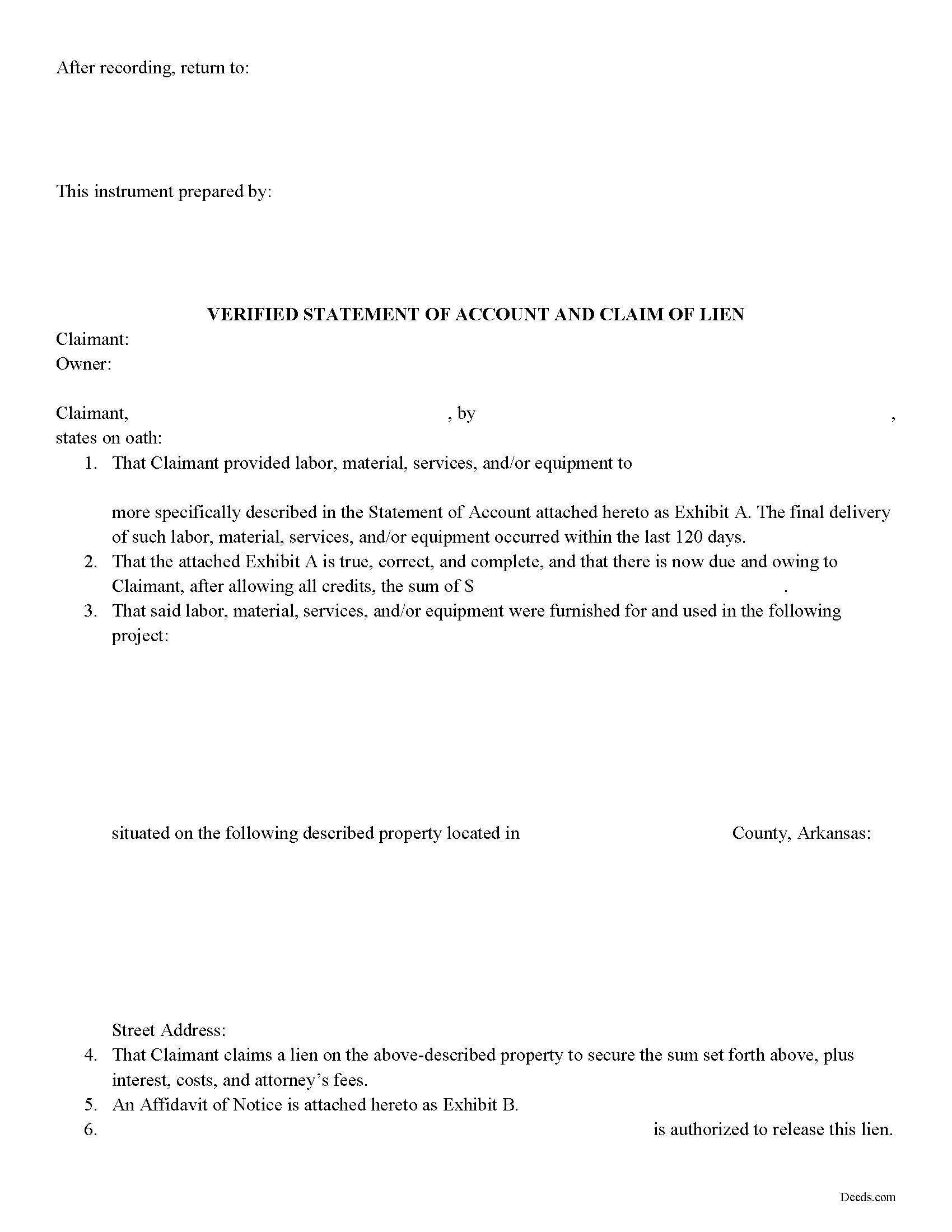
Faulkner County Claim of Mechanics Lien Form
Fill in the blank Claim of Mechanics Lien form formatted to comply with all Arkansas recording and content requirements.
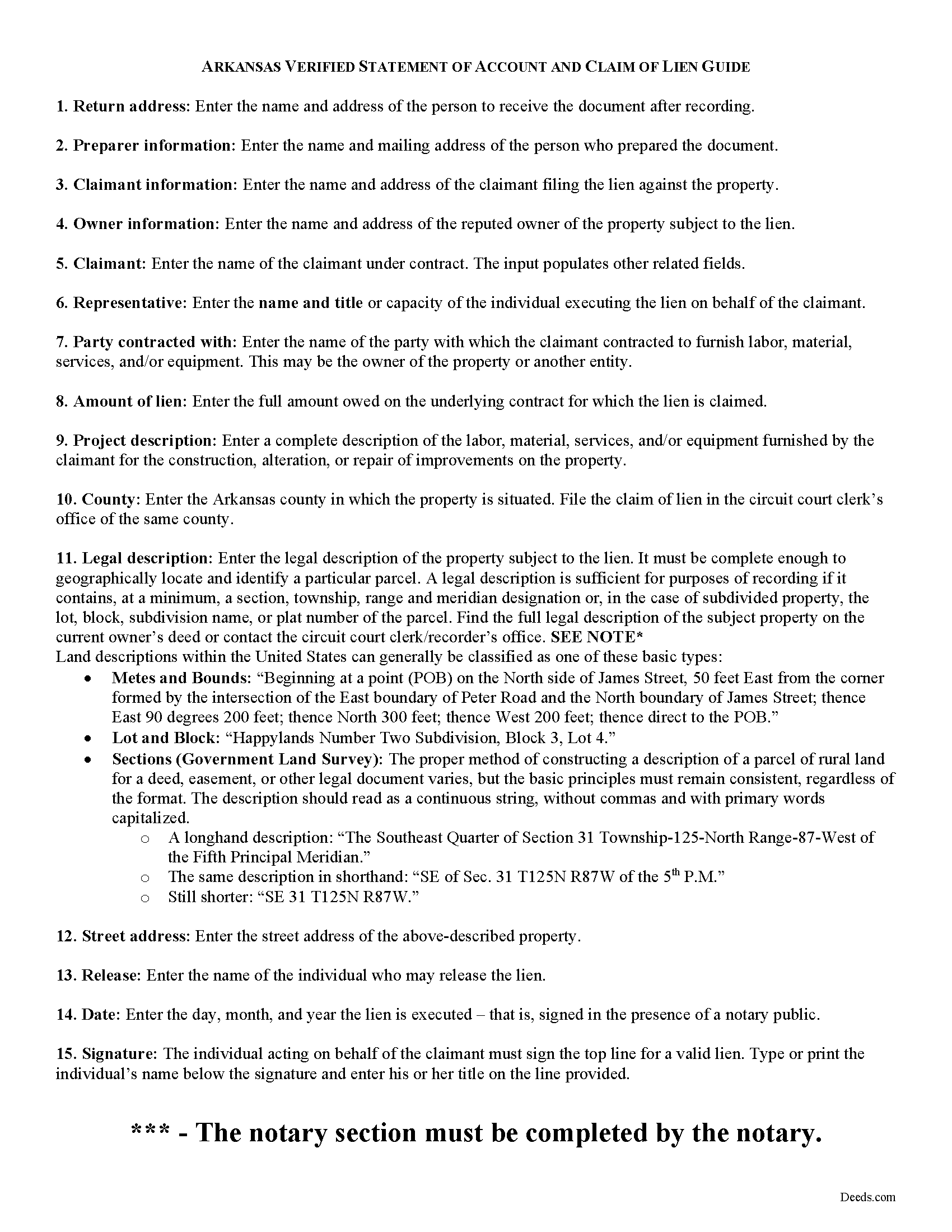
Faulkner County Claim of Mechanics Lien Guide
Line by line guide explaining every blank on the form.
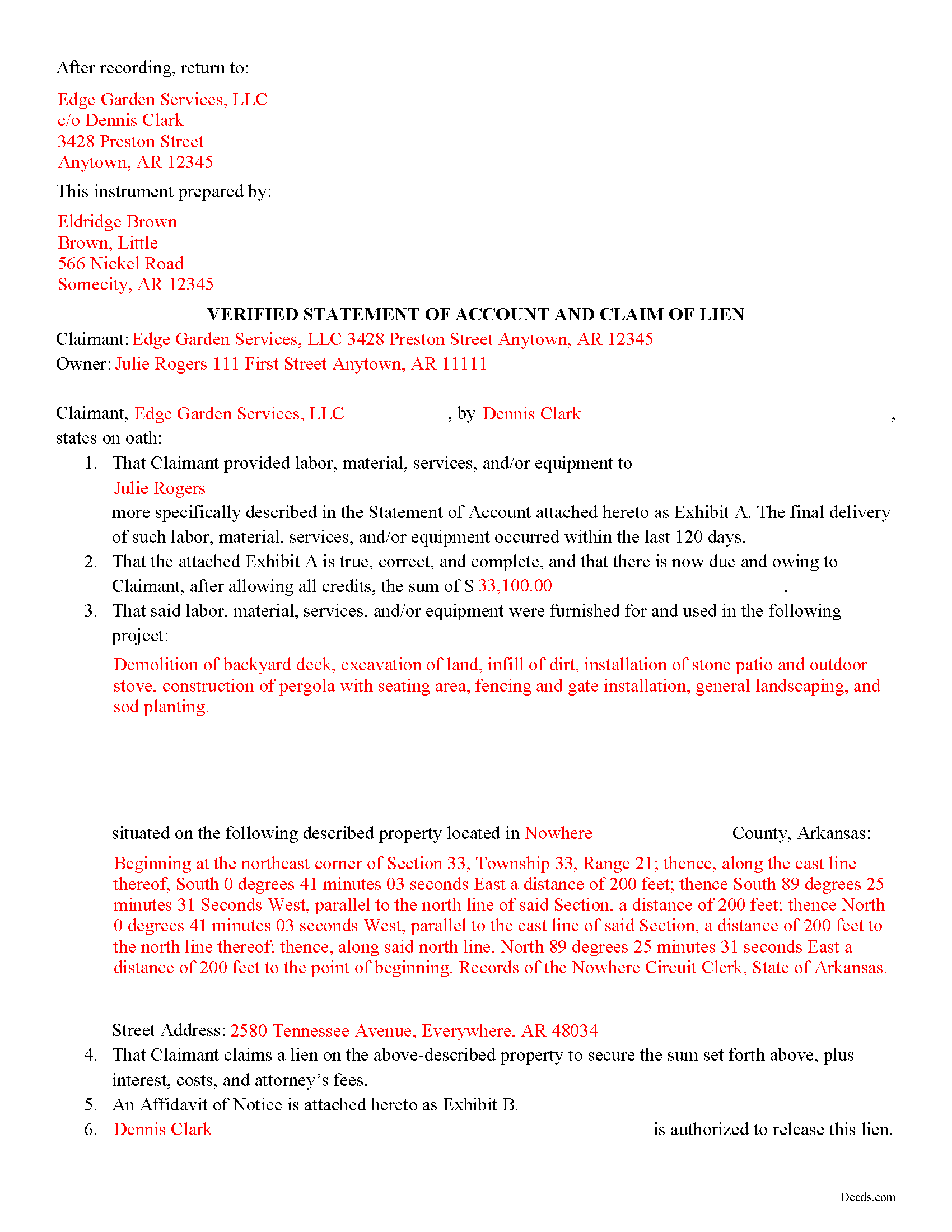
Faulkner County Completed Example of the Claim of Mechanics Lien Document
Example of a properly completed form for reference.
All 3 documents above included • One-time purchase • No recurring fees
Immediate Download • Secure Checkout
Additional Arkansas and Faulkner County documents included at no extra charge:
Where to Record Your Documents
Faulkner County Circuit Clerk
Conway, Arkansas 72034 /72033
Hours: 8:00am to 4:30pm M-F
Phone: (501) 450-4911
Recording Tips for Faulkner County:
- Bring your driver's license or state-issued photo ID
- Ensure all signatures are in blue or black ink
- Verify all names are spelled correctly before recording
- White-out or correction fluid may cause rejection
- Ask about their eRecording option for future transactions
Cities and Jurisdictions in Faulkner County
Properties in any of these areas use Faulkner County forms:
- Conway
- Enola
- Greenbrier
- Guy
- Mayflower
- Mount Vernon
- Vilonia
- Wooster
Hours, fees, requirements, and more for Faulkner County
How do I get my forms?
Forms are available for immediate download after payment. The Faulkner County forms will be in your account ready to download to your computer. An account is created for you during checkout if you don't have one. Forms are NOT emailed.
Are these forms guaranteed to be recordable in Faulkner County?
Yes. Our form blanks are guaranteed to meet or exceed the applicable formatting requirements used for recording in Faulkner County, including margin requirements, font requirements, and other layout standards. This guarantee applies to formatting, not to the legal sufficiency of information entered by the user or the suitability of a form for a particular transaction.
Can I reuse these forms?
Yes. You can reuse the forms for your personal use. For example, if you have multiple properties in Faulkner County you only need to order once.
What do I need to use these forms?
The forms are PDFs that you fill out on your computer. The free Adobe Acrobat Reader is recommended, and most PDF apps also work. You do NOT enter your property information online - you download the blank forms and complete them privately on your own computer.
Are there any recurring fees?
No. This is a one-time purchase. Nothing to cancel, no memberships, no recurring fees.
How much does it cost to record in Faulkner County?
Recording fees in Faulkner County vary. Contact the recorder's office at (501) 450-4911 for current fees.
Questions answered? Let's get started!
Arkansas Verified Statement of Account and Claim of Lien
A claimant may file a lien against a residential property to secure the amount owed on a contract. Contractors, subcontractors, or suppliers providing labor, services, material, or equipment for improvements of a property under a contract with an owner, proprietor, contractor, or subcontractor are eligible to file mechanic's liens in the State of Arkansas (18-44-101(a)). Claimants have 120 days after the final furnishing of labor, materials, services, or equipment in which to file a lien (18-44-117(a)(1))).
To assert a lien against a property's title, the claimant must execute and record a statement of account and claim of lien in the circuit court clerk's office of the county where the property subject to the lien is located.
The claim of lien is a legal document composed of two parts -- the verified statement of account and lien and an affidavit of notice. The actual lien portion of the document has two requirements by law: a correct description of the property subject to the lien, and an account of the amount owed to the claimant after allowing all credits (18-44-117(a)(1)(B)). The affidavit of notice includes a statement that the claimant has complied with applicable notices under Ark. Code Secs. 18-44-114--18-44-116, along with a copy of each notice.
Before construction begins, the potential claimant is required to provide a "notice to owner by contractor" stating that the claimant is entitled to file a lien against the property if not paid in full (18-44-115). Arkansas law also mandates that claimants give a "notice of intent to file lien" at least 10 days before filing a claim of lien (18-44-114).
Though a claim of lien has only two statutory requirements, additional information is necessary to enforce the lien. The document should name the claimant and the legal owner of the property, and any party the claimant contracted with who is not the owner. Claims of lien typically contain a description of the project, and identify the party or person authorized to release the lien.
The lien must be signed by the claimant in the presence of a notary public. Arkansas requires the lien to be verified, which means that the claimant swears under oath that the information contained within the document is true and correct. Because the claim of lien is required to be recorded in the real property records, it must comply with the standardized document form act, codified at Ark. Code Sec. 14-15-402.
Consult a lawyer with questions about mechanic's liens, preliminary notice requirements, or for any other issue related to real property in Arkansas.
Important: Your property must be located in Faulkner County to use these forms. Documents should be recorded at the county recording office listed above.
This Claim of Mechanics Lien meets all recording requirements specific to Faulkner County.
Our Promise
The documents you receive here are guaranteed to meet or exceed the applicable Faulkner County recording format requirements. If there is a rejection caused by our formatting, we will correct the issue or refund your payment. This guarantee applies to document formatting only and does not extend to information entered by the user, the selection of the form, or the legal effect of the completed document.
Save Time and Money
Get your Faulkner County Claim of Mechanics Lien form done right the first time with Deeds.com Uniform Conveyancing Blanks. At Deeds.com, we understand that your time and money are valuable resources, and we don't want you to face a penalty fee or rejection imposed by a county recorder for submitting nonstandard documents. We constantly review and update our forms to meet rapidly changing state and county recording requirements for roughly 3,500 counties and local jurisdictions.
4.8 out of 5 - ( 4,849 Reviews )
Kerianne B. 5 out of 5 stars
I would definitely recommend Deeds.com. It was so easy! I wish we knew about them a long time ago.
Thank you for your feedback. We really appreciate it. Have a great day!
Paulette O. 5 out of 5 stars
I love this! I wish there was one for a simple personal will.
Thank you!
Tamyra M. 5 out of 5 stars
Easy instructions.
Thanks for your feedback. We’re glad we could help.
Madline J. 5 out of 5 stars
amazing job!!
Thank you!
Denise P. 5 out of 5 stars
Seamless transaction. Was pleased with the additional information that was provided. Thank you!
Thank you for your feedback. We really appreciate it. Have a great day!
Victoria Y. 5 out of 5 stars
Great response and painless. Very easy to use
Thank you for your feedback. We really appreciate it. Have a great day!
Katherine N. 5 out of 5 stars
Very easy to understand and complete.
We appreciate your business and value your feedback. Thank you. Have a wonderful day!
Sally Ann C. 5 out of 5 stars
Thank you for your service. It seems to have worked, I printed a document purporting to be the Deed I needed. I was somewhat disappointed though - I was expecting something as impressive as the Title Search, which goes back to 1828 and includes Millard Fillmore, admittedly not one of our most celebrated Presidents. But I am happy to have what I have, and thank you again! peace - SAVC
Thank you for your feedback. We really appreciate it. Have a great day!
Margaret S. 5 out of 5 stars
Very nice. easy to use and not too expensive.
Thank you!
John v. 4 out of 5 stars
Process is well laid out, clear and concise. Check out is easy. Recommendations: * Assign names to the downloadable files that are meaningful, such as: WARRANTY DEED instead of the useless and cryptic 1420490866F11417.pdf. * Provide a ONE BUTTON DOWNLOAD for all forms ordered. It's aggravating to have to click on each of the 20 documents and download them individually.
Thank you for your feedback. We really appreciate it. Have a great day!
John K. 5 out of 5 stars
I was unable to finish what I started due to computer crash. I'll get back soon. I paid off my mortgage last year in November. I need to see what to do to get the deed to my property.
Thank you!
Guy G. 5 out of 5 stars
Deeds.com was easy to use and their easement deed was exactly what I was looking for. I knew I didn't need to spend hundreds of dollars talking to an attorney.
We appreciate your business and value your feedback. Thank you. Have a wonderful day!
Gregory B. 5 out of 5 stars
I believe you need more instruction on the use of the web site. I would type and nothing would appear on the form. When I tried to save a completed form I ended with a blank form with no detail.
Thank you!
Robert F. 5 out of 5 stars
Great, quick and easy to use
Thank you for your feedback. We really appreciate it. Have a great day!
Zehira D. 5 out of 5 stars
Great service! fast, reliable, and very affordable. No contract, no subscription
We are sincerely grateful for your feedback and are committed to providing the highest quality service. Thank you for your trust in us.