Ouachita County Limited Power of Attorney for the purchase of Property Form
Last validated October 26, 2026 by our Forms Development TeamFormatted for recording in Ouachita County, for property anywhere in the county: rural and unincorporated areas as well as Bearden, Camden, Chidester, Louann, Stephens.
- 4 documents included
- Immediate PDF download
- Formatting guarantee
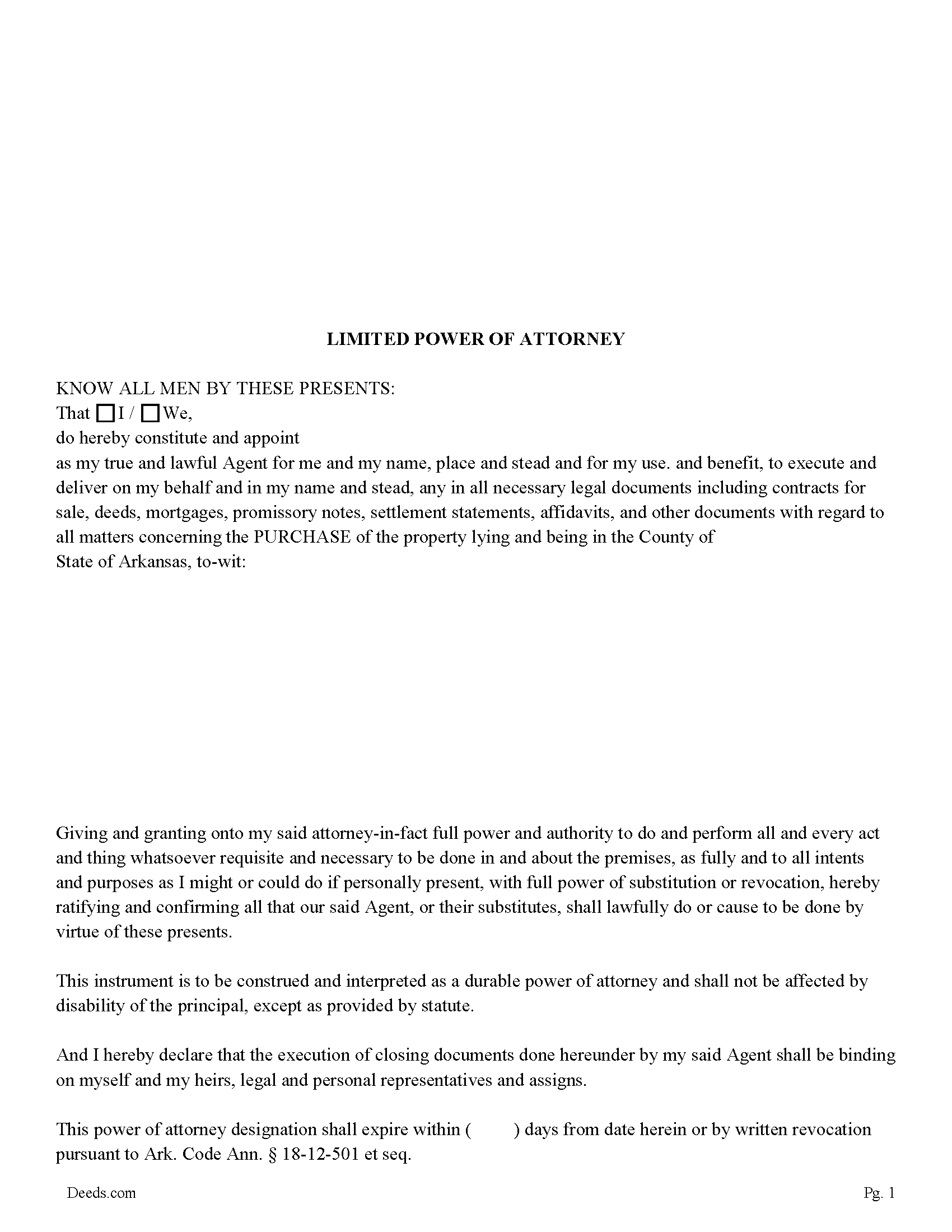
Ouachita County Limited Power of Attorney for the Purchase of Property Form
Fill in the blank form formatted to comply with all recording and content requirements.
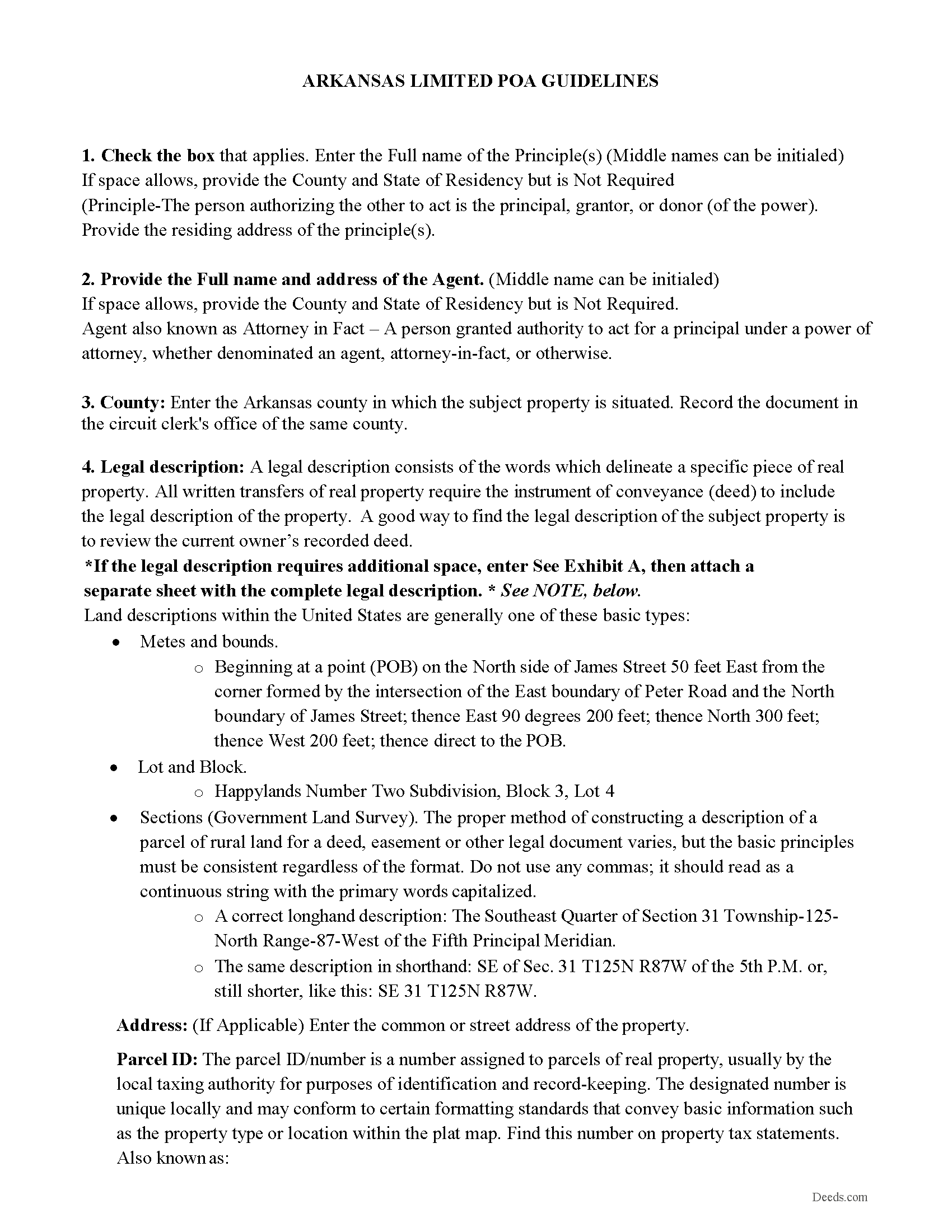
Ouachita County Limited Power of Attorney Guidelines
Line by line guide explaining every blank on the form.
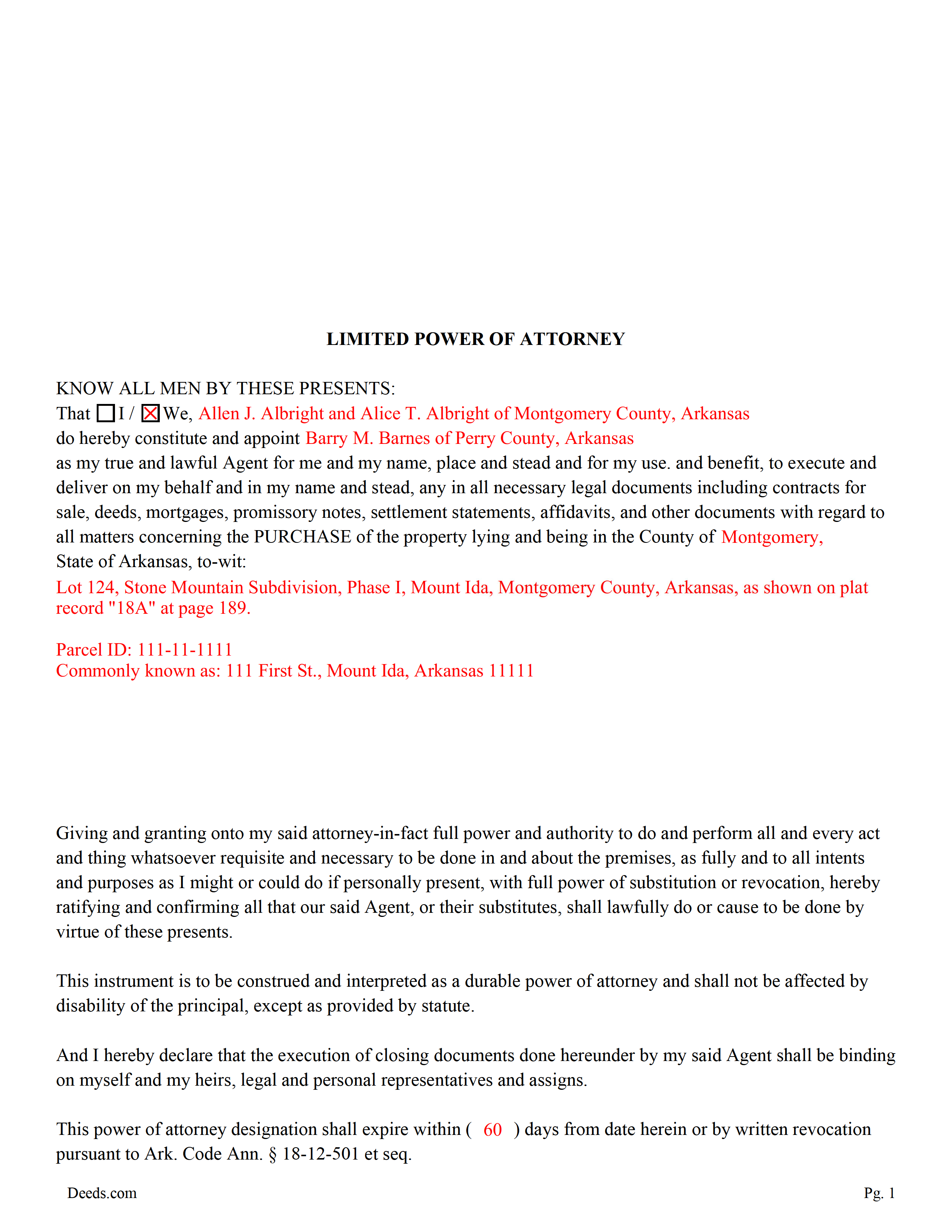
Ouachita County Completed Example of the Limited Power of Attorney
Example of a properly completed form for reference.
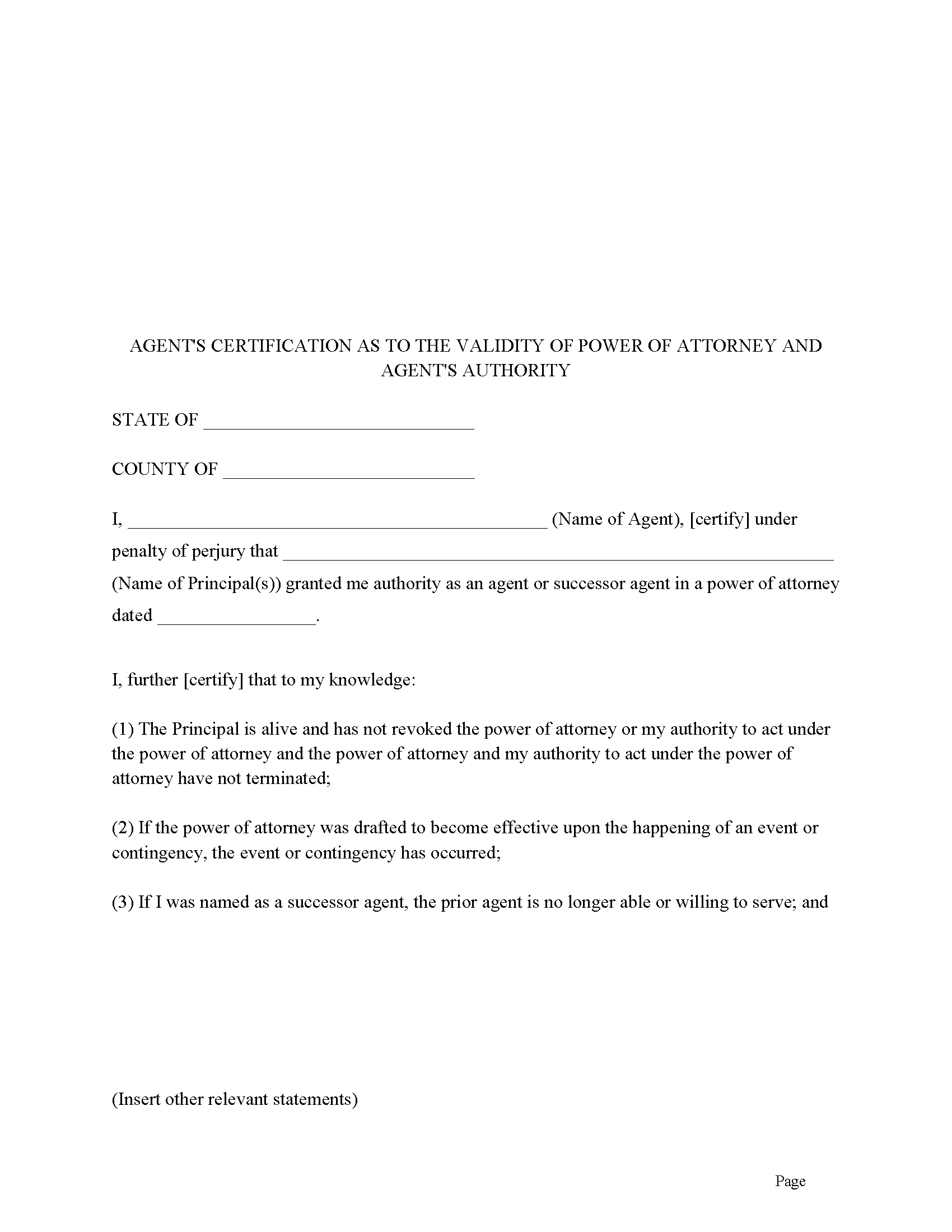
Ouachita County Agents Certification Form
Agent certifies he/she is authorized to act. Often required by third parties.
All 4 documents above included • One-time purchase • No recurring fees
Immediate Download • Secure Checkout
Additional Arkansas and Ouachita County documents included at no extra charge:
Where to Record Your Documents
Ouachita County Circuit Clerk
Camden, Arkansas 71701
Hours: 8:30 to 4:30 M-F
Phone: (870) 837-2230
Recording Tips for Ouachita County:
- Bring your driver's license or state-issued photo ID
- Ensure all signatures are in blue or black ink
- Both spouses typically need to sign if property is jointly owned
- Bring extra funds - fees can vary by document type and page count
- Check margin requirements - usually 1-2 inches at top
Cities and Jurisdictions in Ouachita County
Properties in any of these areas use Ouachita County forms:
- Bearden
- Camden
- Chidester
- Louann
- Stephens
Hours, fees, requirements, and more for Ouachita County
How do I get my forms?
Forms are available for immediate download after payment. The Ouachita County forms will be in your account ready to download to your computer. An account is created for you during checkout if you don't have one. Forms are NOT emailed.
Are these forms guaranteed to be recordable in Ouachita County?
Yes. Our form blanks are guaranteed to meet or exceed the applicable formatting requirements used for recording in Ouachita County, including margin requirements, font requirements, and other layout standards. This guarantee applies to formatting, not to the legal sufficiency of information entered by the user or the suitability of a form for a particular transaction.
Can I reuse these forms?
Yes. You can reuse the forms for your personal use. For example, if you have multiple properties in Ouachita County you only need to order once.
What do I need to use these forms?
The forms are PDFs that you fill out on your computer. The free Adobe Acrobat Reader is recommended, and most PDF apps also work. You do NOT enter your property information online - you download the blank forms and complete them privately on your own computer.
Are there any recurring fees?
No. This is a one-time purchase. Nothing to cancel, no memberships, no recurring fees.
How much does it cost to record in Ouachita County?
Recording fees in Ouachita County vary. Contact the recorder's office at (870) 837-2230 for current fees.
Questions answered? Let's get started!
This form is used for the purchase of real property located in Arkansas. The principal designates an agent and empowers him/her to act in all necessary legal documents including contracts for sale, deeds, mortgages, promissory notes, settlement statements, affidavits, and other documents with regard to all matters concerning the PURCHASE of a specific property. The Limited Power of Attorney is durable and shall not be affected by the principal's disability, incompetency, or incapacity although an expiration date can be set by the number of days the power of attorney stays active after its execution or by written revocation pursuant to Ark. Code Ann. 18-12-501 et seq.
Important: Your property must be located in Ouachita County to use these forms. Documents should be recorded at the county recording office listed above.
This Limited Power of Attorney for the purchase of Property meets all recording requirements specific to Ouachita County.
Our Promise
The documents you receive here are guaranteed to meet or exceed the applicable Ouachita County recording format requirements. If there is a rejection caused by our formatting, we will correct the issue or refund your payment. This guarantee applies to document formatting only and does not extend to information entered by the user, the selection of the form, or the legal effect of the completed document.
Save Time and Money
Get your Ouachita County Limited Power of Attorney for the purchase of Property form done right the first time with Deeds.com Uniform Conveyancing Blanks. At Deeds.com, we understand that your time and money are valuable resources, and we don't want you to face a penalty fee or rejection imposed by a county recorder for submitting nonstandard documents. We constantly review and update our forms to meet rapidly changing state and county recording requirements for roughly 3,500 counties and local jurisdictions.
4.8 out of 5 - ( 4,859 Reviews )
David K. 5 out of 5 stars
My 1st trip to your site. I give it a full 5-star rating! Thank you. I'll be back.
Thank you for your feedback. We really appreciate it. Have a great day!
Walton A. 5 out of 5 stars
Thanks ..this was very helpful and easy!
Thank you!
Keith L. 5 out of 5 stars
Great to have a downloadable form, rather than a cloud solution that gives no guarantee of privacy. Appreciated the sample.......but all of that still left me with open issues about how to tweak the form to serve my particular needs......for example: how to ensure that survivor rights were properly characterized; how far back I should go with the "Source" section + how I should layer my own additions to the chain of ownership, etc. Nonetheless, an overall happy experience. Thank you for your help
Thank you for your feedback. We really appreciate it. Have a great day!
Margaret M. 4 out of 5 stars
Quick and easy, but the 2MB file limit ended up causing some big headaches. Had I known the limit could be easily increased, it would have saved me a lot of time and trouble.
We appreciate your business and value your feedback. Thank you. Have a wonderful day!
Roy B. 5 out of 5 stars
Great way to get forms needed and fill them out then we only need to record them!
Thank you!
Michael A. 5 out of 5 stars
very easy to use
Great to hear — thank you for taking the time to write a review.
JOHN L. 5 out of 5 stars
Not just good, very good. Very intuitive and very responsive. It just works!
Thank you for your feedback. We really appreciate it. Have a great day!
Maribel P. 5 out of 5 stars
Thank you so much for providing simple but very significant documents one can basically do PRO SE, without any additional huge counsel expenses and yet be legitimate enough to officially file them as state law allows and extends to basic documents processing and filings. Thank you so much for the professional documents provided as they do the proper job. MP
Thank you for the kind words Maribel. Glad we were able to help!
MARCO G. 5 out of 5 stars
Very easy to use. Got the emailed documents within minutes.
We appreciate your feedback Marco, thank you.
Barbara R. 5 out of 5 stars
Thank you for your services My first time to ever print anything from your service or print off of a computer like this so I'm praying that it works I'm doing this to my phone. Thank you
Thank you!
Shirley T. 4 out of 5 stars
Quit Claim deed for North Carolina did not include all of the information I needed (two separate notary sections), but I was able to re-create another notary section in Word, and then insert it in the appropriate place after printing both documents. Otherwise, the document worked as described.
Thank you for your feedback. We really appreciate it. Have a great day!
BRIAN M. 5 out of 5 stars
Excellent Service, Fast and efficient. Thank You!
Thank you!
Thomas N. 5 out of 5 stars
TODD Form would not print surveyor degrees character (superscript "o") in Exhibit A. It also would not print the "Return Address" or "Prepared By" entries with my middle name as your example showed.
Thank you for your feedback. We really appreciate it. Have a great day!
Oldemar T. 5 out of 5 stars
Messaging system should reach customer email. It took me a couple of days to find out the processor had messaged me. A customer notification should be implemented for every message left in the account.
Thank you!
alex b. 5 out of 5 stars
I appreciate the very quick response that I received and I am very impressed with the access that you provide to records. I'm still in the process of trying to find out what's there but that will take a bit of time. All in all, you are to be commended for a first class operation.
Thank you!