Sebastian County Scrivener's Error Affidavit Form
Last validated November 17, 2026 by our Forms Development TeamFormatted for recording in Sebastian County, for property anywhere in the county: rural and unincorporated areas as well as Barling, Fort Smith, Greenwood, Hackett, Hartford, Huntington, Lavaca, Midland.
- 3 documents included
- Immediate PDF download
- Formatting guarantee
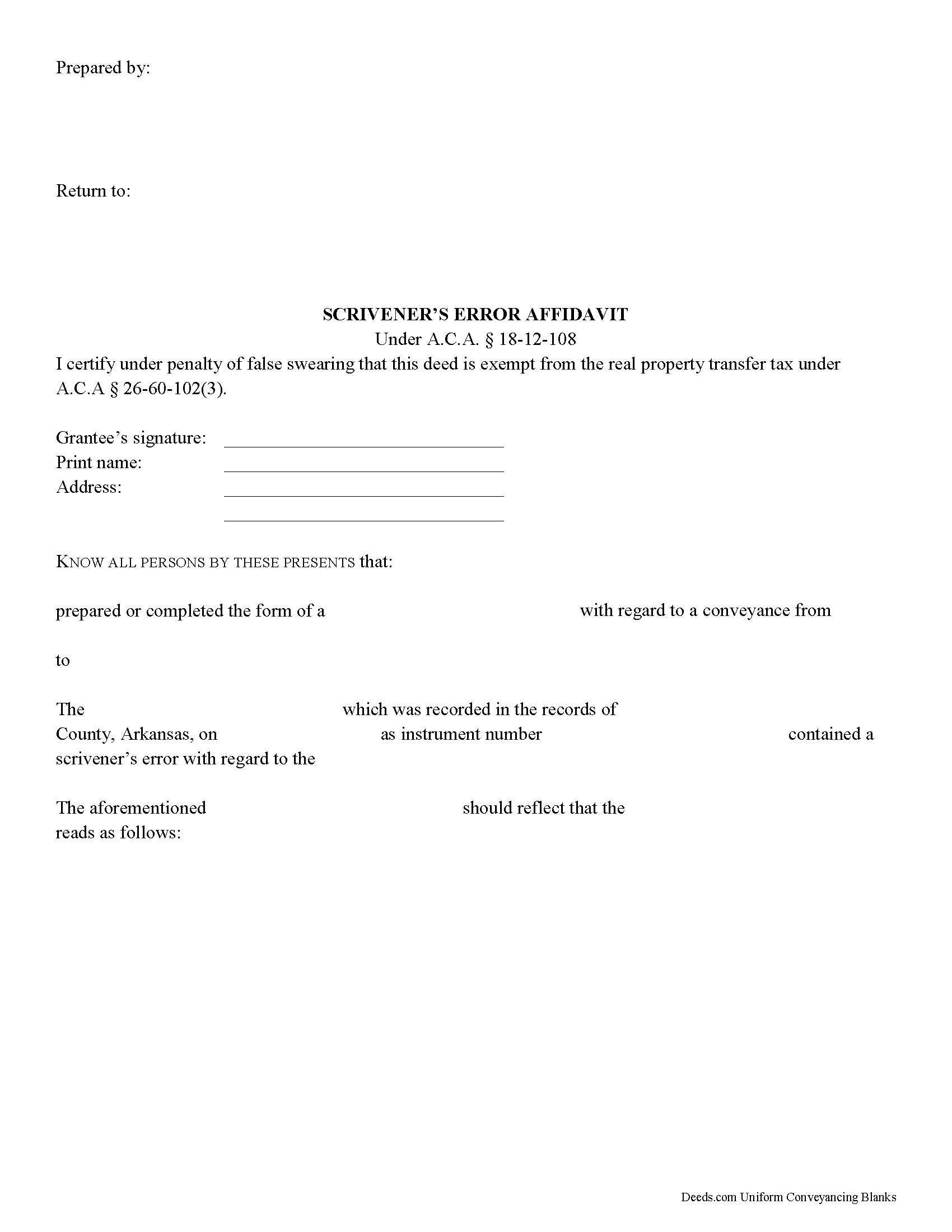
Sebastian County Scrivener's Error Affidavit Form
Fill in the blank Scrivener's Error Affidavit form formatted to comply with all Arkansas recording and content requirements.
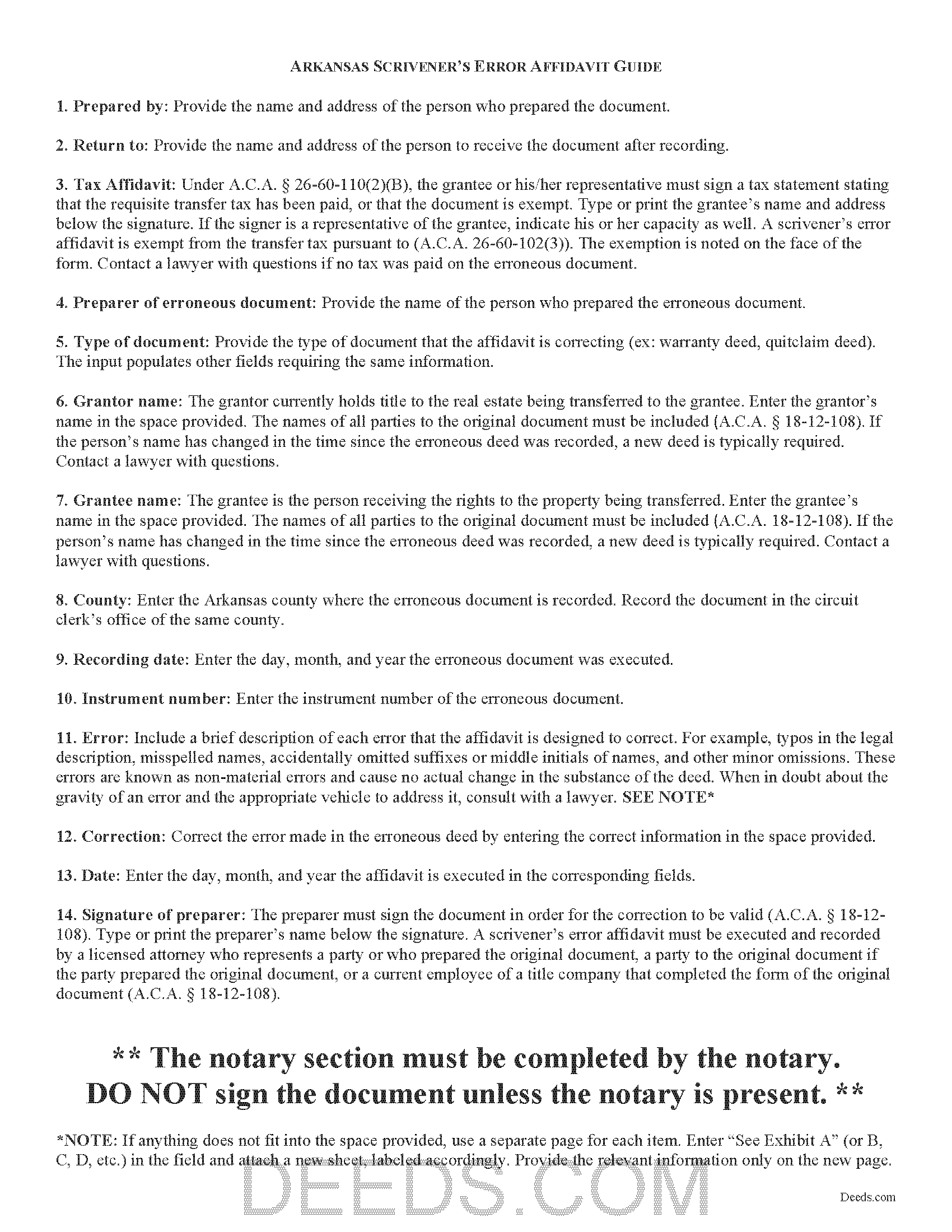
Sebastian County Scrivener's Error Affidavit Guide
Line by line guide explaining every blank on the Scrivener's Error Affidavit form.
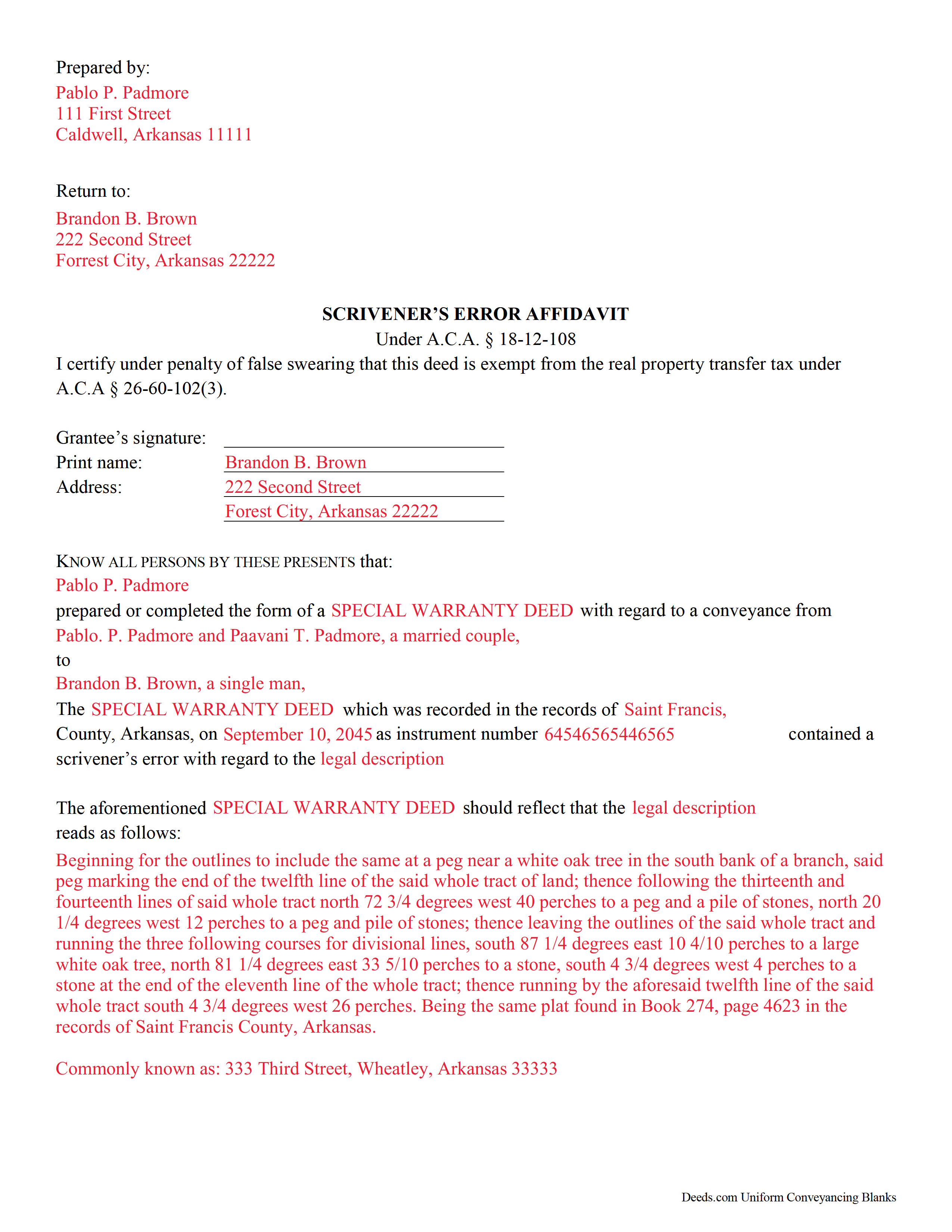
Sebastian County Completed Example of the Scrivener's Error Affidavit Document
Example of a properly completed Arkansas Scrivener's Error Affidavit document for reference.
All 3 documents above included • One-time purchase • No recurring fees
Immediate Download • Secure Checkout
Additional Arkansas and Sebastian County documents included at no extra charge:
Where to Record Your Documents
County Clerk/Recorder
Fort Smith, Arkansas 72901
Hours: 8:00am-5:00pm M-F
Phone: (479) 782-5065
Greenwood Office
Greenwood, Arkansas 72936
Hours: 8:00 to 5:00 M-F
Phone: (479) 996-4195
Recording Tips for Sebastian County:
- Bring your driver's license or state-issued photo ID
- Ensure all signatures are in blue or black ink
- Recorded documents become public record - avoid including SSNs
- Recording fees may differ from what's posted online - verify current rates
- Request a receipt showing your recording numbers
Cities and Jurisdictions in Sebastian County
Properties in any of these areas use Sebastian County forms:
- Barling
- Fort Smith
- Greenwood
- Hackett
- Hartford
- Huntington
- Lavaca
- Midland
Hours, fees, requirements, and more for Sebastian County
How do I get my forms?
Forms are available for immediate download after payment. The Sebastian County forms will be in your account ready to download to your computer. An account is created for you during checkout if you don't have one. Forms are NOT emailed.
Are these forms guaranteed to be recordable in Sebastian County?
Yes. Our form blanks are guaranteed to meet or exceed the applicable formatting requirements used for recording in Sebastian County, including margin requirements, font requirements, and other layout standards. This guarantee applies to formatting, not to the legal sufficiency of information entered by the user or the suitability of a form for a particular transaction.
Can I reuse these forms?
Yes. You can reuse the forms for your personal use. For example, if you have multiple properties in Sebastian County you only need to order once.
What do I need to use these forms?
The forms are PDFs that you fill out on your computer. The free Adobe Acrobat Reader is recommended, and most PDF apps also work. You do NOT enter your property information online - you download the blank forms and complete them privately on your own computer.
Are there any recurring fees?
No. This is a one-time purchase. Nothing to cancel, no memberships, no recurring fees.
How much does it cost to record in Sebastian County?
Recording fees in Sebastian County vary. Contact the recorder's office at (479) 782-5065 for current fees.
Questions answered? Let's get started!
Scrivener's Error Affidavits in Arkansas
What happens when an important document like a deed or a mortgage has been recorded, and an error is spotted after the fact? What can you do to fix it? One option may be filing a corrective scrivener's affidavit.
A scrivener's affidavit is an instrument containing sworn statements by the affiant, or person making the affidavit, that sets forth the intent of the original document by correcting a non-material error in a document which has been recorded at an earlier date. The Arkansas statutes specifically state that scrivener's affidavits may be used to correct the following: the identification, marital status, heirship, relation, death, or the time of death of a person; the identification of a corporation or other legal entity;or the legal description to real property (A.C.A. 18-12-108).
Major, or material, changes to the substance of the document have a legal effect in how property is titled, and therefore require a new deed. Adding or removing a grantee, for example, or making significant modifications to the legal description, may require a new document. When in doubt about the gravity of an error and the appropriate vehicle to address it, consult with a lawyer.
In order to be valid, the affidavit must include the name of the person or entity that completed or prepared the original instrument, and the names of all parties to the original instrument (A.C.A. 18-12-108). If the person's name has changed in the time since the erroneous document was recorded, a new document is typically required. The affidavit must also include the recording information from the original instrument. And of course, the affidavit states a brief description of each error and the correction itself (A.C.A. 18-12-108).
Because a scrivener's affidavit is correcting another document where the transfer tax has already been paid, it is exempt from said transfer tax pursuant to A.C.A. 26-60-102(3). Contact a lawyer with questions if no tax was paid on the recorded document.
The affidavit must be executed and recorded by one of the individuals listed in A.C.A. 18-12-108 who were party to the original document. The affiant must sign the document in order for the correction to be valid (A.C.A. 18-12-108). It must also meet all state and local standards for recorded documents. Submit the completed affidavit at the circuit clerk's office in the county where the real property is located (A.C.A. 18-12-108).
This article is provided for informational purposes only and is not a substitute for legal advice. Contact an attorney with questions about scrivener's affidavits, or for any other issues related to real property in Arkansas.
(Arkansas Correction Deed Package includes form, guidelines, and completed example)
Important: Your property must be located in Sebastian County to use these forms. Documents should be recorded at the county recording office listed above.
This Scrivener's Error Affidavit meets all recording requirements specific to Sebastian County.
Our Promise
The documents you receive here are guaranteed to meet or exceed the applicable Sebastian County recording format requirements. If there is a rejection caused by our formatting, we will correct the issue or refund your payment. This guarantee applies to document formatting only and does not extend to information entered by the user, the selection of the form, or the legal effect of the completed document.
Save Time and Money
Get your Sebastian County Scrivener's Error Affidavit form done right the first time with Deeds.com Uniform Conveyancing Blanks. At Deeds.com, we understand that your time and money are valuable resources, and we don't want you to face a penalty fee or rejection imposed by a county recorder for submitting nonstandard documents. We constantly review and update our forms to meet rapidly changing state and county recording requirements for roughly 3,500 counties and local jurisdictions.
4.8 out of 5 - ( 4,862 Reviews )
Heidi J. 3 out of 5 stars
The form was useful, however the formatting is terrible once completed. A lot of white space with no option to remove extra spacing or to improve the overall formatting.
Thank you for your feedback, Heidi. We’re glad to hear the form itself was useful. We also understand your concern about the formatting and extra spacing once completed. Our forms are designed to meet strict county recording requirements, which can sometimes result in additional white space. That said, we’re always working to improve usability and presentation without compromising acceptance. Your input helps us identify where refinements are possible, and we’ll keep it in mind as we continue updating our templates.
Dana R. 5 out of 5 stars
This site is Awesome! So easy to use and they really work fast. I will use this for all my Maricopa County Recorder items or deeds, etc. Love this site.
Thank you for your feedback. We really appreciate it. Have a great day!
Imari E. 5 out of 5 stars
QUICK SERVICE
Thank you!
Tiffany Dawn J. 3 out of 5 stars
Would be nice to have a better description on how to complete the forms if it is separated couple and one is signing the deed over to the other. I am still unsure how it should be worded. Disappointed that the guide didn't have better explanations.
Thank you for your feedback. We really appreciate it. Have a great day!
Johnnie R. 5 out of 5 stars
quick and easy to use
We appreciate your business and value your feedback. Thank you. Have a wonderful day!
Lawrence R. 4 out of 5 stars
Forms do not allow enough space for fields and cutoff. Need to expand the fields to allow for more writing. I ended up re-typing to be able to include full property description. Would be nice if available in Word format rather than only PDF format.
Thank you for your feedback. We really appreciate it. Have a great day!
Debra G. 5 out of 5 stars
Nice, clear, well formatted documents. Good information provided.
Thank you for your kind words and for choosing us.
JENNIE W. 5 out of 5 stars
This is so much easier than going downtown to file paperwork! Thanks deeds.com!
Thank you!
Cleatous S. 3 out of 5 stars
The deed form is hard to fill in. There is no way to fill in the county in the "reviewed by" section. Also, there is no place for the Grantee's address on the form. I had to include it in the fill-in space for the legal description.
Thank you!
Paul S. 5 out of 5 stars
Worked very well
Thank you!
Beaugwynn Wigley S. 5 out of 5 stars
Thanks so much for all your help! That was painless.
Thank you!
Turto T. 5 out of 5 stars
The documents were accurate and event well packaged. They contained all the information that was needed to establish revocable trusts and transfer the property into the trusts. All of this with decent price.
Thank you for your feedback. We really appreciate it. Have a great day!
Nina F. 5 out of 5 stars
My experience could not have been better. Easy to communicate with, even though I'm largely ignorant of technical problem-solving. I may be addle-minded with 83 years on earth, but I think they actually cared about solving my problem and were sorry it was beyond their territory. Truly extra nice.
Thank you for your feedback. We really appreciate it. Have a great day!
Laurie J. 5 out of 5 stars
Very satisfied with what I purchased.
Thank you for your positive words! We’re thrilled to hear about your experience.
Michael L. 5 out of 5 stars
Easy and quick. I will always use this efficient service even if the recorders office opens again!
We appreciate your business and value your feedback. Thank you. Have a wonderful day!