Alpine County Quitclaim Deed (Divorce) Form
Last validated October 12, 2026 by our Forms Development TeamFormatted for recording in Alpine County, for property anywhere in the county: rural and unincorporated areas as well as Kirkwood, Markleeville.
- 3 documents included
- Immediate PDF download
- Formatting guarantee
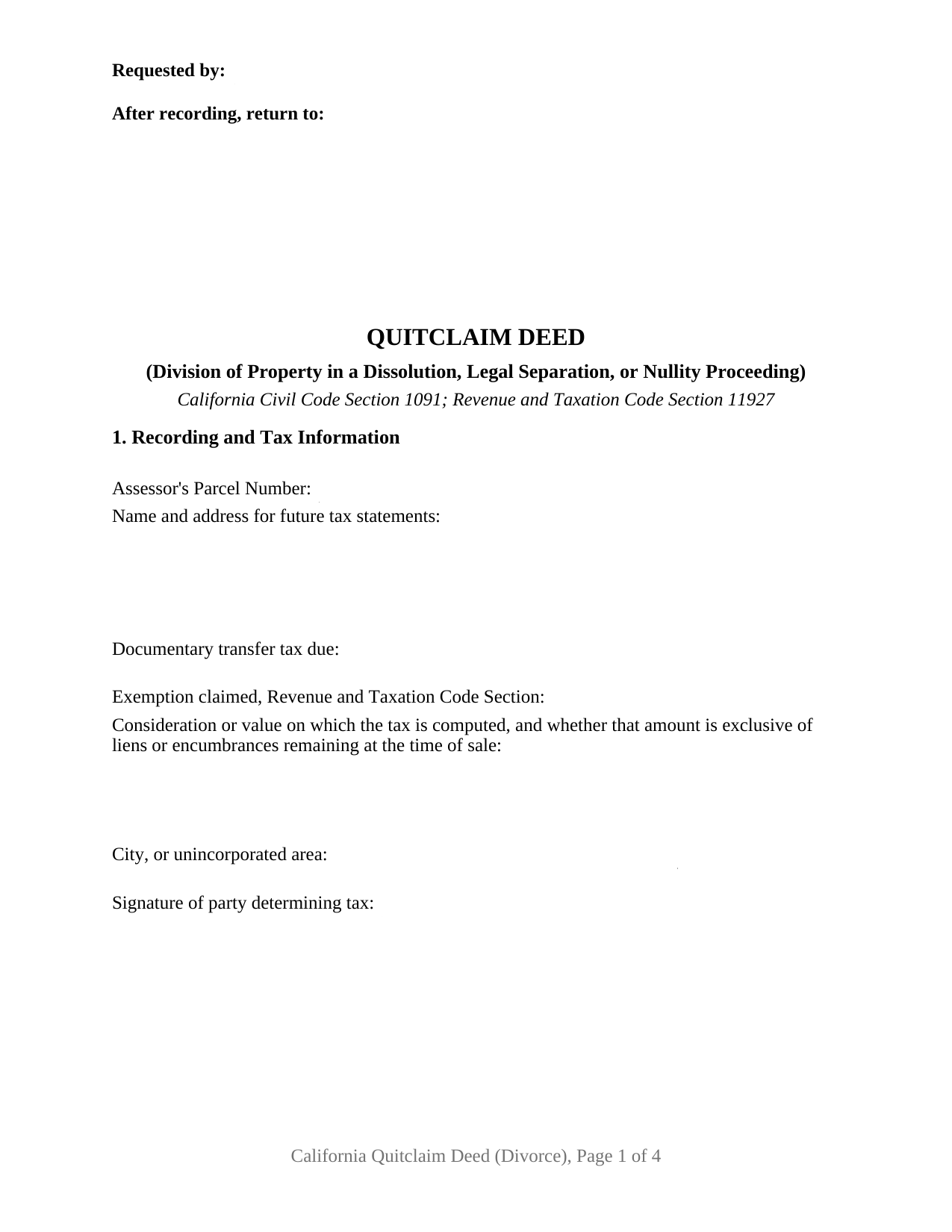
Alpine County Quitclaim Deed (Divorce) Form
Fill in the blank Quitclaim Deed (Divorce) form formatted to comply with all California recording and content requirements.
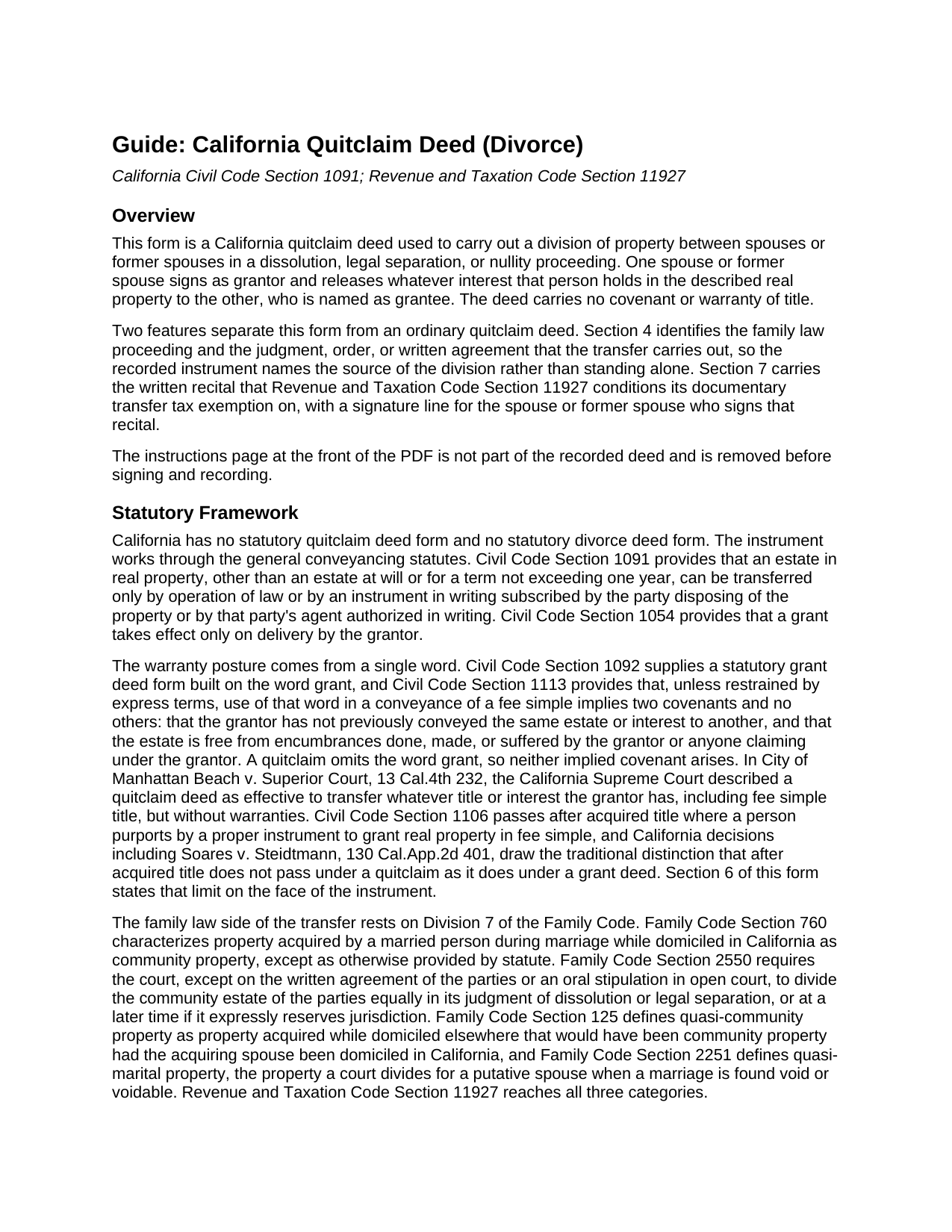
Alpine County Quitclaim Deed (Divorce) Guide
Line by line guide explaining every blank on the Quitclaim Deed (Divorce) form.
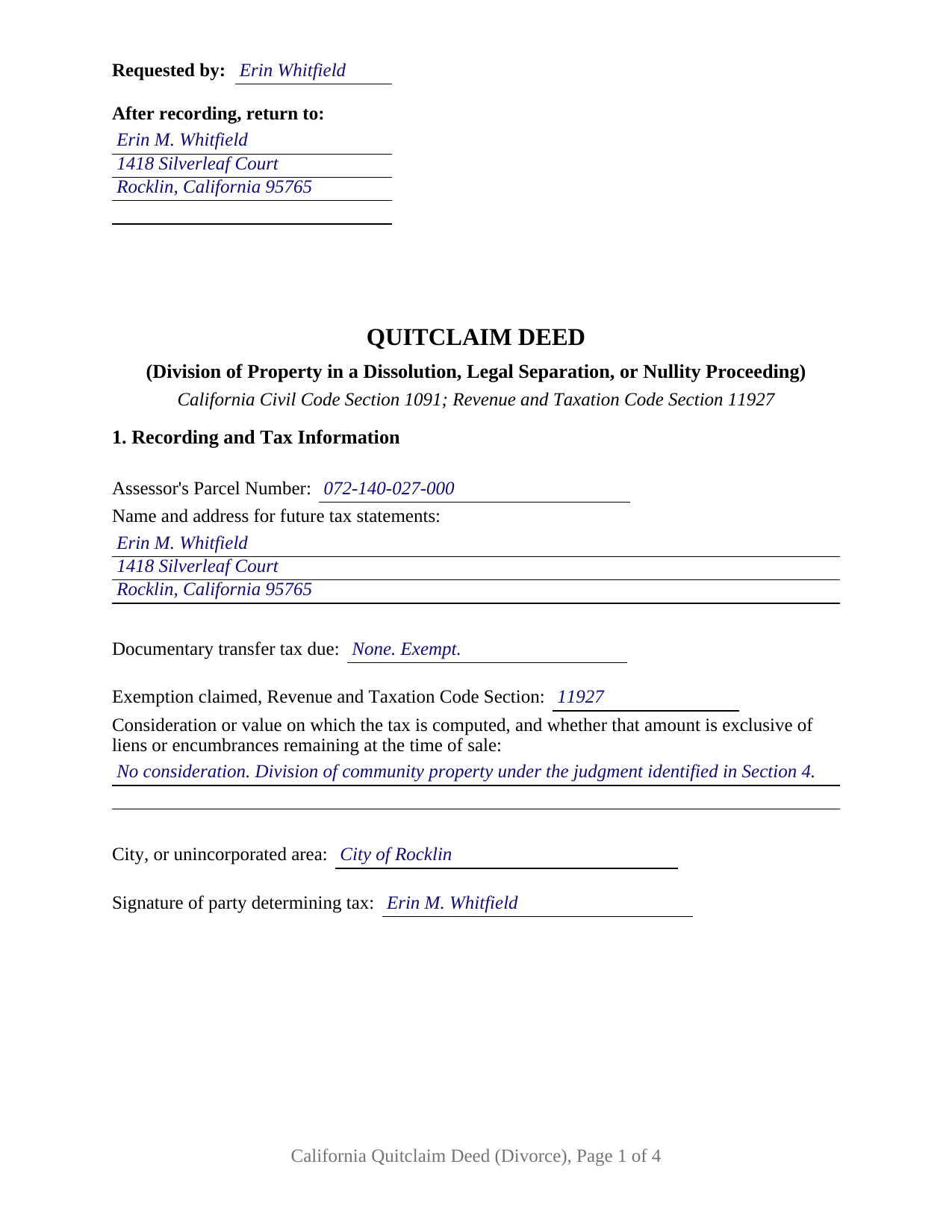
Alpine County Completed Example of the Quitclaim Deed (Divorce) Document
Example of a properly completed California Quitclaim Deed (Divorce) document for reference.
All 3 documents above included • One-time purchase • No recurring fees
Immediate Download • Secure Checkout
Additional California and Alpine County documents included at no extra charge:
Where to Record Your Documents
County Assessor / Recorder
Markleeville, California 96120
Hours: Mon-Fri 8:00-12:00, 1:00-5:00 / Recording until 4:00
Phone: 530-694-2283
Recording Tips for Alpine County:
- Bring your driver's license or state-issued photo ID
- Ensure all signatures are in blue or black ink
- Avoid the last business day of the month when possible
- Both spouses typically need to sign if property is jointly owned
- Bring extra funds - fees can vary by document type and page count
Cities and Jurisdictions in Alpine County
Properties in any of these areas use Alpine County forms:
- Kirkwood
- Markleeville
Hours, fees, requirements, and more for Alpine County
How do I get my forms?
Forms are available for immediate download after payment. The Alpine County forms will be in your account ready to download to your computer. An account is created for you during checkout if you don't have one. Forms are NOT emailed.
Are these forms guaranteed to be recordable in Alpine County?
Yes. Our form blanks are guaranteed to meet or exceed the applicable formatting requirements used for recording in Alpine County, including margin requirements, font requirements, and other layout standards. This guarantee applies to formatting, not to the legal sufficiency of information entered by the user or the suitability of a form for a particular transaction.
Can I reuse these forms?
Yes. You can reuse the forms for your personal use. For example, if you have multiple properties in Alpine County you only need to order once.
What do I need to use these forms?
The forms are PDFs that you fill out on your computer. The free Adobe Acrobat Reader is recommended, and most PDF apps also work. You do NOT enter your property information online - you download the blank forms and complete them privately on your own computer.
Are there any recurring fees?
No. This is a one-time purchase. Nothing to cancel, no memberships, no recurring fees.
How much does it cost to record in Alpine County?
Recording fees in Alpine County vary. Contact the recorder's office at 530-694-2283 for current fees.
Questions answered? Let's get started!
A California quitclaim deed drawn for a divorce carries something an ordinary release never needs: a case number, and a recital the tax statute writes for it. This form prepares that configuration, one spouse or former spouse releasing an interest to the other to carry out a division of property in a dissolution, legal separation, or nullity proceeding, with the judgment or agreement behind it named on the deed.
The Sentence Revenue and Taxation Code Section 11927 Asks For
Most transfer tax exemptions are claimed by entering a code section on a line; this one is drafted differently. Subdivision (a) of Section 11927 lifts the documentary transfer tax from a deed that transfers, divides, or allocates community, quasi-community, or quasi-marital property assets between spouses to effect a division required by a judgment of dissolution or legal separation, a judgment of nullity, another judgment or order rendered under the Family Code, or a written agreement executed in contemplation of such a judgment, incorporated into it or not. Subdivision (b) then conditions the exemption on a written recital, signed by either spouse, stating that the instrument is entitled to it. Section 7 of this deed is that recital, tracking the statutory language, with its own signature line and date. The statute takes the signature of either spouse, so either one may sign it.
A Deed That Names the Case Behind It
Section 4 identifies the source of the division: the county whose superior court holds the case, the case number, the judgment or order and the date it was entered, and any written agreement between the parties and its date. Both routes have lines because Section 11927 reaches both. Naming them ties the recorded conveyance to a proceeding a later title examiner can locate, which matters because the judgment itself commonly never reaches the county index. The deed records the transfer; the judgment decides the division.
Signing While the Case Is Open
Timing is its own subject in a dissolution. Family Code Section 2040 puts a temporary restraining order in the summons that restrains both parties from transferring, encumbering, hypothecating, concealing, or in any way disposing of property, real or personal, whether community, quasi-community, or separate, without the written consent of the other party or an order of the court, apart from the usual course of business and the necessities of life. A deed signed before judgment sits against that order, which names the two openings out of it: written consent, and a court order. A judgment awarding the property is such an order.
A Release Without Promises
Nothing about the state of the title is promised. California ties its two everyday implied covenants to conveyances drawn on the word grant under Civil Code Section 1113; this instrument, typed by many people as a quit claim deed, is drawn on other words. Section 6 states the rest expressly: what crosses is the interest the grantor holds at delivery, and title reaching the grantor afterward stays outside the deed.
One Grantor, Two Signature Lines, One Certificate
The form recites a single individual grantor, a spouse or former spouse signing personally, and a single grantee taking from that person, with a manner of taking title entry that on a divorce deed commonly reads as sole and separate property. One signature line closes the conveyance in Section 8, followed by a single California all-purpose acknowledgment certificate headed by the identity notice Civil Code Section 1189 prints in an enclosed box. The other signature line belongs to the tax recital and is not notarized. Patterns of this shape fill California grantor indexes: a former spouse executing after entry of a judgment that awarded the residence to the other party, a party executing during the case with the other party's written consent, a putative spouse conveying quasi-marital property under a nullity judgment, and a parcel bought while the couple lived elsewhere, which a California court treats as quasi-community property. Two owners conveying together to an outside buyer, and an entity, a trustee, or an agent under a power of attorney, sign through structures this block does not carry.
Three files come with this configuration: the deed as a fillable PDF, a completed example filled in for a Placer County release after a judgment of dissolution, and a plain language guide walking through each numbered section, the tax entries, the acknowledgment, and the county filing steps. Everything here describes California law in general terms; none of it is legal advice about a particular judgment, marriage, or parcel.
Important: Your property must be located in Alpine County to use these forms. Documents should be recorded at the county recording office listed above.
This Quitclaim Deed (Divorce) meets all recording requirements specific to Alpine County.
Our Promise
The documents you receive here are guaranteed to meet or exceed the applicable Alpine County recording format requirements. If there is a rejection caused by our formatting, we will correct the issue or refund your payment. This guarantee applies to document formatting only and does not extend to information entered by the user, the selection of the form, or the legal effect of the completed document.
Save Time and Money
Get your Alpine County Quitclaim Deed (Divorce) form done right the first time with Deeds.com Uniform Conveyancing Blanks. At Deeds.com, we understand that your time and money are valuable resources, and we don't want you to face a penalty fee or rejection imposed by a county recorder for submitting nonstandard documents. We constantly review and update our forms to meet rapidly changing state and county recording requirements for roughly 3,500 counties and local jurisdictions.
4.8 out of 5 - ( 4,836 Reviews )
Barbara P. 5 out of 5 stars
So easy and fast!
We appreciate your business and value your feedback. Thank you. Have a wonderful day!
Kerry G. 5 out of 5 stars
Could not be happier with the deeds here. Long time customer and never had a problem, they always have the right documents for what I need.
Thank you for the kind words Kerry. Have a great day!
Adam W. 5 out of 5 stars
Great stuff
Thank you!
Marie A. 5 out of 5 stars
Easy to download, helpful information and forms quick when you need them. Thank you Deeds.com.
Thank you Marie!
Deborah P. 5 out of 5 stars
Very good information. Easy access and easy to download. All the forms needed for TOD to be notarized and recorded with the county office. Much better than working with a Trust and the expense of lawyers, especially when several parties are involved and the owner of said property knows exactly to whom the property should go. Having forms and instructions available for the public to have their wishes recorded and confirmed makes handling final planning much easier and prevents family members from having the unnecessary task of going through court to solve property distribution issues. Thank you for this site and the forms you provide. I will recommend Deeds.com to those I know who are making final plans.
We appreciate your business and value your feedback. Thank you. Have a wonderful day!
Joseph N. 5 out of 5 stars
The site is easy to navigate and exceptional services. Unfortunately, they could find no information on a tract of land that I own, and they canceled the search and refunded my payment.
Sorry we were unable to help you find what you were looking for Joseph.
Linda I. 5 out of 5 stars
So far so good. It was reasonably easy to download and complete the form using information found in my closing paperwork. I haven't yet had my form notarized but plan to do so this week and submit the packet to my county auditor.
Thank you for your feedback. We really appreciate it. Have a great day!
Susan K. 5 out of 5 stars
They were unable to complete the task and my money was immediately refunded.
Thank you for your feedback Susan, sorry we were unable to assist.
Lorraine F. 2 out of 5 stars
I followed the instructions to download the form for my Mac, typed in the legal description of the real property but the space provided for it would not expand so I just typed the form into Word as a document. While I appreciate having the form to work with it would have been a breeze if it worked properly.
Your insights are invaluable to us and help us strive for better service. Thank you for taking the time to share your thoughts.
Gary S. 5 out of 5 stars
Easy to use. Very helpful
Thank you!
Jean B. 5 out of 5 stars
Thank you for this service. Saved a lot of my time and money. The guide and sample was very helpful. Jean
We appreciate your business and value your feedback. Thank you. Have a wonderful day!
dean s. 5 out of 5 stars
Excellent work. Berry happy!
Thank you!
Dyanna B. 5 out of 5 stars
Got what I needed. Easy access.
Thank you for your positive words! We’re thrilled to hear about your experience.
Ruth R. 5 out of 5 stars
Very pleased with the service, solved an immediate problem for me and at good price.
We appreciate your business and value your feedback. Thank you. Have a wonderful day!
joab k. 3 out of 5 stars
Usable mediocre average stuff. functional but not extraordinary but the price and service is quite good
Thank you for your feedback. We really appreciate it. Have a great day!