Los Angeles County Quitclaim Deed (Two Grantors) Form
Last validated October 20, 2026 by our Forms Development TeamFormatted for recording in Los Angeles County, for property anywhere in the county: rural and unincorporated areas as well as Acton, Agoura Hills, Alhambra, Altadena, Arcadia, Artesia, Avalon, Azusa and 123 more.
- 3 documents included
- Immediate PDF download
- Formatting guarantee
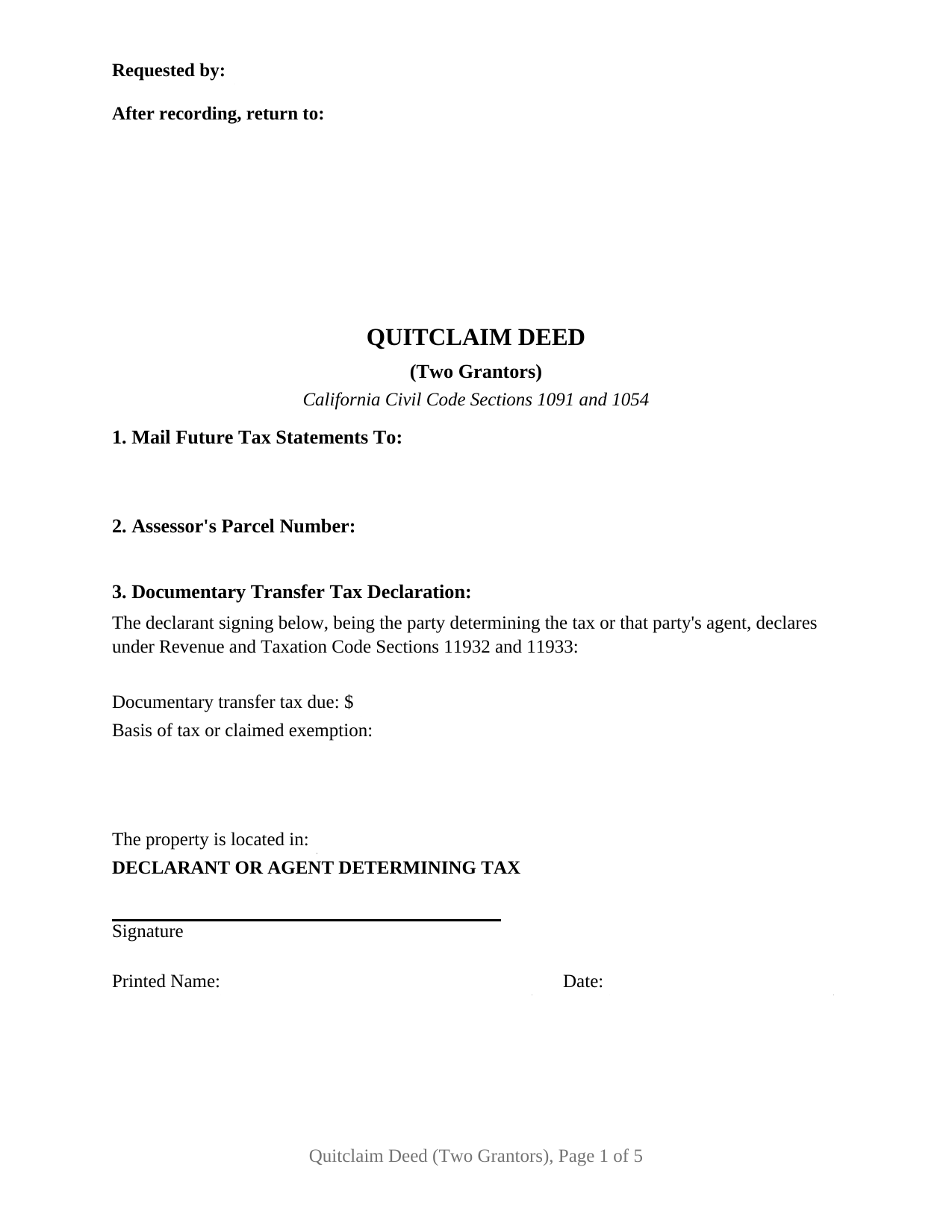
Los Angeles County Quitclaim Deed (Two Grantors) Form
Fill in the blank Quitclaim Deed (Two Grantors) form formatted to comply with all California recording and content requirements.
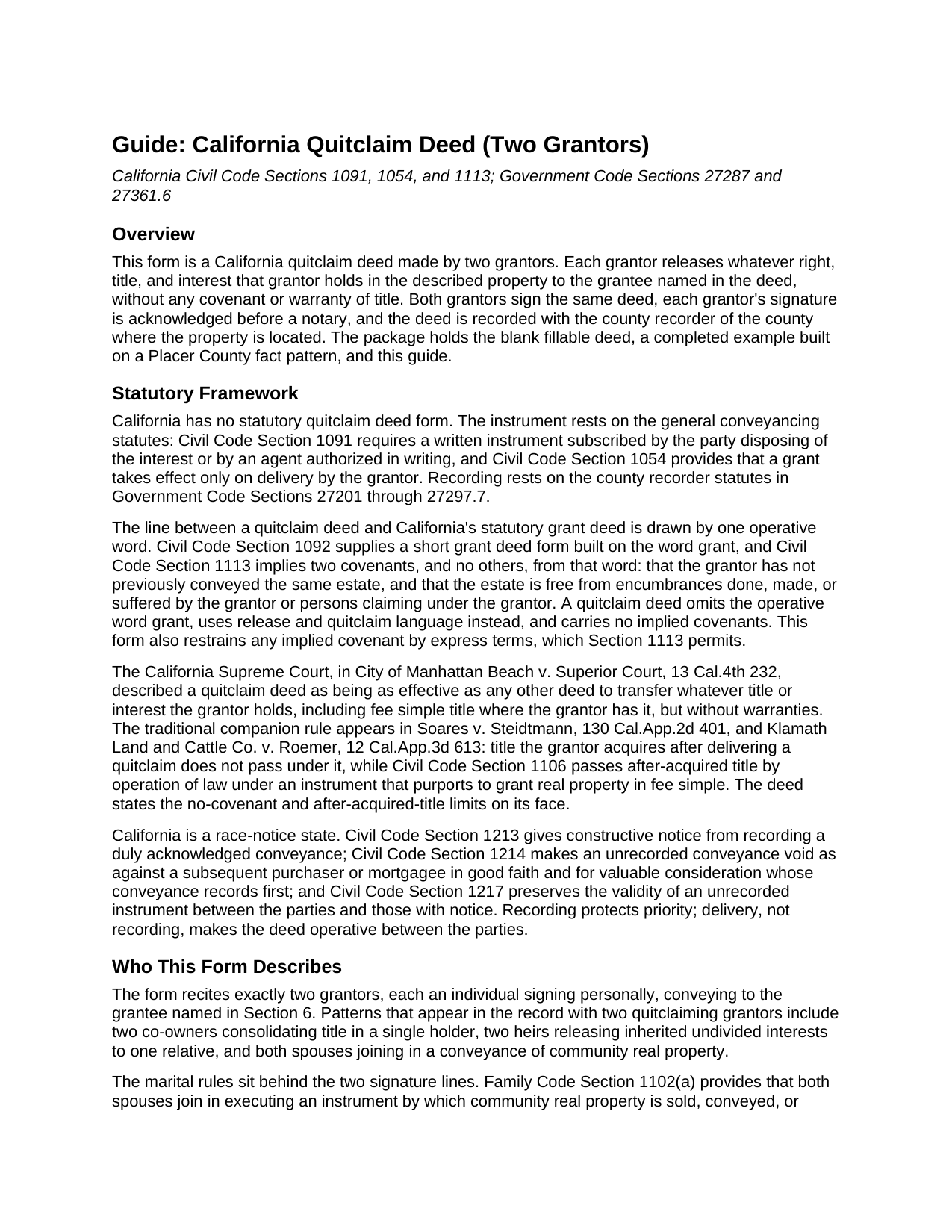
Los Angeles County Quitclaim Deed (Two Grantors) Guide
Line by line guide explaining every blank on the Quitclaim Deed (Two Grantors) form.
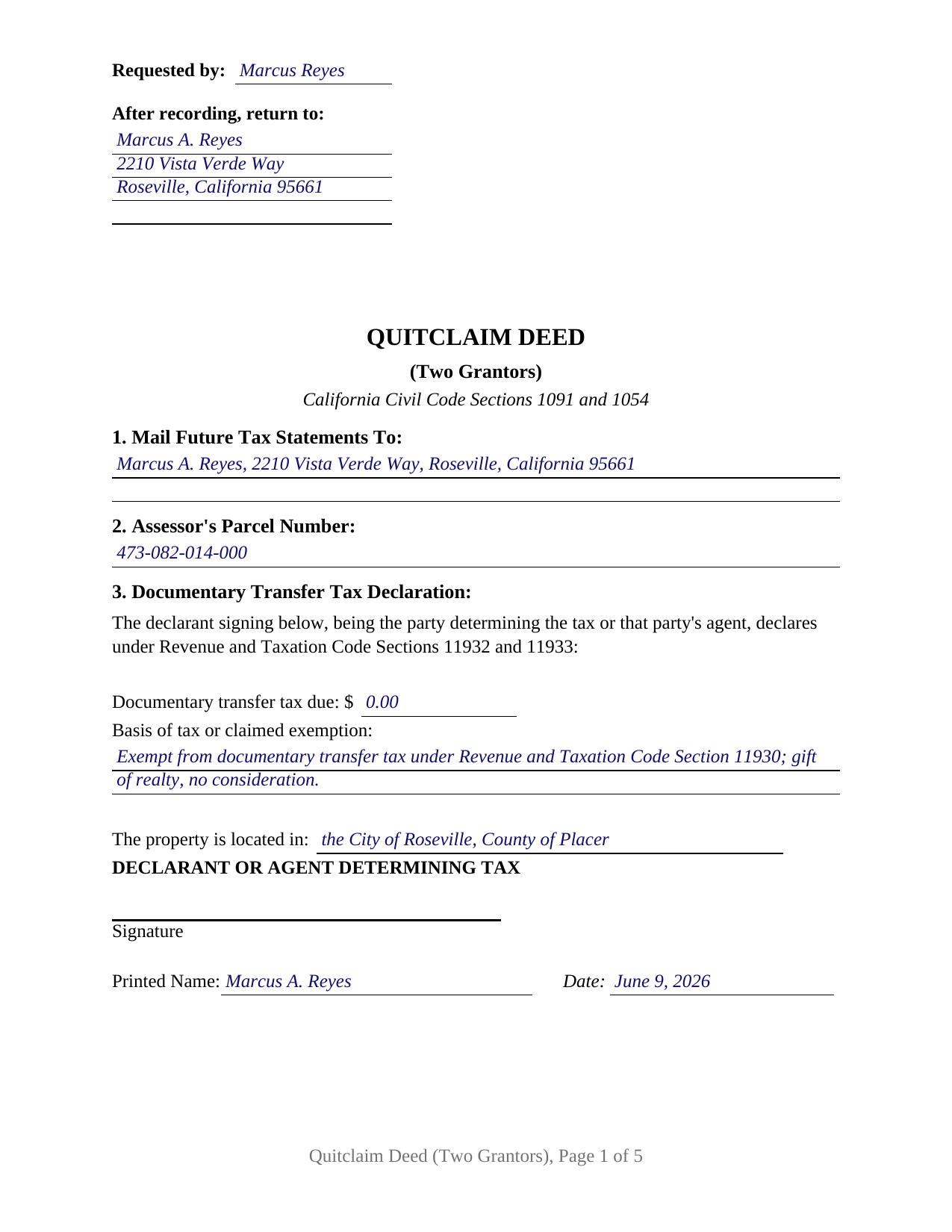
Los Angeles County Completed Example of the Quitclaim Deed (Two Grantors) Document
Example of a properly completed California Quitclaim Deed (Two Grantors) document for reference.
All 3 documents above included • One-time purchase • No recurring fees
Immediate Download • Secure Checkout
Additional California and Los Angeles County documents included at no extra charge:
Where to Record Your Documents
Registrar-Recorder /County Clerk Headquarters /Mailing Address
Norwalk, California 90650
Hours: Mon-Fri 8:00 to 5:00
Phone: (800) 201-8999
Lancaster Recording Office
Lancaster, California 93534
Hours: Mon-Fri 8:30 to 3:30
Phone: (661) 945-6446
LAX / Courthouse
Los Angeles, California 90045
Hours: Mon-Fri 8:30 to 3:30
Phone: (310) 727-6142
Van Nuys Recording Office
Van Nuys, California 91401
Hours: Mon-Fri 8:30 to 3:30
Phone: (818) 374-7176
Recording Tips for Los Angeles County:
- Bring your driver's license or state-issued photo ID
- Ensure all signatures are in blue or black ink
- White-out or correction fluid may cause rejection
- Ask about their eRecording option for future transactions
- Avoid the last business day of the month when possible
Cities and Jurisdictions in Los Angeles County
Properties in any of these areas use Los Angeles County forms:
- Acton
- Agoura Hills
- Alhambra
- Altadena
- Arcadia
- Artesia
- Avalon
- Azusa
- Baldwin Park
- Bell
- Bell Gardens
- Bellflower
- Beverly Hills
- Burbank
- Calabasas
- Canoga Park
- Canyon Country
- Carson
- Castaic
- Cerritos
- Chatsworth
- City Of Industry
- Claremont
- Compton
- Covina
- Culver City
- Diamond Bar
- Downey
- Duarte
- El Monte
- El Segundo
- Encino
- Gardena
- Glendale
- Glendora
- Granada Hills
- Hacienda Heights
- Harbor City
- Hawaiian Gardens
- Hawthorne
- Hermosa Beach
- Huntington Park
- Inglewood
- La Canada Flintridge
- La Crescenta
- La Mirada
- La Puente
- La Verne
- Lake Hughes
- Lakewood
- Lancaster
- Lawndale
- Littlerock
- Llano
- Lomita
- Long Beach
- Los Angeles
- Lynwood
- Malibu
- Manhattan Beach
- Marina Del Rey
- Maywood
- Mission Hills
- Monrovia
- Montebello
- Monterey Park
- Montrose
- Mount Wilson
- Mt Baldy
- Newhall
- North Hills
- North Hollywood
- Northridge
- Norwalk
- Pacific Palisades
- Pacoima
- Palmdale
- Palos Verdes Peninsula
- Panorama City
- Paramount
- Pasadena
- Pearblossom
- Pico Rivera
- Playa Del Rey
- Pomona
- Porter Ranch
- Rancho Palos Verdes
- Redondo Beach
- Reseda
- Rosemead
- Rowland Heights
- San Dimas
- San Fernando
- San Gabriel
- San Marino
- San Pedro
- Santa Clarita
- Santa Fe Springs
- Santa Monica
- Sherman Oaks
- Sierra Madre
- Signal Hill
- South El Monte
- South Gate
- South Pasadena
- Stevenson Ranch
- Studio City
- Sun Valley
- Sunland
- Sylmar
- Tarzana
- Temple City
- Toluca Lake
- Topanga
- Torrance
- Tujunga
- Universal City
- Valencia
- Valley Village
- Valyermo
- Van Nuys
- Venice
- Verdugo City
- Walnut
- West Covina
- West Hills
- West Hollywood
- Whittier
- Wilmington
- Winnetka
- Woodland Hills
Hours, fees, requirements, and more for Los Angeles County
How do I get my forms?
Forms are available for immediate download after payment. The Los Angeles County forms will be in your account ready to download to your computer. An account is created for you during checkout if you don't have one. Forms are NOT emailed.
Are these forms guaranteed to be recordable in Los Angeles County?
Yes. Our form blanks are guaranteed to meet or exceed the applicable formatting requirements used for recording in Los Angeles County, including margin requirements, font requirements, and other layout standards. This guarantee applies to formatting, not to the legal sufficiency of information entered by the user or the suitability of a form for a particular transaction.
Can I reuse these forms?
Yes. You can reuse the forms for your personal use. For example, if you have multiple properties in Los Angeles County you only need to order once.
What do I need to use these forms?
The forms are PDFs that you fill out on your computer. The free Adobe Acrobat Reader is recommended, and most PDF apps also work. You do NOT enter your property information online - you download the blank forms and complete them privately on your own computer.
Are there any recurring fees?
No. This is a one-time purchase. Nothing to cancel, no memberships, no recurring fees.
How much does it cost to record in Los Angeles County?
Recording fees in Los Angeles County vary. Contact the recorder's office at (800) 201-8999 for current fees.
Questions answered? Let's get started!
Two owners can release their interests in California real property through one instrument, and this form is built for exactly that: a California quitclaim deed with two grantor blocks, two signature lines, and a notary certificate for each signer. Each grantor gives up whatever right, title, and interest that grantor holds in the described property, without any warranty, and the grantee takes both interests through a single recorded deed.
Built Around Two Releasing Owners
The form recites exactly two grantors, each an individual signing personally. Sections 4 and 5 carry one grantor apiece, with the name, the customary status description, and a mailing address; the signature section carries a line for each; and two Civil Code Section 1189 acknowledgment certificates follow, each headed by the statutory boxed notice. Because each certificate stands alone, the two grantors are free to appear before different notaries, in different counties, on different dates; the completed example records one acknowledgment in Placer County and the second in Nevada County three days later. California law does not require separate certificates for co-signers, so the twin certificates are the form's architecture, sized to how two-grantor deeds actually get signed.
Ownership Patterns With Two Grantors
Two-grantor quitclaims appear throughout California's records: two co-owners consolidating title in one name, two heirs releasing undivided inherited shares to a single relative, and married couples conveying community real property, where Family Code Section 1102 calls for both spouses to join in the conveyance and the deed's two signature lines carry that joinder on its face. The same two-line architecture serves registered domestic partners, whom Family Code Section 297.5 places on equal footing with spouses. A grantor conveying separate property signs without a spouse, and the status descriptions in the grantor blocks state each signer's capacity; the completed example pairs an unmarried grantor with a married grantor conveying her sole and separate property.
No Warranty, and No More Than Each Grantor Holds
A quitclaim, sometimes written as a quit claim deed, carries no covenants. This deed says so expressly: no covenant or warranty of title, express or implied, and no implied covenant under Civil Code Section 1113, which attaches covenants only to the statutory word grant. Each grantor conveys the interest held at delivery, and the operative section states the traditional California rule that later-acquired title does not follow a quitclaim. Where the two grantors hold unequal shares, the deed does not need to say so; the release reaches whatever each one holds.
One Declaration, One Recording
However many grantors sign, the recorder sees one taxable event. The documentary transfer tax declaration prints in the body of the form with its own signature line for the declarant, the single party or agent who determines the tax under Revenue and Taxation Code Sections 11932 and 11933; consideration, gift, or exemption, the declaration speaks once for both released interests. The first page lays out the entries California recorders check at intake, from the reserved recording space and return address block of Government Code Section 27361.6 to the future tax statement address of Government Code Section 27321.5 and an assessor's parcel number line. The deed records with the county recorder where the land sits, accompanied by a Preliminary Change of Ownership Report signed by the transferee.
The download delivers this two-grantor configuration complete: a fillable quitclaim deed PDF, a completed example filled in for a Placer County gift between family members, and a plain language guide covering each section, the notarization for two signers, and the recording fees and filings. The materials describe California law in general terms and are not legal advice for any particular transfer.
Important: Your property must be located in Los Angeles County to use these forms. Documents should be recorded at the county recording office listed above.
This Quitclaim Deed (Two Grantors) meets all recording requirements specific to Los Angeles County.
Our Promise
The documents you receive here are guaranteed to meet or exceed the applicable Los Angeles County recording format requirements. If there is a rejection caused by our formatting, we will correct the issue or refund your payment. This guarantee applies to document formatting only and does not extend to information entered by the user, the selection of the form, or the legal effect of the completed document.
Save Time and Money
Get your Los Angeles County Quitclaim Deed (Two Grantors) form done right the first time with Deeds.com Uniform Conveyancing Blanks. At Deeds.com, we understand that your time and money are valuable resources, and we don't want you to face a penalty fee or rejection imposed by a county recorder for submitting nonstandard documents. We constantly review and update our forms to meet rapidly changing state and county recording requirements for roughly 3,500 counties and local jurisdictions.
4.8 out of 5 - ( 4,850 Reviews )
Thomas D. 2 out of 5 stars
The documents themselves are fine and the information provided with them is helpful. I find the actual processing of the documents, however, to be difficult particularly once the document has been saved. First, I note that the box for the date only allows entry of the last 2 digits of the year. Unfortunately, my download only allows me to enter one of the 2 digits required. When I delete it repeatedly, it eventually allows both digits to be entered but puts them in extremely small text and in superscrypt. I have not found a solution to this problem and am not sure the deed can even be recorded with this problem. Another problem is that if you try to revise the document after you have saved it the curser goes to the end of the line after each key entry. This means that there basically is no way to efficiently save the document for reworking later since you will have to delete everything you have entered in the text box unless you only need to make a single keystroke change or are willing to replace the curser after each entry. Try that with a long property description! Please note that I am using a Mac to prepare my documents and perhaps this is part of an "incompatibility problem". However, I didn't see a disclaimer regarding Mac use and so would expect the documents to perform correctly. Overall, I give the program a "2 star" rating because I am experiencing significant difficulties in entering dates in the documents even before saving them and because saving your work for later revision appears to be basically unworkable.
Thank you for your feedback Thomas, we appreciate you being specific about the issues you encountered. Adobe and Mac have a fairly long history of issues working together.
Larry H. 5 out of 5 stars
Wow! So easy and such a cost savings. Thanks
Thanks Larry, we appreciate your feedback.
DAVID S. 5 out of 5 stars
I was very impressed with the speed at which information was retrieved on my very first search. Unfortunately, the county we were looking for is behind times and has not digitized its information. I will be using Deeds.Com again and appreciate that I was not charged for no information being returned back. Thank You David S
Thank you for your feedback. We really appreciate it. Have a great day!
Dorothea B. 4 out of 5 stars
The Affidavit- Death of Joint Tenant form you provided is not the same form as showed on the Los Angeles County property tax website. It appears that the LA county form requires entering additional info that is not included in your form.
Thank you!
Carl T. 5 out of 5 stars
Very simple to download and manage. very Impressed!
We appreciate your business and value your feedback. Thank you. Have a wonderful day!
Richard T. 5 out of 5 stars
Easy forms for DIYers
Thank you!
Adam P. 5 out of 5 stars
So far so good I am happy with the service and the timeliness of the recordings. One of the only recording services that allows for the use of credit card.
Thank you for your feedback. We really appreciate it. Have a great day!
Marvin C. 5 out of 5 stars
My client needed to provide a statutory Oklahoma Memorandum of Trust. I was able to provide her with the form quickly and inexpensively.
We appreciate your business and value your feedback. Thank you. Have a wonderful day!
Veronica T. 5 out of 5 stars
Great Service! Thank you
We appreciate your business and value your feedback. Thank you. Have a wonderful day!
Claire W. 5 out of 5 stars
The price is right, and very simple to follow
Thank you!
Carolyn G. 5 out of 5 stars
This information was extremely helpful and needed. The price is so worth it also.
Thank you!
Laryn A. 5 out of 5 stars
Very happy with the beneficiary deed forms packet. It was helpful to have an example of a properly filled out form. The only suggestion would be is to show where the exemption code should be placed on the form.
Thank you for your feedback. We really appreciate it. Have a great day!
Virginia W. 5 out of 5 stars
Easy instructions and a example on how to fill out the form.
Thank you for your feedback. We really appreciate it. Have a great day!
Laurie B. 5 out of 5 stars
easy to use, good experience
Thank you!
Fred A. 5 out of 5 stars
Very nice forms offer, very thoughtful to include other related forms that may be necessary. The site was easy to use, and very fast. Thank You.
Thank you!