Los Angeles County Quitclaim Deed (Divorce) Form
Last validated October 12, 2026 by our Forms Development TeamFormatted for recording in Los Angeles County, for property anywhere in the county: rural and unincorporated areas as well as Acton, Agoura Hills, Alhambra, Altadena, Arcadia, Artesia, Avalon, Azusa and 123 more.
- 3 documents included
- Immediate PDF download
- Formatting guarantee
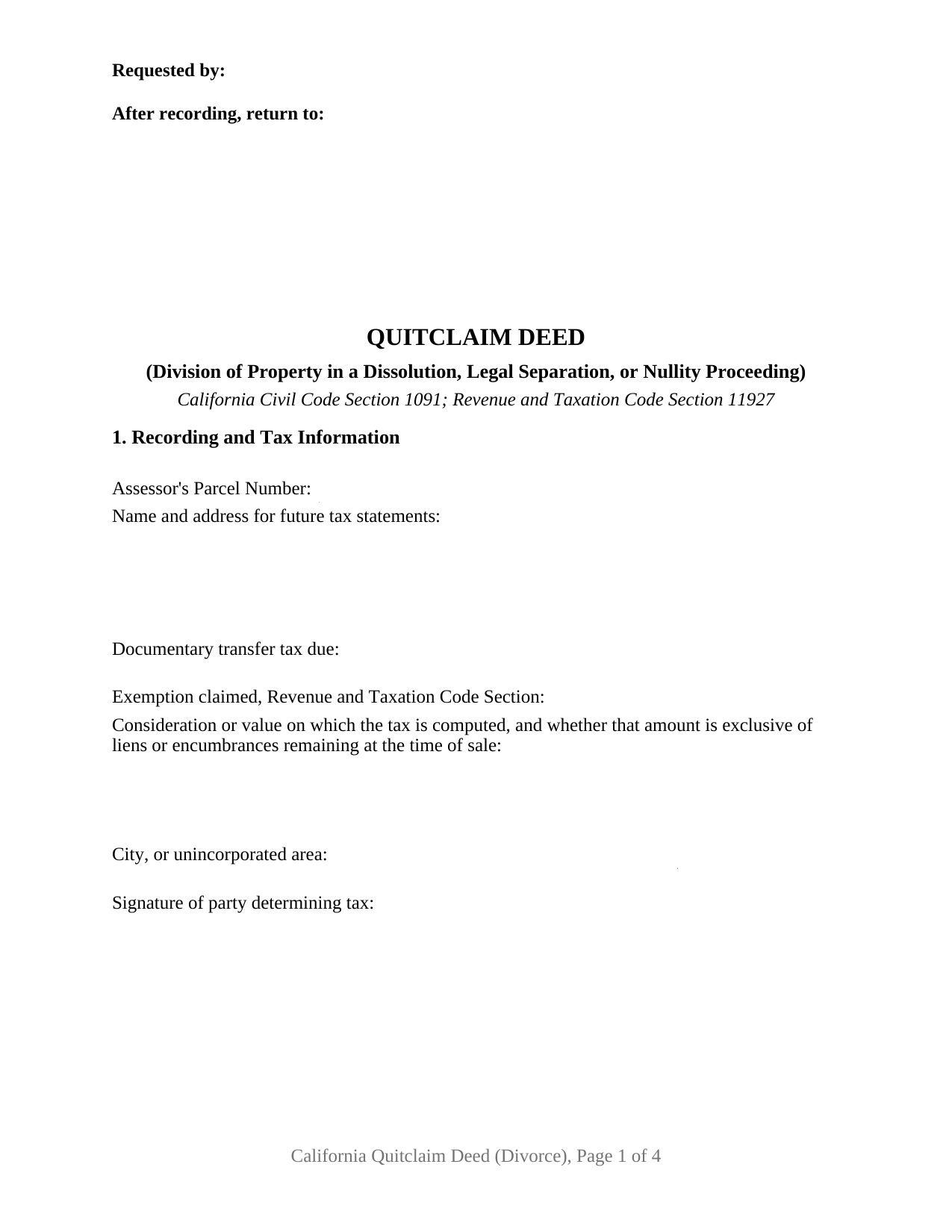
Los Angeles County Quitclaim Deed (Divorce) Form
Fill in the blank Quitclaim Deed (Divorce) form formatted to comply with all California recording and content requirements.
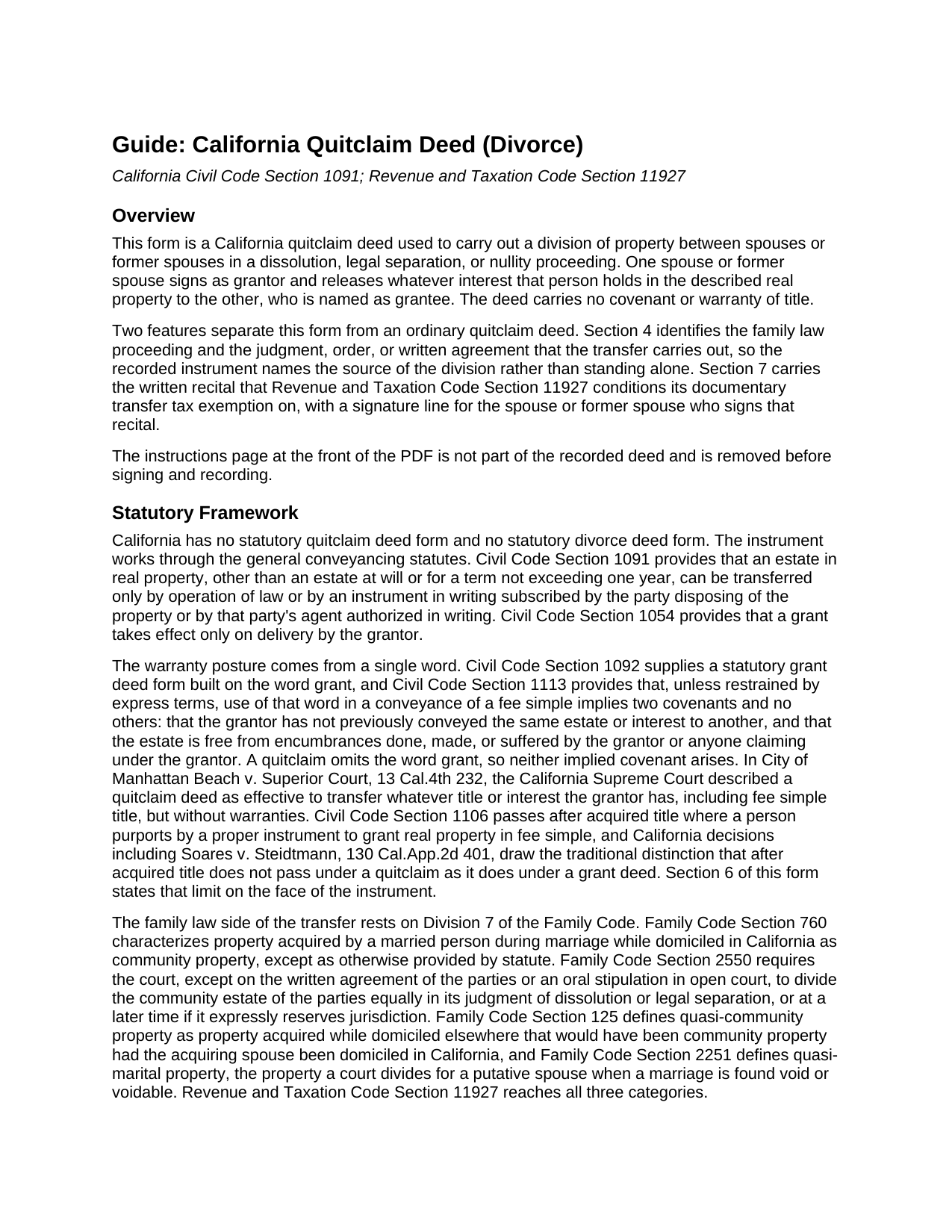
Los Angeles County Quitclaim Deed (Divorce) Guide
Line by line guide explaining every blank on the Quitclaim Deed (Divorce) form.
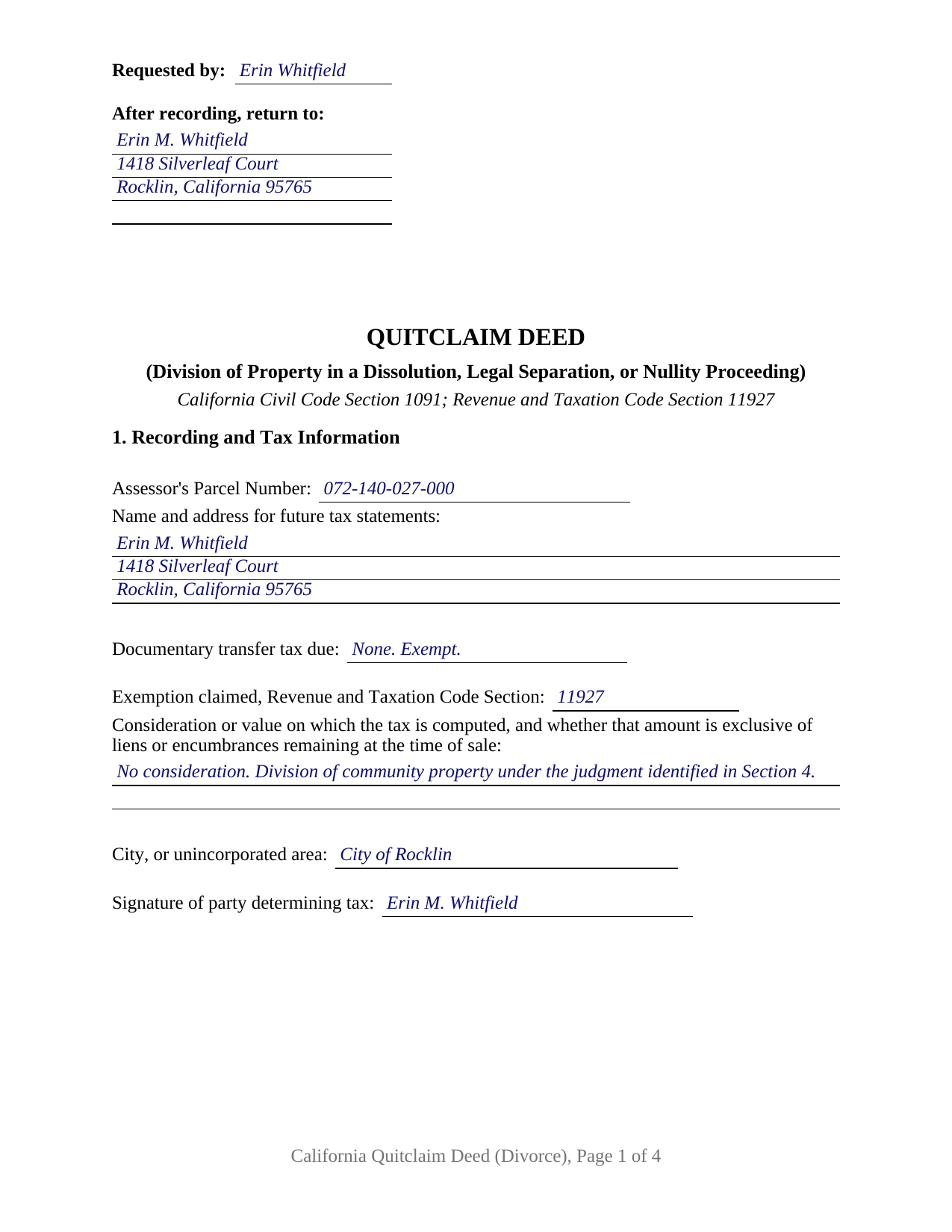
Los Angeles County Completed Example of the Quitclaim Deed (Divorce) Document
Example of a properly completed California Quitclaim Deed (Divorce) document for reference.
All 3 documents above included • One-time purchase • No recurring fees
Immediate Download • Secure Checkout
Additional California and Los Angeles County documents included at no extra charge:
Where to Record Your Documents
Registrar-Recorder /County Clerk Headquarters /Mailing Address
Norwalk, California 90650
Hours: Mon-Fri 8:00 to 5:00
Phone: (800) 201-8999
Lancaster Recording Office
Lancaster, California 93534
Hours: Mon-Fri 8:30 to 3:30
Phone: (661) 945-6446
LAX / Courthouse
Los Angeles, California 90045
Hours: Mon-Fri 8:30 to 3:30
Phone: (310) 727-6142
Van Nuys Recording Office
Van Nuys, California 91401
Hours: Mon-Fri 8:30 to 3:30
Phone: (818) 374-7176
Recording Tips for Los Angeles County:
- Bring your driver's license or state-issued photo ID
- Ensure all signatures are in blue or black ink
- White-out or correction fluid may cause rejection
- Ask about their eRecording option for future transactions
- Avoid the last business day of the month when possible
Cities and Jurisdictions in Los Angeles County
Properties in any of these areas use Los Angeles County forms:
- Acton
- Agoura Hills
- Alhambra
- Altadena
- Arcadia
- Artesia
- Avalon
- Azusa
- Baldwin Park
- Bell
- Bell Gardens
- Bellflower
- Beverly Hills
- Burbank
- Calabasas
- Canoga Park
- Canyon Country
- Carson
- Castaic
- Cerritos
- Chatsworth
- City Of Industry
- Claremont
- Compton
- Covina
- Culver City
- Diamond Bar
- Downey
- Duarte
- El Monte
- El Segundo
- Encino
- Gardena
- Glendale
- Glendora
- Granada Hills
- Hacienda Heights
- Harbor City
- Hawaiian Gardens
- Hawthorne
- Hermosa Beach
- Huntington Park
- Inglewood
- La Canada Flintridge
- La Crescenta
- La Mirada
- La Puente
- La Verne
- Lake Hughes
- Lakewood
- Lancaster
- Lawndale
- Littlerock
- Llano
- Lomita
- Long Beach
- Los Angeles
- Lynwood
- Malibu
- Manhattan Beach
- Marina Del Rey
- Maywood
- Mission Hills
- Monrovia
- Montebello
- Monterey Park
- Montrose
- Mount Wilson
- Mt Baldy
- Newhall
- North Hills
- North Hollywood
- Northridge
- Norwalk
- Pacific Palisades
- Pacoima
- Palmdale
- Palos Verdes Peninsula
- Panorama City
- Paramount
- Pasadena
- Pearblossom
- Pico Rivera
- Playa Del Rey
- Pomona
- Porter Ranch
- Rancho Palos Verdes
- Redondo Beach
- Reseda
- Rosemead
- Rowland Heights
- San Dimas
- San Fernando
- San Gabriel
- San Marino
- San Pedro
- Santa Clarita
- Santa Fe Springs
- Santa Monica
- Sherman Oaks
- Sierra Madre
- Signal Hill
- South El Monte
- South Gate
- South Pasadena
- Stevenson Ranch
- Studio City
- Sun Valley
- Sunland
- Sylmar
- Tarzana
- Temple City
- Toluca Lake
- Topanga
- Torrance
- Tujunga
- Universal City
- Valencia
- Valley Village
- Valyermo
- Van Nuys
- Venice
- Verdugo City
- Walnut
- West Covina
- West Hills
- West Hollywood
- Whittier
- Wilmington
- Winnetka
- Woodland Hills
Hours, fees, requirements, and more for Los Angeles County
How do I get my forms?
Forms are available for immediate download after payment. The Los Angeles County forms will be in your account ready to download to your computer. An account is created for you during checkout if you don't have one. Forms are NOT emailed.
Are these forms guaranteed to be recordable in Los Angeles County?
Yes. Our form blanks are guaranteed to meet or exceed the applicable formatting requirements used for recording in Los Angeles County, including margin requirements, font requirements, and other layout standards. This guarantee applies to formatting, not to the legal sufficiency of information entered by the user or the suitability of a form for a particular transaction.
Can I reuse these forms?
Yes. You can reuse the forms for your personal use. For example, if you have multiple properties in Los Angeles County you only need to order once.
What do I need to use these forms?
The forms are PDFs that you fill out on your computer. The free Adobe Acrobat Reader is recommended, and most PDF apps also work. You do NOT enter your property information online - you download the blank forms and complete them privately on your own computer.
Are there any recurring fees?
No. This is a one-time purchase. Nothing to cancel, no memberships, no recurring fees.
How much does it cost to record in Los Angeles County?
Recording fees in Los Angeles County vary. Contact the recorder's office at (800) 201-8999 for current fees.
Questions answered? Let's get started!
A California quitclaim deed drawn for a divorce carries something an ordinary release never needs: a case number, and a recital the tax statute writes for it. This form prepares that configuration, one spouse or former spouse releasing an interest to the other to carry out a division of property in a dissolution, legal separation, or nullity proceeding, with the judgment or agreement behind it named on the deed.
The Sentence Revenue and Taxation Code Section 11927 Asks For
Most transfer tax exemptions are claimed by entering a code section on a line; this one is drafted differently. Subdivision (a) of Section 11927 lifts the documentary transfer tax from a deed that transfers, divides, or allocates community, quasi-community, or quasi-marital property assets between spouses to effect a division required by a judgment of dissolution or legal separation, a judgment of nullity, another judgment or order rendered under the Family Code, or a written agreement executed in contemplation of such a judgment, incorporated into it or not. Subdivision (b) then conditions the exemption on a written recital, signed by either spouse, stating that the instrument is entitled to it. Section 7 of this deed is that recital, tracking the statutory language, with its own signature line and date. The statute takes the signature of either spouse, so either one may sign it.
A Deed That Names the Case Behind It
Section 4 identifies the source of the division: the county whose superior court holds the case, the case number, the judgment or order and the date it was entered, and any written agreement between the parties and its date. Both routes have lines because Section 11927 reaches both. Naming them ties the recorded conveyance to a proceeding a later title examiner can locate, which matters because the judgment itself commonly never reaches the county index. The deed records the transfer; the judgment decides the division.
Signing While the Case Is Open
Timing is its own subject in a dissolution. Family Code Section 2040 puts a temporary restraining order in the summons that restrains both parties from transferring, encumbering, hypothecating, concealing, or in any way disposing of property, real or personal, whether community, quasi-community, or separate, without the written consent of the other party or an order of the court, apart from the usual course of business and the necessities of life. A deed signed before judgment sits against that order, which names the two openings out of it: written consent, and a court order. A judgment awarding the property is such an order.
A Release Without Promises
Nothing about the state of the title is promised. California ties its two everyday implied covenants to conveyances drawn on the word grant under Civil Code Section 1113; this instrument, typed by many people as a quit claim deed, is drawn on other words. Section 6 states the rest expressly: what crosses is the interest the grantor holds at delivery, and title reaching the grantor afterward stays outside the deed.
One Grantor, Two Signature Lines, One Certificate
The form recites a single individual grantor, a spouse or former spouse signing personally, and a single grantee taking from that person, with a manner of taking title entry that on a divorce deed commonly reads as sole and separate property. One signature line closes the conveyance in Section 8, followed by a single California all-purpose acknowledgment certificate headed by the identity notice Civil Code Section 1189 prints in an enclosed box. The other signature line belongs to the tax recital and is not notarized. Patterns of this shape fill California grantor indexes: a former spouse executing after entry of a judgment that awarded the residence to the other party, a party executing during the case with the other party's written consent, a putative spouse conveying quasi-marital property under a nullity judgment, and a parcel bought while the couple lived elsewhere, which a California court treats as quasi-community property. Two owners conveying together to an outside buyer, and an entity, a trustee, or an agent under a power of attorney, sign through structures this block does not carry.
Three files come with this configuration: the deed as a fillable PDF, a completed example filled in for a Placer County release after a judgment of dissolution, and a plain language guide walking through each numbered section, the tax entries, the acknowledgment, and the county filing steps. Everything here describes California law in general terms; none of it is legal advice about a particular judgment, marriage, or parcel.
Important: Your property must be located in Los Angeles County to use these forms. Documents should be recorded at the county recording office listed above.
This Quitclaim Deed (Divorce) meets all recording requirements specific to Los Angeles County.
Our Promise
The documents you receive here are guaranteed to meet or exceed the applicable Los Angeles County recording format requirements. If there is a rejection caused by our formatting, we will correct the issue or refund your payment. This guarantee applies to document formatting only and does not extend to information entered by the user, the selection of the form, or the legal effect of the completed document.
Save Time and Money
Get your Los Angeles County Quitclaim Deed (Divorce) form done right the first time with Deeds.com Uniform Conveyancing Blanks. At Deeds.com, we understand that your time and money are valuable resources, and we don't want you to face a penalty fee or rejection imposed by a county recorder for submitting nonstandard documents. We constantly review and update our forms to meet rapidly changing state and county recording requirements for roughly 3,500 counties and local jurisdictions.
4.8 out of 5 - ( 4,847 Reviews )
Chris M. 5 out of 5 stars
simple, Clean, and easy, to retrieve the forms i needed, while on this site. and the Fee for the Fill-in forms is Remarkably inexpensive, to say the least!
Thank you!
Dawn M. 5 out of 5 stars
So helpful and quick! The response time and kindness was amazing! The steps were easy to follow as well. We will definitely be using Deeds.com in the future!
Thank you for your feedback. We really appreciate it. Have a great day!
Kimberly C. 5 out of 5 stars
Very straight forward easy to use. No need to hunt for the information or forms you ate looking for, every thing is right there just click on the link and voila!
Thank you for your feedback. We really appreciate it. Have a great day!
Ron D. 5 out of 5 stars
No choice since the county does not seem to provide info you supplied.
Thank Ron, have a great day!
Robert W. 5 out of 5 stars
The forms were as I expected them to be. The guide was very helpful. Overall very good.
Thanks Robert. We appreciate your feedback.
John B. 5 out of 5 stars
Helpful, timely service. Overall, an excellent transaction. Would definitely use Deeds.com again if the need arises.
Thank you!
Sylvia H. 5 out of 5 stars
Thank you so much for making it easy and professionally trustworthy. You are the best!!!
Thank you!
Natasha M. 5 out of 5 stars
Your forms, guides, sample deeds and submission process were accessible, easy to understand and simple. I also was pleasantly surprised by the efficiency, professionalism and ease of staff communicating with me after I uploaded the document to ensure the county accepted it. I will continue to use this website to record deeds. Thank you!
Thank you for your feedback. We really appreciate it. Have a great day!
Robert M. 5 out of 5 stars
Best site of its kind I have ever found. Informative, intuitive, and best of all, everything worked on the first try. I will be HAPPY to recommend it. --- A retired full prof of business administration
We appreciate your business and value your feedback. Thank you. Have a wonderful day!
Craig L. 5 out of 5 stars
Fast and easy and saved me $240. What's not to like? Five stars.
We appreciate your business and value your feedback. Thank you. Have a wonderful day!
Javoura G. 5 out of 5 stars
Great was not hard at all to do and process only wished it told how much it cost to actually submit the forms
Thank you for your feedback. We really appreciate it. Have a great day!
Brian H. 2 out of 5 stars
Forms are good. But need to be able to fill in information and blanks so these can be filed. Disappointed.
Thank you for your feedback. The forms are fill in the blank, Adobe PDFs. As is noted on the site, make sure you download the documents to your computer and open them with Adobe. Sounds like you may be trying to complete them online in your browser.
Andre H. 5 out of 5 stars
World class forms, great for someone like me that has no clue what I'm doing! Always better to let the pros do it than think one knows it all and gets themselves in trouble!
Thank you for your feedback. We really appreciate it. Have a great day!
Neil W. 5 out of 5 stars
This looks easy enough. Thanks. Very simple and efficient navigating the site.
Thank you for your feedback. We really appreciate it. Have a great day!
Robin G. 5 out of 5 stars
Very responsive and helpful.
Thank you!