Sutter County Revocable Transfer on Death Deed (Entity Beneficiary) Form
Last validated October 21, 2026 by our Forms Development TeamFormatted for recording in Sutter County, for property anywhere in the county: rural and unincorporated areas as well as Live Oak, Meridian, Nicolaus, Pleasant Grove, Rio Oso, Robbins, Sutter, Yuba City.
- 3 documents included
- Immediate PDF download
- Formatting guarantee
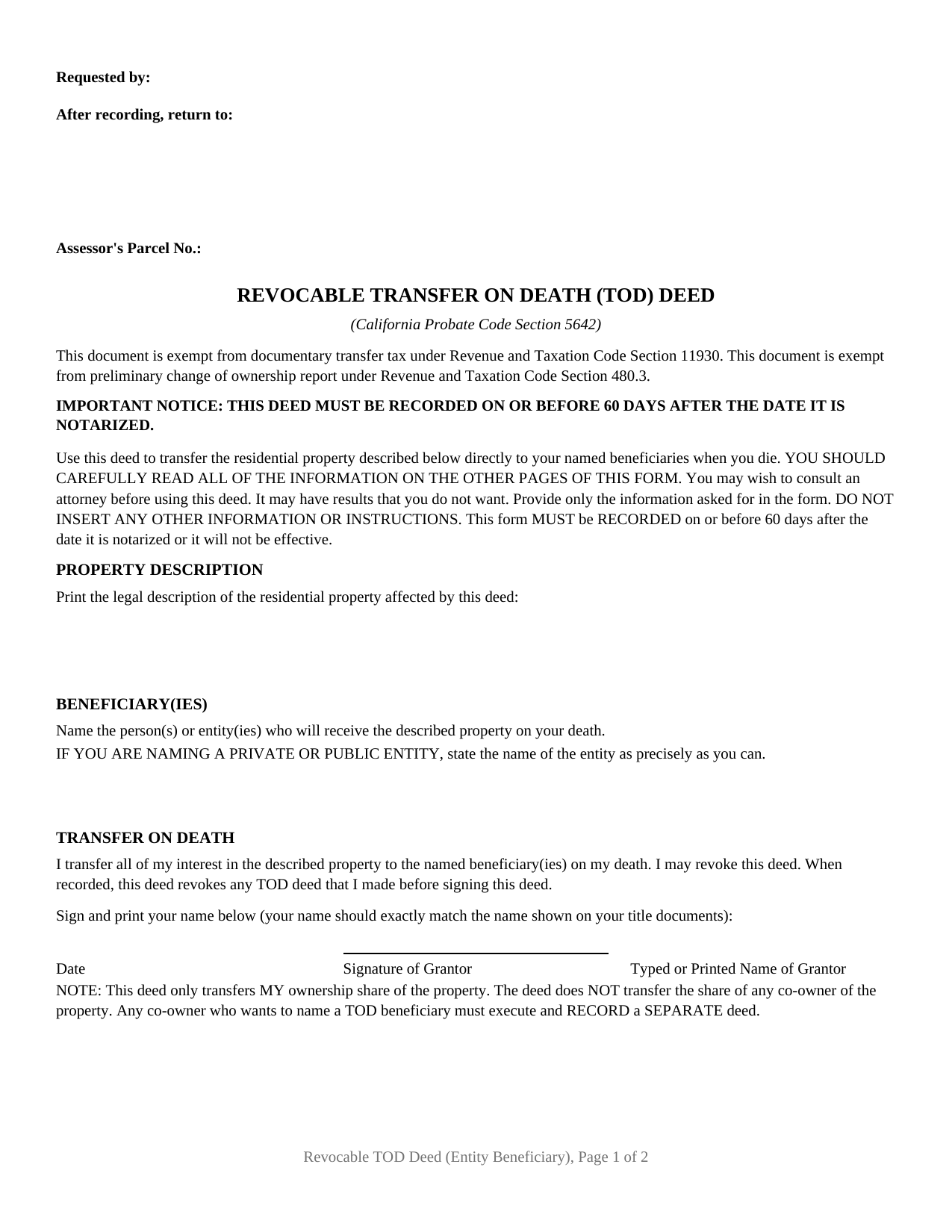
Sutter County Revocable Transfer on Death Deed (Entity Beneficiary) Form
Fill in the blank Revocable Transfer on Death Deed (Entity Beneficiary) form formatted to comply with all California recording and content requirements.
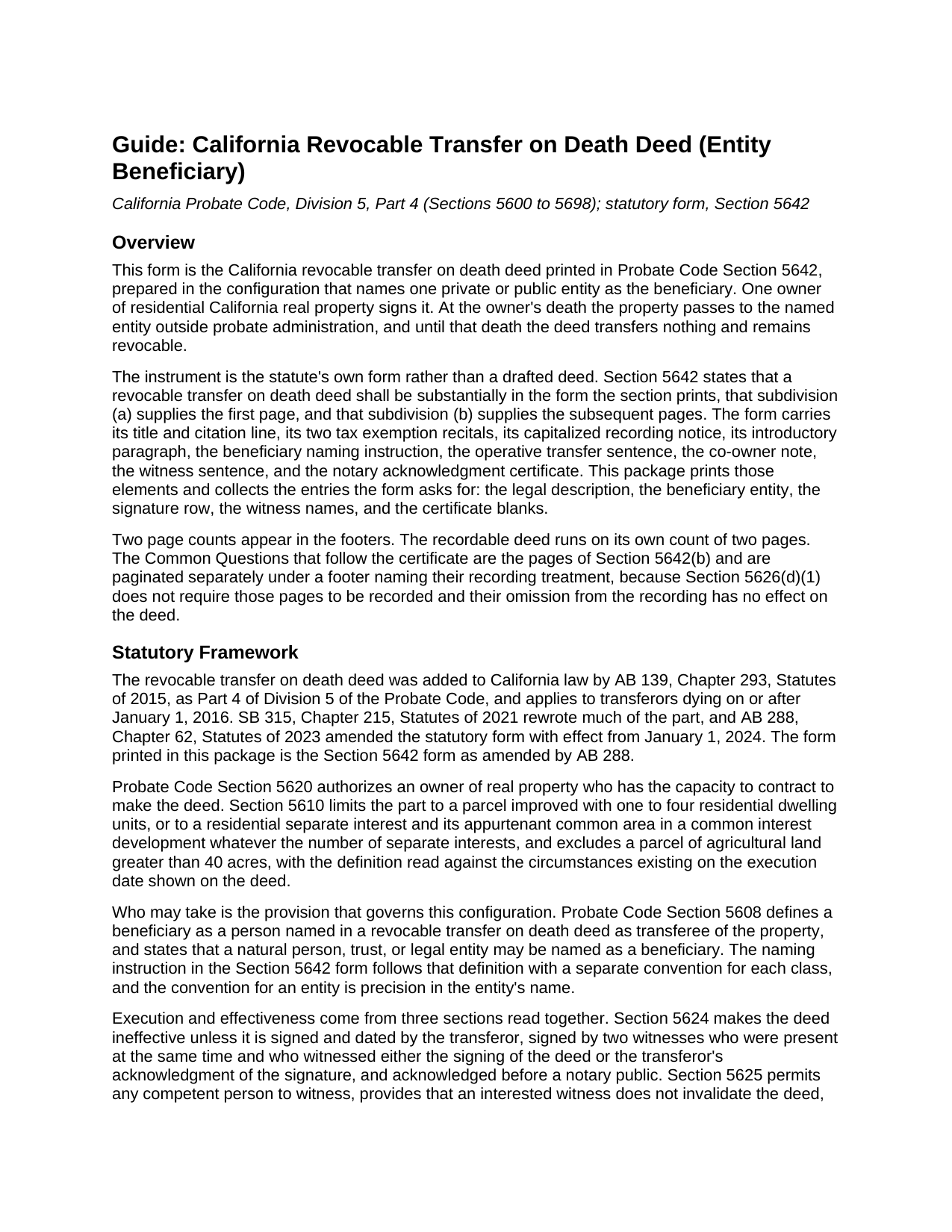
Sutter County Revocable Transfer on Death Deed (Entity Beneficiary) Guide
Line by line guide explaining every blank on the Revocable Transfer on Death Deed (Entity Beneficiary) form.
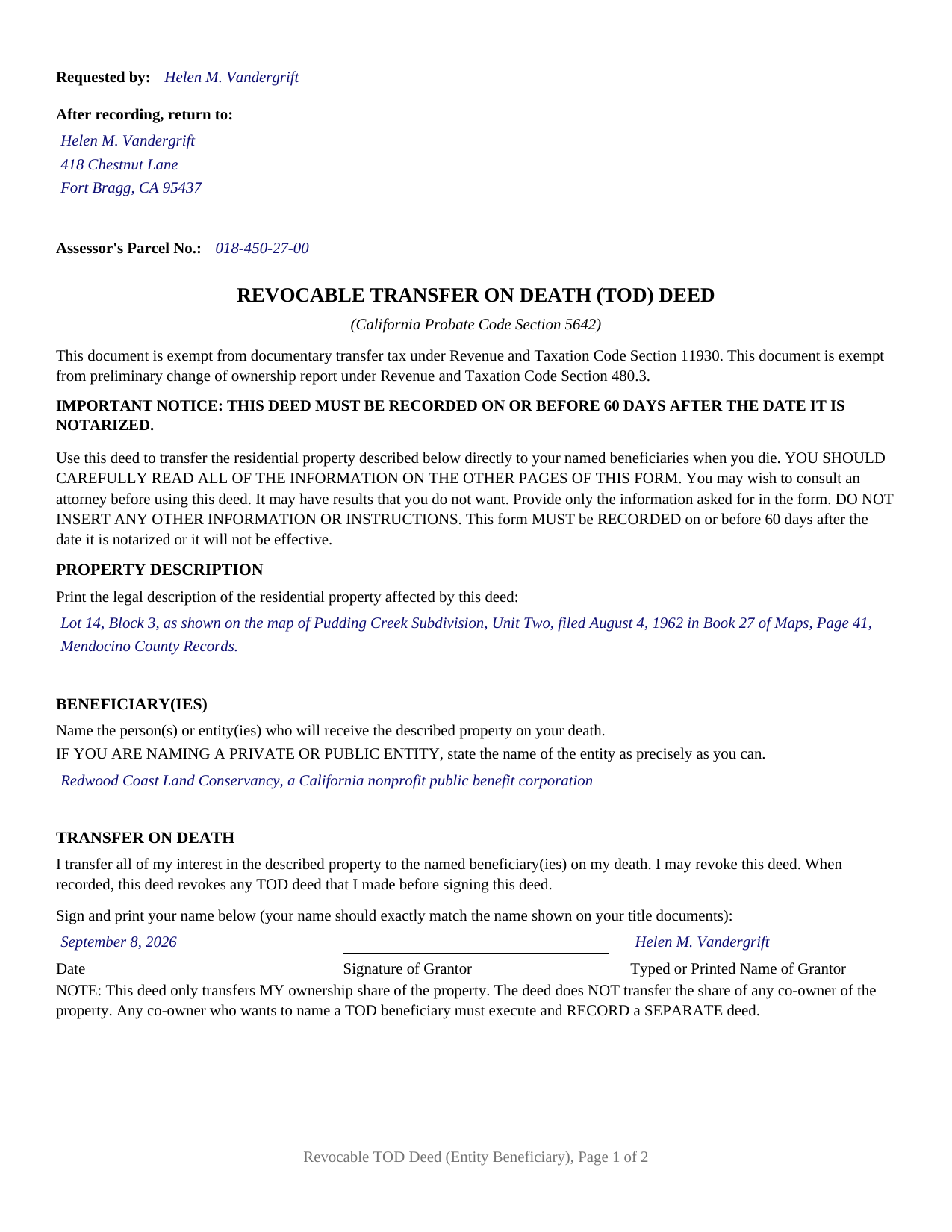
Sutter County Completed Example of the Revocable Transfer on Death Deed (Entity Beneficiary) Document
Example of a properly completed California Revocable Transfer on Death Deed (Entity Beneficiary) document for reference.
All 3 documents above included • One-time purchase • No recurring fees
Immediate Download • Secure Checkout
Additional California and Sutter County documents included at no extra charge:
Where to Record Your Documents
Sutter County Clerk - Recorder
Yuba City, California 95991
Hours: 8:00 a.m. to 5:00 p.m.
Phone: (530) 822-7134
Recording Tips for Sutter County:
- Bring your driver's license or state-issued photo ID
- Ensure all signatures are in blue or black ink
- Make copies of your documents before recording - keep originals safe
- Recorded documents become public record - avoid including SSNs
- Recording fees may differ from what's posted online - verify current rates
Cities and Jurisdictions in Sutter County
Properties in any of these areas use Sutter County forms:
- Live Oak
- Meridian
- Nicolaus
- Pleasant Grove
- Rio Oso
- Robbins
- Sutter
- Yuba City
Hours, fees, requirements, and more for Sutter County
How do I get my forms?
Forms are available for immediate download after payment. The Sutter County forms will be in your account ready to download to your computer. An account is created for you during checkout if you don't have one. Forms are NOT emailed.
Are these forms guaranteed to be recordable in Sutter County?
Yes. Our form blanks are guaranteed to meet or exceed the applicable formatting requirements used for recording in Sutter County, including margin requirements, font requirements, and other layout standards. This guarantee applies to formatting, not to the legal sufficiency of information entered by the user or the suitability of a form for a particular transaction.
Can I reuse these forms?
Yes. You can reuse the forms for your personal use. For example, if you have multiple properties in Sutter County you only need to order once.
What do I need to use these forms?
The forms are PDFs that you fill out on your computer. The free Adobe Acrobat Reader is recommended, and most PDF apps also work. You do NOT enter your property information online - you download the blank forms and complete them privately on your own computer.
Are there any recurring fees?
No. This is a one-time purchase. Nothing to cancel, no memberships, no recurring fees.
How much does it cost to record in Sutter County?
Recording fees in Sutter County vary. Contact the recorder's office at (530) 822-7134 for current fees.
Questions answered? Let's get started!
A land conservancy, a parish, a college foundation: any can be the taker under a California transfer on death deed, and the deed identifies the one it names by a single thing, its own name. This package prepares the Probate Code Section 5642 statutory form in that configuration: one owner signing, one private or public entity in the beneficiary entry. Californians look for the instrument as a TOD deed or a beneficiary deed.
Precision in the name is the whole designation
Probate Code Section 5608 settles who may take: a natural person, trust, or legal entity may be named as a beneficiary. For an entity the form asks one thing: that the entity be named as precisely as the person completing the deed can name it. The entry takes the legal name in the organizing documents or the Secretary of State's records, corporate suffix and all, not a program name or a fundraising alias. The form's opening instruction bars other information: no address line, no officer line, no conditions to write in. Where a name still proves imprecise, Section 5659 leaves an ambiguity in designating a beneficiary open to judicial construction where a court can determine the transferor's intention.
An institution can outlive an owner, or not
Section 5652(a)(2) conditions a beneficiary's interest on surviving the transferor, and institutions fail it in their own ways, by dissolving or merging into something larger. The form prints no alternate taker and forbids adding one, so the remedy sits in the chapter. Section 5658 permits the court administering the transferor's estate, on a petition or on its own motion, to apply the doctrine of cy pres to reform a deed made for a charitable purpose, in either of two circumstances the section lists, one of them a beneficiary that is a legal entity dissolved or merged into another entity before the death. A noncharitable entity designation has no comparable statutory repair.
One owner, one row, one certificate
A single transferor executes this instrument. Section 5642(a) prints the signing area as one captioned row, date beside signature beside printed name, and the note under it holds the deed to the signer's ownership share, sending a co-owner who wants a beneficiary to a separate deed. The form is built to that shape: one row, two witness columns, one acknowledgment certificate, no second owner block. An owner leaving a house to a neighborhood nonprofit, and an owner naming a public agency or a religious corporation, present the single-entity designation this deed recites. A natural person or trust taker follows another of the statute's conventions.
Witnesses, a notary, and sixty days
Section 5624 puts two witnesses in the room at once, each signing after watching the transferor sign or hearing the transferor own that signature; nothing they sign is notarized. From the date of the transferor's acknowledgment Section 5626 counts sixty days, and recording inside that window is a condition of the deed operating at all. Section 5656 keeps the filing clear of documentary transfer tax and of a preliminary change of ownership report; the two recitals near the top of the form say so.
What the entity would receive
Whatever the owner holds at death, as title then stands. Section 5652 passes the property with no covenant or warranty and subject to each limitation of record at that death, so a deed of trust or an easement rides along. Section 5664 can wipe the designation out: title held at death in joint tenancy or as community property with right of survivorship voids the deed, and survivorship carries the interest. Section 5672 then makes a beneficiary personally liable for the transferor's unsecured debts, capped by Section 5674(b) at the death value net of liens and removed by Section 5674(a) where administration of the transferor's estate is commenced and the beneficiary complies with Section 5677 or Section 5678.
Recording goes to the recorder of the county holding the parcel, on a first page laid out to Government Code Section 27361.6, the title placed for indexing under Section 27324; fees vary by county. After the death the taker records evidence of death, notifies the heirs, and files a change in ownership statement, each handled separately, none of it in this package.
The package holds the blank fillable deed, a completed example built on a Mendocino County fact pattern naming one nonprofit public benefit corporation, and the guide covering the form part by part. Both describe the form and the governing California statutes in general terms; neither is legal advice.
Important: Your property must be located in Sutter County to use these forms. Documents should be recorded at the county recording office listed above.
This Revocable Transfer on Death Deed (Entity Beneficiary) meets all recording requirements specific to Sutter County.
Our Promise
The documents you receive here are guaranteed to meet or exceed the applicable Sutter County recording format requirements. If there is a rejection caused by our formatting, we will correct the issue or refund your payment. This guarantee applies to document formatting only and does not extend to information entered by the user, the selection of the form, or the legal effect of the completed document.
Save Time and Money
Get your Sutter County Revocable Transfer on Death Deed (Entity Beneficiary) form done right the first time with Deeds.com Uniform Conveyancing Blanks. At Deeds.com, we understand that your time and money are valuable resources, and we don't want you to face a penalty fee or rejection imposed by a county recorder for submitting nonstandard documents. We constantly review and update our forms to meet rapidly changing state and county recording requirements for roughly 3,500 counties and local jurisdictions.
4.8 out of 5 - ( 4,837 Reviews )
John K. 5 out of 5 stars
The sample completed form was a big help. While not exactly on point with my situation, it was enough to help me complete it on my own
We appreciate your business and value your feedback. Thank you. Have a wonderful day!
Chris D. 5 out of 5 stars
Easy and affordable. I would recommend deeds.com
Thank you!
Brett B. 5 out of 5 stars
easy to use
Thank you!
Rebecca V. 5 out of 5 stars
The staff is Great to work with, Thank You
Thank you!
Roberta M. 5 out of 5 stars
I found a lot of useful information regarding the Lady Bird Deed and feel it will serve my needs as opposed to a Revocable Living Trust. The information was easy to understand and very helpful. The forms seem easy to complete and I plan to get them notarized and filed at the courthouse very soon.
Thank you for your feedback. We really appreciate it. Have a great day!
Michael W. 5 out of 5 stars
Appreciate the help with DC's non-intuitive forms. Superb service.
Thank you!
Susan M. 5 out of 5 stars
Loved my experience with deeds.com! Easy and simple to fill in the form, plus the extra instructions were helpful! I will use them again!
Thank you for your feedback. We really appreciate it. Have a great day!
Robert O. 5 out of 5 stars
A very easy site to use and got the documents that I needed without any problems. Would highly recommend this site.
Thank you Robert, Have a great day!
Joanne W. 5 out of 5 stars
I was very pleased to find this service, as (another website) charges about $40 for the same service, so yours was a bargain.
Thank you!
Sally F. 5 out of 5 stars
Amazing forms, thanks so much for making these available.
Thank you!
Michael F. 5 out of 5 stars
Very helpful and easy to use.
We deeply appreciate the trust you have placed in our services. Thank you for your valuable feedback and for choosing us.
Debra C. 5 out of 5 stars
Excellent service. Love the site.
Thank you for your feedback. We really appreciate it. Have a great day!
Mildred S. 5 out of 5 stars
This was an excellent service to amend a deed. It was a little frustrating at first, but well worth it, as they review your documents before submission to your "Recorder of Deeds" to make sure they are not rejected. Would definitely use them again.
We appreciate your business and value your feedback. Thank you. Have a wonderful day!
John W. 5 out of 5 stars
The forms were easy to acquire and easy to use
Thank you for your feedback. We really appreciate it. Have a great day!
Jodi W. 1 out of 5 stars
Absolutely horrible service and experience. Would not recommend to anyone. If there was an option to select a zero star rating I would have. I am sure this review will not be posted.
Thank you for your feedback Jodi.