Modoc County Transfer on Death Deed Form
Last validated September 4, 2026 by our Forms Development TeamFormatted for recording in Modoc County, for property anywhere in the county: rural and unincorporated areas as well as Adin, Alturas, Canby, Cedarville, Davis Creek, Eagleville, Fort Bidwell, Lake City and 2 more.
- 4 documents included
- Immediate PDF download
- Formatting guarantee
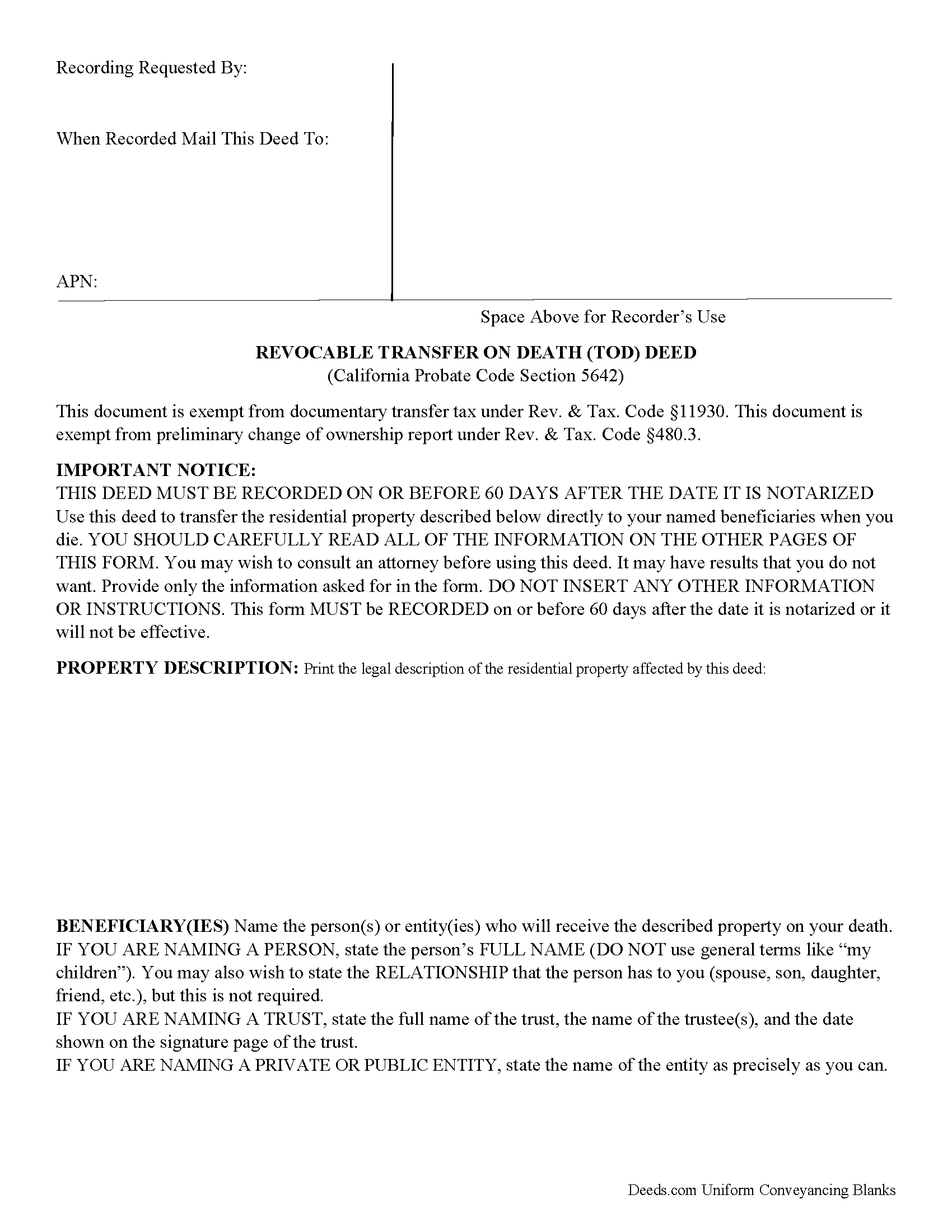
Modoc County Transfer on Death Deed Form
Fill in the blank form formatted to comply with all recording and content requirements.
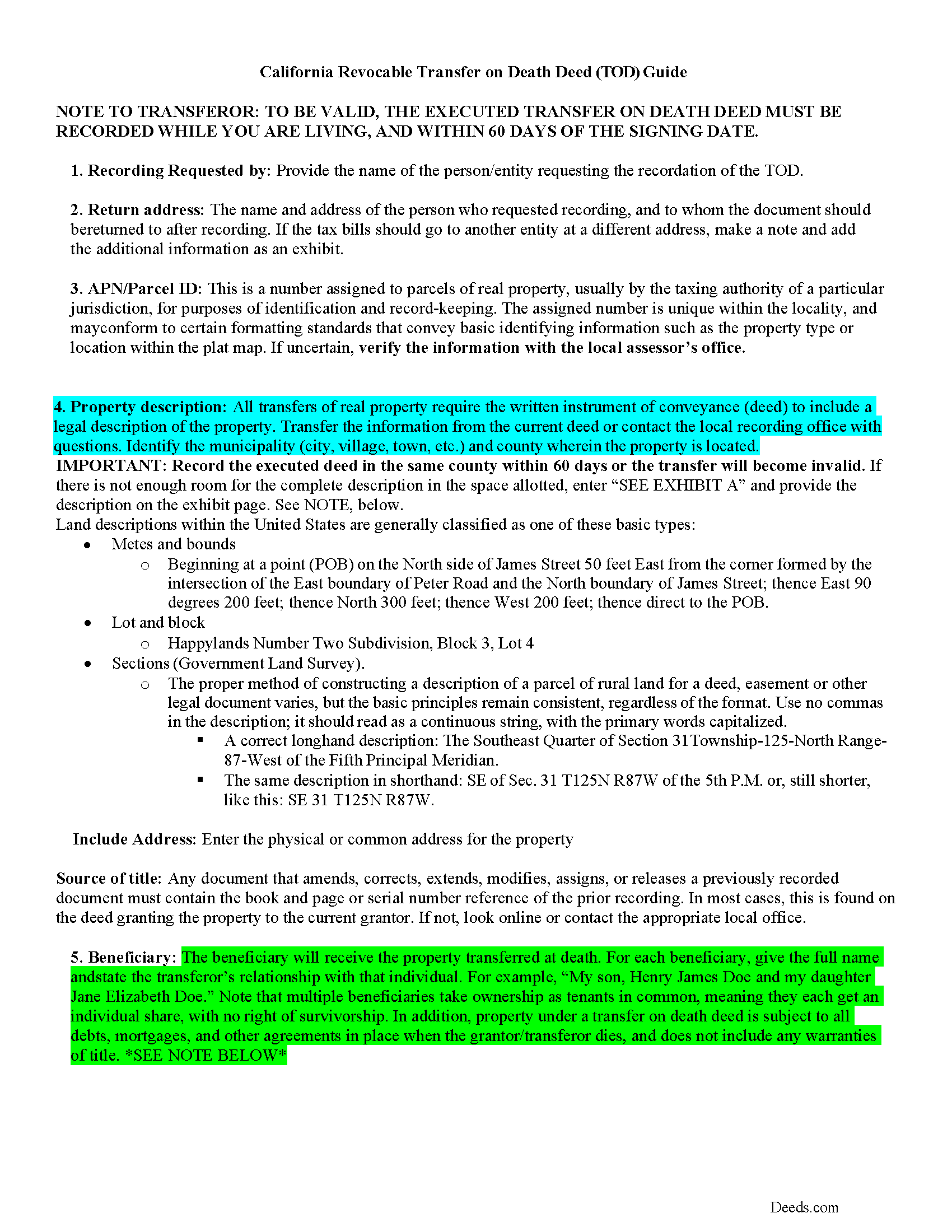
Modoc County Transfer on Death Deed Guide
Line by line guide explaining every blank on the form.
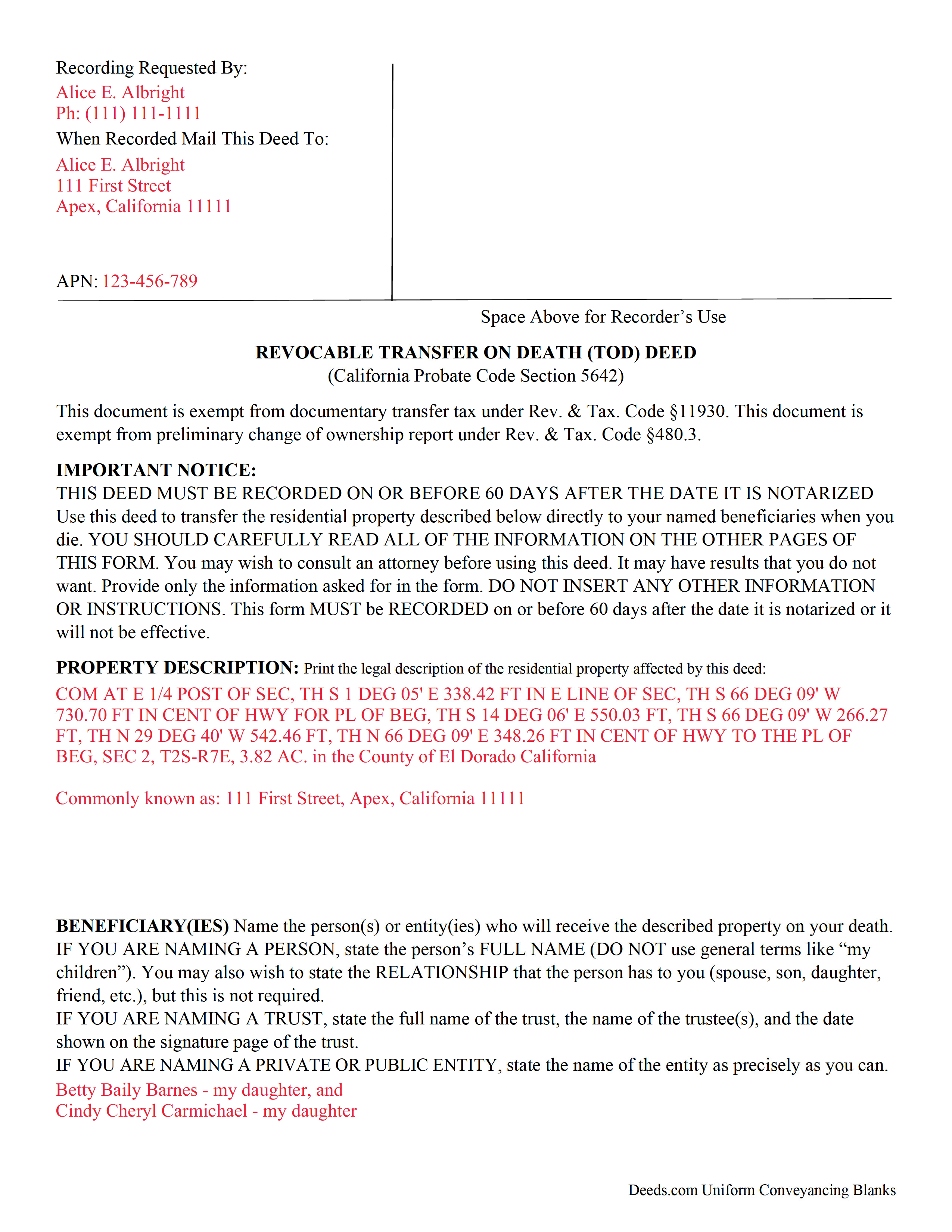
Modoc County Completed Example of the Transfer on Death Deed Document
Example of a properly completed form for reference.
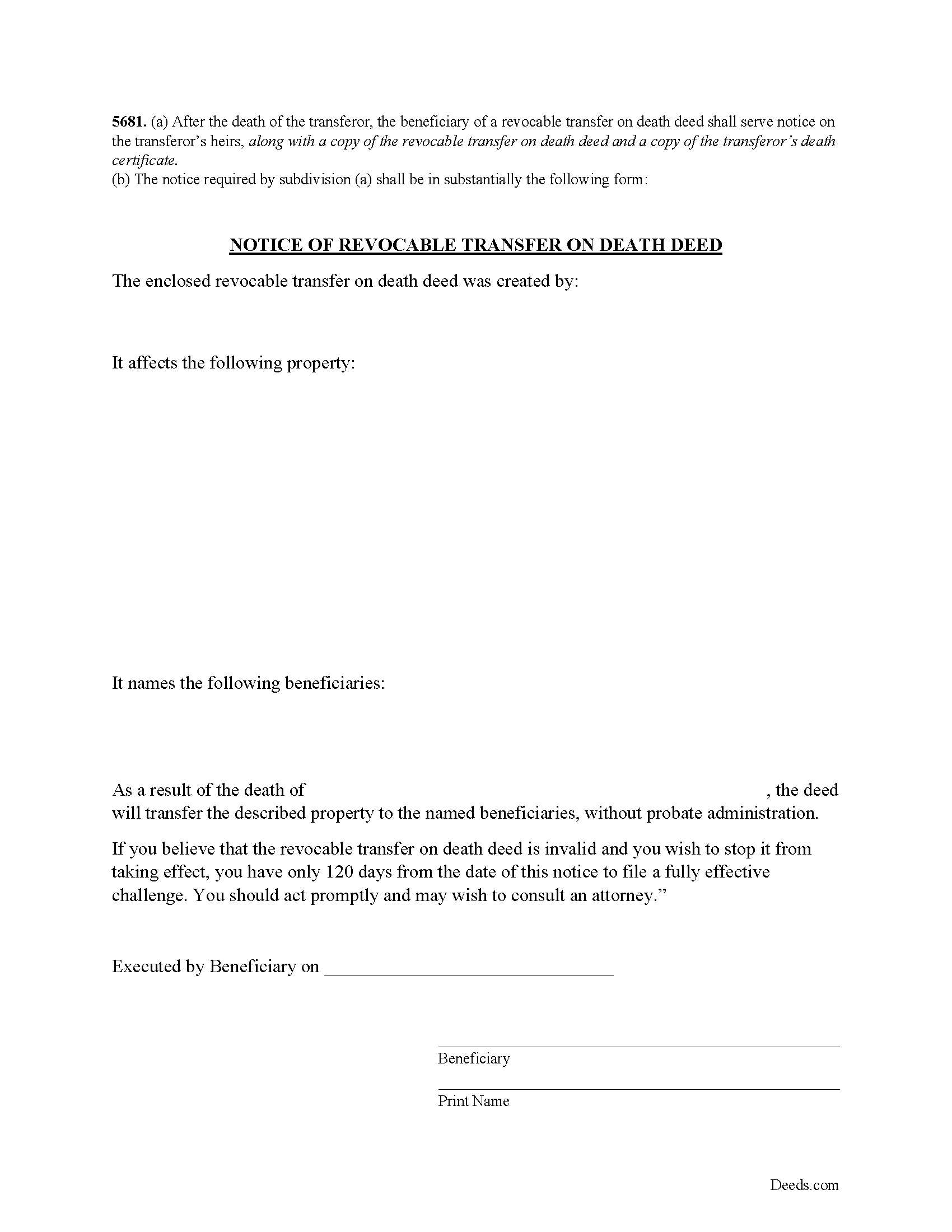
Modoc County Notice of Revocable Transfer on Death Deed
Provide this form to your beneficiary(s).
All 4 documents above included • One-time purchase • No recurring fees
Immediate Download • Secure Checkout
Additional California and Modoc County documents included at no extra charge:
Where to Record Your Documents
Modoc County Recorder
Alturas, California 96101
Hours: Mon - Fri 8:30 - 12:00, 1:00 - 5:00
Phone: (530) 233-6217
Recording Tips for Modoc County:
- Bring your driver's license or state-issued photo ID
- Ensure all signatures are in blue or black ink
- Request a receipt showing your recording numbers
- Ask about accepted payment methods when you call ahead
- Ask for certified copies if you need them for other transactions
Cities and Jurisdictions in Modoc County
Properties in any of these areas use Modoc County forms:
- Adin
- Alturas
- Canby
- Cedarville
- Davis Creek
- Eagleville
- Fort Bidwell
- Lake City
- Likely
- Lookout
Hours, fees, requirements, and more for Modoc County
How do I get my forms?
Forms are available for immediate download after payment. The Modoc County forms will be in your account ready to download to your computer. An account is created for you during checkout if you don't have one. Forms are NOT emailed.
Are these forms guaranteed to be recordable in Modoc County?
Yes. Our form blanks are guaranteed to meet or exceed the applicable formatting requirements used for recording in Modoc County, including margin requirements, font requirements, and other layout standards. This guarantee applies to formatting, not to the legal sufficiency of information entered by the user or the suitability of a form for a particular transaction.
Can I reuse these forms?
Yes. You can reuse the forms for your personal use. For example, if you have multiple properties in Modoc County you only need to order once.
What do I need to use these forms?
The forms are PDFs that you fill out on your computer. The free Adobe Acrobat Reader is recommended, and most PDF apps also work. You do NOT enter your property information online - you download the blank forms and complete them privately on your own computer.
Are there any recurring fees?
No. This is a one-time purchase. Nothing to cancel, no memberships, no recurring fees.
How much does it cost to record in Modoc County?
Recording fees in Modoc County vary. Contact the recorder's office at (530) 233-6217 for current fees.
Questions answered? Let's get started!
Use this form to transfer real estate at death, but outside of a will and without the need for probate distribution. Execute the TODD form, then record it during the course of your life, and within 60 days of the signing date (5626(a)). Note that unlike grant deeds or quitclaim deeds, there is no change in ownership when transfer on death deeds are recorded (5650), so they are exempt from transfer taxes and the Preliminary Change of Ownership Report (PCOR).
Section 5650 explains that while you are alive, you retain absolute ownership of and control over your property. You may sell, mortgage, rent, or otherwise use the real estate in any lawful manner, without input from or notice to the beneficiaries, or even modify or revoke the future transfer.
Be aware, too, that the TODD is NOT affected by provisions in your will (5642(b)). Best practices dictate that any change to an estate plan initiates a review of the whole thing, so to reduce the chance for conflict, ensure that the transfer on death deed reinforces the will and other related documents.
Beneficiaries take title to the property under the rules set out at section 5652. Any associated debts, obligations, or agreements in place when you die follow the real estate to the beneficiaries. In addition, the title transfers without warranty, so the beneficiaries might find themselves liable for future claims against the property. For these reasons, among others, some beneficiaries might wish to disclaim the gift (5652(a)(1)).
As it stands, California's transfer on death deed is not valid for real estate held in joint tenancy or as community property with right of survivorship (5664).
5624. A revocable transfer on death deed is not effective unless all of the following conditions are satisfied:
(a) The deed is signed by the transferor and dated.
(b) The deed is signed by two witnesses who were present at the same time and who witnessed either the signing of the deed or the transferor's acknowledgment that the transferor had signed the deed.
(c) The deed is acknowledged before a notary public.
SEC. 10. Section 5625 is added to the Probate Code, to read:
5625. (a) Any person generally competent to be a witness may act as a witness to a revocable transfer on death deed.
(b) A revocable transfer on death deed is not invalid because it is signed by an interested witness.
(c) If a beneficiary of a revocable transfer on death deed is also a subscribing witness, there is a presumption that the witness procured the revocable transfer on death deed by duress, menace, fraud, or undue influence. This presumption is a presumption affecting the burden of proof. This presumption does not apply where the witness is named as beneficiary solely in a fiduciary capacity.
Overall, the Simple Revocable Transfer on Death Deed offers a convenient, flexible option to consider as part of an overall estate plan. Even so, they may not be appropriate in all cases. Contact an attorney for complex situations or with any questions.
Included NOTICE OF REVOCABLE TRANSFER ON DEATH DEED Form
5681. (a) After the death of the transferor, the beneficiary of a revocable transfer on death deed shall serve notice on the transferor's heirs, along with a copy of the revocable transfer on death deed and a copy of the transferor's death certificate. (b) The notice required by subdivision (a) shall be in substantially the following form:
(California Transfer on Death Deed Package includes form, guidelines, and completed example)
Important: Your property must be located in Modoc County to use these forms. Documents should be recorded at the county recording office listed above.
This Transfer on Death Deed meets all recording requirements specific to Modoc County.
Our Promise
The documents you receive here are guaranteed to meet or exceed the applicable Modoc County recording format requirements. If there is a rejection caused by our formatting, we will correct the issue or refund your payment. This guarantee applies to document formatting only and does not extend to information entered by the user, the selection of the form, or the legal effect of the completed document.
Save Time and Money
Get your Modoc County Transfer on Death Deed form done right the first time with Deeds.com Uniform Conveyancing Blanks. At Deeds.com, we understand that your time and money are valuable resources, and we don't want you to face a penalty fee or rejection imposed by a county recorder for submitting nonstandard documents. We constantly review and update our forms to meet rapidly changing state and county recording requirements for roughly 3,500 counties and local jurisdictions.
4.8 out of 5 - ( 4,793 Reviews )
Chris M. 5 out of 5 stars
always helpful always informative always awesome
Your feedback is greatly appreciated. Thank you for taking the time to share your experience!
Traci M. 4 out of 5 stars
Deeds.com made it easy to obtain and download the deed form I needed - I will keep this account active!
Thanks, Traci. We’re glad the process was easy and that the forms worked well for you. We appreciate you staying with us.
Diane C. 5 out of 5 stars
Website is very user friendly and provided a variety of forms to download for use
Thank you!
Carol T. 2 out of 5 stars
It was very difficult to maneuver through your website the wording on certain things are very difficult to figure out. I can't seem to get through to one place that I want versus what I don't want. I think it needs to be a little more explanatory and I am a college graduate so it's not like I'm stupid or anything. Thank you
Thank you for your feedback. Very sorry to hear that we failed you with our navigation. We will certainly address it to see how we can approve. Have a wonderful day.
cosmin B. 5 out of 5 stars
It's all good!!!!
Thank you!
Luwana C. 5 out of 5 stars
I think the Website takes out a lot of leg work, Makes it easier to take care of paperwork 10 times faster.
We appreciate your business and value your feedback. Thank you. Have a wonderful day!
Masud K. 5 out of 5 stars
Deeds.com did an excellent job in providing me the Real Estate documents I needed. You delivered the documents fast and they were accurate. I greatly appreciate your help. Thanks for everything
We appreciate your business and value your feedback. Thank you. Have a wonderful day!
Annie R. 5 out of 5 stars
Excellent service. Documents easy to understand and use.
We appreciate your business and value your feedback. Thank you. Have a wonderful day!
Lucille F. 5 out of 5 stars
Instructions very detailed and clear.
We appreciate your business and value your feedback. Thank you. Have a wonderful day!
SUSAN R. 5 out of 5 stars
So easy to download and print. Also the examples are very helpful.
Thank you for your feedback. We really appreciate it. Have a great day!
Paul A. 4 out of 5 stars
Promissory note guidelines instruction No. 1 has misspelled Principle [sic]. Promissory note blank form number 1(c) the formatting of the P&I payment is not correct.
Thank you for pointing this out, Paul. We appreciate the careful feedback and will review the instruction typo and the formatting issue in section 1(c) so they can be corrected where needed.
Thomas D. 2 out of 5 stars
The documents themselves are fine and the information provided with them is helpful. I find the actual processing of the documents, however, to be difficult particularly once the document has been saved. First, I note that the box for the date only allows entry of the last 2 digits of the year. Unfortunately, my download only allows me to enter one of the 2 digits required. When I delete it repeatedly, it eventually allows both digits to be entered but puts them in extremely small text and in superscrypt. I have not found a solution to this problem and am not sure the deed can even be recorded with this problem. Another problem is that if you try to revise the document after you have saved it the curser goes to the end of the line after each key entry. This means that there basically is no way to efficiently save the document for reworking later since you will have to delete everything you have entered in the text box unless you only need to make a single keystroke change or are willing to replace the curser after each entry. Try that with a long property description! Please note that I am using a Mac to prepare my documents and perhaps this is part of an "incompatibility problem". However, I didn't see a disclaimer regarding Mac use and so would expect the documents to perform correctly. Overall, I give the program a "2 star" rating because I am experiencing significant difficulties in entering dates in the documents even before saving them and because saving your work for later revision appears to be basically unworkable.
Thank you for your feedback Thomas, we appreciate you being specific about the issues you encountered. Adobe and Mac have a fairly long history of issues working together.
John L. 5 out of 5 stars
WOW, This site saved me from going to a lawyer. Not only do they give you great directions, they also include a sample that is extremely helpful.
We appreciate your business and value your feedback. Thank you. Have a wonderful day!
Marie A. 5 out of 5 stars
Easy to download, helpful information and forms quick when you need them. Thank you Deeds.com.
Thank you Marie!
Ronald M. 5 out of 5 stars
Easy to use but can't seem to find LOGOUT control????
Thank you for the feedback Ronald. (The Sign Out control is on the top right of the account page)