San Mateo County Waiver of Right to Disclaim Form
Last validated October 21, 2026 by our Forms Development TeamFormatted for recording in San Mateo County, for property anywhere in the county: rural and unincorporated areas as well as Atherton, Belmont, Brisbane, Burlingame, Daly City, El Granada, Half Moon Bay, La Honda and 15 more.
- 3 documents included
- Immediate PDF download
- Formatting guarantee
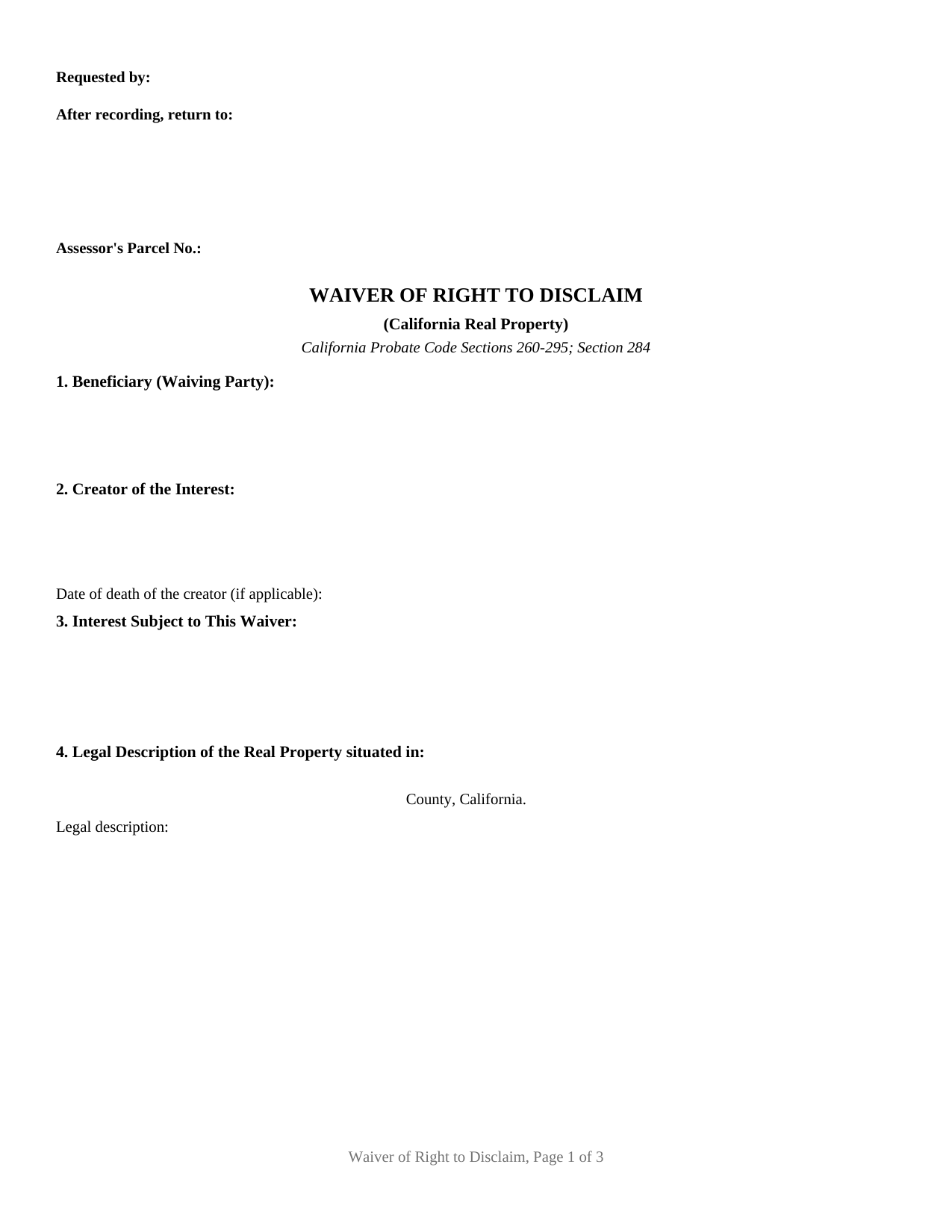
San Mateo County Waiver of Right to Disclaim Form
Fill in the blank Waiver of Right to Disclaim form formatted to comply with all California recording and content requirements.
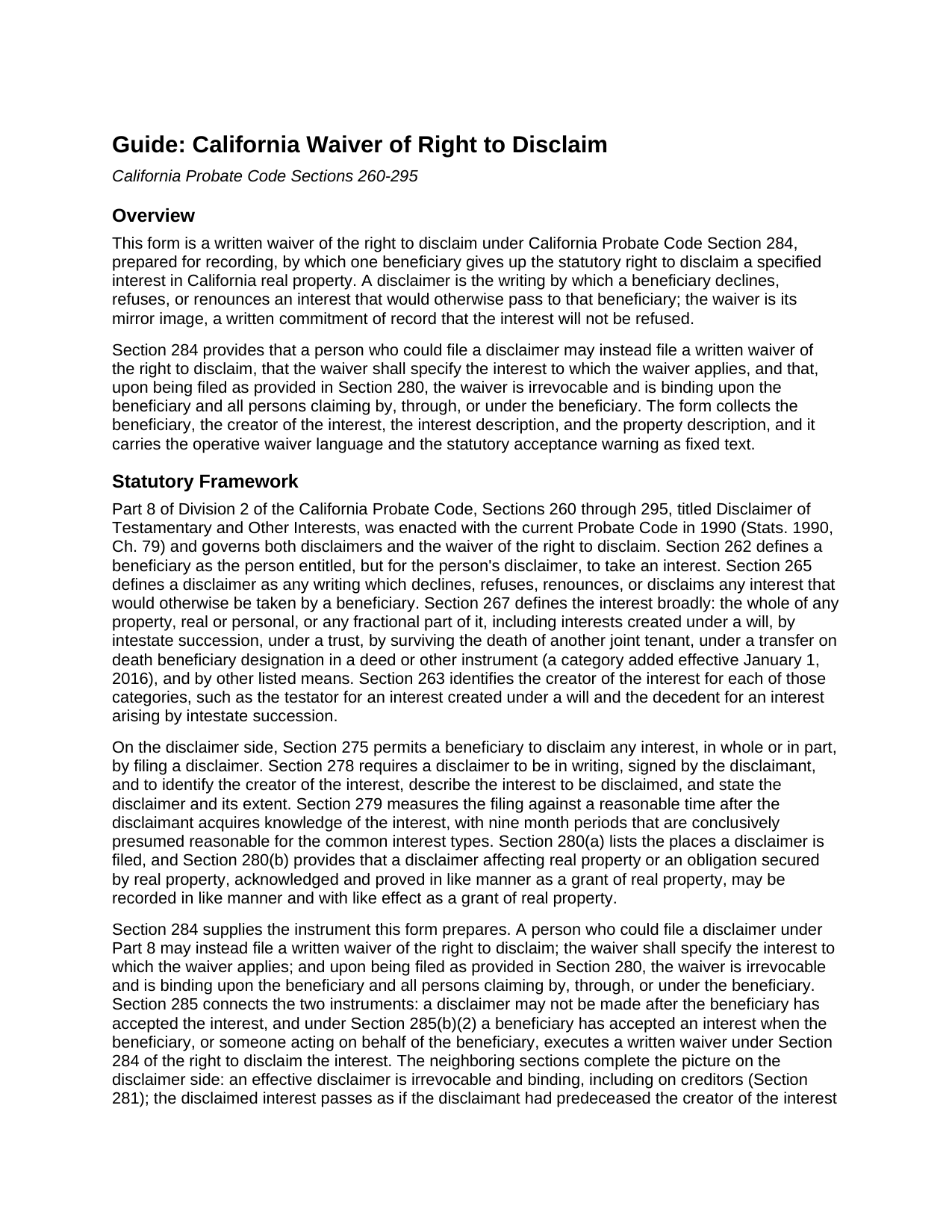
San Mateo County Waiver of Right to Disclaim Guide
Line by line guide explaining every blank on the Waiver of Right to Disclaim form.
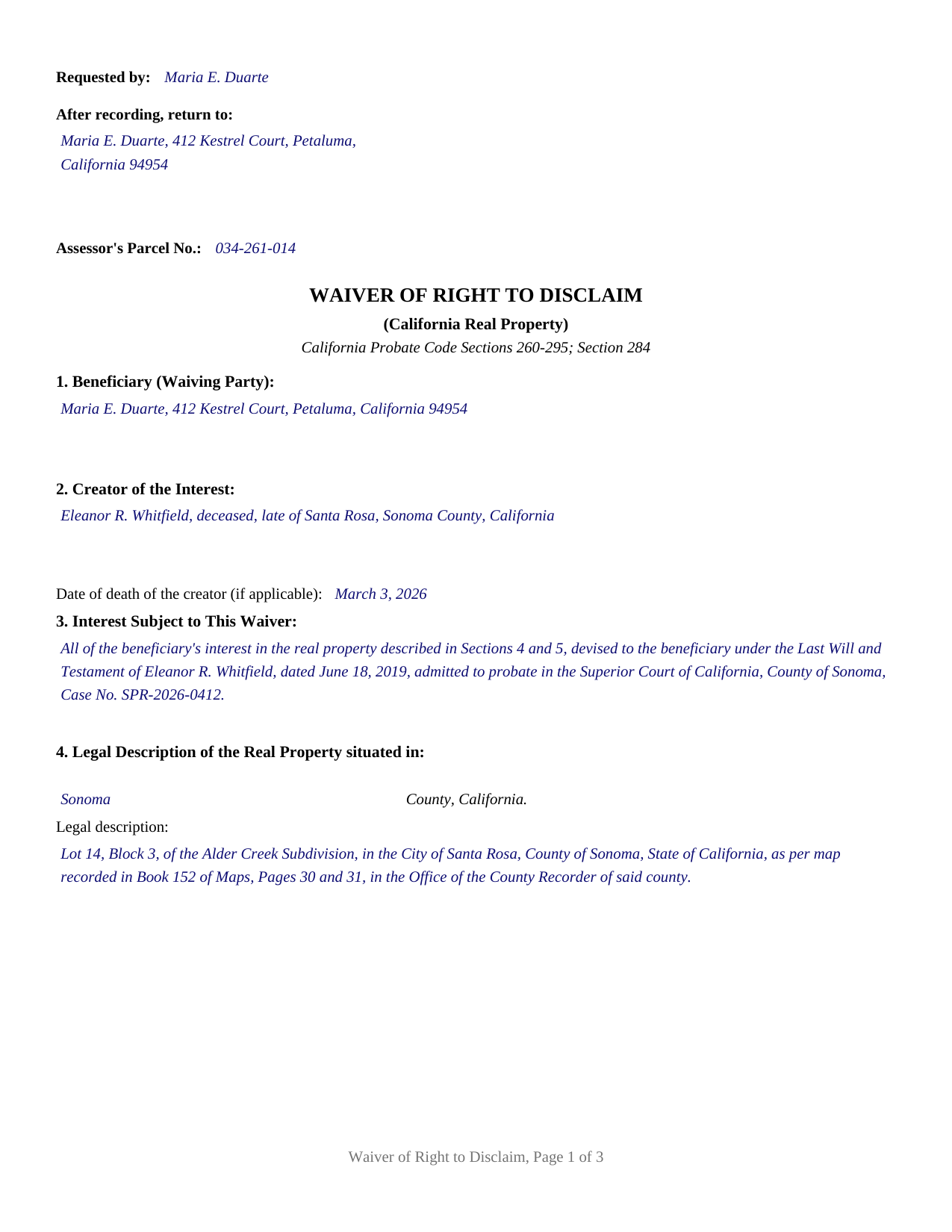
San Mateo County Completed Example of the Waiver of Right to Disclaim Document
Example of a properly completed California Waiver of Right to Disclaim document for reference.
All 3 documents above included • One-time purchase • No recurring fees
Immediate Download • Secure Checkout
Additional California and San Mateo County documents included at no extra charge:
Where to Record Your Documents
San Mateo County Recorder
Redwood City, California 94063-1665
Hours: Monday through Friday 8:00am to 5:00pm
Phone: (650) 363-4500
Recording Tips for San Mateo County:
- Bring your driver's license or state-issued photo ID
- Ensure all signatures are in blue or black ink
- Both spouses typically need to sign if property is jointly owned
- Bring extra funds - fees can vary by document type and page count
- Check margin requirements - usually 1-2 inches at top
Cities and Jurisdictions in San Mateo County
Properties in any of these areas use San Mateo County forms:
- Atherton
- Belmont
- Brisbane
- Burlingame
- Daly City
- El Granada
- Half Moon Bay
- La Honda
- Loma Mar
- Menlo Park
- Millbrae
- Montara
- Moss Beach
- Pacifica
- Pescadero
- Portola Valley
- Redwood City
- San Bruno
- San Carlos
- San Francisco
- San Gregorio
- San Mateo
- South San Francisco
Hours, fees, requirements, and more for San Mateo County
How do I get my forms?
Forms are available for immediate download after payment. The San Mateo County forms will be in your account ready to download to your computer. An account is created for you during checkout if you don't have one. Forms are NOT emailed.
Are these forms guaranteed to be recordable in San Mateo County?
Yes. Our form blanks are guaranteed to meet or exceed the applicable formatting requirements used for recording in San Mateo County, including margin requirements, font requirements, and other layout standards. This guarantee applies to formatting, not to the legal sufficiency of information entered by the user or the suitability of a form for a particular transaction.
Can I reuse these forms?
Yes. You can reuse the forms for your personal use. For example, if you have multiple properties in San Mateo County you only need to order once.
What do I need to use these forms?
The forms are PDFs that you fill out on your computer. The free Adobe Acrobat Reader is recommended, and most PDF apps also work. You do NOT enter your property information online - you download the blank forms and complete them privately on your own computer.
Are there any recurring fees?
No. This is a one-time purchase. Nothing to cancel, no memberships, no recurring fees.
How much does it cost to record in San Mateo County?
Recording fees in San Mateo County vary. Contact the recorder's office at (650) 363-4500 for current fees.
Questions answered? Let's get started!
A California waiver of the right to disclaim is the recorded counterpart to a disclaimer of interest: instead of refusing an inheritance, the beneficiary places on record that the inheritance will be kept. Probate Code Section 284 authorizes a person who could file a disclaimer to file, instead, a written waiver of the right to disclaim, and this fillable form prepares that waiver for one beneficiary and a specified interest in California real property.
The mirror image of a disclaimer
Part 8 of Division 2 of the Probate Code, Sections 260 through 295, gives a beneficiary two opposite instruments. A disclaimer declines, refuses, or renounces an interest that would otherwise pass to the beneficiary, so the property moves on as if the beneficiary had predeceased the person who created the interest. The Section 284 waiver runs the other way: it names an interest and gives up the statutory right to refuse it. The chapter reaches interests created under a will, by intestate succession, under a trust, by surviving a joint tenant, and under a transfer on death deed designation, among the categories listed in Section 267, and the waiver form is built for the real property setting, where the county records carry the answer.
Irrevocable once filed, binding on successors
Section 284 attaches hard consequences to a short instrument. Upon being filed as provided in Section 280, the waiver is irrevocable, and it binds the beneficiary and all persons claiming by, through, or under the beneficiary. Section 285(b)(2) adds a third: executing a written waiver under Section 284 counts as acceptance of the interest, and a disclaimer may not be made after the beneficiary has accepted the interest. The record gains certainty. Co-heirs dividing an estate, fiduciaries fixing distributive shares, and title examiners reading the chain all learn that the named interest cannot later be redirected by a disclaimer. That certainty is the instrument's work in settings such as negotiated family settlements, estate administrations closing with fixed distributees, and transactions that price an expected inheritance into the deal.
Specifying the interest
The statute's one content command is that the waiver specify the interest to which it applies, and the form is organized around that command. Its sections collect the beneficiary's name and mailing address, the creator of the interest (the testator, decedent, trustor, deceased joint tenant, or transfer on death transferor, following the definitions in Section 263), a description of the interest and how it arises, and the county, legal description, and street address of the real property, with the assessor's parcel number in the recording block. The operative section then states the waiver in the statute's own terms, states that the instrument is not a disclaimer and conveys nothing, and prints the Section 285 acceptance consequence as a capitalized warning, so the instrument reads complete on its face.
Notarization and the county records
California records acknowledged instruments, and Government Code Section 27287 makes the acknowledgment the gateway to recording. The form ends with the Civil Code Section 1189 certificate of acknowledgment, including the boxed identity notice that statute places at the top of every certificate for an acknowledgment taken in California. The first page reserves the statutory two and one half inch recording space, with the requester, return address, and parcel number lines in its left portion under Government Code Section 27361.6. The completed instrument goes to the county recorder of the county where the property is located. Section 284 also keys irrevocability to filing as provided in Section 280, which lists the superior court handling the estate, the distributing fiduciary, a custodian of the interest, and the creator of the interest as filing places, so a recorded waiver of a probate interest commonly has a counterpart filing in the estate file.
This product delivers the California waiver of right to disclaim as a fillable PDF, a completed example showing a Sonoma County fact pattern, and a guide that walks through each section, the statutes behind it, and the filing and recording steps. Nothing else is included, and the materials are informational only, not legal advice; a California attorney can address how a waiver or a disclaimer operates in a particular estate.
Important: Your property must be located in San Mateo County to use these forms. Documents should be recorded at the county recording office listed above.
This Waiver of Right to Disclaim meets all recording requirements specific to San Mateo County.
Our Promise
The documents you receive here are guaranteed to meet or exceed the applicable San Mateo County recording format requirements. If there is a rejection caused by our formatting, we will correct the issue or refund your payment. This guarantee applies to document formatting only and does not extend to information entered by the user, the selection of the form, or the legal effect of the completed document.
Save Time and Money
Get your San Mateo County Waiver of Right to Disclaim form done right the first time with Deeds.com Uniform Conveyancing Blanks. At Deeds.com, we understand that your time and money are valuable resources, and we don't want you to face a penalty fee or rejection imposed by a county recorder for submitting nonstandard documents. We constantly review and update our forms to meet rapidly changing state and county recording requirements for roughly 3,500 counties and local jurisdictions.
4.8 out of 5 - ( 4,837 Reviews )
Larry F. 4 out of 5 stars
Your site is useful but limited in scope. I could not find exactly what I was looking for and felt that paying when I wasn't sure was going to be extremely frustrating.
Thank you for your feedback. We really appreciate it. Have a great day!
Suzanne W. 5 out of 5 stars
Excellent service, knowledgeable, and quick responses. I'll be using this service again for any future filing needs. WAY better than going to the filing office in person!
Thank you so much for the kind words Suzanne, glad we could help.
Mark M. 5 out of 5 stars
So nice to find the forms I was looking for. Great site!! Thanks
Thank you for your feedback. We really appreciate it. Have a great day!
Marc P. 5 out of 5 stars
Simple and fast!
Thank you for your feedback. We really appreciate it. Have a great day!
karen w. 5 out of 5 stars
outstanding forms and information. stay safe and healthy everyone.
Thank you Karen, you do the same please.
Richard G. 3 out of 5 stars
I was not able to add more linea to the deed and add up to four people and their addresses. The document should be able to be expanded.
Thank you for your feedback. We really appreciate it. Have a great day!
Juliet M. 5 out of 5 stars
So far I am having a good experience.
It was a pleasure serving you. Thank you for the positive feedback!
Becky O. 5 out of 5 stars
Super easy and quick. Love the service-
Thank you!
Maria W. 5 out of 5 stars
Really, the best and easiest service given us to complete a process for recorder office! Thank you!!
Thank you!
constance t. 5 out of 5 stars
Excellent service!
We appreciate your business and value your feedback. Thank you. Have a wonderful day!
Robert L. 1 out of 5 stars
I did not use your service. $19 to upload a document to our local tax accessor office is a bit high. I drove the document to the office myself.
Thank you for your feedback Robert. Glad to hear that you got your document recorded. Sorry to hear that your time, fuel, and wear on your vehicle are valued at less than $19. Have a wonderful day.
James D. 5 out of 5 stars
It was very easy to set up the account but then everything is very costly. I didn't see any publications that were free to account holders, so as infrequently I have to do a title search, I may as well just hire an online service to do the legwork too.
We appreciate your business and value your feedback. Thank you. Have a wonderful day!
Ron B. 5 out of 5 stars
Solved my requirement. Happy to have found the site
Thank you for your feedback. We really appreciate it. Have a great day!
Dianna K. 5 out of 5 stars
Excellent customer service - couldnt have been any more helpful, with a smile I could hear through the phone!
Thank you!
Joan H. 5 out of 5 stars
I am happy I can record this this way.
Thank you!