Moffat County Assignment of Deed of Trust Form
Last validated October 7, 2026 by our Forms Development TeamFormatted for recording in Moffat County, for property anywhere in the county: rural and unincorporated areas as well as Craig, Dinosaur, Hamilton, Maybell, Slater.
- 3 documents included
- Immediate PDF download
- Formatting guarantee
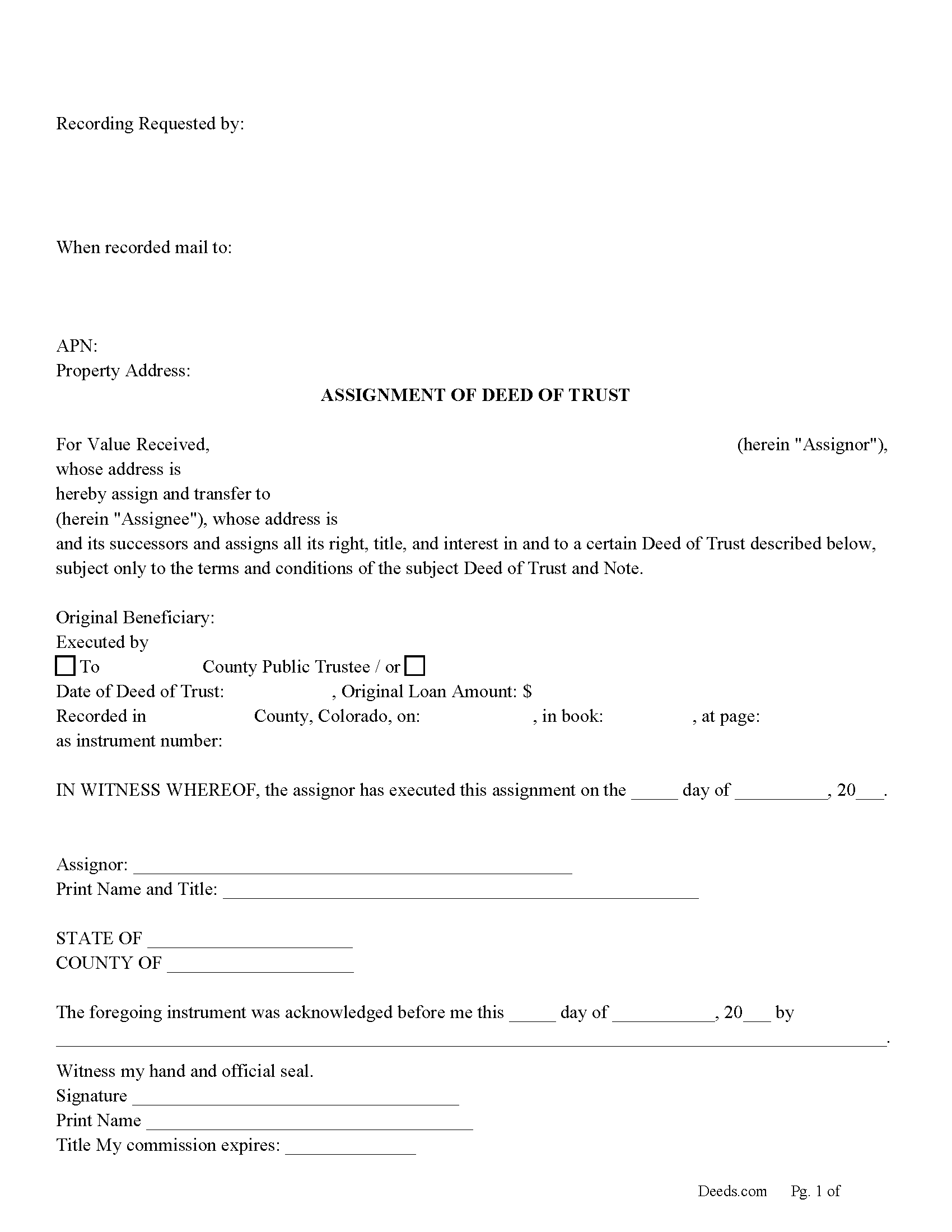
Moffat County Assignment of Deed of Trust Form
Fill in the blank form formatted to comply with all recording and content requirements.
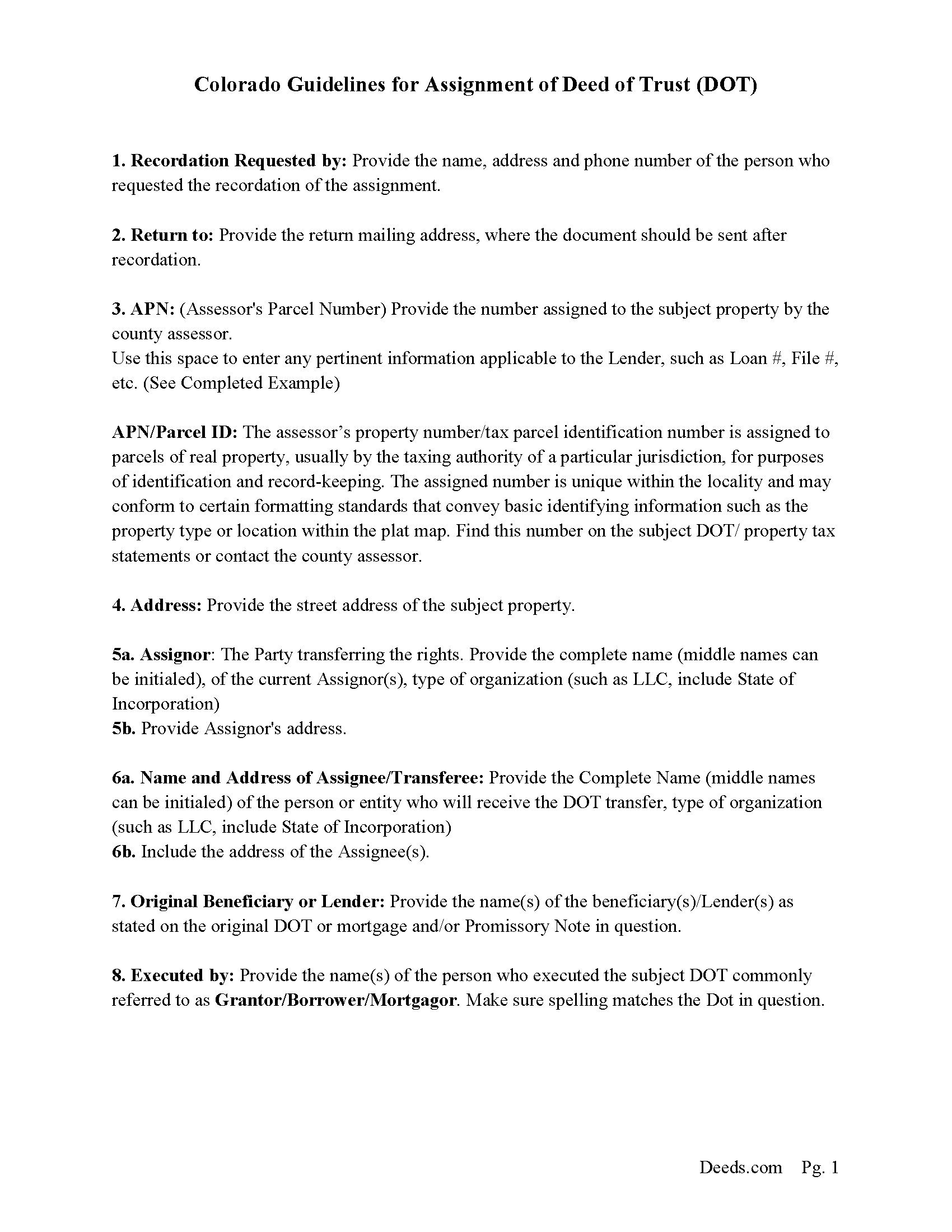
Moffat County Guidelines for Assignment of Deed of Trust
Line by line guide explaining every blank on the form.
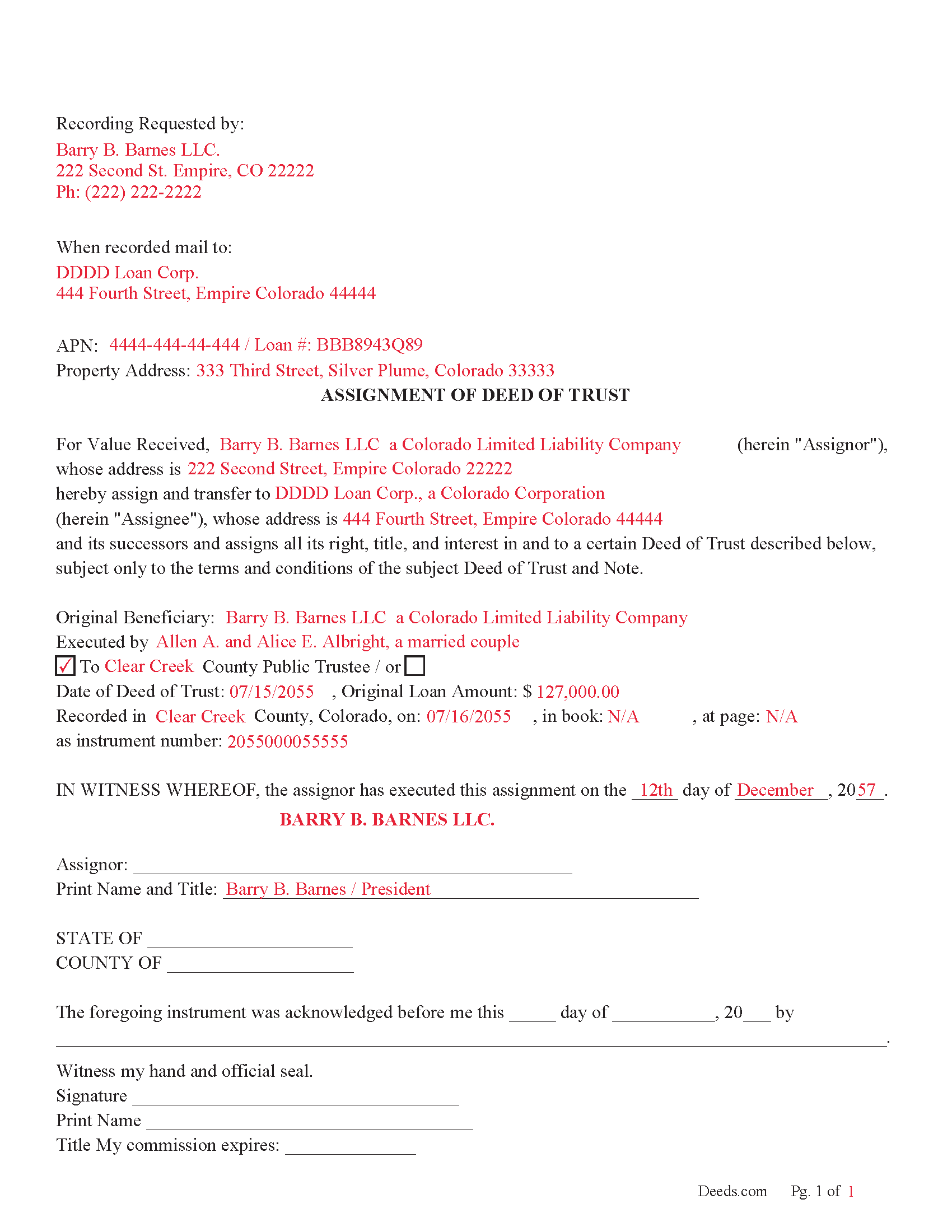
Moffat County Completed Example of the Assignment of Deed of Trust Document
Example of a properly completed form for reference.
All 3 documents above included • One-time purchase • No recurring fees
Immediate Download • Secure Checkout
Additional Colorado and Moffat County documents included at no extra charge:
Where to Record Your Documents
Moffat County Clerk and Recorder
Craig , Colorado 81625
Hours: Monday - Friday 8am-1pm & 2pm-4:30pm
Phone: (970) 824-9104
Recording Tips for Moffat County:
- Bring your driver's license or state-issued photo ID
- Ensure all signatures are in blue or black ink
- Recorded documents become public record - avoid including SSNs
- Recording fees may differ from what's posted online - verify current rates
- Request a receipt showing your recording numbers
Cities and Jurisdictions in Moffat County
Properties in any of these areas use Moffat County forms:
- Craig
- Dinosaur
- Hamilton
- Maybell
- Slater
Hours, fees, requirements, and more for Moffat County
How do I get my forms?
Forms are available for immediate download after payment. The Moffat County forms will be in your account ready to download to your computer. An account is created for you during checkout if you don't have one. Forms are NOT emailed.
Are these forms guaranteed to be recordable in Moffat County?
Yes. Our form blanks are guaranteed to meet or exceed the applicable formatting requirements used for recording in Moffat County, including margin requirements, font requirements, and other layout standards. This guarantee applies to formatting, not to the legal sufficiency of information entered by the user or the suitability of a form for a particular transaction.
Can I reuse these forms?
Yes. You can reuse the forms for your personal use. For example, if you have multiple properties in Moffat County you only need to order once.
What do I need to use these forms?
The forms are PDFs that you fill out on your computer. The free Adobe Acrobat Reader is recommended, and most PDF apps also work. You do NOT enter your property information online - you download the blank forms and complete them privately on your own computer.
Are there any recurring fees?
No. This is a one-time purchase. Nothing to cancel, no memberships, no recurring fees.
How much does it cost to record in Moffat County?
Recording fees in Moffat County vary. Contact the recorder's office at (970) 824-9104 for current fees.
Questions answered? Let's get started!
Use this form to assign a formerly recorded Deed of Trust to another entity. This form can be used with a public or conventional trustee. Public trustees are primarily used in Colorado, but conventional trustees are also used. [Any deed of trust that names any person other than a public trustee as trustee therein or that secures an obligation other than an evidence of debt shall be deemed and taken to be a mortgage for all purposes and foreclosed only as mortgages are foreclosed in and through the courts; except that any deed of trust that names a public trustee as trustee therein and secures an obligation other than an instrument evidencing a debt shall be released as provided in section 38-39-102 (5).] [38-39-101] / Note: Colorado is the only state at this time to have a Public Trustee System.
38-38-100.3. Definitions (10) "Holder of an evidence of debt" or "holder" means the person in actual possession of or person entitled to enforce an evidence of debt; except that the term does not include a person acting as a nominee solely for the purpose of holding the evidence of debt or deed of trust as an electronic registry without any authority to enforce the evidence of debt or deed of trust. For the purposes of articles 37 to 40 of this title, the following persons are presumed to be the holder of an evidence of debt:
(b) The person in possession of an original evidence of debt together with the proper indorsement or assignment thereof to such person in accordance with section 38-38-101 (6);
38-38-101. Holder of evidence of debt may elect to foreclose.
(6) Indorsement or assignment. (a) Proper indorsement or assignment of an evidence of debt shall include the original indorsement or assignment or a certified copy of an indorsement or assignment recorded in the county where the property being foreclosed is located.
(Colorado Assignment of DOT Package includes form, guidelines, and completed example) For use in Colorado Only.
Important: Your property must be located in Moffat County to use these forms. Documents should be recorded at the county recording office listed above.
This Assignment of Deed of Trust meets all recording requirements specific to Moffat County.
Our Promise
The documents you receive here are guaranteed to meet or exceed the applicable Moffat County recording format requirements. If there is a rejection caused by our formatting, we will correct the issue or refund your payment. This guarantee applies to document formatting only and does not extend to information entered by the user, the selection of the form, or the legal effect of the completed document.
Save Time and Money
Get your Moffat County Assignment of Deed of Trust form done right the first time with Deeds.com Uniform Conveyancing Blanks. At Deeds.com, we understand that your time and money are valuable resources, and we don't want you to face a penalty fee or rejection imposed by a county recorder for submitting nonstandard documents. We constantly review and update our forms to meet rapidly changing state and county recording requirements for roughly 3,500 counties and local jurisdictions.
4.8 out of 5 - ( 4,839 Reviews )
David M. 5 out of 5 stars
Very easy to use and modify if necessary. Spot on with each county requirement for recording and Notarizing
Thank you for your feedback. We really appreciate it. Have a great day!
Angela T. 5 out of 5 stars
I love this website .. it has been very helpful in so many ways.. thank you so much..
Thank you!
Marilyn B. 5 out of 5 stars
I do not use the internet much and really am not good with it, but your site which my brother told me about was really easy to use. I would recommend your service to others any time. Thanks for making it user friendly.
We appreciate your business and value your feedback. Thank you. Have a wonderful day!
Giuseppina M. 5 out of 5 stars
Fast, reliable excellent service
Your feedback is greatly appreciated. Thank you for taking the time to share your experience!
Jo Anne M. 5 out of 5 stars
good I think
Thank you!
James G. 1 out of 5 stars
This was very hard to follow, and the form looked horrible.
Sorry to hear that James. Some documents can certainly be more difficult than others. Your order and payment has been canceled. We do hope that you find something more suitable to your needs and aesthetic requirements elsewhere.
Alain L. 5 out of 5 stars
deeds.com was able to turnaround my document in a matter of hours. I was also surprised at how easy their website was to navigate, considering other websites that offered the same service were so convoluted. Thank you again for the quick turnaround.
Thank you!
janet H. 5 out of 5 stars
easy to download and print. came with instructions also. very helpful.
Thank you, Janet. We’re happy to hear the download and instructions made the process straightforward. We appreciate you taking the time to share your experience.
Heidi S. 5 out of 5 stars
I do not enjoy the process of not knowing how something works. When I get to a new website I cringe inside. When I find one that works I am pleased to have function. Thank you for making it easy for a lay person
Thank you for your feedback. We really appreciate it. Have a great day!
Barbara C. 5 out of 5 stars
Excellent site; easy to use
Thank you!
James A. 5 out of 5 stars
As advertised.
Thank you!
Noble Mikhail F. 5 out of 5 stars
The system is wonderful, and makes recording and searching simple, thanks a lot
Thank you!
Cameron M. 5 out of 5 stars
This service is amazing. Always same day recording. Quick and easy. Thank you!
We appreciate your business and value your feedback. Thank you. Have a wonderful day!
Timothy S. 5 out of 5 stars
The Quit Claim form was submitted, accepted, and processed by Davidson County with no hiccups. Recommended service!
Thank you!
MIMI T. 5 out of 5 stars
Absolutely the best ever!!!
Thank you!