Moffat County Conditional Lien Waiver Form
Last validated October 19, 2026 by our Forms Development TeamFormatted for recording in Moffat County, for property anywhere in the county: rural and unincorporated areas as well as Craig, Dinosaur, Hamilton, Maybell, Slater.
- 3 documents included
- Immediate PDF download
- Formatting guarantee
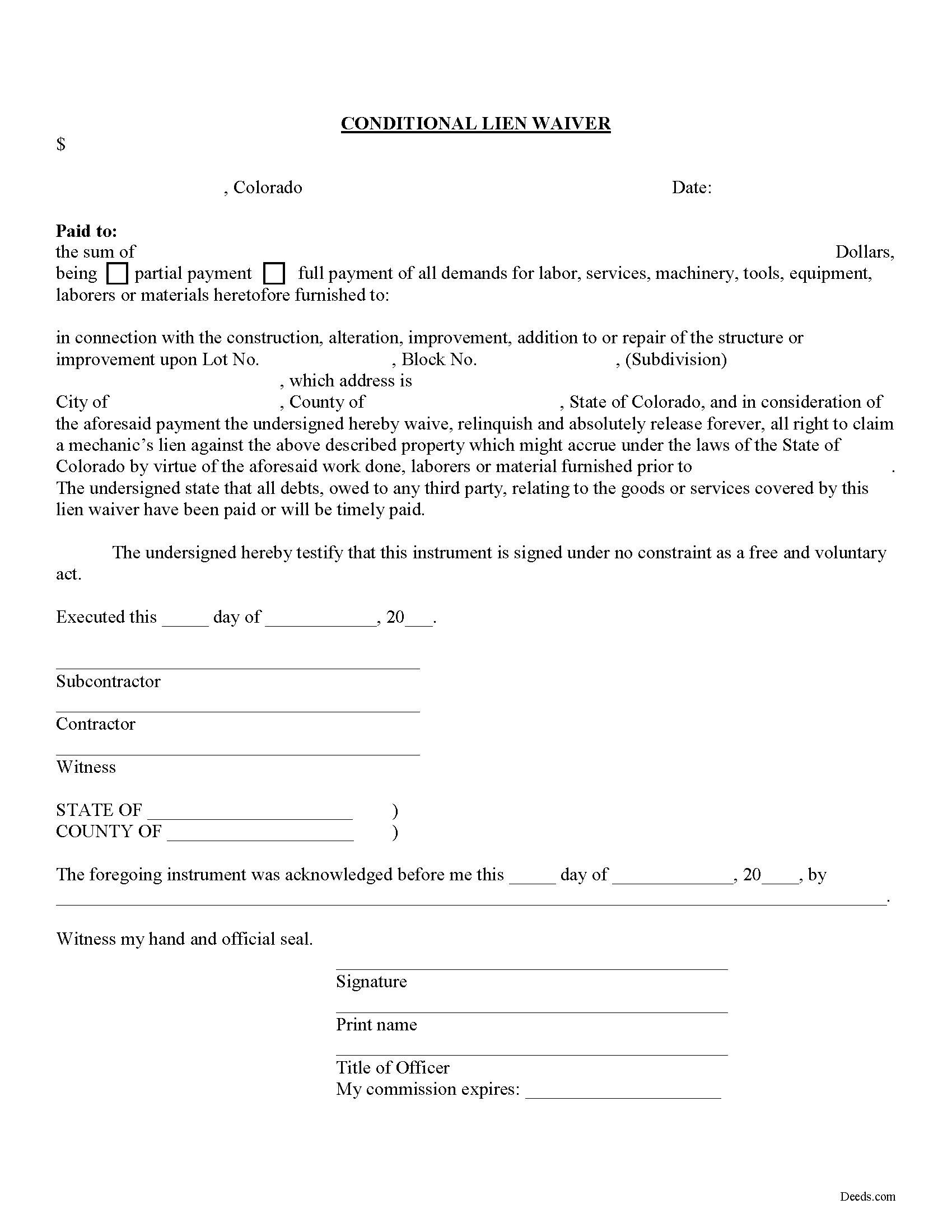
Moffat County Conditional Lien Waiver Form
Fill in the blank Conditional Lien Waiver form formatted to comply with all Colorado recording and content requirements.
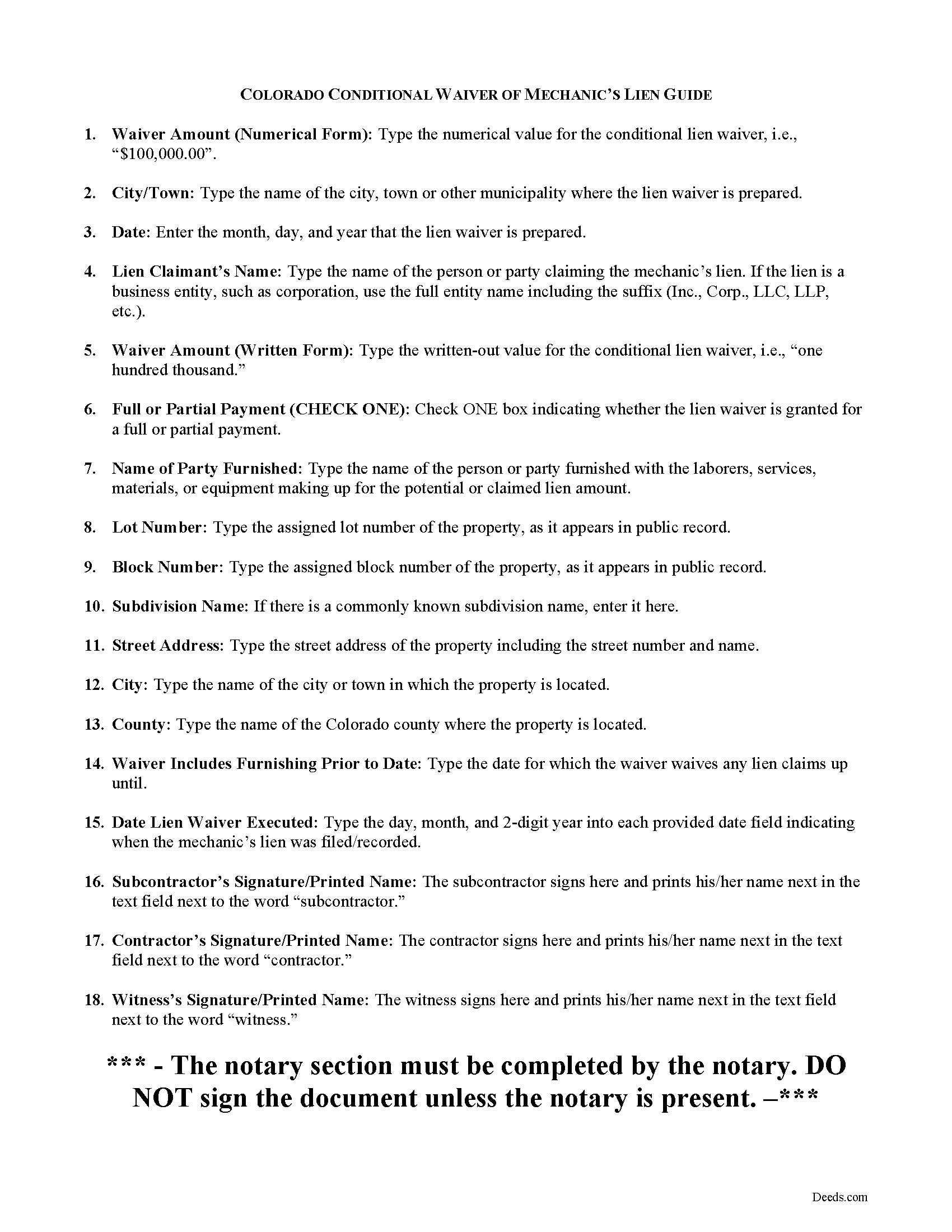
Moffat County Conditional Lien Waiver Guide
Line by line guide explaining every blank on the form.
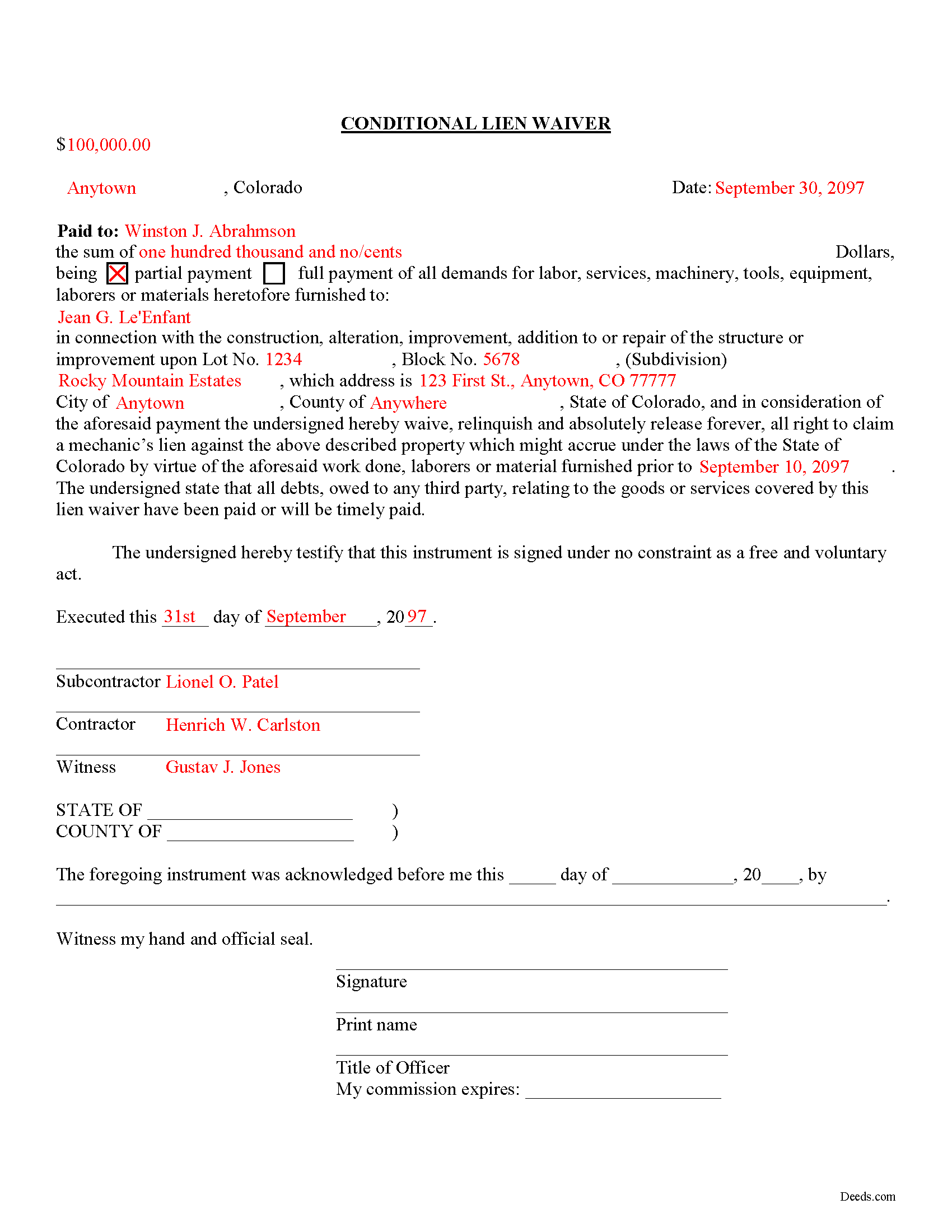
Moffat County Completed Example of the Conditional Lien Waiver Document
All 3 documents above included • One-time purchase • No recurring fees
Immediate Download • Secure Checkout
Additional Colorado and Moffat County documents included at no extra charge:
Where to Record Your Documents
Moffat County Clerk and Recorder
Craig , Colorado 81625
Hours: Monday - Friday 8am-1pm & 2pm-4:30pm
Phone: (970) 824-9104
Recording Tips for Moffat County:
- Bring your driver's license or state-issued photo ID
- Ensure all signatures are in blue or black ink
- Both spouses typically need to sign if property is jointly owned
- Bring extra funds - fees can vary by document type and page count
- Check margin requirements - usually 1-2 inches at top
Cities and Jurisdictions in Moffat County
Properties in any of these areas use Moffat County forms:
- Craig
- Dinosaur
- Hamilton
- Maybell
- Slater
Hours, fees, requirements, and more for Moffat County
How do I get my forms?
Forms are available for immediate download after payment. The Moffat County forms will be in your account ready to download to your computer. An account is created for you during checkout if you don't have one. Forms are NOT emailed.
Are these forms guaranteed to be recordable in Moffat County?
Yes. Our form blanks are guaranteed to meet or exceed the applicable formatting requirements used for recording in Moffat County, including margin requirements, font requirements, and other layout standards. This guarantee applies to formatting, not to the legal sufficiency of information entered by the user or the suitability of a form for a particular transaction.
Can I reuse these forms?
Yes. You can reuse the forms for your personal use. For example, if you have multiple properties in Moffat County you only need to order once.
What do I need to use these forms?
The forms are PDFs that you fill out on your computer. The free Adobe Acrobat Reader is recommended, and most PDF apps also work. You do NOT enter your property information online - you download the blank forms and complete them privately on your own computer.
Are there any recurring fees?
No. This is a one-time purchase. Nothing to cancel, no memberships, no recurring fees.
How much does it cost to record in Moffat County?
Recording fees in Moffat County vary. Contact the recorder's office at (970) 824-9104 for current fees.
Questions answered? Let's get started!
There are two types of lien waivers -- conditional and unconditional. A conditional waiver depends on a triggering event occurring, which activates the waiver clause. The event is usually the payment of the due amount or the clearing of an issued check. A conditional waiver offers more protection for the contractor or subcontractor and less for the owner.
The second type of waiver is an unconditional waiver and is effective upon its issue to waive a lien claim for all or part of the potential claim amount. This waiver offers the owner stronger protection and the contractor or subcontractor less assurance of payment. Therefore, it should only be granted when the contractor or sub is close to 100% certain that payment will clear.
So, use the conditional waiver when receiving a check or some other form of payment that might not clear the bank. It is also useful when the owner promises to pay by a specific date in the future, say next Wednesday, but wants a waiver regardless.
Find Colorado's General Mechanic's Lien laws at C.R.S. 38-22.
This article is provided for informational purposes only and should not be relied upon as a substitute for an attorney's advice. Please contact a Colorado attorney with any specific question about lien waivers.
Important: Your property must be located in Moffat County to use these forms. Documents should be recorded at the county recording office listed above.
This Conditional Lien Waiver meets all recording requirements specific to Moffat County.
Our Promise
The documents you receive here are guaranteed to meet or exceed the applicable Moffat County recording format requirements. If there is a rejection caused by our formatting, we will correct the issue or refund your payment. This guarantee applies to document formatting only and does not extend to information entered by the user, the selection of the form, or the legal effect of the completed document.
Save Time and Money
Get your Moffat County Conditional Lien Waiver form done right the first time with Deeds.com Uniform Conveyancing Blanks. At Deeds.com, we understand that your time and money are valuable resources, and we don't want you to face a penalty fee or rejection imposed by a county recorder for submitting nonstandard documents. We constantly review and update our forms to meet rapidly changing state and county recording requirements for roughly 3,500 counties and local jurisdictions.
4.8 out of 5 - ( 4,839 Reviews )
Bob B. 5 out of 5 stars
Good so far. Will be great if you get the deed recorded.
Thank you!
Ira S. 5 out of 5 stars
Hi, 1. I need a password to be able to copy and paste from the deed. 2. It would be more convenient if all documents could be downloaded together. Ira
Thank you for your feedback. We really appreciate it. Have a great day!
Armando B. 5 out of 5 stars
This was so simple to get around your web site. Guide was easy to follow. Great experience. Would use again.
Thank you for your feedback. We really appreciate it. Have a great day!
Jamie W. 5 out of 5 stars
Very fast service. Wish I knew about this earlier.
We appreciate your business and value your feedback. Thank you. Have a wonderful day!
Kathleen H. 2 out of 5 stars
Very disappointed that the Recording Information section did not state where to get the information required.
Sorry to hear that we failed you Kathleen.
Charles Z. 5 out of 5 stars
I am very happy with the service and would use again. Super fast, efficient, and very helpful friendly staff. I would recommend and would use again.
Thank you for your feedback. We really appreciate it. Have a great day!
Sharon H. 5 out of 5 stars
I was able to print the deed and follow the instructions and sample deed quite easily. Thank you
We appreciate your business and value your feedback. Thank you. Have a wonderful day!
Vertina B. 5 out of 5 stars
The website is well established and easy to use. I got everything I was supposed to get. I had no problem downloading the forms. All of the forms printed well.
We appreciate your business and value your feedback. Thank you. Have a wonderful day!
Daniel A. 5 out of 5 stars
First time using Deeds.com. Downloaded the PDF forms for creating an Illinois Mortgage and Promissory Note. Filled them out, saved them, and printed them out. Going to send them to my Title Company for closing on a property. Save a bunch of money on not have to pay lawyer fees for creating the same legal documents that Deeds.com provided.
We appreciate your business and value your feedback. Thank you. Have a wonderful day!
Mark S. 5 out of 5 stars
Excellent service, quick and very efficient! Thanks for your great service!
We appreciate your business and value your feedback. Thank you. Have a wonderful day!
Mary D. 5 out of 5 stars
LOVE this site.. easy to use and very very quick to record
Thank you for your feedback. We really appreciate it. Have a great day!
Allen H. 5 out of 5 stars
Your program was invaluable to us, I used it for my Mom's estate and when she passed the transition was seamless and no probate was involved. I am going to use this for myself to transfer my property over to my children in upon my death. Can't say enough positive things about it. Thanks, Allen
Thank you!
Elizabeth M. 5 out of 5 stars
So fare easy and straight forward
Thank you for your feedback. We really appreciate it. Have a great day!
Lynn S. 5 out of 5 stars
Awesome service! I was a first time user recording a document online. I received alerts and updates throughout the process to completion of recording. I highly recommend deeds.com. They made this process stress free. Thank you
Thank you Lynn, we appreciate the kind words. Have an amazing day!
Jennifer O. 5 out of 5 stars
Quick, easy, affordable, eliminated the need for a lawyer.
Thank you for your feedback. We really appreciate it. Have a great day!